
TL;DR
Building your own AI workstation used to be cheaper, but recent shortages and price spikes shift the balance. Prebuilts now often match or beat DIY on cost, with added support and validation. Your choice depends on your time, expertise, and workload needs.
Imagine this: you need a powerful AI workstation. Do you spend hours sourcing parts, building, tuning, and troubleshooting — or do you buy a ready-made system that’s tested and supported? In 2026, the old rule — “building is always cheaper” — no longer holds. The AI boom has changed the game, making prebuilt systems more competitive on price and offering instant readiness. Your decision now isn’t just about saving a few bucks; it’s about speed, reliability, and control.
Whether you’re a hobbyist, startup, or enterprise, understanding the nuances can save you money and headaches. This guide walks through what’s really happening in the build-vs-buy debate today, with concrete examples and practical tips. Ready? Let’s dive in.
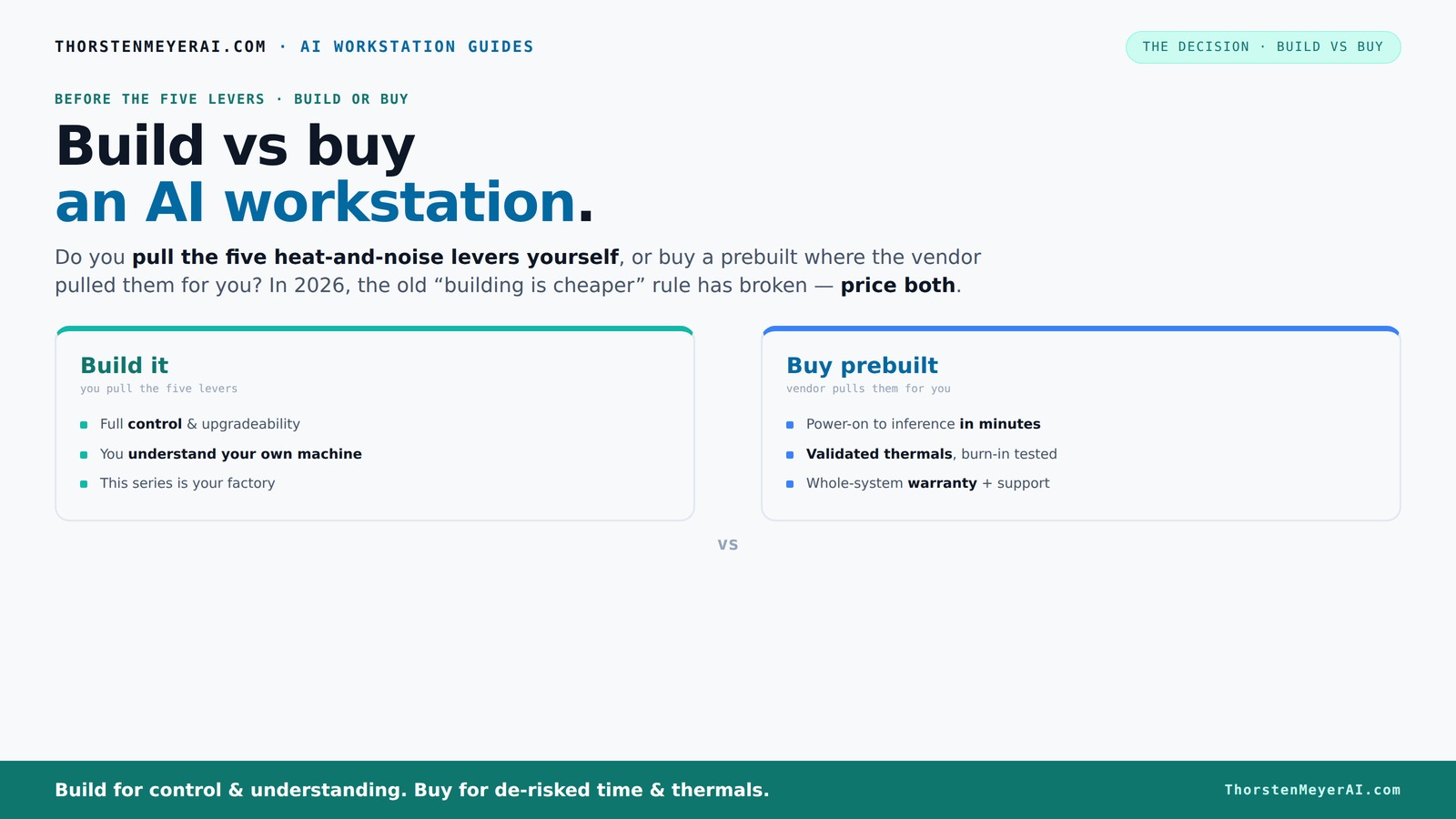
Build vs buy
an AI workstation.
The real question behind this whole series: do you pull the five heat-and-noise levers yourself, or buy a prebuilt where the vendor pulled them for you? And in 2026, the old “building is cheaper” rule has broken. Match your situation in Part 3.
Key Takeaways
- Component shortages and bulk buying have made prebuilt AI workstations often as affordable as DIY builds in 2026.
- Prebuilts save time, reduce troubleshooting, and come with validated thermals and warranties—ideal for busy professionals.
- Building your own system is best if you want full control over components, cooling, and upgrade paths, and enjoy tinkering.
- The decision depends on workload complexity: large training jobs may warrant custom builds, while inference tasks suit prebuilt systems.
- Always price both options for your specific needs — don't assume DIY is automatically cheaper anymore.
As an affiliate, we earn on qualifying purchases.
Why 2026 Changes Everything for Build vs Buy
In 2026, building your own AI workstation isn’t automatically cheaper anymore. Component shortages and demand spikes for GPUs, RAM, and SSDs have pushed prices sky-high. A build that used to cost under $1,000 now often exceeds $1,250 just for parts, before OS and assembly. Meanwhile, big vendors bought in bulk early, locking in lower prices and offering systems that match or beat DIY costs.
For example, a high-end GPU like the NVIDIA RTX 4090 now costs around $1,600 retail, but prebuilt vendors often include it in systems for about the same price — thanks to bulk discounts. So, the old assumption that DIY always wins on price is crumbling. Now, you need to compare actual quotes for your exact setup. This shift impacts how you approach the decision: it’s no longer just about saving money; it’s about time, risk, and workload fit.
The implications are significant: if cost savings are no longer guaranteed, then other factors like time-to-deploy, system reliability, and warranty support become more critical. This means that even if you find a cheaper part, the overall value might favor prebuilt systems that are tested, validated, and ready to go immediately. The tradeoff now involves balancing upfront costs with potential delays, troubleshooting, and the risk of incompatibility—factors that can cost you more in the long run if overlooked.
The Five Levers of Heat and Noise — Who Controls Them?
Building or buying your AI workstation boils down to who pulls the five levers that keep your system cool, quiet, and stable. These are: undervolting the GPU, matching the cooling system, optimizing airflow, tuning fan curves, and good placement.
If you buy prebuilt, the vendor handles these. They run extensive burn-in, validate thermals, and often include water-cooling or custom fans for quieter operation. Systems from companies like Lambda are engineered for this, with tested thermal profiles and warranties. You pay a premium for this convenience, but it’s a proven solution.
Build your own? You’re the engineer. You pick a quiet GPU, like the quiet GPU, undervolt it, and choose cooling and case components from quiet cooling options. You tune fans yourself, set airflow paths, and build your own thermal management system. This control allows you to fine-tune for optimal silence and thermal performance, which can be crucial for environments where noise or heat could impair productivity or hardware longevity. However, this level of customization requires understanding thermal dynamics and patience—mistakes can lead to overheating or noise issues, negating the benefits. The tradeoff is between the satisfaction and precision of control versus the time and expertise needed to achieve it.
When Buying Prebuilt Saves You Time and Headaches
Prebuilt AI workstations are the plug-and-play option. They arrive assembled, tested, with OS and AI frameworks installed — ready to run in minutes. If your time is valuable, this can be a huge advantage. For example, a system from a Mac Studio or prebuilt PC can be up and running faster than sourcing parts, building, and troubleshooting.
Plus, you get validated thermals and support. Vendors like BIZON or Lambda don’t just assemble — they run stress tests for 24–48 hours, ensuring your system won’t throttle during long training sessions. They offer warranties that cover failures, reducing your risk of downtime during critical workloads.
If you’re working on multi-GPU setups or complex AI models, this validation becomes even more valuable. It minimizes the risk of incompatibilities, thermal bottlenecks, or hardware failures that could cost hours or days of troubleshooting. In high-stakes environments, this reliability can be the difference between meeting project deadlines or facing costly delays. The upfront investment in a validated, supported system can therefore translate into significant savings in time and stress, especially when working under tight schedules or on critical research.
DIY Builds Are Still the Best for Control and Customization
If you’re a hobbyist or someone who loves tinkering, building your own AI workstation remains attractive. You pick every component — from the GPU to the motherboard, cooling, and case. The biggest benefit? Total control over specs and upgrade paths.
For example, you could choose a quiet GPU with 24GB VRAM for training large models or image generation. You tune the fans and undervolt the GPU for near-silent operation. This level of customization allows you to tailor the system precisely to your workload’s thermal and acoustic needs, which can improve performance and longevity. Plus, the learning process deepens your understanding of hardware, enabling better future upgrades and troubleshooting.
However, this approach demands significant time, patience, and technical knowledge. Mistakes in component selection, thermal management, or undervolting can lead to instability or hardware damage. The tradeoff is that you gain unmatched control and potential cost savings if you’re experienced enough to optimize your build effectively. For those who enjoy the engineering challenge, this remains a compelling choice despite the higher effort involved.
Cost, Speed, and Support — Making the Right Choice
Cost isn’t just sticker price. Building a system can be cheaper on paper, but factoring in your time, troubleshooting, and thermal tuning shifts the balance. Prebuilts include assembly, testing, and warranty, which add value and reduce risk.
Speed matters too. A prebuilt system arrives ready to go, saving days or weeks of sourcing parts and fixing issues. For busy professionals, this often outweighs the cost difference.
Support and warranties are the final piece. If your AI workload is critical, having a single support point and a warranty from a reputable vendor can save you hours of troubleshooting and downtime. This comprehensive support ensures that hardware issues are addressed quickly, minimizing project delays and protecting your investment. The peace of mind that comes with a warranty can be invaluable, especially when your work depends on consistent hardware performance. The tradeoff is that the upfront cost for support and validation might be higher, but the long-term savings in time and stress often justify it.
Workload Matters: When Does a Custom Build Make Sense?
If your AI tasks involve training large models, multi-GPU setups, or custom hardware like NPUs, a DIY or custom build might be worth it. These workloads demand precise thermal management, power delivery, and compatibility that prebuilt systems may not fully support.
For example, a research lab training models with 4 NVIDIA A100 GPUs benefits from a custom build with tailored cooling, larger power supplies, and specific driver setups. The extra control over thermal and power management can significantly enhance performance, stability, and lifespan of the hardware. It allows you to optimize for the specific demands of your workload, avoiding thermal throttling or insufficient power delivery that could bottleneck training speed or cause hardware failures.
On the other hand, for inference or smaller projects, prebuilt systems with validated thermals often suffice, especially if you want to get started quickly and reliably. The key is matching your workload’s complexity with the level of customization and control you need — investing in a custom build makes sense only when the workload’s demands justify the additional effort and expense.
Frequently Asked Questions
Is it cheaper to build or buy a prebuilt AI workstation?
It depends. For most in 2026, prebuilt systems often match or beat DIY costs due to component shortages and bulk discounts. Always compare specific quotes before deciding.
When does a prebuilt become the better value than DIY?
If you need a system quickly, want validated thermals, or prefer support, prebuilts save time and reduce risk—making them the better choice for many users.
What workloads justify a custom build?
Large model training, multi-GPU setups, or custom hardware like NPUs benefit from a tailored build with optimized cooling and power delivery. For simpler inference, prebuilts usually suffice.
How much GPU VRAM do I need for different AI tasks?
For inference and smaller models, 8-16GB VRAM is often enough. Training large models or image generation benefits from 24GB or more, especially with high-resolution data or multi-GPU setups.
Can I upgrade a prebuilt system later?
It varies. Some prebuilts allow upgrades, but many are more locked down. Check the vendor’s upgrade policies before buying if future expansion is important.
Conclusion
In 2026, building your own AI workstation isn’t the no-brainer it once was. With component prices high and prebuilts offering validated performance and support, the choice hinges on your workload, time, and control preference. The smart move? Compare real prices, consider your comfort with tuning, and pick what fits your needs best.
Remember, your AI journey begins with the right hardware — whether you build it or buy it. So, get started with clarity, and turn your AI ambitions into reality.