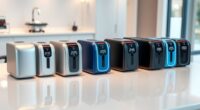
Shopping for TV remotes for the elderly means choosing between two things that often pull against each other: simplicity and compatibility. A remote with only a few oversized buttons is easiest for someone with low vision or memory loss, but it may not control a cable box or soundbar. My top pick, the Flipper Big Button TV Remote for Seniors, balances both by pairing just the essential controls with two-device support. The GE BigEZ OneTouch stands out if you want one-touch activity buttons that skip confusing setup steps, and the Big Button TV Remote for Seniors with Dementia with its color-coded keys is the strongest option for cognitive decline. Keep reading for the full breakdown, including which models work with which TV brands and where each one falls short.

Turn quiet afternoons into listening time
- Thousands of audiobooks, podcasts and originals
- Listen on your phone, tablet or Echo — also offline
- Cancel anytime
Complete the kit


Key Takeaways
- The single biggest dividing line in this roundup is button count: models like the Flipper and BigEZ OneTouch strip controls down to favorites-only, while universal options like the GE UltraPro keep full functionality that can overwhelm some users.
- Backlighting appeared on fewer than half the models, and the quality varies widely — remotes like the EasyMote DT-R08W and Philips BigEZ offer genuinely readable illuminated keys, while others have dim lighting that barely helps at night.
- Brand-specific remotes (the Vizio replacement and the Samsung silicone-cover model) need zero setup and work instantly, making them better picks than universals when the TV brand is known and fixed.
- For users with dementia, color-coded buttons matter more than button size — the dedicated dementia model outperformed physically larger remotes because color recognition outlasts label reading.
- Learning-function remotes (like the backlit model requiring the original remote) offer the most customization but demand a working original remote and patient setup — a real obstacle if the old remote is already lost.
| GE UltraPro 2-Device Universal Remote Control with Large Buttons |  | Best for Two-Device Setups | Device capacity: Up to 2 devices | Compatible devices: TVs, soundbars, cable boxes, satellite receivers, and other compatible devices | Programming: Automatic code search or direct code entry | VIEW ON AMAZON | See Our Full Breakdown |
| Large Button TV Remote Control for Seniors |  | Best for a Simple TV-Only Setup | Remote type: Universal big-button TV remote | Target users: Seniors and people with low vision | Compatibility: Most major TV brands | VIEW ON AMAZON | See Our Full Breakdown |
| Vizio Replacement TV Remote – Big Button, Easy to Use, Compatible with Vizio TVs |  | Best No-Setup Pick for Vizio Owners | Compatibility: Vizio TVs only | Button design: Big buttons with tactile feedback | Programming: No programming required | VIEW ON AMAZON | See Our Full Breakdown |
| Universal Big Button TV Remote Replacement for Samsung, VIZIO, LG, Sony, Philips & More |  | Best for Low-Light Viewing | Compatibility: Samsung, VIZIO, LG, Sony, Philips, and more | Hotkeys: 4 quick-access shortcuts | Illumination: Backlit keys; exposure to light is required to charge | VIEW ON AMAZON | See Our Full Breakdown |
| Big Button Universal TV Remote for Samsung, LG, VIZIO, Sony, Hisense, Philips, Panasonic, and Sharp |  | Best for a Wide Range of TV Brands | Compatible brands: Samsung, LG, VIZIO, Sony, Hisense, Philips, Panasonic, and Sharp | Setup for Samsung: No setup or pairing required | Setup for other brands: Not specified | VIEW ON AMAZON | See Our Full Breakdown |
| GE BigEZ OneTouch Big Button Universal TV Remote for Seniors |  | Best for Quick Setup | Brand: GE | Model: BigEZ OneTouch Universal Remote | Compatible TV brands: Samsung, LG, Vizio, Sony, Roku | VIEW ON AMAZON | See Our Full Breakdown |
| Backlit Big-Button Remote for Samsung TVs with Silicone Cover and Hook |  | Best for Samsung TV Owners | Compatibility: Samsung smart TVs | Setup: Insert batteries; no pairing or programming required | Backlight duration: 30 seconds | VIEW ON AMAZON | See Our Full Breakdown |
| Big Button TV Remote for Seniors with Dementia – Large Color-Coded Buttons, Works with TVs & Cable Boxes |  | Best for Simplifying TV and Cable | TV compatibility: Major brands including Sony, Samsung, LG, Vizio, Toshiba, Panasonic, Insignia, and Hisense | Provider compatibility: Xfinity, Spectrum, DirecTV, Dish, AT&T, TiVo, Apple, and Roku | Button design: Large, color-coded tactile buttons | VIEW ON AMAZON | See Our Full Breakdown |
| Universal Big Button TV Remote – EasyMote DT-R08W Backlit Controller for TV & Cable Box |  | Best Minimal-Button Option | Model: DT-R08W | Color: White | Buttons: 6 large backlit buttons | VIEW ON AMAZON | See Our Full Breakdown |
| Big Button Universal TV Remote for Seniors with Backlit (Learning Function, Original Remote Required) |  | Best for Broad TV Brand Coverage | Compatibility: Hundreds of TV brands; consult the manual | Setup methods: Four-digit code entry and learning function | Backlit buttons: Yes | VIEW ON AMAZON | See Our Full Breakdown |
| Flipper Big Button TV Remote for Seniors |  | Best for TV and Cable Box Simplicity | Button layout: Four color-coded buttons for power, volume, channel, and mute | Favorite channels: Up to 25 programmable channels | Compatibility: Major TV brands, cable and satellite boxes, compatible soundbars and IR devices | VIEW ON AMAZON | See Our Full Breakdown |
| EZclicker Big Button Universal TV Remote, Orange |  | Best for Clear, High-Contrast TV Controls | Color: Orange | Compatible devices: Televisions | Connectivity: Infrared | VIEW ON AMAZON | See Our Full Breakdown |
| Philips BigEZ OneTouch Universal TV Remote for Seniors, Backlit, 2-Device, Black |  | Best Backlit Pick for Two Devices | Device compatibility: Samsung, LG, Sony, Vizio, Roku TV, set-top boxes, and soundbars | Backlit buttons: Yes | Number of devices: 2 | VIEW ON AMAZON | See Our Full Breakdown |
| Simple Universal TV Remote for Seniors with Large Backlit Buttons |  | Best for Basic TV Controls in Low Light | Compatible devices: Televisions | Connectivity: Infrared | Button quantity: 8 | VIEW ON AMAZON | See Our Full Breakdown |
| EZclicker Simple Big Button TV Remote for Seniors, Black |  | Best Compact TV-Only Pick | Color: Black | Compatible devices: Televisions | Connectivity: Infrared | VIEW ON AMAZON | See Our Full Breakdown |
| tv remotes for the elderly | Batteries |
|---|---|
| GE UltraPro 2-Device Universal | — |
| Large Button TV Remote Control | — |
| Vizio Replacement TV Remote | 2 AAA batteries, not included |
| Universal Big Button TV Remote | Not included |
| Big Button Universal TV Remote | — |
| GE BigEZ OneTouch Big Button U | 2 AA batteries, not included |
| Backlit Big-Button Remote for | — |
| Big Button TV Remote for Senio | — |
| Universal Big Button TV Remote | Not included |
| Big Button Universal TV Remote | Not included |
| Flipper Big Button TV Remote f | — |
| EZclicker Big Button Universal | 2 AAA batteries required, not included |
| Philips BigEZ OneTouch Univers | — |
| Simple Universal TV Remote for | 2 AAA batteries required, not included |
| EZclicker Simple Big Button TV | 2 AAA batteries required, not included |
More Details on Our Top Picks
GE UltraPro 2-Device Universal Remote Control with Large Buttons
The GE UltraPro suits someone who wants one remote for a TV and a soundbar or receiver, while keeping buttons large and readable. Its two-device capacity gives it an advantage over the Vizio replacement remote, which only works with Vizio TVs. Samsung owners also get a simpler start because the GE is preprogrammed for Samsung TVs; other setups can use automatic code search or direct code entry. Master volume control can reduce the need to switch between devices for everyday sound adjustments.
The tradeoff is that setup may take more effort than the Vizio model’s plug-and-play approach, and the two-device limit will not cover a more elaborate system. It also needs two AA batteries that are not included. I’d choose it for a modest TV setup, but skip it if the goal is to control a cable box, TV, and soundbar all together.
Pros:- Large buttons are easier to see and select
- Controls up to two compatible devices
- Automatic code search and direct code entry support different setups
- Master volume control can simplify routine sound adjustments
Cons:- Limited to two devices
- Requires two AA batteries, which are not included
- Non-Samsung setups may require programming
Best for: Older adults who want large, readable buttons and control of a TV plus one compatible soundbar or receiver
Not ideal for: People who need one remote for three or more devices, or who want a replacement that works without any setup
- Device capacity:Up to 2 devices
- Compatible devices:TVs, soundbars, cable boxes, satellite receivers, and other compatible devices
- Programming:Automatic code search or direct code entry
- Preprogrammed for:Samsung TVs
- Power:2 AA batteries, not included
- Finish:Brushed silver
- Other controls:Master volume control and direct sub-channel access
Our verdict“Choose the GE UltraPro if large buttons and control of two devices matter more than a no-setup experience.”
Large Button TV Remote Control for Seniors
This remote keeps the job narrow: its extra-large, clearly marked buttons are aimed at people who want straightforward control of a compatible TV. That makes it a natural fit for someone who finds a standard remote crowded or hard to read. Compared with the GE UltraPro, it gives up multi-device control and programming flexibility, but its stated purpose is simpler: replace the TV remote without adding DVD or cable-box controls to the layout.
That simplicity has a firm boundary. It does not support cable boxes, DVD players, niche TV brands, or voice control, so households that watch through a separate box may still need another remote. The product data also says compatibility covers most major brands without listing specific models, which leaves some uncertainty for unusual sets. I’d pick it for a major-brand TV used on its own; the GE is a better match when another device must be controlled.
Pros:- Extra-large buttons are easier to see and press
- Simple layout focuses on TV operation
- Lightweight ergonomic design may be easier to handle
- Compatible with most major TV brands
Cons:- Does not control cable boxes or DVD players
- Not compatible with niche TV brands
- No voice control
Best for: Older adults with low vision who use a compatible major-brand TV directly and want a simple replacement remote
Not ideal for: Viewers who rely on a cable box, DVD player, niche-brand TV, or voice control
- Remote type:Universal big-button TV remote
- Target users:Seniors and people with low vision
- Compatibility:Most major TV brands
- Unsupported devices:DVD players and cable boxes
- Niche-brand support:Not compatible
- Voice control:Not supported
- Build:Ergonomic, lightweight, and durable
Our verdict“Choose this remote for a compatible TV-only setup where large labels and a simple layout are the priority.”
Vizio Replacement TV Remote – Big Button, Easy to Use, Compatible with Vizio TVs
For a household with a Vizio TV, this replacement’s main advantage is that it works without programming. Its large buttons and tactile feedback can help someone with limited dexterity find and press controls with less guesswork. Compared with the GE UltraPro, it cannot control a second device, but it also avoids code entry and code searching. The compact, lightweight 7-by-2-inch body may be easier to hold than a larger universal remote.
The dedicated fit is also the limit: this remote is compatible exclusively with Vizio TVs and lacks advanced or smart features. It won’t suit a mixed-brand household or someone hoping to simplify control of a TV and soundbar. Two AAA batteries are needed and must be supplied separately. I’d choose it when matching the TV brand and easy setup matter most; for broader compatibility, the GE or the multi-brand universal model is a better fit.
Pros:- No programming required for compatible Vizio TVs
- Large buttons include tactile feedback
- Compact, lightweight dimensions may be easier to handle
- Simplified design supports accessible operation
Cons:- Works only with Vizio TVs
- Cannot control additional devices
- Two AAA batteries are not included
Best for: Vizio TV owners who want a lightweight big-button replacement that needs no programming
Not ideal for: Households with a non-Vizio TV or anyone wanting one remote to control multiple devices
- Compatibility:Vizio TVs only
- Button design:Big buttons with tactile feedback
- Programming:No programming required
- Batteries:2 AAA batteries, not included
- Dimensions:7 × 2 × 1 inches
- Form:Compact and lightweight
- Advanced features:No advanced features or smart capabilities
Our verdict“Choose this Vizio replacement when effortless setup matters more than multi-device or multi-brand support.”
Universal Big Button TV Remote Replacement for Samsung, VIZIO, LG, Sony, Philips & More
The backlit keys set this universal remote apart for older adults who often watch TV in a dim room. They make button labels easier to locate without turning on a lamp, while compatibility with several major brands offers more flexibility than the Vizio-only replacement. Four hotkeys provide shortcuts, and the stated range of up to 40 feet may help when the viewer sits farther from the television.
There are practical limits to weigh. It uses infrared, so it may not handle some smart TV functions, and the illumination needs exposure to light to charge. That charging dependency could make the labels less useful if the remote is kept in a drawer or dark room. Batteries are not included, and setup details are less specific than the GE UltraPro’s code-search options. I’d choose this for a compatible TV in a dim viewing space, but not for someone who needs dependable smart-device control.
Pros:- Backlit keys improve visibility in low light
- Supports several major TV brands
- Four hotkeys offer quick access to selected functions
- Settings are remembered when batteries are changed
Cons:- Illumination needs exposure to light to charge
- Infrared may not support some smart TV features
- Batteries are not included
Best for: Older viewers with a compatible major-brand TV who frequently use the remote in a dim room
Not ideal for: People who need smart-device functions, use an unsupported TV brand, or store the remote away from light
- Compatibility:Samsung, VIZIO, LG, Sony, Philips, and more
- Hotkeys:4 quick-access shortcuts
- Illumination:Backlit keys; exposure to light is required to charge
- Signal range:Up to 40 feet
- Response time:Less than 0.2 seconds
- Signal type:Infrared
- Battery memory:Remembers settings when batteries are changed
- Batteries:Not included
Our verdict“Choose this remote for a compatible TV in a dim room if backlit controls matter more than smart-device support.”
Big Button Universal TV Remote for Samsung, LG, VIZIO, Sony, Hisense, Philips, Panasonic, and Sharp
This model covers a broad set of named TV brands and uses large tactile buttons, with an extra-large Enter button for a control many viewers press often. That can make basic navigation more forgiving for someone with limited vision or dexterity. Samsung owners get a particularly easy start because no setup or pairing is required. Compared with the Vizio replacement remote, this model is a stronger fit for households with several TV brands or a non-Vizio set.
The tradeoff is that the no-setup claim applies specifically to Samsung; the supplied information does not explain how setup works for the other brands. It also cannot control streaming devices or cable boxes, so a viewer using either will need another remote. The 90-day replacement warranty offers a defined support window, but does not change those compatibility limits. I’d choose it for a Samsung or other listed-brand TV used on its own, not for a multi-device entertainment setup.
Pros:- Large tactile buttons support easier selection
- Extra-large Enter button stands out for frequent navigation
- Supports several named TV brands
- No setup or pairing required for Samsung TVs
Cons:- Does not control streaming devices or cable boxes
- Setup details are not specified for brands other than Samsung
Best for: Older adults with a listed-brand TV who want tactile controls, especially Samsung owners seeking a no-setup replacement
Not ideal for: Viewers who use streaming devices or cable boxes, or buyers who need clear setup instructions for a non-Samsung TV
- Compatible brands:Samsung, LG, VIZIO, Sony, Hisense, Philips, Panasonic, and Sharp
- Setup for Samsung:No setup or pairing required
- Setup for other brands:Not specified
- Button design:Large tactile buttons
- Enter button:Extra-large
- Unsupported devices:Streaming devices and cable boxes
- Warranty:90-day replacement warranty
Our verdict“Choose this remote for a listed-brand TV, particularly Samsung, when tactile controls matter and separate device control is unnecessary.”
GE BigEZ OneTouch Big Button Universal TV Remote for Seniors
The GE BigEZ OneTouch suits someone who needs larger, illuminated controls and wants to avoid entering setup codes. For Samsung, LG, Vizio, Sony, and Roku TVs, its brand presets make setup simpler than the EasyMote DT-R08W, which offers code search and learning instead. The blue volume and orange channel buttons add useful visual cues, while the AUX button can operate one other device, such as a soundbar or cable box. That second-device limit means it may not simplify a setup with several boxes and players. One-touch setup is also limited to the listed TV brands; other devices require manual programming. The remote takes two AA batteries, which are not included, though U.S.-based weekday support and programming videos can help with setup questions.
Pros:- Extra-large, fully backlit buttons aid visibility in dim rooms
- One-touch presets simplify setup for five listed TV brands
- Distinct blue volume and orange channel buttons make key controls easier to distinguish
- U.S.-based weekday support and online programming videos are available
Cons:- Controls only one additional device beyond the TV
- One-touch setup is limited to the listed TV brands; other devices need manual programming
- Two AA batteries are required and not included
Best for: People with a compatible Samsung, LG, Vizio, Sony, or Roku TV who want large, backlit controls and straightforward setup
Not ideal for: Households that need one remote to manage several devices or whose TV brand is outside the preset list
- Brand:GE
- Model:BigEZ OneTouch Universal Remote
- Compatible TV brands:Samsung, LG, Vizio, Sony, Roku
- Additional device control:1 device, such as a soundbar, cable box, or Blu-ray/DVD player
- Backlit buttons:Yes, fully backlit
- Color-coded buttons:Blue volume button; orange channel button
- Batteries:2 AA batteries, not included
- Support:U.S.-based technical support, Monday to Friday
Our verdict“Choose the GE BigEZ OneTouch if its brand presets fit your TV and a simple, illuminated layout matters more than controlling multiple devices.”
Backlit Big-Button Remote for Samsung TVs with Silicone Cover and Hook
For a person who uses a Samsung smart TV and wants a direct replacement without a programming step, this model keeps the setup simple: insert batteries and use it. Its large backlit buttons stay lit for 30 seconds, giving more time to find a control than a remote with no stated lighting period. The included silicone cover and mounting hook can also help protect the remote and give it a consistent storage spot. Compared with the GE BigEZ OneTouch, this is less flexible: it works only with Samsung TVs and does not control cable boxes, streaming devices, or other brands. Its one-handed design may appeal to someone who prefers a compact set of controls, but its narrow compatibility makes it a poor fit for mixed-device setups. The battery inclusion status is not specified.
Pros:- No pairing or programming is required for compatible Samsung TVs
- Large buttons illuminate for 30 seconds
- Silicone protective cover and mounting hook are included
- Designed for one-handed use
Cons:- Compatible only with Samsung TVs
- Does not control streaming devices or cable boxes
- Whether batteries are included is not stated
Best for: Samsung smart TV owners who want a ready-to-use remote with large illuminated buttons and a way to keep it stored in one place
Not ideal for: People using another TV brand, a separate streaming device, or a cable box they expect the remote to control
- Compatibility:Samsung smart TVs
- Setup:Insert batteries; no pairing or programming required
- Backlight duration:30 seconds
- Wireless range:49 ft
- Response time:0.1 seconds
- Materials:ABS plastic and silicone
- Included:Remote, silicone protective cover, mounting hook
- Other device support:Does not support streaming devices, cable boxes, or other TV brands
Our verdict“Pick this remote for a compatible Samsung TV when easy setup and a place to store it matter more than broad device control.”
Big Button TV Remote for Seniors with Dementia – Large Color-Coded Buttons, Works with TVs & Cable Boxes
The Flipper big button remote is the strongest fit here for someone who needs to operate both a television and a cable or satellite box without juggling separate remotes. Its large, color-coded tactile buttons provide visual and touch cues, while support for many major TV brands and providers gives it broader household reach than the Samsung-only backlit remote in this group. The description also lists compatible soundbars and other IR devices. That breadth comes with limits: it handles basic functions rather than full smart TV controls, and some Xfinity boxes need direct line of sight or an IR extender. Compared with the EasyMote DT-R08W, which has just six large buttons, this model emphasizes compatibility with TV and provider equipment. A 90-day replacement warranty is included.
Pros:- Controls both a compatible TV and cable or satellite box
- Supports many major television brands and service providers
- Large color-coded tactile buttons offer distinct visual and touch cues
- Includes a 90-day free replacement warranty
Cons:- Limited to basic functions rather than full smart TV control
- Some Xfinity boxes require direct line of sight or an IR extender
- Compatibility depends on the specific TV, provider box, or IR device
Best for: People who use a TV with a compatible cable or satellite box and want basic controls consolidated into one remote
Not ideal for: Smart TV users who need full app and advanced menu controls, or households whose Xfinity box cannot receive a direct IR signal
- TV compatibility:Major brands including Sony, Samsung, LG, Vizio, Toshiba, Panasonic, Insignia, and Hisense
- Provider compatibility:Xfinity, Spectrum, DirecTV, Dish, AT&T, TiVo, Apple, and Roku
- Button design:Large, color-coded tactile buttons
- Controls:TV and cable or satellite box
- Other device support:Compatible soundbars and IR devices
- Signal type:Infrared (IR)
- Warranty:90-day free replacement
Our verdict“Choose the Flipper when consolidating basic TV and cable controls is more useful than having full smart TV features.”
Universal Big Button TV Remote – EasyMote DT-R08W Backlit Controller for TV & Cable Box
The EasyMote DT-R08W pares the controls down to six large, backlit buttons, which may suit someone who finds a conventional remote crowded or confusing. It can control an IR television and set-top box, so it can replace two handsets for basic viewing. Compared with the Flipper big button remote, its six-button layout is more limited, but the learning mode offers a way to copy custom commands from another remote. Quick code search provides another setup route. That flexibility comes at the cost of extra programming steps, and the remote depends on infrared, so some Xfinity and Dish setups may need IR activation. A wrist strap helps keep the handset close, though it does not change the need to locate it before use. Batteries are not included.
Pros:- Six large, backlit buttons keep the control layout simple
- Can operate an IR TV and set-top box
- Learning mode can copy custom commands from an original remote
- Wrist strap may help prevent misplacement
Cons:- Batteries are not included
- Some Xfinity and Dish setups require IR activation
- Code search or learning may take more setup than a preset remote
Best for: People who want a very short list of illuminated controls for an IR TV and set-top box, and have help available for setup if needed
Not ideal for: People who need extensive smart TV controls or want a remote that works without IR setup and programming
- Model:DT-R08W
- Color:White
- Buttons:6 large backlit buttons
- Connectivity:Infrared (IR)
- Compatibility:Major IR TVs and set-top boxes
- Setup features:Quick code search and learning mode
- Included accessory:Wrist strap
- Batteries:Not included
Our verdict“Choose the EasyMote if six illuminated controls cover the needed functions and you can handle its IR setup.”
Big Button Universal TV Remote for Seniors with Backlit (Learning Function, Original Remote Required)
This remote may suit households whose TV brand falls outside the narrower preset lists, since its manual cites support for hundreds of TV brands. Large, backlit buttons address visibility, while code entry and learning mode give two setup paths. Learning mode requires the original remote, so it is most useful when that handset is still available and working. Compared with the GE BigEZ OneTouch, this model claims wider brand coverage but lacks the same quick preset setup for five named brands; entering a four-digit code or copying commands takes more effort. That added setup flexibility may be worthwhile for an uncommon TV, but could be frustrating for someone who cannot manage programming or get assistance. The original remote, batteries, and other package extras are not included.
Pros:- Large buttons are backlit for visibility
- Supports hundreds of TV brands according to the manual
- Offers both four-digit code setup and learning mode
- After-sale support is stated to respond within 12 hours
Cons:- Learning mode requires the original remote
- Setup can be complex for users who struggle with code entry or programming
- Batteries are not included
Best for: People with a less common TV brand who have the manual, can enter a setup code, or still have the original remote for learning
Not ideal for: Someone who needs a ready-to-use remote, lacks the original remote for learning, or wants someone else to handle programming
- Compatibility:Hundreds of TV brands; consult the manual
- Setup methods:Four-digit code entry and learning function
- Backlit buttons:Yes
- Original remote:Required for learning function
- Batteries:Not included
- Package contents:1 remote and 1 user manual
- After-sale support:Stated 12-hour response time
Our verdict“Choose this model for broad TV brand coverage if you can manage code setup or still have the original remote to teach it commands.”
Flipper Big Button TV Remote for Seniors
The Flipper earns its place for households that want one remote for the TV and a cable or satellite box, with large, color-coded controls for the actions used most. Its allowance for up to 25 favorite channels can make familiar programming easier to reach without repeated channel surfing. Compared with the EZclicker Big Button Universal TV Remote, Orange, which controls a TV only, the Flipper covers more of a traditional cable setup. That broader control comes with a clear limit: it cannot navigate streaming apps, so it is a poor fit for viewers whose routine centers on Roku or other app menus. Setup also depends on compatible infrared devices, and the two AA batteries are not included. I’d choose it for a cable-first viewer who benefits from simplifying two remotes into one.
Pros:- Large tactile buttons use color coding to distinguish common controls
- Combines compatible TV and cable or satellite box controls
- Stores up to 25 favorite channels for easier direct access
- Supports compatible soundbars and other IR devices
Cons:- Cannot navigate streaming apps
- Requires two AA batteries, which are not included
- Compatibility depends on the controlled devices supporting its IR commands
Best for: Cable or satellite viewers who want large, easy-to-distinguish controls and quick access to a set of favorite channels
Not ideal for: Viewers who primarily watch through streaming apps or need a remote to navigate streaming menus
- Button layout:Four color-coded buttons for power, volume, channel, and mute
- Favorite channels:Up to 25 programmable channels
- Compatibility:Major TV brands, cable and satellite boxes, compatible soundbars and IR devices
- Streaming app navigation:Not supported
- Power:2 AA batteries, not included
- Device setup:Combines TV and cable or satellite box controls
Our verdict“Choose the Flipper if a cable or satellite setup and favorite-channel access matter more than streaming app control.”
EZclicker Big Button Universal TV Remote, Orange
The orange finish gives this 13-button TV remote a visual advantage for someone who has trouble spotting a dark remote against furniture. Its tactile controls and oversized Enter button can also help users who find smaller buttons difficult to press accurately. Unlike the Flipper Big Button TV Remote for Seniors, it is limited to one television and cannot control a cable box; that narrower scope may suit a simple setup, but it leaves a second remote in a cable household. Programming uses the TV’s mute and volume buttons, keeping the setup tied to the television itself. It does not support streaming sticks, either, so app-based viewing calls for a different controller. I’d favor it over the compact black EZclicker Simple Big Button TV Remote when visibility and a prominent Enter key matter more than minimizing size.
Pros:- Orange color makes the remote easier to spot
- Tactile buttons and extra-large Enter button support more deliberate pressing
- Programming uses the TV’s mute and volume buttons
- Works with major TV brands
Cons:- Controls one television only and does not operate cable boxes
- Does not work with streaming sticks
- Requires two AAA batteries, not included
Best for: TV-only viewers with limited dexterity or vision who want a brightly colored remote with a prominent Enter button
Not ideal for: Cable box households and streaming stick users who need one remote to change channels or navigate apps
- Color:Orange
- Compatible devices:Televisions
- Connectivity:Infrared
- Buttons:13 tactile buttons
- Maximum supported devices:1
- Maximum range:45 feet
- Dimensions:7 × 2 × 1 inches in description; listed measurements also report 7 × 2 × 7 inches
- Batteries:2 AAA batteries required, not included
Our verdict“Pick this EZclicker for a single TV when a bright, easy-to-find remote and large Enter button are priorities.”
Philips BigEZ OneTouch Universal TV Remote for Seniors, Backlit, 2-Device, Black
For viewers who need to read buttons in a dim room, the Philips BigEZ pairs large backlit controls with color coding, making the main functions easier to locate than on the unlit EZclicker Simple Big Button TV Remote for Seniors. It can operate two devices, such as a TV and a set-top box or soundbar, so it better suits a mixed living-room setup than the single-TV EZclicker. Its stated compatibility includes Roku TV, but the listing does not establish broad navigation of streaming apps or streaming boxes; buyers should check the specific device and functions they need. The two-device limit also leaves less room than a multi-device universal remote, and programming may need help. I’d choose it when visibility and basic two-device control are the main needs.
Pros:- Large backlit buttons are easier to locate in low light
- Color-coded controls help distinguish common functions
- Can operate two compatible devices
- Lists compatibility with major TV brands, set-top boxes, and soundbars
Cons:- Limited to two devices at a time
- Some users may need assistance with programming
- Requires two AA batteries, not included
Best for: Older adults who watch TV in low light and need backlit controls for a television plus one compatible set-top box or soundbar
Not ideal for: Households with more than two devices to control or viewers who need reliable navigation of streaming box apps
- Device compatibility:Samsung, LG, Sony, Vizio, Roku TV, set-top boxes, and soundbars
- Backlit buttons:Yes
- Number of devices:2
- Color:Black
- Power:2 AA batteries, not included
- Setup:One-touch setup for multiple devices
Our verdict“Choose the Philips BigEZ if backlit buttons and control of a TV plus one other device fit the household’s setup.”
Simple Universal TV Remote for Seniors with Large Backlit Buttons
This remote keeps its layout to eight basic TV controls, with large, color-coded buttons that light up in dim rooms. For someone who only needs power, volume, channel, and mute, that small set can reduce the chance of pressing an unfamiliar button. The Philips BigEZ OneTouch adds control for a second device, while this model stays focused on one television and does not work with cable boxes or streaming sticks. Its auto-search and learning functions may help with compatible TVs, though the supplied details do not specify exactly which learning setups are supported. The weatherproof description and included portable cord add practical touches, but neither expands its limited control set. I’d consider it for a TV-only viewer who values visible buttons more than broader device coverage.
Pros:- Large, color-coded backlit buttons support visibility in low light
- Eight-button layout centers on basic TV functions
- Auto-search and learning functions are offered for compatible TVs
- Includes a portable cord
Cons:- Does not operate cable boxes or streaming sticks
- Limited to basic television controls
- Requires two AAA batteries, not included
Best for: TV-only viewers who need illuminated, color-coded buttons for basic controls in a dim room
Not ideal for: Cable box or streaming stick users who need channel control or app navigation from the same remote
- Compatible devices:Televisions
- Connectivity:Infrared
- Button quantity:8
- Controls:Power, channel up/down, volume up/down, and mute
- Maximum range:40 feet
- Features:Backlit, weatherproof, auto-search, and learning function
- Dimensions:8.15 × 0.58 × 1.57 inches
- Weight:45 g
- Batteries:2 AAA batteries required, not included
Our verdict“Choose this model for simple, illuminated control of a compatible TV when extra device functions are unnecessary.”
EZclicker Simple Big Button TV Remote for Seniors, Black
At six inches long, this is the compact choice among the TV-only remotes here, while retaining large, tactile buttons intended for easier pressing. That size may be more manageable for someone who finds a longer controller awkward to hold, although the black finish gives it less visual contrast than the orange EZclicker Big Button Universal TV Remote. It is programmed by holding Mute and Volume+, a simple routine, and supports compatible televisions from major brands. Its one-device limit is the key tradeoff: unlike the Flipper Big Button TV Remote, it cannot control a cable or satellite box, and it cannot operate streaming devices. The 45-foot stated range is useful for ordinary rooms, but the compact format does not add backlighting. I’d pick it for someone seeking a lightweight, straightforward TV remote.
Pros:- Compact six-inch body is easy to store and handle
- Large tactile buttons are designed for limited dexterity or vision
- Simple programming uses Mute and Volume+
- Stated range is up to 45 feet
Cons:- Works with televisions only, not cable boxes or streaming devices
- Black finish is less visually distinctive than the orange EZclicker option
- Requires two AAA batteries, not included
Best for: Viewers who want a lightweight, compact remote with large tactile buttons for one compatible television
Not ideal for: People who need a backlit layout, cable box controls, or a remote for streaming devices
- Color:Black
- Compatible devices:Televisions
- Connectivity:Infrared
- Control type:Button control
- Maximum range:45 feet
- Maximum supported devices:1
- Dimensions:6 × 2 × 1 inches
- Weight:0.08 kg
- Batteries:2 AAA batteries required, not included
Our verdict“Choose the compact EZclicker if a small, lightweight TV-only remote matters more than backlighting or multi-device control.”

How We Picked
I ranked these remotes on four factors that matter most for senior users: button size and spacing, setup difficulty, grip and visibility, and device compatibility. Button size was measured against what a user with arthritis or low vision can actually press reliably — closely spaced or rubbery keys that register double-presses scored lower. Setup difficulty weighed whether a caregiver could program the remote in minutes without hunting for codes online, which gave plug-and-play brand-specific models an advantage in the right context.
Compatibility determined ranking within the universal tier: remotes covering Samsung, LG, VIZIO, Sony, and Hisense outscored narrower ones. I also penalized models that hide essential functions (like volume or power) behind mode-switching buttons, since that defeats the purpose of a simplified remote. Where two remotes scored similarly, the one with better ergonomics — a hook, wrist strap, or silicone grip — ranked higher, because dropped remotes are one of the most common complaints from caregivers.
Factors to Consider When Choosing Tv Remotes For The Elderly
Before picking a remote from the list above, match the purchase to the person using it. A remote that works beautifully for someone with mild vision loss can be useless for someone with advanced dementia, and the most feature-rich option is often the worst choice for a senior who just wants to turn the TV on.Button Count vs. Functionality
The most common mistake families make is buying a remote with too many buttons because it ‘does everything.’ For a senior with cognitive decline, every extra key is a chance to press the wrong one and end up on a confusing input screen. Remotes in the three-to-nine button range — the Flipper and the dementia-focused model — eliminate that risk but sacrifice features like closed captions or menu access, which a family member may occasionally need. If a caregiver visits often and can handle advanced settings, going minimal is safe. If the senior lives alone and manages everything themselves, a middle-ground remote like the GE UltraPro 2-Device keeps essential functions reachable without overwhelming anyone. Think about who will actually press the buttons day to day, not who bought the remote.
Compatibility and Setup Realities
Universal remotes only work if they support the TV’s brand, and brand coverage varies more than product listings suggest. Some models cover the major names (Samsung, LG, VIZIO, Sony) but skip smaller brands or older TVs entirely, so checking the compatibility list before buying saves a return trip. Setup also differs enormously: some universals auto-search for codes in a few minutes, while learning-function remotes need the original remote pointed at them key by key — impossible if the original is lost or broken. If you know the TV brand and it will not change, a brand-specific replacement like the Vizio or Samsung model avoids all setup friction. Families who anticipate replacing the TV soon should stick with a broad universal instead of a brand-locked option.
Backlighting and Visibility
Many seniors watch TV in dim rooms in the evening, and button size alone does not solve visibility in the dark. Backlit remotes illuminate the keys at a touch, but the quality ranges from genuinely bright to nearly useless. Contrasting button colors help too — white text on dark keys or color-coded groups are easier to distinguish than uniform grey keys. If nighttime viewing is routine, treat backlighting as a requirement rather than a bonus, and look at models like the EasyMote or Philips BigEZ where the illumination covers every key. For users who watch mostly in daylight, skipping backlighting saves money that could go toward a better grip or a larger form factor instead.
Grip, Drop Resistance, and Physical Placement
Dropped remotes are the hidden cost of this category — they end up under couches, crack on tile floors, and lose batteries constantly. Remotes with silicone covers, wrist straps, or wall hooks (like the Samsung model with its hook and cover) solve a real daily problem that spec sheets rarely mention. Size cuts both ways: a very large remote is easy to find and hard to lose, but heavy for weak hands to hold for long stretches. Lightweight models with textured grips hit the sweet spot for arthritic fingers. Consider where the remote will live — a bedside table, an armrest caddy, or a hook by the TV — and choose the physical design that supports that spot.
Cognitive Stage and Future-Proofing
A remote that works today may not work in a year if the user’s condition changes, which is why I recommend buying for the stage after next rather than the current one. Color-coded buttons help earlier than most families expect, because color recognition often outlasts the ability to read labels. Favorite-channel buttons are another quiet advantage: programming two or three channels the person actually watches removes channel-number entry entirely, a task that trips up many users. Avoid remotes with mode-switching keys that change what other buttons do — that inconsistency confuses anyone with memory impairment. If decline is expected, the simplified dementia-focused remotes are worth adopting early while the user can still learn the new layout.
Power and Battery Access
Battery design seems trivial until a senior with weak fingers has to open a tight battery door every few months. Look for remotes with easy-slide or screwless compartments and standard AAA batteries rather than coin cells, which are harder to handle and replace. Some oversized remotes run on fewer batteries than their size suggests and die quickly with backlighting enabled, so keep spares in a fixed spot next to the TV. A few models also include low-battery indicators, which prevent the frustrating scenario of a remote that seems broken but is simply dead. For caregivers managing remotely, choosing a remote with long battery life means fewer emergency visits for something that should never be an emergency.
Frequently Asked Questions
Will a big button universal remote work with any TV brand?
Not automatically — compatibility depends on the specific remote’s supported brand list, and it varies between models even when they look identical. Most big button universals cover Samsung, LG, VIZIO, Sony, and Hisense, but older TVs, lesser-known brands, and some soundbars fall outside their range. Check the listed brands on the product page before buying, and note whether the remote uses pre-programmed codes or an auto-search function. Learning-function remotes are the exception: they can copy signals from almost any original remote, but only if that original remote still exists and works. If the TV brand is certain and permanent, a brand-specific replacement skips the compatibility question entirely.
What is the best remote for someone with dementia or Alzheimer’s?
The dedicated dementia-focused remote with color-coded large buttons is the strongest choice, because color recognition typically persists longer than the ability to read text labels. Simplicity matters more than size here — a remote with only power, volume, and two or three favorite channels removes nearly every way to get lost. Introduce the new remote early, while the person can still form the habit, rather than waiting until the old remote becomes a daily struggle. Avoid any remote with mode-switching buttons that change what other keys do, since that inconsistency is especially disorienting. Family members should also program favorite channels in advance so the user never has to enter channel numbers at all.
Do I need the original remote to set up a big button replacement?
Only for learning-function remotes, which copy signals key-by-key from the original and therefore cannot be programmed without it. Code-based and auto-search universals do not need the original at all — you enter a brand code or let the remote cycle through candidates until the TV responds. If the original remote is lost, ruled out learning models immediately and choose a code-based universal or a brand-specific replacement. Keep in mind that auto-search setup can take several minutes of patience, so a caregiver should usually handle it rather than the senior. Once programmed, none of these remotes need the original again.
Are backlit buttons worth paying extra for?
If the user watches TV in a dim room in the evening, backlighting is one of the most valuable features in this category rather than a luxury. Large buttons are still invisible in the dark, and fumbling for a light switch mid-show frustrates many seniors nightly. Quality varies, though — some remotes light only some keys, and a few have illumination too dim to matter, so confirm the backlight covers the full keypad. Backlit models do drain batteries faster, so expect more frequent replacements or keep a set of spares nearby. For daytime-only viewers, the money is better spent on grip features or a larger form factor.
Can these remotes control a cable box or soundbar as well as the TV?
Some can, but multi-device support is far from universal in this category, and it is one of the main tradeoffs to check before buying. Two-device models like the GE UltraPRO and Fliper-style remotes handle a TV plus a cable box, which matters if the senior’s channels come through a box rather than the TV itself. However, adding a second device usually introduces a mode button, which can confuse users who press it accidentally and find the remote ‘stopped working.’ Soundbar control is rarer still — only a handful of big button remotes include it. If the setup includes a cable box, verify two-device support first; otherwise the senior may end up juggling two remotes, which defeats the whole purchase.
Conclusion
The right choice here depends less on the remote and more on the person holding it. For best overall, the Flipper Big Button TV Remote earns the top spot by pairing a minimal, senior-friendly layout with genuine two-device control — the best balance of simplicity and function in the lineup. For best value, the GE UltraPro 2-Device delivers full universal compatibility and large buttons without a premium price. The best premium pick is the Philips BigEZ OneTouch, combining backlighting, one-touch simplicity, and strong build quality for buyers who want fewer compromises. For beginners — seniors adjusting to any new remote for the first time — the BigEZ OneTouch style one-touch remotes are the gentlest introduction because favorite channels become single presses. And for specific needs: the dementia-focused color-coded remote for cognitive decline, the Vizio or Samsung brand-specific models for zero-setup situations, and the EasyMote DT-R08W for anyone who needs strong backlighting for nighttime viewing. Match the remote to the user’s hands, eyes, and habits, and the choice almost makes itself.
Fall Picks
fall essentials
As an affiliate, we earn on qualifying purchases.