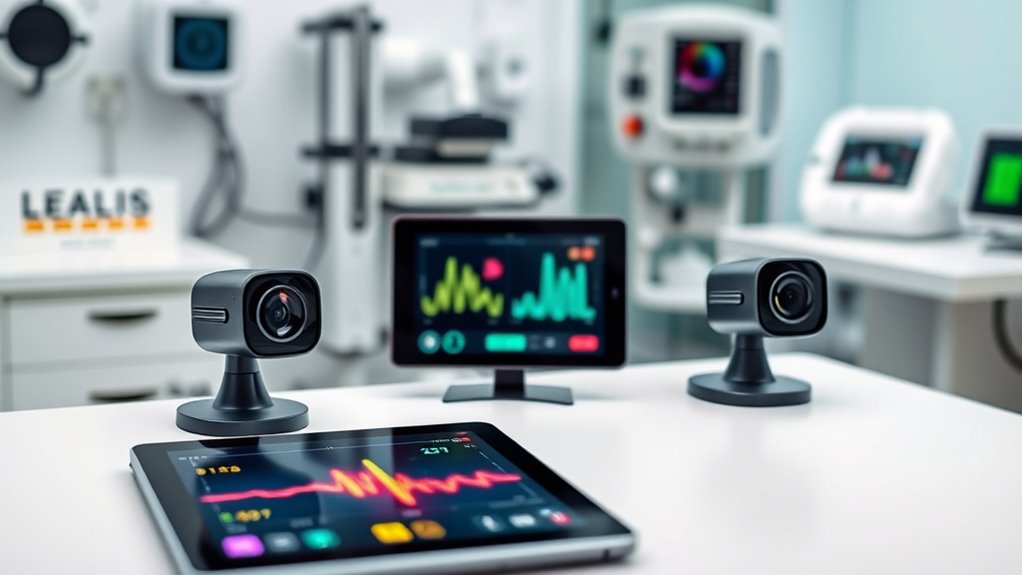

When choosing a telehealth camera, clarity, reliability, and ease of use are essential. The Logitech Brio Ultra 4K HD Webcam stands out for its exceptional video quality, making it ideal for detailed consultations. The EMEET PIXY Dual-Camera AI-Powered 4K PTZ Webcam offers advanced auto-tracking, perfect for dynamic remote sessions. However, tradeoffs include higher costs for premium features or complexity that can overwhelm beginners. Keep reading for a detailed breakdown to find the best fit for your telehealth needs.

Turn quiet afternoons into listening time
- Thousands of audiobooks, podcasts and originals
- Listen on your phone, tablet or Echo — also offline
- Cancel anytime
Complete the kit


Key Takeaways
- High-resolution webcams like the Logitech Brio provide the best image clarity for detailed examinations.
- Auto-tracking and PTZ features in models like the EMEET PIXY enhance interaction but add to the cost and complexity.
- Built-in microphones and speakers can reduce clutter, but their quality varies significantly across models.
- Ease of setup and compatibility with different devices are crucial for telehealth environments.
- Premium features often come with a higher price tag, so balance needed features with budget constraints.
| Logitech Brio Ultra 4K HD Webcam for Streaming and Meetings |  | Best Overall for High-Quality Professional Use | Resolution: 4K at 30 fps | Field of View: 65°, 78°, 90° | Zoom: 5x digital zoom | VIEW ON AMAZON | See Our Full Breakdown |
| XPCAM HD 1080p Webcam with Microphone |  | Best Value for Versatile Everyday Use | Resolution: 1080p | Lens: Full HD glass lens | Field of View: 110 degrees | VIEW ON AMAZON | See Our Full Breakdown |
| iContact Camera ProMini 4K Eye Contact Webcam for Laptops Under 20in |  | Best for Compact, Natural Eye Contact Video | Resolution: 3840×2160 at 30 fps | Sensor: 13MP | Field of View: 78 degrees | VIEW ON AMAZON | See Our Full Breakdown |
| TONGVEO 3-in-1 4K Webcam with Microphones and Speaker, AI Auto-Tracking, 5X Digital Zoom, Adjustable FOV, Remote Control |  | Best for Dynamic, Professional-Grade Streaming and Meetings | Resolution: 4K | Sensor: CMOS | Focus: Auto and manual | VIEW ON AMAZON | See Our Full Breakdown |
| EMEET PIXY Dual-Camera AI-Powered 4K PTZ Webcam with Tripod |  | Best for Professional-Grade Live Streaming and Content Creation | Resolution: 4K | Sensor: 1/2.55″ | Focus: PDAF with AI autofocus | VIEW ON AMAZON | See Our Full Breakdown |
| iContact Camera Pro 4K Eye Contact Webcam for PC & Mac |  | Best for Natural Eye Contact and High-Quality Video | Resolution: 3840×2160 at 30 fps | Sensor: 13MP | Field of View: 78 degrees | VIEW ON AMAZON | See Our Full Breakdown |
| NexiGo N940P 2K Zoomable Webcam with Remote and Software Controls |  | Best for Flexible Framing and Low-Light Performance | Sensor: Sony Starvis CMOS, 5 Megapixels | Resolution: 2560×1440 at 30 fps | Zoom: 3x digital zoom | VIEW ON AMAZON | See Our Full Breakdown |
| telehealth camera | Resolution | Compatibility | Sensor | Field of View |
|---|---|---|---|---|
| Logitech Brio Ultra 4K HD Webc | 4K at 30 fps | Windows, Mac, ChromeOS | — | 65°, 78°, 90° |
| XPCAM HD 1080p Webcam with Mic | 1080p | Windows 7/8/11, Chrome OS, Mac OS 10.6+, Android 5.0+, Linux 10.04+ | — | 110 degrees |
| iContact Camera ProMini 4K Eye | 3840×2160 at 30 fps | Mac, Windows, ChromeOS, Linux | 13MP | 78 degrees |
| TONGVEO 3-in-1 4K Webcam with | 4K | — | CMOS | — |
| EMEET PIXY Dual-Camera AI-Powe | 4K | — | 1/2.55" | — |
| iContact Camera Pro 4K Eye Con | 3840×2160 at 30 fps | Mac, Windows, ChromeOS, Linux | 13MP | 78 degrees |
| NexiGo N940P 2K Zoomable Webca | 2560×1440 at 30 fps | Windows 7/8/10/11, Mac OS 10.6+, Linux, Chrome OS, Ubuntu | Sony Starvis CMOS, 5 Megapixels | — |
More Details on Our Top Picks
Logitech Brio Ultra 4K HD Webcam for Streaming and Meetings
The Logitech Brio stands out for delivering exceptional 4K resolution with adjustable field of view options, making it ideal for those who need crisp, detailed video for professional streaming or high-stakes meetings. Compared to the EMEET PIXY, it offers superior image clarity and more flexible FOV settings, though it comes at a higher price point and may be more features than casual users require. Its automatic lighting adjustments and noise-canceling microphones ensure clear communication in various environments, while the built-in privacy shutter adds security. However, the high-end specs mean it’s less suited for budget-conscious buyers or those seeking a simple webcam for occasional use. Overall, this pick makes the most sense for professionals who prioritize image quality and security in their telehealth or streaming setup.
Pros:- Stunning 4K video with customizable FOV for versatile framing
- Automatic lighting adjustments ensure clear image in different environments
- Built-in privacy shutter enhances security
Cons:- Relatively high price for standard webcam features
- Requires compatible software for advanced controls
- May be overkill for casual or infrequent use
Best for: Telehealth providers or remote professionals requiring crisp, detailed video with security features
Not ideal for: Casual users or those on a tight budget who need basic video quality without advanced features
- Resolution:4K at 30 fps
- Field of View:65°, 78°, 90°
- Zoom:5x digital zoom
- Microphones:Dual omnidirectional with noise cancellation
- Compatibility:Windows, Mac, ChromeOS
- Privacy Shutter:Yes
Our verdict“This webcam suits high-end telehealth professionals and streamers who need premium image quality and security features.”
XPCAM HD 1080p Webcam with Microphone
Compared with pricier options like the Logitech Brio, the XPCAM HD 1080p webcam offers solid 1080p quality with HDR and automatic light correction at a more accessible price point. Its wide 110-degree viewing angle makes it suitable for group calls or streaming, and the included privacy cover adds a layer of security. Its plug-and-play design simplifies setup, making it ideal for users who want reliable performance without fuss. However, it’s less suited for those needing 4K resolution or advanced features like auto-tracking, and it relies on a direct USB connection, which can limit flexibility if ports are limited. This model makes the most sense for budget-conscious remote workers or educators needing dependable HD video with minimal setup.
Pros:- Sharp 1080p video with HDR and automatic light correction
- Wide 110-degree field of view for broader coverage
- Includes privacy cover and tripod for flexible setup
Cons:- Requires a direct USB connection—no hub support
- Limited info on microphone quality in reviews
- No advanced auto-focus or tracking features
Best for: Online educators or remote workers seeking straightforward, reliable HD video
Not ideal for: Advanced streamers or professionals requiring 4K quality or auto-tracking features
- Resolution:1080p
- Lens:Full HD glass lens
- Field of View:110 degrees
- Microphone:Built-in noise-canceling
- Features:HDR, automatic light correction, privacy cover
- Compatibility:Windows 7/8/11, Chrome OS, Mac OS 10.6+, Android 5.0+, Linux 10.04+
Our verdict“This webcam provides dependable HD video with broad coverage, ideal for everyday remote work and online teaching on a budget.”
iContact Camera ProMini 4K Eye Contact Webcam for Laptops Under 20in
The iContact Camera ProMini excels at providing a natural eye contact experience in a compact form factor, specifically designed for smaller screens like laptops under 20 inches. Its 4K resolution and 13MP sensor deliver sharp, clear images, while the hardware privacy feature provides quick security access. Compared to bulkier models like the EMEET PIXY, it’s more portable and easier to set up on small laptops, although it sacrifices some versatility for larger monitors. The optional lighting mount enhances visibility, but since the light panel is sold separately, users might need to invest additionally for optimal lighting. It’s best suited for remote professionals or content creators who need high-quality 4K video with a focus on eye contact, but less for those with larger screens or requiring advanced tracking.
Pros:- Delivers natural eye contact for more engaging video calls
- High-quality 4K video with clear audio
- Hardware privacy switch enhances security
Cons:- Light panel sold separately, adding extra cost
- Designed primarily for small screens, less suitable for larger displays
- Limited adjustable mount options
Best for: Laptops under 20 inches needing high-quality, eye contact-focused video
Not ideal for: Users with larger monitors or those needing auto-tracking features
- Resolution:3840×2160 at 30 fps
- Sensor:13MP
- Field of View:78 degrees
- Privacy Feature:Hardware switch with arm flip
- Compatibility:Mac, Windows, ChromeOS, Linux
- Mount:Built-in light mount (light panel sold separately)
Our verdict“This webcam is ideal for small-screen laptop users who prioritize natural eye contact and high-resolution video in a compact design.”
TONGVEO 3-in-1 4K Webcam with Microphones and Speaker, AI Auto-Tracking, 5X Digital Zoom, Adjustable FOV, Remote Control
The TONGVEO 4K webcam offers advanced features like AI auto-framing and voice tracking, making it suitable for dynamic presentations, online teaching, or professional streaming. Its 5x digital zoom and adjustable FOV provide flexible framing, while the built-in microphones and speaker ensure clear audio. Unlike simpler webcams such as the XPCAM, the TONGVEO’s intelligent auto-tracking keeps the subject centered, which is a key advantage for lively, multi-person scenes. However, its setup can be more complex, and the absence of water resistance limits outdoor or rugged use. This model is best for users who need versatile, auto-adjusting video in a professional or content creation environment but are comfortable with a slightly steeper learning curve.
Pros:- High-quality 4K video with AI auto-framing and voice tracking
- Built-in dual microphones and speaker for clear audio
- Remote control for adjusting FOV and digital zoom
Cons:- Setup may be complex for users unfamiliar with advanced features
- No water resistance, limiting outdoor use
- Requires USB 2.0/3.0 ports, which might limit compatibility
Best for: Content creators, educators, or professionals needing auto-tracking and flexible framing
Not ideal for: Casual users or those seeking simple plug-and-play webcams for basic calls
- Resolution:4K
- Sensor:CMOS
- Focus:Auto and manual
- Zoom:5x digital
- Features:AI auto-framing, voice tracking
- Connectivity:USB 2.0/3.0
Our verdict“This webcam is perfect for content creators or professionals seeking auto-tracking and versatile framing in a high-quality 4K setup.”
EMEET PIXY Dual-Camera AI-Powered 4K PTZ Webcam with Tripod
The EMEET PIXY Kit combines dual 4K cameras with AI tracking, offering high-end features for professional live streaming, online conferences, or content production. Its PTZ capabilities with 310° pan and 180° tilt allow for dynamic framing, while the adjustable tripod provides versatile positioning. Compared with single-camera options like the iContact ProMini, its dual-camera system enhances scene coverage and stability, but the setup process can be more complex, often requiring familiarity with software controls. The multiple microphone modes help capture high-quality sound across different scenarios, but the higher cost and complexity mean it’s less suitable for casual or infrequent users. This camera kit makes the most sense for streamers or online educators demanding professional-level flexibility and image quality.
Pros:- Dual 4K cameras deliver sharp, stable, multi-angle footage
- Advanced AI auto-focus and tracking for lively scenes
- Adjustable tripod for flexible positioning
Cons:- Setup can be complex, requiring familiarity with software
- Additional remote control sold separately adds to cost
- Higher price point compared to single-camera webcams
Best for: Professional streamers, educators, or content creators needing versatile, high-quality video with dynamic scene control
Not ideal for: Casual users or those seeking simple plug-and-play webcams without PTZ or dual-camera features
- Resolution:4K
- Sensor:1/2.55″
- Focus:PDAF with AI autofocus
- Pan/Tilt:310°/180°
- Microphone:3-mic array
- Connectivity:1/4″ screw mount
Our verdict“This dual-camera PTZ setup suits content creators and professionals who need dynamic, high-quality streaming with flexible scene management.”
iContact Camera Pro 4K Eye Contact Webcam for PC & Mac
The iContact Camera Pro 4K Webcam stands out for its innovative eye contact technology, which aligns the camera to make it appear as if you’re maintaining direct eye contact during calls—an advantage over traditional webcams like the Logitech Brio, which lacks this feature. Its 13MP sensor captures crisp 4K video, ensuring clear visuals that benefit professional presentations or virtual meetings. The hardware privacy switch adds a tangible security layer, appealing to users concerned about privacy. However, the SoftLight accessory is sold separately, and its design suits monitors between 20-30 inches, which could be limiting for some setups. Compared to other high-res options, this camera emphasizes engagement and natural interaction, but may require monitor adjustments or accessories for optimal use.
Pros:- Provides natural eye contact for more engaging video calls
- High-quality 4K video and clear audio with noise reduction
- Hardware privacy switch for physical security
Cons:- SoftLight accessory sold separately, adding extra cost
- Designed primarily for monitors 20-30 inches, limiting flexibility
Best for: Professionals who need to project engagement and natural eye contact in virtual meetings, especially on larger screens.
Not ideal for: Users with smaller or ultra-wide monitors, or those seeking an all-in-one package without additional accessories.
- Resolution:3840×2160 at 30 fps
- Sensor:13MP
- Field of View:78 degrees
- Compatibility:Mac, Windows, ChromeOS, Linux
- Privacy Feature:Hardware switch
- Mount:Built-in light mount (SoftLight sold separately)
Our verdict“This webcam is ideal for remote professionals prioritizing natural interaction and high-resolution video on standard-sized monitors.”
NexiGo N940P 2K Zoomable Webcam with Remote and Software Controls
The NexiGo N940P offers a versatile approach to telehealth and conferencing with its 2K resolution and 3x digital zoom, making it a strong alternative to the iContact Camera Pro. Its Sony Starvis sensor excels in low-light environments, ensuring clear images even in dim rooms—an advantage over webcams with less sophisticated sensors. The remote control with zoom and auto-focus provides flexible framing, which is especially useful for telehealth practitioners needing close-up or varied angles. While it supports multiple OS and is easy to set up, the digital zoom can degrade image quality at maximum magnification, and it requires a USB connection—potentially limiting portability without adapters. Overall, this model prioritizes adaptability and clarity but demands a stable connection for optimal performance.
Pros:- High-quality 2K video with excellent low-light performance
- Remote control with 3x zoom for flexible framing
- Plug-and-play setup with broad OS compatibility
- Includes privacy cover for security
Cons:- Requires USB connection, possibly needing adapters
- Maximum digital zoom can reduce image quality
Best for: Healthcare providers or educators who need adaptable framing, low-light clarity, and remote control capabilities during virtual sessions.
Not ideal for: Users seeking a wireless or battery-powered solution, or those with devices that lack USB ports needing adapters.
- Sensor:Sony Starvis CMOS, 5 Megapixels
- Resolution:2560×1440 at 30 fps
- Zoom:3x digital zoom
- Microphone:Dual stereo with noise reduction
- Connectivity:USB Type A and C (adapter included)
- Compatibility:Windows 7/8/10/11, Mac OS 10.6+, Linux, Chrome OS, Ubuntu
Our verdict“This webcam suits users who value flexible framing and clarity in varying lighting conditions, especially in professional telehealth contexts.”

How We Picked
Our evaluation focused on performance, image quality, usability, build quality, and value for telehealth applications. We prioritized cameras that deliver clear, stable video and reliable audio, essential for professional healthcare consultations. Ease of setup and compatibility with common devices also influenced rankings, as most users need quick, straightforward solutions. We compared features like auto-tracking, zoom, and field of view, weighing their benefits against added complexity and cost. Ultimately, the ranking reflects a balance between advanced capabilities and practical usability for diverse telehealth scenarios.| telehealth camera | Compatibility |
|---|---|
| Logitech Brio Ultra 4K HD Webc | Windows, Mac, ChromeOS |
| XPCAM HD 1080p Webcam with Mic | Windows 7/8/11, Chrome OS, Mac OS 10.6+, Android 5.0+, Linux 10.04+ |
| iContact Camera ProMini 4K Eye | Mac, Windows, ChromeOS, Linux |
| TONGVEO 3-in-1 4K Webcam with | — |
| EMEET PIXY Dual-Camera AI-Powe | — |
| iContact Camera Pro 4K Eye Con | Mac, Windows, ChromeOS, Linux |
| NexiGo N940P 2K Zoomable Webca | Windows 7/8/10/11, Mac OS 10.6+, Linux, Chrome OS, Ubuntu |
Factors to Consider When Choosing Telehealth Camera
Choosing the right telehealth camera involves balancing image quality, ease of use, and specific features that support remote healthcare. Considering your setup and budget upfront ensures you pick a device that integrates smoothly into your workflow. The following factors help clarify what to look for when selecting a telehealth camera.Video Resolution and Image Clarity
For telehealth, high-resolution video is critical for accurate assessments and clear communication. Cameras offering 4K or at least 1080p resolution provide detailed images, which are vital for medical observations. However, higher resolution often demands more bandwidth and processing power, so consider your internet speed and hardware capabilities. Avoid models with lower resolutions if your primary goal is detailed visuals, but also be wary of over-investing in features you won’t fully utilize.Ease of Setup and Compatibility
A camera that is simple to install and compatible across platforms simplifies telehealth sessions. Look for plug-and-play models with wide device support, including Windows, Mac, and possibly mobile devices. Compatibility issues can cause frustrating delays or require extra troubleshooting, which is undesirable during patient consultations. Consider models with intuitive software or app integration to streamline your workflow, especially if you’re new to video conferencing tech.Audio Quality and Microphone Features
Clear audio is just as important as video for effective communication in telehealth. Some cameras come with built-in microphones that reduce background noise, while others include speakers for two-way communication. However, integrated microphones vary in quality; investing in a dedicated microphone might be worthwhile if your camera’s mic isn’t sufficient. Remember, background noise can compromise the consultation, so prioritize models with noise-canceling features if audio clarity is a priority.Advanced Features and User Interface
Features like auto-tracking, digital zoom, adjustable FOV, and remote control can elevate your telehealth sessions by providing flexibility and enhanced interaction. Auto-tracking helps keep the patient in frame without manual adjustments, but it can also introduce lag or tracking errors. Consider whether these features add real value to your typical sessions or if they complicate your setup. User interface ease is equally vital—complex controls can hinder quick adjustments, especially in time-sensitive scenarios.Cost and Value Considerations
While premium models offer advanced features, they come with higher costs that may not suit all budgets. Balance your need for high-quality visuals and features with what you actually use regularly. Sometimes, a mid-range camera with good resolution and decent auto-focus suffices for most telehealth applications. Avoid overspending on features that won’t improve your workflow, but also don’t skimp on essentials that could affect consultation quality.Frequently Asked Questions
Can I use a standard webcam for telehealth consultations?
Yes, many standard webcams with at least 1080p resolution can be suitable for telehealth, especially if they offer good autofocus and low-light performance. However, they may lack specialized features like auto-tracking or high-quality microphones, which can enhance the professionalism and ease of your sessions. Ensure the webcam you choose is compatible with your device and provides stable, clear video to make the most of your telehealth platform.
Is 4K resolution necessary for telehealth cameras?
While 4K resolution provides the sharpest image, it isn’t always necessary for telehealth. 1080p models often deliver sufficient clarity for most medical assessments and are less demanding on bandwidth and processing power. Opting for 4K makes sense if you need highly detailed visuals or plan to use the camera for other professional purposes, but for general telehealth use, 1080p or slightly higher resolutions typically suffice.
How important is auto-tracking in a telehealth camera?
Auto-tracking can be very useful if you need to move around during sessions or want to keep your face consistently framed without manual adjustments. However, it can sometimes cause lag or incorrectly track movement, which might disrupt the flow of a consultation. For most stationary setups, a camera without auto-tracking that offers a wide field of view may be more reliable and easier to use.
Should I prioritize built-in microphones or external audio devices?
Built-in microphones are convenient, but their quality varies widely. For the clearest communication, especially in noisy environments, investing in an external microphone might be worthwhile. Many telehealth professionals prefer dedicated audio solutions for superior clarity and noise reduction, which can significantly improve the quality of the consultation for both parties.
What features are most critical for a beginner setting up telehealth equipment?
Ease of setup and compatibility are the most critical features for beginners. Look for plug-and-play models that work seamlessly with your current devices and platforms. Features like auto-focus, decent resolution (1080p or better), and reliable audio are also important, but avoid overly complex controls that could create a learning curve. Prioritizing simplicity ensures your setup process is quick and stress-free.
Conclusion
For those seeking a best overall solution, the Logitech Brio Ultra 4K HD Webcam offers exceptional clarity and compatibility. If you need advanced features like auto-tracking and PTZ capabilities, the EMEET PIXY Dual-Camera makes an excellent choice, though at a higher price point. Budget-conscious users or beginners will find the XPCAM HD 1080p Webcam or NexiGo N940P to be reliable staples. For specialized needs, such as detailed visual assessments, investing in higher-end models with 4K resolution and auto-tracking pays off. Tailor your choice based on your technical comfort, specific requirements, and budget to ensure the best telehealth experience.