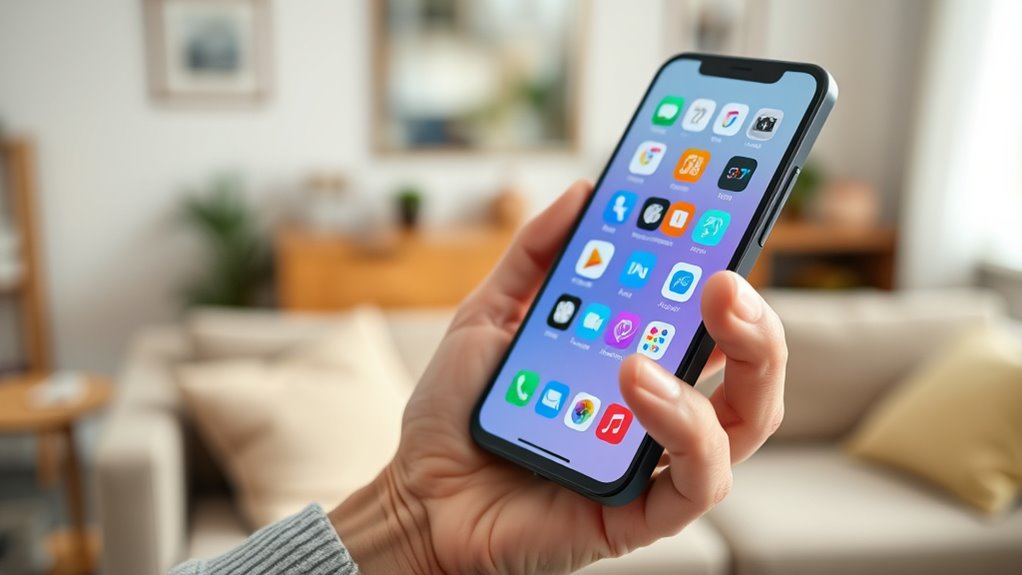

Finding the right smartphone for seniors involves balancing simplicity, accessibility, and functionality. The LIVELY Jitterbug Smart3 stands out as the best overall choice thanks to its large screen, simple interface, and dedicated senior features. For those seeking affordability, the 4G Senior Cell Phone offers a sizable display and long battery life at a lower price. If a flip phone suits your needs, the LIVELY Jitterbug Flip2 provides straightforward calling with minimal complexity. Keep reading to see how these options compare and which one fits your specific needs.

Turn quiet afternoons into listening time
- Thousands of audiobooks, podcasts and originals
- Listen on your phone, tablet or Echo — also offline
- Cancel anytime
Complete the kit



Key Takeaways
- Large screens and simple interfaces are key features that make smartphones more accessible for seniors.
- Dedicated senior-specific phones often prioritize ease of use over advanced features and camera quality.
- Battery life and durability are critical for seniors who may forget to charge frequently or need a sturdy device.
- Unlocked phones provide flexibility but may require more setup, while carrier-locked phones often include better support and plans.
- Flip phones remain a popular choice for those who prefer minimal complexity and physical buttons.
| LIVELY Jitterbug Smart3 Smartphone for Seniors – Easy-to-Use Cell Phone with Large Screen and Voice Typing |  | Best Overall Senior Smartphone | Screen: Large | Menu: List-based | Voice Typing: Yes | VIEW ON AMAZON | See Our Full Breakdown |
| 4G Senior Cell Phone Unlocked, 6.56″ HD+ Display, 3GB RAM, 32GB ROM, 4000mAh Battery, IP52, eSIM Support |  | Best Value Android Smartphone | Display: 6.56″ HD+ | RAM: 3GB | Storage: 32GB ROM | VIEW ON AMAZON | See Our Full Breakdown |
| LIVELY Jitterbug Smartphone for Seniors with No SIM Needed, Smart5 |  | Best Senior-Friendly Smartphone with No SIM Needed | Screen size: 6.75 inches | Features: Voice calling, call captioning, Urgent Response | Compatibility: Lively phone service only | VIEW ON AMAZON | See Our Full Breakdown |
| LIVELY Jitterbug Flip Cell Phone for Seniors, Flip2, Red |  | Best Flip Phone for Seniors | Features: High-contrast screen, big buttons, help button | Compatibility: Lively phone service only | Activation: Online activation | VIEW ON AMAZON | See Our Full Breakdown |
| LIVELY Jitterbug Smartphone for Seniors, No SIM Needed, Smart4 |  | Best Large Screen Smartphone for Seniors | Screen size: 6.7 inches | Features: Voice calling, call captioning, Urgent Response | Compatibility: Lively phone service only | VIEW ON AMAZON | See Our Full Breakdown |
| Motorola Moto G 2025, 64GB, Sapphire Blue (Locked to Tracfone) – Prepaid Smartphone with 6.6″ 120Hz Display, 5G, 50MP Quad Camera, Long-Lasting Battery |  | Best for Large Screen and Multimedia Enthusiasts | Operating System: Android 15 | Display: 6.6-inch, 120Hz | Processor: Snapdragon, 2.4 GHz | VIEW ON AMAZON | See Our Full Breakdown |
| smartphones for senior | Compatibility | Battery | Features |
|---|---|---|---|
| LIVELY Jitterbug Smart3 Smartp | Lively phone service only | Long-lasting | — |
| 4G Senior Cell Phone Unlocked | — | 4000mAh | — |
| LIVELY Jitterbug Smartphone fo | Lively phone service only | — | Voice calling, call captioning, Urgent Response |
| LIVELY Jitterbug Flip Cell Pho | Lively phone service only | — | High-contrast screen, big buttons, help button |
| LIVELY Jitterbug Smartphone fo | Lively phone service only | — | Voice calling, call captioning, Urgent Response |
| Motorola Moto G 2025 | — | 5000mAh, TurboPower | — |
More Details on Our Top Picks
LIVELY Jitterbug Smart3 Smartphone for Seniors – Easy-to-Use Cell Phone with Large Screen and Voice Typing
The Jitterbug Smart3 stands out for its simplicity and focus on accessibility, making it ideal for seniors who want an easy-to-navigate device. Its large screen and voice typing capabilities make reading and input effortless, especially for those with vision or dexterity challenges. Compared with the Smart5, it offers a more straightforward interface, but the Smart5 provides an even larger display and more advanced features, which could be overwhelming for some. The reliance on Lively’s exclusive plans limits flexibility but ensures dedicated support. This model is best suited for seniors prioritizing ease of use over carrier versatility.
Pros:- User-friendly interface tailored for seniors
- Large screen and voice typing improve accessibility
- Reliable speaker and long-lasting battery life
- Support from dedicated Lively team
Cons:- Only compatible with Lively plans and service
- Requires activation with Lively, limiting carrier options
- Limited to Lively ecosystem without flexibility
Best for: Seniors who want a straightforward, reliable device with strong support and limited technical fuss
Not ideal for: Tech-savvy seniors or those wanting to use different carriers or more advanced features
- Screen:Large
- Menu:List-based
- Voice Typing:Yes
- Battery:Long-lasting
- Compatibility:Lively phone service only
Our verdict“This pick is perfect for seniors seeking a simple, dependable device with excellent support and minimal complexity.”
4G Senior Cell Phone Unlocked, 6.56″ HD+ Display, 3GB RAM, 32GB ROM, 4000mAh Battery, IP52, eSIM Support
This unlocked Android device offers a large 6.56-inch HD+ screen and robust 4000mAh battery, making it suitable for seniors who want a versatile smartphone that supports eSIM activation and multiple carriers. Unlike the Lively-only options, this phone provides more flexibility with carrier choices, appealing to seniors who prefer their existing plans or MVNO options. However, it lacks some of the senior-specific features like extra-large icons or dedicated support, which could pose a challenge for less tech-savvy users. The basic camera setup and absence of physical SIM slot are tradeoffs for its affordability and broad compatibility.
Pros:- Large HD+ display enhances readability
- Supports eSIM activation for easy setup
- Long 4000mAh battery for all-day use
- Compatible with major carriers like AT&T, T-Mobile, Verizon
Cons:- No physical SIM card slot, limiting options
- Basic camera system, not ideal for photography
- Lacks senior-specific accessibility features
Best for: Seniors who want a flexible, unlocked Android smartphone with a large display and long battery life
Not ideal for: Seniors seeking a device with simplified features or dedicated senior support without the need for carrier flexibility
- Display:6.56″ HD+
- RAM:3GB
- Storage:32GB ROM
- Battery:4000mAh
- Water Resistance:IP52
- eSIM Support:Yes
Our verdict“This smartphone offers flexibility and a large screen for tech-savvy seniors who want control over their carrier and device setup.”
LIVELY Jitterbug Smartphone for Seniors with No SIM Needed, Smart5
The Jitterbug Smart5 is designed specifically for seniors seeking simplicity combined with a larger screen, featuring a 6.75-inch display and an intuitive interface. Its compatibility only with Lively plans means users benefit from dedicated support and seamless activation, but this limits flexibility compared to unlocked Android options. The Urgent Response button and voice calling cater directly to safety and ease of communication, making it ideal for those who prioritize health and emergency features. Compared with the Smart4, this model offers a bigger screen and more modern features, but the reliance on Lively plans could be a drawback for some.
Pros:- Very large, easy-to-read screen
- Simple, senior-friendly interface
- Includes Urgent Response and voice features
- Support from Lively’s dedicated team
Cons:- Only compatible with Lively service, limiting carrier options
- Requires activation through Lively, not a standalone device
- Limited customization outside Lively’s platform
Best for: Seniors who want a large-screen device with emergency support and are comfortable with Lively’s ecosystem
Not ideal for: Those who prefer unlocked devices or want to switch carriers freely
- Screen size:6.75 inches
- Features:Voice calling, call captioning, Urgent Response
- Compatibility:Lively phone service only
- SIM card:Pre-installed
- Activation:Online
Our verdict“Ideal for seniors seeking a large display and emergency features within the Lively ecosystem, but less so for those wanting carrier flexibility.”
LIVELY Jitterbug Flip Cell Phone for Seniors, Flip2, Red
The Jitterbug Flip2 offers a familiar, easy-to-use flip phone design with large, high-contrast screen and big buttons, making it ideal for seniors who prefer simplicity over touchscreen complexity. Its dedicated support and help button enhance safety and ease of use, but the device’s limited features and reliance on Lively plans restrict its appeal for those wanting smartphone capabilities. Compared to the Smart3 or Smart5, the Flip2 sacrifices advanced functions for straightforward operation, which is perfect for users who don’t need internet or apps but want quick, reliable communication.
Pros:- Large, high-contrast screen and big buttons
- Simple menus with quick access to calls and help
- U.S.-based support available 24/7
- Designed specifically for seniors’ safety and ease
Cons:- Limited functionality beyond calls and basic texting
- Requires activated Lively plan, not a standalone device
- No internet or app access
Best for: Seniors who want a straightforward, reliable flip phone with safety features
Not ideal for: Tech-savvy seniors or those seeking a smartphone with internet or app access
- Features:High-contrast screen, big buttons, help button
- Compatibility:Lively phone service only
- Activation:Online activation
- Support:24/7 U.S.-based team
- Design:Flip
Our verdict“This flip phone is best for seniors needing a dependable device for calls and safety without extra features.”
LIVELY Jitterbug Smartphone for Seniors, No SIM Needed, Smart4
The Jitterbug Smart4 combines a large 6.7-inch display with a simplified interface, making it an excellent choice for seniors who want a traditional smartphone experience without complexity. Its compatibility only with Lively plans means dedicated support, but limits carrier choices. The device’s voice calling and real-time call captioning support accessibility needs, while the Urgent Response button enhances safety. Compared to the Smart3, the Smart4 offers a more modern look and larger screen, but at the expense of some senior-specific customization features. It’s a balanced option for those ready for a smartphone with safety features built in.
Pros:- Large, easy-to-read 6.7-inch screen
- Intuitive navigation tailored for seniors
- Includes Urgent Response and voice calling
- Reliable support from Lively team
Cons:- Limited to Lively service, no carrier flexibility
- Requires an active Lively plan
- Not compatible with other carriers or unlocked
Best for: Seniors wanting a large-screen, easy-to-use smartphone with emergency support within Lively’s offerings
Not ideal for: Those wanting unlocked devices or more extensive app customization
- Screen size:6.7 inches
- Features:Voice calling, call captioning, Urgent Response
- Compatibility:Lively phone service only
- SIM card:Pre-installed
Our verdict“This device suits seniors seeking a large, simple smartphone with safety features within the Lively ecosystem.”
Motorola Moto G 2025, 64GB, Sapphire Blue (Locked to Tracfone) – Prepaid Smartphone with 6.6″ 120Hz Display, 5G, 50MP Quad Camera, Long-Lasting Battery
The Motorola Moto G 2025 stands out for its expansive 6.6-inch 120Hz display, making it ideal for seniors who prioritize media consumption and clear visuals. Compared to the LIVELY Jitterbug Smart3, which offers a more simplified interface, this model provides more advanced features like 5G connectivity and a high-resolution camera—though at the cost of a slightly more complex experience. Its long-lasting 5000mAh battery ensures days of use without frequent charging, which is a major plus for users who dislike fussing with power. However, being locked to Tracfone limits carrier flexibility, and the 4GB RAM may slow multitasking with multiple apps open. The 64GB storage, without expandable options, could also be restrictive for storage-heavy users. This phone is best suited for seniors who want a large, vibrant screen and fast 5G performance, but those seeking carrier freedom or minimal tech complexity may find it less ideal.
Pros:- Vivid 6.6-inch 120Hz display enhances media viewing and reading
- Powerful 50MP quad-camera captures detailed photos
- Long-lasting 5000mAh battery with TurboPower fast charging
- Supports 5G for quick internet and app performance
Cons:- Locked to Tracfone, restricting carrier choices
- Limited to 4GB RAM, which may impact multitasking and app performance
- No expandable storage beyond 64GB, potentially limiting app and photo storage
Best for: Seniors who enjoy multimedia, large screens, and fast data speeds, especially if they are comfortable with slightly more complex smartphones.
Not ideal for: Users who prefer a simple, straightforward interface or need flexibility with carrier options, as the phone is locked to Tracfone and has limited expandable storage.
- Operating System:Android 15
- Display:6.6-inch, 120Hz
- Processor:Snapdragon, 2.4 GHz
- RAM:4 GB
- Storage Capacity:64 GB
- Camera:50 MP rear, 2 MP front
- Battery:5000mAh, TurboPower
- Connectivity:5G
- Color:Sapphire Blue
Our verdict“This model makes the most sense for seniors who prioritize a large, high-quality display and fast connectivity, and are comfortable with carrier restrictions.”

How We Picked
This lineup was evaluated based on usability, accessibility, battery life, build quality, and value. We prioritized devices with large, clear screens, intuitive interfaces, and features tailored for seniors such as loud speakers and emergency buttons. Devices with good battery endurance and durability also ranked higher, as they address practical daily needs. We compared these aspects across the options to identify which models offer the best balance of simplicity and functionality, ranking them to match different senior user profiles and preferences.| smartphones for senior | Features |
|---|---|
| LIVELY Jitterbug Smart3 Smartp | — |
| 4G Senior Cell Phone Unlocked | — |
| LIVELY Jitterbug Smartphone fo | Voice calling, call captioning, Urgent Response |
| LIVELY Jitterbug Flip Cell Pho | High-contrast screen, big buttons, help button |
| LIVELY Jitterbug Smartphone fo | Voice calling, call captioning, Urgent Response |
| Motorola Moto G 2025 | — |
Factors to Consider When Choosing Smartphones For Seniors
Choosing a smartphone for seniors involves several considerations beyond just the brand or price. The right device should match the user’s comfort level with technology, physical needs, and lifestyle. Here are key factors to keep in mind when selecting a senior-friendly smartphone.Ease of Use and Interface
Look for phones with straightforward menus, large icons, and minimal clutter. Devices like the LIVELY Jitterbug Smart3 excel here, offering simplified interfaces designed specifically for seniors. Avoid overly complex or customizable options that might overwhelm users unfamiliar with technology. The goal is to select a device that reduces frustration and encourages independence.
Screen Size and Display
A large, high-contrast display makes it easier to read text and view images without strain. Phones with 6 inches or larger screens, like the Motorola Moto G, cater to visual comfort, especially for users with declining eyesight. Smaller screens, while more portable, can be difficult to navigate for seniors with vision issues, so size should be a top priority.
Battery Life and Durability
Long-lasting batteries reduce the need for frequent charging, which can be frustrating. Devices with 4000mAh or higher are ideal. Durability matters too—look for phones with sturdy builds or water resistance, especially for seniors with active lifestyles or those prone to accidents. Flip phones, like the LIVELY Jitterbug Flip2, often provide added durability through their clamshell design.
Connectivity and Support
Consider whether the phone is unlocked or tied to a specific carrier. Unlocked phones offer flexibility to switch plans, but may require more setup. Carrier-supported models often include better customer support and pre-configured plans, which can be helpful for less tech-savvy users. eSIM support can simplify switching carriers or plans.
Additional Features and Accessories
Features like emergency buttons, loud speakers, or hearing aid compatibility can significantly enhance safety and usability. Physical buttons and simple call controls are preferred by many seniors over touchscreens. Accessories like protective cases or clip-ons can also extend the device’s lifespan and ease of handling.
Frequently Asked Questions
Are smartphones for seniors really easier to use than regular phones?
Many smartphones designed for seniors incorporate simplified interfaces, larger icons, and fewer complex features, making them more accessible. These phones often focus on essential functions like calling, texting, and emergency features, reducing the learning curve. However, some seniors may still prefer basic phones with physical buttons, so it’s important to match the device to their comfort level with technology.
Is it worth paying more for a senior-specific smartphone?
Paying more can be justified if the extra cost provides features like enhanced accessibility, better build quality, or superior support services. Devices like the LIVELY Jitterbug Smart3 include dedicated senior-friendly features that make daily use simpler. However, budget models can also meet basic needs if the user primarily needs a device for calls and simple texts, so consider the user’s actual requirements before investing.
Can seniors safely use smartphones with touchscreens?
Many seniors adapt to touchscreen devices with proper training or by choosing models with larger screens and simplified interfaces. Accessories like styluses or cases with physical grips can aid usability. For those hesitant about touchscreens, flip phones or phones with physical buttons may offer a more comfortable experience without sacrificing essential functionality.
How important is battery life in choosing a smartphone for seniors?
Battery life is vital because it reduces the frequency of charging, which can be inconvenient or confusing for some users. Devices with longer-lasting batteries ensure that the phone remains operational throughout the day, especially for seniors who may forget to recharge regularly. This feature contributes directly to the device’s practicality and overall satisfaction.
What should I consider if I want a smartphone with hearing aid compatibility?
Hearing aid compatibility ensures clear audio for users with hearing aids. Look for devices with official hearing aid compatibility ratings (such as M3 or T4). Many senior-focused phones are designed with loud, clear speakers and hearing aid support, but confirming these features before purchase can significantly improve the user experience, especially for those with hearing impairments.
Conclusion
For those seeking the best overall experience, the LIVELY Jitterbug Smart3 offers a user-friendly interface, large display, and emergency support, making it ideal for most seniors. Budget-conscious buyers or those with basic needs will find the 4G Senior Cell Phone provides excellent value with essential features. If a flip phone suits your style, the LIVELY Jitterbug Flip2 offers simplicity and durability, perfect for minimalists or those less comfortable with touchscreens. For users demanding premium features like a high-refresh-rate display and advanced camera, the Motorola Moto G makes a compelling choice, despite a higher price point. Tailor your pick based on your comfort level, lifestyle, and specific needs to find the best fit.
Halloween Picks
halloween
As an affiliate, we earn on qualifying purchases.