
For a smooth home movie night, choose simplified, large-button remote controls, and consider voice-activated technology for effortless navigation. Customize interfaces with high contrast themes and clear labels, making operation easier for everyone. Incorporate smartphones or tablets as versatile controllers, and make sure your devices are compatible with smart home systems. Proper setup and user training help everyone feel confident. Keep your system updated and maintained for ongoing accessibility—exploring these options more fully will help you create an inviting, inclusive movie experience.
Key Takeaways
- Use large, clearly labeled buttons and high contrast themes to enhance visibility and ease of use during movie nights.
- Incorporate voice commands and mobile apps for seamless, hands-free control of entertainment devices.
- Customize remote controls with simplified layouts, tactile features, and accessible programming for all users.
- Integrate smart home devices supporting voice assistants like Alexa or Google for effortless, unified control.
- Provide user-friendly instructions and practice sessions to build confidence and ensure independent operation.
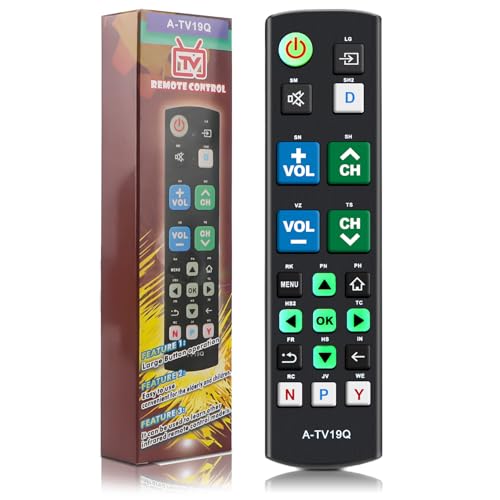
Universal Big Button TV Remote Replacement, Compatible with All Samsung/VIZIO/LG/Sony/Philips Smart TVs and More
Compatible Models: The big button universal TV remote is compatible with SAMSUNG TVs, for VIZIO TVs, for LG…
As an affiliate, we earn on qualifying purchases.
As an affiliate, we earn on qualifying purchases.
Choosing the Right Simplified Remote Controls

When selecting a simplified remote control, it’s important to focus on ease of use and compatibility with your devices. Good remote ergonomics ensure the remote fits comfortably in your hand, reducing strain during extended use. Look for models with a design that’s intuitive and easy to hold, especially if you have limited dexterity. Button size customization can make a big difference—large, well-spaced buttons are easier to see and press accurately. Some remotes allow you to personalize button layouts, simplifying navigation and reducing confusion. Prioritize a remote that feels natural to operate, with clear, tactile feedback. This will help you enjoy your home movie nights smoothly without frustration, creating a more accessible and enjoyable viewing experience for everyone. Additionally, choosing a remote with large, tactile buttons can further enhance usability for all users.

Replacement Voice Remote for Samsung-TV-Remote Control Compatible for All Samsung with Voice Function Smart Curved Frame QLED LED LCD 8K 4K TVs
Instructions for use: Easy pairing,Press and hold the Back/Exit and Play/Pause buttons at the same time for 5-8…
As an affiliate, we earn on qualifying purchases.
As an affiliate, we earn on qualifying purchases.
Utilizing Voice-Activated Technology for Seamless Navigation
Voice-activated technology can make steering your home entertainment system effortless, especially if you have limited mobility or find traditional remote controls challenging. With voice command integration, you simply speak your commands, and your device responds instantly. Speech recognition software understands your words accurately, reducing frustration and making navigation smoother. You can turn on movies, adjust volume, change channels, or browse menus with just your voice, eliminating the need to handle buttons or remotes. This technology is especially helpful if you experience hand fatigue or difficulty gripping objects. By integrating voice commands into your setup, you gain a hands-free experience that’s more accessible and efficient. Overall, voice-activated technology simplifies your movie nights, allowing you to focus on enjoying the show rather than struggling with controls.

Universal Remote Control Adapter for Smartphone All in One Remote Control for TV/AC/DVD Compatible with Samsung, Sony, Panasonic, Sharp, LG and More. (Black, Type-C for iOS & Android)
Compatible with more devices: Effortlessly control TVs, Set Top Boxes, Air Conditioners, Projectors, Ott-Boxes, DVDs, Amplifiers, SLRs, Fans,…
As an affiliate, we earn on qualifying purchases.
As an affiliate, we earn on qualifying purchases.
Customizing User Interfaces for Easy Operation

After setting up voice commands, making your user interface simple and intuitive can further enhance your movie nights. Customizing your interface with adaptive technology and ergonomic design guarantees ease of use. You can adjust font sizes, button layouts, and contrast settings to suit your needs. Prioritize large, clearly labeled buttons and minimal clutter to avoid confusion. Use the table below to see common adjustments:
| Adjustment | Benefit |
|---|---|
| Larger icons/buttons | Easier to see and press |
| High contrast themes | Better visibility and reduced strain |
| Simplified menus | Faster navigation, less frustration |
Implementing user-friendly design principles ensures that all users can comfortably operate the system without frustration. These tweaks create a tailored experience that makes operating your entertainment system effortless and comfortable.

LG Replacement TV Remote Compatible with LG TV's ONLY (Black) Big Button, Simplified and Easy to Use (2xAAA Batteries not Included)
Easy Big Button Design: The remote includes specialized features like an extra-large enter button, big button universal controls,…
As an affiliate, we earn on qualifying purchases.
As an affiliate, we earn on qualifying purchases.
Setting Up Universal Remotes for Multiple Devices

Setting up a universal remote makes controlling multiple devices easier and more accessible. Focus on simplifying device programming, so you spend less time searching for buttons. Label your remote buttons clearly and choose a universal remote with broad compatibility to guarantee it works smoothly with all your equipment. Additionally, selecting a remote with high refresh rates can improve responsiveness during quick commands or gaming sessions.
Simplify Device Programming
Programming multiple devices into a universal remote can seem intimidating at first, but with a few simple steps, you can streamline the process. Start by choosing a remote with good remote control ergonomics, making it comfortable and easy to hold. Use models with visual accessibility features like large buttons, high contrast labels, or backlit keys to simplify setup. Follow the manufacturer’s instructions to enter device codes, which are often easier to find and input if the remote supports automatic code search. Once programmed, test each device to ensure the buttons operate correctly. Simplifying device programming minimizes frustration and makes controlling your home entertainment system more accessible. With a well-chosen remote, you’ll enjoy seamless operation and a more inclusive movie night experience. Understanding city dynamics can also help you better organize your entertainment setup and routines in your new space.
Label Remote Buttons
Labeling remote buttons helps you quickly identify and operate each device without confusion. Clear button labels simplify remote mapping, making it easier to switch between devices seamlessly. Use labels like “TV,” “DVD,” or “Soundbar” to mark buttons for quick recognition. This reduces frustration during movie nights and enhances accessibility for all users. Consider organizing buttons logically, perhaps grouping related functions together. The following table illustrates the importance of effective button labels and remote mapping:
| Device | Button Label | Function |
|---|---|---|
| TV | Power | Turns TV on/off |
| DVD | Play | Starts DVD playback |
| Soundbar | Volume Up | Increases sound volume |
| Streaming | Menu | Opens app menu |
| Gaming Console | Reset | Resets device or app |
Proper labeling ensures smooth, accessible home entertainment.
Adding clear labeling practices can further improve user experience by reducing confusion and streamlining device selection.
Use Universal Compatibility
To simplify controlling multiple devices, universal remotes are designed to work with various brands and models, eliminating the need for multiple remote controls. This makes managing your home theater setup more accessible, especially during video streaming sessions or when you need audio description features. Setting up your remote for universal compatibility involves programming it to recognize your devices, often via code input or automatic search functions. Once set, you can seamlessly switch between streaming devices, sound systems, and TVs with a single remote. This reduces confusion and makes accessibility easier. Incorporating the power of imagination can also help you visualize and troubleshoot setup processes, making the task more engaging and less frustrating.
Incorporating Smartphone and Tablet Controls

Integrating smartphone and tablet controls into your home movie setup makes it easier for everyone to enjoy movies, regardless of their mobility or dexterity. With dedicated smartphone apps, you can turn your device into a versatile remote, controlling playback, volume, and inputs effortlessly. Many streaming services and smart TVs support these apps, allowing you to bypass traditional remote limitations. Tablet remotes provide larger buttons and touchscreens that are easier to see and operate, making navigation smoother. These tools also enable quick access to subtitles, audio adjustments, and streaming options. By using familiar devices like smartphones and tablets, you create an accessible, user-friendly environment that enhances the movie-watching experience for all family members.
Tips for Programming and Personalizing Accessible Controls
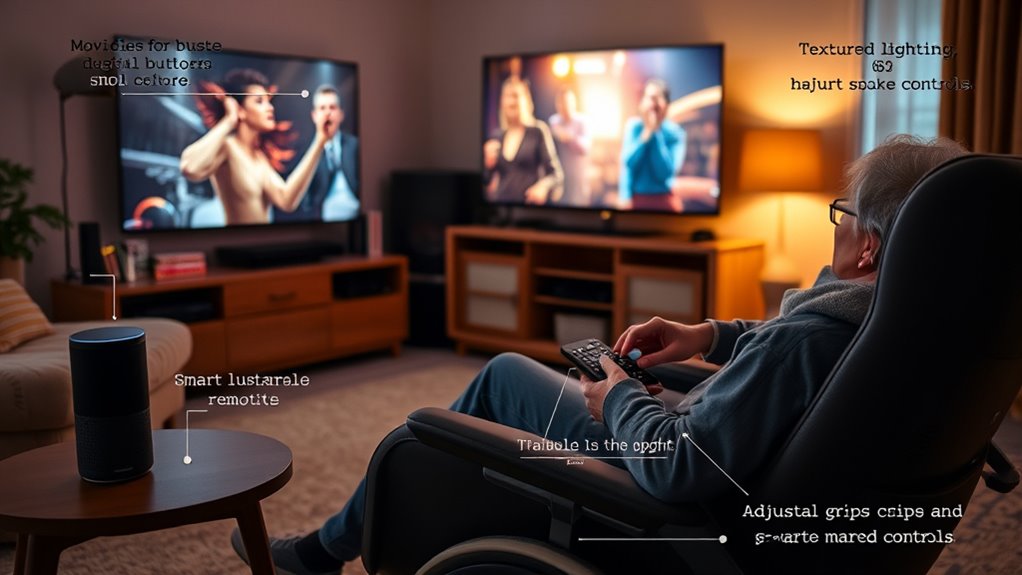
Programming and personalizing accessible controls guarantees that your home movie setup meets everyone’s needs and preferences. To optimize accessible control design, start by customizing button sizes and labels to ensure easy identification and use. Take advantage of adaptive technology features, such as voice commands or touch-sensitive controls, to make adjustments effortless. Consider creating personalized profiles for different users, so preferences are saved and quickly accessible. Regularly test and update your controls to accommodate changing needs or new technology advances. Incorporate adjustable settings to further enhance usability for all users. – Adjust control sensitivity and response times for better accessibility – Incorporate customizable shortcuts for common functions – Use voice or gesture controls for hands-free operation
Ensuring Compatibility With Smart Home Devices

Ensuring compatibility with smart home devices is essential for creating a seamless home movie experience. You want your smart speakers, lights, and entertainment systems to work together effortlessly. Start by choosing devices that support voice command integration, making it easy to control everything with simple voice prompts. Check compatibility with popular platforms like Alexa, Google Assistant, or Apple HomeKit to avoid issues down the line. Additionally, use adaptive control settings to customize device responses based on your preferences and needs. This guarantees the system reacts intuitively, whether adjusting lighting, volume, or screen settings. Confirm that all devices are updated and connected to the same network, minimizing lag or miscommunication. When everything works together smoothly, your movie nights become more enjoyable and accessible for everyone. Regional resources can also assist in troubleshooting or optimizing device setup for your area.
Training Family and Guests on Accessible Control Use
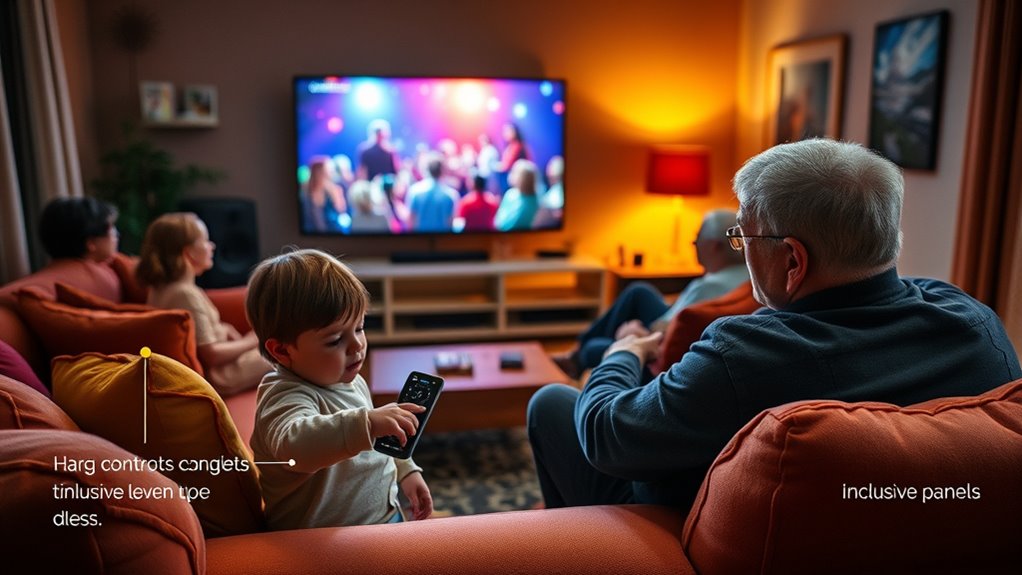
You should show your family and guests how to use the accessible controls confidently. Keep instructions simple and focus on demonstrating proper device use and navigation. Encourage them to practice so everyone feels comfortable managing the remote during movie nights. Additionally, familiarize them with the security features such as password management and session options to ensure a safe and seamless experience.
Demonstrate Proper Device Use
To guarantee everyone can enjoy movie nights comfortably, it’s important to demonstrate how to use accessible controls properly. Show your family and guests the basics of remote ergonomics, emphasizing easy reach and comfortable handling. Use color coded remotes to make identification simple and reduce confusion during operation. Demonstrating these controls ensures everyone feels confident steering the device independently. Additionally, practicing proper device use techniques can help prevent frustration and ensure smooth operation for all users.
Simplify Remote Navigation
How can you make remote guidance easier for family and guests? Focus on creating a simple remote layout with intuitive button design. Clear labels and large, well-spaced buttons reduce confusion, especially for those with limited dexterity or unfamiliarity. Keep essential functions front and center, minimizing extra buttons that can overwhelm users. Demonstrate how to use the remote step-by-step, emphasizing the most common controls like play, pause, and volume. Encourage guests to practice navigating the remote confidently, so they feel comfortable during movie nights. By simplifying the remote layout and optimizing button design, you make it easier for everyone to access their favorite content without frustration. This approach promotes independence and ensures a more enjoyable viewing experience for all your guests.
Encourage Guest Practice
Practicing remote control use helps guests feel confident and independent during movie nights. When family members or visitors understand your remote’s design, they can navigate effortlessly, respecting accessibility standards. Encourage them to familiarize themselves with the layout, especially if it’s a specialized remote with accessible features. This practice reduces frustration and creates a more inclusive environment. You can help by providing quick tutorials or guiding them through key functions. Highlighting the remote’s accessible design ensures everyone can enjoy the experience comfortably. Clear communication about how to operate the remote builds confidence and minimizes interruptions. Remember, practicing helps guests adapt quickly, making movie nights more enjoyable for everyone involved.
- Demonstrate remote functions before the movie begins
- Share tips on using accessibility features effectively
- Offer hands-on guidance for unfamiliar controls
Maintaining and Updating Your Accessible Home Theater System
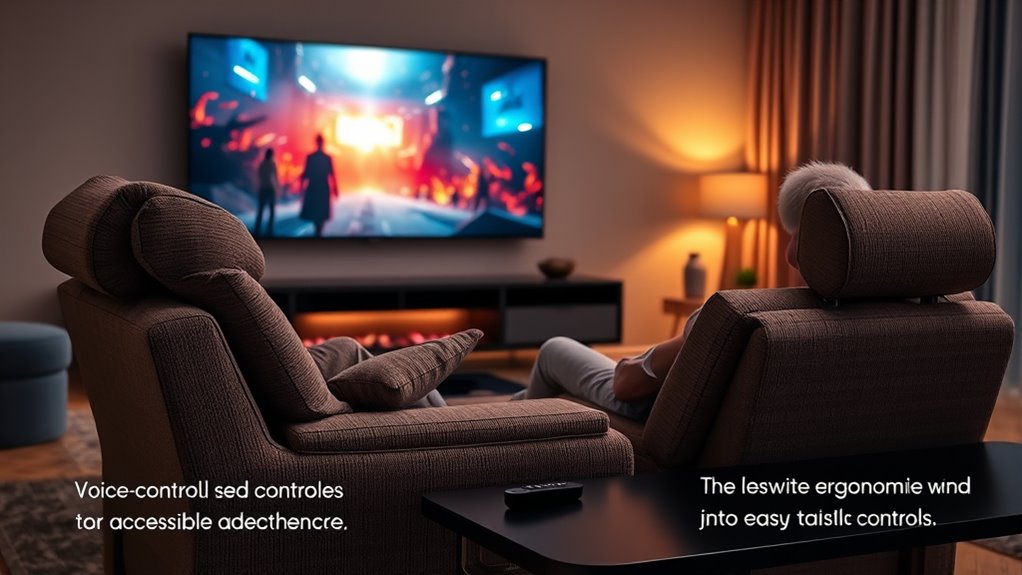
Regularly maintaining and updating your accessible home theater system guarantees it continues to serve your needs effectively. Start by inspecting your remote design, ensuring buttons are labeled clearly and are easy to press. If your remote has ergonomic features, verify they still fit comfortably in your hand and are accessible. Update the system’s software or firmware as needed to fix bugs and improve functionality. Replace worn-out batteries promptly to prevent interruptions during movie nights. Periodically test all accessibility features, like speech prompts or tactile buttons, to confirm they work smoothly. Keep the remote and control devices clean and free of debris. Staying proactive with these updates ensures your system remains user-friendly, reliable, and tailored to your evolving needs.
Frequently Asked Questions
How Can I Troubleshoot Common Issues With Accessible Remote Controls?
To troubleshoot accessible remote controls, start by checking the batteries and ensuring they’re properly installed. For voice command troubleshooting, make sure your microphone is enabled and clear of obstructions. If you face remote pairing issues, re-pair the remote with your device following the manufacturer’s instructions, and reset the connection if needed. Updating the remote’s firmware can also fix many common problems.
Are There Affordable Options for Accessible Home Theater Setups?
Yes, you can find budget-friendly options for accessible home theater setups. Look for affordable devices like universal remotes with large buttons or voice control features. You can also DIY accessibility by customizing existing equipment with simple modifications, such as adding tactile labels or using smartphone apps for control. These options make it easier and cheaper to enjoy movie nights, ensuring everyone can participate comfortably without breaking the bank.
Can Accessible Controls Be Integrated With Existing Smart Home Systems?
Yes, you can integrate accessible controls with your existing smart home systems. Many devices support voice command integration, allowing you to control your home theater hands-free. Additionally, universal remote compatibility guarantees you can manage multiple devices seamlessly. Check if your smart home hub or remote supports these features, and you’ll enjoy a smoother, more accessible movie night experience tailored to your needs.
What Safety Features Are Available in Accessible Remote Controls?
Accessible remote controls often include safety features like emergency features and customizable buttons. Emergency features let you quickly call for help or alert someone in case of trouble, ensuring safety at all times. Customizable buttons allow you to set up quick access to important functions, reducing confusion and frustration. These features help you feel more secure and confident while enjoying your home movie nights, knowing assistance is just a button press away.
How Do I Choose the Best Accessible Controls for Elderly Family Members?
To choose the best accessible controls for elderly family members, start by seeking simple, sturdy, and sensible options. Focus on features like tactile buttons for tactile feedback and voice command capabilities for effortless operation. Prioritize remote controls with large, luminous buttons, clear labels, and intuitive interfaces. Test different models to guarantee ease of use, comfort, and consistency, helping your loved ones feel confident and comfortable while controlling their entertainment effortlessly.
Conclusion
With these accessible control tips, you’ll transform your home movie nights into effortless adventures that rival the smoothest, most high-tech cinemas. By choosing the right remote, leveraging voice commands, and personalizing your setup, you’ll create a truly inclusive entertainment experience. Keep your system updated and involve everyone in its use—soon, you’ll wonder how you ever watched movies without these game-changing features. Get ready to enjoy seamless, accessible movie nights that make other setups look like child’s play!