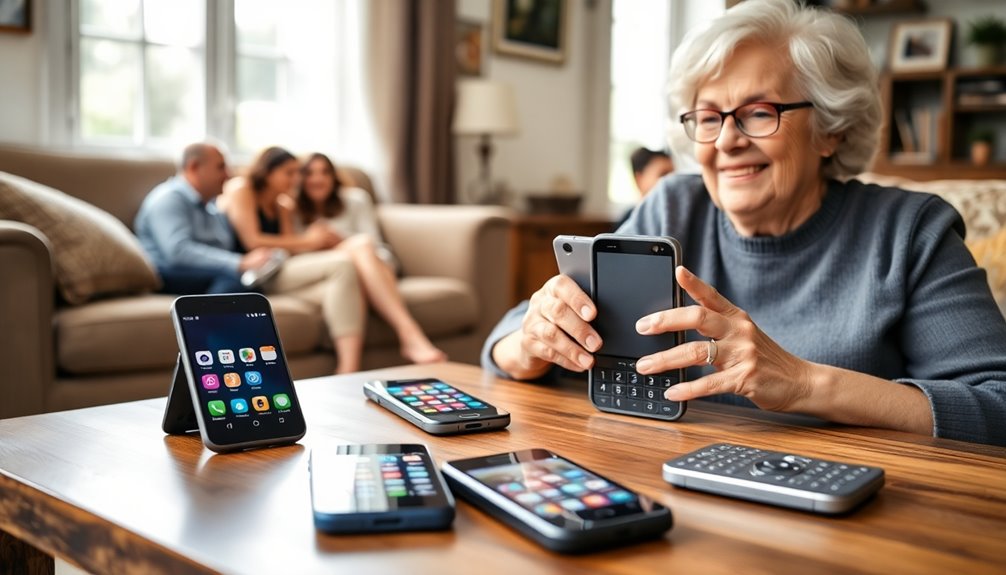
The best phones for the elderly pair simple controls with the right level of hearing support, mobility, and emergency access. My best overall pick is the VTech SN1117 because its senior-focused corded design favors clear, dependable calling over menus and rarely used extras. The AT&T CL2940 is a strong value choice, while the Hamilton CapTel 2400iSPNBT offers captioned conversations for people who struggle to follow speech through amplification alone. The main choice is between corded reliability, cordless freedom, and cellular portability, with added tradeoffs involving power, service fees, setup, and cognitive load. Continue reading for my full breakdown of which model best fits each buyer and household.
Complete the kit


Key Takeaways
- VTech SN1117 ranks first because its senior-specific controls and corded simplicity offer a better balance of accessibility and dependability than the more feature-heavy home phones.
- AT&T CL2940 is the value leader: it supplies large buttons, a readable tilted display, and speakerphone calling without charging docks or complicated menus.
- Amplification and captioning solve different problems; the Panasonic amplified cordless model suits louder listening, while Hamilton CapTel is the stronger match when spoken words remain hard to understand.
- Easyfone Prime-T6 and artfone A400 preserve physical controls for mobile users, whereas the Lively Jitterbug Smart5 makes more sense for buyers who need apps and smartphone services.
- Multi-handset cordless systems improve household coverage, but the Swissvoice, VTech, and Panasonic systems demand more setup and charging discipline than one-touch corded models.
| Corded Landline Phone for Seniors with One-Touch Dial and Amplified Sound |  | Best for Memory Support | Power source: RJ11 phone line | Photo memory keys: 9 | Dialer type: Single keypad | VIEW ON AMAZON | See Our Full Breakdown |
| VTech DECT 6.0 Cordless Phone | 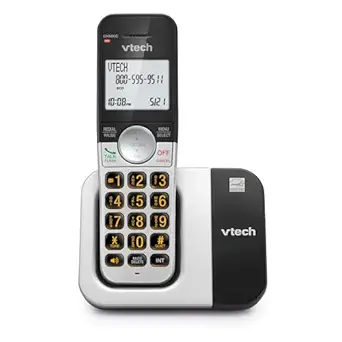 | Best Cordless Value | Wireless technology: DECT 6.0 | Range: Up to 1,000 feet | Display: 2-inch high-contrast white display | VIEW ON AMAZON | See Our Full Breakdown |
| Swissvoice Big Button Phone for Elderly with Answering Machine and Extra Cordless Handset |  | Best Overall Home System | Handsets included: 1 corded and 1 cordless | Ringer volume: Up to 90 dB | Answering capacity: 30 minutes | VIEW ON AMAZON | See Our Full Breakdown |
| VTech Cordless Home Phone with Answering Machine |  | Best Cordless Phone with Voicemail | Speakerphone: Full-duplex | Answering machine: 14-minute digital recorder | Display: Large backlit display | VIEW ON AMAZON | See Our Full Breakdown |
| Uvital Big Button Phone for Seniors with Speakerphone |  | Best for Limited Dexterity | Power source: Corded electric | Dialer type: Single keypad | Network compatibility: PSTN | VIEW ON AMAZON | See Our Full Breakdown |
| Big Button Phone for Seniors, Corded Landline Phone with One-Touch Dialing |  | Best Simple Corded Phone | Power source: Corded electric | Line support: Single line | Compatible network: PSTN | VIEW ON AMAZON | See Our Full Breakdown |
| VTech SN1117 Corded Senior Phone for Elderly |  | Best for Vision Accessibility | Power source: Corded electric | Dialer type: Single keypad | Compatible service: Standard landline telephone | VIEW ON AMAZON | See Our Full Breakdown |
| AT&T CL2940 Corded Phone with Speakerphone, Large Buttons, and Tilt Display |  | Best for Caller Screening | Button size: Extra-large | Display: Tiltable | Caller ID history: 50 names or numbers | VIEW ON AMAZON | See Our Full Breakdown |
| LIVELY Jitterbug Smart5 Smartphone for Seniors |  | Best Senior Smartphone | Display size: 6.75 inches | Operating system: Android 16 / 17 | Memory: 8 GB RAM | VIEW ON AMAZON | See Our Full Breakdown |
| Panasonic KX-TGD832M Cordless Phone with Answering Machine |  | Best Multi-Room Landline System | Model: KX-TGD832M | Included handsets: 2 | Expansion capacity: Up to 6 handsets | VIEW ON AMAZON | See Our Full Breakdown |
| Easyfone Prime-T6 4G Picture Button Cell Phone for Seniors |  | Best for Memory-Loss Support | Battery Capacity: 1050mAh | Network: 4G | Compatible Carriers: T-Mobile, SpeedTalk, and Tello Mobile | VIEW ON AMAZON | See Our Full Breakdown |
| Panasonic Amplified Cordless Phone with Large Display and Hearing Aid Compatibility |  | Best Cordless Phone for Hearing Loss | Volume Boost: Up to 40dB | Ringer Volume: Up to 100dB | Display: 1.8-inch backlit display | VIEW ON AMAZON | See Our Full Breakdown |
| Hamilton CapTel 2400iSPNBT Large Touch Screen Captioned Telephone |  | Best Captioned Phone | Display: Large touchscreen | Captioning: Real-time captions | Caption Modes: Automatic and assisted | VIEW ON AMAZON | See Our Full Breakdown |
| artfone A400 Big Button Cell Phone for Seniors |  | Best Basic Mobile Phone | Network: 2G, 3G, and 4G LTE | Carrier Compatibility: T-Mobile and virtual operators using T-Mobile service | Display: 2.4-inch high-definition LCD | VIEW ON AMAZON | See Our Full Breakdown |
| phones for the elderly | Display |
|---|---|
| Corded Landline Phone for Seni | — |
| VTech DECT 6.0 Cordless Phone | 2-inch high-contrast white display |
| Swissvoice Big Button Phone fo | — |
| VTech Cordless Home Phone with | Large backlit display |
| Uvital Big Button Phone for Se | — |
| Big Button Phone for Seniors | — |
| VTech SN1117 Corded Senior Pho | — |
| AT&T CL2940 Corded Phone with | Tiltable |
| LIVELY Jitterbug Smart5 Smartp | — |
| Panasonic KX-TGD832M Cordless | High-contrast and backlit |
| Easyfone Prime-T6 4G Picture B | — |
| Panasonic Amplified Cordless P | 1.8-inch backlit display |
| Hamilton CapTel 2400iSPNBT Lar | Large touchscreen |
| artfone A400 Big Button Cell P | 2.4-inch high-definition LCD |
More Details on Our Top Picks
Corded Landline Phone for Seniors with One-Touch Dial and Amplified Sound
I rank this as the best choice for memory support because its nine photo keys let a user call familiar people without recalling or entering full numbers. The amplified sound and flashing alerts also address mild hearing loss, while line-powered operation avoids charging routines and dead batteries. Compared with the Uvital Big Button Phone, this model provides more clearly specified photo-memory capacity; compared with the Swissvoice Big Button Phone, it is much simpler and less bulky. That simplicity carries real limits: there is no caller ID or message recording, and it needs a PSTN connection. I place it below more versatile systems for independent users, but above them for someone who becomes confused by menus. It makes the most sense when predictable one-touch calling matters more than modern call-management features.
Pros:- Nine photo memory keys reduce the need to remember or enter phone numbers
- Adjustable loud ringing and LED alerts make incoming calls easier to notice
- Hands-free calling supports users with limited grip or arm mobility
- RJ11 line power removes battery charging and replacement routines
Cons:- No caller ID, voicemail, or message-recording capability
- Requires a compatible PSTN telephone line
- Basic design offers little room for users whose needs later expand
Best for: Older adults with memory loss or impaired vision who mainly call a small circle of relatives and caregivers
Not ideal for: Independent users who want caller identification, recorded messages, or service through an internet-only phone line
- Power source:RJ11 phone line
- Photo memory keys:9
- Dialer type:Single keypad
- Network compatibility:PSTN telephone networks
- Line operation:Single-line
- Dimensions:6.6 x 2.7 x 8.1 inches
- Weight:0.71 kg
- Enclosure material:Plastic
Our verdict“I recommend this model for memory-friendly basic calling, provided the household still has a compatible landline and does not need message features.”
VTech DECT 6.0 Cordless Phone
I give this VTech the best cordless value role because it combines large illuminated controls, a high-contrast screen, caller ID, and room-to-room mobility without the cost or bulk of a multi-handset system. Its stated 1,000-foot DECT 6.0 range is more freeing than either corded model here, while ten hours of talk time exceeds the VTech answering-machine model’s seven-hour figure. It is also the cleaner choice for buyers who do not need recorded messages. The compromise is that there is no answering machine, photo dialing, or stated extra-loud amplification. Its 50-call capacity is adequate for ordinary household use but modest beside more advanced call-management phones. I would favor this over the Uvital for an active older adult, but not for someone with memory loss or pronounced hearing difficulty.
Pros:- DECT 6.0 technology supports clear cordless calls with a stated range of up to 1,000 feet
- Large lighted buttons and a high-contrast display aid low-vision users
- Up to 10 hours of talk time reduces frequent charging
- Full-duplex speakerphone allows more natural two-way conversation
Cons:- No built-in answering machine is specified
- Lacks photo memory buttons for users who struggle with names or numbers
- No dedicated amplified-audio rating is provided
Best for: Mobile older adults who want large controls, caller ID, and the freedom to carry a handset around the home
Not ideal for: Users with severe hearing loss or memory impairment who need amplified audio, photo keys, or recorded messages
- Wireless technology:DECT 6.0
- Range:Up to 1,000 feet
- Display:2-inch high-contrast white display
- Keypad:Large, lighted buttons
- Call storage:50 calls
- Talk time:Up to 10 hours
- Standby time:Up to 7 days
- Speakerphone:Full-duplex
Our verdict“I would choose this for a fairly independent senior who values cordless freedom and readable controls more than amplification or message recording.”
Swissvoice Big Button Phone for Elderly with Answering Machine and Extra Cordless Handset
I place the Swissvoice first as the best overall home system because it covers more senior-specific needs than the other four picks: photo memory dialing, a ringer reaching 90 dB, hearing-aid compatibility, call blocking, and both corded and cordless handsets. That two-handset arrangement offers the reliability of a fixed base alongside household mobility, something neither VTech model matches in the supplied configuration. Its 30-minute recorder also holds more than twice the messages of the VTech Cordless Home Phone’s 14-minute machine. Buyers pay for that breadth with greater size and complexity; the system weighs 1.5 kg, occupies substantial space, and some functions depend on batteries. I rank it above the simpler photo-key phone for households needing broad support, but that basic corded model remains easier for a user who finds multiple handsets and call-block settings confusing.
Pros:- Corded and cordless handsets cover both reliability and mobility
- Ringer adjusts up to 90 dB and the phone supports compatible hearing aids
- Photo memory controls simplify calls to familiar contacts
- Call blocking and a 30-minute answering machine provide stronger call management
Cons:- Large 21.46 x 13.78 x 9.45-inch listed footprint may dominate a small table
- More functions and two handsets create a steeper learning curve than basic corded phones
- Some operation requires the included AAA batteries
Best for: Households supporting an older adult with hearing loss who need fixed-phone reliability, cordless access, message recording, and nuisance-call control
Not ideal for: Users who become overwhelmed by multiple handsets and settings, or who have very limited tabletop space
- Handsets included:1 corded and 1 cordless
- Ringer volume:Up to 90 dB
- Answering capacity:30 minutes
- Hearing aid compatibility:Yes
- Conference calling:3-way calling
- Batteries:2 AAA batteries included
- Dimensions:21.46 x 13.78 x 9.45 inches
- Weight:1.5 kg
- Warranty:7 years
Our verdict“I rate this as the strongest all-round household choice when hearing support and call management outweigh the need for a small, minimal phone.”
VTech Cordless Home Phone with Answering Machine
I assign this model the best cordless phone with voicemail role for buyers who want message recording without stepping up to the larger Swissvoice package. The 14-minute answering machine includes call screening, while 50 caller-ID records and 50 contacts make repeat calling easier for an older adult who can manage a basic menu. Its full-duplex speakerphone, oversized keys, backlit display, and M4/T4 rating give it broader accessibility than the cheaper VTech DECT model. Still, that other VTech offers a stated ten hours of talk time versus this phone’s seven, so it is better for long conversations away from the charger. The Swissvoice also wins for louder ringing, photo keys, and recording capacity. I see this as a balanced middle-ground choice, not the strongest option for memory impairment, severe hearing loss, or homes requiring several supplied handsets.
Pros:- Built-in 14-minute answering machine supports call screening
- Large backlit display and oversized buttons improve legibility
- M4/T4 hearing-aid compatibility reduces barriers for hearing-aid users
- Full-duplex speakerphone supports natural hands-free conversations
Cons:- Seven-hour talk time trails the other VTech cordless model
- Fourteen minutes of recording is less than half the Swissvoice capacity
- No photo memory keys are provided for recognition-based dialing
Best for: Independent seniors who want a readable cordless handset with caller ID, hearing-aid support, and a simple built-in answering machine
Not ideal for: People with memory loss who need picture dialing, or frequent callers who require longer battery life and more message capacity
- Speakerphone:Full-duplex
- Answering machine:14-minute digital recorder
- Display:Large backlit display
- Buttons:Oversized
- Caller ID storage:50 records
- Phonebook capacity:50 contacts
- Battery life:Up to 7 hours talk time; 5 days standby
- Hearing aid compatibility:M4/T4
- Energy certification:Energy Star certified
Our verdict“I recommend this as the sensible middle choice for a senior who wants cordless convenience and recorded messages without a larger multi-handset system.”
Uvital Big Button Phone for Seniors with Speakerphone
I select the Uvital as the best option for limited dexterity because its oversized controls, photo-customizable speed dialing, adjustable volume, and speakerphone reduce the need for precise button presses or prolonged handset holding. The bright incoming-call light adds a visual cue for users who may miss the ringer. Compared with the VTech cordless phones, it sacrifices mobility, caller ID, and rechargeable operation in exchange for a stable, straightforward tabletop layout. The other corded photo-memory model specifies nine direct-dial keys and draws power through the RJ11 line, while Uvital’s supplied data is less clear about memory capacity and lists corded electric power. It also lacks voicemail and is not recommended for wall mounting. I would choose it for hands-free basic calling, but the Swissvoice is the stronger fit when hearing-aid compatibility, call blocking, or message recording is needed.
Pros:- Large buttons demand less precision from users with poor hand control
- Photo-customizable speed dialing reduces number entry
- Speakerphone supports callers who struggle to hold a handset
- Adjustable volume and a bright LED provide audible and visual call alerts
Cons:- Restricted to PSTN landline service with no internet calling support
- No caller ID, voicemail, or built-in message recording
- Wall mounting is not recommended, limiting placement choices
Best for: Older adults with arthritis, tremors, weak grip, or reduced arm mobility who want a stable tabletop phone with hands-free calling
Not ideal for: Households using internet-only calling, wall-mounted installations, or buyers who rely on caller ID and recorded messages
- Power source:Corded electric
- Dialer type:Single keypad
- Network compatibility:PSTN
- Line operation:Single-line
- Color:Black
- Enclosure material:ABS plastic
- Calling mode:Handset and hands-free speakerphone
- Call alert:Flashing LED
Our verdict“I would pick the Uvital for a tabletop user whose hand mobility is the main concern and whose calling needs remain basic.”
Big Button Phone for Seniors, Corded Landline Phone with One-Touch Dialing
I rank the Big Button Phone for Seniors as the straightforward choice for someone who mainly calls a small circle of relatives or caregivers. Its large keys, visual call alerts, and one-touch dialing remove several common barriers for people with reduced vision, hearing, or dexterity. Compared with the AT&T CL2940, this model favors memory shortcuts over caller information, making it easier for routine outgoing calls but less useful for screening incoming ones. It also has a speakerphone and adjustable volume, while corded power keeps basic communication available without charging a handset. The tradeoff is a very limited feature set: there is no cordless freedom, smartphone connectivity, or rich display. I would choose it for simplicity, but not for someone who wants call management or mobility around the home.
Pros:- Extra-large buttons reduce dialing errors
- One-touch memory dialing simplifies frequent calls
- Visual call notification supports users with hearing loss
- Corded operation removes routine charging and battery concerns
Cons:- The fixed handset limits movement during calls
- Minimal call-management features compared with the AT&T and Panasonic models
- Simple design offers little appeal for confident technology users
Best for: Older adults with limited vision or dexterity who call the same relatives and caregivers from one fixed location
Not ideal for: Active seniors who want to carry a handset between rooms or identify callers on a detailed screen
- Power source:Corded electric
- Line support:Single line
- Compatible network:PSTN
- Conference calling:3-way
- Recording capacity:18 minutes
- Material:ABS
- Dimensions:8.2 x 6.7 x 2.75 inches
- Weight:600 g
Our verdict“I recommend this model for a senior who values direct, repeatable calling more than cordless mobility or caller information.”
VTech SN1117 Corded Senior Phone for Elderly
The VTech SN1117 earns its place through layered accessibility rather than button size alone. I see its talking digits and photo speed-dial keys as especially helpful for a person who struggles to read printed numbers or remember which contact sits behind a shortcut. The generic Big Button Phone also offers one-touch dialing, but the VTech adds recognizable photos and spoken confirmation, reducing uncertainty before a call is placed. A visual ringer and adjustable volume address hearing needs, while the full-duplex speakerphone supports more natural hands-free conversation. It can also provide basic phone service during a power outage. Its main weakness is the absence of a caller ID screen, which makes the AT&T CL2940 better for screening calls. Corded placement also confines conversations to one area.
Pros:- Talking digits provide audible dialing confirmation
- Photo speed-dial keys make familiar contacts easier to recognize
- High-contrast oversized buttons support low-vision users
- Full-duplex speakerphone permits natural hands-free conversation
Cons:- No display for caller ID or call history
- Corded design restricts use to one location
- Photo contacts require initial setup by the user or a helper
Best for: Seniors with low vision, memory difficulties, or shaky hands who benefit from spoken digits and photo-based contacts
Not ideal for: People who rely on an on-phone caller ID display to screen unfamiliar numbers before answering
- Power source:Corded electric
- Dialer type:Single keypad
- Compatible service:Standard landline telephone
- Line operation:Single-line and multiline listed
- Speakerphone:Full-duplex
- Speed dial:Photo keys
- Material:Plastic
- Dimensions:7.47 x 8.23 x 4.11 inches
Our verdict“I would pick the VTech SN1117 for someone who needs strong visual and memory cues more than caller-screening tools.”
AT&T CL2940 Corded Phone with Speakerphone, Large Buttons, and Tilt Display
I place the AT&T CL2940 ahead of simpler corded models for buyers who want to see who is calling before picking up. Its tiltable caller ID display stores 50 names or numbers, giving it a clear advantage over the screenless VTech SN1117. Extra-large keys help with dialing, and Audio Assist plus an extra-loud ringer make conversations and incoming calls easier to hear. The speakerphone is useful for anyone who finds holding a receiver tiring. Basic calling continues without AC power, which adds resilience during outages. Still, the caller ID function needs four AA batteries, and the corded handset offers none of the room-to-room freedom of the Panasonic KX-TGD832M. I rank it as a strong screening phone, not the best choice for memory shortcuts or whole-home coverage.
Pros:- Tiltable display makes caller information easier to read from a seated position
- Caller ID stores up to 50 names or numbers
- Audio Assist and an extra-loud ringer support users with hearing loss
- Extra-large buttons and speakerphone reduce physical effort
Cons:- Caller ID requires four AA batteries that are not included
- Corded handset prevents room-to-room use
- Lacks photo dialing and dedicated emergency-response features
Best for: Older landline users with mild vision or hearing loss who want a readable call history for screening unfamiliar callers
Not ideal for: Seniors who need photo dialing, emergency assistance, or a handset they can carry around the house
- Button size:Extra-large
- Display:Tiltable
- Caller ID history:50 names or numbers
- Speakerphone:Yes
- Volume boost:Audio Assist
- Power:Corded; basic operation without AC power
- Batteries:4 AA for caller ID, not included
- Mounting:Wall-mountable
Our verdict“I favor the AT&T CL2940 for buyers who want accessible dialing plus visible caller information at one fixed phone station.”
LIVELY Jitterbug Smart5 Smartphone for Seniors
The LIVELY Jitterbug Smart5 is my choice for an older adult who wants mobile internet, photography, and emergency support without a conventional smartphone interface. Its 6.75-inch screen and simplified navigation offer far more flexibility than the Panasonic KX-TGD832M or any corded model here, while the Urgent Response button adds a safety path those landlines lack. The 50 MP main camera, 128 GB of storage, and large battery also make this a practical everyday device rather than a calling-only phone. That flexibility comes with the lineup’s biggest service restriction: it is locked to Lively service, so buyers cannot simply move it to a preferred carrier. It also requires charging, activation, and some comfort with touchscreens. I would not rank it above a basic landline for someone with severe dexterity or cognitive difficulties.
Pros:- Large 6.75-inch display provides more readable menus and content
- Simplified interface reduces smartphone learning friction
- Urgent Response button adds access to emergency assistance
- 128 GB storage and 50 MP main camera support everyday smartphone use
Cons:- Works exclusively with Lively phone service
- Touchscreen operation may remain difficult for users with severe dexterity or cognitive limitations
- Requires charging and activation unlike a basic corded phone
Best for: Independent seniors who want a simplified touchscreen smartphone, mobile data, photos, and access to Lively emergency support
Not ideal for: Buyers committed to another carrier or users who cannot reliably manage touchscreen controls and regular charging
- Display size:6.75 inches
- Operating system:Android 16 / 17
- Memory:8 GB RAM
- Storage:128 GB; expansion up to 2 TB
- Processor:MediaTek Dimensity 6100 Plus, 2.2 GHz
- Cameras:50 MP + 5 MP rear; 8 MP front
- Battery:5010 mAh
- SIM:Single Nano SIM; pre-installed for Lively service
- Weight:6.88 ounces
Our verdict“I recommend the Smart5 to seniors ready for smartphone functions who accept Lively as their required service provider.”
Panasonic KX-TGD832M Cordless Phone with Answering Machine
I rank the Panasonic KX-TGD832M as the most capable home landline system in this group. Two included cordless handsets, with expansion up to six, let an older adult keep a phone close in several rooms rather than return to the fixed AT&T CL2940. Its advanced call blocking and one-ring scam alert also address a major concern for seniors targeted by nuisance calls. A backlit display, illuminated keys, large-print dialing, bilingual caller ID, and a 17-minute answering machine round out a useful feature set. More capability brings more setup: menus, blocking options, and multiple handsets may require help from a family member. The 17-minute message capacity is modest, and this remains a home landline rather than a mobile phone. Buyers wanting the fewest controls may find the VTech SN1117 easier.
Pros:- Two cordless handsets provide better coverage across the home
- System expands to six handsets for larger households
- Advanced call blocking and scam alerts help reduce unwanted calls
- Backlit display and illuminated large-print keys improve readability
Cons:- Initial setup and call-blocking menus may be difficult without assistance
- Answering machine holds only 17 minutes of messages
- Requires landline service and cannot replace a mobile phone outside the home
Best for: Seniors living in larger homes who need nearby cordless handsets and stronger protection from nuisance or scam calls
Not ideal for: People who want a single plug-and-call phone with minimal setup or communication away from their landline service
- Model:KX-TGD832M
- Included handsets:2
- Expansion capacity:Up to 6 handsets
- Answering machine:Yes
- Recording time:17 minutes
- Call blocking:Advanced and one-touch
- Caller ID:Bilingual
- Display:High-contrast and backlit
- Mounting:Wall-mountable
Our verdict“I would choose this Panasonic system for a multi-room home where scam filtering and cordless access outweigh setup simplicity.”
Easyfone Prime-T6 4G Picture Button Cell Phone for Seniors
I rank the Easyfone Prime-T6 as the strongest choice here for an older adult who may struggle with names, menus, or standard contact lists. Its picture memory buttons turn calling into a visual, single-press task, giving it a clearer purpose than the artfone A400, which uses conventional speed dialing. Hearing-aid compatibility, clear audio, and a dedicated SOS button add practical support for daily communication and emergencies. The charging dock also removes the frustration of aligning a small cable. That simplicity comes with firm limits: carrier support centers on T-Mobile-based services, and the basic system offers none of the apps or web access available on the LIVELY Jitterbug Smartphone. I would choose this for recognition-based calling, but not for someone who wants flexible messaging or broader network choice.
Pros:- Picture memory buttons make familiar contacts easier to recognize and call
- Hearing-aid compatibility and clear sound support users with hearing loss
- Dedicated SOS button adds a direct route to emergency contacts
- Charging dock is easier to manage than a small charging plug
Cons:- Restricted to T-Mobile and selected T-Mobile-based virtual operators
- Basic operating system provides very limited communication features
- Picture-button layout suits only a small group of frequently called contacts
Best for: Older adults with memory, dexterity, or vision difficulties who call a small circle of familiar people on a T-Mobile-based network
Not ideal for: Verizon or AT&T customers and seniors who want apps, web access, navigation, or rich messaging
- Battery Capacity:1050mAh
- Network:4G
- Compatible Carriers:T-Mobile, SpeedTalk, and Tello Mobile
- Memory Dialing:Large picture buttons
- Emergency Feature:SOS button
- Hearing Support:Hearing-aid compatible
- Included Accessories:Charging dock, neck lanyard, picture cutting adapter, and user manual
Our verdict“This is my pick for a senior who needs the fewest possible steps between recognizing a loved one and placing a call.”
Panasonic Amplified Cordless Phone with Large Display and Hearing Aid Compatibility
The Panasonic Amplified Cordless Phone earns its place through a combination of mobility and serious hearing support. Its 40dB boost, 100dB ringer, and Slow Talk function address both volume and speech pace, while the standard VTech DECT 6.0 Cordless Phone focuses more on general ease of use. It is also more adaptable than a basic corded senior phone: up to six handsets can place an accessible phone in several rooms. An answering machine, power backup, and blocking for 250 numbers make it useful for a busy household, though the many controls may overwhelm someone with cognitive difficulties. The handset is bulkier than a conventional cordless model, and full outage protection depends on the backup arrangement. I rank it highly for moderate-to-severe hearing difficulty, not for buyers seeking the simplest possible interface.
Pros:- 40dB volume boost and 100dB ringer provide substantial hearing support
- Slow Talk can make fast speech easier to follow
- System expands to six handsets for better coverage around the home
- Answering machine, caller ID, speakerphone, and 250-number blocking add household utility
Cons:- Broader feature set creates a steeper learning curve than a basic corded phone
- Bulky handset design may feel cumbersome for some users
- Cordless operation and advanced functions depend on electrical power or backup power
Best for: Hard-of-hearing seniors who want amplified cordless handsets available across several rooms
Not ideal for: People with memory or cognitive difficulties who may find call blocking, caption-related audio controls, and multiple menu options confusing
- Volume Boost:Up to 40dB
- Ringer Volume:Up to 100dB
- Display:1.8-inch backlit display
- Expansion Capacity:Up to 6 handsets
- Wireless Technology:DECT 6.0 Plus
- Call Blocking:Up to 250 numbers
- Power Backup:Supported
- Hearing Aid Compatibility:Yes
Our verdict“I would choose this for a hard-of-hearing senior who needs strong amplification without being tied to one room.”
Hamilton CapTel 2400iSPNBT Large Touch Screen Captioned Telephone
I give the Hamilton CapTel 2400iSPNBT a specialist role because it converts spoken conversation into real-time on-screen captions. That can help when amplification alone is insufficient. The Panasonic Amplified Cordless Phone raises call volume to the same 40dB level, but the CapTel also lets a reader follow words visually and review captioned voicemail. Its large touchscreen and adjustable caption settings provide more reading flexibility than the display on a typical big-button phone. The tradeoff is infrastructure and setup: it needs electrical power, telephone service, and high-speed internet, while eligibility is limited to US residents with hearing loss. Auto and assisted caption modes may also require more initial guidance than a plain amplified handset. For someone who routinely misses words despite louder audio, I find the dual audio-and-text approach more useful than amplification by itself.
Pros:- Real-time captions provide visual reinforcement when louder sound is not enough
- Large touchscreen makes conversations and controls easier to read
- Up to 40dB amplification and hearing-aid compatibility support mixed hearing needs
- Captioned voicemail allows messages to be read and replayed
Cons:- Requires high-speed internet, phone service, and standard electrical power
- Service eligibility is limited to US residents with hearing loss
- Setup and caption choices may be difficult for users who are uncomfortable with touchscreens
Best for: US residents with substantial hearing loss who understand calls better when they can read speech while listening
Not ideal for: Households without reliable high-speed internet or users who need a portable, low-complexity phone
- Display:Large touchscreen
- Captioning:Real-time captions
- Caption Modes:Automatic and assisted
- Amplification:Up to 40dB
- Connectivity:Wi-Fi; high-speed internet required
- Power:Standard electrical power
- Hearing Aid Compatibility:Yes
- Voicemail:Captioned voicemail
Our verdict“This is my preferred option when reading the conversation is more helpful than simply making the caller louder.”
artfone A400 Big Button Cell Phone for Seniors
The artfone A400 is my choice for an older buyer who wants basic mobile independence without adopting a smartphone. Its tactile keys, large fonts, voice time announcement, and 1800mAh battery make routine calling easier, while the charging dock reduces cable handling. Compared with the Easyfone Prime-T6, it offers a larger 2.4-inch display, a 2MP camera, storage for 1,000 contacts, and much longer stated talk time. The Prime-T6 remains the better fit for memory loss because its picture buttons are more direct than navigating a large contact list. The A400 also cannot browse the internet or run apps like the LIVELY Jitterbug Smartphone, and carrier choice is still centered on T-Mobile-based service rather than Verizon or AT&T. I see its SOS button and hearing assistance as useful safeguards, but buyers wanting modern smartphone communication will outgrow it quickly.
Pros:- Large tactile buttons and high-contrast screen support limited vision or dexterity
- 1800mAh battery provides 8 to 10 hours of stated talk time and nearly a week of standby
- SOS control and hearing assistance add safety and call clarity
- Charging dock, voice time announcement, and speed dial simplify daily operation
Cons:- Carrier support excludes Verizon and AT&T service
- No internet browsing, apps, or smartphone-style communication
- Standard contact menus are less accessible for memory loss than picture dialing
Best for: Seniors who want a straightforward mobile phone for calls, texts, emergencies, and occasional photos on a T-Mobile-based plan
Not ideal for: Verizon or AT&T customers and older adults who want video calls, web browsing, navigation, or downloadable apps
- Network:2G, 3G, and 4G LTE
- Carrier Compatibility:T-Mobile and virtual operators using T-Mobile service
- Display:2.4-inch high-definition LCD
- Camera:2MP
- Battery:1800mAh
- Battery Life:8–10 hours talk time; nearly 1 week standby
- Contact Capacity:Up to 1,000 contacts
- Accessibility Features:SOS button, hearing assistance, large fonts, voice time announcement, and charging dock
Our verdict“I recommend the A400 for a senior who wants longer-lasting basic mobility and a few extras without the demands of a smartphone.”
How We Picked
I ranked these phones by how well they address the barriers older adults commonly face: hearing difficulty, reduced vision or dexterity, memory limitations, and access to help. I gave the most weight to clear controls and calling reliability, followed by amplification, display readability, one-touch or picture dialing, speakerphone quality, and emergency features. A long feature list earned little credit when it also introduced extra menus, small controls, or setup work.
I then compared each model within its intended setting rather than treating every phone as interchangeable. Corded phones scored well for low daily upkeep, cordless systems gained credit for room-to-room mobility, and mobile phones were judged on network compatibility, charging, SOS access, and ease of carrying. I also weighed ownership costs and household fit, including landline availability, cellular plans, internet requirements, accessory handsets, and caregiver involvement. The final order favors products that solve a clear senior need with the fewest avoidable complications.
Factors to Consider When Choosing Phones For The Elderly
I would start by matching the phone to the user’s daily routine rather than choosing the model with the most features. Where calls happen, how well the user hears speech, and whether someone can help with setup will narrow the field quickly. The factors below explain the tradeoffs that product pages often leave unclear.
Choose the Right Connection Type
I recommend checking the home’s phone service before comparing buttons or displays. A corded landline suits someone who calls from one familiar chair and may forget to charge a handset, but it limits movement and still depends on an active phone connection. A cordless system reaches more rooms, though every handset needs power and must return to its base. A 4G feature phone adds portability outside the home but brings network compatibility, signal coverage, and a cellular plan into the decision. A smartphone supports messaging, video calls, and location-sharing, yet touch gestures and software prompts can frustrate a buyer who only wants voice calls. I would choose the simplest connection type that covers the places where the user actually needs to communicate.
Match Hearing Support to the Actual Problem
I separate low call volume from difficulty understanding words because they call for different solutions. Amplification can help when speech is clear but too quiet, while tone controls may make particular voices easier to distinguish. Hearing-aid compatibility reduces interference for compatible devices, though that label does not tell a buyer how loud or clear the phone will sound. If louder audio still fails, real-time captions may provide more help than another amplified handset. Loud ringers and visual call alerts address missed incoming calls rather than comprehension during a conversation. I would ask the user’s hearing professional which barrier matters most before paying extra for specialized hardware.
Reduce Visual, Dexterity, and Memory Demands
Large buttons help only when their labels have strong contrast and clear spacing. Closely packed keys can still cause dialing errors, while glossy surfaces may produce glare under bright lamps. For a person with memory loss, picture dialing or labeled one-touch keys can be easier than recalling numbers or searching a contact list. I favor consistent physical controls when tremors or limited finger sensitivity make touchscreens unreliable. A large display adds little if its text is faint, the viewing angle is poor, or important prompts disappear too quickly. Before buying, I would map the full calling sequence—from noticing the ring to ending the call—and count how many decisions it requires.
Check Emergency Features and Support Services
An SOS button is useful only when it is configured in advance and easy to press without frequent false alarms. Some phones call stored contacts in sequence, while others may connect to a paid response service, so I would verify exactly what happens after activation. The buyer should also know whether emergency calling works when the handset is locked, out of credit, away from its base, or outside cellular coverage. Smartphone support services can assist with rides, health questions, or family contact, but they may require subscriptions and ongoing caregiver management. A basic phone with reliable speed-dial contacts can be safer than a more ambitious system nobody maintains. I recommend rehearsing the emergency process with the user and every listed contact after setup.
Plan for Power Cuts and Charging
Power needs are easy to miss because corded does not always mean outage-proof. Traditional line-powered phones may keep working during a household blackout, but cable-based or fiber phone service can fail when its modem or backup battery loses power. Cordless bases, captioned screens, charging docks, and internet calling equipment also need electricity. Mobile phones provide a useful backup only when the battery is charged and the local network remains available. I favor a fixed charging routine, such as placing the handset in a visible dock after breakfast or before bed. For a high-risk household, I would keep a second communication method and write key numbers somewhere accessible.
Calculate the Full Cost of Ownership
The shelf price tells only part of the story because service costs can exceed the hardware cost. Landlines may require a monthly home-phone package, cellular models need compatible service, and support-oriented smartphones can add activation or subscription fees. Extra cordless handsets cost more at the start but may prevent missed calls in a larger home. Batteries also wear out, and replacing a proprietary pack can be harder than buying standard cells locally. I would pay more for captioning, stronger amplification, or dependable assistance when those functions directly remove a communication barrier, not merely to gain more menus. Before purchase, I recommend totaling two years of service, accessories, batteries, and likely caregiver setup time.
Frequently Asked Questions
Is a Corded or Cordless Phone Better for an Older Adult Living Alone?
I favor a corded phone for dependable simplicity when the user usually calls from one location and may forget to charge devices. A cordless phone is better when reaching a fixed handset could create a fall risk or when calls must be answered in several rooms. The tradeoff is that cordless handsets can be misplaced, left off the charger, or become unusable during an outage. A practical compromise is a corded main phone plus cordless extensions, provided the household service supports both. I would place at least one phone within easy reach of the bed or main seating area.
Does Hearing-Aid Compatibility Mean the Phone Will Be Loud Enough?
No; hearing-aid compatibility and amplification describe different benefits. Compatibility addresses interference and coupling with certain hearing aids, while amplification raises incoming volume. A buyer may need both, and tone adjustment can matter as much as raw loudness when particular frequencies are hard to hear. If speech remains unclear at a comfortable volume, a captioned phone may be the better answer. I would check the hearing aid’s telecoil settings and ask a hearing professional for guidance before choosing solely from a compatibility label.
Can a Senior Mobile Phone Work With Any Cellular Carrier?
Not always, even when the listing says unlocked. The phone must support the carrier’s current 4G bands, voice-over-LTE requirements, SIM format, and activation policies. Coverage at the user’s home matters more than a carrier’s national coverage map, especially for emergency calls. I would verify the exact model number with the carrier before purchase and confirm whether a plan or special service package is required. A short return window is also useful in case signal strength, call quality, or activation proves unsuitable.
When Is a Captioned Phone Better Than an Amplified Phone?
I would choose amplification when the caller understands speech once it becomes louder and clearer. A captioned phone is better when words remain difficult to distinguish, particularly during fast conversations or calls from unfamiliar voices. Captioning may introduce a small delay and can depend on internet access, registration, or service eligibility. It also asks the user to divide attention between listening and reading, which may not suit every visual or cognitive need. The Hamilton CapTel justifies its higher complexity when readable text restores conversations that volume controls cannot.
Is a Simple Smartphone or a Big-Button Feature Phone the Better Mobile Choice?
I recommend a big-button feature phone for someone who mainly calls a few contacts and benefits from tactile keys, a charging dock, and a direct SOS control. A simplified smartphone makes more sense when video calls, family photos, maps, medical portals, or support services are part of daily life. Smartphones demand more charging, software management, and protection against confusing notifications or accidental taps. Feature phones avoid much of that burden but can make texting and contact management slower. I would choose based on the most complicated task the user genuinely needs, rather than buying extra capability for hypothetical future use.
Conclusion
For most buyers, my best overall recommendation is the VTech SN1117 because its purpose-built senior controls keep everyday calling direct and familiar. The AT&T CL2940 is my best value pick, while the Easyfone Prime-T6 is the better beginner option for someone who needs a simple mobile phone with picture-based dialing. Buyers willing to pay for specialized hearing support should choose the Hamilton CapTel 2400iSPNBT as the premium captioned option, while the Panasonic amplified cordless phone better serves users who need louder calls plus room-to-room freedom. For other specific needs, I would pick the Swissvoice system for multi-handset coverage, the artfone A400 for an unlocked SOS-focused mobile, or the Lively Jitterbug Smart5 for smartphone services and apps. The right choice comes down to whether the user’s biggest barrier is hearing, mobility, memory, or access away from home.