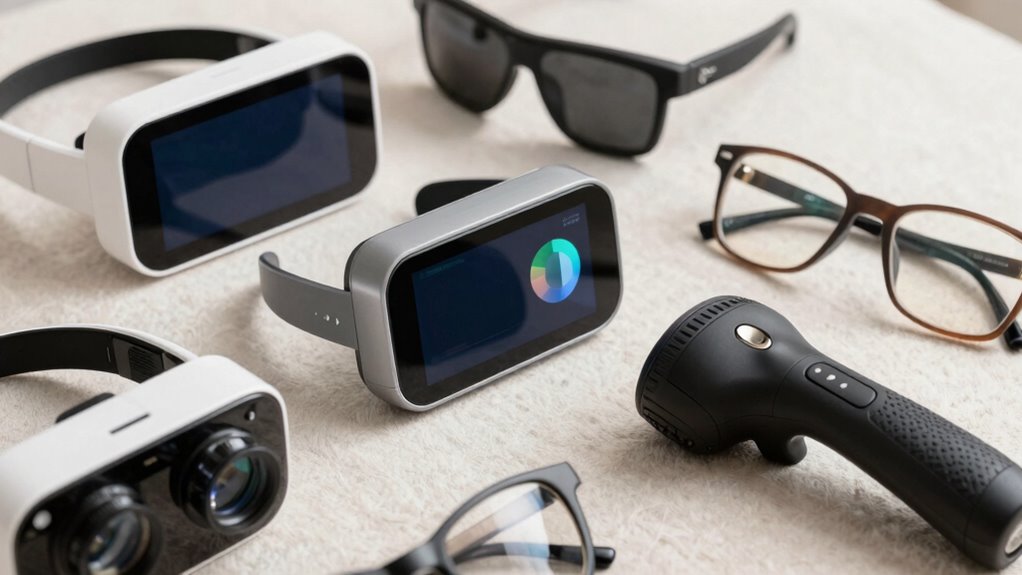

Finding the right vision enhancement device for seniors can significantly improve daily life, but the options vary widely in features, usability, and price. The Rechargeable 5X Magnifying Glass for Reading with Light stands out as the best overall choice due to its balance of magnification, ease of use, and portability. For those seeking more advanced features, the explorē 8 Electronic Video Magnifier offers an expansive 8-inch touchscreen and autofocus, though at a higher price point. Meanwhile, budget-conscious users might prefer the Eyoyo 3.5″ Portable Digital Video Magnifier for its affordability and decent zoom. Keep reading to explore these options and find the device that best suits your needs, along with important considerations to guide your decision.
Complete the kit


Key Takeaways
- Magnification range varies significantly; choose based on individual vision needs.
- Touchscreen interfaces often provide easier operation for seniors than button-based models.
- Portability is a key factor; foldable and handheld devices offer more convenience.
- Color mode and contrast adjustments improve readability for different types of visual impairment.
- Higher-priced models generally offer better build quality and features, but budget options can suffice for basic needs.


| vision enhancement devices for senior | Magnification | Screen Size | Color Modes | Connectivity |
|---|---|---|---|---|
| Rechargeable 5X Magnifying Gla | 5X | — | — | — |
| Portable Digital Video Magnifi | 2X-32X | 5.0 inches | 26 | TV output |
| explorē 8 Electronic Video Mag | 2x to 30x | 8 inches | — | — |
| Eyoyo 3.5" Portable Digital Vi | 2x-25x | — | 8 | — |
| Portable Digital Video Magnifi | 2x-32x | 5.0 inches | 26 | TV cable |
| explorē 5 Electronic Video Mag | 2x to 22x | 5 inches | — | Connects to TV, saves images |
| 4.3-inch Digital Video Magnifi | — | — | 17 adjustable modes | — |
| VEVOR Portable Digital Magnifi | 4x – 32x | 5 inches | 17 | AV output, supports TF card |
| 5 Inch Low Vision Aids Electro | — | 5 inches | — | Includes cable for TV and computer |
| Digital Magnifier 5 Inch with | 2x – 32x | 5 inches | 26 | — |
More Details on Our Top Picks
Rechargeable 5X Magnifying Glass for Reading with Light and Large Full Page View
This magnifier stands out for its sizeable 4.5″ x 7.09″ viewing area, making it ideal for reading entire pages without constant repositioning. Its anti-glare Fresnel lens combined with 20 bright LEDs and stepless dimming delivers adaptable illumination, surpassing smaller, less adjustable models like the Eyoyo 3.5″ Portable Digital Video Magnifier. While the 5X magnification suffices for most reading tasks, it might fall short for those needing high-detail close-up work. Its lightweight, ergonomic design makes it easy to handle, especially for seniors with limited grip strength. The rechargeable battery adds convenience but requires regular charging, which could be inconvenient during extended use. Overall, this pick suits users who prioritize a large viewing area and adjustable lighting for casual reading or document review.
Pros:- Enormous viewing area suitable for whole-page reading
- Bright, adjustable LED lighting enhances clarity in various environments
- Lightweight and ergonomic, reducing hand fatigue
- Rechargeable battery eliminates the need for constant power cords
Cons:- Limited to 5X magnification, possibly insufficient for detailed tasks
- Requires regular charging, which may interrupt lengthy use
- Design less suited for very close or intricate work
Best for: Seniors or low vision users who want a large, easy-to-handle magnifier for reading full pages comfortably.
Not ideal for: Individuals who need higher magnification levels for detailed close-up tasks or fine craftwork, as it caps at 5X.
- Magnification:5X
- Viewing Area:4.5″ x 7.09″
- Light Source:20 LED lights
- Dimming:Stepless dimming
- Battery:Rechargeable, USB
- Weight:3.8 ounces
Our verdict“This magnifier is perfect for seniors seeking a large, easy-to-use device for reading full pages, though it offers limited close-up detail.”
Portable Digital Video Magnifier for Visually Impaired – 5.0 Inch LCD Screen, 2X-32X Zoom, 26 Color Modes, Foldable Handle
This device excels in offering a broad magnification range from 2X to 32X, making it versatile for multiple reading and viewing needs, especially compared with the explorē 8, which has a larger 8-inch screen but less zoom flexibility. Its 5.0-inch HD LCD provides sharp, true-to-color images, and 26 color modes allow for personalized contrast settings—ideal for users with specific visual preferences. The foldable handle enhances portability, but its relatively small screen might be limiting for users who prefer larger displays. The need to connect to a TV for larger viewing can be a drawback, especially for those who want an all-in-one handheld device. This model suits users who value adjustable zoom and color customization for reading in different environments.
Pros:- Wide magnification range from 2X to 32X for customized viewing
- 26 color modes for contrast and clarity preferences
- Compact, foldable design enhances portability
- High-resolution LCD ensures sharp image quality
Cons:- Limited to a 5-inch screen, which may be small for some users
- Requires connection to TV for larger displays, adding complexity
- Higher price point due to advanced features
Best for: Individuals who need adjustable magnification and color modes for flexible use across various settings, including those with macular degeneration.
Not ideal for: Seniors seeking a large, standalone device for full-page reading, since it relies on external display options for bigger views.
- Screen Size:5.0 inches
- Magnification:2X-32X
- Color Modes:26
- Resolution:800×480
- Connectivity:TV output
- Battery Life:Not specified
Our verdict“This magnifier offers excellent flexibility with adjustable zoom and color modes, best suited for tech-savvy users needing versatile viewing options.”
explorē 8 Electronic Video Magnifier with 8-inch Touchscreen and Autofocus
The explorē 8 stands out with its generous 8-inch touchscreen, offering a spacious and intuitive interface for users with low vision. Its dual autofocus HD cameras with a wide 2x to 30x zoom facilitate both near and distance viewing, surpassing the smaller Eyoyo 3.5″ in size and functionality. The device’s support for 35 languages and customizable color schemes make it particularly suitable for diverse users. However, its high price and relatively limited battery life—up to 7 hours—may be drawbacks for some. The autofocus feature simplifies focusing, but the device’s larger size makes it less portable for quick, on-the-go use. This model is best for those needing a large-screen, feature-rich magnifier for detailed reading or viewing in a stationary setting.
Pros:- Large 8-inch touchscreen for easy navigation and viewing
- Wide zoom range (2x to 30x) for detailed inspection
- Supports near and distance viewing with dual HD autofocus cameras
- Multiple language and color scheme options for customization
Cons:- Higher price point may be prohibitive for some users
- Battery life may not suffice for long extended sessions
- Larger size reduces portability for on-the-go use
Best for: Seniors or visually impaired individuals seeking a large, touchscreen device with autofocus and wide magnification for comfortable, detailed reading at home or in a fixed location.
Not ideal for: People who require a lightweight, pocket-sized device for frequent, portable use, due to its larger form factor and higher cost.
- Screen Size:8 inches
- Magnification:2x to 30x
- Cameras:Two HD 21 MP autofocus
- Languages:35
- Battery Life:Up to 7 hours
Our verdict“This device offers a large, feature-rich display with autofocus, making it ideal for stationary, detailed reading tasks for seniors with moderate to severe vision loss.”
Eyoyo 3.5″ Portable Digital Video Magnifier, 2X-25X Zoom Reading Aid, Black
This handheld magnifier excels in portability with its small 3.5-inch screen and foldable bracket, making it highly convenient for quick reading or inspecting objects. Its 2x to 25x zoom offers more flexibility than many smaller devices, but the limited screen size can be a drawback for extended reading sessions, unlike the larger explorē 8. Multiple color modes allow for contrast adjustments tailored to specific visual needs, and snapshot functions add convenience for capturing images. Its AV output supports larger viewing on a TV, yet this adds extra setup steps. This model is ideal for seniors needing a compact device for occasional use rather than prolonged reading or detailed work.
Pros:- Very portable and lightweight for on-the-go use
- Zoom range from 2x to 25x for versatile magnification
- Multiple color modes for contrast customization
- Snapshot and freeze functions for convenience
Cons:- Small 3.5-inch screen limits extended reading comfort
- Requires placement on text for proper focus, less stable for freehand use
- Additional purchase needed for TF card storage
Best for: Seniors who need a portable, lightweight magnifier for quick checks, shopping, or field use, rather than all-day reading.
Not ideal for: Users seeking a device for extended reading or detailed crafts, as the small screen limits sustained use and comfort.
- Magnification:2x-25x
- Display Size:3.5 inches
- Color Modes:8
- Snapshot:Yes
- AV Output:Yes
- Foldable Design:Yes
Our verdict“This highly portable magnifier suits seniors who need quick, easy visual checks in various environments but isn’t ideal for prolonged reading sessions.”
Portable Digital Video Magnifier with 5.0 Inch Screen and 2X-32X Zoom
This device offers a substantial zoom range from 2x to 32x on a 5-inch HD LCD, making it suitable for low vision needs that demand high magnification. Its 26 color modes allow tailoring contrast and clarity, comparable to the Portable Digital Video Magnifier. The foldable, ergonomic handle ensures comfortable use, and TV connection enhances larger viewing—an advantage over smaller, purely handheld units. However, it shares the complexity of setup and requires a power source, which might challenge users unfamiliar with digital devices. Its compact size makes it convenient but less suitable for those who prefer larger screens for detailed reading. This model is best for users who want high zoom flexibility and the ability to connect to larger screens effortlessly.
Pros:- High zoom range from 2x to 32x for detailed inspection
- Multiple color modes for optimized contrast
- Foldable, ergonomic handle for ease of use
- Connects to TV for larger display options
Cons:- Requires power supply for operation
- Setup complexity might be challenging for some seniors
- Limited screen size for direct handheld use
Best for: Seniors or low vision users seeking a high zoom range with the option to connect to a TV for larger viewing, especially for detailed reading or craftwork.
Not ideal for: People who prioritize portability over zoom flexibility or those uncomfortable with digital setup, as it requires external connections and power.
- Screen Size:5.0 inches
- Magnification:2x-32x
- Color Modes:26
- Resolution:800*480
- Connectivity:TV cable
- Design:Foldable, ergonomic
Our verdict“This magnifier provides extensive zoom and connectivity options, ideal for users needing detailed viewing with larger display support, though it demands some technical setup.”
explorē 5 Electronic Video Magnifier for Low Vision, 5-inch Pocket-Size Handheld Reading Aid with Autofocus, 2X to 22x Magnification and 18+ Contrast Modes
The explorē 5 stands out as the most versatile compact option, combining a wide magnification range with an impressive selection of contrast modes, making it ideal for on-the-go reading. Unlike larger devices like the VEVOR Portable Digital Magnifier, its small size and rechargeable battery mean it’s easier to carry around, yet it offers comparable magnification and image quality. The ability to connect to a TV and save images adds convenience for sharing or reviewing text later. The main tradeoff is its limited battery life—up to 3 hours—which may be insufficient for extended use. Also, its digital interface might require some familiarity, especially for seniors new to such devices.
Pros:- Compact and lightweight for easy portability
- Wide magnification range (2x to 22x) and contrast modes
- Supports image saving and TV connection
Cons:- Limited to 3 hours of battery life
- Requires some digital device familiarity
Best for: Seniors who want a lightweight, highly portable magnifier with multiple contrast options for daily reading tasks.
Not ideal for: Users needing all-day battery life or larger viewing screens, as the 3-hour limit may be restrictive.
- Screen Size:5 inches
- Magnification:2x to 22x
- Contrast Modes:18+
- Battery Life:Up to 3 hours
- Connectivity:Connects to TV, saves images
- Weight:Lightweight
Our verdict“This device is perfect for seniors seeking a portable, versatile magnifier for everyday reading and on-the-go use.”
4.3-inch Digital Video Magnifier with 4X-32X Zoom for Low Vision & Elderly
The 4.3-inch Digital Video Magnifier offers a robust zoom range of 4x to 32x, making it well-suited for reading tiny text or detailed tasks, especially compared to larger-screen options like the VEVOR 5-inch model. Its foldable handle and lightweight design enhance portability, but the smaller 4.3-inch display may limit viewing comfort for prolonged use. It supports external displays via AV output, which helps offset the limited screen size for longer reading sessions. The need for an additional TF card for storage and absence of a dedicated battery life detail are notable drawbacks, potentially requiring extra purchases or external power sources.
Pros:- Strong zoom range (4x to 32x) for detailed viewing
- Foldable handle enhances portability
- Supports external display connections
Cons:- Small 4.3-inch screen may be less comfortable for long use
- TF card not included, requiring extra purchase
Best for: Seniors who need high magnification and portability for focused reading or detailed work.
Not ideal for: Those who prefer larger screens for extended reading, as the 4.3-inch display may cause eye strain over time.
- Display Size:4.3 inches
- Zoom Range:4x – 32x
- Color Modes:17 adjustable modes
- Additional Features:Snapshot, AV output
- Portability:Foldable handle
- Storage Support:up to 32GB TF card
Our verdict“Ideal for seniors needing high magnification in a compact, portable device for detailed tasks.”
VEVOR Portable Digital Magnifier, 5-inch HD Electronic Video Magnifier with 4X-32X Zoom, 17 Color Modes, AV Output, Foldable Handle
The VEVOR 5-inch HD Digital Magnifier excels with a high-resolution 800×480 display and 17 color modes, offering crisp, clear images that reduce eye fatigue—an upgrade over the explorē 5 in display quality. Its adjustable brightness and multiple color options make it highly customizable for different visual needs. The device’s foldable handle and rechargeable battery support on-the-go use, similar to the explorē 5, but with a larger, sharper screen. A key tradeoff is the need for an external power source for extended sessions and the lack of included TF card, which might add to initial costs.
Pros:- High-definition 5-inch display
- Multiple color modes and adjustable brightness
- Supports image capture and external display connection
Cons:- Requires external power for lengthy use
- TF card not included, additional purchase needed
Best for: Seniors requiring high-definition visuals with extensive color customization for comfortable reading.
Not ideal for: Individuals seeking a device with longer battery life or built-in storage, as these are limited or absent.
- Screen Size:5 inches
- Resolution:800 x 480
- Magnification:4x – 32x
- Color Modes:17
- Battery Capacity:2500mAh
- Connectivity:AV output, supports TF card
Our verdict“Best suited for seniors seeking crisp visuals and customization in a portable, rechargeable package.”
5 Inch Low Vision Aids Electronic Auto Focus Reading Aid Digital Video Magnifier for the Visually Impaired
The Low Vision Aids Digital Video Magnifier offers a straightforward, ergonomic design with a 5-inch high-resolution display and a wide 2x to 32x zoom, making it suitable for users with a variety of visual impairments. Compared to more feature-rich models like the VEVOR, this device emphasizes ease of use with simplified controls and a foldable stand, ideal for seniors who prefer minimal complexity. Its connection options expand versatility, but the lack of detailed battery life information and its smaller screen size mean it might not satisfy users needing extended or prolonged viewing sessions.
Pros:- Ergonomic, foldable design for comfortable use
- Wide zoom range (2x to 32x) suitable for various tasks
- Simplified controls reduce user confusion
Cons:- Limited screen size may cause eye strain during long use
- Battery life is not specified, which could impact portability
Best for: Seniors with low vision seeking a simple, ergonomic device for regular reading without complicated features.
Not ideal for: Power users needing longer battery life or larger screens for extensive reading or prolonged use.
- Screen Size:5 inches
- Zoom Range:2x – 32x
- Display Resolution:800 x 480
- Design:Foldable bracket, ergonomic handle
- Connectivity:Includes cable for TV and computer
Our verdict“This magnifier is best for seniors who prioritize ease of use and ergonomic comfort over advanced features.”
Digital Magnifier 5 Inch with Auto Focus and 26 Color Modes for Low Vision
The Digital Magnifier 5 Inch offers a balanced combination of high magnification (2x to 32x) and extensive color modes—26 in total—making it highly adaptable for seniors with low vision or color vision deficiencies. Its simplified controls and memory function streamline usage, similar to the explorē 5, but with an emphasis on color customization, which can make reading easier for those with specific visual needs. However, its smaller screen size may limit comfort for extended reading sessions, and the absence of detailed battery life information could be a concern for active users.
Pros:- Wide magnification range (2x to 32x)
- 26 color modes for customization
- Simplified controls with memory function
Cons:- Limited to 5-inch screen size
- Battery life details are not specified
Best for: Seniors looking for a versatile device with extensive color options for tailored visual support.
Not ideal for: Users needing a larger display or longer battery life for extended use throughout the day.
- Screen Size:5 inches
- Magnification:2x – 32x
- Color Modes:26
- Display Resolution:800 x 480
- Design:Foldable, ergonomic
Our verdict“This magnifier is suited for seniors seeking highly customizable visual support in a portable, easy-to-use device.”

How We Picked
To determine the best vision enhancement devices for seniors, I evaluated each product based on performance, ease of use, build quality, and value. Devices with intuitive interfaces, adjustable magnification, and reliable autofocus scored higher, as these features directly impact usability for seniors with varying degrees of vision loss. Portability was also a key factor, as lightweight and foldable designs are more practical for everyday use. I prioritized devices that offer a good balance of features and affordability, ensuring options cater to different needs and budgets, which shaped the final ranking.| vision enhancement devices for senior | Connectivity |
|---|---|
| Rechargeable 5X Magnifying Gla | — |
| Portable Digital Video Magnifi | TV output |
| explorē 8 Electronic Video Mag | — |
| Eyoyo 3.5" Portable Digital Vi | — |
| Portable Digital Video Magnifi | TV cable |
| explorē 5 Electronic Video Mag | Connects to TV, saves images |
| 4.3-inch Digital Video Magnifi | — |
| VEVOR Portable Digital Magnifi | AV output, supports TF card |
| 5 Inch Low Vision Aids Electro | Includes cable for TV and computer |
| Digital Magnifier 5 Inch with | — |
Factors to Consider When Choosing Vision Enhancement Devices For Seniors
Choosing the right vision enhancement device involves considering several factors that can significantly affect usability and satisfaction. Beyond basic magnification, features like autofocus, contrast adjustment, and color modes can make a substantial difference in readability. It’s equally important to evaluate the device’s size, weight, and controls—especially for seniors who may have limited dexterity or strength. A device that seems feature-rich but is difficult to operate might ultimately be less effective than a simpler, more intuitive model. Understanding these broader considerations helps ensure you select a device that genuinely improves daily life and remains easy to use over time.Magnification Range and Image Clarity
The core function of a vision enhancer is magnification, but not all magnifiers are equal. Some offer limited zoom, which might be insufficient for detailed tasks, while others provide high magnification that can be hard to stabilize or read steadily. Look for devices that combine adequate zoom with clear, distortion-free images, especially at higher magnifications. Consider your specific needs—if you mostly read small print, a higher zoom range could be beneficial, but for general tasks, moderate magnification may suffice to avoid eye strain.Ease of Use and Interface
For seniors, a device’s interface can make or break usability. Touchscreens with simple menus tend to be more intuitive, especially if they include large icons and minimal buttons. Devices with autofocus reduce the need for manual adjustments, which can be challenging for users with limited dexterity. Conversely, overly complex controls or small buttons can cause frustration or misuse. Balancing functionality with simplicity ensures the device remains accessible and encourages regular use.Portability and Size
Portability is often overlooked but is vital for everyday convenience. Lightweight, foldable, or handheld models allow users to carry and use the device anywhere—whether at the grocery store, restaurant, or home. Larger, desktop-style magnifiers may offer better image quality but are less practical outside a fixed location. Assess your typical environment and lifestyle to choose a device that seamlessly integrates into your daily routine without adding inconvenience.Adjustable Features and Customization
Features like adjustable contrast, multiple color modes, and brightness controls enable users to tailor the display to their specific vision needs, making reading easier and reducing eye fatigue. The availability of these options can dramatically improve readability, especially for those with color vision deficiencies or contrast sensitivity. Devices with multiple contrast and color modes tend to be more versatile, but they also add complexity—so, consider whether the user prefers straightforward operation or advanced customization.Durability and Battery Life
Since many seniors may use these devices frequently, durability and battery longevity are key factors. Look for models with sturdy construction, scratch-resistant screens, and reliable battery life that can last through extended use without frequent recharging. Some devices may require regular maintenance or calibration, so evaluate the ease of keeping the device in good working order. A well-built device ensures consistent performance and longer lifespan, providing better value over time.Frequently Asked Questions
How do I choose the right magnification level for my needs?
Determining the appropriate magnification depends on your specific vision challenges and the tasks you want to perform. If you mainly read small print or see detailed images, higher magnification (such as 20x or more) might be necessary. For general reading and everyday activities, moderate magnification (around 5x to 10x) often provides a good balance between clarity and stability. Consulting with an eye care professional can help identify the ideal range based on your vision loss severity and comfort preferences.
Are touchscreen devices better for seniors than button-based models?
Touchscreen devices can offer more intuitive navigation with larger icons, which many seniors find easier to operate. They typically allow quick adjustments for magnification and contrast without complex menus. However, some seniors may be less comfortable with touchscreens or have difficulty with fine motor control, making button-based models preferable. Consider the user’s familiarity with technology and their dexterity when choosing between these interface types.
What features should I prioritize if I have limited budget?
For those on a tight budget, focus on devices that provide essential features like adequate magnification, autofocus, and simple controls. Basic models with adjustable contrast and multiple color modes can significantly improve readability without a hefty price tag. While more advanced features like extensive zoom or extensive contrast options are nice to have, they are not always necessary for effective use. Prioritizing ease of use and durability ensures the device remains helpful and reliable over time.
How important is portability in choosing a vision aid?
Portability is often a game-changer for active seniors who want to use their device outside the home. Compact, lightweight, and foldable models make it easy to carry in a purse or pocket, enabling on-the-go reading or viewing. Larger, stationary magnifiers might offer better image quality but can be less practical if mobility is a concern. Think about your typical environment and whether you need a device that can be easily transported for maximum daily benefit.
Do I need a device with multiple color modes?
Multiple color modes can greatly enhance contrast and readability, especially for users with specific color vision needs or contrast sensitivities. They allow customization to improve visibility of different types of text and images. However, more modes can also complicate operation, so if simplicity is a priority, a device with a few well-chosen modes might be preferable. Assess your visual requirements and comfort with adjustments to select the best fit for your needs.
Conclusion
For seniors seeking a reliable, easy-to-use device, the Rechargeable 5X Magnifying Glass with Light offers a well-rounded choice balancing affordability, portability, and effectiveness, making it ideal for most everyday needs. Those who prioritize advanced features and larger screens might prefer the explorē 8 Electronic Video Magnifier as the best premium option, especially for detailed reading. Beginners or those unfamiliar with technology should consider models with simple controls and autofocus, like the Eyoyo 3.5″ Portable Digital Video Magnifier. Finally, if budget constraints are significant, basic models with essential features still provide meaningful assistance without sacrificing quality.