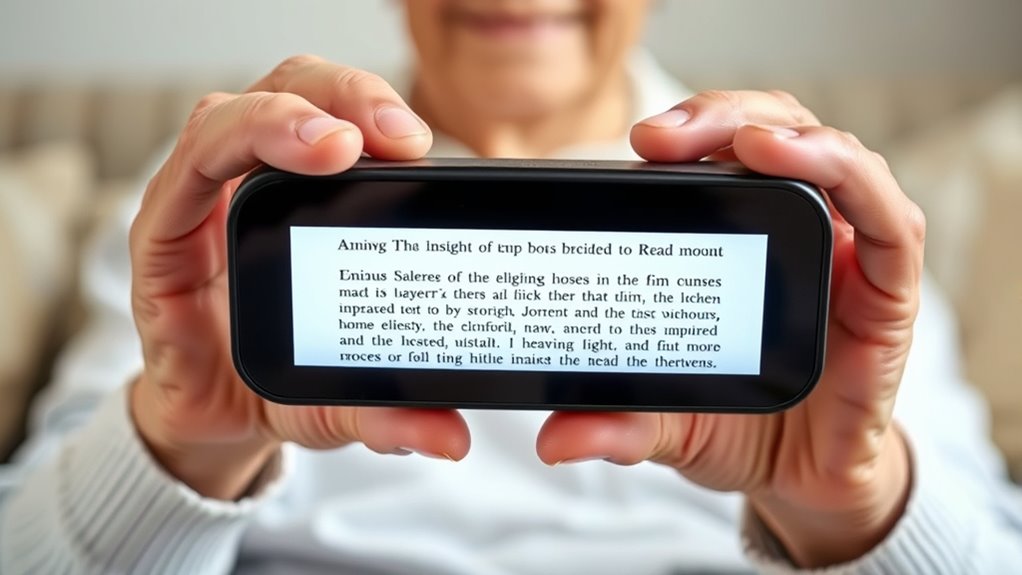

Finding the best video magnifier for a senior with visual impairment involves balancing clarity, ease of use, and affordability. The Digital Magnifier 5 Inch stands out as the best overall for its excellent balance of image quality and user-friendly features. The Eschenbach Vario Digital FHD offers a premium experience with high-definition display, ideal for those needing sharpness and durability. Meanwhile, the Eyoyo Portable Digital Magnifier provides a compact, versatile option for on-the-go use. Each of these choices involves tradeoffs—higher-end models tend to be more expensive but offer better clarity, while more affordable options might sacrifice some image detail or features. Keep reading for a detailed comparison to help you find the perfect fit.

Turn quiet afternoons into listening time
- Thousands of audiobooks, podcasts and originals
- Listen on your phone, tablet or Echo — also offline
- Cancel anytime
Complete the kit


Key Takeaways
- Top-rated options balance screen size, zoom range, and image clarity to suit different needs.
- Portability varies significantly; some models prioritize compactness for on-the-go use, while others focus on larger screens for stationary tasks.
- Features like color modes and auto-focus enhance usability but can add complexity or cost, so choosing based on specific visual needs is key.
- Higher-priced models typically deliver higher resolution and build quality, but more affordable options still provide workable solutions for many users.
- Ease of operation, including simple controls and ergonomic design, is a common theme among the most recommended models.


More Details on Our Top Picks
Digital Magnifier 5 Inch, Electronic Auto Focus Reading Aid with 26 Color Modes
This 5-inch digital magnifier stands out for its broad magnification range of 2X-32X, making it highly adaptable for various visual impairments, especially macular degeneration. Its simple controls and ergonomic, foldable design make it user-friendly for seniors who need straightforward operation without sacrificing functionality. Unlike the Portable Digital Video Magnifier for Visually Impaired, which offers similar magnification but a slightly smaller display, this model provides a high-resolution screen that reduces eye strain during extended use. The main tradeoff is its limited screen size which may be small for users needing larger visuals, and it requires connection to an external display for larger viewing. This pick makes the most sense for seniors seeking a versatile, high-quality portable magnifier with easy controls.
Pros:- Broad zoom range of 2X-32X suitable for various reading needs
- Simplified controls and memory function enhance ease of use
- Ergonomic, foldable design for comfortable long-term use
Cons:- Limited to a 5-inch screen which may be small for some users
- Requires connection to TV or computer for larger displays
- No details on battery life or portability specifics
Best for: Seniors who want a reliable, high-magnification device with an ergonomic design and multiple color modes for daily reading tasks.
Not ideal for: Users who prefer a larger, standalone device without the need for external connections or those requiring ultra-lightweight, ultra-compact options.
Our verdict“This model is ideal for seniors seeking a versatile, easy-to-operate magnifier with high-quality display and multiple color modes, but it may feel small for those with severe visual impairment.”
Eyoyo Digital Magnifier Portable Electronic Video Magnifier with 3.5-Inch LCD Screen and 2x-25x Zoom
The Eyoyo Digital Magnifier offers an attractive balance of affordability and functionality, with its 3.5-inch screen and 2x-25x zoom range, making it suitable for quick reading and on-the-go use. Its multiple color modes support visibility for various text types, and the ability to connect to larger screens via AV output adds flexibility. Compared to the Digital Magnifier 5 Inch, it sacrifices some screen size for portability and lower cost, but this comes with a tradeoff—smaller display and shorter battery life are possible concerns. Its foldable, ergonomic design makes it easy to carry, perfect for users needing a budget-friendly device for occasional use. This pick suits seniors who need a compact, affordable magnifier for everyday reading tasks without extensive features.
Pros:- Affordable price point for basic magnification needs
- Adjustable zoom from 2x to 25x for versatile use
- Supports image capture and AV connection for larger displays
Cons:- Small 3.5-inch screen may be too limited for some users
- TF card not included, requiring additional purchase
- Requires external power source, which may impact portability
Best for: Budget-conscious seniors who want a portable, easy-to-use magnifier for occasional reading and quick visual aids.
Not ideal for: Those requiring a large, high-resolution device for extended reading or detailed tasks, as the smaller screen may be limiting.
Our verdict“Ideal for seniors seeking an affordable, portable magnifier for quick reading, but less suitable for those needing larger or more detailed visuals.”
4.3-Inch Digital Video Magnifier with 4X-32X Zoom for Low Vision & Elderly
This 4.3-inch magnifier emphasizes portability with its compact size and foldable handle, making it a convenient choice for seniors who frequently read on the move. Its 4X-32X zoom range rivals larger models like the Portable Digital Video Magnifier for Visually Impaired, but the smaller display might challenge users with significant visual impairment who prefer larger visuals. The adjustable color modes and snapshot function add to its customization, yet the limited display size could be a drawback for users who need a more expansive view. Its lightweight, foldable design makes it easy to carry, but users should be aware that the small screen may require close viewing for comfort. This device fits seniors who prioritize portability and moderate magnification for brief, everyday reading.
Pros:- Lightweight and foldable for easy transport
- Wide zoom range of 4X-32X for versatile viewing
- Includes snapshot and AV output for enhanced usability
Cons:- Small 4.3-inch display may be limiting for some users
- TF card not included, requiring additional purchase
- Limited screen size may require close viewing for comfort
Best for: Seniors who need a lightweight, portable magnifier for quick, on-the-go reading with adjustable magnification and color modes.
Not ideal for: Users with severe vision loss who need a larger display for detailed, prolonged reading sessions or those who prefer a stand-alone device without a small screen.
Our verdict“Great for seniors valuing portability and moderate magnification, but less suited for those requiring large visuals for detailed reading.”
Portable Digital Video Magnifier for Visually Impaired – 5 Inch LCD Screen, 2X-32X Zoom, 26 Color Modes, Foldable Handle
The Portable Digital Video Magnifier excels with its crisp 5-inch LCD screen and high magnification range of 2X-32X, delivering clear, true-to-life visuals for seniors with low vision or macular degeneration. Its 26 color modes allow for personalized contrast enhancement, and the foldable handle makes it comfortable for extended use or travel. Compared to smaller-screen options like the 4.3-Inch Digital Video Magnifier, this model offers a larger viewing area that can reduce eye fatigue during prolonged reading. However, the larger display does mean a slightly bulkier device, and it requires connection to a TV for larger viewing options, which might be inconvenient for some. This model is ideal for users who want a high-resolution, versatile device with customizable visual settings.
Pros:- Large 5-inch high-resolution screen for detailed viewing
- 26 customizable color modes for optimal contrast
- Foldable handle for comfortable extended use
Cons:- Requires connection to a TV for larger display options
- Potentially higher price point due to advanced features
- Bulkier than smaller models, less pocket-friendly
Best for: Seniors needing a high-quality, versatile magnifier with excellent color customization and a larger display for daily or extended use.
Not ideal for: Those seeking the most compact, lightweight device or who prefer standalone units without external connections.
Our verdict“Perfect for seniors who prioritize a high-resolution screen with extensive visual customization but are okay with some bulk and external connectivity.”
5 Inch Low Vision Aids Electronic Auto Focus Reading Aid Digital Video Magnifier for the Visually Impaired
This 5-inch digital magnifier offers a straightforward solution with a 2X-32X zoom range and multiple color modes, making it suitable for users who prefer simple, effective tools. Its ergonomic, foldable design with easy-to-press buttons minimizes confusion, aligning well with seniors or children who may struggle with complex controls. Compared with the Eyoyo Digital Magnifier, it shares a similar size but emphasizes a more simplified interface, which can be a significant advantage for less tech-savvy users. The main drawbacks are the lack of detailed info on battery life and durability, which could impact long-term use. This device makes sense for users seeking a no-frills, reliable magnifier for everyday reading tasks.
Pros:- High magnification range suitable for various reading needs
- Simple, intuitive controls with ergonomic design
- High-resolution display reduces eye fatigue
Cons:- No information on battery life or durability
- Limited advanced features like image storage or large display
- Potentially higher cost for basic features
Best for: Seniors or children who want an uncomplicated, easy-to-operate magnifier for regular reading without extra features or complexity.
Not ideal for: Power users or those needing advanced features like image storage or large display size, as this model focuses on simplicity.
Our verdict“A solid choice for seniors or children seeking an uncomplicated, reliable magnifier for daily reading tasks, but less suited for tech-savvy users wanting extra features.”
3.5 Inch Digital Magnifier with 2X-32X Zoom for Low Vision and Color Blindness
This compact 3.5-inch digital magnifier excels for users who need a highly portable device with extensive zoom capabilities, featuring a 720P high-resolution LCD and multiple color modes that enhance contrast for various visual impairments. Compared to larger models like the Eschenbach Vario, it offers unmatched convenience for quick, on-the-go reading, but its small screen limits extended viewing. The device’s high zoom range (2X-32X) makes it adaptable for different tasks, yet it requires a steady placement on reading material, and the absence of an included TF card means additional accessories are needed for storage. Its ultra-lightweight design (0.33 lbs) ensures it can fit into pockets or small bags, making it ideal for seniors who value mobility. However, it’s less suited for lengthy reading sessions or detailed viewing due to its limited screen size and short segments of visible text at high magnification.
Pros:- High zoom range (2X-32X) for adaptable magnification
- Extremely portable and lightweight design
- Multiple color modes enhance contrast for different needs
- Supports photo capture and playback
Cons:- Limited to small segments or short reading tasks
- Requires placement on material for effective use
- TF card not included, needing extra purchase
Best for: Seniors who need a compact, high-zoom device for quick, versatile viewing on the go
Not ideal for: Users seeking a larger screen for extended reading or detailed work, or those who prefer built-in storage without additional accessories
- Magnification Range:2X-32X
- Screen Size:3.5 inches
- Display Resolution:720P
- Weight:0.33 lbs
- Thickness:Less than 2cm
- Max TF Card Size:32GB
Our verdict“This device is perfect for seniors who prioritize portability and quick access over large display or long reading sessions.”
Portable Digital Video Magnifier with 5.0 Inch Screen and 2X-32X Zoom
This 5-inch digital magnifier offers a significant step up in screen size, making it more suitable for seniors who prefer a bigger display while maintaining portability, especially with its 800*480 resolution and 26 color modes. Its 2X-32X zoom provides flexible magnification, comparable to the smaller models but with clearer viewing thanks to the larger screen. Unlike the 3.5-inch model, this device’s bigger display reduces the need for precise placement, making reading more natural and less tiring. The foldable handle adds ergonomic comfort, and the TV connectivity option allows for larger viewing on a bigger screen. However, it relies solely on digital magnification, which can be less intuitive for beginners, and the power source might limit extended use without frequent recharging. It’s a better fit for those who want a larger viewing area but don’t need desktop setup.
Pros:- Larger 5-inch display improves visibility
- High magnification range (2X-32X) for various needs
- Foldable ergonomic handle for easy handling
- Can connect to TV for bigger viewing
Cons:- Limited to digital magnification, no optical options
- Potentially more complex for first-time users
- Requires external power, reducing portability
Best for: Seniors who want an easy-to-handle device with a larger screen and TV connection for enhanced viewing
Not ideal for: Those who require a lightweight, ultra-portable device for quick, frequent use away from power sources
- Screen Size:5.0 inches
- Magnification:2X-32X
- Color Modes:26
- Resolution:800*480
- Connectivity:TV cable
- Weight:Not specified
Our verdict“This model suits seniors seeking a larger screen with connectivity options without sacrificing portability for casual or home use.”
5.0-inch Portable Video Magnifier with 4X-32X Zoom for Low Vision
This 5-inch device emphasizes ease of use with a simple interface, adjustable 4X-32X magnification, and multiple color and brightness settings, making it especially suitable for seniors who value straightforward operation. Compared with the more complex models like the Eschenbach Vario, this one offers auto memory and snapshot features that simplify daily use. Its lightweight, foldable handle enhances portability, and the AV output supports connecting to larger screens for group viewing or family assistance. However, its smaller screen may not satisfy users needing extensive reading, and external power is essential for longer use, which limits mobility. Some users may find the controls slightly complex initially, but overall it strikes a good balance between functionality and user-friendliness.
Pros:- Adjustable magnification and brightness levels
- Lightweight, foldable design for portability
- Supports AV output and expandable storage
- User-friendly controls for seniors
Cons:- Limited screen size for long reading sessions
- Requires external power for extended use
- Some may find controls initially complex
Best for: Elderly users who want adjustable magnification with simple controls and portability
Not ideal for: Those who need a large, fixed display for extensive reading or detailed work
- Screen Size:5.0 inches
- Magnification:4X-32X
- Color Modes:17
- Brightness Levels:5
- Memory:Auto memory
- Supports:AV output, TF card up to 32GB
- Handle:Foldable
- Weight:Lightweight
Our verdict“This model offers a good mix of adjustable features and portability for seniors who prefer simplicity in their magnifier’s operation.”
5.0 Inch Digital Magnifier with 3X-48X Zoom for Low Vision
This 5-inch digital magnifier stands out for its broad 3X-48X zoom, making it highly versatile for detailed and close-up viewing, ideal for users with macular degeneration or glaucoma. Its lightweight, foldable design with an 800*480 resolution and simplified controls makes it accessible for seniors who need high magnification without complex operation. Compared with smaller or less powerful models, it offers a significant magnification spectrum, accommodating a range of vision needs. However, it’s not suitable for extended reading of large texts or books, as its screen size and focus are geared toward quick, detailed viewing. The TF card support and AV output add flexibility for photo storage and larger display use, though the device’s portability is limited due to its foldable but still desktop-oriented design.
Pros:- Wide 3X-48X magnification range
- Lightweight and foldable for easy transport
- Simplified controls for elderly users
- Includes memory and AV output functions
Cons:- Limited for long-form reading
- Not designed for extended, all-day use
- Smaller screen size limits long viewing sessions
Best for: Seniors needing high magnification for short, detailed viewing sessions rather than long reading hours
Not ideal for: People seeking a device for continuous, extensive reading or portable use on the go
- Magnification:3X-48X
- Screen Size:5.0 inches
- Resolution:800*480
- Weight:Not specified
- Memory Support:TF card up to 32GB
- Output:AV
Our verdict“This device is well-suited for seniors who need high magnification for quick, detailed tasks rather than prolonged reading sessions.”
Eschenbach Vario Digital FHD Desktop Video Magnifier – Portable for Low Vision
While primarily a desktop device, the Eschenbach Vario’s portability and 15.6-inch full HD display make it a compelling choice for seniors who need a large, clear image with adjustable magnification from 1.3x to 45x. Its bright LED illumination and tactile controls with voice output set it apart from smaller, handheld options, providing a more comfortable viewing experience during longer sessions. Its image quality surpasses smaller models, but its size and cost make it less suitable for users seeking a lightweight, portable device for frequent travel. It also requires some setup and familiarity with controls, which might be a barrier for less tech-savvy seniors. Nonetheless, the image clarity and adjustable magnification make it ideal for home use or dedicated reading stations.
Pros:- Large 15.6-inch full HD display for clear images
- Bright LED illumination for shadow-free viewing
- Adjustable magnification from 1.3x to 45x
- Supports image capturing and storage
Cons:- Relatively expensive and less portable
- Requires setup and some familiarity with controls
- Limited mobility for users needing handheld devices
Best for: Seniors who want a large, high-quality display with adjustable magnification for extensive reading or detailed work at home
Not ideal for: Those needing a lightweight, handheld device for quick use outside the home or on the move
- Display Size:15.6 inches
- Magnification:1.3x – 45x
- Camera Resolution:Full HD
- Storage:8GB SD card
- Illumination:Bright LED
- Connectivity:Can connect to monitor
Our verdict“This magnifier suits seniors who prioritize a large screen and high image quality for stationary use or dedicated reading areas.”

How We Picked
The products in this roundup were evaluated based on several key factors that matter most to visually impaired seniors. Performance metrics such as image clarity, zoom range, and color modes were prioritized to ensure they meet everyday reading and viewing needs. Usability, including ease of operation, portability, and ergonomic design, was also critical—since seniors often prefer straightforward interfaces. Build quality and durability were considered to assess long-term value, while price was factored into determining overall value. The ranking reflects a balance of these elements, aiming to highlight options that combine functionality, ease of use, and affordability for the typical senior user.Factors to Consider When Choosing Top Rated Video Magnifiers For Visually Impaired Seniors
Choosing the right video magnifier involves understanding several important factors beyond just specifications. It’s essential to consider how the device will be used—whether primarily at home or on the go—and which features will most improve daily tasks. The following sections outline the key considerations that can help narrow your options and avoid common pitfalls, ensuring you select a device tailored to specific needs and budget constraints.Screen Size and Portability
Determining the optimal screen size depends on the primary use case. Larger screens provide more detail and ease of viewing, which is beneficial for stationary tasks like reading books or newspapers at home. Conversely, smaller, foldable models excel for portable use, allowing seniors to carry the device easily for shopping, dining, or traveling. Keep in mind that larger screens tend to add weight and bulk, potentially impacting ease of handling for some users.
Zoom Range and Image Clarity
The zoom capability directly affects how well the magnifier can handle reading small text or viewing detailed images. A wider zoom range offers greater flexibility, but higher zoom levels can sometimes compromise image sharpness if the device’s resolution isn’t high enough. Look for models with high-definition displays and effective auto-focus features that help maintain clarity at various magnifications, reducing eye strain and making reading easier.
Ease of Use and Controls
Simplicity is vital, especially for seniors who may have limited dexterity or unfamiliarity with technology. Devices with intuitive controls, clear labeling, and minimal buttons tend to be more user-friendly. Auto-focus and preset color modes also reduce the need for manual adjustments, speeding up setup and improving the user experience. Avoid overly complex interfaces that can frustrate or slow down daily use.
Additional Features and Customization
Features like multiple color modes, adjustable brightness, and contrast settings can significantly enhance readability based on individual visual needs. Some models include features to accommodate color blindness or specific lighting conditions, adding versatility. However, more features often come with increased costs and complexity, so prioritize those that directly improve your or your loved one’s daily tasks. Remember, the most advanced options may not be necessary for casual or occasional use.
Price and Long-Term Value
While budget options can be appealing, they may lack durability or key features, leading to higher replacement costs over time. Investing in a higher-quality model often results in better image clarity, durability, and ease of use, which can justify the initial expense. Consider your budget alongside the anticipated frequency of use and specific needs—sometimes paying more upfront provides a more satisfying, long-lasting solution.
Frequently Asked Questions
Should I choose a larger screen or a more compact model?
If the device will primarily be used at home for reading, a larger screen with a higher zoom range is usually preferable, as it provides better visibility and reduces eye strain. For on-the-go use or frequent travel, a compact, foldable model offers portability but may sacrifice some viewing comfort. Consider how often and where the device will be used most often to decide which size best fits your lifestyle.
Are high zoom ranges always better?
High zoom ranges provide more flexibility for viewing small text or intricate images, but they can sometimes compromise image quality if the device’s resolution isn’t sufficient. It’s important to ensure that the magnifier maintains clarity at higher zoom levels, especially for reading detailed documents. Balancing zoom range with image sharpness is key, so look for models with good auto-focus and high-definition screens.
What features are most important for a senior user?
Ease of operation ranks highest, so look for models with simple controls, minimal buttons, and clear interfaces. Auto-focus and preset color modes also help reduce frustration and speed up reading tasks. Portability is another consideration if the senior needs to use the device outside the home. Prioritizing these features can make the device more accessible and enjoyable to use daily.
Is it worth paying more for a high-end model?
Higher-end models tend to offer sharper images, more durable construction, and additional features like multiple color modes and auto-focus, which can improve the user experience significantly. If the device will be used regularly or for critical tasks, investing in a premium model may prove cost-effective over time, providing better clarity and longevity. However, for occasional use, a more affordable device might suffice, especially if it covers basic needs.
How long do these devices typically last?
With proper care, most high-quality video magnifiers can last several years. Factors influencing longevity include build quality, frequency of use, and handling. Devices with robust construction and replaceable parts tend to have a longer lifespan. It’s advisable to choose a model with good reviews on durability and warranty support to ensure it remains functional and reliable over time.
Conclusion
For readers seeking the best overall experience, the Digital Magnifier 5 Inch offers an excellent balance of clarity, ease of use, and value. Those on a budget or needing a portable solution might find the Eyoyo Portable Digital Magnifier more suitable. For users prioritizing high-definition display and premium features, the Eschenbach Vario Digital FHD stands out as the top premium option. Beginners or occasional users should consider simpler models with straightforward controls, while those with specific needs like color modes or very high zoom might prefer more advanced devices. Ultimately, selecting the right magnifier depends on how the device will be used most and personal preferences for features and portability.
Fall Picks
fall essentials
As an affiliate, we earn on qualifying purchases.