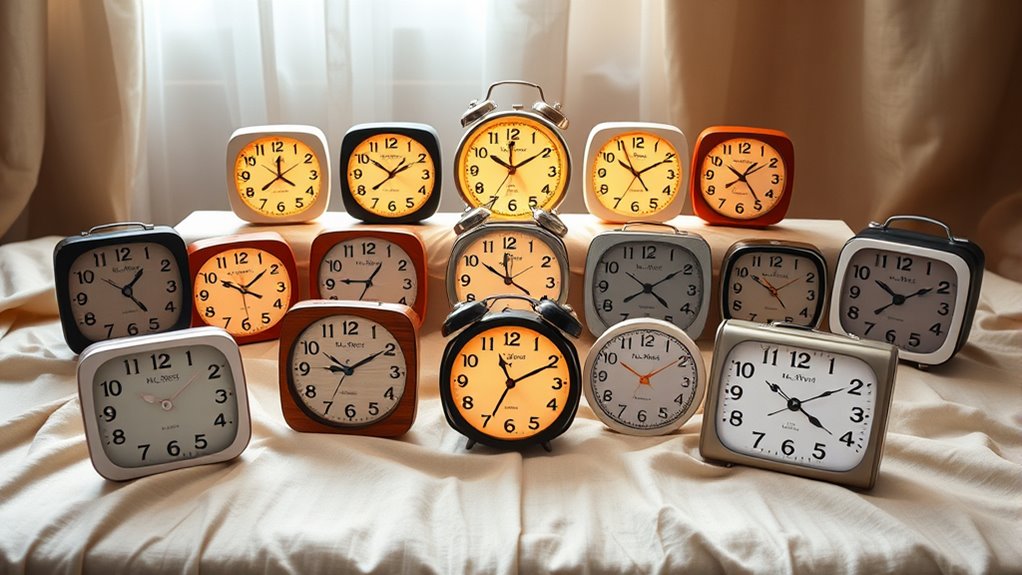

Finding a reliable talking clock for a visually impaired senior involves balancing clarity, ease of use, and affordability. The BATVOX Large Talking Button Clock stands out as the best overall with its simple controls and loud volume, ideal for most users. For those needing customizable alarms, the ORKA Talking Clock offers tailored features, although it can be complex for beginners. Another top contender, the GOLOZA Digital Dementia Clock, combines multiple display themes with auto-dimming for versatile use. The main tradeoffs involve choosing between simplicity and customization, as more features often mean a steeper learning curve. Continue reading for a detailed breakdown of each option to find the best fit for your needs.
Complete the kit


Key Takeaways
- Top picks balance loudness, clarity, and ease of use to serve the specific needs of visually impaired seniors.
- Customization features like adjustable alarms and display themes are valuable but can complicate usability for some users.
- Large, high-contrast displays remain essential, yet some models incorporate auto-dimming to reduce glare at night.
- Most best-performing clocks combine tactile buttons with audible feedback, enhancing accessibility.
- Price varies widely; the most feature-rich options tend to cost more, but basic models often suffice for simple needs.
| BATVOX Large Talking Button Clock with Alarm and Volume Control |  | Best Overall for Simplicity and Reliability | Voice: Male English | Display: Large button with high contrast colors | Power: 3 AAA batteries (included) | VIEW ON AMAZON | See Our Full Breakdown |
| Talking Clock for Elderly – Voice-Activated Time & Date with Loud Alarm |  | Best for Voice-Activated Convenience and Visibility | Voice: Male, American accent | Display: Contrasting red and white | Power: 2 AAA batteries (not included) | VIEW ON AMAZON | See Our Full Breakdown |
| ORKA Talking Clock with Customizable Alarms for Seniors and Dementia Patients |  | Best for Customization and Multi-Language Support | Display Size: 5.69” x 9.63” x 2.68” | Digit Height: 1.93 inches | Languages: English-USA, English-UK, Spanish, German, French, Italian | VIEW ON AMAZON | See Our Full Breakdown |
| Talking Clock – Extra Loud Time & Date for Elderly, Dementia, Low Vision |  | Best for Very Loud Volume and Simplicity | Display: 12/24-hour high-contrast | Volume: Up to 85 dB, adjustable | Power: AC or 3 AA batteries (not included) | VIEW ON AMAZON | See Our Full Breakdown |
| Talking Clock for Visually Impaired, Elderly with Large High-Contrast Display |  | Best for Visual Accessibility and Simplicity | Display: Large, high contrast | Voice: North American Accent male | Batteries: 3 AAA (not included) | VIEW ON AMAZON | See Our Full Breakdown |
| Large Talking Clock for Visually Impaired – Telling Time, Date, and Day of Week |  | Best Overall for Simplicity and Visibility | Dimensions: 4.5″ wide x 2.5″ tall | Weight: 5.6 oz | Battery: 3 AAA batteries (included) | VIEW ON AMAZON | See Our Full Breakdown |
| Large Button Alarm Clock – Talking Clock for Visually Impaired, Telling Time and Date for Elderly, Impaired Sight or Blind |  | Best for Easy Alarm and Date Access with High Contrast | Dimensions: 4.5″ wide x 2.5″ tall | Weight: 8 oz | Batteries: 3 AAA batteries (included) | VIEW ON AMAZON | See Our Full Breakdown |
| VIHOSE 2 Pcs Extra Large Talking Clock for Blind Elderly with Alarm and Announcing Time |  | Best for Versatility with Dual Clocks and Customizable Volume | Size: 4.53 x 2.28 inches | Color: Blue and silver | Power: Battery operated | VIEW ON AMAZON | See Our Full Breakdown |
| Large Talking Alarm Clock for Blind – Announces Time, Date, and Weekday |  | Best for Loud, Clear Voice Announcements in a Compact Form | Size: 3.5″ x 3.5″ x 1.5″ | Color: White & Blue | Power: Requires 2 AAA batteries (not included) | VIEW ON AMAZON | See Our Full Breakdown |
| Memo24 Talking Button Alarm Clock for the Blind and Visually Impaired |  | Best for Easy Operation and Clear Voice Announcements | Button size: 2.8 inches | Voice: English male | Batteries: 2 AAA (included) | VIEW ON AMAZON | See Our Full Breakdown |
| Extra Large Talking Button Clock for the Blind, Elderly, or Visually Impaired |  | Best Overall Simplicity and Accessibility | Button Size: Extra Large | Voice Settings: High and Low | Voice Accent: North American English Male | VIEW ON AMAZON | See Our Full Breakdown |
| GOLOZA 7” Digital Dementia Clock, Talking Clock with 10 Volumes, 6 Display Themes, 10 Colors, Auto Dimmable, Alarms & Reminders for Seniors |  | Best for Customization and Routine Support | Display Size: 7 inches | Volume Levels: 10 | Display Themes: 6 | VIEW ON AMAZON | See Our Full Breakdown |
| Talking Large Button Alarm Clock – Telling Time and Date for Elderly, Impaired Sight or Blind |  | Best for Basic Indoor Use and Simplicity | Display Type: Digital | Additional Features: Alarm | Power Source: Battery Powered | VIEW ON AMAZON | See Our Full Breakdown |
| TimeVocalist Extra Large Talking Alarm Clock with App Control for Visually Impaired and Dementia Care |  | Best for Tech-Enabled Routine Management | Display Type: None | Display Additional Features: Adjustable Volume, Bluetooth | Power Source: Battery Powered | VIEW ON AMAZON | See Our Full Breakdown |
| Large Talking Clock for Visually Impaired – Tells Time, Date, and Day of Week – Upgrade Version |  | Best for Basic, Reliable Timetelling with Memory | Dimensions: 4.5″ x 2.5″ | Weight: 5.6 oz | Batteries: 3 AAA batteries (included) | VIEW ON AMAZON | See Our Full Breakdown |
More Details on Our Top Picks
BATVOX Large Talking Button Clock with Alarm and Volume Control
The BATVOX Large Talking Button Clock stands out for its straightforward design, making it ideal for seniors who need a reliable, easy-to-use device. Unlike more feature-rich options like the ORKA clock, it focuses on core functions—time, alarm, and reminders—with a large, high-contrast button and a clear male voice that enhances accessibility. Its simple setup with audio prompts reduces frustration, and the loud speaker ensures audibility even for users with hearing difficulties. The ability to retain time during battery changes adds to its dependability. However, reliance on AAA batteries and limited features may make it less suitable for those seeking advanced functionalities like multiple alarms or connectivity. This clock is best suited to users prioritizing ease of use and durability over customization or smart features.
Pros:- Easy to set up with audio prompts and manual instructions
- Loud speaker and volume control suitable for hearing-impaired users
- Retains time during battery changes, ensuring consistent use
- Large, high-contrast design enhances visibility
Cons:- Requires 3 AAA batteries, which are not rechargeable
- Limited to basic time and alarm functions without advanced features
Best for: Seniors who need a straightforward, dependable clock with minimal setup
Not ideal for: Users wanting multiple alarms, smart integrations, or rechargeable batteries
- Voice:Male English
- Display:Large button with high contrast colors
- Power:3 AAA batteries (included)
- Volume Control:Yes, adjustable via bottom +/- keys
- Memory Function:Yes, retains time after battery replacement
- Alarm:Yes, with snooze and stop functions
Our verdict“This clock offers reliable, no-fuss timekeeping perfect for seniors who value simplicity.”
Talking Clock for Elderly – Voice-Activated Time & Date with Loud Alarm
The Talking Clock for Elderly emphasizes voice activation for effortless operation, making it ideal for users with motor or cognitive challenges. Its high-contrast red and white design enhances visibility, but unlike the ORKA clock, it lacks multiple alarms or customizable settings. The simple interface with audio prompts simplifies daily use, and the clear male voice ensures the time and date are easily understood. Its reliance on 2 AAA batteries and absence of a backlit display can be limitations in low-light conditions. Compared with the BATVOX, it offers more accessibility through voice commands, but with fewer advanced features, it suits those who prioritize ease of operation over programmability.
Pros:- Easy to operate with audio prompts and voice activation
- High-contrast design improves visibility
- Provides clear spoken time and date
Cons:- Requires 2 AAA batteries, which are not included
- No backlit display for nighttime visibility
- Limited to basic time and alarm functions
Best for: Seniors with limited manual dexterity who prefer voice commands
Not ideal for: Users needing multiple alarms or detailed scheduling options
- Voice:Male, American accent
- Display:Contrasting red and white
- Power:2 AAA batteries (not included)
- Functions:Time, date, alarm
Our verdict“This clock is a practical choice for seniors who want simple, voice-controlled accessibility.”
ORKA Talking Clock with Customizable Alarms for Seniors and Dementia Patients
The ORKA Talking Clock offers extensive features like customizable voice alarms, multiple language options, and a large HD display, making it suitable for users with dementia or cognitive impairments. Compared to simpler models like the BATVOX, it provides a broader range of alarms—up to eight—and supports multiple languages, which can be vital for multilingual users or those needing detailed reminders. Its AC power dependency and setup complexity may be drawbacks for some, especially if assistance isn’t available. The loud alarms and large digits make it an excellent choice for those requiring detailed routines, but its bulk and dependency on external power make it less ideal for portable or minimalistic needs.
Pros:- Large, easy-to-read display with extra-large digits
- Customizable voice alarms and multiple language options
- Supports up to 8 alarms for detailed scheduling
- Includes a 30-minute loop system to prevent missed reminders
Cons:- Requires AC power connection, not battery operated
- Setup may be complex for some users
- Alarm sounds may be too loud for sensitive users
Best for: Seniors with dementia or multiple daily routines needing customizable alarms
Not ideal for: Users seeking a portable, battery-powered clock with minimal setup
- Display Size:5.69” x 9.63” x 2.68”
- Digit Height:1.93 inches
- Languages:English-USA, English-UK, Spanish, German, French, Italian
- Power Source:AC powered with battery backup
- Volume:Up to 90 decibels
- Alarm Count:Up to 8 alarms
Our verdict“This clock excels for users needing detailed, customizable reminders, especially in dementia care settings.”
Talking Clock – Extra Loud Time & Date for Elderly, Dementia, Low Vision
The Talking Clock – Extra Loud Time & Date is designed for users who need maximum volume and straightforward operation. Its loud volume—up to 85 dB—outperforms many competitors like the BATVOX, making it suitable for profoundly hearing-impaired users. The large, high-contrast display simplifies reading, and the one-button operation minimizes confusion. Unlike the ORKA, it lacks multiple alarms or extensive customization, focusing instead on core functionality. Its dual power options add flexibility, but the absence of a backlit display and basic feature set limit its appeal for those wanting more than time and date announcements. It’s perfect for users who primarily need a loud, easy-to-operate clock in daytime settings.
Pros:- Loud volume up to 85 dB, ideal for hearing-impaired users
- Large, easy-to-read display
- Simple one-button operation
- Flexible power options with AC or batteries
Cons:- Batteries not included, requiring additional purchase
- No backlit display for low-light conditions
- Limited to basic time, date, and alarm functions
Best for: Seniors with severe hearing loss who need a simple, loud clock
Not ideal for: Those seeking programmable alarms or nighttime visibility
- Display:12/24-hour high-contrast
- Volume:Up to 85 dB, adjustable
- Power:AC or 3 AA batteries (not included)
- Features:Snooze, wake-up chime, screen off option
Our verdict“This clock provides maximum volume and simplicity for users with significant hearing impairments who need a straightforward device.”
Talking Clock for Visually Impaired, Elderly with Large High-Contrast Display
The Talking Clock with Large High-Contrast Display is tailored for users with very low vision or blindness. Its large, high-contrast display combined with a clear North American male voice ensures that time and date are easily accessible with a single push of a button. Its simple alarm setup with audio instructions adds to its user-friendly design. Compared to models like the BATVOX, it emphasizes visual accessibility over multiple features or alarms. The reliance on AAA batteries and lack of a backlit display are notable limitations, especially in dim environments. This clock is best for users who prioritize straightforward, accessible design over advanced features or portability.
Pros:- Accessible for visually impaired and elderly users
- Simple one-button operation for time and date announcement
- Large, high-contrast display enhances visibility
Cons:- Requires three AAA batteries, which are not included
- No backlit display for nighttime use
- Limited to basic time, date, and alarm functions
Best for: Individuals with low vision or blindness seeking a very simple, accessible clock
Not ideal for: Users wanting multiple alarms, complex settings, or rechargeable batteries
- Display:Large, high contrast
- Voice:North American Accent male
- Batteries:3 AAA (not included)
Our verdict“This clock offers essential accessibility features for users with significant visual impairments who need a straightforward device.”
Large Talking Clock for Visually Impaired – Telling Time, Date, and Day of Week
This clock stands out for combining a large, high-contrast display with an easy-to-press button that announces the time, date, and day of the week. Compared with the VIHOSE 2 Pcs Extra Large Talking Clock, it offers a compact single-unit design, making it ideal for bedside use. Its simple operation and volume control cater well to users with moderate hearing loss or memory issues. However, the reliance on 3 AAA batteries that need frequent replacement is a drawback, especially for users who prefer low-maintenance devices. The limited features mean it’s best for those who need straightforward time and date announcements without extra bells and whistles.
Pros:- Large, high-contrast display and big buttons enhance visibility
- Volume control allows adjustment for hearing impairments
- Memory function retains time after battery changes
- Compact design suitable for bedside or bathroom
Cons:- Requires 3 AAA batteries, which may need frequent replacement
- Limited to basic functions without alarms or multiple features
Best for: Seniors or visually impaired individuals who want a straightforward, easy-to-read clock with minimal setup
Not ideal for: Users seeking advanced features like alarms, multiple time zones, or digital displays for quick reference
- Dimensions:4.5″ wide x 2.5″ tall
- Weight:5.6 oz
- Battery:3 AAA batteries (included)
Our verdict“This clock is perfect for those needing simple, highly visible time and date announcements with easy operation.”
Large Button Alarm Clock – Talking Clock for Visually Impaired, Telling Time and Date for Elderly, Impaired Sight or Blind
This clock excels at providing quick access to time and date via large buttons and a high contrast display, making it ideal for users who need simple, immediate feedback. Compared to the Large Talking Clock for Visually Impaired – Telling Time, Date, and Day of Week, it’s more focused on alarm functionality, making it suitable for daily routines. Its straightforward setup and volume control benefit users with hearing difficulties. A key tradeoff is its limited feature set—no digital display or multiple alarms—so it’s best for individuals who just need to know the time and set an alarm easily. Its reliance on 3 AAA batteries also means ongoing replacements.
Pros:- Large buttons and high contrast improve ease of use
- Memory function retains time after battery replacement
- Volume control accommodates hearing impairments
- Simple, intuitive operation
Cons:- Limited to basic time and alarm functions
- Requires 3 AAA batteries which need replacement over time
Best for: Elderly users who prioritize an alarm feature and high-contrast visuals for daily routines
Not ideal for: Those needing advanced features like multiple alarms, timers, or digital displays for quick time checks
- Dimensions:4.5″ wide x 2.5″ tall
- Weight:8 oz
- Batteries:3 AAA batteries (included)
Our verdict“Ideal for seniors seeking a straightforward clock with easy alarm setup and high visibility features.”
VIHOSE 2 Pcs Extra Large Talking Clock for Blind Elderly with Alarm and Announcing Time
This set of two clocks provides flexibility, with large buttons and adjustable volume, making it ideal for users who want redundancy or shared devices. Unlike the Large Talking Clock for Visually Impaired, which is a single-unit device, this set offers backup clocks for different locations or multiple users. The simple setup and reliable time retention after battery changes make it suitable for low-vision individuals with memory challenges. A downside is the lack of a digital display, which might slow down users who prefer quick visual confirmation. The need to replace batteries periodically adds ongoing maintenance considerations.
Pros:- Two large, easy-press buttons suitable for visually impaired users
- Adjustable volume and night mode for personalized use
- Reliable time and alarm announcement functions
- Compact and attractive design
Cons:- Limited to basic time and alarm features
- Requires batteries, which may need frequent replacement
Best for: Elderly or visually impaired users who want a dependable, dual-clock setup with volume control
Not ideal for: Users who prefer digital readouts or advanced features like alarms, timers, or Bluetooth connectivity
- Size:4.53 x 2.28 inches
- Color:Blue and silver
- Power:Battery operated
Our verdict“A reliable choice for users who prefer multiple clocks or need backup devices with adjustable volume and simple operation.”
Large Talking Alarm Clock for Blind – Announces Time, Date, and Weekday
This model appeals to users who need a loud, distinct voice for time and date announcements, with a simple one-button setup. Compared with the Memo24 Talking Button Alarm Clock, it offers a slightly more compact size but less customization in volume and features. Its high-contrast design enhances visibility for users with low vision. The main limitation is its basic functionality—no multiple alarms or digital display—making it suitable for users who want a straightforward, no-fuss device. Battery replacement is necessary, as it runs on two AAA batteries, which are not included.
Pros:- Loud, clear voice announcements ensure readability
- Easy one-button setup with audio instructions
- High-contrast design improves visibility
- Compact size fits well on bedside tables
Cons:- Limited to basic time, date, and weekday functions
- Requires 2 AAA batteries, which are not included
Best for: Visually impaired seniors who want a compact, loud announcement clock with minimal setup
Not ideal for: People seeking multiple alarms, reminders, or digital interfaces for quick checks
- Size:3.5″ x 3.5″ x 1.5″
- Color:White & Blue
- Power:Requires 2 AAA batteries (not included)
Our verdict“Perfect for users looking for a simple, loud, and easy-to-operate clock with essential features.”
Memo24 Talking Button Alarm Clock for the Blind and Visually Impaired
This clock excels with a large, easy-to-press button and a clear English male voice, making it especially suitable for users who need simple, audible feedback. Compared to the Large Talking Button Alarm Clock, it offers a slightly larger button (2.8 inches) and adjustable volume, which enhances usability. Its straightforward setup and reliable time retention are advantages, but the plastic build may not appeal to those seeking a more durable or premium device. It lacks features like multiple alarms or digital readouts, which limits its functionality to basic time and alarm announcements.
Pros:- Large, easily visible button simplifies operation
- Clear English male voice for easy understanding
- Adjustable volume accommodates hearing needs
- Simple setup with audio and printed instructions
Cons:- Limited to basic alarm and announcement functions
- Plastic construction may seem less durable over time
Best for: Individuals who prioritize a large, tactile button with a clear voice for daily time and alarm checks
Not ideal for: Those wanting advanced features such as multiple alarms, timers, or digital displays
- Button size:2.8 inches
- Voice:English male
- Batteries:2 AAA (included)
Our verdict“Great for users seeking a straightforward, reliable clock with a large button and clear voice for daily use.”
Extra Large Talking Button Clock for the Blind, Elderly, or Visually Impaired
This clock stands out for its straightforward design, featuring an extra-large, high-contrast button that makes it exceptionally easy for users with low vision or dementia to operate. Unlike the GOLOZA clock, which offers customizable display themes and multiple colors, this model focuses on simplicity, making it ideal for seniors who want reliable, minimal fuss. However, it lacks a backlit display and requires batteries not included, which could be inconvenient. Its adjustable voice volume and clear audio instructions support users with hearing impairments and those unfamiliar with technology. The absence of advanced features makes it less suited for tech-savvy users seeking extensive customization. Best for seniors who prioritize ease of use and straightforward functionality.
Pros:- Large, high-contrast button simplifies operation
- Easy setup with clear audio instructions
- Adjustable voice volume for hearing needs
Cons:- Requires three AAA batteries not included
- No backlit display for low-light use
Best for: Seniors with low vision or dementia who need a simple, reliable talking clock.
Not ideal for: Users seeking advanced features like multiple alarms, reminders, or backlit displays.
- Button Size:Extra Large
- Voice Settings:High and Low
- Voice Accent:North American English Male
- Batteries:Requires three AAA batteries (not included)
Our verdict“This clock offers the simplest and most accessible design for seniors who need minimal buttons and clear audio cues.”
GOLOZA 7” Digital Dementia Clock, Talking Clock with 10 Volumes, 6 Display Themes, 10 Colors, Auto Dimmable, Alarms & Reminders for Seniors
Compared with the simpler Extra Large Button Clock, the GOLOZA clock provides extensive personalization options, including six themes, ten colors, and ten volume levels, making it highly adaptable for users with visual or cognitive impairments. Its 7-inch display and auto-dimming feature enhance usability in various lighting conditions, and the inclusion of reminders for birthdays, holidays, and medications supports daily routines. However, it requires a constant power connection, limiting portability, and its complex array of features might overwhelm less tech-inclined users. The presence of a backup battery helps preserve settings during outages, but the device’s reliance on wired power makes it less suitable for frequent movement. This pick is suited for seniors who want a feature-rich, customizable experience that supports daily scheduling.
Pros:- Voice time announcements support low vision users
- Multiple display themes and colors for personalization
- Auto dimming and adjustable volume enhance comfort
Cons:- Requires constant power, limiting portability
- Potentially overwhelming due to complex features
Best for: Tech-savvy seniors or caregivers seeking a highly customizable clock with routine reminders.
Not ideal for: Individuals who prefer simple devices or need portable, battery-operated clocks.
- Display Size:7 inches
- Volume Levels:10
- Display Themes:6
- Colors:10
- Power Source:Wired with adapter and USB cable
- Reminders:Birthday, holiday, medication
Our verdict“Ideal for users who value extensive customization and routine management over portability.”
Talking Large Button Alarm Clock – Telling Time and Date for Elderly, Impaired Sight or Blind
This model prioritizes ease of operation with its large button and audible announcements, making it suitable for users who need straightforward, tactile feedback. Compared to the GOLOZA clock, which offers a broad range of display customization, this clock is more limited but excels in simplicity. It announces both time and date, includes an alarm, and is designed for indoor use only, which might be a drawback for those looking for portability or outdoor functionality. Its small size and basic features make it a dependable choice for users who want a no-frills device. The requirement of two AAA batteries, not included, could be a minor inconvenience. This clock is best for seniors who need a simple, reliable time and date announcer at home.
Pros:- Large, tactile button simplifies operation
- Announces both time and date clearly
- Includes alarm and calendar functions
Cons:- Requires two AAA batteries not included
- Limited to indoor use
Best for: Elderly or visually impaired users who prefer a straightforward, easy-to-operate device.
Not ideal for: Users wanting portable or multi-purpose clocks with additional features like reminders or backlit displays.
- Display Type:Digital
- Additional Features:Alarm
- Power Source:Battery Powered
- Batteries Required:2 AA batteries
Our verdict“A dependable, easy-to-use clock for those who need basic time and date announcements at home.”
TimeVocalist Extra Large Talking Alarm Clock with App Control for Visually Impaired and Dementia Care
This clock shines for its app-based control, offering an easy way for caregivers or seniors to set multiple alarms and reminders. Unlike standalone models like the Extra Large Button Clock, TimeVocalist integrates Bluetooth and adjustable volume, making it highly versatile for users comfortable with smartphone apps. Its backup power system ensures settings are preserved during outages, a feature not common among simpler clocks. Nevertheless, its reliance on batteries and the need for smartphone app management could be limiting for users unfamiliar with technology, and its indoor-only use restricts outdoor applications. This device is best for those who want app-controlled scheduling and voice reminders. Ideal for caregivers managing routines and tech-savvy seniors needing flexible alarms.
Pros:- Easy setup and management via app
- Pre-recorded voice reminders support routines
- Backup power preserves settings during outages
Cons:- Limited to indoor use
- Requires 2 AAA batteries, which may need frequent replacements
Best for: Seniors or caregivers comfortable with smartphone apps and seeking customizable alarm settings.
Not ideal for: Users seeking a purely standalone clock without app dependency or those who prefer basic features.
- Display Type:None
- Display Additional Features:Adjustable Volume, Bluetooth
- Power Source:Battery Powered
- Batteries:2 AAA batteries (included)
Our verdict“Designed for tech-savvy users who want flexible, app-controlled alarms and reminders.”
Large Talking Clock for Visually Impaired – Tells Time, Date, and Day of Week – Upgrade Version
This clock offers a straightforward approach with its lifetime memory function, ensuring settings are retained even after battery changes—an advantage over models like the Extra Large Button Clock that need manual resets. Its large buttons and high-contrast colors enhance usability for users with low vision, while volume control allows adjustment for hearing needs. However, it primarily focuses on basic functions—telling time, date, and day—without additional features like alarms or reminders, making it less versatile. Its size might be cumbersome in tight spaces, and battery replacement is necessary over time. Overall, this clock provides dependable, easy-to-operate timekeeping for those who value simplicity and durability. This model suits users seeking a reliable, no-frills clock with memory retention.
Pros:- Lifetime memory function prevents reset issues
- Large buttons and high contrast aid low vision users
- Volume control customization
Cons:- Requires three AAA batteries, which need replacement
- Limited to basic time and date functions
Best for: Seniors who want a simple, durable clock with long-term memory function.
Not ideal for: Those needing alarms, reminders, or advanced features beyond time and date display.
- Dimensions:4.5″ x 2.5″
- Weight:5.6 oz
- Batteries:3 AAA batteries (included)
- Features:Lifetime memory, volume control
Our verdict“A sturdy, straightforward clock ideal for users who prioritize long-term reliability and simplicity.”

How We Picked
Our evaluation focused on key factors like sound clarity, volume range, ease of operation, display visibility, and build quality. We prioritized products with straightforward controls, minimal setup, and reliable performance, given the needs of seniors with visual impairments. Features such as customizable alarms, loudness, and tactile feedback were weighted heavily, as they directly impact usability. We also considered durability and value, aiming to recommend options suitable for different budgets and levels of tech comfort. The ranking reflects a balance between simplicity for beginners and advanced features for more experienced users.Factors to Consider When Choosing Talking Clocks For Visually Impaired Seniors
Choosing the right talking clock for a visually impaired senior involves several considerations beyond basic features. It’s important to evaluate how the device’s design matches the user’s specific needs, including ease of use, volume, and display visibility. Additional factors like customization options, portability, and price can influence long-term satisfaction. Making an informed decision requires understanding these broader aspects to avoid common pitfalls, such as opting for overly complex models or those lacking sufficient loudness.Ease of Use and Simplicity
For seniors with limited vision, a clock with minimal buttons and straightforward operation is essential. Devices with tactile controls or voice prompts reduce frustration and help ensure the clock can be used independently. Beware of models with complex menus or too many features that can overwhelm users, especially those unfamiliar with technology. A simple, intuitive interface often leads to better long-term satisfaction and independence.
Volume and Sound Clarity
Clear, loud audio is a cornerstone of effective talking clocks. Look for models with adjustable volume settings and sound quality that can be heard across different environments. Some clocks include extra loud modes, which are especially helpful for users with severe hearing impairments. Avoid devices with muffled or distorted audio, as these diminish the primary benefit of a talking clock.
Display Visibility and Contrast
High-contrast, large displays help users verify the time visually if needed. Features like bold fonts, bright backlighting, and auto-dimming improve usability, especially in varying lighting conditions. However, some models with bright displays can be distracting or cause glare at night; auto-dimming helps mitigate this issue. Choosing a clock with adjustable display settings can enhance comfort and usability.
Customization and Additional Features
Alarms, reminders, and customizable settings add significant value, helping users manage daily routines. However, more features often mean increased complexity. Balance the need for personalization with ease of setup and use. For example, preset alarms with simple activation can be more helpful than complex scheduling options for some users.
Price and Durability
While budget-friendly models can meet basic needs, investing in a durable, high-quality device often pays off in longevity and reliability. Consider warranties and customer support quality, especially since devices will be used daily. Remember that a more expensive clock with superior sound and build quality can offer better value over time, especially for those relying heavily on the device.
Frequently Asked Questions
Can these clocks be used by seniors with moderate hearing loss?
Many talking clocks for visually impaired seniors include adjustable volume controls and extra loud settings, making them suitable for users with moderate hearing impairments. It’s important to verify the maximum volume and sound clarity before purchasing, as some models may not be loud enough or may produce distorted audio at higher levels. Pairing a clock with an assistive listening device may further enhance usability for users with significant hearing challenges.
Are battery-powered clocks reliable for daily use?
Battery-powered talking clocks are generally reliable if batteries are replaced regularly. Some models include low-battery alerts, which help prevent unexpected shutdowns. However, rechargeable models can offer convenience but require consistent charging routines. Consider the availability of batteries and the ease of replacement when choosing a device for daily, dependable use.
Do I need a clock with smart features or app control?
Smart features and app controls can add convenience, such as remote adjustments or alarms, but often increase complexity. For seniors with visual impairments, simplicity usually outweighs the benefits of advanced connectivity. If the user is comfortable with smartphones or tablets, a clock with app control can be helpful; otherwise, a straightforward model is typically more effective.
How important is the size and weight of the clock?
Size and weight impact portability and ease of placement. Larger clocks with big displays and tactile buttons are easier to see and operate but may be less portable for travel. Conversely, compact models are convenient but might sacrifice display size or volume controls. Choose a size that balances visibility, usability, and portability based on the user’s environment.
What should I consider if the user has cognitive impairments or dementia?
For users with cognitive impairments, a clock with simple, preset functions and minimal customization options is ideal. Large, high-contrast displays with clear, loud audio help reinforce the time and date. Avoid devices with complex menus or too many features, which can cause confusion. Ease of operation and consistent routines are key to supporting independence and reducing frustration.
Conclusion
The best overall talking clock for most seniors is the BATVOX Large Talking Button Clock due to its straightforward design and adjustable volume, making it suitable for users with varying needs. Those seeking the best value might prefer models like the VIHOSE 2 Pcs Extra Large Talking Clock, which offers two units at a lower price point. For premium features and customization, the GOLOZA 7” Digital Dementia Clock provides multiple themes and auto-dimming, ideal for tech-savvy users or those with more complex routines. Beginners or users with severe visual or cognitive challenges will benefit most from simple, large-display models with minimal controls. Overall, selecting the right clock depends on balancing ease of use, feature needs, and budget to support independence and confidence in daily routines.