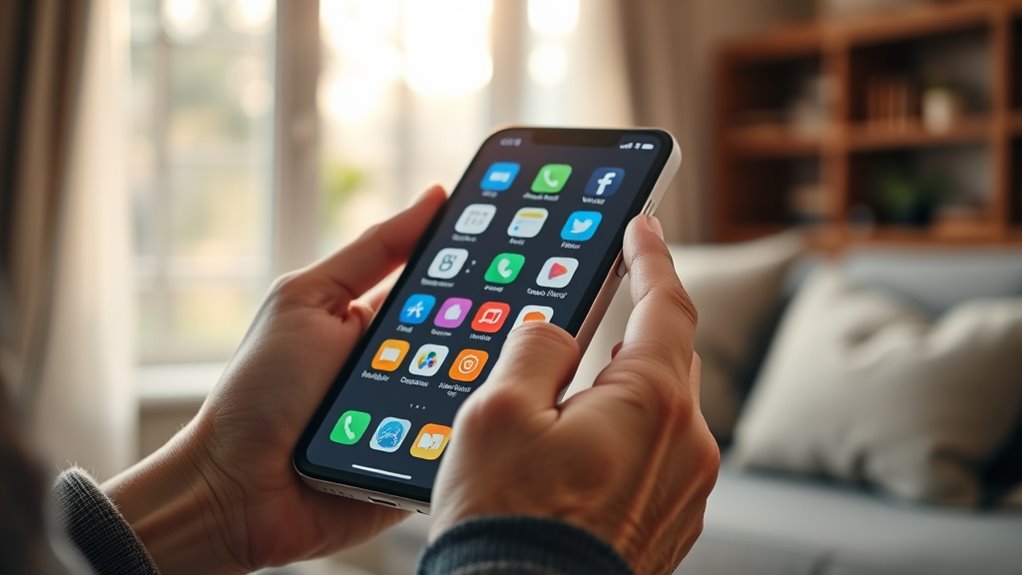

For older adults who want a familiar smartphone with a straightforward Android experience, the Motorola Moto G 2025 is my best overall pick, while the LIVELY Jitterbug Smart5 puts senior-focused support and a simplified interface first. The Google Pixel 10a is a stronger fit for buyers who want a polished mainstream phone and can manage its fuller feature set. The main tradeoff is between an easier, more guided experience and broader app access, carrier choice, and everyday flexibility. Smaller screens and basic hardware can simplify handling, but may limit readability or multitasking. Read on for how all nine options differ and which buyer each one suits.

Turn quiet afternoons into listening time
- Thousands of audiobooks, podcasts and originals
- Listen on your phone, tablet or Echo — also offline
- Cancel anytime
Complete the kit


Key Takeaways
- The Moto G 2025 leads as an all-around option because it offers a familiar smartphone format without the Jitterbug models’ dedicated service and activation constraints.
- The Jitterbug Smart5 prioritizes guidance over carrier flexibility; buyers should be comfortable with its senior-focused setup and service requirements.
- The Pixel 10a is the premium mainstream choice for people who value a current Google phone experience and can handle a more feature-rich interface.
- Several lower-spec Android options trade capacity for simpler hardware; the MIRO, Blackview Wave 2C, and 4G senior phone differ in screen size, battery capacity, and connectivity details.
- The GrandPad 9R and 1.77-inch senior phone serve distinct needs: one favors a tablet-like connected experience, while the other is aimed at very basic calling rather than typical smartphone use.


| smartphones for elderly | Storage | Display | Battery | Memory |
|---|---|---|---|---|
| Tracfone Motorola Moto G 2025 | 64GB | 6.7-inch, 120Hz | 5000mAh | — |
| LIVELY Jitterbug Smartphone fo | 128GB | 6.75-inch | 5010mAh | 8GB RAM |
| 4G Senior Cell Phone Unlocked | 32GB | 6.56-inch HD+ | 4000mAh | 3GB RAM |
| MIRO 4G Cell Phone | 32GB; expandable by microSD | 6-inch | 3000mAh | 2GB RAM |
| Google Pixel 10a | 128GB | — | — | — |
| Blackview Wave 2C Unlocked And | 32GB internal; expandable up to 1TB via microSD | 5.0 inches | 3000mAh, removable | 3GB RAM plus 9GB virtual RAM |
| LIVELY Jitterbug Phones Smart3 | 32GB | 6.2 inches | 3500mAh lithium-ion | 3GB RAM |
| Senior-Friendly Cell Phone wit | — | 1.77 inches | 1800mAh | 32MB RAM |
| GrandPad 9R | — | — | — | — |
More Details on Our Top Picks
Tracfone Motorola Moto G 2025, 64GB, Sapphire Blue
The 6.7-inch 120Hz display and stereo speakers give the Moto G an advantage for readers who watch video or use speakerphone, while its 5G connectivity and 50MP camera make it a more capable general-purpose phone than the compact MIRO 4G. Its 5,000mAh battery and TurboPower charging can also reduce charging interruptions. The tradeoff is service flexibility: this model is locked to Tracfone and requires a Tracfone plan, so it is a poor fit for someone who wants to keep an existing carrier. The large screen may be easier to read than a smaller handset, but it can be harder to grip for people with limited hand strength. I’d rank it ahead of basic phones for users who value media and a large display, but below the Lively Jitterbug Smart5 for buyers who want senior-focused help and simplified menus.
Pros:- Large 6.7-inch display can make text and video easier to see.
- Stereo speakers with Bass Boost support clearer, fuller speakerphone and media audio.
- 5,000mAh battery and TurboPower charging help limit downtime.
- 5G and a 50MP camera offer more general-purpose capability than the MIRO 4G.
Cons:- Locked to Tracfone and requires a Tracfone plan for activation.
- Large body may be awkward for users with limited grip or smaller hands.
- Standard smartphone interface may take more setup and navigation than the Jitterbug Smart5.
Best for: Older adults comfortable with a standard Android smartphone who want a large screen, speakerphone audio, and a long-lasting battery on Tracfone.
Not ideal for: People who need to keep a non-Tracfone carrier, prefer a compact handset, or want built-in senior support and simplified navigation.
- Carrier:Tracfone (locked)
- Storage:64GB
- Display:6.7-inch, 120Hz
- Rear camera:50MP Quad Pixel
- Connectivity:5G
- Battery:5000mAh
- Charging:TurboPower
- Color:Sapphire Blue
Our verdict“Choose the Moto G if a large display and strong everyday features matter more than carrier choice or senior-specific assistance.”
LIVELY Jitterbug Smartphone for Seniors, No SIM Needed, Smart5
The Jitterbug Smart5 is the clearest fit here for someone who wants help woven into the phone experience. Its easy-to-navigate menu, large 6.75-inch screen, real-time call captioning, and Urgent Response button focus on common barriers to staying connected. Lively also offers access to its team for phone questions, rides, health concerns, or emergencies after activation. That makes it more purpose-built for seniors than the Tracfone Moto G, whose larger media screen and faster refresh rate do not provide the same described support features. The cost of that simplicity is a firm service commitment: the Smart5 works only with Lively phone service, and needs an activated plan. It also may feel limiting to people who want broad carrier choice or a fully customizable Android experience. I’d place it first for supported setup and assistance, while the Pixel 10a suits confident users seeking an unlocked phone.
Pros:- Easy-to-navigate menu is designed to reduce friction with everyday phone tasks.
- Real-time call captioning can help users follow conversations.
- Urgent Response button and access to Lively’s team add support options.
- Large 6.75-inch screen provides ample viewing area.
Cons:- Compatible only with Lively phone service and requires an activated plan.
- Limited carrier flexibility compared with the unlocked Pixel 10a.
- Senior-focused interface may feel restrictive to users who prefer a conventional Android layout.
Best for: Older adults who want simplified menus, call captioning, an Urgent Response button, and access to a dedicated support team.
Not ideal for: People who want to use another carrier, avoid a service plan, or customize a standard Android phone freely.
- Compatible service:Lively phone service only
- Display:6.75-inch
- Operating system:Android 16 / 17
- Processor:MediaTek Dimensity 6100 Plus, 2.2 GHz
- Memory:8GB RAM
- Storage:128GB
- Battery:5010mAh
- Cameras:50MP + 5MP rear; 8MP front
- Support features:Real-time call captioning and Urgent Response button
Our verdict“Pick the Jitterbug Smart5 for guided use and senior-focused assistance if Lively service suits your needs.”
4G Senior Cell Phone Unlocked, Unlocked 4G Smartphone for Seniors, 6.56″ HD+ Display, 3GB RAM 32GB ROM, 4000mAh Battery, IP52 Rating, eSIM Support, Compatible with AT&T, T-Mobile
This 4G handset stands apart from the carrier-tied Jitterbug Smart5 and Tracfone Moto G by being unlocked for AT&T and T-Mobile, with eSIM activation intended to simplify getting connected. Its 6.56-inch HD+ display gives text and menus more room than the MIRO’s 6-inch screen, and the 4000mAh battery, IP52 rating, and 18W charging add practical everyday protection and convenience. The compromises are its modest 3GB RAM and 32GB storage, which leave less room for apps and may constrain multitasking compared with the Smart5’s listed memory and storage. Carrier claims also exclude those carriers’ MVNOs, and the phone has no physical SIM slot, so compatibility should be checked before purchase. I’d choose it over the MIRO for its larger screen and eSIM, but skip it if a senior-oriented help button or broader carrier support matters most.
Pros:- Unlocked eSIM support offers activation flexibility on compatible AT&T and T-Mobile service.
- 6.56-inch HD+ display is larger than the MIRO’s 6-inch screen.
- 4000mAh battery and 18W fast charging support practical daily use.
- IP52 rating provides some resistance to dust and splashes.
Cons:- No physical SIM slot, and listed compatibility excludes AT&T and T-Mobile MVNOs.
- 3GB RAM and 32GB storage are modest for users who install many apps or keep lots of photos.
- 4G connectivity lacks the 5G support listed for the Moto G.
Best for: Older adults or family members seeking an unlocked, eSIM-capable phone for a supported AT&T or T-Mobile plan and everyday calling.
Not ideal for: People using an excluded MVNO, needing a physical SIM, or expecting generous storage and smooth heavy multitasking.
- Operating system:Android 13
- Display:6.56-inch HD+
- Memory:3GB RAM
- Storage:32GB
- Connectivity:4G; eSIM
- Listed carrier compatibility:AT&T and T-Mobile; their MVNOs excluded
- Battery:4000mAh
- Charging:18W; USB Type-C
- Water resistance:IP52 rating
Our verdict“Choose this model for unlocked eSIM use on a supported major-carrier plan, provided its modest memory and storage meet your needs.”
MIRO 4G Cell Phone – New Android 14 Go Edition Smartphone, 6″ Display, 2GB+32GB (256GB Expandable), 3000mAh Battery, 5MP+2MP Camera, Dual SIM, 3.5mm Headphone Jack(Gray)
The MIRO is the lineup’s smaller, lighter-feeling choice on paper: its 6-inch display and listed 6.42-ounce weight may be easier to carry than the 6.7-inch Tracfone Moto G or 6.75-inch Jitterbug Smart5. A 3.5mm headphone jack also lets users connect wired headphones without an adapter, and dual SIM can help someone keep two lines on one device. Unlike the Jitterbug, though, the MIRO does not list a simplified senior interface, call captioning, or a support button. Its 2GB RAM and 3000mAh battery are also the leanest among these five entries, so it is best kept to basic calls, messages, and light use. Expandable storage helps with photos, but it does not address limited memory or the lack of stated water resistance. I’d pick it for compactness and simple needs, not as the most capable long-term smartphone here.
Pros:- 6-inch display and 6.42-ounce listed weight make it more portable than the larger phones here.
- 3.5mm headphone jack supports wired headphones without an adapter.
- Dual SIM can keep two lines on one handset.
- microSD expansion provides room for photos beyond the built-in storage.
Cons:- 2GB RAM and Android Go hardware are suited to lighter use than the Smart5 or Moto G.
- 3000mAh battery is smaller than the other listed phones in this batch.
- No water resistance is listed, and the smaller screen may be harder to read.
Best for: Older adults who prioritize a smaller, lighter handset, wired headphone use, or two SIM lines for basic calling and messaging.
Not ideal for: People who want a large, easy-to-read screen, stronger multitasking, long battery capacity, or senior-specific support features.
- Operating system:Android 14 Go Edition
- Display:6-inch
- Memory:2GB RAM
- Storage:32GB; expandable by microSD
- Connectivity:4G; dual SIM
- Battery:3000mAh
- Cameras:5MP rear + 2MP; 2MP front
- Headphone jack:3.5mm
- Weight:6.42 ounces (182g)
Our verdict“Choose the MIRO for compactness and basic use if a smaller screen and modest performance are acceptable.”
Google Pixel 10a – 128GB, Fog
The Pixel 10a is the unlocked, durable choice for an older adult who already feels comfortable with a standard smartphone and wants room to grow. Its listed compatibility with Google Fi, Verizon, T-Mobile, and AT&T gives it more carrier flexibility than the Tracfone Moto G or Lively Jitterbug Smart5. The 3,000-nit peak brightness can help keep the screen readable outdoors, while the claimed 30-plus-hour battery life and IP68 protection address two practical daily concerns. Gemini and Camera Coach add assistance for tasks and photography, though they do not replace the Jitterbug’s dedicated call captioning and Urgent Response features. The source details omit camera hardware and charging information, so those are harder to weigh against the Smart5’s listed cameras and support tools. I’d put the Pixel ahead for confident users wanting durability and an unlocked phone, but not for someone who needs a guided senior interface.
Pros:- Unlocked compatibility with Google Fi, Verizon, T-Mobile, and AT&T.
- IP68 water and dust protection with Corning Gorilla Glass 7i.
- Claimed battery life of over 30 hours.
- Bright Actua display and Gemini tools support outdoor use and everyday assistance.
Cons:- No camera hardware specifications are provided in the supplied product details.
- Charging speed and wireless charging support are not specified.
- Lacks the Jitterbug Smart5’s listed senior-focused menu, captioning, and Urgent Response button.
Best for: Confident smartphone users who want an unlocked Android phone, strong listed durability, bright outdoor viewing, and built-in AI tools.
Not ideal for: People who need simplified senior menus, an emergency response button, call captioning, or clearly specified camera and charging details.
- Storage:128GB
- Color:Fog
- Battery life:30+ hours
- Display brightness:3,000 nits peak
- Durability:IP68 water and dust resistance
- Display protection:Corning Gorilla Glass 7i
- Carrier status:Unlocked
- Listed carrier compatibility:Google Fi, Verizon, T-Mobile, AT&T
- AI features:Gemini, Camera Coach, Nano Banana
Our verdict“Choose the Pixel 10a if you want an unlocked, durable smartphone and are comfortable managing a conventional Android interface.”
Blackview Wave 2C Unlocked Android Smartphone, 5.0″ Display, 3GB RAM + 32GB Storage, 3000mAh Battery, Dual SIM 4G LTE
The Blackview Wave 2C is the compact pick for someone who wants smartphone basics in a lighter, easier-to-hold body. Its 5-inch screen and 158 g weight should suit smaller hands and pockets better than the LIVELY Jitterbug Smart3, whose larger 6.2-inch display gives more room for legible text. Android 16 Go, adjustable text size, and high-contrast modes offer useful ways to simplify the screen, while the removable battery can be replaced instead of making battery wear a reason to replace the phone. The tradeoffs are significant: its 32GB of built-in storage and basic hardware are a modest fit for heavy app use, and the stated network compatibility is T-Mobile only. I’d choose it for a carrier-compatible buyer who values a small handset over a large display.
Pros:- Compact 5-inch display and 158 g weight are easier to hold and pocket than larger smartphones.
- Android 16 Go includes adjustable text size and high-contrast modes.
- Removable 3000mAh battery can be replaced.
- Three-year manufacturer warranty is longer than many listed product warranties.
Cons:- Network compatibility is limited to T-Mobile; it is not compatible with AT&T, Verizon, or Cricket.
- 32GB internal storage and basic hardware limit room for apps and demanding multitasking.
- The small display gives less space for text and video than the Jitterbug Smart3’s 6.2-inch screen.
Best for: Older adults with smaller hands who want a light, compact Android phone and use T-Mobile.
Not ideal for: Buyers who need AT&T, Verizon, or Cricket compatibility, or who want a large screen for reading and video.
- Operating system:Android 16 Go
- Display:5.0 inches
- Memory:3GB RAM plus 9GB virtual RAM
- Storage:32GB internal; expandable up to 1TB via microSD
- Battery:3000mAh, removable
- Connectivity:4G LTE, dual Nano SIM
- Weight:158 g
- Network compatibility:T-Mobile only; not compatible with AT&T, Verizon, or Cricket
- Warranty:3 years
Our verdict“Choose the Wave 2C if a light, compact Android phone and T-Mobile compatibility matter more than a large screen or strong multitasking.”
LIVELY Jitterbug Phones Smart3 Smartphone for Seniors – Cell Phone for Seniors – Must Be Activated Phone Plan – Not Compatible with Other Wireless Carriers
The LIVELY Jitterbug Smart3 pairs a large 6.2-inch screen with a list-based menu and voice typing, which can make everyday calls, messages, and email easier to reach than on a conventional Android home screen. Its strongest distinction from the Blackview Wave 2C is the built-in route to Lively’s support and health and safety services; that may matter to a family seeking help beyond the phone’s interface. The tradeoff is a required Lively plan: this handset cannot be used with other wireless carriers, so the buyer is committing to that service arrangement. Its Android 11 system and 3GB RAM also make it a less current, less flexible option than newer Android phones in this roundup. I’d put it ahead for buyers who value a guided menu and support access over carrier choice.
Pros:- Large 6.2-inch display gives text and menu items more room than the Blackview Wave 2C’s 5-inch screen.
- List-based menu organizes common phone tasks in a simple layout.
- Voice typing can reduce the effort of composing texts and emails.
- Lively service offers access to health and safety support, including an urgent response button.
Cons:- Requires activation with Lively and is not compatible with other wireless carriers.
- Android 11 is older than the Android 16 Go system listed for the Blackview Wave 2C.
- A 6-hour talk time may require more frequent charging for heavy callers.
Best for: Older adults and family members who want a large screen, simple menu, voice typing, and Lively support services.
Not ideal for: Buyers who want to keep their existing carrier, avoid a required service plan, or prefer a newer Android system.
- Operating system:Android 11
- Display:6.2 inches
- Memory:3GB RAM
- Storage:32GB
- Battery:3500mAh lithium-ion
- Talk time:6 hours
- SIM:Single Nano SIM
- Carrier:Lively service required; not compatible with other wireless carriers
- Safety and support:Urgent Response button and access to Lively health and safety services
Our verdict“Choose the Jitterbug Smart3 if a large, simplified interface and Lively support matter more than carrier flexibility or a newer Android version.”
Senior-Friendly Cell Phone with 1.77 Inch Display, Dual SIM, 32GB Storage, and Long Battery Life
This 1.77-inch senior-friendly phone is the simplest option here for someone who mainly wants calls and a few basic extras. Clear keys, dual SIM support, an FM radio, and a flashlight cover straightforward tasks without the app-heavy interface of the Blackview Wave 2C. Its 1800mAh battery is substantial for a basic handset, and USB-C charging is a convenient modern touch. The size is also its biggest limitation: compared with the LIVELY Jitterbug Smart3, there is far less screen space for reading messages or navigating menus, and the listed 32MB RAM and 32MB ROM do not support a smartphone-style app experience. I’d choose it for a buyer who wants uncomplicated phone functions and physical keys, while skipping it for anyone expecting video calls, modern apps, or an easy-to-read large display.
Pros:- Clear keys and simple operation suit basic calling better than a touchscreen smartphone.
- Dual SIM slots support two SIM cards.
- 1800mAh battery is designed for daily use.
- FM radio, flashlight, and USB-C charging add practical everyday functions.
Cons:- The 1.77-inch display is much smaller than the Jitterbug Smart3’s 6.2-inch screen.
- Listed 32MB RAM and 32MB ROM make it unsuitable for demanding apps or multitasking.
- The basic rear camera offers limited photo capability.
Best for: Older adults who want a basic calling handset with clear keys, dual SIM support, and a flashlight.
Not ideal for: Buyers who need a large readable screen, video calling, or a broad selection of modern apps.
- Display:1.77 inches
- Chip:SC6531
- Memory:32MB RAM
- Internal storage:32MB ROM
- Expandable storage:Up to 32GB
- Battery:1800mAh
- SIM:Dual SIM
- Charging port:USB-C
- Languages:English, French, Spanish, German, Italian
Our verdict“Choose this handset for calls and simple physical controls, but pick the Jitterbug Smart3 or another smartphone for larger text and app-based communication.”
GrandPad 9R – Second Generation Senior Tablet & Phone
The GrandPad 9R takes a different approach from the phone-first picks: it centers on large icons, simplified navigation, and a private network for family communication. Its companion apps for Android and iOS let relatives share photos and connect with the user, while voice and video calls and multiplayer games add ways to stay in touch. Compared with the LIVELY Jitterbug Smart3, GrandPad leans more toward a managed family tablet experience than a conventional smartphone menu, which can suit someone who finds standard phones confusing. That simplicity comes with a substantial limitation: full functionality requires an active plan, and it is not compatible with Consumer Cellular. Its 2019 model year and 8-hour battery life also make it a less flexible everyday handset than the Blackview Wave 2C. I’d choose it when family sharing outweighs carrier freedom.
Pros:- Large icons and easy navigation are designed for senior users.
- Private network and family companion apps support more controlled sharing.
- Voice and video calls, photo sharing, and games offer varied ways to connect.
- Includes a wireless charging cradle, protective case, and stylus.
Cons:- An active plan is required for full functionality.
- Not compatible with Consumer Cellular.
- Listed 8-hour battery life and 2019 model year make it less flexible as a current everyday phone than the Blackview Wave 2C.
Best for: Older adults whose family wants a simplified, private way to share photos, make calls, and stay connected through companion apps.
Not ideal for: Buyers who need a conventional smartphone, want to use Consumer Cellular, or do not want an ongoing plan for full functionality.
- Model:GrandPad 9R, second generation
- Model year:2019
- Battery capacity:4550mAh lithium-ion
- Battery life:8 hours
- Processor:Qualcomm 2 GHz
- Rear camera:HD 720p with flashlight
- Front camera:5 MP
- Included accessories:Wireless charging cradle, protective case, and stylus
- Service:Active plan required for full functionality
Our verdict“Choose GrandPad when simplified family sharing is the priority and its plan requirement fits the household.”
How We Picked
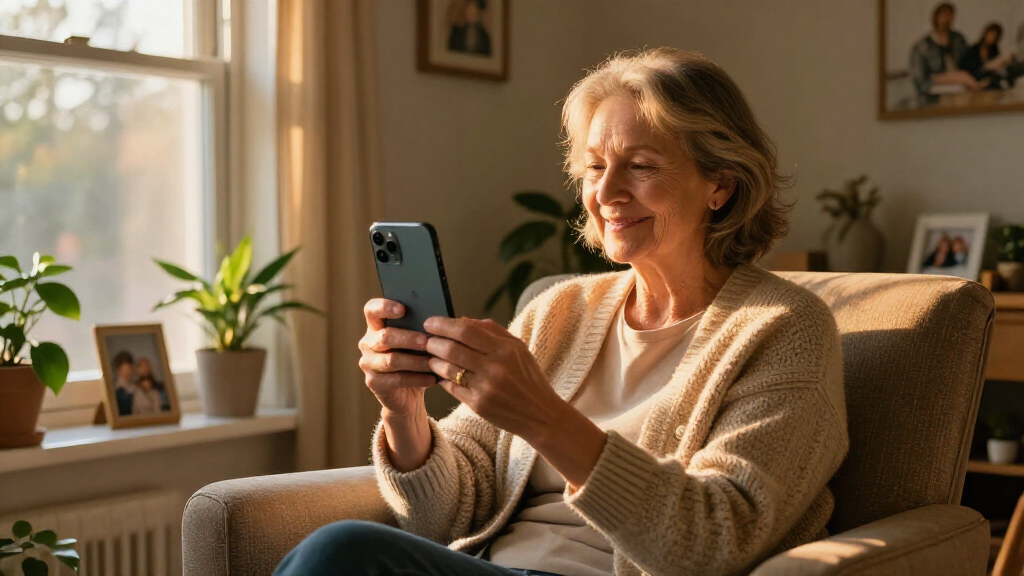
I ranked these products by how well they address the needs behind the search for smartphones for elderly: readable interaction, manageable setup, dependable everyday use, and access to the apps or support a buyer actually needs. I also weighed practical limits such as memory, battery capacity, screen size, carrier compatibility, activation requirements, and whether a product behaves like a conventional smartphone.
The order reflects the balance of flexibility and ease of use, not a claim that one interface suits every older adult. Mainstream Android models rank well when they provide broader app and carrier options; senior-focused devices earn their place when simplicity and guided services matter more. Compact or entry-level models sit lower when their smaller screens or limited specifications could make daily use harder, while the GrandPad is treated as a different kind of connected device.
| smartphones for elderly | Operating system |
|---|---|
| Tracfone Motorola Moto G 2025 | — |
| LIVELY Jitterbug Smartphone fo | Android 16 / 17 |
| 4G Senior Cell Phone Unlocked | Android 13 |
| MIRO 4G Cell Phone | Android 14 Go Edition |
| Google Pixel 10a | — |
| Blackview Wave 2C Unlocked And | Android 16 Go |
| LIVELY Jitterbug Phones Smart3 | Android 11 |
| Senior-Friendly Cell Phone wit | — |
| GrandPad 9R | — |
Factors to Consider When Choosing Smartphones For Elderly
Start with the person’s daily routine, then match the phone to the way they communicate and get help. A senior label alone does not tell you whether a device will be easy to use; setup, network support, accessibility settings, and ongoing assistance matter just as much.
Choose the interface around existing habits
Ask whether the buyer already uses Android, an iPhone, or mostly calls and texts. Familiarity can matter more than a simplified home screen, since known gestures and app locations reduce the learning curve. A guided senior interface can help someone who wants fewer choices, but it may shape how they access contacts, settings, or support. Before choosing, check whether the person can still reach the camera, messages, and emergency contacts in a way that feels clear to them. Avoid assuming that an older adult wants a basic phone; many prefer full app access and the same services as their family. The best fit is the one they can use with confidence after the initial setup.
Check the network and activation before buying
Carrier compatibility is a practical requirement, not a detail to sort out after purchase. Confirm that the exact model supports the intended carrier and its network bands, and ask whether the phone is unlocked. Some senior-focused devices require a specific plan or activation path, which can affect both setup and continued service. If a relative will manage the account, make sure the account holder can complete activation and handle support calls. Do not treat an “unlocked” label as proof that every carrier will support every feature. Verify calling, texting, and any needed emergency or assistance service with the provider before settling on a device.
Prioritize readability and handling together
A larger display can make text, buttons, and video calls easier to see, but it can also make a phone harder to hold with one hand. Screen size alone does not guarantee readability: text scaling, contrast, brightness, and touch target size all affect daily comfort. Try adjusting these settings before deciding that a device is too complicated or too small. Consider grip, weight, case availability, and whether the person can reach the controls comfortably. A compact phone may suit someone who carries it in a pocket, while a larger model may be easier to read at home. Match the physical size to the person’s vision and dexterity rather than choosing by age.
Look beyond the headline battery number
Battery capacity is only one part of how often a phone needs charging. A larger display, frequent video calls, weak cellular signal, and background apps can all increase power use. Ask how the phone will be used and whether it can stay near a regular charging spot. A simple charging routine may matter more than a modest difference in capacity between entry-level models. Check the charging connector, whether it is easy to plug in, and whether a charging stand or dock is available. If the buyer is likely to forget to charge, make low-battery alerts and family check-ins part of the setup plan.
Match support to the person who will provide it
A phone can be simple on day one yet confusing when settings change or an app needs attention. Decide who will help with setup, password recovery, software updates, and troubleshooting. A dedicated senior service may provide a clearer route to assistance, but it can also tie the device to a particular plan or workflow. A mainstream phone offers broad app choice, while family members may need to teach a few more settings. Set up contacts, accessibility options, backups, and emergency information together before handing the phone over. If nobody can provide regular help, favor a device and service with support the buyer can reach independently.
Pay for capacity and features the buyer will use
More storage and memory can help a phone stay responsive as apps and photos accumulate, but extra capacity has little value if the buyer mainly calls and messages. Limited storage can become frustrating when photos, updates, or messaging apps compete for space, so consider how the phone will be used over time. Expandable storage helps with files but does not necessarily expand memory used by apps. Think about camera use, video calls, navigation, banking, and accessibility tools before selecting a basic model. Paying for a premium phone makes sense when its performance, camera, software support, or familiar ecosystem solves a real need. For someone who wants a connected screen and guided services more than a pocket phone, a tablet-like option may fit better than a conventional smartphone.
Frequently Asked Questions
Should I choose a senior-focused phone or a regular Android phone?
Choose a senior-focused phone if the buyer prefers a guided layout and values a dedicated support path. A regular Android phone is usually a better match when they want a wider choice of apps, carrier plans, or familiar mainstream features. Check whether a simplified interface still provides the contacts, camera, and services they use every day. Also confirm any activation or plan requirements before buying. The right choice depends on the user’s habits and available help, not age alone.
Can I set up a phone for an older relative before giving it to them?
Yes, and doing the initial setup together can make the first day much less confusing. Add essential contacts, adjust text size and contrast, install only needed apps, and test calls and messages. Keep account recovery information somewhere the buyer or trusted helper can access. Explain how to charge the phone and how to reach support if something changes. Leave room for the owner to learn the controls and decide which shortcuts they want on the home screen.
What should I verify before buying an unlocked senior smartphone?
Verify that the exact model works with the intended carrier, including its network bands and calling features. Confirm whether the phone supports the SIM or eSIM setup the carrier uses and whether activation can be completed by the account holder. Ask whether any advertised support service requires a particular plan. Check the carrier’s current compatibility list instead of relying only on a product title. These steps can prevent a phone from arriving only to discover that service cannot be activated as expected.
Is a tablet-like device a good substitute for a smartphone?
A tablet-like connected device can suit someone who mainly uses video calls, messages, and a large on-screen interface at home. It may be easier to read than a compact phone, but it is less convenient to carry and may not fit the buyer’s idea of a phone. Check which communication features and services are included, and whether the device needs a separate plan or account. If the person often leaves home with the device, pocketability and cellular service become more important. Choose it when the larger, guided screen matches daily routines better than a conventional handset.
How much phone storage does an older adult need?
Storage needs depend on whether the buyer keeps photos and videos, downloads apps, or mainly calls and messages. A modest amount can work for light use, but limited space may become a problem as apps update and media builds up. Expandable storage can help keep photos and files, though it does not increase the space available for every app. Consider how the person backs up photos and whether a family member can help clear unwanted files. Choosing more capacity can reduce housekeeping, but it is most useful when the buyer will actually use the phone beyond basic communication.
Conclusion
For the best overall balance, I’d start with the Motorola Moto G 2025 for a buyer who wants a conventional Android phone and broad everyday flexibility. The best value direction is a basic unlocked Android model such as the MIRO or Blackview Wave 2C, provided its smaller capacity and screen suit the user’s needs. For a premium mainstream experience, the Google Pixel 10a is a better fit for someone comfortable with a fuller feature set. For a beginner who wants guided support, the Jitterbug Smart5 stands out, with the Smart3 as another option for buyers who accept its carrier and activation limits. For specific needs, choose the GrandPad 9R for a larger connected screen or the 1.77-inch senior phone when simple calling takes priority over a full smartphone experience.