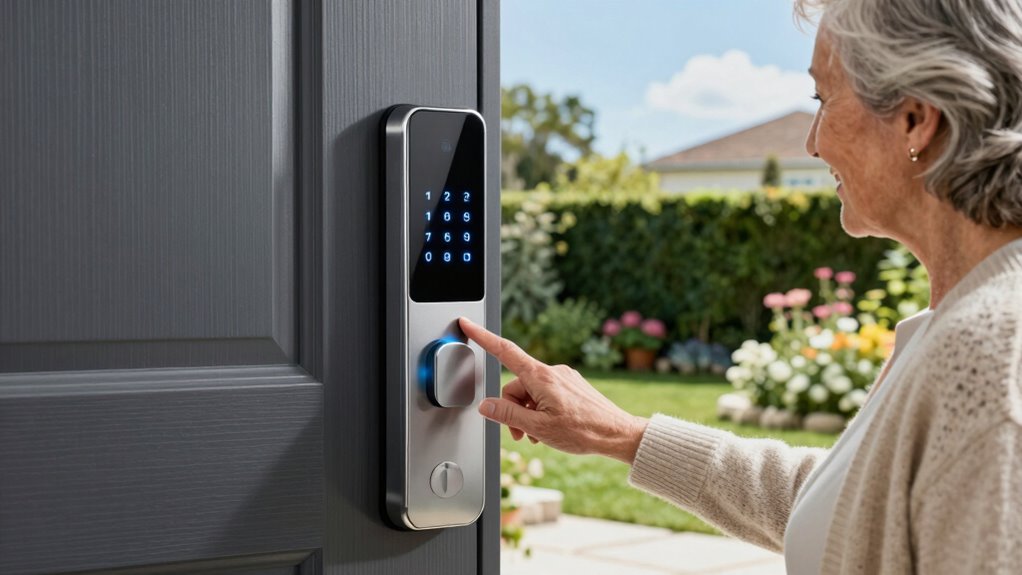

Choosing the right smart lock for seniors involves balancing ease of use, security features, and compatibility with existing home systems. The Philips WiFi Smart Lock stands out as the best overall for its reliable app control and voice support, making everyday access smoother. For those prioritizing fingerprint access, the Veise VE017 offers robust biometric options, while the Yamiry Fingerprint Smart Knob is an easy-to-install choice for tech-shy users. The main tradeoffs often involve complexity versus simplicity and the level of security versus ease of entry. Continue reading for a detailed breakdown of each option to find the best fit for your needs.
Complete the kit


Key Takeaways
- Ease of use and straightforward setup are the most important factors for seniors, favoring models like the Yamiry Fingerprint Smart Knob.
- Biometric options, such as fingerprint scanners, provide quick access but can sometimes be less reliable in extreme weather conditions or with aging fingerprints.
- Wi-Fi connectivity offers remote control and monitoring but introduces potential security vulnerabilities if not properly secured.
- Compatibility with voice assistants like Alexa and Google Assistant enhances convenience but may require additional setup steps.
- Durability and weatherproofing are essential for outdoor installations, particularly in varying climate conditions.
| Philips WiFi Smart Keypad Deadbolt Lock with App Control and Voice Support |  | Best Overall for Remote Control and Voice Integration | Connectivity: WiFi | Control: App remote control, voice commands with Alexa & Google Assistant | Unlock Methods: Key, passcode, mobile app, voice | VIEW ON AMAZON | See Our Full Breakdown |
| Smart Door Handle Lock with Keypad: Yamiry Fingerprint Smart Knob |  | Best for Easy Installation and Multiple Entry Options | Unlocking Methods: Fingerprint, Bluetooth app, passcode, key fob, mechanical key, Alexa voice | Installation Time: 10 minutes | Compatibility: Most standard American wooden front doors | VIEW ON AMAZON | See Our Full Breakdown |
| Ulecoce Fingerprint Keypad Deadbolt with Knob Set |  | Best for High Security and Multiple User Codes | Fingerprint Recognition Speed: 0.3 seconds | Recognition Accuracy: 99.99% | Number of User Codes: 100+ | VIEW ON AMAZON | See Our Full Breakdown |
| Veise VE017 Fingerprint Smart Door Lock, App Control, 8-in-1 Keyless Entry |  | Best for Advanced Security and Emergency Backup | Unlock Methods: Fingerprint, App, Key, Code, Voice, Fob, Mechanical Key | Battery Life: ≥12 Months | Material: All-metal, Zinc alloy | VIEW ON AMAZON | See Our Full Breakdown |
| Philips Wi-Fi Smart Lock for Front Door, Keyless Entry with Fingerprint, App Control, and Voice Compatibility |  | Best for Versatile Access and Auto Lock Convenience | Fingerprint Storage: 50 fingerprints | Unlock Methods: Fingerprint, PIN, app, voice, physical key | Wi-Fi Connectivity: 2.4GHz Wi-Fi, no hub required | VIEW ON AMAZON | See Our Full Breakdown |
| eufy Security Smart Lock C220, Fingerprint Keyless Entry Door Lock with Wi-Fi, App Control, and Waterproof Design |  | Best Overall for Ease and Versatility | Battery Life: 8 months | Battery Type: 8 AA batteries | Waterproof Rating: IP53 | VIEW ON AMAZON | See Our Full Breakdown |
| Philips Wi-Fi Smart Lock Keyless Entry Deadbolt for Front Door |  | Best for Remote Monitoring and Voice Integration | Brand: PHILIPS | Model Number: DDL242X-1HW | Number of Pieces: 1 | VIEW ON AMAZON | See Our Full Breakdown |
| Philips Smart Lock, WiFi Keyless Deadbolt with App Control, Alexa & Google Compatibility, IP54 Waterproof, Black |  | Best for Weather-Resistant Outdoor Use | Connectivity: Built-in WiFi | Control: Mobile app, voice commands | Number of Passwords: Up to 100 | VIEW ON AMAZON | See Our Full Breakdown |
| Keypad Smart Door Lock with Knob, Yamiry Keyless Entry Digital Lock with Handle, Fingerprint Electronic Knob for Front Door |  | Best for Simple, Physical Key Access | Material: Aluminum | Recommended Uses: Front, back, internal, external doors | Included Components: Hardware, user guide, physical keys, key fob | VIEW ON AMAZON | See Our Full Breakdown |
| Philips WiFi Keypad Door Lock with Handle, Built-in WiFi, APP Remote Control, Voice & Fingerprint Unlock, Keyless Entry Deadbolt |  | Best for Sleek, Fully Integrated Control | WiFi Connectivity: 2.4GHz WiFi | Auto Lock: Yes, customizable | Fingerprint Speed: 0.3 seconds | VIEW ON AMAZON | See Our Full Breakdown |
| Veise VE017 Fingerprint Smart Door Lock, App Control, 8-in-1 Keyless Entry, Auto Lock, Emergency Power Port, Touchscreen Keypad, Satin Nickel |  | Best Overall for Versatility and Security | Material: All-zinc alloy, all-metal | Color: Satin Nickel | Battery Life: 12 months | VIEW ON AMAZON | See Our Full Breakdown |
| Philips Wi-Fi Smart Lock Keyless Entry Deadbolt for Front Door, Compatible with Alexa & Google Assistant |  | Best Value for Remote Control and Notifications | Connectivity: Wi-Fi (2.4GHz only) | Power: 4 or 8 AA alkaline batteries (not included) | Colors: Black, Nickel | VIEW ON AMAZON | See Our Full Breakdown |
| Philips WiFi Smart Door Lock with Handle, Built-in WiFi, App Remote Control, Keyless Entry, Auto Lock, Support Alexa & Google, IP54 Waterproof, Satin Nickel | 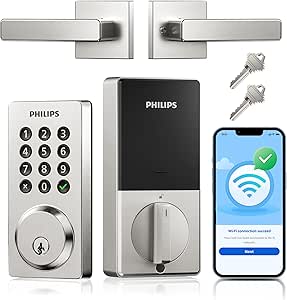 | Best for Durability and Ease of Standard Installation | Waterproof Level: IP54 | Battery Life: Up to 6 months | Temperature Range: -31°F to 150°F | VIEW ON AMAZON | See Our Full Breakdown |
| Philips WiFi Keypad Door Lock with Handle, Built-in WiFi, APP Remote Control, Voice & Fingerprint Unlock, Satin Nickel |  | Best for Multiple Access and Remote Management | WiFi Compatibility: 2.4GHz WiFi, no hub needed | Fingerprint Speed: 0.3 seconds | Passcode Options: Permanent, one-time, periodic, recurring | VIEW ON AMAZON | See Our Full Breakdown |
| Philips Wi-Fi Smart Lock with Handle, Keyless Entry Keypad Door Lock with WiFi Gateway, App Control, Fingerprint Unlock, PIN Code Unlock, Auto Locking |  | Best for Complete Keyless Convenience with Remote Control | VIEW ON AMAZON | See Our Full Breakdown |
More Details on Our Top Picks
Philips WiFi Smart Keypad Deadbolt Lock with App Control and Voice Support
This Philips model stands out for its seamless integration with voice assistants like Alexa and Google, making it a strong choice for seniors who value hands-free control. Compared with the Veise VE017, it offers more flexible access options through the app and customizable passwords, but it relies on 8 AA batteries that aren’t included, which could mean frequent replacements under heavy use. Its weather-resistant design suits outdoor settings, and the auto-lock feature adds a layer of security. However, the setup process can be complex for those less tech-savvy. This lock is ideal for seniors who want reliable remote control and voice compatibility, but less so for those who prefer simpler, battery-free options or dislike dealing with multiple devices.
Pros:- Supports remote control and voice unlocking via Alexa and Google Assistant
- Customizable access permissions with up to 100 passwords
- Weather-resistant and durable for outdoor use
- Auto lock feature enhances security
Cons:- Requires 8 AA batteries, which are not included
- Setup process may be complex for some users
- Battery life might diminish with frequent use
Best for: Seniors comfortable with smartphone apps and voice commands seeking remote access and automated locking
Not ideal for: Users who prefer battery-free solutions or have difficulty with complex installation processes
- Connectivity:WiFi
- Control:App remote control, voice commands with Alexa & Google Assistant
- Unlock Methods:Key, passcode, mobile app, voice
- Password Modes:Permanent, one-time, timed
- Auto Lock:Yes, 10-180 seconds
- Battery Life:Up to 6 months
- Battery Type:8 AA batteries (not included)
- Waterproof Level:IP54
- Pressure Resistance:2200N
Our verdict“This lock suits seniors who want high-tech convenience, especially those comfortable with app and voice controls, despite some setup complexity.”
Smart Door Handle Lock with Keypad: Yamiry Fingerprint Smart Knob
This Yamiry fingerprint smart knob excels in offering a variety of unlocking methods, from fingerprint to app control, making it suitable for users seeking flexibility. It installs in around 10 minutes on most standard doors, which makes it appealing for seniors who prefer DIY solutions without complicated tools. Unlike the Veise VE017, it does not specify battery life, which could be a concern for long-term use, and it requires a separate WiFi gateway for remote Alexa access, adding some extra cost and setup complexity. Its multiple access options provide convenience, but dependency on internet connectivity might limit reliability during outages. This pick makes the most sense for seniors who want straightforward installation and diverse unlocking methods, but less so for those wary of additional hardware or reliant on long battery life data.
Pros:- Multiple unlocking options including fingerprint, app, passcode, and keys
- Easy and quick DIY installation
- Reversible handle for versatile door compatibility
- Remote access management via app (with WiFi gateway)
Cons:- Requires separate WiFi gateway for Alexa voice control
- Limited details on battery life
- Potential dependency on internet connectivity
Best for: Seniors who prioritize quick, tool-free installation and multi-modal access options
Not ideal for: Those who prefer a more integrated all-in-one smart lock system with built-in WiFi
- Unlocking Methods:Fingerprint, Bluetooth app, passcode, key fob, mechanical key, Alexa voice
- Installation Time:10 minutes
- Compatibility:Most standard American wooden front doors
- Handle Reversibility:Yes
- Remote Control:Yes (requires WiFi gateway)
Our verdict“Ideal for seniors seeking a straightforward, multi-access smart lock that’s easy to install, with some reliance on additional hardware for remote features.”
Ulecoce Fingerprint Keypad Deadbolt with Knob Set
The Ulecoce lock emphasizes fast, accurate biometric recognition with a recognition speed of 0.3 seconds and a 99.99% accuracy rate, making it highly reliable for everyday use. It supports over 100 user codes, catering well to families or shared households. Compared to Veise VE017, it lacks details on battery life and security features like activity logs, but it offers a quick, simple installation. Its auto-lock and one-touch features add convenience, yet it’s limited to standard door types and requires a smartphone for app control, which might be a barrier for some seniors. This lock makes the most sense for those prioritizing multiple user access and speed, but it’s less suited for users needing advanced security features or longer-term battery info.
Pros:- Fast, accurate fingerprint recognition
- Supports over 100 user codes
- Easy installation on standard doors
- Auto-lock and one-touch locking
Cons:- Requires a smartphone for app-based features
- No details on battery life or backup power
- Limited compatibility with non-standard doors
Best for: Families and caregivers managing multiple users who want fast, secure access control
Not ideal for: Seniors with limited smartphone use or those needing detailed security monitoring
- Fingerprint Recognition Speed:0.3 seconds
- Recognition Accuracy:99.99%
- Number of User Codes:100+
- Unlock Methods:Fingerprint, keypad passcode, app, physical key
- Auto-Lock Timer:5-60 seconds
- App Range:50 meters
- Warranty:3 years
Our verdict“This lock suits households with multiple users who value speed and high capacity, but less ideal for seniors without smartphone access or needing detailed activity logs.”
Veise VE017 Fingerprint Smart Door Lock, App Control, 8-in-1 Keyless Entry
The Veise VE017 combines biometric AI learning with multiple unlocking options, including app, voice, and mechanical keys, making it a highly adaptable choice. Its durable all-metal construction and IP55 waterproof rating provide confidence for outdoor settings. It offers activity logs, AES128 encryption, and intrusion alarms, making it suitable for seniors concerned with security. However, it requires a separate G1 Gateway for remote access, adding extra setup cost and complexity. The batteries last about 12 months, which is reasonable but still requires regular replacement. Compared to the Philips WiFi Deadbolt, the Veise offers more comprehensive security features, yet the dependency on a separate gateway could be a hurdle for less tech-savvy users. This lock is best for seniors who want high security and activity tracking, but less so for those who prefer straightforward, all-in-one solutions.
Pros:- AI-enhanced biometric fingerprint recognition
- Multiple unlocking options including app, voice, and mechanical key
- Durable all-metal build and weather-resistant design
- Advanced security features like activity logs and alarms
Cons:- Requires separate purchase of G1 Gateway for remote access
- Batteries are not included, with about 12 months lifespan
- Some features depend on Wi-Fi connection and app setup
Best for: Security-conscious seniors or caregivers needing activity logs and biometric security
Not ideal for: Users who dislike extra hardware or are less comfortable with installing gateways and managing app security
- Unlock Methods:Fingerprint, App, Key, Code, Voice, Fob, Mechanical Key
- Battery Life:≥12 Months
- Material:All-metal, Zinc alloy
- Waterproof Rating:IP55
- Connectivity:Wi-Fi (via G1 Gateway)
- Security Features:AES128 encryption, activity logs, anti-peeping PIN, intrusion alarms
Our verdict“This lock appeals to seniors prioritizing high security, activity tracking, and biometric access, accepting some extra hardware installation.”
Philips Wi-Fi Smart Lock for Front Door, Keyless Entry with Fingerprint, App Control, and Voice Compatibility
This Philips Wi-Fi Smart Lock covers multiple unlocking options, including fingerprint, PIN, app, voice, and traditional key, making it versatile for a range of users. Its design supports easy installation on most standard doors, and the auto-lock feature adds convenience, especially for seniors who might forget to lock up. Compared with the Veise VE017, it offers more familiar physical key access, but it lacks details on battery life, which could be a concern for long-term reliability. It operates on 8 AA batteries, which are sold separately, potentially creating additional purchase steps. Its compatibility with 2.4GHz Wi-Fi without a hub simplifies setup, but some users may find the battery dependency and limited network compatibility restrictive. This lock makes sense for seniors who want a straightforward, multi-modal lock with reliable auto-locking, but less so for those seeking integrated security features or long-term battery info.
Pros:- Multiple unlocking options including fingerprint, PIN, app, voice, and key
- Remote access with activity logs for added security
- Auto-lock for peace of mind
- Easy installation on most standard doors
Cons:- Requires 8 AA batteries sold separately
- Limited battery life data and potential dependency on battery replacements
- Limited network compatibility (2.4GHz Wi-Fi only)
Best for: Seniors who want a versatile, easy-to-install lock with auto-lock features and multiple unlocking methods
Not ideal for: Users who prefer battery-free solutions or have incompatible Wi-Fi networks
- Fingerprint Storage:50 fingerprints
- Unlock Methods:Fingerprint, PIN, app, voice, physical key
- Wi-Fi Connectivity:2.4GHz Wi-Fi, no hub required
- Auto-Lock Timer:10 to 180 seconds
- Battery:8 AA alkaline batteries (sold separately)
- Design:Fits most standard left- and right-handed doors
Our verdict“Best suited for seniors wanting a flexible, auto-locking smart lock with multiple access options and easy setup, despite some battery dependency concerns.”
eufy Security Smart Lock C220, Fingerprint Keyless Entry Door Lock with Wi-Fi, App Control, and Waterproof Design
This model stands out for its combination of multiple unlocking methods, including fingerprint, app, keypad, key, and voice control, making it highly adaptable for seniors who value flexibility. Unlike the Philips Wi-Fi Smart Lock, which relies solely on remote app control, the eufy C220 offers quick local access through biometric and keypad options, reducing dependency on internet stability. Its 8-month battery life and straightforward 15-minute installation make it practical for less tech-savvy users. The waterproof IP53 rating ensures durability outdoors, but the need for Wi-Fi for remote control can be a limitation if Wi-Fi is unstable or unavailable. Battery life can also vary with usage, requiring awareness of battery status. Overall, this lock provides a reliable, multi-access solution suitable for seniors who want easy, versatile access without complex setup.
Pros:- Long-lasting 8-month battery life
- Multiple unlocking methods including fingerprint, app, keypad, key, and voice
- Easy 15-minute installation without drilling
- IP53 waterproof for outdoor use
Cons:- Battery life may vary with frequent use
- Requires Wi-Fi connection for remote access
Best for: Seniors seeking a flexible, easy-to-install lock with multiple access options and outdoor durability
Not ideal for: Users with inconsistent Wi-Fi or those preferring solely remote control via smartphone
- Battery Life:8 months
- Battery Type:8 AA batteries
- Waterproof Rating:IP53
- Operating Temperature:-22℉ to 158℉ (-30℃ to 70℃)
- Installation Time:15 minutes
- Compatibility:Most standard US & CA deadbolts
Our verdict“Best suited for seniors who want a versatile, durable lock with multiple easy access options and minimal installation hassle.”
Philips Wi-Fi Smart Lock Keyless Entry Deadbolt for Front Door
This pick makes the most sense for seniors who want to control their lock remotely and monitor access in real-time. It surpasses the eufy C220 in remote convenience thanks to built-in Wi-Fi, allowing control and alerts from anywhere via a dedicated app. Its fast fingerprint recognition and auto-lock feature boost daily ease of use, especially when hands are full or mobility is limited. Unlike the Philips WiFi Keypad Lock, which relies on keypad and app only, this model’s combination of voice compatibility with Alexa and Google Assistant enhances accessibility. However, the need for Wi-Fi makes it less suitable in areas with unstable internet, and battery monitoring is necessary to prevent lockouts. This lock is best for seniors who want peace of mind through remote oversight combined with multiple access methods.
Pros:- Remote control and monitoring via built-in Wi-Fi
- Fast fingerprint recognition and auto-lock
- Supports Alexa and Google Assistant for voice commands
- Real-time alerts and access logs
Cons:- Requires stable Wi-Fi for full functionality
- Higher cost compared to basic locks
- Battery life needs regular checking
Best for: Seniors prioritizing remote control, real-time monitoring, and voice integration
Not ideal for: Homes with unreliable Wi-Fi or users who prefer purely manual locks
- Brand:PHILIPS
- Model Number:DDL242X-1HW
- Number of Pieces:1
- Category:Home & Garden
Our verdict“Ideal for seniors who want advanced remote management with quick biometric access and voice control features.”
Philips Smart Lock, WiFi Keyless Deadbolt with App Control, Alexa & Google Compatibility, IP54 Waterproof, Black
This lock is geared toward seniors who need a reliable outdoor solution with remote access capabilities. It offers multiple unlocking options, including passcodes, keys, and voice commands, with the added benefit of a durable, waterproof design rated IP54. Unlike the eufy C220, which emphasizes local biometric access, this lock’s strength lies in its weatherproof construction and remote operation through a mobile app. Its support for Alexa and Google Assistant simplifies voice commands, but batteries are not included, and Wi-Fi dependency can be a drawback if internet stability is an issue. The auto-lock feature is customizable, providing added convenience for seniors who may forget to lock manually. This lock is best for those who need a weatherproof, remotely accessible lock for outdoor entrances.
Pros:- Remote control and monitoring via mobile app
- Supports voice commands with Alexa & Google
- Durable, waterproof IP54 rating
- Supports up to 100 passwords
Cons:- Batteries are not included
- Wi-Fi connection required for remote features
- Physical buttons may seem less modern
Best for: Seniors with outdoor entrances seeking a weatherproof, remotely manageable lock
Not ideal for: Indoor-only users or those without stable Wi-Fi for remote features
- Connectivity:Built-in WiFi
- Control:Mobile app, voice commands
- Number of Passwords:Up to 100
- Auto Lock Timer:10-180 seconds
- Battery Life:Up to 6 months
- Waterproof Level:IP54
Our verdict“Best for outdoor front doors where weather resistance and remote management are priorities for seniors.”
Keypad Smart Door Lock with Knob, Yamiry Keyless Entry Digital Lock with Handle, Fingerprint Electronic Knob for Front Door
This lock is suited for seniors who prefer straightforward, tactile control over their front door. Its combination of keypad, fingerprint, app, and physical key provides a variety of access methods, but the physical keys are easily duplicable, which could be a security concern. Compared with Bluetooth-only locks like the Philips Wi-Fi Keypad Lock, the Yamiry offers both Bluetooth and Wi-Fi control (with a separate gateway), making it more versatile. The robust aluminum construction ensures durability, and its easy installation makes it accessible for most users. However, the Wi-Fi control setup can be a bit complex, and reliance on physical keys might reduce overall security if copies are made. This lock benefits seniors who want a tactile, easy-to-use lock with multiple access options but are comfortable managing additional components.
Pros:- Multiple unlocking options including app, fingerprint, and key fob
- Durable aluminum, corrosion resistant
- Easy to install on most American doors
- Versatile remote control via Bluetooth & Wi-Fi (with gateway)
Cons:- Wi-Fi control requires a separate gateway
- Physical keys are duplicable, reducing security
Best for: Seniors who prefer tactile, physical control plus multiple unlocking options
Not ideal for: Those seeking a purely remote or biometric solution without physical keys
- Material:Aluminum
- Recommended Uses:Front, back, internal, external doors
- Included Components:Hardware, user guide, physical keys, key fob
- Model Number:YR05
Our verdict“Best for seniors who value tactile control and multiple access methods with a durable design.”
Philips WiFi Keypad Door Lock with Handle, Built-in WiFi, APP Remote Control, Voice & Fingerprint Unlock, Keyless Entry Deadbolt
This lock offers a sleek, handle-integrated design with built-in Wi-Fi, making it highly accessible for seniors who prefer a modern, all-in-one solution. Its support for keypad, fingerprint, voice, and auto-lock options provides multiple easy ways to access, similar to the eufy C220, but with greater emphasis on remote management through the app. Installation is straightforward, compatible with most doors, and the long-lasting battery ensures weeks of use without frequent changes. However, batteries are not included, and auto-lock must be manually enabled through the app, which could be less convenient for some users. This model is excellent for those who want a contemporary, integrated handle solution with remote control and voice compatibility.
Pros:- Remote control via integrated Wi-Fi
- Supports keypad, fingerprint, voice commands
- Easy DIY installation with included handle set
- Long battery life with low-battery alerts
Cons:- Batteries not included
- Auto-lock feature requires manual setup in app
- Designed primarily for right-opening doors
Best for: Seniors desiring a modern handle-based lock with remote, biometric, and voice control
Not ideal for: Those who prefer simple, standalone locks without app dependency
- WiFi Connectivity:2.4GHz WiFi
- Auto Lock:Yes, customizable
- Fingerprint Speed:0.3 seconds
- Battery Life:Up to 6 months
- Installation:DIY, screwdriver required
- Handle Set:Included
Our verdict“Ideal for seniors wanting a stylish, all-in-one handle lock with multiple access methods and remote control capabilities.”
Veise VE017 Fingerprint Smart Door Lock, App Control, 8-in-1 Keyless Entry, Auto Lock, Emergency Power Port, Touchscreen Keypad, Satin Nickel
The Veise VE017 stands out for its impressive array of unlocking options, including fingerprint, app, keypad, key, voice, and more, making it highly adaptable for seniors who may prefer multiple access methods. Its AI-powered biometric verification offers quick, reliable fingerprint recognition, surpassing simpler keypad-only models like the Philips WiFi Keypad Door Lock. Compared with locks requiring hub-based control, the VE017’s DIY installation and local encrypted storage boost security and ease of use. A notable tradeoff is that remote control and voice features depend on an additional G1 Gateway, which isn’t included—adding complexity and cost. The durable, weather-resistant build ensures reliable operation outdoors, providing peace of mind. This lock is ideal for tech-savvy seniors or caregivers seeking flexible security, but those seeking a straightforward, remote-ready solution should consider simpler options.
Pros:- Multiple unlocking methods including fingerprint, app, keypad, and voice control
- AI-powered biometric recognition with quick verification and learning
- Easy DIY installation with weather-resistant, durable construction
Cons:- Requires separate purchase of G1 Gateway for remote control and voice features
- Batteries not included; may need replacement after 12 months
Best for: Seniors or families wanting a highly customizable, biometric-enabled lock with local control and advanced security features
Not ideal for: Users preferring a simple lock with only remote or app control, since the G1 Gateway and extra setup are required for full remote/voice features
- Material:All-zinc alloy, all-metal
- Color:Satin Nickel
- Battery Life:12 months
- Connectivity:App control, Alexa/Google Voice (requires G1 Gateway)
- Unlock Methods:Fingerprint, App, Key, Mechanical Key, Fob, Code, Voice
- Security Features:AES128 encryption, activity logs, intrusion alarms, anti-peeping PIN
- Installation:DIY, 15 minutes, no wiring or drilling needed
- Waterproof Rating:IP55
Our verdict“This pick is best suited for users who value flexible access options and advanced biometric security, even if it requires extra setup.”
Philips Wi-Fi Smart Lock Keyless Entry Deadbolt for Front Door, Compatible with Alexa & Google Assistant
The Philips Wi-Fi Smart Lock B0F5QKCD3S offers a compelling blend of convenience and affordability, especially for seniors who want remote access and real-time alerts. Its straightforward DIY installation makes it accessible for most homeowners, and its support for multiple unlocking options—app, passcode, fingerprint, physical key, and voice commands—matches the versatility of pricier models like the Veise VE017. Compared to locks requiring hubs or gateways, this model’s Wi-Fi connectivity enables direct remote control without additional hardware, though it does demand a stable Wi-Fi network. Its reliance on 2.4GHz Wi-Fi limits compatibility with some modern routers, which could frustrate less tech-savvy users. This lock is well-suited for seniors seeking a budget-friendly, easy-to-install smart lock with remote management, but those without a reliable Wi-Fi connection might face issues.
Pros:- Multiple unlocking options including fingerprint, passcode, app, and physical key
- Remote control and real-time notifications enhance security
- Easy DIY installation compatible with most standard doors
Cons:- Requires 2.4GHz Wi-Fi network, not compatible with 5GHz
- Batteries not included; must be purchased separately
- No door status sensor for real-time lock/unlock detection
Best for: Seniors or caregivers wanting a cost-effective, remote-controlled lock with notifications and multiple unlocking methods
Not ideal for: Users with inconsistent Wi-Fi or those preferring a lock with built-in voice control without additional setup
- Connectivity:Wi-Fi (2.4GHz only)
- Power:4 or 8 AA alkaline batteries (not included)
- Colors:Black, Nickel
- Door Thickness Compatibility:1-3/8″ to 2″
- Auto Lock Timer:10 to 180 seconds
- Voice Control:Yes, with Alexa & Google
Our verdict“Best suited for users who want a budget-friendly, remotely manageable lock with multiple access options and straightforward installation.”
Philips WiFi Smart Door Lock with Handle, Built-in WiFi, App Remote Control, Keyless Entry, Auto Lock, Support Alexa & Google, IP54 Waterproof, Satin Nickel
The Philips WiFi Smart Door Lock with Handle (B0FT2VWRPT) emphasizes durability and straightforward installation, making it a practical choice for seniors who want reliable, weatherproof security. Its design fits most standard US deadbolts and features auto-locking for hands-free security, comparable to the Philips Wi-Fi Keypad Deadbolt but with a more integrated handle. The lock’s IP54 rating means it withstands weather elements, which is important for outdoor use. Unlike models requiring hubs, this lock connects directly via Wi-Fi, simplifying setup—though the need for 8 AA batteries and a stable Wi-Fi connection could be minor hurdles. Its temperature resistance and robust build make it ideal for outdoor or semi-exposed doors, but some users may find app setup slightly complex. It suits homeowners prioritizing durability and straightforward, keyless outdoor security.
Pros:- Easy installation on standard US deadbolts
- Auto lock and durable waterproof IP54 design
- Supports multiple unlocking methods including app, voice, and passcodes
Cons:- Batteries not included; requires 8 AA batteries
- Wi-Fi connection needed for remote features
- Some users may find app setup complex
Best for: Seniors seeking a weatherproof, easy-to-install lock with auto-lock feature for outdoor or exposed doors
Not ideal for: Those who prefer a sleek, more compact lock or have limited Wi-Fi stability, as setup can be tricky and size may be bulky
- Waterproof Level:IP54
- Battery Life:Up to 6 months
- Temperature Range:-31°F to 150°F
- Pressure Resistance:2200N
- Installation Compatibility:Cross Bore 1-1/2″ or 2″
Our verdict“Ideal for those who prioritize weatherproof durability and straightforward outdoor installation with keyless convenience.”
Philips WiFi Keypad Door Lock with Handle, Built-in WiFi, APP Remote Control, Voice & Fingerprint Unlock, Satin Nickel
The Philips WiFi Keypad Door Lock with Handle (B0GHPJXN3T) combines multiple access methods—fingerprint, keypad, app, and voice—making it a flexible choice for seniors who want various options to suit their daily routine. Its direct Wi-Fi connection allows real-time remote management without an extra hub, and the support for up to 100 user codes caters to family or caregiver needs. Compared with locks like the Veise VE017, this model offers a more seamless installation process and a sleek handle design, but it relies heavily on a stable Wi-Fi signal, and its power source details are less explicit. The lock’s auto-lock feature and multiple unlocking options provide peace of mind, though installation may require adjustments for different door sizes. It’s perfect for those wanting versatile access control with remote oversight.
Pros:- Multiple unlocking options including fingerprint, keypad, app, and voice
- Supports up to 100 user PIN codes, ideal for family or caregiver access
- Remote control and real-time notifications via app
Cons:- Requires Wi-Fi gateway for full remote functionality
- Power source details are not clearly specified
- Installation might need door size adjustments
Best for: Seniors or families needing multiple access options combined with remote control and user code management
Not ideal for: Homes with inconsistent Wi-Fi or users who prefer a minimal, single-method lock, as it’s geared toward versatility and remote features
- WiFi Compatibility:2.4GHz WiFi, no hub needed
- Fingerprint Speed:0.3 seconds
- Passcode Options:Permanent, one-time, periodic, recurring
- Auto Lock:0-180 seconds
- Handle Set Included:Yes
Our verdict“Best suited for users who want a highly versatile lock with extensive access options and remote management capabilities.”
Philips Wi-Fi Smart Lock with Handle, Keyless Entry Keypad Door Lock with WiFi Gateway, App Control, Fingerprint Unlock, PIN Code Unlock, Auto Locking
The Philips Wi-Fi Smart Lock with Handle (B0DJW648TV) offers a comprehensive keyless experience with multiple unlocking methods, including fingerprint, PIN, app, keys, and voice commands. Its auto-lock feature and remote control capabilities via an optional Wi-Fi gateway make it a flexible choice for seniors who value hands-free security. Compared to locks like the Veise VE017, this model emphasizes ease of installation and compatibility with most standard doors, but it requires a gateway for Wi-Fi connectivity, which adds extra setup and cost. Its auto lock timer, ranging from 30 to 180 seconds, helps prevent accidental unlocks, though some users may find the installation slightly more involved for certain door types. It’s ideal for those wanting a full-featured, remote-managed lock with multiple access modes for maximum convenience.
Pros:- Multiple unlocking options including app, fingerprint, PIN, keys, and voice
- Automatic locking and remote management with gateway
- Supports most standard doors with easy screwdriver installation
Cons:- Requires Wi-Fi gateway for remote features
- Power source details are not explicitly provided
- Installation may involve drilling for some doors
Best for: Seniors desiring a feature-rich, remotely accessible lock with multiple unlocking options and automatic locking
Not ideal for: Those who want a simple, standalone lock without the need for additional hardware or who prefer minimal installation effort
Our verdict“Ideal for users seeking a complete, remote-controlled, multi-access lock with auto locking for maximum security and convenience.”

How We Picked
I evaluated these smart locks based on a combination of usability, security features, installation complexity, and integration options. Priority was given to products that offer clear, simple interfaces and reliable operation suitable for seniors. Devices with intuitive controls, minimal setup, and strong build quality ranked higher. I also considered compatibility with voice assistants and remote management capabilities, as these features significantly enhance convenience. The ranking reflects a balance between affordability and premium features, ensuring options for different budgets and needs, while emphasizing reliability and ease of use for seniors.Factors to Consider When Choosing Smart Locks For Seniors
When selecting a smart lock for seniors, it’s vital to focus on factors that balance security with ease of use. Think about how intuitive the lock is to operate, especially for those with limited tech experience or dexterity issues. Compatibility with existing smart home devices can simplify daily routines. Durability and weather resistance are important if the lock will be outdoors. Considering the type of entry—keypad, fingerprint, or app-controlled—helps match the lock to personal preferences and security needs. Finally, evaluate the installation process to ensure it can be done without professional help if needed.Ease of Use and Accessibility
For seniors, a lock with simple, large controls and minimal steps to operate makes a significant difference. Touchscreens or keypad interfaces should be clear and straightforward, avoiding overly complex menus. Biometric options like fingerprint scanners are often preferred for their quick access, but they must work reliably with aging fingerprints. Voice control compatibility can add convenience, especially for those with mobility challenges. Avoid locks with small buttons or complicated app interfaces, as these can cause frustration or errors during daily use.
Security Features and Reliability
Security remains a primary concern, so look for locks with strong encryption, tamper alerts, and backup entry options. Biometric locks add a layer of security but can be less reliable in certain weather conditions or if fingerprints change over time. Mechanical backup keys are still worth considering, even in digital models, to prevent lockouts. Ensure the lock’s software receives regular updates to protect against vulnerabilities. Choosing a reputable brand with good customer support can help address any technical issues quickly.
Connectivity and Compatibility
Wi-Fi enabled locks offer remote management and monitoring, which is convenient but introduces potential security risks if not properly secured. Compatibility with voice assistants like Alexa or Google Assistant enhances hands-free control, especially useful for seniors with mobility challenges. Consider whether the lock integrates with existing smart home systems to streamline control. Bluetooth-only models tend to be simpler and more secure but lack remote features. Balance between convenience and security is key here, depending on the user’s comfort with technology.
Durability and Weather Resistance
If the lock will be exposed to outdoor elements, check its weatherproof rating (like IP54 or higher). A durable lock withstands rain, snow, and temperature fluctuations without compromising performance. Materials like stainless steel or high-quality zinc alloys tend to last longer and resist corrosion. For indoor use, durability is less critical, but quality construction still ensures longevity and consistent operation. Remember, a sturdy lock reduces the need for frequent replacements or repairs, which can be challenging for seniors to manage.
Installation and Maintenance
Ease of installation is particularly important for seniors who may not have handyman skills. Many locks are designed for DIY setup, but some models require more technical knowledge. Look for options with clear instructions and minimal components. Maintenance should be straightforward, involving simple battery replacements or software updates. Avoid overly complicated models, which might necessitate professional installation or ongoing technical support. A well-designed lock minimizes hassle and ensures consistent security over time.
Frequently Asked Questions
Can seniors operate smart locks with limited dexterity?
Many smart locks designed for seniors feature large, easy-to-press buttons, touchscreens with clear displays, or biometric options like fingerprint scanners that require minimal effort. Voice control compatibility can also assist those with mobility issues, allowing hands-free access. However, it’s essential to choose a model with a simple interface and reliable hardware, as complex systems can cause frustration. Testing the lock in person, if possible, helps ensure it meets individual needs before installation.
Are smart locks secure enough for outdoor use?
Most outdoor-rated smart locks come with weatherproofing features like IP54 or higher, protecting against rain, snow, and dust. Security also depends on encryption standards and firmware updates, which prevent hacking attempts. Biometric locks add security but can be less reliable in extreme weather or if fingerprints change. Mechanical backup keys are recommended for outdoor models as an additional access method. Regular software updates from manufacturers help maintain security integrity over time.
How difficult is it to install a smart lock for someone with limited DIY skills?
Installation difficulty varies by model, but many smart locks are designed for straightforward DIY setup, often taking less than 30 minutes. Features like step-by-step instructions, tool-free mounting, and clear wiring diagrams simplify the process. For those with limited DIY experience, choosing models with comprehensive guides or video tutorials can make a big difference. If in doubt, professional installation services are available, though they add to the overall cost and complexity.
What should I prioritize: biometric access or keypad entry?
Biometric access offers quick and contactless entry, which is highly convenient, especially for users with mobility or dexterity issues. However, biometric systems can sometimes be less reliable in cold weather or if fingerprints are worn. Keypad entry provides a familiar method of access that doesn’t depend on physical or biometric conditions but requires users to remember codes. Combining both options in a lock provides flexibility, allowing seniors to choose the most comfortable method on any given day.
Is it worth investing in a premium smart lock for seniors?
Premium smart locks often include advanced features like enhanced security protocols, better weatherproofing, and seamless integration with smart home ecosystems. These models tend to be more durable and offer more reliable operation, which can be especially important for seniors relying heavily on the device. However, they also come with higher price tags. For users who prioritize ease of use, durability, and long-term reliability, investing in a higher-end model can be justified, but budget-friendly options still provide solid functionality for many needs.
Conclusion
For seniors new to smart locks, the Yamiry Fingerprint Smart Knob offers simplicity and straightforward installation, making it ideal for beginners. Those seeking a balance of security and remote access should consider the Philips WiFi Smart Lock, which combines ease of use with comprehensive app control. If durability and premium features matter most, the Veise VE017 provides reliable biometric access in a sturdy design. Budget-conscious buyers can find excellent options among simpler keypad models, while tech-savvy users aiming for full integration might prefer higher-end, Wi-Fi-enabled choices. Ultimately, the best lock depends on individual needs—consider your comfort with technology, security priorities, and installation preferences to make the right choice.