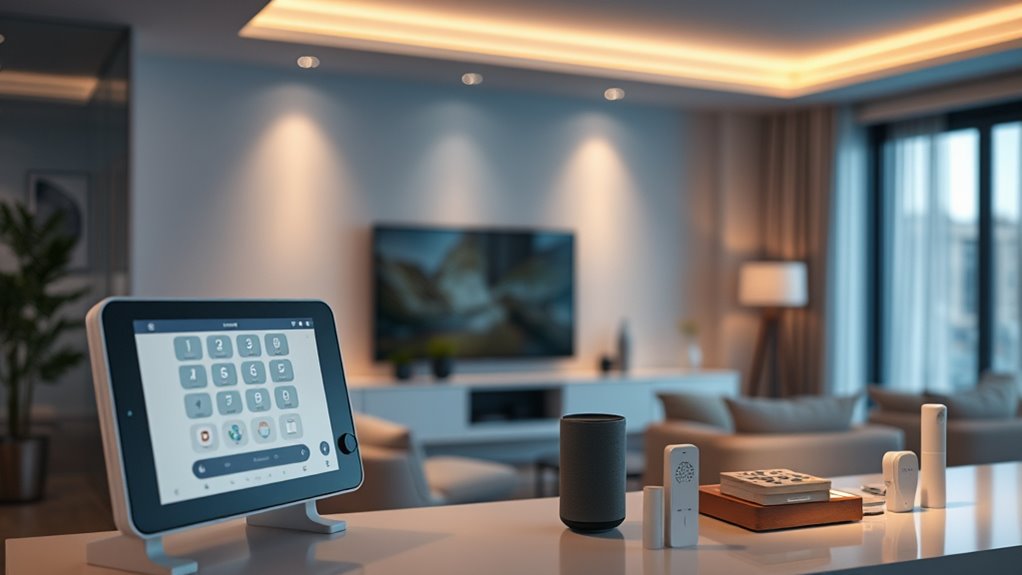

When searching for a smart home automation kit, the goal is to find a system that seamlessly integrates your devices, offers reliable performance, and fits your budget. The Amazon Smart Home Starter Kit makes a solid overall choice thanks to its ease of use and broad compatibility, while the Aqara Camera Protect Kit Y100 stands out for comprehensive security features. The Kasa Smart 3-Way Wi-Fi Light Switch offers flexible lighting control for those prioritizing home ambiance. However, buyers often face tradeoffs between complexity, compatibility, and cost. Keep reading for a detailed breakdown to help you identify the best fit for your smart home goals.
Play games included with Prime
Start a Prime free trial and play with Amazon Luna on your devices.
Start playingAs an affiliate, we earn on qualifying purchases.
Complete the kit


Key Takeaways
- The best overall kit balances ease of setup, compatibility, and comprehensive device control.
- Security-focused systems tend to be more complex but offer greater peace of mind.
- Choosing between all-in-one solutions and modular setups depends on your existing devices and future plans.
- Compatibility with voice assistants like Alexa and Google Assistant is a common priority but varies in implementation quality.
- Budget constraints often lead to tradeoffs in features and expandability, making it important to prioritize your key needs.
| Aqara Camera Protect Kit Y100 – 4 Piece Wireless Home Security System with 2K Camera, Hub G3, Smart Sensors, and Home Automation |  | Best Overall Home Security Kit | Camera Resolution: 2K | Sensors: 3 smart sensors (motion, vibration, door/window) | Connectivity: Zigbee, Wi-Fi | VIEW ON AMAZON | See Our Full Breakdown |
| Kasa Smart 3-Way Wi-Fi Light Switch (HS210 KIT), Neutral Wire Required, Works with Alexa and Google Home, UL Certified, White, Pack of 2 |  | Best for Lighting Control in Multi-Location Setups | Connectivity: Wi-Fi 2.4 GHz | Compatibility: Alexa, Google Assistant | Wiring: Requires neutral wire | VIEW ON AMAZON | See Our Full Breakdown |
| Tapo Door Sensor Starter Kit, Matter Compatible, 3 Contact Sensors and 1 Smart Hub with Chime |  | Best for Broad Device Compatibility and Security Automation | Number of Sensors: 3 | Hub Included: Yes | Connectivity Protocol: Sub-G | VIEW ON AMAZON | See Our Full Breakdown |
| Aqara Zigbee Door and Window Sensor 3 Pack |  | Best Compact Contact Sensors for Home Automation | Sensor Dimensions: 1.61 x 0.87 x 0.43 inches | Magnet Dimensions: 0.79 x 0.39 x 0.39 inches | Maximum Gap: 0.86 inches | VIEW ON AMAZON | See Our Full Breakdown |
| MOES Smart Home Touchscreen Control Panel (1 Switch), In-wall Smart Panel with Alexa Built-in |  | Best In-Wall Control with Built-in Voice Assistant | Display: 5-inch full touch screen | Voice Assistant: Alexa built-in | Compatibility: Smart Life devices, switches, bulbs, sockets, cameras, locks | VIEW ON AMAZON | See Our Full Breakdown |
| Kasa Smart 3-Way Dimmer Switch Kit, Compatible with Alexa, Google Assistant, and SmartThings, Neutral Wire Needed, White |  | Best for Upgrading Existing 3-Way Switches with Remote Control and Dimming | Compatibility: Alexa, Google Assistant, SmartThings | Wiring: Neutral wire needed | Wi-Fi: 2.4 GHz | VIEW ON AMAZON | See Our Full Breakdown |
| Smart Home Starter Kit with Echo Hub, Amazon Smart Plug, and Amazon Basics Smart Bulbs |  | Best for Beginners Who Want a Simple, All-in-One Smart Home Introduction | Includes: Echo Hub, Amazon Smart Plug, 4 Amazon Basics Smart Bulbs | Compatibility: Alexa-compatible devices, including cameras, lights, locks, thermostats, and speakers | Setup: Quick guided setup, plug and tap | VIEW ON AMAZON | See Our Full Breakdown |
| smart home automation kit | Compatibility |
|---|---|
| Aqara Camera Protect Kit Y100 | HomeKit, Google Home, Alexa |
| Kasa Smart 3-Way Wi-Fi Light S | Alexa, Google Assistant |
| Tapo Door Sensor Starter Kit | Matter, Alexa, Google, Apple, SmartThings |
| Aqara Zigbee Door and Window S | Aqara Hub, Apple HomeKit, Alexa |
| MOES Smart Home Touchscreen Co | Smart Life devices, switches, bulbs, sockets, cameras, locks |
| Kasa Smart 3-Way Dimmer Switch | Alexa, Google Assistant, SmartThings |
| Smart Home Starter Kit with Ec | Alexa-compatible devices, including cameras, lights, locks, thermostats, and speakers |
More Details on Our Top Picks
Aqara Camera Protect Kit Y100 – 4 Piece Wireless Home Security System with 2K Camera, Hub G3, Smart Sensors, and Home Automation
This all-in-one security system stands out for its comprehensive coverage, combining a 2K camera with AI detection, smart sensors, and versatile ecosystem support. Compared with the Tapo Door Sensor Starter Kit, it offers richer security features and local storage options, though it does come with more setup complexity and the need for additional accessories like microSD cards. Its support for HomeKit, Google Home, and Alexa makes it flexible for most smart homes, but IR functionality in Apple Home requires extra bridging, limiting seamless integration. The included sensors have long-lasting batteries, reducing maintenance, yet some features like IR require advanced setup. Overall, this kit is ideal for homeowners seeking a security-focused smart system with extensive ecosystem compatibility and easy DIY installation, despite the need for extra accessories for full functionality.
Pros:- Supports multiple ecosystems including HomeKit, Google, and Alexa
- AI detection for facial, pet, and gesture recognition enhances security
- Easy installation with damage-free adhesive and no drilling
- Flexible local and cloud storage options
Cons:- IR functionality in Apple Home requires advanced bridging
- MicroSD card not included, additional purchase needed
- Full features may be limited with third-party USB dongles
Best for: Homeowners wanting a complete, expandable security system with multi-platform support.
Not ideal for: Renters or those with limited DIY skills, as setup can be somewhat involved and additional accessories are needed.
- Camera Resolution:2K
- Sensors:3 smart sensors (motion, vibration, door/window)
- Connectivity:Zigbee, Wi-Fi
- Compatibility:HomeKit, Google Home, Alexa
- Cloud Storage:7 days included, 90-day backups
- Local Storage:microSD card (not included)
- Power:Sensors with 5-year batteries
Our verdict“This kit suits security-conscious homeowners seeking a versatile, ecosystem-agnostic solution with DIY installation and expandable features.”
Kasa Smart 3-Way Wi-Fi Light Switch (HS210 KIT), Neutral Wire Required, Works with Alexa and Google Home, UL Certified, White, Pack of 2
This pick makes the most sense for households needing remote or voice-controlled lighting across multiple switches, thanks to its support for 3-way wiring and easy app setup. Its compatibility with Alexa and Google Assistant makes it straightforward to integrate, similar to the MOES Touchscreen Panel, but it focuses solely on lighting rather than broader device control. Unlike the Aqara Kit, it doesn’t require hubs or sensors, simplifying installation—though it demands a neutral wire, which could exclude older homes. Its scheduling and safety features add convenience, but if you’re in a home without neutral wiring, this switch isn’t a fit. Overall, this product is best for those upgrading existing lighting circuits with smart control, accepting the wiring prerequisites.
Pros:- Supports remote and voice control via app and assistants
- Compatible with both 3-way and single pole setups
- Includes scheduling and safety features
- Easy to install with step-by-step guidance
Cons:- Requires neutral wire, limiting use in some older homes
- Installation may require an electrician for wiring unfamiliarity
Best for: Homeowners with neutral wiring seeking reliable, multi-location smart lighting control.
Not ideal for: Older homes without neutral wires or those looking for an all-in-one security or automation solution.
- Connectivity:Wi-Fi 2.4 GHz
- Compatibility:Alexa, Google Assistant
- Wiring:Requires neutral wire
- Certification:UL Certified
- Number of switches:2
Our verdict“This switch offers dependable, multi-location lighting control for homes with appropriate wiring, though it’s not suitable for all wiring setups or broader automation needs.”
Tapo Door Sensor Starter Kit, Matter Compatible, 3 Contact Sensors and 1 Smart Hub with Chime
This starter kit excels in providing a straightforward way to monitor doors and windows, with broad support for the Matter standard and major platforms like Alexa, Google, and Apple. Compared to the Aqara Sensor Pack, it offers a smart hub with a built-in chime, adding a layer of customization and alerting. Its long battery life of up to 2 years means less maintenance, but the setup involves connecting the hub and sensors via Wi-Fi, which can be a bit more complex. Because it focuses solely on contact sensors, it’s less versatile than the Aqara Kit if you want multi-sensor types or advanced AI detection. This is best for users prioritizing simple, reliable door/window monitoring with broad platform compatibility and a dedicated hub for alerts.
Pros:- Supports Matter for broad device compatibility
- Includes a smart hub with customizable chime
- Long battery life up to 2 years
- Easy magnetic or adhesive mounting
Cons:- Requires a 2.4 GHz Wi-Fi network
- Sensors need the hub for operation, adding complexity
- Limited to door/window contact monitoring
Best for: Homeowners wanting easy, reliable entry monitoring with extensive platform support.
Not ideal for: Those seeking a multi-purpose security system or requiring additional sensor types beyond contact detection.
- Number of Sensors:3
- Hub Included:Yes
- Connectivity Protocol:Sub-G
- Battery Life:Up to 2 years
- Compatibility:Matter, Alexa, Google, Apple, SmartThings
- Alarm Volume:90dB
Our verdict“This kit is ideal for users wanting a simple, compatible door/window monitoring solution with a smart hub that offers customization and alerts, despite its limited sensor scope.”
Aqara Zigbee Door and Window Sensor 3 Pack
This set offers small, unobtrusive sensors perfect for detailed home automation and security, especially when paired with compatible hubs like Aqara or Apple HomeKit. Compared to the Tapo Sensors, they are more compact and designed for seamless integration into various door and window frames. Their reliance on Zigbee means they need an Aqara Hub or similar, which might be a drawback for users wanting a hubless system. The sensors are limited to a maximum gap of 0.86 inches, so larger gaps may not trigger properly. These sensors shine in detailed automation scenarios, but their dependency on a specific hub and limited compatibility with other ecosystems can restrict flexibility.
Pros:- Small, unobtrusive design fits discreetly on doors and windows
- Compatible with popular platforms like Apple HomeKit and Alexa
- Easy to install with magnetic mounting
Cons:- Requires Aqara Hub or similar Zigbee hub (sold separately)
- Limited to a 0.86-inch gap for proper functioning
- Not compatible with hubs from other brands or SmartThings
Best for: Users with existing Zigbee hubs or those seeking discreet, reliable contact sensors for detailed automation.
Not ideal for: People without a compatible Zigbee hub or those wanting a plug-and-play, hub-free solution.
- Sensor Dimensions:1.61 x 0.87 x 0.43 inches
- Magnet Dimensions:0.79 x 0.39 x 0.39 inches
- Maximum Gap:0.86 inches
- Connectivity:Zigbee
- Compatibility:Aqara Hub, Apple HomeKit, Alexa
Our verdict“These sensors suit users with Zigbee hubs looking for compact, reliable door/window detection, though they depend heavily on a compatible hub and have size constraints.”
MOES Smart Home Touchscreen Control Panel (1 Switch), In-wall Smart Panel with Alexa Built-in
This in-wall touchscreen panel offers a central point for managing compatible smart devices, combining a 5-inch display with Alexa’s voice control. It integrates Zigbee functionality, enabling local control without an external hub, which is a significant advantage over systems like the Aqara Kit that rely on multiple separate components. Its broad compatibility with Smart Life devices, switches, bulbs, and locks makes it a versatile control center. However, its in-wall installation limits mobility and flexibility, and full functionality depends on having compatible Smart Life devices. For users looking to streamline in-home control with a sleek, integrated interface, this panel offers a compelling solution—though it’s less suited for those wanting portable or non-in-wall options.
Pros:- Wide compatibility with various smart home devices
- Built-in Alexa voice control for hands-free operation
- Integrated Zigbee gateway reduces need for a separate hub
- Easy wired or wireless installation options
Cons:- Limited to in-wall installation, reducing flexibility
- Full functionality requires compatible Smart Life devices
Best for: Homeowners seeking a dedicated, in-wall control panel with voice assistance and Zigbee gateway capabilities.
Not ideal for: People preferring portable remote controls or those without existing compatible Smart Life devices.
- Display:5-inch full touch screen
- Voice Assistant:Alexa built-in
- Compatibility:Smart Life devices, switches, bulbs, sockets, cameras, locks
- Gateway Functionality:Zigbee integrated
- Installation:Wired and wireless, TYPE-C
Our verdict“This touchscreen control panel is ideal for homes seeking an integrated, in-wall smart hub with voice control, though it sacrifices portability and flexibility for a fixed setup.”
Kasa Smart 3-Way Dimmer Switch Kit, Compatible with Alexa, Google Assistant, and SmartThings, Neutral Wire Needed, White
This Kasa Smart 3-Way Dimmer Switch Kit stands out for transforming traditional wiring into a versatile smart lighting system, especially for rooms with multiple switches like living rooms or hallways. Unlike the basic smart bulbs in the Amazon Starter Kit, this dimmer provides physical control alongside app and voice commands, offering more seamless lighting adjustments. Compared to other dimmers, it supports a wide dimming range from 1% to 100%, which is ideal for creating ambiance. However, the need for a neutral wire and 2.4 GHz Wi-Fi can complicate installation for homeowners without existing wiring or technical skills. This model is best suited for those comfortable handling wiring or willing to hire an electrician, seeking reliable dimming and remote control for fixed switches.
Pros:- Supports remote control and scheduling via the app
- Compatible with Alexa, Google Assistant, and SmartThings
- Adjustable dimming from 1% to 100%
Cons:- Requires neutral wiring, which not all homes have
- Installation may require an electrician if unfamiliar with wiring
Best for: Homeowners wanting to replace existing 3-way switches with a smart dimmer that offers extensive control options.
Not ideal for: Renters or those with incompatible wiring setups who prefer plug-and-play solutions without wiring modifications.
- Compatibility:Alexa, Google Assistant, SmartThings
- Wiring:Neutral wire needed
- Wi-Fi:2.4 GHz
- Dimming Range:1%-100%
- Bulb Support:Incandescent up to 300W, LED up to 150W
- Certification:ETL
- Warranty:2 years
Our verdict“This dimmer kit is perfect for those who want integrated control over existing 3-way lighting but are prepared for some wiring work.”
Smart Home Starter Kit with Echo Hub, Amazon Smart Plug, and Amazon Basics Smart Bulbs
This Amazon Smart Home Starter Kit offers an accessible entry point into home automation, especially compared to the more advanced Kasa dimmer kit. The included Echo Hub simplifies setup with its guided instructions, making it ideal for users new to smart tech. The smart plug and bulbs provide immediate benefits, allowing control of lamps and fixtures without wiring or complex installation. While it doesn’t offer the physical switch controls or extensive dimming capabilities of the Kasa kit, it excels in ease of use and broad compatibility with Alexa-enabled devices. Its primary tradeoff is reliance on Alexa, limiting flexibility if other ecosystems are preferred. This kit is perfect for first-time smart home users seeking a straightforward, voice-controlled experience.
Pros:- Easy setup with guided instructions
- Compatible with a wide range of Alexa-compatible devices
- Includes multiple smart bulbs for immediate automation
- Enables routines and voice control via Alexa
Cons:- Requires Alexa-compatible devices for full functionality
- Limited details on hub connectivity options
- No advanced automation features for complex setups
Best for: Beginners and casual users looking to start automating their home with minimal hassle and setup time.
Not ideal for: Tech enthusiasts wanting detailed customization, advanced automation, or integration beyond Alexa ecosystem.
- Includes:Echo Hub, Amazon Smart Plug, 4 Amazon Basics Smart Bulbs
- Compatibility:Alexa-compatible devices, including cameras, lights, locks, thermostats, and speakers
- Setup:Quick guided setup, plug and tap
- Features:Supports routines, device control, and smart home automation
Our verdict“This starter kit is ideal for newcomers seeking a simple, all-in-one solution to begin automating their home with voice commands.”
How We Picked
Our evaluation focused on performance reliability, ease of installation, device compatibility, and system expandability. We also considered build quality, user interface, and value for the price. Systems that integrate well with popular voice assistants and home ecosystems ranked higher, as these features directly impact daily usability. We aimed to include options suitable for various budgets and technical skill levels, from complete beginners to seasoned smart home enthusiasts. The ranking reflects a balance of these factors, favoring systems that provide a seamless experience with room for growth.Factors to Consider When Choosing Smart Home Automation Kit
Selecting the right smart home automation kit involves understanding what features matter most for your lifestyle. Beyond basic device compatibility, consider how easy it is to install and manage, the ecosystem integration, and the potential for future expansion. A well-chosen kit can simplify your routines, enhance security, and improve energy efficiency, but a mismatch may lead to frustration or additional costs. Keep these key factors in mind to avoid common pitfalls and ensure your investment enhances your smart home experience.Compatibility and Ecosystem Integration
Before purchasing, verify that the kit works with your existing devices and preferred voice assistants. Some systems are ecosystem-locked, limiting future expansion or integration with other brands. Compatibility with popular platforms like Alexa, Google Assistant, or Apple HomeKit can greatly simplify control and automation. Choosing a system that plays well with your current setup reduces frustration and avoids costly replacements later.
Ease of Installation and Management
Ease of setup is vital, especially if you’re new to smart home tech. Some kits come with comprehensive guides and user-friendly apps, while others require more technical knowledge. Consider whether the system needs professional installation or if you can confidently set it up yourself. Also, look for intuitive app interfaces and straightforward automation options to make daily management simple and stress-free.
Device Expandability and Future-Proofing
Think about how your needs might grow. A kit that supports adding new devices, sensors, or automation rules provides flexibility over time. Check for compatibility with third-party devices and whether the hub or control panel supports firmware updates. Investing in a modular system may cost more upfront but offers greater value in the long run by accommodating evolving smart home features.
Security and Privacy Considerations
Security features should be a priority, especially for security-focused systems. Look for kits with encrypted communication, local processing options, and transparent privacy policies. Devices like sensors and cameras should have firmware updates and robust access controls. A system with strong security measures can prevent unauthorized access and protect your personal data, which is increasingly important in connected homes.
Cost and Value for Money
While budget-friendly options are tempting, they may sacrifice features or reliability. Conversely, premium kits often come with advanced automation and better build quality but at a higher price. Determine your core needs and weigh them against the total cost, including potential expansion. Sometimes, investing a bit more initially results in fewer headaches and greater satisfaction over time.
Frequently Asked Questions
Can I mix different brands in my smart home system?
Yes, many modern smart home systems support cross-brand compatibility, especially if they adhere to common standards like Zigbee, Z-Wave, or Matter. However, mixing brands can sometimes lead to integration challenges or inconsistent performance. It’s important to verify that the devices you choose can communicate effectively within your chosen ecosystem. Planning your setup around a central hub or platform that supports multiple standards can help maximize compatibility and minimize issues.
Is a wired system better than a wireless one for security?
Wired systems are generally more resistant to hacking because they lack wireless signals that can be intercepted, but they are less flexible and harder to install. Wireless systems offer easier installation and expansion, which is a significant advantage for most consumers. Many wireless kits now include encryption and secure protocols that make them sufficiently safe for most residential uses. The choice depends on your specific security needs and installation preferences.
Do I need a professional to install a smart home kit?
Not necessarily. Many kits are designed for DIY installation, especially those with straightforward setups and detailed instructions. However, some systems, such as those involving complex wiring or integration with existing electrical systems, might benefit from professional installation. Consider your technical comfort level and the complexity of your desired setup before deciding. Investing in professional help can sometimes save time and prevent costly mistakes, especially for larger or more integrated systems.
How do I ensure my smart home system is secure?
Security starts with choosing reputable brands that prioritize encryption and privacy. Keep firmware and software updated regularly, and use strong, unique passwords for device accounts. When possible, enable two-factor authentication and disable remote access if you don’t need it. Segmenting your home network so that your smart devices are on a separate Wi-Fi network can also reduce risks. Taking these steps will help protect your automation system from potential vulnerabilities.
What’s the advantage of a hub-based system versus a hubless setup?
A hub-based system centralizes control and often supports a wider range of devices, making it easier to manage complex setups. Hubs can improve reliability, especially in larger homes, and often support local processing, which enhances security. However, hubless systems tend to be simpler and more straightforward to set up, relying on Wi-Fi or Bluetooth. Your choice depends on your needs for expandability, security, and ease of use.
Conclusion
For those new to smart home automation, the Amazon Smart Home Starter Kit offers an easy entry point with broad compatibility and straightforward setup. If security is your primary concern, the Aqara Camera Protect Kit Y100 delivers comprehensive features in a reliable package. Tech-savvy users seeking maximum flexibility will find the Kasa Smart 3-Way Wi-Fi Light Switch or MOES Smart Touchscreen Panel worth the investment. Budget-conscious buyers can get solid value with the Smart Home Starter Kit with Echo Hub. Ultimately, selecting the right kit depends on your familiarity with smart tech, desired features, and future plans for your connected home.
NFL season / tailgating Picks
team gear
As an affiliate, we earn on qualifying purchases.