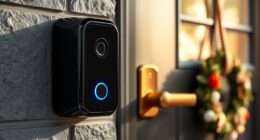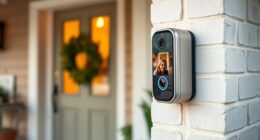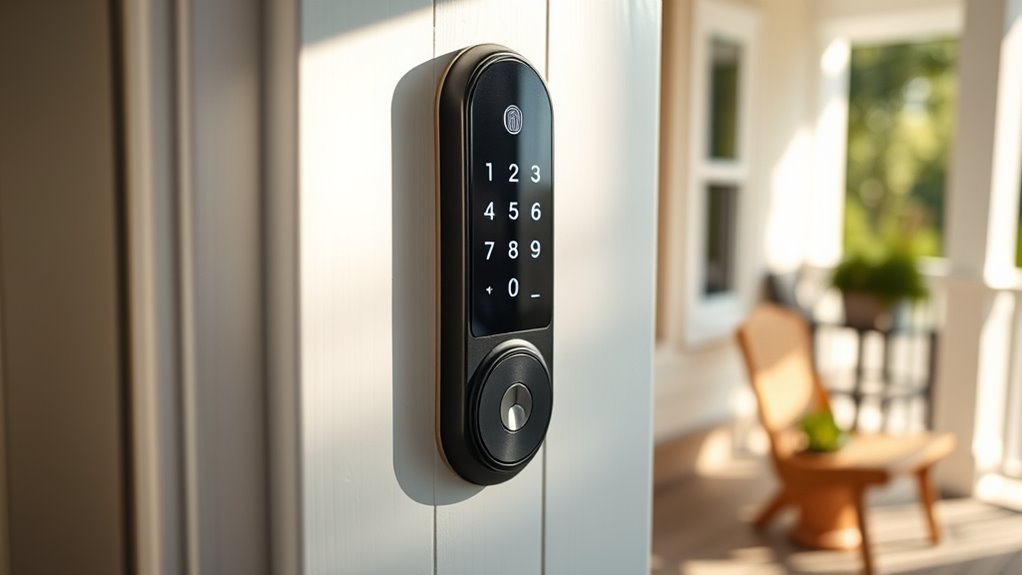

When choosing a smart door lock for seniors, ease of use, reliability, and security are key. The EIYSIE WiFi Deadbolt Lock with Camera & Video Doorbell stands out as the best overall for its comprehensive features and simple app controls. For those who prioritize quick access, the Philips WiFi Keypad Door Lock offers effortless keypad entry with voice compatibility. Meanwhile, the ULTRALOQ U-Bolt Pro combines advanced biometric options with remote control. These choices highlight the tradeoffs between complexity and convenience, security features, and installation requirements. Continue reading for a detailed breakdown of each option’s strengths and limitations.

Turn quiet afternoons into listening time
- Thousands of audiobooks, podcasts and originals
- Listen on your phone, tablet or Echo — also offline
- Cancel anytime
Complete the kit


Key Takeaways
- Ease of use and simple setup are critical for seniors, making intuitive interfaces a top priority.
- Biometric options like fingerprint or face recognition provide quick access but may pose challenges for some users.
- Remote control and app integration enhance security but require stable WiFi and smartphone familiarity.
- Build quality and durability are essential for long-term reliability, particularly in high-traffic households.
- Price varies widely; higher-cost models often include more features but aren’t always necessary for basic needs.
| EIYSIE WiFi Deadbolt Lock with Camera & Video Doorbell, 8-in-1 Keyless Smart Lock with Fingerprint, Face Recognition, Voice & Remote Control, Silver |  | Best Overall for Comprehensive Security and Versatile Access | Unlock Methods: 8-in-1 (palm vein, face recognition, voice, fingerprint, PIN, IC card, mobile app, key) | User Capacity: up to 300 users | Security Features: HD camera, video doorbell, two-way communication | VIEW ON AMAZON | See Our Full Breakdown |
| Keypad Smart Door Knob Lock with Fingerprint and Keyless Entry |  | Best for Simplicity and Durable Design | Material: Aluminum | Compatibility: Most American standard doors | Unlock Methods: Fingerprint, keypad, app, key fob, key | VIEW ON AMAZON | See Our Full Breakdown |
| Fingerprint Smart Door Lock with Handle & Keypad – WiFi, App Control, Alexa & Google Compatible |  | Best for Fast Biometric Access and Voice Compatibility | Connectivity: WiFi | Biometric Recognition: 0.3 seconds | Unlock Methods: Fingerprint, passcode, app, FOB, mechanical key | VIEW ON AMAZON | See Our Full Breakdown |
| Philips WiFi Keypad Door Lock with Handle, Built-in WiFi, APP Remote Control, Voice & Fingerprint Unlock, Satin Nickel |  | Best for Easy Installation and Multi-Method Access | Connectivity: WiFi 2.4GHz | Fingerprint Speed: 0.3 seconds | Supported PIN Codes: permanent, one-time, periodic, recurring | VIEW ON AMAZON | See Our Full Breakdown |
| Ghome Wi-Fi Deadbolt Smart Lock, 5-in-1 Keyless Entry with Fingerprint, App Control, Keypad, and Voice Compatibility |  | Best for Long-Lasting Convenience and Multiple Entry Options | Battery: 10000mAh rechargeable lithium | Connectivity: Wi-Fi 2.4GHz | Fingerprint Capacity: 100 fingerprints | VIEW ON AMAZON | See Our Full Breakdown |
| Veise VE012W WiFi Fingerprint Smart Lock for Front Door, Matte Black |  | Best Overall for Versatile, Remote-Controlled Security | Access Methods: App, fingerprint, PIN codes, physical keys, voice commands | WiFi: Built-in 2.4GHz WiFi, no hub required | Fingerprint Storage: 20 fingerprints | VIEW ON AMAZON | See Our Full Breakdown |
| Philips Wi-Fi Smart Lock Deadbolt for Front Door, Compatible with Alexa & Google Assistant, Remote Control, Fingerprint and Passcode Unlock |  | Best for Simplicity and Integration with Voice Assistants | Connectivity: Wi-Fi (2.4GHz only) | Power: 4 or 8 AA alkaline batteries | Color Options: Black, Nickel | VIEW ON AMAZON | See Our Full Breakdown |
| Bluetooth Fingerprint Smart Lock with Handle & Keypad – Fits Most US Doors, DIY Install, Keyless Entry: Code, FOB, Auto-Lock, Alexa & Google Compatible |  | Best for Multiple Access Methods and Easy DIY Installation | Unlock Methods: Fingerprint, keypad, FOB, code, app, mechanical key | Installation: DIY, fits most US doors | Auto-Lock: Yes | VIEW ON AMAZON | See Our Full Breakdown |
| Veise VE017 Fingerprint Smart Door Lock, App Control, 8-in-1 Keyless Entry, Auto Lock, Emergency Power Port, Touchscreen Keypad, Satin Nickel |  | Best for Advanced Security and Multi-Method Access | Material: All-zinc alloy, scratch-resistant | Battery Life: ≥12 months | Connectivity: App control, Alexa/Google Voice (with G1 Gateway) | VIEW ON AMAZON | See Our Full Breakdown |
| ULTRALOQ U-Bolt Pro WiFi Fingerprint Smart Lock with Handle |  | Best for Outdoor Use and Auto-Features | Connectivity: 2.4GHz WiFi | Power: Battery operated | Certification: ANSI Grade 1 | VIEW ON AMAZON | See Our Full Breakdown |
| Smart Fingerprint Door Lock, 6-in-1 Keyless Entry with App Control and Auto Lock |  | Best Overall for Versatile Senior Access | Unlock Methods: Fingerprint, Passcode, App, Key Card, Mechanical Key, Remote | Battery Life: Up to 12 months | Installation Time: 15 minutes | VIEW ON AMAZON | See Our Full Breakdown |
| Lockin Venoris Go Smart Lock – Palm Vein Keyless Entry with WiFi and Multiple Unlock Methods |  | Best for Contactless, High-Tech Senior Access | Unlock Methods: Palm vein, PIN code, app control, voice assistant, mechanical key | Connectivity: Built-in WiFi | Battery Life: Up to 7 months | VIEW ON AMAZON | See Our Full Breakdown |
| Smart Door Handle Lock with Keypad and Fingerprint for Front Door |  | Best for Easy Installation and Versatile Access | Unlocking Methods: Fingerprint, Bluetooth app, passcode, key fob, mechanical key, Alexa voice | Installation Time: 10 minutes | Handle Compatibility: Reversible for left and right-handed doors | VIEW ON AMAZON | See Our Full Breakdown |
| Philips WiFi Keypad Door Lock with Handle, Built-in WiFi, APP Remote Control, Voice & Fingerprint Unlock, Auto Lock, Keyless Entry Deadbolt |  | Best for Remote Management and Auto Lock in Tech-Savvy Seniors | WiFi Connectivity: 2.4GHz WiFi, no hub needed | Auto Lock: Yes, customizable from 0 to 180 seconds | Fingerprint Speed: 0.3 seconds | VIEW ON AMAZON | See Our Full Breakdown |
| ULTRALOQ U-Bolt Pro WiFi Smart Lock with Door Sensor |  | Best for Seamless Smart Home Integration and Auto Locking | Connectivity: 2.4GHz Wi-Fi | Fingerprint Capacity: 100 fingerprints | Passcode Capacity: 50 codes | VIEW ON AMAZON | See Our Full Breakdown |
| smart door locks for senior | Connectivity |
|---|---|
| EIYSIE WiFi Deadbolt Lock with | WiFi, Alexa, Google Assistant |
| Keypad Smart Door Knob Lock wi | Bluetooth, Wi-Fi (optional) |
| Fingerprint Smart Door Lock wi | WiFi |
| Philips WiFi Keypad Door Lock | WiFi 2.4GHz |
| Ghome Wi-Fi Deadbolt Smart Loc | Wi-Fi 2.4GHz |
| Veise VE012W WiFi Fingerprint | — |
| Philips Wi-Fi Smart Lock Deadb | Wi-Fi (2.4GHz only) |
| Bluetooth Fingerprint Smart Lo | Bluetooth with optional gateway |
| Veise VE017 Fingerprint Smart | App control, Alexa/Google Voice (with G1 Gateway) |
| ULTRALOQ U-Bolt Pro WiFi Finge | 2.4GHz WiFi |
| Smart Fingerprint Door Lock | — |
| Lockin Venoris Go Smart Lock | Built-in WiFi |
| Smart Door Handle Lock with Ke | Bluetooth (WiFi optional with gateway) |
| Philips WiFi Keypad Door Lock | — |
| ULTRALOQ U-Bolt Pro WiFi Smart | 2.4GHz Wi-Fi |
More Details on Our Top Picks
EIYSIE WiFi Deadbolt Lock with Camera & Video Doorbell, 8-in-1 Keyless Smart Lock with Fingerprint, Face Recognition, Voice & Remote Control, Silver
This option stands out for combining a wide array of access methods—including biometric options like face recognition and fingerprint, plus voice and remote control—making it highly adaptable for seniors with different needs. Its built-in HD camera and video doorbell add a layer of security that surpasses simpler locks like the Ghome Wi-Fi Deadbolt. It’s ideal for families seeking a comprehensive security solution with multiple access options, but the setup complexity and limited info on long-term durability mean it might not suit all users. The main tradeoff involves balancing its advanced features against potential installation challenges and mixed reviews.
Pros:- Multiple unlocking options including biometric, voice, and remote control
- Built-in HD camera and video doorbell for real-time security
- Voice control compatible with Alexa and Google Assistant
- Supports up to 300 users with personalized profiles
Cons:- Installation may be tricky for double doors or non-standard setups
- Limited info on battery life and long-term durability
Best for: Seniors and families prioritizing multi-modal access and integrated security monitoring
Not ideal for: Users wanting a simple, plug-and-play lock without extensive setup or high maintenance
- Unlock Methods:8-in-1 (palm vein, face recognition, voice, fingerprint, PIN, IC card, mobile app, key)
- User Capacity:up to 300 users
- Security Features:HD camera, video doorbell, two-way communication
- Compatibility:Most standard doors (35mm–45mm thickness)
- Connectivity:WiFi, Alexa, Google Assistant
- Languages:5 (English, Spanish, Turkish, Russian, Chinese)
- Max Door Width:70mm
Our verdict“Best suited for tech-savvy seniors or families seeking a feature-rich security system with flexible access methods.”
Keypad Smart Door Knob Lock with Fingerprint and Keyless Entry
This pick is ideal for those who want straightforward keyless access with reliable biometric and keypad options. Its aluminum construction promises durability, and it’s compatible with most American standard doors, making it accessible for many homeowners. Compared to more complex systems like the EIYSIE WiFi Deadbolt, this lock emphasizes ease of use over extensive features, which is perfect for seniors who prefer a simple, dependable solution. The main tradeoffs involve needing a separate Wi-Fi gateway for remote access and reliance on a smartphone app for full functionality, which could be a hurdle for less tech-savvy users. Overall, this lock is a solid choice for users prioritizing durability and ease over advanced automation.
Pros:- Durable aluminum construction for long-lasting use
- Multiple unlocking methods including fingerprint, keypad, and app
- Easy installation with common tools
- Supports up to 50 passwords for family members or guests
Cons:- Remote control requires a separate Wi-Fi gateway sold separately
- Full functionality depends on smartphone app, which some seniors may find challenging
Best for: Seniors seeking a rugged, easy-to-install lock with multiple access options
Not ideal for: Those wanting integrated video or remote security features; or without a smartphone
- Material:Aluminum
- Compatibility:Most American standard doors
- Unlock Methods:Fingerprint, keypad, app, key fob, key
- Locking Methods:Auto lock, app lock, long press
- Password Storage:50 passwords
- Connectivity:Bluetooth, Wi-Fi (optional)
Our verdict“Best for seniors who want a rugged, straightforward lock with multiple entry options and minimal fuss.”
Fingerprint Smart Door Lock with Handle & Keypad – WiFi, App Control, Alexa & Google Compatible
This lock is designed for quick biometric recognition, with a recognition time of just 0.3 seconds, making it suitable for seniors who prefer quick, one-step access. Its WiFi connectivity allows remote control without a gateway, simplifying setup compared to some models. Its compatibility with Alexa and Google Assistant provides voice control, adding convenience, especially for users with mobility challenges. Compared to the Philips WiFi Keypad Lock, it offers faster biometric recognition, but it still requires a smartphone app for full operation, which could be a barrier for less tech-savvy seniors. The installation may be somewhat involved, and battery monitoring is advised for consistent operation. This lock makes sense for those wanting speedy biometric access combined with remote control and voice commands.
Pros:- Fast biometric recognition at 0.3 seconds
- WiFi connectivity allows remote access without a gateway
- Supports multiple unlocking methods including passcode and app
- Compatible with Alexa and Google Assistant
Cons:- Requires a smartphone app for full control
- Battery life needs regular monitoring for consistent use
- Installation might be challenging for some users
Best for: Seniors who value fast biometric entry and smart voice control in a simple setup
Not ideal for: Users uncomfortable with installing WiFi-enabled devices or monitoring battery life
- Connectivity:WiFi
- Biometric Recognition:0.3 seconds
- Unlock Methods:Fingerprint, passcode, app, FOB, mechanical key
- Compatibility:Alexa, Google Assistant
- Security:Heavy-duty deadbolt
Our verdict“Best for seniors seeking rapid biometric access combined with voice control and remote management without complicated setups.”
Philips WiFi Keypad Door Lock with Handle, Built-in WiFi, APP Remote Control, Voice & Fingerprint Unlock, Satin Nickel
This lock emphasizes user-friendly installation, supporting a range of access methods including fingerprint, passcodes, and remote app control, making it suitable for seniors who want straightforward operation. Its built-in WiFi allows direct connection without a hub, simplifying setup compared to models like the Ghome Wi-Fi Deadbolt. The lock’s support for multiple PIN types and real-time status monitoring enhances security, but batteries are sold separately, and the WiFi operates only on 2.4GHz, which could limit compatibility in some setups. Watching a setup tutorial might be necessary for less tech-savvy users. This lock makes sense for those who prioritize easy installation combined with versatile unlocking options and remote access.
Pros:- Easy installation compatible with standard door sizes
- Supports remote control and real-time status updates via app
- Multiple unlocking options including fingerprint and passcodes
- Built-in WiFi with direct connection
Cons:- Batteries are sold separately, adding to initial cost
- WiFi only supports 2.4GHz networks, which may limit compatibility
Best for: Seniors who want a hassle-free, easy-to-install lock with multiple access methods and direct WiFi control
Not ideal for: Users with limited WiFi bandwidth or who prefer battery-included options
- Connectivity:WiFi 2.4GHz
- Fingerprint Speed:0.3 seconds
- Supported PIN Codes:permanent, one-time, periodic, recurring
- Door Thickness Compatibility:1-3/8″ to 1-3/4″
- Batteries:8 AA alkaline (not included)
Our verdict“Best for seniors wanting an easy-to-install lock with versatile access methods and straightforward remote control.”
Ghome Wi-Fi Deadbolt Smart Lock, 5-in-1 Keyless Entry with Fingerprint, App Control, Keypad, and Voice Compatibility
This lock offers a comprehensive set of features, including fingerprint, keypad, app, physical key, and voice control, making it flexible for seniors who want multiple ways to enter. Its rechargeable 10,000mAh battery supports up to 10 months of use between charges, reducing maintenance, and its waterproof design allows for reliable operation outdoors. Compared to the EIYSIE WiFi Deadbolt, it emphasizes long battery life and durability, though remote control requires Wi-Fi connectivity. Its multiple entry methods combined with a robust battery make it ideal for users seeking dependable, long-term use with minimal daily fuss. The main tradeoff involves needing to monitor battery status and ensuring Wi-Fi connection for remote features.
Pros:- Long-lasting rechargeable battery with up to 10 months of use
- Supports multiple unlocking methods including fingerprint, keypad, app, and voice
- Waterproof IP53 rating for outdoor use
- Remote control and alerts via app for added security
Cons:- Battery life depends heavily on usage patterns
- Wi-Fi connection needed for remote management, which may be unstable in some areas
- Installation may require some basic tools and setup time
Best for: Seniors who need a durable, all-around reliable lock with long battery life and multiple unlocking options
Not ideal for: Users looking for built-in video features or a more advanced biometric system
- Battery:10000mAh rechargeable lithium
- Connectivity:Wi-Fi 2.4GHz
- Fingerprint Capacity:100 fingerprints
- Passcode Capacity:100 passcodes
- Waterproof Rating:IP53
- Temperature Range:-4°F to 140°F
Our verdict“Best for seniors who want a durable, multi-method lock with long battery life and outdoor suitability.”
Veise VE012W WiFi Fingerprint Smart Lock for Front Door, Matte Black
The Veise VE012W shines for its combination of multiple access methods—app, fingerprint, PIN, physical key, and voice commands—making it adaptable for various user needs. Its built-in WiFi allows remote control without additional hubs, which sets it apart from the Philips Wi-Fi Smart Lock Deadbolt, that requires separate gateway devices for voice and remote access. The AI-enhanced fingerprint recognition and AES-128 encryption provide solid security, but limited fingerprint storage of 20 may be restrictive for multi-user households. Installation is straightforward, and real-time alerts add a layer of convenience. However, batteries are not included, and WiFi reliability may falter in weak signals, which could hinder remote access during critical moments.
Pros:- Multiple access options including app, fingerprint, PIN, voice, and physical keys
- Remote control and alerts via built-in WiFi without extra hubs
- High security with AI fingerprint recognition and AES encryption
- Easy DIY installation with all hardware included
Cons:- Batteries not included, requiring separate purchase
- Limited fingerprint capacity for larger households
- WiFi connection may be unreliable in weak signal areas
Best for: Families or caregivers needing flexible access options and remote control capabilities
Not ideal for: Users with unreliable WiFi or those seeking a simple, low-tech lock without digital dependencies
- Access Methods:App, fingerprint, PIN codes, physical keys, voice commands
- WiFi:Built-in 2.4GHz WiFi, no hub required
- Fingerprint Storage:20 fingerprints
- Recognition Speed:0.2 seconds
- Material:Zinc alloy
- Waterproof Rating:IP55
Our verdict“This lock offers comprehensive features for tech-savvy seniors and caregivers who value remote access and multiple unlocking methods, despite some dependency on WiFi stability.”
Philips Wi-Fi Smart Lock Deadbolt for Front Door, Compatible with Alexa & Google Assistant, Remote Control, Fingerprint and Passcode Unlock
The Philips Wi-Fi Smart Lock offers a straightforward setup for those who prioritize voice control via Alexa or Google Assistant. It supports multiple unlocking methods, including app, fingerprint, passcode, and voice, making it suitable for seniors comfortable with smart devices. Compared to the ULTRALOQ U-Bolt Pro, which provides weatherproofing and auto-lock features, Philips emphasizes seamless voice integration and remote management. Its lack of a door sensor means users must rely on manually checking if the door is locked, which could be less ideal for seniors who prefer automatic status updates. Additionally, it requires 2.4GHz WiFi, which can be limiting in some environments.
Pros:- Supports app, fingerprint, passcode, and voice commands for multiple access options
- Remote control and real-time notifications enhance security
- Simple DIY installation on most standard doors
- Auto-lock feature for added convenience
Cons:- Requires 2.4GHz WiFi, not compatible with 5GHz networks
- Batteries are not included, additional purchase needed
- Lacks a door sensor for auto-detection of door status
Best for: Seniors or caregivers seeking easy voice-controlled access and remote locking on standard doors
Not ideal for: People without reliable WiFi or those who prefer manual locks without digital components
- Connectivity:Wi-Fi (2.4GHz only)
- Power:4 or 8 AA alkaline batteries
- Color Options:Black, Nickel
- Door Compatibility:1-3/8″ to 2″
- Auto-Lock Timing:10 to 180 seconds
- Voice Control:Alexa & Google Assistant
Our verdict“This lock excels for users who want straightforward voice control and remote management integrated into a familiar smart home ecosystem, though it depends heavily on WiFi stability.”
Bluetooth Fingerprint Smart Lock with Handle & Keypad – Fits Most US Doors, DIY Install, Keyless Entry: Code, FOB, Auto-Lock, Alexa & Google Compatible
This Bluetooth Smart Lock offers a versatile approach to keyless entry, combining fingerprint, keypad, FOB, app, and mechanical key options. Its design emphasizes easy DIY installation without drilling, making it ideal for those wary of complicated setups. The inclusion of auto-lock and compatibility with Alexa and Google simplifies daily use. Compared with the Veise VE017, which supports more advanced biometric features, this model prioritizes broad access options and straightforward installation. A notable tradeoff is its reliance on a gateway for voice commands, which adds complexity and potential cost. Battery life can vary with frequent use, and app setup might challenge less tech-savvy seniors.
Pros:- Multiple unlocking options including fingerprint, keypad, FOB, app, and key
- No drilling required for easy DIY setup
- Supports remote access via app when connected through gateway
- Auto-lock feature improves safety
Cons:- Requires a gateway for Alexa/Google voice control
- Battery life depends on usage frequency
- App setup can be complex for some users
Best for: Families needing flexible, multiple access options with simple installation for rental or multi-user homes
Not ideal for: Seniors who prefer minimal tech or cannot manage additional gateways for voice control
- Unlock Methods:Fingerprint, keypad, FOB, code, app, mechanical key
- Installation:DIY, fits most US doors
- Auto-Lock:Yes
- Compatibility:Alexa, Google Assistant
- Connectivity:Bluetooth with optional gateway
Our verdict“This lock suits those who want multiple access options and easy installation, but the need for extra accessories like gateways may complicate setup for some seniors.”
Veise VE017 Fingerprint Smart Door Lock, App Control, 8-in-1 Keyless Entry, Auto Lock, Emergency Power Port, Touchscreen Keypad, Satin Nickel
The Veise VE017 stands out for its extensive access options, including biometric fingerprint, app control, keypad, FOB, and mechanical key, making it highly adaptable for various users. Its biometric recognition is fast and learns over time, providing a balance of security and convenience. Compared to the ULTRALOQ U-Bolt Pro, which focuses on weatherproofing and outdoor durability, VE017 emphasizes advanced security features within a durable, scratch-resistant all-metal design. The local encrypted activity logs and customizable access codes add to its appeal for multi-tenant or front-door use. The main drawback is that remote voice control requires an additional gateway, and batteries are not included, possibly requiring frequent replacements depending on use.
Pros:- Multiple unlocking methods including fingerprint, app, keypad, FOB, and key
- AI fingerprint recognition with quick verification and learning capability
- Local encrypted logs and customizable user access codes
- Durable, scratch-resistant all-metal construction
Cons:- G1 Gateway needed for remote and voice control features
- Batteries not included, potentially requiring frequent replacements
- Some features may need extra accessories or subscriptions
Best for: Homeowners or property managers seeking high security with multiple unlocking options and local control
Not ideal for: Seniors who prefer a simple, no-fuss lock without additional accessories or complex setup
- Material:All-zinc alloy, scratch-resistant
- Battery Life:≥12 months
- Connectivity:App control, Alexa/Google Voice (with G1 Gateway)
- Waterproof Rating:IP55
- Security Standards:BHMA/ANSI
Our verdict“This lock offers robust security and multiple access methods ideal for tech-savvy users or multi-tenant setups, yet it involves additional components for full remote control functionality.”
ULTRALOQ U-Bolt Pro WiFi Fingerprint Smart Lock with Handle
The ULTRALOQ U-Bolt Pro is designed for durability with weatherproofing (IP65) and supports multiple access methods—fingerprint, keypad, smartphone, and voice—making it versatile for outdoor entrances. Its auto-lock and auto-unlock features add convenience for seniors who may forget to lock up. Compared with the Veise VE012W, which offers a broader range of remote control options, the ULTRALOQ emphasizes durability and weather resistance, making it ideal for outdoor use. However, its WiFi connectivity is limited to 2.4GHz, and full functionality depends on smartphone app usage, which might be less intuitive for less tech-savvy seniors. The price is also higher, reflecting its outdoor durability features.
Pros:- Supports multiple access methods including fingerprint, keypad, and smartphone
- Weatherproof (IP65 rated) for outdoor durability
- Auto-lock and auto-unlock for convenience
- Easy to install on most US standard doors
Cons:- WiFi limited to 2.4GHz only, which may affect connectivity
- Requires smartphone app for full control, not ideal for those uncomfortable with apps
- Price may be higher compared to basic locks
Best for: Homeowners needing a weatherproof, outdoor-ready lock with auto-locking features
Not ideal for: Seniors who prefer low-tech solutions or have limited WiFi bandwidth
- Connectivity:2.4GHz WiFi
- Power:Battery operated
- Certification:ANSI Grade 1
- Weatherproof:IP65 rated
- Installation:Fits most US standard doors
- Guarantee:18 months electronic, lifetime mechanical
Our verdict“This lock is best suited for outdoor settings where weather resistance and auto-lock features are priorities, although it relies on smartphone app control for full use.”
Smart Fingerprint Door Lock, 6-in-1 Keyless Entry with App Control and Auto Lock
This lock stands out for offering six different unlocking methods, combining convenience with security, making it ideal for seniors who want options—whether fingerprint, passcode, or app control. Compared with the ULTRALOQ U-Bolt Pro, it provides more unlocking methods but depends on additional accessories like batteries and G2 Gateway, which can complicate setup. Its quick fingerprint recognition under one second reduces frustration, but reliance on batteries and extra components could be a concern for maintenance. The easy 15-minute DIY installation is a plus for seniors comfortable with basic tools, and app control allows caregivers or family members to manage access remotely. Tradeoffs include extra costs for batteries and accessories, and the need for a smartphone for full functionality.
Pros:- Fast fingerprint recognition in under 1 second
- Multiple unlocking options for versatile access
- Easy 15-minute DIY installation without drilling
- App control allows customizable access and activity tracking
Cons:- Batteries and G2 Gateway sold separately, increasing total cost
- Requires smartphone for full app functionality
- Some features depend on additional accessories
Best for: Seniors or caregivers seeking flexible, multiple access options with easy installation
Not ideal for: Those uncomfortable with smartphone apps or who prefer minimal setup and fewer accessories
- Unlock Methods:Fingerprint, Passcode, App, Key Card, Mechanical Key, Remote
- Battery Life:Up to 12 months
- Installation Time:15 minutes
- Compatibility:Alexa & Google Assistant (with G2 Gateway, sold separately)
- Material:Weather-resistant construction
- Credentials Storage:1350 (100 fingerprints, 250 passcodes, 1000 key fobs)
Our verdict“Best suited for seniors who want a highly flexible lock with multiple access methods and easy DIY setup.”
Lockin Venoris Go Smart Lock – Palm Vein Keyless Entry with WiFi and Multiple Unlock Methods
This lock’s standout feature is palm vein recognition, offering a contactless, fast unlocking experience—great for seniors concerned about hygiene or ease of use. It compares favorably to fingerprint models like the ULTRALOQ U-Bolt Pro, with palm vein recognition providing a more hygienic and contactless option, though setup may be complex for some users. Multiple unlocking options—PIN, app, voice, and mechanical key—add flexibility, but the need for regular charging could be a downside for those who prefer low-maintenance devices. Its built-in WiFi simplifies integration into smart home systems, and a rechargeable battery with USB-C emergency charging ensures continuous operation. Tradeoffs involve setup complexity and the need for regular charging, which could be inconvenient for less tech-savvy seniors.
Pros:- Fast, contactless palm vein recognition
- Multiple flexible unlock options including PIN and voice
- Built-in WiFi for easy smart home integration
- Rechargeable battery with USB-C emergency port
Cons:- Requires regular charging, which may be inconvenient
- Setup can be complex for users unfamiliar with smart tech
- IP53 weather rating limits use in heavy rain or harsh environments
Best for: Tech-savvy seniors who prioritize hygiene, contactless access, and seamless smart home integration
Not ideal for: Seniors uncomfortable with complex setups or who prefer low-maintenance, battery-operated devices
- Unlock Methods:Palm vein, PIN code, app control, voice assistant, mechanical key
- Connectivity:Built-in WiFi
- Battery Life:Up to 7 months
- Battery Type:Rechargeable USB-C
- Weather Rating:IP53
- Security Grade:BHMA Grade 3
Our verdict“Ideal for seniors seeking a contactless, secure, and smart-integrated locking solution willing to manage regular charging.”
Smart Door Handle Lock with Keypad and Fingerprint for Front Door
This handle lock offers a straightforward, quick installation process—taking around 10 minutes—making it suitable for seniors or property managers who prefer a simple setup. It combines fingerprint, app control, passcodes, and mechanical keys, providing multiple access methods for varied needs. Compared to the more advanced ULTRALOQ U-Bolt, it relies on Bluetooth and optional WiFi gateway for remote management, which adds flexibility but also complexity if remote access is needed. Its handle design fits standard American wooden doors, but compatibility is limited for other door types. Battery life details are not specified, which could be a concern for long-term maintenance. Tradeoffs include limited remote control options and potential compatibility restrictions, making it less ideal for tech-averse users.
Pros:- Multiple unlocking options including fingerprint and passcode
- Easy and quick 10-minute installation
- Reversible handle for left or right-handed doors
- Remote access management via optional WiFi gateway
Cons:- Requires separate WiFi gateway for remote control with Alexa
- Battery life not specified, potential ongoing maintenance
- Limited compatibility to standard wooden doors
Best for: Property managers and seniors who want quick, versatile access options with easy DIY installation
Not ideal for: Users seeking long-term remote management without additional gateways or those with non-standard doors
- Unlocking Methods:Fingerprint, Bluetooth app, passcode, key fob, mechanical key, Alexa voice
- Installation Time:10 minutes
- Handle Compatibility:Reversible for left and right-handed doors
- Connectivity:Bluetooth (WiFi optional with gateway)
Our verdict“Best for users who want a quick, versatile lock that’s easy to install and manage remotely with optional upgrades.”
Philips WiFi Keypad Door Lock with Handle, Built-in WiFi, APP Remote Control, Voice & Fingerprint Unlock, Auto Lock, Keyless Entry Deadbolt
This lock combines sleek design with robust features like built-in WiFi, supporting remote control and real-time access monitoring—ideal for seniors who want to stay connected. Its multiple unlock options, including fingerprint and PIN, make daily use flexible, while auto-lock adds convenience for forgetful users. Compared to other locks like ULTRALOQ U-Bolt Pro, it offers a more integrated WiFi experience without extra hubs or gateways, simplifying setup. The lock’s installation on most doors is straightforward, but batteries are not included, adding to initial costs. Its auto-lock feature is customizable, providing peace of mind, although manual activation is needed via the app. Tradeoffs include reliance on WiFi and batteries, which require ongoing attention.
Pros:- Remote control and real-time monitoring via app
- Supports multiple access methods including fingerprint and PIN
- Auto-lock feature enhances security
- Easy DIY installation with included handle
Cons:- Batteries are not included, additional purchase needed
- Auto-lock requires manual activation in the app
- Designed primarily for right-opening doors
Best for: Seniors who want remote management with auto-lock and a sleek, easy-to-use design
Not ideal for: Those who prefer mechanical locks or have limited WiFi coverage at home
- WiFi Connectivity:2.4GHz WiFi, no hub needed
- Auto Lock:Yes, customizable from 0 to 180 seconds
- Fingerprint Speed:0.3 seconds
- Battery Life:Up to 6 months
- Battery Type:Standard 1.5V alkaline batteries (not included)
- Compatible Door Thickness:1-3/8″ to 1-3/4″
- Installation:DIY, suitable for right-opening doors
Our verdict“Ideal for tech-savvy seniors wanting remote access, auto-lock, and a stylish handle design.”
ULTRALOQ U-Bolt Pro WiFi Smart Lock with Door Sensor
The ULTRALOQ U-Bolt Pro excels in offering a comprehensive set of access options, including fingerprint, passcode, app, and voice commands, making it highly adaptable for seniors who want multiple ways to secure their home. Its auto-lock feature activates when the door closes, providing peace of mind, while the door sensor keeps users informed about their lock’s status—an important feature for less tech-savvy seniors. Compared to the other locks, its seamless integration with popular smart home systems makes it a strong choice for those wanting a truly connected home. However, it’s not suitable for metal doors and offers only an 18-month electronic warranty, which may be limiting for long-term peace of mind. Tradeoffs involve compatibility restrictions and a shorter warranty period.
Pros:- Supports multiple access methods including fingerprint, passcode, app, and voice
- Auto-locks when door closes and unlocks on approach
- Door sensor provides real-time status updates
- Supports integration with popular smart home platforms
Cons:- Not suitable for metal doors
- Limited to 18 months electronic warranty
- Requires 2.4GHz Wi-Fi network, no dual-band support
Best for: Seniors seeking a versatile, fully integrated smart lock with auto-locking and door status alerts
Not ideal for: Homeowners with metal doors or those seeking a longer warranty period
- Connectivity:2.4GHz Wi-Fi
- Fingerprint Capacity:100 fingerprints
- Passcode Capacity:50 codes
- Standards:ANSI Grade 1
- Weatherproof Rating:IP65
- Guarantee:Lifetime mechanical, 18 months electronic
Our verdict“Best for seniors who want a highly versatile, connected lock with auto-lock and door status alerts for maximum security and convenience.”

How We Picked
I evaluated each smart door lock based on performance, ease of use, build quality, installation process, and value. Products with simple interfaces, reliable connectivity, and comprehensive security features ranked higher. I also considered how well each lock suited seniors, focusing on minimal setup, accessibility, and safety features. The ranking balances feature-rich options with straightforward models to cater to different needs and tech comfort levels.Factors to Consider When Choosing Smart Door Locks For Seniors
Choosing the right smart door lock for seniors involves considering several key factors beyond just features. Ease of installation and operation can make or break user experience, especially for those less comfortable with technology. Compatibility with existing door types and home automation systems also matters. Security features like biometric access and auto-lock functions protect without adding complexity. Finally, budget and long-term maintenance should influence your decision, balancing cost against durability and functionality.Ease of Use and Accessibility
Look for locks with large, clearly labeled buttons, simple app interfaces, or voice control options. Features like fingerprint scanners or keypad entry minimize the need for remembering codes or carrying keys, which can be a huge advantage for seniors. However, overly complicated setups can frustrate users, so prioritize models that are straightforward to install and operate. Test how intuitive the lock is by reading user reviews focused on senior-friendly features before purchasing.
Security and Reliability
High-quality locks should provide multiple authentication methods—such as fingerprint, keypad, and app control—to prevent lockouts and enhance safety. Auto-lock features add peace of mind, ensuring doors lock automatically after a set time. But beware of models that rely solely on WiFi or Bluetooth, which can be vulnerable if connectivity drops. Choosing a lock with backup power options or emergency keys can prevent lockouts during power failures or technical issues.
Installation and Compatibility
Many smart locks are designed for DIY installation, but complexity varies. Some models fit standard US doors easily, while others may require additional adapters or modifications. Consider whether the lock is compatible with your existing door hardware and whether it supports your home automation ecosystem. Avoid overly complex installations if the user isn’t comfortable with tools or wiring, as this can delay or deter usage.
Cost vs. Features
More expensive models tend to include advanced biometric options, remote access, and integrations, but they aren’t always necessary. For seniors, a balance of essential security features and affordability often makes sense. Be wary of paying for bells and whistles that won’t be used regularly; focus on the core functions that enhance safety and convenience. Consider long-term costs such as battery replacements or subscription fees for app services.
Maintenance and Support
Opt for models with good customer support and clear instructions for troubleshooting. Battery life is a common issue; look for locks with long-lasting batteries or easy replacement options. Some models offer emergency power ports, which can be lifesavers during power outages. Reading user reviews about durability and support experiences provides insight into how well a lock will perform over time.
Frequently Asked Questions
Can seniors operate smart locks if they have limited dexterity?
Many smart locks designed for seniors include features like keypad entry or voice control, which can accommodate limited dexterity. Fingerprint scanners are generally quick and easy but may require a firm press. If fine motor skills are a concern, choose models with large, easy-to-press buttons or voice activation. Testing a lock’s responsiveness with the user in mind is essential for ensuring it will be practical for daily use.
Are smart locks secure enough for home use with seniors?
Most modern smart locks incorporate strong encryption and multiple authentication options, making them quite secure. Features like auto-lock, fingerprint access, and tamper alerts add layers of protection. However, relying solely on WiFi or Bluetooth can pose risks if the connection is compromised. Combining smart locks with traditional keys or backup access methods enhances overall security, especially for seniors who may forget passwords or experience connectivity issues.
How difficult is it to install a smart lock for someone not tech-savvy?
Installation difficulty varies widely among models. Many locks are designed for DIY setup with step-by-step instructions, but some may require basic tools or even professional help. Choosing a model with a straightforward, tool-free installation process can save time and frustration. Reading user reviews focused on installation ease can help identify which locks are truly beginner-friendly.
What maintenance do smart locks for seniors typically require?
Most smart locks need regular battery replacements, which can be straightforward with easy-access battery compartments. Some models offer long-lasting batteries or low-battery alerts to prevent unexpected lockouts. Keeping the lock clean and free of debris, especially around the keypad or fingerprint scanner, helps maintain responsiveness. Checking for firmware updates can also improve security and functionality over time.
Are biometric smart locks reliable for daily use by seniors?
Biometric locks like fingerprint scanners provide fast access and are generally reliable, but their performance can be affected by dirt, moisture, or skin conditions. For seniors, it’s wise to choose a model with multiple access methods, such as keypad or app control, as backups. Testing the biometric feature regularly ensures it remains responsive and reduces frustration during critical moments.
Conclusion
For the overall best experience, the EIYSIE WiFi Deadbolt Lock with Camera & Video Doorbell offers a comprehensive, user-friendly solution suitable for most seniors needing security and remote access. If budget is a concern, the Keypad Smart Door Knob Lock provides reliable keyless entry without extra bells and whistles. For those seeking premium features and cutting-edge biometrics, the ULTRALOQ U-Bolt Pro stands out, though it comes at a higher cost. Beginners or less tech-savvy users will appreciate models with easy installation and simple controls, while households with specific security needs should prioritize multi-method access and auto-lock features. Ultimately, selecting the right lock depends on individual comfort with technology, security priorities, and budget constraints.
Cold & flu season Picks
humidifiers
As an affiliate, we earn on qualifying purchases.