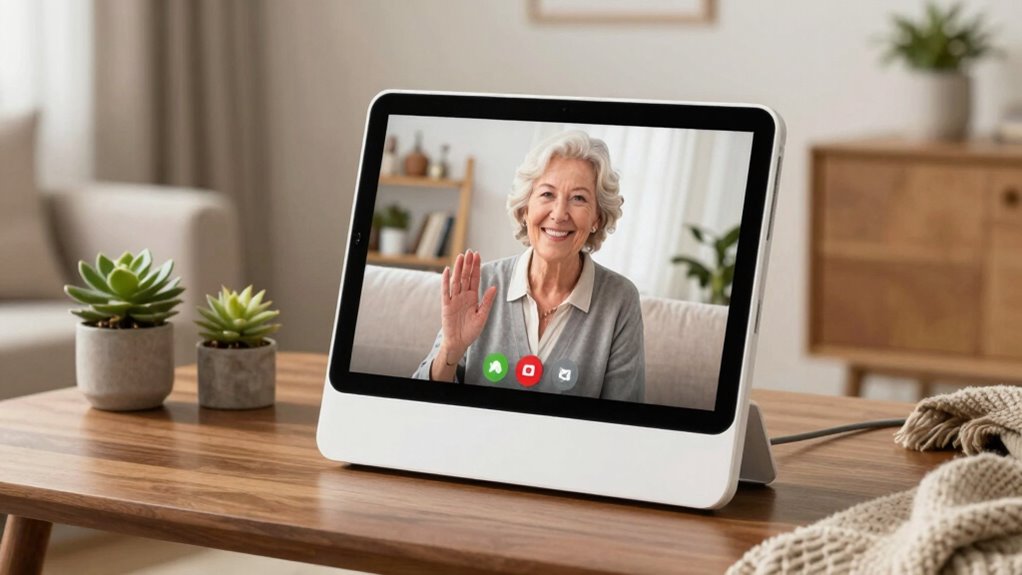

Searching for the best smart displays for seniors with video calling? The ideal device should combine simple setup, clear audio and video, and user-friendly controls. The ViewClix Smart Frame stands out for its dedicated focus on seniors, offering a remote-managed digital picture frame with video calls. The Amazon Echo Show 8 provides a versatile smart assistant experience with a vibrant display, while the Meta Portal emphasizes straightforward video calling in a sleek design. The main tradeoffs involve balancing ease of use against feature complexity and device versatility. Keep reading to see how each option measures up for your needs.

Turn quiet afternoons into listening time
- Thousands of audiobooks, podcasts and originals
- Listen on your phone, tablet or Echo — also offline
- Cancel anytime
Complete the kit


Key Takeaways
- The best overall pick, ViewClix Smart Frame, excels in simplicity and remote management, ideal for less tech-savvy seniors.
- The Amazon Echo Show 8 offers the most versatile smart features but can be overwhelming for first-time users.
- Size matters: larger screens like the Amazon Echo Show 15 are great for visual clarity but might be less suited for small spaces.
- Ease of setup and voice control are critical; products with integrated AI voice assistants reduce frustration for seniors.
- Price varies widely; premium models offer more features but may not be necessary for basic video calling needs.
| ViewClix Smart Frame 15.6” Digital Picture Frame with Video Calling and Remote Management |  | Best Overall for Simplicity and Customization | Screen Size: 15.6 inches | Membership Included: 1 month | Membership Cost: USD $9.95 per month | VIEW ON AMAZON | See Our Full Breakdown |
| Missfly 15.6 Inch Smart Digital Wall Calendar with Touch Screen, Video Calls & AI Voice Control |  | Best for Visual Clarity and Daily Management | Screen Size: 15.6 inches | Features: Video calls, AI voice control, calendar sync, photo upload, medication reminders | Connectivity: Wi-Fi | VIEW ON AMAZON | See Our Full Breakdown |
| Amazon Echo Show 8 (2023 Model) – Vibrant HD 8.7″ Display with Spatial Audio, Alexa+ |  | Best for Versatile Smart Features and Privacy | Display: 8.7-inch HD touchscreen | Viewing Area: 15% more than previous model | Processor: AZ3 Pro chip | VIEW ON AMAZON | See Our Full Breakdown |
| Meta Portal – Smart Video Calling for the Home with 10” Touch Screen Display – White |  | Best for Seamless Video Calling and Privacy Control | Display: 10-inch touch screen | Color: White | Features: Smart Camera, Smart Sound, Privacy controls | VIEW ON AMAZON | See Our Full Breakdown |
| Facebook Portal Mini – Smart Video Calling 8” Touch Screen Display with Alexa – Black |  | Best Compact Choice with Smart Home Integration | Display: 8 inches | Color: Black | Features: Smart Camera, Smart Sound, Alexa | VIEW ON AMAZON | See Our Full Breakdown |
| Amazon Echo Show 15 (Newest Model) – 15.6″ Full HD Smart Display with Fire TV and Alexa |  | Best Overall for Versatile Home Use | Display: 15.6-inch Full HD (1080p) | Connectivity: Wi-Fi, Bluetooth | Camera: Center-mounted, auto-framing, wide field of view | VIEW ON AMAZON | See Our Full Breakdown |
| Meta Portal – Smart Video Calling for the Home with 10” Touch Screen Display – Black |  | Best for Seamless, Compact Video Calls | Display: 10-inch touchscreen | Features: Smart Camera, Smart Sound, Privacy controls | Color: Black | VIEW ON AMAZON | See Our Full Breakdown |
| Amazon Echo Show 15 (Newest Model) – 15.6″ Full HD Smart Display with Fire TV and Alexa | | Best for Kitchen and Home Organization | Display: 15.6 inches, 1080p Full HD | Built-in Fire TV: Yes | Camera: Centered, auto-framing, wide field of view | VIEW ON AMAZON | See Our Full Breakdown |
| smart displays for seniors with video calling | Display | Features | Connectivity |
|---|---|---|---|
| ViewClix Smart Frame 15.6” Dig | — | — | — |
| Missfly 15.6 Inch Smart Digita | — | Video calls, AI voice control, calendar sync, photo upload, medication reminders | Wi-Fi |
| Amazon Echo Show 8 | 8.7-inch HD touchscreen | — | — |
| Meta Portal | 10-inch touch screen | Smart Camera, Smart Sound, Privacy controls | — |
| Facebook Portal Mini | 8 inches | Smart Camera, Smart Sound, Alexa | — |
| Amazon Echo Show 15 | 15.6-inch Full HD (1080p) | — | Wi-Fi, Bluetooth |
| Meta Portal | 10-inch touchscreen | Smart Camera, Smart Sound, Privacy controls | Wi-Fi |
| Amazon Echo Show 15 | 15.6 inches, 1080p Full HD | — | Wi-Fi, Alexa voice control |
More Details on Our Top Picks
ViewClix Smart Frame 15.6” Digital Picture Frame with Video Calling and Remote Management
The ViewClix Smart Frame stands out for its focus on making video calling and photo sharing effortless for seniors, with a user-friendly interface and remote management features that simplify updates. Compared with the Meta Portal, it offers a more tailored experience for displaying photos alongside calls, rather than just a communication device. The need for a subscription membership, costing USD $9.95 monthly, might be a hurdle for some, but it enables scheduled content and remote updates—crucial for less tech-savvy users. Its 15.6-inch screen provides a clear, large display ideal for seniors with visual impairments. However, the reliance on the subscription limits flexibility, and support is U.S.-only, which could restrict users elsewhere. Overall, this is best for families seeking a dedicated digital photo frame that doubles as a video calling device, prioritizing ease of use over extensive app integration.
Pros:- Easy to use with a straightforward interface designed for seniors
- Remote management simplifies updates and content sharing by family members
- Supports photo, video sharing, and scheduled content updates
Cons:- Requires a monthly subscription membership for full features
- Limited to U.S. support and service, restricting international users
Best for: Seniors who want a dedicated photo-display device with simple video calling capabilities, managed remotely by family.
Not ideal for: Tech-savvy users seeking a multi-purpose smart device with extensive app support, or those outside the U.S. due to limited support.
- Screen Size:15.6 inches
- Membership Included:1 month
- Membership Cost:USD $9.95 per month
- Warranty:Premier Lifetime Warranty
Our verdict“This pick is ideal for families wanting a simple, managed digital photo frame with video calling for seniors who prefer straightforward operation.”
Missfly 15.6 Inch Smart Digital Wall Calendar with Touch Screen, Video Calls & AI Voice Control
The Missfly 15.6 Inch Smart Digital Wall Calendar offers a versatile display with adjustable large fonts and integrated features like medication reminders and video calls, making it particularly suited for seniors managing daily routines. Unlike the Amazon Echo Show 8, which excels in streaming and smart home controls, Missfly emphasizes calendar and reminder functions, combined with engaging photo slideshows. Its large screen and font adjustment improve readability for users with visual impairments. Price information is also unclear, which might deter budget-conscious buyers. It’s best for seniors who need a combined communication and daily management device, especially those who value visual clarity over multimedia streaming.
Pros:- Large, adjustable font for enhanced readability
- Supports video calls, remote reminders, and photo uploads
- Integrates medication and task reminders for daily routines
Cons:- Limited clarity on app compatibility and setup process
Best for: Elderly users who need a device for daily reminders, visual communication, and family photo sharing in a single unit.
Not ideal for: Tech enthusiasts seeking extensive app integrations or users who prioritize streaming or smart home features over daily management.
- Screen Size:15.6 inches
- Features:Video calls, AI voice control, calendar sync, photo upload, medication reminders
- Connectivity:Wi-Fi
- Built-in Camera:Yes
- Font Adjustment:Yes
Our verdict“This device is best for seniors needing a large, easy-to-read display with daily management features combined with family communication.”
Amazon Echo Show 8 (2023 Model) – Vibrant HD 8.7″ Display with Spatial Audio, Alexa+
The Echo Show 8 (2023) offers a vibrant 8.7-inch HD display, enhanced by a powerful AZ3 Pro processor and Omnisense technology, providing personalized routines, crisp visuals, and immersive audio. It surpasses smaller devices like the Facebook Portal Mini in screen size and performance, making it suitable for both communication and entertainment. Its privacy features, including camera and microphone disable buttons, are especially important for seniors wary of data security. Yet, its higher price point and reliance on compatible smart home devices can be limiting, especially if users don’t already own such systems. The limited third-party app support might restrict some functionality, but overall, it’s an excellent all-around smart display for those comfortable with a more complex device that offers extensive customization and smart home control.
Pros:- Vibrant HD display with increased viewing area and enhanced performance
- High-quality spatial audio for immersive sound experience
- Comprehensive privacy controls and personalized routines
Cons:- Premium price may be prohibitive for some users
- Requires compatible smart home devices for full functionality
- Limited third-party app support could restrict use
Best for: Tech-savvy seniors or families looking for a high-performance, versatile smart display with robust privacy controls.
Not ideal for: Users seeking a simple, dedicated communication device without the need for smart home integration or those on a tight budget.
- Display:8.7-inch HD touchscreen
- Viewing Area:15% more than previous model
- Processor:AZ3 Pro chip
- Audio:Spatial audio with up to 2x bass
- Camera:Centered, auto-framing, 3.3x zoom
- Privacy Features:Microphone and camera disable buttons
Our verdict“This device is best for seniors who want a high-performance all-in-one smart display with strong privacy and customization options, and are comfortable with a higher price point.”
Meta Portal – Smart Video Calling for the Home with 10” Touch Screen Display – White
The Meta Portal offers a streamlined 10-inch touch screen with smart camera technology that automatically adjusts to keep seniors centered during calls, making it especially suitable for those who may move around during conversations. Compared with the Facebook Portal Mini, it provides a larger display, which enhances visibility. Its integration with Messenger and WhatsApp simplifies communication for families, but it requires a Wi-Fi connection and is limited to supported apps, which could restrict flexibility. Privacy controls, including camera and microphone disables, are important for security-conscious users. The design may not blend seamlessly into all home environments, but its automatic camera and simple interface make it a strong choice for those seeking reliable video calling with minimal fuss.
Pros:- Automatic camera adjustment provides natural, hands-free video calls
- Supports popular messaging apps like Messenger and WhatsApp
- Strong privacy controls including camera and mic disable
Cons:- Requires Wi-Fi for calling functionality
- Limited to specific apps and services, restricting versatility
- Design may not match all home decor styles
Best for: Seniors who prioritize easy, high-quality video calls with automatic camera adjustments, especially those who use Messenger or WhatsApp regularly.
Not ideal for: Those wanting a multi-purpose smart device beyond calling, or users uncomfortable with always-on cameras and microphones due to privacy concerns.
- Display:10-inch touch screen
- Color:White
- Features:Smart Camera, Smart Sound, Privacy controls
Our verdict“This is ideal for seniors seeking a straightforward, reliable video calling device with automatic framing and privacy features, especially if they use Messenger or WhatsApp frequently.”
Facebook Portal Mini – Smart Video Calling 8” Touch Screen Display with Alexa – Black
The Facebook Portal Mini provides an 8-inch touchscreen with smart camera and sound features that make video calls more engaging for seniors in a smaller footprint. Compared with the larger Meta Portal, it’s more suitable for rooms with limited space, but its smaller screen might hinder visibility for users with visual impairments. The built-in Alexa offers voice-controlled smart home management and entertainment, though the smaller display limits its use for detailed tasks. Its privacy concerns, stemming from the always-on camera and microphone, should be carefully considered, especially for users sensitive to security. This device is best for seniors who want a compact, easy-to-use device for quick video calls and basic smart home controls without taking up much space.
Pros:- Compact size fits comfortably in any room
- Smart camera and sound features enhance call quality
- Built-in Alexa enables voice control and entertainment
Cons:- Limited to an 8-inch display, which may challenge visual clarity
- Requires internet connection for all features
- Potential privacy issues with always-on camera and mic
Best for: Elderly users who prefer a small, discreet device for video calls and smart home control in a limited space.
Not ideal for: Those seeking a larger display for enhanced visibility or advanced multimedia features, or users with privacy sensitivities to always-on microphones and cameras.
- Display:8 inches
- Color:Black
- Features:Smart Camera, Smart Sound, Alexa
Our verdict“This device suits seniors needing a small, straightforward video calling solution with smart home features that fits into tight spaces.”
Amazon Echo Show 15 (Newest Model) – 15.6″ Full HD Smart Display with Fire TV and Alexa
The Amazon Echo Show 15 shines as a central hub for families who want a large, clear display that combines entertainment, home management, and video calling. Its 15.6-inch Full HD screen is ideal for kitchen counters or living rooms, offering a spacious view for video chats and streaming alike. Compared with the Meta Portal, it provides more integrated smart home controls and a customizable dashboard, though it comes with a higher price and may require a subscription for certain streaming apps. Its auto-framing camera and wide field of view make video calls more natural, especially when multitasking around the house. However, its size and setup complexity could be drawbacks for smaller spaces or less tech-savvy users. This pick makes the most sense for households seeking a multifunctional device that combines entertainment, smart home control, and video calling in one large screen.
Pros:- Large, vibrant Full HD display perfect for communal areas
- Built-in Fire TV offers access to a wide range of streaming apps
- Advanced auto-framing camera improves video call quality
- Customizable widgets help organize family info
Cons:- Refurbished units may come in generic packaging, affecting presentation
- Subscription fees may apply for some streaming services
Best for: Families who want a single device for entertainment, smart home management, and video calls in a shared space
Not ideal for: Small apartments or users seeking a more portable or simpler device, due to its size and setup complexity
- Display:15.6-inch Full HD (1080p)
- Connectivity:Wi-Fi, Bluetooth
- Camera:Center-mounted, auto-framing, wide field of view
- Audio:Vibrant sound with noise reduction
- Smart Home Integration:Built-in smart home dashboard
- Includes:Fire TV remote
Our verdict“This device suits households wanting a comprehensive, large-screen smart display for entertainment and communication in central living spaces.”
Meta Portal – Smart Video Calling for the Home with 10” Touch Screen Display – Black
The Meta Portal offers a sleek 10-inch touchscreen that excels at natural video calling, especially for users who prioritize ease of use and privacy. Its automatic smart camera keeps you in frame during calls, making it more intuitive than smaller screens like the Echo Show 8, but it doesn’t match the larger display for multimedia or home management. Compared with the Echo Show 15, it sacrifices screen size for a more streamlined, less cluttered interface, which may appeal to seniors new to smart displays. Privacy controls are straightforward, with options to disable the camera and microphone easily, yet some users might worry about privacy concerns inherent in always-on smart cameras. Best suited for individuals or couples who want reliable, simple video calls without extra distractions or the need for entertainment features.
Pros:- Automatic smart camera adjusts to keep you in frame
- Supports popular messaging apps like Messenger and WhatsApp
- Simple privacy controls with camera and microphone disable features
Cons:- Requires Wi-Fi for calls, limiting portability
- Limited display size restricts multimedia and home management capabilities
Best for: Seniors or family members who prioritize straightforward video calling and privacy in a compact device
Not ideal for: Households seeking a device for entertainment or smart home control, as its smaller size limits these functions
- Display:10-inch touchscreen
- Features:Smart Camera, Smart Sound, Privacy controls
- Color:Black
- Connectivity:Wi-Fi
Our verdict“This device is best for users seeking reliable, easy video calling with privacy in a compact, user-friendly package.”
Amazon Echo Show 15 (Newest Model) – 15.6″ Full HD Smart Display with Fire TV and Alexa
Sharing many features with the first Echo Show 15, this model is tailored for users who want a large, vibrant display primarily for kitchen or home organization. Its 15.6-inch Full HD screen makes it easy to view recipes, control smart devices, and enjoy streaming content while cooking or relaxing. Compared with the Meta Portal, it offers a richer smart home dashboard and more entertainment options, but it comes with a similar size drawback that may not suit smaller spaces. Its privacy features, including a built-in shutter and mic/camera-off button, help mitigate privacy concerns. While the price might be a barrier and some streaming services require subscriptions, this device offers a comprehensive solution for users who want a multi-purpose, large-screen smart display for everyday home tasks.
Pros:- Large, vibrant Full HD display ideal for kitchen use
- Built-in Fire TV provides access to streaming apps
- Advanced auto-framing for clearer video calls
- Smart home control dashboard consolidates device management
Cons:- Subscription fees may be necessary for some streaming content
- Size may be too bulky for compact or cluttered areas
Best for: Homeowners looking for an all-in-one device for entertainment, smart home control, and family organization in a central space
Not ideal for: Small or cluttered kitchens with limited space, due to its large size and need for a dedicated spot
- Display:15.6 inches, 1080p Full HD
- Built-in Fire TV:Yes
- Camera:Centered, auto-framing, wide field of view
- Zoom:3.3x
- Connectivity:Wi-Fi, Alexa voice control
- Privacy features:Mic/camera-off button, built-in shutter
Our verdict“This device is perfect for those who want a large, versatile smart screen that enhances home organization and entertainment in open spaces.”

How We Picked
To determine the best smart displays for seniors with video calling, I evaluated each product based on ease of use, display quality, audio clarity, setup simplicity, and overall value. I prioritized devices with intuitive interfaces, strong video and audio performance, and minimal technical hurdles for users unfamiliar with smart tech. Devices that offered remote management or simplified controls scored higher, as they reduce the burden on caregivers. The ranking reflects a balance between affordability, functionality, and user-friendliness, ensuring options suit a range of needs from basic communication to more integrated smart home features.| smart displays for seniors with video calling | Features | Connectivity |
|---|---|---|
| ViewClix Smart Frame 15.6” Dig | — | — |
| Missfly 15.6 Inch Smart Digita | Video calls, AI voice control, calendar sync, photo upload, medication reminders | Wi-Fi |
| Amazon Echo Show 8 | — | — |
| Meta Portal | Smart Camera, Smart Sound, Privacy controls | — |
| Facebook Portal Mini | Smart Camera, Smart Sound, Alexa | — |
| Amazon Echo Show 15 | — | Wi-Fi, Bluetooth |
| Meta Portal | Smart Camera, Smart Sound, Privacy controls | Wi-Fi |
| Amazon Echo Show 15 | — | Wi-Fi, Alexa voice control |
Factors to Consider When Choosing Smart Displays For Seniors With Video Calling
Choosing the right smart display for seniors involves more than just picking the latest model. It’s vital to consider how easy the device is to operate, the quality of its video and audio, and whether it fits into the user’s living space. Additional factors like setup complexity, voice control capabilities, and ongoing support can make a significant difference in daily use. Being aware of common pitfalls, such as overly complicated interfaces or poor connectivity, helps ensure a positive experience. This guide highlights key considerations to help you make a confident choice.Ease of Use and Interface
For seniors, a straightforward, clutter-free interface dramatically reduces frustration. Look for devices with large icons, simple navigation, and minimal steps to initiate calls. Voice control integration can also simplify operation, especially for those with mobility or vision challenges. Be cautious of models that require complex setup or have hidden menus, as these can quickly become barriers to regular use.
Display and Audio Quality
A clear, bright display makes video calls more engaging, especially for those with visual impairments. Larger screens improve visibility but can take up more space, so consider the room size. Audio clarity is equally important; devices with good speakers and noise reduction ensure conversations are heard without strain. Prioritize models with adjustable volume settings and clear, natural sound.
Setup and Installation
Devices that are easy to set up save time and reduce frustration. Look for options with step-by-step instructions, minimal wiring, and automated Wi-Fi connections. Some models offer remote management, which allows caregivers to assist with setup or troubleshoot without needing physical access. Avoid overly complex systems that might require technical expertise to operate or maintain.
Voice Control and Assistance
Voice assistants like Alexa or Google Assistant can be game-changers, allowing users to make calls or control smart home devices hands-free. Ensure the device supports voice commands in the user’s preferred language and has a responsive microphone. Beware of devices with unreliable voice recognition or those that require complicated voice training, as they can diminish the convenience factor.
Price and Value
Pricing varies significantly, with basic models costing less but offering fewer features, and premium devices including larger screens and integrated entertainment. Consider what features are essential versus optional. Spending more on a device with better build quality and ongoing support can pay off long-term, especially if it becomes a primary communication tool for your loved one.
Additional Features and Compatibility
Some smart displays incorporate additional functionalities like photo frames, calendars, or smart home controls, which can be useful for daily routines. Compatibility with existing smart home devices or services might also influence your choice. Be mindful of devices that require frequent updates or have limited app support, as these can introduce ongoing hassles.
Frequently Asked Questions
Can seniors use voice commands easily on these smart displays?
Most modern smart displays designed for seniors include voice control features that are intuitive and easy to activate. Devices like the Amazon Echo Show and Meta Portal support natural language commands, allowing seniors to make calls, control smart devices, or get information hands-free. However, some models may require initial voice training or setup adjustments to optimize recognition, so choosing a device with strong voice support and clear instructions can make a significant difference in daily use.
Are these smart displays secure for video calls with loved ones?
Security is an important consideration for devices used in sensitive communication. Reputable brands implement encryption and privacy settings that can be easily managed, such as disabling cameras or microphones when needed. Always update devices regularly and review privacy controls to prevent unauthorized access. Choosing a model with dedicated privacy features, like camera shutters or microphone mute buttons, adds an extra layer of reassurance.
Will these devices work with existing smart home setups?
Many smart displays are compatible with popular smart home ecosystems like Alexa, Google, or Apple HomeKit, enabling integration with lights, thermostats, or security cameras. Compatibility can enhance convenience, allowing seniors to control multiple devices from one interface. Confirm the device’s compatibility with your existing system before purchasing, and consider whether additional hubs or apps are needed for seamless integration.
How difficult is it to set up and maintain these smart displays?
Setup difficulty varies by model, but most modern devices aim for simple installation with guided instructions or app-based onboarding. Devices with remote management features or caregiver access tend to be easier for family members to support. Maintenance generally involves software updates and occasional troubleshooting, which are usually straightforward if the device has a user-friendly interface and reliable customer support. Avoid overly complicated setups that require technical expertise unless you’re prepared for ongoing management.
Is a larger screen always better for seniors?
While larger screens can make video calls more visible and reduce strain, they also require more space and can be less portable. For seniors with limited mobility or in small living spaces, a more compact display may be more practical. The key is balancing visibility with the environment’s constraints and the user’s comfort. Ultimately, a screen size that’s easy to see but fits comfortably in the intended space offers the best overall experience.
Conclusion
For those seeking the best overall experience, the ViewClix Smart Frame offers simplicity and remote management perfect for less tech-savvy seniors. If versatility and smart home integration are priorities, the Amazon Echo Show 8 provides a robust feature set, though it may require some initial learning. The Meta Portal shines for straightforward video calling with a sleek design, making it ideal for users prioritizing ease of use. Budget-conscious buyers should consider models like the Facebook Portal Mini, which balances functionality with affordability. Ultimately, matching the device to the user’s comfort level and living space will lead to the most satisfying setup.
Halloween Picks

Jenaai 5.3-Foot Motion-Activated Halloween Animatronic Skeleton

JOYIN 5-Foot Halloween Animatronic Drinking Skeleton

11.2-Foot Halloween Inflatable Pumpkin with LED Lights
As an affiliate, we earn on qualifying purchases.