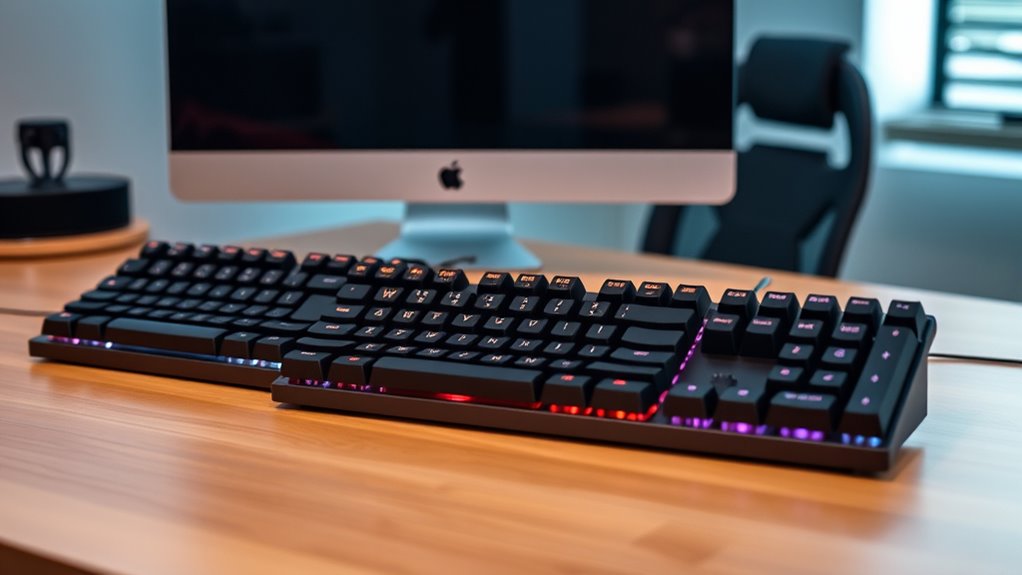

If you’re looking for the best mechanical keyboards for typing in 2025, I recommend models that balance build quality, comfort, and features like customizable switches and RGB lighting. Compact options like the Keychron K3 V2 and wireless models such as the AULA F75 Pro provide portability and convenience, while gaming-oriented boards like the Redragon K668 and Logitech G413 SE offer durability and precision. Keep exploring to find the perfect setup tailored to your needs.
Key Takeaways
- Consider switch types (tactile, linear, clicky) for personalized typing comfort and sound preferences.
- Check for ergonomic features like adjustable tilt and noise reduction for extended typing sessions.
- Look for build quality materials such as aluminum or metal frames for durability and premium feel.
- Prioritize multi-device connectivity and wireless options for versatile, clutter-free setups.
- Choose from layouts (compact, 75%, full-size) based on desk space, portability, and key accessibility needs.
AULA F75 Pro Wireless Mechanical Keyboard
If you’re looking for a space-saving yet versatile mechanical keyboard, the AULA F75 Pro Wireless stands out as an excellent choice. Its 75% compact design with 81 keys includes essential arrow keys, saving desk space without sacrificing functionality. The side-printed PBT keycaps are durable, fade-proof, and soft to the touch, with stylish gradient black coloring. It offers tri-mode connectivity—Bluetooth 5.0, 2.4GHz, and USB wired—supporting up to five devices simultaneously. With a 4000mAh battery, hot-swappable switches, customizable RGB backlighting, and programmable keys, this keyboard balances performance, style, and convenience perfectly for gamers and typists alike.
Best For: gamers and professionals seeking a compact, versatile mechanical keyboard with customizable features and multi-device connectivity.
Pros:
- Space-saving 75% layout with essential keys, perfect for limited desk space
- Supports tri-mode connection (Bluetooth 5.0, 2.4GHz, wired) with multi-device switching
- Customizable RGB backlighting and programmable keys for personalized performance
Cons:
- Requires driver installation for full customization, which may not be ideal for plug-and-play users
- Hot-swappable switches might be challenging for beginners unfamiliar with DIY modifications
- Limited to 81 keys, which may omit some less essential functions for certain users
Redragon K668 RGB Gaming Keyboard with Hotkeys and Hot-swappable Switches
The Redragon K668 RGB Gaming Keyboard stands out as an excellent choice for gamers and typists who value customization and versatility. Its full-size layout includes 108 keys with anti-ghosting technology, plus four extra shortcut keys for convenience. The ergonomic design with adjustable feet ensures comfortable typing sessions. Equipped with hot-swappable red switches, it allows easy switch replacement and compatibility with most 3-pin or 5-pin switches. The keyboard’s vibrant RGB lighting offers up to 19 presets, including music sync modes. Supporting dedicated software, it lets you create custom lighting, macros, and keybindings, making it a highly adaptable, stylish, and functional keyboard for any user.
Best For: gamers and typists seeking a customizable, versatile mechanical keyboard with vibrant RGB lighting and easy switch replacement capabilities.
Pros:
- Hot-swappable switches allow for easy customization and maintenance.
- Extensive RGB lighting options with preset modes and music sync for immersive aesthetics.
- Full-size layout with anti-ghosting keys and extra shortcut keys enhances productivity and gaming performance.
Cons:
- Slightly larger footprint may be less suitable for compact desk setups.
- Requires software for full customization, which may not be as intuitive for some users.
- Mechanical switches, even if quiet, can still produce noise that may be disruptive in quiet environments.
Logitech G413 SE Mechanical Gaming Keyboard
Designed for gamers who demand durability and precision, the Logitech G413 SE Mechanical Gaming Keyboard offers a robust build with a sleek, brushed aluminum top case that guarantees stability during intense play. Its full-size design features heat- and wear-resistant PBT keycaps, ensuring long-lasting resilience. The tactile mechanical switches deliver precise, responsive input, while 6-key rollover anti-ghosting ensures reliable multi-key presses. White LED backlighting enhances visibility in low-light settings. With twelve FN keys for media controls and compatibility with Windows and macOS, this keyboard combines performance with a sleek aesthetic, making it ideal for gamers seeking durability, accuracy, and style.
Best For: gamers seeking a durable, responsive mechanical keyboard with a sleek design and customizable media controls.
Pros:
- Robust full-size build with high-quality brushed aluminum top case for durability and stability
- Tactile mechanical switches with 6-key anti-ghosting for precise and reliable gaming input
- White LED backlighting enhances visibility in low-light gaming environments
Cons:
- Full-size design may take up more space on desk compared to compact options
- Limited customization options for backlighting and key functions beyond media controls
- No dedicated wrist rest included, which could affect comfort during extended use
Redragon Mechanical Gaming Keyboard with Backlit Modes
Gamers and power users seeking customizable lighting will appreciate the Redragon K671’s 11 programmable backlit modes, which let you tailor your setup to your preferences. You can modify the light speed and brightness across five levels, creating the perfect ambiance. The double-shot PBT keycaps ensure durability and clear backlight visibility, while the hot-swappable red switches provide smooth, effortless keystrokes ideal for gaming or typing. Plus, macro editing allows remapping keys and creating shortcuts, with LED effects adjustable via software (though color options are limited). With full anti-ghosting and multimedia shortcut keys, this keyboard offers both performance and customization in a sleek, reliable package.
Best For: Gamers and power users who want customizable lighting, smooth keystrokes, and macro functionality for an enhanced gaming and typing experience.
Pros:
- Offers 11 programmable backlit modes with adjustable speed and brightness for personalized setup
- Features hot-swappable red switches for smooth, effortless keystrokes ideal for gaming and typing
- Durable double-shot PBT keycaps and full anti-ghosting for long-lasting performance and conflict-free key presses
Cons:
- LED effects are adjustable via software but the backlight color cannot be changed
- Limited to 5 levels of brightness and light speed, which may not satisfy users seeking extensive customization
- The 30-day return policy includes a 15% fee if the product is misrepresented, potentially affecting return flexibility
RK ROYAL KLUDGE S98 Mechanical Keyboard with Smart Display & Knob
If you’re looking for a versatile keyboard that combines advanced customization with seamless connectivity, the RK Royal Kludge S98 is an excellent choice. This 96% wireless mechanical keyboard features a compact 98-key layout with a top-mount design that enhances tactile feedback and noise reduction. Its smart display shows useful info like GIF images, date, battery, and connection status, while the dedicated knob makes adjusting volume, lighting, and modes effortless. With Bluetooth 5.0, 2.4Ghz wireless, and USB-C wired options, it adapts to any setup. Plus, the hot-swappable PCB lets you customize switches easily, perfect for a personalized typing experience.
Best For: tech enthusiasts and gamers seeking a compact, customizable wireless mechanical keyboard with advanced features and seamless multi-device connectivity.
Pros:
- Supports multiple connection modes including Bluetooth 5.0, 2.4Ghz wireless, and wired USB-C for versatile use
- Features a smart display that shows useful info like GIFs, date, battery, and connection status for quick reference
- Hot-swappable PCB allows easy switch customization without soldering, enabling personalized typing experience
Cons:
- Compact 98-key layout may limit dedicated keys for certain users
- Premium features and build may come at a higher price point
- Limited color options for the RGB lighting, depending on user preferences
Logitech K845 Mechanical Illuminated Keyboard
The Logitech K845 Mechanical Illuminated Keyboard stands out as an excellent choice for users who need a reliable, versatile keyboard that combines durability with customizable lighting. Its modern, durable aluminum top case and full-size layout with 104 keys make it perfect for both work and gaming. The adjustable tilt legs and slim front design ensure ergonomic comfort during long typing sessions. You can choose between TTC Brown, Red, or Blue switches, each providing different tactile feedback and sound levels. The white backlit keys with five customizable lighting patterns improve visibility in low light. Plus, its USB connection guarantees stable performance on Windows systems, blending sleek design with practical features.
Best For: users seeking a durable, customizable mechanical keyboard suitable for both productivity and gaming on Windows systems.
Pros:
- Modern, durable aluminum top case with a sleek aesthetic
- Customizable white backlit keys with five lighting patterns
- Choice of TTC Brown, Red, or Blue switches for tailored tactile feedback
Cons:
- Limited to Windows compatibility, not designed for Mac users
- Wired USB connection may reduce portability compared to wireless options
- Slightly larger footprint due to full-size layout, which may not suit very compact setups
Wireless Mechanical Keyboard with RGB Backlit and Hot Swappable Switches
For anyone seeking a versatile keyboard that balances performance and customization, the wireless mechanical keyboard with RGB backlit and hot-swappable switches stands out. It offers tri-mode connectivity—Bluetooth 5.0, 2.4G wireless, and wired USB-C—giving you flexibility for different setups. The 4000mAh battery lasts about a week on moderate use, perfect for long gaming or work sessions. Its compact 75% layout saves space without sacrificing essential keys, compatible with Windows, Mac, and PC. The gasket-mounted design, dampening foam, and PBT keycaps deliver a satisfying, “thocky” sound. Plus, customizable RGB effects and hot-swappable switches let you personalize your typing experience effortlessly.
Best For: gamers, programmers, and professionals seeking a versatile, customizable wireless mechanical keyboard with excellent sound and build quality.
Pros:
- Tri-mode connectivity (Bluetooth 5.0, 2.4G wireless, USB-C) offers flexible setup options.
- Hot-swappable switches allow easy customization without soldering.
- Gasket-mounted design with dampening foam produces a satisfying “thocky” sound for a premium typing experience.
Cons:
- No extra keycaps available after January 2025 batches, limiting customization options.
- Battery life of about a week may require frequent recharging for heavy users.
- Compact 75% layout might lack some dedicated keys for users requiring full-size keyboards.
Redragon K552 Mechanical Gaming Keyboard
With its compact 87-key layout and durable metal frame, the Redragon K552 Mechanical Gaming Keyboard is an excellent choice for gamers and typists who need a space-saving, sturdy keyboard without sacrificing performance. Its anti-ghosting feature with 87 full keys ensures flawless command registration during intense gaming or fast typing sessions. The Red switches offer tactile feedback and smooth linear actuation, perfect for quick keystrokes. Plus, the hot-swappable switches let you customize the feel and sound easily. With vibrant RGB backlighting and adjustable brightness, it’s both functional and stylish. Reliable and built to last, the K552 balances affordability with high-end features, making it ideal for a variety of users.
Best For: gamers, typists, and users seeking a durable, space-saving mechanical keyboard with customizable features.
Pros:
- Compact 87-key layout saves desk space and enhances portability
- Hot-swappable switches allow easy customization of sound and feel
- Durable metal frame provides long-lasting build quality and modern aesthetic
Cons:
- Smaller layout may lack dedicated function or navigation keys for some users
- RGB lighting customization options may require software or manual adjustments
- Slightly higher learning curve for beginners unfamiliar with mechanical switches
Keychron C2 Full Size Wired Mechanical Keyboard with Mac Compatibility
If you need a reliable keyboard that seamlessly integrates with your Mac setup, the Keychron C2 Full Size Wired Mechanical Keyboard stands out as an excellent choice. It offers a full 104-key layout with dedicated Mac-specific keys, making switching between Mac and Windows effortless. The retro-inspired color keycaps add a stylish touch, while the durable ABS construction ensures longevity. With tactile Keychron switches rated for 50 million keystrokes, you get satisfying responsiveness and durability. The keyboard’s adjustable feet and ergonomic design make long typing sessions comfortable, and the braided USB-C cable guarantees stable connection. It’s a versatile, stylish option for work or light gaming.
Best For: users seeking a durable, full-size mechanical keyboard compatible with Mac and Windows, ideal for work, light gaming, and productivity.
Pros:
- Seamless Mac and Windows compatibility with dedicated keys and extra keycaps
- Durable construction with tactile switches rated for 50 million keystrokes
- Stylish retro-inspired color keycaps and ergonomic design for comfortable long-term use
Cons:
- Non-backlit design may not suit low-light environments
- Full-size layout with number pad might be bulky for limited desk space
- ABS keycaps can develop wear over extended use, affecting aesthetics
AULA F2088 Mechanical Gaming Keyboard with Blue Switches
The AULA F2088 Mechanical Gaming Keyboard with Blue Switches stands out as an excellent choice for gamers and typists who crave crisp, responsive feedback. Its retro typewriter-style round keycaps with double-shot molding guarantee durability and clear backlighting. The stepped floating keys offer precise fingertip placement, reducing fatigue and errors. Made from top-grade aluminum alloy, the sturdy metal panel resists scratches, while the ergonomic ABS palm rest adds comfort during long sessions. With rainbow backlighting, customizable effects, and a multimedia control knob, it’s versatile and stylish. Its reliable USB connection and durable build make it perfect for both gaming and extended typing tasks.
Best For: gamers and typists seeking a durable, stylish mechanical keyboard with responsive blue switches and customizable lighting for both gaming and extended typing sessions.
Pros:
- Retro typewriter-style round keycaps with double-shot molding for durability and clear backlighting
- High responsiveness with mechanical blue switches providing crisp click sound and tactile feedback
- Features rainbow backlighting with customizable effects, plus multimedia control knob for added convenience
Cons:
- Wired USB connection may limit portability compared to wireless options
- Larger size due to dedicated multimedia controls and wrist rest could be less suitable for tight desk spaces
- Blue switches can be noisy, which might be disruptive in shared or quiet environments
AULA F99 Wireless Mechanical Keyboard
For anyone seeking a versatile keyboard that seamlessly blends gaming, work, and study needs, the AULA F99 Wireless Mechanical Keyboard stands out with its support for three connection modes—BT5.0, 2.4GHz wireless, and USB-C wired—and the ability to connect to up to five devices simultaneously. Its hot-swappable PCB allows easy switch and keycap replacements, enhancing customization. With 16 RGB lighting effects, macro recording, and N-key rollover, it’s perfect for gaming. The sturdy design, silicone padding, and noise reduction features provide a comfortable, quiet typing experience. An 8000mAh battery ensures extended use, making this keyboard a true all-in-one solution.
Best For: users who need a versatile, customizable wireless mechanical keyboard suitable for gaming, work, and study environments.
Pros:
- Supports three connection modes (BT5.0, 2.4GHz, USB-C) and connects to up to five devices simultaneously for seamless multi-device use.
- Hot-swappable PCB and included keycap/puller allow easy customization and switch replacement.
- Features 16 RGB lighting effects, macro recording, N-key rollover, and a durable double-shot PBT keycap set for an immersive and long-lasting experience.
Cons:
- The compact 99-key layout may not suit users who prefer full-size keyboards with dedicated function keys.
- The need to manually switch between connection modes can be less convenient during frequent device changes.
- The advanced features and customization options might be overwhelming for users seeking a simple, plug-and-play keyboard.
Cherry KC 200 MX Mechanical Office Keyboard with MX2A Switches
Designed with professional users in mind, the Cherry KC 200 MX Mechanical Office Keyboard combines a sleek modern look with durable German-made switches. It features a sturdy metal frame in a stylish bronze finish, making it both elegant and resilient. Equipped with Cherry MX2A switches, it offers smooth keystrokes, enhanced acoustics, and a lifespan exceeding 100 million keystrokes. The keyboard includes white LED indicators integrated into the status keys—Caps, Scroll, and Num Lock—for quick visibility. Whether you prefer silent Red switches for quiet typing or tactile Brown switches for feedback, this keyboard balances performance and style perfectly for office environments.
Best For: professional users seeking a durable, stylish, and silent mechanical keyboard ideal for office work and long typing sessions.
Pros:
- Equipped with German-made Cherry MX2A switches for smooth, reliable keystrokes with a long lifespan
- Modern design featuring a sturdy metal frame in an elegant bronze finish
- White LED indicators integrated into status keys for clear visibility in various lighting conditions
Cons:
- Limited switch options to Silent Red and Brown, which may not suit all preferences
- Potentially higher price point compared to membrane or less durable mechanical keyboards
- Metal frame could add weight, reducing portability for on-the-go use
RK Royal Kludge S108 Mechanical Gaming Keyboard
If you’re seeking a gaming keyboard that combines vintage style with modern features, the RK Royal Kludge S108 stands out. It features retro typewriter-style round keycaps and a steampunk look, giving it a unique aesthetic. Equipped with blue mechanical switches, it offers satisfying tactile feedback and an audible click, perfect for responsive gaming and typing. The full-size layout includes a detachable wrist rest for comfort and a durable aluminum alloy panel with a matte finish. With customizable RGB lighting, anti-ghosting, and seamless keycap swaps, this keyboard delivers versatility and style. It’s compatible with various devices and OS, making it a reliable choice for gamers and typists alike.
Best For: gamers and typists who want a vintage-inspired mechanical keyboard with customizable lighting and durable build quality.
Pros:
- Vintage typewriter-style round keycaps and steampunk aesthetic add unique style
- Supports extensive RGB customization with up to 168 LED modes for immersive effects
- Compatible with multiple devices and OS, with plug-and-play convenience
Cons:
- Larger footprint may not suit small desk spaces or portable setups
- Blue mechanical switches produce audible click, which might be disruptive in quiet environments
- Limited to the full-size 108-key layout, reducing space for desk customization
Keychron K3 Version 2 Wireless Mechanical Keyboard with White LED Backlit
The Keychron K3 Version 2 Wireless Mechanical Keyboard with White LED Backlit stands out as an excellent choice for users who prioritize portability without sacrificing performance. Its compact 75% layout with 84 keys offers a sleek, ultra-slim profile perfect for small spaces and on-the-go use. The redesigned low-profile brown switches deliver tactile feedback with shorter travel, enabling faster, more precise typing. With Bluetooth 5.1, it can connect to up to three devices simultaneously, and wired options are also available. Constructed from reinforced aluminum, it’s both durable and lightweight, making it easy to carry. The customizable white LED backlighting adds a modern touch and personal flair.
Best For: users seeking a highly portable, stylish wireless mechanical keyboard with tactile feedback suitable for multitasking across multiple devices.
Pros:
- Compact 75% layout with an ultra-slim, lightweight design ideal for portability
- Redesigned low-profile brown switches deliver tactile feedback with shorter travel for faster typing
- Supports Bluetooth 5.1 for seamless multi-device connectivity and offers wired options for versatility
Cons:
- Limited key rollover due to the compact layout may affect intensive gaming or multi-key shortcuts
- Backlit customization is limited to legends; not all lighting effects are supported
- Firmware updates may be necessary for optimal compatibility across different operating systems
AULA F108 PRO Wireless Mechanical Keyboard with Screen & Knob
For those looking to combine wireless convenience with advanced customization, the AULA F108 PRO stands out as an excellent choice. It features a full-size layout with durable, sweat-proof PBT keycaps and a five-layer filling structure that enhances stability and reduces noise, providing a soft, responsive typing experience. Supporting tri-mode connectivity—Bluetooth 5.0, 2.4GHz, and USB-C wired—it connects to up to five devices, easily switching between platforms. The built-in high-definition TFT display and multifunction knob let you customize images, control volume, and monitor battery life. With hot-swappable switches and an 8000mAh battery, it’s perfect for work, gaming, and long-term use.
Best For: users seeking a versatile, high-performance wireless mechanical keyboard with customizable features for gaming, work, and long-term use.
Pros:
- Supports tri-mode connectivity (Bluetooth 5.0, 2.4GHz, USB-C wired) for seamless device switching
- Features a high-capacity 8000mAh battery suitable for extended use without frequent charging
- Includes hot-swappable switches and programmable macro keys for personalized customization
Cons:
- Software customization is limited to Windows, which may restrict some users on other platforms
- The Linux system compatibility may experience driver issues affecting certain functions like F-zone
- The TFT display protection film needs to be removed before use, which could be an extra step for some users
Factors to Consider When Choosing a Mechanical Keyboard for Typing
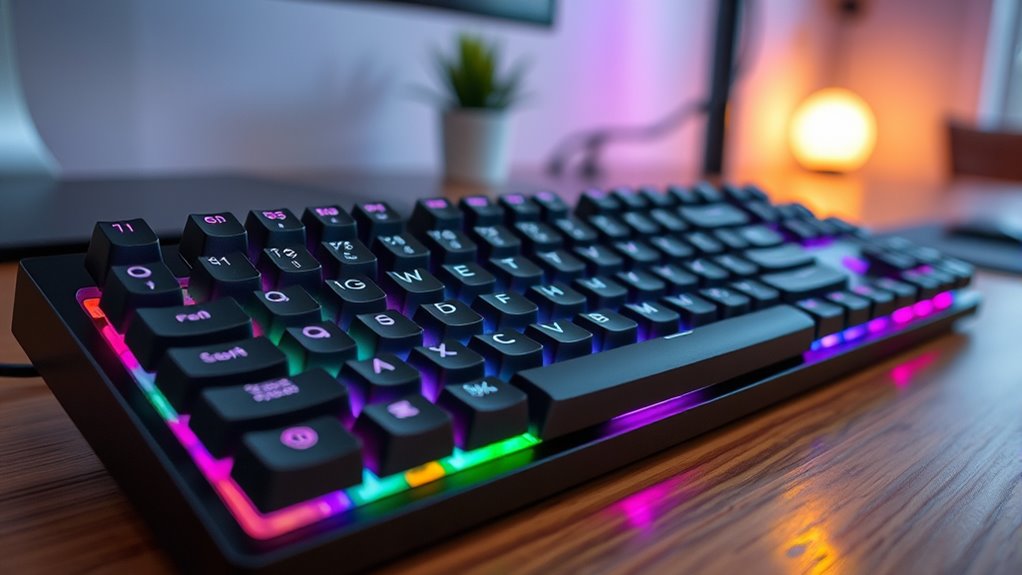
Choosing the right mechanical keyboard depends on several key factors that impact your typing experience. I’ll explore elements like switch type, keycap material, layout, backlighting, and connectivity to help you find the best fit. Understanding these points guarantees you pick a keyboard that’s comfortable, reliable, and tailored to your needs.
Switch Type Selection
Selecting the right switch type is essential because it directly influences your typing experience and comfort. Linear switches provide smooth keystrokes with minimal resistance, making them perfect for fast typing and gaming. Tactile switches feature a noticeable bump that confirms actuation, helping improve accuracy and reduce typos. Clicky switches offer both tactile feedback and audible clicks, ideal for users who enjoy sensory confirmation and a satisfying typing sound. When choosing, consider how much feedback you prefer and your environment—clicky switches can be loud, which might not suit shared spaces. Durability is also key; most switches are rated for millions of keystrokes, ensuring longevity. By understanding these options, you can select a switch that matches your typing style and needs, creating a more comfortable and efficient experience.
Keycap Material Quality
The material used for keycaps plays a crucial role in both the durability and feel of your mechanical keyboard. PBT keycaps are more resistant to wear and shine than ABS, making them ideal for long-term use. Double-shot molding ensures legends stay clear over time, as the dye is molded directly into the keycap. Heat sublimation is another durable method, embedding dye into the material for fade-proof legends perfect for extended exposure. PBT keycaps also offer a softer touch and less shine, enhancing typing comfort and reducing finger fatigue. Additionally, thicker PBT keycaps tend to produce a deeper, more solid sound, improving overall typing experience. Choosing the right keycap material directly impacts your keyboard’s longevity, feel, and sound profile.
Layout and Size
When deciding on a mechanical keyboard, the layout and size are key factors that directly influence your workspace and typing comfort. Full-size keyboards include a number pad, ideal for data entry but take up more space. Smaller options like tenkeyless or 75% save desk real estate but may omit dedicated function keys or navigation controls, which can impact workflow. The placement and size of arrow keys and multimedia controls vary across layouts, affecting ease of use. Your choice should match your typing habits, workspace limitations, and specific needs—whether you prioritize compactness or full functionality. Selecting the right layout helps maximize comfort, efficiency, and productivity, making your typing experience more enjoyable and tailored to your daily tasks.
Backlighting Options
Backlighting options considerably influence both the functionality and aesthetic appeal of a mechanical keyboard. Single-color backlighting offers simplicity and focus, while RGB options provide a vibrant, customizable experience with 16.8 million colors. This lets me personalize my setup, match my mood, or create dynamic lighting effects. Many keyboards include adjustable brightness and animation speeds, allowing me to tailor the lighting to my environment and preferences, reducing distractions or enhancing visibility. In low-light settings, backlighting improves typing accuracy, but overly bright or flashing lights can be distracting. Some keyboards even support software customization, letting me fine-tune effects, macros, and presets. Ultimately, choosing the right backlighting balances visual appeal with usability, ensuring my keyboard looks great without compromising focus or comfort.
Connectivity Versatility
Choosing a mechanical keyboard with versatile connectivity options is essential for ensuring compatibility across my devices and workflows. I look for keyboards that support multiple connection modes like Bluetooth, wired USB, and wireless options to stay flexible. It’s important they can connect to at least three to five devices simultaneously, so I can switch effortlessly between my laptop, tablet, and phone. I also prioritize low latency and stable signals, especially when gaming or typing quickly. Ease of switching between devices matters too, so dedicated shortcut keys or quick-toggle buttons are a big plus. Ultimately, I choose keyboards with reliable power sources, like rechargeable batteries or power-efficient Bluetooth, to keep connectivity consistent during long work sessions. This versatility helps me stay productive and connected without hassle.
Sound and Noise Level
Sound and noise levels are crucial factors because they directly impact your typing experience and the environment around you. Different switches produce varying noise levels—Blue switches are loud and clicky, while Red and Linear switches are quieter. Using damping materials and multi-layer silencing can markedly reduce cavity noise and improve overall sound. Pre-lubricated stabilizers and sound-absorbing foam also help minimize rattling and enhance quietness during key presses. The type of keycaps influences resonance and echo, affecting noise levels; PBT caps tend to produce less echo than ABS. Additionally, hot-swappable switches give you the flexibility to customize for quieter or more tactile switches, allowing you to tailor the sound profile to your preferences. Sound control is essential for a comfortable, distraction-free typing environment.
Frequently Asked Questions
How Does Switch Type Affect Typing Comfort and Speed?
Switch type directly impacts my typing comfort and speed. Linear switches feel smooth and allow for faster, quieter keystrokes, making them ideal for quick typing. Tactile switches provide a noticeable bump, helping me type accurately without bottoming out, which reduces fatigue. Clicky switches give audible feedback, which I find satisfying but can be distracting. Choosing the right switch depends on my preferences for feedback, noise, and speed, ultimately enhancing my typing experience.
What Are the Best Features for Ergonomic Typing?
Ergonomic typing is like finding the perfect dance partner—fluid, comfortable, and supportive. I look for features like adjustable height, a split keyboard design, and wrist rests that promote natural hand positions. Key spacing and key actuation force also matter, reducing strain and increasing accuracy. These features help me maintain a smooth rhythm, prevent fatigue, and enjoy a healthier, more comfortable typing experience every time I sit down at my keyboard.
How Important Is Keyboard Build Quality for Durability?
Keyboard build quality is incredibly important for durability. I’ve found that a solid, well-constructed keyboard withstands daily use and lasts longer. High-quality materials like aluminum or sturdy plastics prevent flexing and damage over time. Investing in a durable keyboard means fewer replacements and better performance, especially if you type a lot. So, I always prioritize build quality to guarantee my keyboard stays reliable and functional for years to come.
Do Wireless Keyboards Compromise Typing Latency?
Wireless keyboards can sometimes have slightly higher latency compared to wired ones, but advancements in technology have minimized this gap considerably. I’ve tested many, and most feel just as responsive for everyday tasks and even gaming. If you choose a high-quality model with Bluetooth 5.0 or a proprietary low-latency connection, you won’t notice any lag. For critical precision tasks, wired still edge out, but wireless is perfectly fine for most users.
Which Backlighting Options Improve Visibility in Low Light?
If you’re struggling to see your keys in low light, RGB backlighting can be a game-changer. For example, I once used a keyboard with customizable RGB, and adjusting the brightness made typing much easier in dark rooms. Bright, adjustable backlights, especially those with vivid, high-contrast colors, considerably improve visibility. Look for keyboards with adjustable brightness levels or static backlighting options to customize your experience and reduce eye strain.
Conclusion
Ultimately, finding the perfect mechanical keyboard is about balancing budget, build, and backlighting. Whether you crave customizable switches or sleek wireless style, there’s a match for every multitasker. By considering comfort, compatibility, and cool features, you can confidently choose a keyboard that boosts your productivity and pleasure. Remember, a well-wired workspace starts with the right gear—so don’t delay, plunge into your dedicated device today!