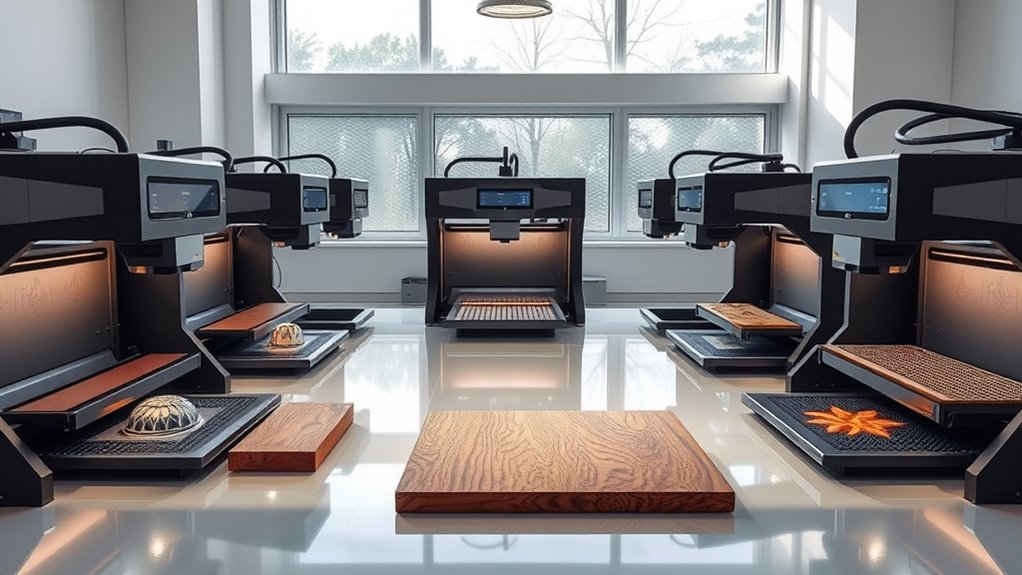

Laser engravers are versatile tools for personal and professional projects, capable of etching on a variety of materials like wood, metal, acrylic, and glass. The best models balance power, precision, safety, and ease of use, but choosing the right one can be complex. The K15 Pro Laser Engraver 10W stands out as the best overall due to its reliable performance across materials. Meanwhile, the xTool S1 40W offers impressive cutting power for more demanding jobs, and the xTool M2 prioritizes safety and ease for home users. Keep reading for a detailed breakdown of these options and what to consider before buying.
Listen free for 30 days with Audible
Thousands of audiobooks and originals — cancel anytime.
Start your free trialAs an affiliate, we earn on qualifying purchases.
Complete the kit


Key Takeaways
- Power output varies significantly, affecting cutting speed and material compatibility, with higher wattage models suited for tougher materials.
- Safety features like enclosures and dual cameras are essential for home use but can add to the cost and complexity.
- Material versatility depends on both the laser type and power, influencing which engraver is best for specific projects.
- Ease of use, including software compatibility and setup, is crucial for beginners, while professionals may prioritize precision and control.
- Tradeoffs often involve balancing price, power, safety, and size — higher power models tend to be more expensive and less portable.
| K15 Pro Laser Engraver 10W – CNC Laser Cutter for Metal, Wood, Acrylic, Glass, Stone |  | Best Overall for Beginners and Small Projects | Power: 10W diode | Work Area: 11.8×7.9 inches (A4) | Material Compatibility: wood, acrylic, leather, coated metal, and more | VIEW ON AMAZON | See Our Full Breakdown |
| xTool S1 40W Laser Cutter and Engraver with Rotary Bundle |  | Best for Large-Scale and Professional Projects | Bed Size: 23.93″ x 15.16″ | Laser Power: 40W | Speed: 600mm/s | VIEW ON AMAZON | See Our Full Breakdown |
| xTool M2 10W Laser Engraver with Dual Cameras, Enclosed Safe Design for Home DIY Crafts |  | Best for Home Crafters and Versatile Materials | Laser Power: 10W | Safety Class: Class 1 | Built-in Cameras: Dual for real-time preview | VIEW ON AMAZON | See Our Full Breakdown |
| xTool F2 5W IR & 15W Diode Dual Laser Engraver with Built-in 50MP Camera |  | Best for Detail-Oriented and Small Batch Production | Laser Power (IR): 5W | Laser Power (Diode): 15W | Camera Resolution: 50MP | VIEW ON AMAZON | See Our Full Breakdown |
| Twotrees TTS-55 Pro Laser Engraver 5500mW, 300x300mm Work Area, Compatible with Wood, Metal, Acrylic, Glass, Stainless Steel |  | Best for High Power and Large Projects | Laser Power: 5500mW (5.5W) | Work Area: 300 x 300 mm | Laser Spot Size: 0.08mm | VIEW ON AMAZON | See Our Full Breakdown |
| Twotrees TTS-10 Pro Laser Engraver, 10W High Power, 300x300mm Work Area, Compatible with LightBurn & LaserGRBL |  | Best Overall Compact Powerhouse for Hobbyists and Small Businesses | Laser Power: 10W | Laser Wavelength: 450nm | Engraving Area: 300x300mm | VIEW ON AMAZON | See Our Full Breakdown |
| xTool P2S 55W CO2 Laser Cutter and Engraver |  | Best for Large-Scale, High-Precision Projects with Advanced Automation | Laser Power: 55W | Working Area: 26″ x 14″ | Max Material Length: 118″ (auto-passthrough) | VIEW ON AMAZON | See Our Full Breakdown |
| laser engraver | Material Compatibility | Laser Power |
|---|---|---|
| K15 Pro Laser Engraver 10W | wood, acrylic, leather, coated metal, and more | — |
| xTool S1 40W Laser Cutter and | Wood, Metal, Acrylic, and more | 40W |
| xTool M2 10W Laser Engraver wi | Wood, leather, felt, fabric, paper | 10W |
| xTool F2 5W IR & 15W Diode Dua | 300+ materials | — |
| Twotrees TTS-55 Pro Laser Engr | — | 5500mW (5.5W) |
| Twotrees TTS-10 Pro Laser Engr | Wood, acrylic, leather, coated metal, glass | 10W |
| xTool P2S 55W CO2 Laser Cutter | — | 55W |
More Details on Our Top Picks
K15 Pro Laser Engraver 10W – CNC Laser Cutter for Metal, Wood, Acrylic, Glass, Stone
The K15 Pro stands out as the most user-friendly option among compact laser engravers, thanks to its straightforward setup, free software, and offline control. Unlike the xTool M2, which offers built-in dual cameras and support for a wider range of materials, the K15 Pro’s smaller 11.8×7.9-inch workspace limits larger projects but makes it ideal for detailed crafts. Its 10W diode laser provides high precision with a 0.01mm engraving accuracy, suitable for small-scale DIY projects. However, it requires some initial assembly and safety precautions, which might deter absolute beginners. This model makes the most sense for hobbyists or small business owners who prioritize ease of use and versatility over large-volume production.
Pros:- User-friendly with free software and offline control options
- High precision and fast engraving speeds
- Compact size fits small spaces and detailed work
Cons:- Limited work area restricts larger projects
- Requires some setup and safety awareness for beginners
Best for: Beginners and hobbyists seeking a compact, easy-to-use laser engraver for small projects
Not ideal for: People needing large work areas or professional production-scale machinery
- Power:10W diode
- Work Area:11.8×7.9 inches (A4)
- Material Compatibility:wood, acrylic, leather, coated metal, and more
- Engraving Precision:0.01mm
- Max Speed:15,000mm/min
- Weight:2.68 kg
Our verdict“This is the best choice for newcomers and small-scale users prioritizing simplicity and versatility.”
xTool S1 40W Laser Cutter and Engraver with Rotary Bundle
The xTool S1 proves ideal for users with ambitious projects, offering a powerful 40W laser capable of cutting through 18mm wood and engraving on metals and acrylics. Compared with the Twotrees TTS-55 Pro, which features a larger 300×300 mm workspace, the S1’s 23.93×15.16-inch bed provides a versatile yet slightly more compact footprint. Its advanced precision technologies and AI-assisted design tools make detailed, multi-material work accessible, but the complex features and large setup can be overwhelming for casual hobbyists. The safety features like an enclosed design and emergency stops make it suitable for makers with some experience, especially those who value speed and depth of cut over portability.
Pros:- High power and fast speeds for large, detailed projects
- Advanced precision and safety features
- Enclosed design for secure operation
Cons:- Expensive for hobbyists or casual users
- Requires significant space and learning curve
Best for: Small businesses and serious hobbyists who need large, detailed projects with professional-grade results
Not ideal for: Beginners or casual users lacking space or technical confidence
- Bed Size:23.93″ x 15.16″
- Laser Power:40W
- Speed:600mm/s
- Material Compatibility:Wood, Metal, Acrylic, and more
- Safety Features:Enclosed design, protective cover, flame sensors, emergency stop
- Project Length:Up to 118 inches (3000mm)
Our verdict“This is the top pick for experienced users demanding high power, large capacity, and professional results.”
xTool M2 10W Laser Engraver with Dual Cameras, Enclosed Safe Design for Home DIY Crafts
The xTool M2 offers a compelling balance of safety, versatility, and precision for home-based crafters. Its dual cameras enable real-time workspace preview, a feature that surpasses the static view of the K15 Pro, making alignment and detail work easier. Its fully enclosed design ensures safe operation, especially for those working around children or pets. While the 10W laser limits power for larger or deeply engraved projects, it supports a wide variety of materials, including fabric, leather, and paper. Additional modules for full-color printing are sold separately, making it expandable but adding to the cost. This makes the M2 more suited for those focused on intricate, small-scale crafts rather than industrial production.
Pros:- Dual cameras for precise real-time preview
- Enclosed safety design suitable for home environments
- Supports a wide range of materials for diverse projects
Cons:- Additional modules sold separately increase total cost
- Limited to 10W power, restricting some applications
Best for: Home crafters and DIY enthusiasts who prioritize safety and material versatility
Not ideal for: Users needing large work areas or high-power cutting on thicker materials
- Laser Power:10W
- Safety Class:Class 1
- Built-in Cameras:Dual for real-time preview
- Material Compatibility:Wood, leather, felt, fabric, paper
- Enclosure:Fully enclosed
- Power Options:Standard 10W diode, optional modules
Our verdict“Ideal for home users and hobbyists who value safety and material flexibility over high power or large workspaces.”
xTool F2 5W IR & 15W Diode Dual Laser Engraver with Built-in 50MP Camera
The xTool F2 combines dual lasers—5W IR and 15W diode—for flexible engraving across over 300 materials, making it a standout for detailed work. Its 50MP camera ensures precise alignment, essential for batch production or intricate designs. Compared with the Twotrees TTS-55 Pro, which has a larger work area but less advanced imaging, the F2 packs high-speed engraving up to 6000mm/s into a portable, ready-to-use package. The Class 4 laser requires strict safety measures, but its quick operation and versatility make it ideal for workshops or small businesses focusing on detailed, varied projects. The main tradeoff is the need for safety precautions and the complexity of dual lasers, which may challenge beginners.
Pros:- Dual lasers for diverse effects and materials
- High-speed engraving and batch processing capability
- Built-in 50MP camera for precise alignment
Cons:- Class 4 laser demands strict safety protocols
- Complex dual-laser setup may be intimidating for beginners
Best for: Small businesses and professionals needing detailed, versatile engraving with fast throughput
Not ideal for: Beginners or users seeking a simple, single-laser system with minimal safety concerns
- Laser Power (IR):5W
- Laser Power (Diode):15W
- Camera Resolution:50MP
- Max Speed:6000mm/s
- Material Compatibility:300+ materials
- Engraving Accuracy:0.1 mm
Our verdict“Perfect for professionals or advanced hobbyists who need fast, detailed, multi-material engraving in a portable format.”
Twotrees TTS-55 Pro Laser Engraver 5500mW, 300x300mm Work Area, Compatible with Wood, Metal, Acrylic, Glass, Stainless Steel
The Twotrees TTS-55 Pro offers a significant 5500mW laser power and a sizeable 300×300 mm work area, making it well-suited for deep cuts and larger designs. Compared to the xTool S1, which has a smaller bed but more advanced features, the TTS-55 Pro emphasizes raw power and a large workspace for hobbyists and small businesses aiming to produce bigger or more detailed items. Its wireless control and compatibility with popular software add convenience, but the assembly process can be complex for newcomers and safety precautions are essential due to the high-power laser. This model is best for those with some technical experience who want to push the limits of laser cutting and engraving on a variety of materials.
Pros:- High laser power for deep and precise cuts
- Large 300x300mm work area suitable for bigger projects
- Wireless control and software compatibility
Cons:- Assembly can be challenging for newcomers
- Safety precautions necessary due to high power
Best for: Experienced hobbyists and small businesses requiring large, deep, or complex projects
Not ideal for: Beginners or casual users lacking technical skills or space for assembly
- Laser Power:5500mW (5.5W)
- Work Area:300 x 300 mm
- Laser Spot Size:0.08mm
- Focal Length:23mm
- Engraving Accuracy:0.1mm
- Connectivity:Wi-Fi, TF card, USB
Our verdict“This is the choice for users who need powerful performance and a big work area for versatile, large projects.”
Twotrees TTS-10 Pro Laser Engraver, 10W High Power, 300x300mm Work Area, Compatible with LightBurn & LaserGRBL
The Twotrees TTS-10 Pro stands out for delivering a robust 10W laser in a compact, affordable package. Its large 300x300mm work area makes it versatile for a range of projects, from engraving leather to etching coated metals. Compared with the xTool P2S 55W, it offers less laser power, but its lower cost and simpler setup make it more accessible for hobbyists and educators. The full metal frame and dual Y-axis motors ensure reliable, precise movement, while support for offline control via TF card and mobile app adds convenience. However, the 10W laser isn’t suitable for uncoated steel or deep surface marking, and the small spot size may be limiting for some detailed work. Overall, this model is best for small-scale makers who want power and precision without the complexity or expense of high-end industrial options.
Pros:- Powerful 10W laser enables deep, fast engraving on suitable materials
- Generous 300x300mm work area supports varied projects
- Supports offline operation via TF card and mobile/web apps for flexibility
- Full metal frame and dual Y-axis motors improve stability and accuracy
Cons:- Limited to surface engraving on uncoated or bare steel without prep
- Small laser spot size may restrict ultra-fine detail work
- Requires careful measurement for larger projects to avoid misalignment
Best for: Hobbyists, small business owners, and educators needing a capable, compact laser engraver for diverse materials
Not ideal for: Professionals requiring deep metal engraving or large-scale industrial production
- Laser Power:10W
- Laser Wavelength:450nm
- Engraving Area:300x300mm
- Laser Spot Size:0.069mm
- Material Compatibility:Wood, acrylic, leather, coated metal, glass
- Main Board:32-bit dual-core MCU
- Frame Material:Aluminum alloy
- Connectivity:TF card, mobile app, web
Our verdict“This engraver is ideal for hobbyists and small-scale creators seeking a balance of power, size, and affordability.”
xTool P2S 55W CO2 Laser Cutter and Engraver
The xTool P2S 55W elevates laser engraving into professional territory with its powerful 55W CO2 laser and expansive 26″ x 14″ work area. Its dual 16MP cameras and 0.001″ autofocus allow for extremely precise, real-time alignment on complex or curved surfaces, surpassing the capabilities of the Twotrees TTS-10 Pro. The auto-passthrough feature supports materials up to 118 inches long, making it suitable for large banners or furniture panels. While its high laser power enables rapid cutting and deep engraving, the class 4 laser demands strict safety measures, and the noise level can be substantial during operation. Its premium price point and size mean it’s best suited for small businesses or serious hobbyists with space and safety considerations. For those needing precision on large, complex projects, this is a compelling choice, but it’s overkill for smaller, casual use.
Pros:- High 55W laser power enables fast, deep cutting and engraving
- Large 26″ x 14″ work area supports big projects
- Dual 16MP cameras and autofocus for precise alignment
- Expandable, auto-passthrough design for long materials
Cons:- Class 4 laser necessitates strict safety protocols and protective gear
- High noise level and large footprint can be disruptive or space-consuming
- Premium cost may be prohibitive for casual users or hobbyists
Best for: Small businesses, professional artisans, or advanced hobbyists working on large, detailed, or 3D projects
Not ideal for: Casual hobbyists or users with limited space and safety setup, due to its size and safety requirements
- Laser Power:55W
- Working Area:26″ x 14″
- Max Material Length:118″ (auto-passthrough)
- Max Material Height:8.4″
- Camera Resolution:16MP dual cameras
- Autofocus Precision:0.001″
- Laser Output Power:55,000mW
- Safety Features:AI fire detection, automatic lock, emergency stop
Our verdict“This laser cutter and engraver is best suited for professionals or serious hobbyists prioritizing speed, precision, and large-scale capacity over simplicity and affordability.”
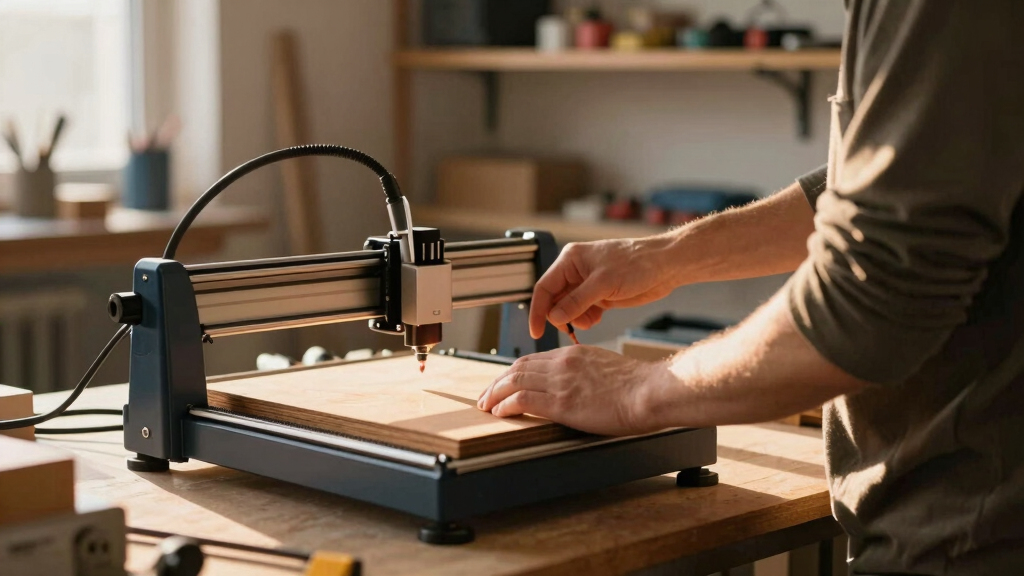
How We Picked
These laser engravers were selected based on a combination of performance, safety, usability, and value. We evaluated each model’s laser power, material compatibility, build quality, and safety features to ensure they meet a range of user needs. Ease of operation, software support, and maintenance requirements also played key roles. Our ranking reflects a balance between high performance for demanding tasks and accessible options for beginners, ensuring a well-rounded selection for different budgets and skill levels.
Factors to Consider When Choosing Laser Engravers
Choosing the right laser engraver requires considering several key factors beyond just price. Power, material compatibility, safety, and software support directly impact how well the machine will perform and how easy it is to operate. Understanding these factors helps avoid common pitfalls like overpaying for unnecessary power or buying a model that’s too complex for your skill level.
Laser Power and Material Compatibility
Power determines the engraving and cutting capabilities of a laser engraver. Higher wattage models can cut through thicker or harder materials like metal or stone, while lower power options are often suitable for delicate projects on wood or acrylic. Matching the laser’s power to your typical projects prevents frustration and ensures efficient operation. Consider future needs—buying too low in power might limit growth, but overspending on excessive wattage can be unnecessary for basic tasks.
Safety Features and Enclosure
Safety should never be an afterthought with laser equipment. Enclosed units reduce exposure to laser radiation and contain fumes, making them safer for home or small workshop use. Features like dual cameras or automatic shutdown enhance safety and workflow. However, these safety features often increase cost and size, so weigh their benefits against your available space and budget.
Ease of Use and Software Compatibility
Intuitive interfaces and reliable software support make a significant difference, especially for beginners. Look for models compatible with popular programs like LightBurn or LaserGRBL, which streamline design and operation. Machines with straightforward setup and maintenance save time and reduce frustration. Advanced users may prefer more control and customization, which can come with steeper learning curves.
Size, Portability, and Power Supply
Consider where you’ll place your laser engraver—larger models offer more workspace but are less portable. If space is limited or you need to move your machine frequently, a compact or lightweight model makes sense. Also, check the power supply and plug requirements to ensure compatibility with your workspace’s electrical setup. Size and portability often involve tradeoffs with power and features, so prioritize what matters most for your projects.
Cost and Long-Term Value
Price ranges widely, from budget-friendly models suitable for hobbyists to high-end units for professional workshops. Cheaper engravers may lack advanced safety or power, limiting their capabilities or requiring upgrades later. Investing in a slightly more expensive model with better build quality and features can save money and hassle over time. Think about your long-term goals—sometimes, paying more upfront provides better durability and performance.
Frequently Asked Questions
Can I engrave on metal with a diode laser?
Diode lasers typically lack the power needed to engrave on metal directly. For metal, CO2 or fiber lasers are more suitable, as they can produce the necessary energy density. Some diode lasers can etch metal surfaces with special coatings or treatments, but the results are often limited and less durable. Know your material and choose a laser type accordingly to avoid disappointment.
What safety precautions should I take when using a laser engraver at home?
Safety is paramount, especially in a home environment. Always operate your laser in an enclosed space with proper ventilation to handle fumes. Wear protective eyewear designed for laser wavelengths, and never leave the machine unattended while in operation. Regular maintenance, like cleaning lenses and checking safety interlocks, reduces risks. Following manufacturer guidelines helps ensure safe, consistent results.
Is higher wattage always better for my projects?
Not necessarily. Higher wattage offers faster cutting and the ability to work with thicker or harder materials, but it also comes with increased cost, size, and safety considerations. For hobbyists or light-duty projects, lower wattage models often suffice and are more affordable. Match your laser’s power to your typical projects to avoid overspending on unnecessary capabilities.
How important is software compatibility in choosing a laser engraver?
Software compatibility significantly affects your workflow. A machine compatible with popular design programs like LightBurn or LaserGRBL allows for easier file management, design editing, and control. Reliable software support also means fewer frustrations during setup and use. For beginners, user-friendly interfaces are a plus, while professionals may prefer software with advanced features and customization options.
Can I upgrade my laser engraver later if I need more power?
Most laser engravers are not designed for easy power upgrades due to the complexity of laser modules and safety considerations. To increase power, it’s usually necessary to purchase a new, higher-wattage machine. Planning ahead based on your long-term needs is advisable, as upgrading later often involves significant expense and technical work. Consider your future projects carefully when choosing your initial model.
Conclusion
For hobbyists and beginners, the xTool M2 offers a safe, easy-to-use option that simplifies setup and operation. The K15 Pro stands out as the best overall choice for versatile material handling and reliable performance across different projects. For those seeking professional-grade power and speed, the xTool S1 40W or Twotrees TTS-55 Pro are ideal, though they come at a higher cost. Budget-conscious buyers should consider more affordable models that still deliver decent results, while professionals should prioritize durability and advanced features. Your ideal pick depends on your experience level, project scope, and safety needs—use this guide to make an informed decision.
Flea & tick season Picks
flea and tick prevention
As an affiliate, we earn on qualifying purchases.