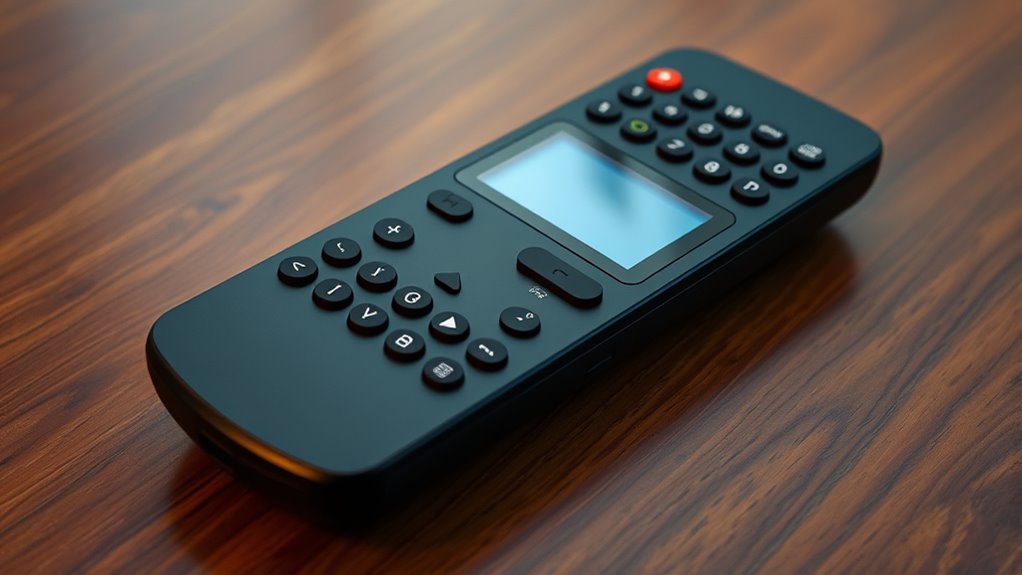

If you’re looking for easy-to-use large display TV remotes, I recommend checking out models with big buttons, clear labels, and simple layouts that make channel surfing a breeze. Some are designed specifically for seniors or visually impaired users, with features like tactile feedback and high contrast. Many work universally with major brands and don’t need programming. Stay with me to explore the top options that combine comfort, compatibility, and ease of use to improve your TV experience.
Key Takeaways
- Large, high-contrast buttons with bold labels improve visibility and ease of use for channel surfing.
- Ergonomic, textured designs reduce strain and enhance grip for quick, comfortable navigation.
- Many remotes feature hotkeys for instant access to popular streaming and channel options.
- Compatibility with multiple TV brands ensures seamless control for diverse devices.
- Simple setup with minimal buttons and clear layouts speeds up channel switching and navigation.
LuckyStar Big Button Universal Remote Control A-TV2
The LuckyStar Big Button Universal Remote Control A-TV2 is an excellent choice for seniors or anyone with low vision who needs large, easy-to-press buttons. It offers compatibility with over 1000 US TV brands, making setup quick and straightforward—just insert batteries and turn on your TV. The remote has a simple, natural design with large buttons that are easy to read and press. It minimizes complex functions, focusing on power, volume, and channel controls. While it doesn’t support advanced features like dash or dot inputs, its ease of use and versatility make it ideal for elderly users or those with visual impairments.
Best For: seniors or individuals with low vision who need a simple, large-button universal remote for easy TV control.
Pros:
- Large, easy-to-read and press buttons ideal for visually impaired users
- Compatible with over 1000 US TV brands, ensuring broad device coverage
- Simple setup requiring only batteries and turning on the TV, with no programming needed
Cons:
- Lacks dash or dot buttons, preventing direct input of channels like 56.2 or 11.3
- Some users report the remote stops working after weeks or months of use
- Limited to basic functions, unable to control cable boxes or advanced features
Plus Big Button Universal TV Remote (2xAAA Batteries Not Included)
If you’re looking for a remote that simplifies TV control for seniors, visually impaired users, or those with limited dexterity, the Plus Big Button Universal TV Remote is an excellent choice. Its large, brightly colored buttons, including an extra-large enter button, make navigation easy and accessible. The tactile feedback helps confirm presses, reducing errors. With a compact, lightweight design, it’s comfortable to hold and operate. Compatible with major brands like Samsung, LG, and Sony, setup is straightforward—just turn on your TV, press Mute & Volume+, and release. Please note, batteries aren’t included, so you’ll need 2 AAA batteries to get started.
Best For: users with visual impairments, limited dexterity, or cognitive challenges who need a simple, easy-to-use TV remote.
Pros:
- Large, brightly colored buttons for enhanced visibility and ease of use.
- Tactile feedback confirms button presses, reducing errors.
- Compatible with major TV brands and simple setup process.
Cons:
- No numeric keypad, limiting channel selection options.
- Durability issues reported, such as broken battery covers.
- Batteries are not included, requiring an additional purchase.
Pack of 2 Universal Remote for Samsung TV
For anyone seeking a hassle-free remote replacement for Samsung TVs, the Pack of 2 Universal Remote controls offers an excellent solution. These infrared remotes work with all Samsung models, including Smart, LED, LCD, HDTV, and 3D series, with no programming needed—just insert two AAA batteries (not included) and start using. Each remote is about 6.9 inches long, lightweight, and designed to mimic the original remote’s buttons, with some raised for easy access. They respond within half a second at up to 10 meters. Customers love their quick setup, reliability, and value, making them ideal for households with multiple Samsung TVs.
Best For: households or individuals seeking an affordable, easy-to-use remote replacement for multiple Samsung TVs without the need for programming.
Pros:
- Plug-and-play setup with no programming required, saving time and effort
- Compatible with all Samsung Series TVs, including Smart, LED, LCD, HDTV, and 3D models
- Comes in a convenient pack of two, providing backups and multi-TV coverage
Cons:
- Some users report inconsistent button responsiveness over time
- Batteries are not included, requiring extra purchase
- Occasional difficulty in removing or replacing batteries
Replacement Samsung TV Remote Control for 2019-2025 Smart TVs
When searching for a reliable replacement remote for your Samsung Smart TV from 2019 to 2025, this model stands out with its advanced Bluetooth voice control, allowing you to effortlessly navigate and search from up to 40 inches away. Compatible with various models supporting voice commands, it’s easy to pair—just insert batteries, hold two buttons, and it connects automatically in most cases. Made from durable ABS, each button supports over 100,000 clicks, ensuring longevity. Users praise its quick response, reliable connectivity, and ergonomic design. Backed by a 2-year warranty, this remote simplifies control and enhances your viewing experience with minimal setup.
Best For: users seeking a durable, easy-to-pair replacement remote with advanced voice control for their Samsung Smart TV from 2019 to 2025.
Pros:
- Features Bluetooth voice control capable of precise commands from up to 40 inches away
- Durable construction with each button supporting over 100,000 clicks, ensuring long-term use
- Easy and quick to pair, often connecting automatically without complicated setup
Cons:
- Some users may experience slight delays or require multiple attempts for voice command responses
- Does not include solar charging; requires 2 AAA batteries (not included)
- Compatibility limited to Samsung models supporting voice control; not suitable for non-voice-enabled TVs
Big Button Universal TV Remote
The Big Button Universal TV Remote stands out as an ideal choice for seniors and individuals with visual impairments or cognitive challenges. Its large, tactile buttons, bright colors, and simplified layout make it easy to see, press, and understand. Designed for comfort, it’s lightweight and compact, reducing strain and accidental presses. It works with major TV brands and requires no complex programming—just a quick setup by holding two buttons until the volume changes. Users love its durability, ease of use, and how it reduces frustration, helping them regain independence. While it lacks a numeric keypad, its core functions make channel surfing simple and accessible for everyone.
Best For: Seniors, visually impaired individuals, and those with cognitive challenges seeking a simple, durable, and easy-to-use TV remote.
Pros:
- Large, tactile buttons with high contrast for easy visibility and operation
- Simple setup process with no need for complex programming or codes
- Compact, lightweight design enhances comfort and reduces accidental presses
Cons:
- Lacks a numeric keypad and navigation buttons for advanced functions
- Batteries are not included, requiring an additional purchase
- Some users report minor issues like broken battery covers over time
LG Smart TV Remote Control Replacement, Universal for All LG OLED 3D ThinQ TVs
If you own an LG OLED 3D ThinQ TV and need a reliable replacement remote, this universal LG Smart TV remote control is an excellent choice. It works seamlessly across a wide range of LG models, including OLED, UHD, LED, and LCD TVs, with no programming needed—just insert batteries and start using. Its ergonomic design features responsive buttons, making channel surfing and smart TV control easy and comfortable. With a robust range of up to 12 meters and support for popular streaming buttons, it simplifies your entertainment setup. Praised for durability and affordability, it’s a practical, long-term replacement that keeps your viewing experience smooth and hassle-free.
Best For: users seeking a reliable, universal remote control for LG OLED 3D ThinQ TVs that offers easy setup, responsive operation, and compatibility across multiple LG models.
Pros:
- Easy to use with no programming required—just insert batteries and start using immediately
- Compatible with a wide range of LG TVs and smart devices, ensuring versatility
- Durable design with responsive buttons and a strong wireless range of up to 12 meters
Cons:
- Some users may experience sticky buttons or non-functional specific buttons like Disney+
- Limited advanced features compared to original remotes or smart remote apps
- Batteries are included but may need replacement over time with frequent use
2 PCS Universal TV Remote Control with Light-Up Buttons
For anyone seeking an easy-to-use remote with clear visibility in low-light settings, the PCS Universal TV Remote Control with Light-Up Buttons stands out. It’s compatible with over 15 brands, including LG, Samsung, and Sony, making it a versatile replacement. The full backlighting with yellow LEDs guarantees you can see buttons easily in the dark. Setup is simple—just press the brand button for five seconds until the LED flashes. Weighing only 4.6 ounces, it feels stable and comfortable in hand, with soft keypad buttons for easy pressing. While some users report occasional responsiveness issues, many appreciate the backlight and straightforward pairing, making channel surfing more convenient at night.
Best For: those seeking a budget-friendly, easy-to-use universal remote with backlit buttons for convenient nighttime TV viewing.
Pros:
- Full backlighting with yellow LEDs enhances visibility in low-light environments
- Simple setup process, just press brand button for five seconds to program
- Lightweight design with a stable, comfortable grip and soft keypad buttons
Cons:
- Some users experience inconsistent button responsiveness requiring multiple presses
- Durability concerns and occasional functionality issues reported by certain users
- Limited included batteries and potential compatibility limitations with newer or less common TV brands
Universal TV Remote Control for Samsung, LG, Vizio, Hisense, Sony, Philips, Onn, Sharp, RCA, Element, Westinghouse, Sanyo, Emerson TVs
Looking for a universal remote that simplifies controlling multiple large-display TVs across various brands? I’ve found one that supports Samsung, LG, Vizio, Hisense, Sony, Philips, Onn, Sharp, RCA, Element, Westinghouse, Sanyo, and Emerson TVs. It also works with DVD players and streaming devices via infrared. Setup is straightforward—enter a 4-digit code or use automatic search. The remote is responsive, with shortcut buttons for apps like Netflix and YouTube. It’s battery-powered, durable, and easy to use, making it perfect as a backup or for managing multiple devices. Plus, it’s affordable, rated highly by users, and works well from across the room.
Best For: users seeking a reliable, easy-to-set-up universal remote compatible with multiple TV brands and devices, ideal for replacing lost remotes or managing multiple TVs from across the room.
Pros:
- Compatible with a wide range of brands including Samsung, LG, Vizio, Sony, and more.
- Simple setup with code entry or automatic search, no Wi-Fi required.
- Responsive buttons with shortcut keys for popular streaming apps, offering quick access.
Cons:
- Not compatible with certain streaming devices like Roku sticks or sound bars requiring infrared connection.
- No voice control or Wi-Fi pairing features.
- Batteries are user-provided and must be replaced; no rechargeable option.
UltraPro OneTouch Universal Remote Control for Samsung, LG, Roku, Vizio, Sony TVs
The UltraPro OneTouch Universal Remote Control stands out as an excellent choice for anyone seeking a simple, reliable way to control multiple smart TVs and streaming devices in their home. Designed in the USA, it works seamlessly with six major brands—Samsung, LG, Sony, Vizio, Fire, and Roku—often without any programming. Its fully backlit keypad makes it easy to use in dark rooms, and hotkeys provide quick access to popular streaming apps like Netflix, Prime Video, Disney+, and YouTube. Setup is straightforward—just insert batteries, press the brand button, and you’re ready. Durable, responsive, and budget-friendly, it’s a versatile remote that simplifies channel surfing and streaming.
Best For: those seeking an easy-to-use, universal remote that reliably controls multiple smart TV brands and streaming devices without complex setup.
Pros:
- Fully backlit keypad enhances usability in dark environments.
- Compatible with six major TV brands and popular streaming apps, often without programming.
- Durable construction with responsive, crisp buttons for comfortable handling.
Cons:
- Some streaming app buttons (e.g., YouTube, Disney+) may require manual code entry for certain TVs.
- Lack of locator bumps on the center button could make it harder to find in the dark.
- Limited advanced features compared to original manufacturer remotes, such as voice control or customizable buttons.
Universal Remote Control for Samsung TV
A universal remote control for Samsung TV offers a straightforward solution for anyone seeking to replace or upgrade their existing remote without hassle. It supports a wide range of models from 2017 to 2024, including 2K, 4K UHD, and Smart TVs. No programming or setup is needed—just insert two AAA batteries, and you’re ready to go. The remote covers all functions of the original, including smart features, and has a range of over 8 meters. Its compact, ergonomic design makes it easy to handle. Highly rated for reliability and ease of use, it’s an affordable option that simplifies channel surfing and TV control.
Best For: those seeking an easy-to-use, affordable universal remote compatible with a wide range of Samsung TVs from 2017 to 2024 without the need for programming or pairing.
Pros:
- No setup required—just insert batteries and start using immediately
- Compatible with most new and old Samsung TV models, including smart features
- Lightweight, ergonomic design with a range of over 8 meters for convenient operation
Cons:
- Batteries are not included, so users need to purchase them separately
- Some users have noted minor design faults such as missing battery orientation indicators
- Limited to Samsung TVs; not suitable for other brands or non-infrared compatible devices
Samsung Frame TV Remote Control for Samsung Smart TVs
If you own a Samsung Smart TV from 2018 to 2024 with voice control features, the Samsung Frame TV Remote Control is an excellent choice. It’s a reliable replacement for the original remote, compatible with a wide range of Samsung models, including QLED, LED, LCD, 8K, and 4K TVs. The remote offers voice control capabilities, making channel surfing and navigation effortless. Powered by AAA batteries, it boasts an ultra-low power design that lasts up to six months on standby. Easy to pair—just press a few buttons—and backed by a two-year warranty, it guarantees seamless operation and dependable support.
Best For: homeowners with Samsung Smart TVs from 2018 to 2024 that support voice control and seek a reliable, easy-to-use remote replacement.
Pros:
- Compatible with a wide range of Samsung TV models including 8K, 4K, QLED, LED, LCD, and Smart Curved series.
- Features voice control capability for effortless channel surfing and navigation.
- Long-lasting power with up to six months standby time due to ultra-low power design.
Cons:
- Only compatible with Samsung TVs that support voice function; incompatible with non-voice models.
- Requires AAA batteries, which need to be purchased separately.
- Pairing process, while simple, may need to be repeated if not successful on the first attempt.
Samsung TV Remote, Easy-to-Use Green Remote Control for Samsung TVs
Designed specifically for Samsung TVs, this easy-to-use green remote control offers a straightforward solution for seniors, visually impaired users, and anyone seeking a simplified remote experience. It’s preprogrammed for Samsung models, so you just insert batteries and start using it—no setup or pairing required. Its large buttons, tactile feedback, and extra-large enter key make navigation simple, especially in low light or for those with limited dexterity. The compact, lightweight design is easy to handle and store. Plus, the white color improves visibility, reducing accidental presses. While some users find channel buttons sporadic with non-Samsung TVs, overall, it’s praised for durability and accessibility.
Best For: seniors, visually impaired individuals, and those with limited dexterity seeking an easy-to-use remote for Samsung TVs.
Pros:
- No programming or pairing required; ready to use straight out of the box.
- Large buttons with tactile feedback and an extra-large enter key enhance accessibility.
- Compact and lightweight, making it easy to handle, store, and ideal for low-light conditions with high visibility.
Cons:
- Some users experience sporadic issues with channel up/down buttons, especially on non-Samsung TVs.
- Its large size may be uncomfortable or clumsy for users with smaller hands.
- Compatibility is limited to Samsung TVs, and it may not work well with other brands or devices.
Pack of 2 Universal Remote for LG Smart TV
For anyone seeking a budget-friendly solution to control multiple LG smart TVs, the Pack of 2 Universal Remote offers a convenient and straightforward option. Compatible with all LG smart TV models, including LED, OLED, 4K, and 3D TVs, it features quick access buttons for Netflix and Amazon. No setup or programming is needed—just insert batteries, and it works immediately (batteries not included). The ergonomic design fits comfortably in your hand, with a control range of up to 12 meters. Customers praise its affordability and ease of use, though some experiences vary with responsiveness and durability. Overall, it’s a practical choice for replacing lost or broken LG remotes.
Best For: those seeking an affordable, easy-to-use remote replacement for multiple LG smart TVs without the need for programming.
Pros:
- Compatible with all LG smart TV models, including LED, OLED, 4K, and 3D TVs
- No setup or programming required—just insert batteries and it works immediately
- Features quick access buttons for Netflix and Amazon for added convenience
Cons:
- Some units may experience responsiveness or durability issues over time
- Occasional reports of remote malfunction or failure after initial use
- Inconsistent build quality, with some remotes arriving damaged or feeling lightweight
Samsung TV Remote, Big Button Control for Samsung TVs
The Samsung TV Remote with big buttons stands out as an ideal choice for seniors, visually impaired users, and anyone who prefers a straightforward, easy-to-use remote. It works seamlessly with Samsung Smart TVs right out of the box—no programming needed—just insert two AAA batteries. Its large, tactile buttons and simplified layout make navigation simple, with essential controls like volume, direction, and home clearly accessible. The compact, lightweight design feels sturdy and easy to handle. While some users report minor issues with channel buttons, most praise its visibility and ease of use. It’s a practical, no-fuss remote that makes channel surfing and TV control effortless.
Best For: seniors, visually impaired users, and anyone seeking a simple, easy-to-use remote for Samsung TVs.
Pros:
- Large, tactile buttons with high visibility for easy navigation
- No programming or setup required—works immediately out of the box
- Lightweight and compact design, easy to handle and store
Cons:
- Some users experience sporadic issues with channel up/down buttons
- Size may be too large or clumsy for users preferring smaller remotes
- Limited controls, which might not suit users needing advanced features
Big Button TV Remote for Seniors & Elderly
If you’re looking for a remote that makes controlling your TV simple and stress-free, the Big Button TV Remote for Seniors & Elderly is an excellent choice. Its large, color-coded tactile buttons are easy to see and press, reducing frustration. It’s compatible with popular brands like LG, Samsung, Sony, and Toshiba, and works right out of the box without complex programming. You can control up to two devices at once, switching easily with button combinations. Designed for low vision users and dementia care, it features high-contrast buttons and an intuitive layout. Plus, it supports modern smart devices and comes with responsive customer support and a satisfaction guarantee.
Best For: seniors and elderly individuals with low vision or dementia who need a simple, easy-to-use remote control for their TV and smart devices.
Pros:
- Large, color-coded tactile buttons enhance visibility and ease of pressing.
- Compatible with multiple brands and controls up to two devices simultaneously without complex programming.
- Designed specifically for accessibility, ideal for users with low vision or dementia care needs.
Cons:
- Limited to controlling up to two devices at once, which may not suit households with more electronics.
- Requires learning to use button combinations for device switching, which might be confusing initially.
- Availability depends on the retailer, and updated features or compatibility may vary over time.
Factors to Consider When Choosing a Large Display TV Remote

When choosing a large display TV remote, I focus on button size and clarity to guarantee easy operation. Compatibility with my devices and features that simplify use are also key, along with the remote’s visual design and battery life. These factors help me pick a remote that’s both functional and comfortable to use.
Button Size and Clarity
Choosing a large display TV remote with the right button size and clarity can make a significant difference in your viewing experience. Oversized buttons are easier to see and press, which reduces mistakes, especially for those with vision or motor skill challenges. Clear labeling with high contrast, bold fonts, and tactile feedback helps you quickly identify functions and confirm selections without frustration. Minimal clutter and well-spaced buttons prevent accidental presses and improve overall usability. Some remotes even feature textured or uniquely shaped buttons for frequently used controls like power, volume, and channel, making navigation intuitive by touch. Consistent button size and distinct separation are essential for low vision or cognitive challenges, ensuring the remote remains user-friendly and efficient for everyone.
Compatibility With Devices
Ensuring your large display TV remote is compatible with your devices is essential for seamless control. First, double-check that the remote supports your TV’s brand and model, since some remotes are limited to specific brands like Samsung, LG, or Sony. If you want to control multiple devices such as soundbars, streaming boxes, or DVD players, verify the remote can handle those as well. Pay attention to connectivity options—IR, Bluetooth, or Wi-Fi—as this influences pairing and line-of-sight requirements. Also, confirm that the remote’s device list includes your TV’s series and year, especially for newer or 4K/8K models. Finally, look for preset control functions and hotkeys that suit your devices’ features, making your setup more intuitive and efficient.
Ease of Use Features
A remote’s ease of use can make or break your experience, especially with large display TVs that often come with complex control setups. Oversized, high-contrast buttons are essential—they’re easier to see and press, especially if you have visual impairments. An intuitive layout with clearly labeled controls helps you learn quickly and reduces accidental presses. Simplified controls, minimal buttons, and dedicated shortcut keys make navigation straightforward and faster. Tactile feedback on buttons confirms your input without needing to look, which adds to confidence during use. Additionally, straightforward setup instructions and easy-to-understand features guarantee you can operate your remote without frustration. Overall, these ease of use features make channel surfing and controlling your TV a seamless, enjoyable experience.
Visual Design and Colors
When selecting a remote for a large display TV, paying attention to visual design and colors can considerably enhance your experience. Bright, contrasting colors on buttons make controls easier to see and identify quickly. Large, bold text and symbols improve readability, especially for users with low vision or visual impairments. High-contrast color schemes, like white on dark backgrounds or black on yellow, boost legibility and reduce eye strain. Incorporating tactile differences in button textures and colors helps users distinguish functions by touch, minimizing reliance on sight. Visual cues such as color-coded sections or icons make operation more intuitive and reduce confusion. Overall, thoughtful use of design and color not only improves usability but also makes channel surfing smoother and more enjoyable.
Battery Life and Power
Long battery life is essential for a remote control to stay functional during extended viewing sessions without constant replacements or recharges. Remotes with low power consumption, thanks to energy-efficient circuitry and minimal standby draw, help maximize battery life. Using standard batteries like AAA or AA makes replacements simple and accessible, which is a big plus for usability. Some remotes include power-saving features such as auto shut-off or sleep modes that further extend battery life. Keep in mind that frequent button presses, backlight use, and additional features like voice control or Wi-Fi connectivity can drain batteries faster. Choosing a remote with good battery longevity ensures uninterrupted channel surfing and reduces the hassle of frequent replacements, keeping your viewing experience smooth and hassle-free.
Setup and Programming
Setup and programming are key considerations when choosing a large display TV remote, as they determine how easily you can get your remote working with your TV. Many remotes are designed for simple setup—sometimes just inserting batteries and turning on the TV is enough. Some models automatically sync with compatible TVs through a quick power cycle or pressing a button, making setup effortless. Others require manual code entry, where you input specific codes from a list to pair the remote with your TV. Automatic search functions also help by cycling through codes until the right one is found, saving you time. Compatibility across various brands and models influences setup complexity, with universal remotes often offering multiple options for easy configuration.
Durability and Material Quality
Durability and material quality are essential factors to evaluate because a remote that’s built to last will save you money and frustration over time. High-quality, impact-resistant plastics help the remote withstand drops and daily handling, reducing the risk of cracks or damage. Reinforced construction, like rubberized edges or sturdy buttons, can extend its lifespan, ensuring it remains functional even with frequent use. Using corrosion-resistant metals and sealed circuit boards prevents damage from moisture or accidental spills, keeping the remote reliable. The quality of the buttons also matters; those with good tactile feedback and resistance to wear last longer and provide a better user experience. A well-built remote with a sturdy design minimizes internal failures, promising consistent performance over years.
Additional Accessibility Options
When choosing a large display TV remote, considering accessibility options can significantly enhance the viewing experience for all users. Many remotes now include built-in voice control, allowing for hands-free operation with simple commands. Some models feature tactile buttons with braille labels or textured surfaces, making it easier for visually impaired users to identify controls. Compatibility with external devices like screen readers or adaptive switches can further improve usability for those with multiple disabilities. Adjustable font sizes and high-contrast button labels boost visibility and reduce errors for low-vision users. Additionally, remote controls with customizable button layouts or programmable shortcuts let users tailor their experience to specific needs. These options ensure everyone can enjoy seamless channel surfing and control.
Frequently Asked Questions
Are Large Display Remotes Compatible With All Smart TV Brands?
When I look into large display remotes, I wonder if they work with all smart TV brands. Honestly, compatibility can vary. Some remotes are universal and work with many brands, while others are specific to certain models. I always check the product details and compatibility list before buying. If you’re unsure, choosing a universal remote with good reviews can save you headaches and guarantee it works with your smart TV.
Do These Remotes Support Voice Control Features?
They say actions speak louder than words, and that’s true for voice control on large display remotes. Many of these remotes do support voice commands, making channel surfing and volume adjustments effortless. Compatibility varies, so I always check if your specific remote or brand offers voice control features. When it works, it truly makes TV time more convenient—just speak and relax, no need to fumble with buttons.
Can Large Display Remotes Control Multiple Devices Simultaneously?
Yes, many large display TV remotes can control multiple devices simultaneously. I’ve found that advanced remotes often feature universal controls, allowing you to switch between your TV, sound system, streaming devices, and more without juggling multiple remotes. Just make sure to check the remote’s compatibility and setup options. It makes managing your entertainment system much easier and streamlines your viewing experience.
How Durable Are These Large Button Remotes for Daily Use?
Imagine a remote as sturdy as a trusted companion—built to last through daily use. These large button remotes are crafted with durable plastics and reinforced buttons, making them resistant to drops and spills. I’ve found they withstand the rigors of everyday life, ensuring reliable performance over time. Rest assured, their robust design keeps them resilient, so you won’t be left fumbling for a replacement anytime soon.
Are Replacement Batteries Included With These Large Display Remotes?
When it comes to replacement batteries, most large display TV remotes I’ve seen don’t include them in the box. You usually need to buy batteries separately, which is a small extra step. I always recommend checking the product details before purchasing, so you’re prepared. It’s pretty common, but don’t worry—batteries are inexpensive and easy to find at any store or online.
Conclusion
Finding the perfect large display TV remote is like discovering a trusty sidekick—ready to make channel surfing smooth and effortless. With options tailored for seniors, smart TVs, and universal compatibility, you’re sure to find one that fits just right. Remember, the right remote can turn a frustrating hunt into a breeze, making your TV experience as enjoyable as a cozy Sunday afternoon. Happy channel hopping!