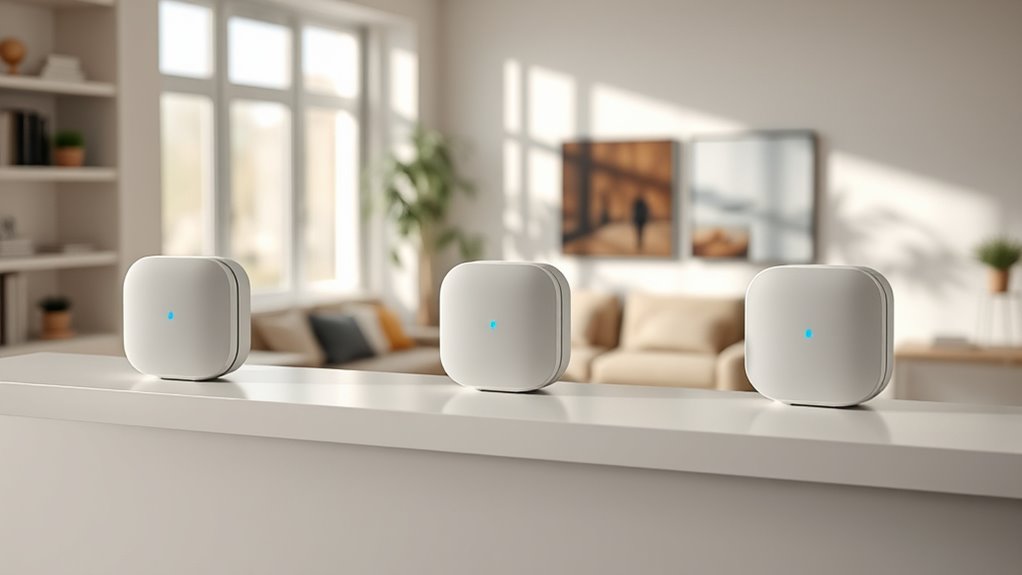

When searching for eero wifi mesh systems, the goal is to find a setup that balances coverage, speed, and simplicity. The eero 6 Mesh WiFi System stands out as the best overall choice for most homes, offering solid performance and easy expansion. For those needing high-speed support on demanding plans, the eero Pro 7 Tri-Band is a premium option, though at a higher price. Meanwhile, the eero 6+ provides a great middle ground with robust performance at a more affordable price. Read on to see how these models compare and which might be right for your needs.

Turn quiet afternoons into listening time
- Thousands of audiobooks, podcasts and originals
- Listen on your phone, tablet or Echo — also offline
- Cancel anytime
Complete the kit


Key Takeaways
- The eero 6 models provide reliable coverage for typical households with simple setup and good price-to-performance balance.
- The eero 7 series introduces Wi-Fi 7, offering faster speeds and lower latency for advanced users or smart homes with many devices.
- Higher-end models like the eero Pro 7 and eero Max 7 are better suited for large homes or demanding internet plans, but come with increased cost and complexity.
- Mesh system size matters: 2-pack setups are enough for smaller homes, while 3-pack systems provide more coverage for bigger spaces or multi-story homes.
- Choosing between tri-band and dual-band depends on your device load and internet plan; tri-band systems excel in crowded environments or gigabit plans.
| eero 6 Mesh WiFi System – 3 Pack (1 Router + 2 Extenders) |  | Best Overall for Large Homes | Coverage: 4,500 sq ft | Wi-Fi Speed: up to 500 Mbps | Device Capacity: 75+ devices | VIEW ON AMAZON | See Our Full Breakdown |
| eero 6+ Mesh WiFi System – Supports Internet Plans Up to 1 Gbps, Coverage up to 4,500 sq ft, Connects 75+ Devices, 3-Pack |  | Best for Gigabit Speeds and Smart Home Hub Integration | Coverage: 4,500 sq ft | Supported speeds: Up to 1 Gbps | Number of devices: 75+ | VIEW ON AMAZON | See Our Full Breakdown |
| eero 7 Dual-Band Mesh Wi-Fi 7 Router (2-Pack) |  | Best for High-Speed, Future-Proof Home Networks | Coverage: 4,000 sq ft | Internet Speed Support: up to 2.5 Gbps | Number of Devices: 120+ | VIEW ON AMAZON | See Our Full Breakdown |
| eero 6+ Mesh WiFi System (2-Pack) |  | Best for Gigabit Speeds and Smart Home Integration on a Budget | Speed: Up to 1 Gbps | Coverage: Up to 3,000 sq ft per unit | Devices Supported: 75+ | VIEW ON AMAZON | See Our Full Breakdown |
| eero Pro 6E Mesh Wi-Fi System (3-Pack) |  | Best for Extensive Coverage and Wi-Fi 6E Performance | Supports internet plans up to: 2.5 Gbps | Coverage: 6,000 sq ft | Connects: 100+ devices | VIEW ON AMAZON | See Our Full Breakdown |
| eero 7 Dual-Band Mesh Wi-Fi 7 Router (3-Pack) |  | Best Value for Extensive Coverage | Coverage: 6,000 sq. ft. | Number of Units: 3 | Wireless Speed: up to 1.8 Gbps | VIEW ON AMAZON | See Our Full Breakdown |
| eero Pro 7 Tri-Band Mesh Wi-Fi 7 Router (3-Pack) |  | Best for High-Speed, Heavy-Demand Networks | Coverage: 6,000 sq. ft. | Number of Units: 3 | Wireless Speed: up to 3.9 Gbps | VIEW ON AMAZON | See Our Full Breakdown |
| eero Max 7 Mesh Wi-Fi System (3-Pack) |  | Best for Large Homes and Smart Home Integration | Coverage: 7,500 sq. ft. | Device Capacity: 750+ devices | Ethernet Ports: 2 x 10 Gigabit Ethernet | VIEW ON AMAZON | See Our Full Breakdown |
| eero Pro 7 Tri-Band Mesh Wi-Fi 7 Router – Supports Internet Plans up to 5 Gbps, Coverage up to 2,000 sq. ft., 1-Pack |  | Best for Compact, High-Speed Performance | Internet Speed Support: up to 5 Gbps | Coverage Area: 2,000 sq. ft. | Device Capacity: 200+ devices | VIEW ON AMAZON | See Our Full Breakdown |
| eero wifi mesh system | Coverage | Number of units |
|---|---|---|
| eero 6 Mesh WiFi System | 4,500 sq ft | — |
| eero 6+ Mesh WiFi System | 4,500 sq ft | 3 |
| eero 7 Dual-Band Mesh Wi-Fi 7 | 4,000 sq ft | 2 |
| eero 6+ Mesh WiFi System | Up to 3,000 sq ft per unit | 2 |
| eero Pro 6E Mesh Wi-Fi System | 6,000 sq ft | 3 |
| eero 7 Dual-Band Mesh Wi-Fi 7 | 6,000 sq. ft. | 3 |
| eero Pro 7 Tri-Band Mesh Wi-Fi | 6,000 sq. ft. | 3 |
| eero Max 7 Mesh Wi-Fi System | 7,500 sq. ft. | — |
| eero Pro 7 Tri-Band Mesh Wi-Fi | — | — |
More Details on Our Top Picks
eero 6 Mesh WiFi System – 3 Pack (1 Router + 2 Extenders)
This eero 6 system stands out for delivering extensive coverage of up to 4,500 sq ft, making it a solid choice for large households. Compared with the eero 6+ or Pro 6E, it offers a more affordable way to eliminate dead spots without the higher costs associated with gigabit speeds or Wi-Fi 6E. Its support for over 75 devices and easy app management make it ideal for busy smart homes, though its maximum speed of 500 Mbps may fall short for users with high-speed plans or demanding gaming needs. Its compatibility with Alexa adds convenience but isn’t a substitute for faster internet plans. The system’s main tradeoff is speed—if your plan exceeds 500 Mbps or you need ultra-low latency, this might not meet your demands. Overall, this pick makes the most sense for large homes needing reliable, broad coverage without the highest-speed requirements.
Pros:- Provides coverage for up to 4,500 sq ft, ideal for large homes
- Supports over 75 devices simultaneously with Wi-Fi 6
- Easy to install and manage via the app
Cons:- Limited to 500 Mbps maximum speed, unsuitable for high-speed plans
- Requires a compatible internet plan for full performance
Best for: Homeowners with large, multi-room spaces seeking reliable Wi-Fi coverage without high-speed plans
Not ideal for: Gamers or households with gigabit internet plans requiring speeds over 500 Mbps
- Coverage:4,500 sq ft
- Wi-Fi Speed:up to 500 Mbps
- Device Capacity:75+ devices
- Includes:1 router + 2 extenders
Our verdict“This system is best for large homes needing broad coverage and smart home integration on a budget.”
eero 6+ Mesh WiFi System – Supports Internet Plans Up to 1 Gbps, Coverage up to 4,500 sq ft, Connects 75+ Devices, 3-Pack
The eero 6+ excels by supporting gigabit internet plans and integrating a built-in smart home hub, making it ideal for tech-savvy households with multiple smart devices. Unlike the eero 6, which caps speeds at 500 Mbps, the 6+ supports up to 1 Gbps, providing more headroom for demanding streaming, gaming, or multiple users. Its extensive coverage of 4,500 sq ft with just 3 units offers a good balance of speed and range. The built-in Zigbee and Thread hubs streamline smart device management, but the need for a subscription to unlock advanced security features is a notable tradeoff. While setup is straightforward via the app, the system’s higher price and reliance on an active internet plan for full features might deter budget-conscious buyers. Overall, this system is a strong pick for homes that need high-speed internet and integrated smart home control without sacrificing coverage.
Pros:- Supports gigabit internet plans up to 1 Gbps
- Provides extensive coverage up to 4,500 sq ft with 3 units
- Built-in smart home hub for Zigbee and Thread devices
- Easy setup and management via app
Cons:- Requires internet service with compatible plans for full speed
- Subscription needed for advanced security features
- Limited to 3 units in the package
Best for: Smart home enthusiasts with gigabit plans who want integrated device management
Not ideal for: Users with slower internet plans or those seeking a budget-friendly mesh system without smart home features
- Coverage:4,500 sq ft
- Supported speeds:Up to 1 Gbps
- Number of devices:75+
- Number of units:3
- Wi-Fi standard:Wi-Fi 6 (802.11ax)
- Smart home hub:Yes (Zigbee, Thread, Alexa compatible)
Our verdict“Ideal for smart home users needing gigabit speeds and integrated device hubs within a broad coverage area.”
eero 7 Dual-Band Mesh Wi-Fi 7 Router (2-Pack)
The eero 7 Dual-Band Mesh Wi-Fi 7 Router makes a compelling case for users aiming for the latest in Wi-Fi technology. Supporting internet plans up to 2.5 Gbps and over 120 devices, it’s a step above older Wi-Fi 6 models like the eero 6+ in speed and capacity. Its support for Wi-Fi 7 means lower latency and improved performance for demanding activities like 4K streaming, gaming, and smart home device management. The 2-unit system covers up to 4,000 sq ft, but it’s more expensive than basic Wi-Fi 6 systems. While backward compatible with previous eero models, advanced security features require a subscription. This model is best suited to households with fast internet needs and future-proofing in mind, but it might be overkill for casual users or those with slower plans.
Pros:- Supports internet plans up to 2.5 Gbps for fast, low-latency connections
- Covers up to 4,000 sq ft with 2 units
- Supports 120+ devices simultaneously
- Backward compatible with previous eero models
Cons:- Higher price point relative to Wi-Fi 6 systems
- Requires subscription for advanced security features
- More expensive than basic routers
Best for: Tech-forward homes with high-speed internet and many connected devices seeking future-proof connectivity
Not ideal for: Budget-conscious users or households with internet plans under 1 Gbps
- Coverage:4,000 sq ft
- Internet Speed Support:up to 2.5 Gbps
- Number of Devices:120+
- Number of units:2
- Wi-Fi technology:Wi-Fi 7
- Warranty:3 years
Our verdict“Best for households seeking cutting-edge Wi-Fi 7 technology and fast, reliable performance for many devices.”
eero 6+ Mesh WiFi System (2-Pack)
The eero 6+ 2-pack offers a balance of gigabit speeds and broad coverage, making it suitable for medium-sized homes or apartments. Supporting Wi-Fi 6 with speeds up to 1 Gbps, it outperforms the standard eero 6 in speed and smart home integration, thanks to the built-in Zigbee and Thread hubs. Its coverage of about 3,000 sq ft per unit provides reliable mesh coverage, but the higher price compared to single-router setups might be a concern for budget-conscious buyers. Setup remains straightforward via the app, but the need for a subscription for advanced security features echoes other eero models’ tradeoffs. This system is ideal for users who want fast, reliable Wi-Fi with smart device management without spending too much.
Pros:- Supports gigabit speeds for fast internet
- Easy to set up with app management
- Built-in smart home hub for Zigbee and Thread devices
- Supports over 75 devices simultaneously
Cons:- Requires subscription for advanced security
- Price may be higher than single-router systems
Best for: Urban dwellers or small families needing gigabit speeds and smart home connectivity
Not ideal for: Large households or those on a tight budget who don’t prioritize smart home features
- Speed:Up to 1 Gbps
- Coverage:Up to 3,000 sq ft per unit
- Devices Supported:75+
- Number of Units:2
- Technology:Wi-Fi 6
- Smart Home Hub:Yes
Our verdict“A solid choice for small to medium homes wanting gigabit Wi-Fi and smart device integration at a reasonable price.”
eero Pro 6E Mesh Wi-Fi System (3-Pack)
The eero Pro 6E taps into Wi-Fi 6E technology, providing the lowest latency and fastest speeds among the options here. Covering up to 6,000 sq ft with three units and supporting over 100 devices, it’s designed for large homes with demanding connectivity needs. Its 1.6 Gbps wireless speeds and gigabit Ethernet ports make it suitable for gaming, streaming, and multiple smart devices simultaneously. Compared with Wi-Fi 6 systems like the eero 6 or 6+, the Pro 6E offers a future-proof edge—yet, it requires compatible Wi-Fi 6E devices to realize full benefits, and the price can be prohibitive. Its setup remains straightforward through the app, but the higher cost makes it less appealing for users with moderate needs. This system is best for those who want cutting-edge Wi-Fi 6E performance now and have the devices to match.
Pros:- Supports Wi-Fi 6E for faster speeds and lower latency
- Covers up to 6,000 sq ft with 3 units
- Supports over 100 devices simultaneously
- Supports gigabit+ internet plans
Cons:- Requires Wi-Fi 6E-compatible devices to maximize benefits
- Higher price point for a 3-pack system
- Advanced security features need subscription
Best for: Large, tech-savvy households with high-speed internet and Wi-Fi 6E-compatible devices
Not ideal for: Budget-conscious buyers or those with slower internet plans under 1 Gbps
- Supports internet plans up to:2.5 Gbps
- Coverage:6,000 sq ft
- Connects:100+ devices
- Number of units:3
- Wi-Fi technology:Wi-Fi 6E
Our verdict“Best for large homes with high-speed internet and the latest Wi-Fi 6E devices seeking ultimate low-latency performance.”
eero 7 Dual-Band Mesh Wi-Fi 7 Router (3-Pack)
This model stands out for delivering impressive coverage of up to 6,000 sq. ft. and supporting over 120 devices, making it ideal for larger households or small offices. Compared to the eero 6+ Mesh WiFi System, it offers faster speeds with Wi-Fi 7 and supports higher internet plans up to 2.5 Gbps, yet it requires a subscription for security features, which adds to the overall cost. The dual-band setup keeps things simple and affordable, but it may not handle extremely dense networks as well as tri-band options. For users seeking a budget-friendly way to upgrade to Wi-Fi 7 while covering a large area, this is a compelling choice.
Pros:- Supports internet plans up to 2.5 Gbps for fast speeds
- Provides coverage up to 6,000 sq. ft.
- Supports over 120 devices simultaneously
Cons:- Requires subscription for advanced security features
- Limited to dual-band performance which may be less effective in dense networks
Best for: Large households or small offices needing broad coverage and support for many devices without a hefty price tag
Not ideal for: Small apartments or users seeking advanced security features without additional costs
- Coverage:6,000 sq. ft.
- Number of Units:3
- Wireless Speed:up to 1.8 Gbps
- Internet Plan Support:up to 2.5 Gbps
- Ports:2 auto-sensing 2.5 GbE ports
- Compatibility:Backward compatible with all previous eero generations
Our verdict“This router is best suited for users who want reliable Wi-Fi 7 coverage on a budget and don’t mind optional security subscriptions.”
eero Pro 7 Tri-Band Mesh Wi-Fi 7 Router (3-Pack)
The eero Pro 7 excels at handling demanding network environments, supporting internet speeds up to 5 Gbps and connecting over 600 devices across a 6,000 sq. ft. area. Unlike the eero 7 Dual-Band, it features tri-band technology, which significantly reduces congestion and improves performance in crowded networks. While its higher price point and subscription for security may be a barrier, it’s a worthwhile investment for small businesses or tech-heavy households that require maximum speed and capacity. The advanced security features also add value for users concerned about privacy. If you need a powerful mesh system capable of supporting numerous devices at high speeds, this model is a clear contender.
Pros:- Supports internet plans up to 5 Gbps for ultra-fast speeds
- Handles over 600 devices simultaneously
- Includes advanced security features
Cons:- Higher price for a 3-pack system
- Requires subscription for security features
Best for: Small to medium businesses or tech-savvy households with high bandwidth demands and many connected devices
Not ideal for: Budget-conscious users or those with light internet needs who won’t utilize the full speed or capacity
- Coverage:6,000 sq. ft.
- Number of Units:3
- Wireless Speed:up to 3.9 Gbps
- Supported Internet Speed:up to 5 Gbps
- Ports:Two auto-sensing 5 GbE ports
- Device Capacity:600+ devices
Our verdict“This mesh system is ideal for power users needing maximum speed, capacity, and security, despite its premium cost.”
eero Max 7 Mesh Wi-Fi System (3-Pack)
The eero Max 7 offers a significant boost in coverage—up to 7,500 sq. ft.—making it perfect for sprawling homes or properties with complex layouts. Its support for over 750 devices and advanced wired speeds via two 10 GbE ports set it apart from the eero Pro 7 and standard models. The inclusion of smart home features and a three-year warranty make it a flexible, future-proof choice. However, the higher price and subscription requirement for security might deter budget-conscious buyers. This system makes the most sense for users who want extensive range, high device capacity, and smart home compatibility without sacrificing speed.
Pros:- Supports Wi-Fi 7 speeds and wired connections
- Coverage up to 7,500 sq. ft.
- Supports over 750 devices
Cons:- Requires subscription for advanced security
- Higher cost for the 3-pack system
Best for: Large homes with extensive smart home setups and many connected devices
Not ideal for: Small apartments or users seeking a budget-friendly mesh system with basic features
- Coverage:7,500 sq. ft.
- Device Capacity:750+ devices
- Ethernet Ports:2 x 10 Gigabit Ethernet
- Wi-Fi Technology:Wi-Fi 7
- Warranty:3 years
Our verdict“Best suited for large, tech-heavy homes needing broad coverage, high device capacity, and smart home integration.”
eero Pro 7 Tri-Band Mesh Wi-Fi 7 Router – Supports Internet Plans up to 5 Gbps, Coverage up to 2,000 sq. ft., 1-Pack
The eero Pro 7 in a single-pack configuration is designed for smaller spaces, offering coverage up to 2,000 sq. ft. and supporting over 200 devices. Its tri-band setup and multi-gigabit speeds up to 5 Gbps mirror the larger 3-pack, but in a more compact form ideal for apartments, small homes, or small businesses. Compared with the eero 7 Dual-Band 3-Pack, it provides higher speeds and more reliable connections for fewer rooms. The main tradeoff is its limited coverage, which makes it less suitable for larger properties. For users who need high-speed, reliable Wi-Fi in a small footprint, this is an excellent choice.
Pros:- Supports internet speeds up to 5 Gbps
- Easy to set up and expand
- Supports over 200 devices
Cons:- Limited coverage area for larger homes
- Premium price for a single-unit router
Best for: Small homes, apartments, or small offices needing fast, reliable Wi-Fi coverage
Not ideal for: Large homes or spaces requiring extensive coverage beyond 2,000 sq. ft.
- Internet Speed Support:up to 5 Gbps
- Coverage Area:2,000 sq. ft.
- Device Capacity:200+ devices
- Ports:2 auto-sensing 5 GbE ports
- Compatibility:Backward compatible with previous eero models
Our verdict“This router is best for users who need high-speed Wi-Fi in a smaller space and value compact design.”

How We Picked
These eero wifi mesh systems were evaluated based on performance, ease of setup, build quality, coverage capacity, and value for money. We considered how well each system handles multiple devices, their compatibility with high-speed internet plans, and their expandability. The ranking reflects a balance between features and affordability, prioritizing options that suit a range of home sizes and technical needs. Our goal was to identify models that deliver reliable, fast Wi-Fi with straightforward installation and minimal ongoing maintenance.Factors to Consider When Choosing Eero Wifi Mesh Systems
When choosing an eero wifi mesh system, understanding key factors can help you avoid common pitfalls and select a setup that truly meets your needs.Coverage Area and System Size
Assess your home’s size and layout to determine how many units you’ll need. Larger or multi-story homes often require 3-pack systems or additional extenders to ensure Wi-Fi reaches every corner. Underestimating coverage can lead to dead zones, while overestimating might mean paying for more hardware than necessary. Keep in mind that the physical placement of nodes impacts overall performance, so plan your network layout accordingly.
Speed and Internet Plan Compatibility
Match your eero system to your internet plan’s speed. For gigabit or faster plans, opt for models that support higher throughput, like the eero Pro 7 Tri-Band. Using a system that can’t handle your plan’s maximum speeds can bottleneck your connection, frustrating high-bandwidth activities. Conversely, if your plan is modest, investing in top-tier hardware might not provide noticeable benefits and could be a waste of money.
Number of Devices and Network Load
Consider how many devices connect simultaneously. Homes with many smart devices, streaming gear, or gaming consoles benefit from tri-band systems, which distribute traffic more efficiently. Dual-band options are sufficient for lighter use but may struggle under heavy loads. Overloading a system designed for fewer devices can cause slowdowns and unstable connections, especially during peak usage times.
Ease of Setup and Management
Most eero systems are praised for their straightforward app-based setup, but some models, especially the more advanced ones, may require more technical familiarity. Think about whether you prefer a plug-and-play setup or are comfortable with configuring advanced settings. Additionally, consider the app’s features, like parental controls, guest networking, and firmware updates, which can enhance your experience and security.
Future-proofing and Compatibility
Wi-Fi 7 is on the horizon, and some higher-end eero models support this latest standard, promising faster speeds and lower latency as devices adopt it. Investing in a Wi-Fi 7-compatible system now can extend your network’s relevance, but it may come at a premium. Also, check compatibility with your ISP and existing hardware to avoid integration issues or unnecessary upgrades down the line.
Frequently Asked Questions
Will a single eero device be enough for my home?
A single eero device is usually sufficient only for small apartments or spaces less than 1,000 square feet. For larger homes, especially multi-story layouts, multiple units are necessary to ensure full coverage. The eero app can help you plan the ideal placement, but keep in mind that coverage is directly related to the number of devices you deploy, not just their individual strength.
Can I expand my eero system later if I need more coverage?
Yes, most eero systems are designed to be expandable, allowing you to add more units as your needs grow. This flexibility makes eero a good long-term investment, especially if you’re unsure about your future space or device needs. When expanding, ensure the new units are compatible with your existing system to maintain seamless operation and management.
Do I need Wi-Fi 7 for typical home use?
Not necessarily. Wi-Fi 7 offers benefits like higher speeds and lower latency, which are most noticeable for demanding activities or future devices. For most home users, Wi-Fi 6 or Wi-Fi 6E provides ample performance for streaming, gaming, and smart home devices. Upgrading to Wi-Fi 7 is more about future-proofing rather than a necessity today.
Is it worth paying extra for tri-band systems?
Tri-band systems are beneficial if you have many devices competing for bandwidth or a gigabit internet plan. They help distribute traffic more evenly, reducing congestion and improving overall speed. However, if your household has modest usage, a dual-band system might be sufficient and more cost-effective. Consider your current and near-future device load before deciding.
How important is the design and appearance of the eero units?
The aesthetic of eero units varies, but many models are designed to blend into home decor with minimal disruption. If you prefer a discreet setup, look for compact or wall-mountable options. While appearance doesn’t impact performance, choosing units that fit your home’s style can make the setup more appealing and less obtrusive.
Conclusion
For most households seeking a reliable, easy-to-manage mesh network, the eero 6 Mesh WiFi System offers an excellent balance of coverage, speed, and value. If you require higher speeds or plan to support many devices, the eero Pro 7 Tri-Band is a smart upgrade, albeit at a higher cost. Beginners or those with smaller homes should lean toward simpler, more affordable setups, while tech enthusiasts will appreciate the latest Wi-Fi 7 support in premium models. Ultimately, matching your home’s size, internet plan, and future needs will guide you to the best eero system for 2026.
Fall Picks

Therabody Theragun Mini 3rd Gen Massage Gun (Travel Essential, Black)
As an affiliate, we earn on qualifying purchases.