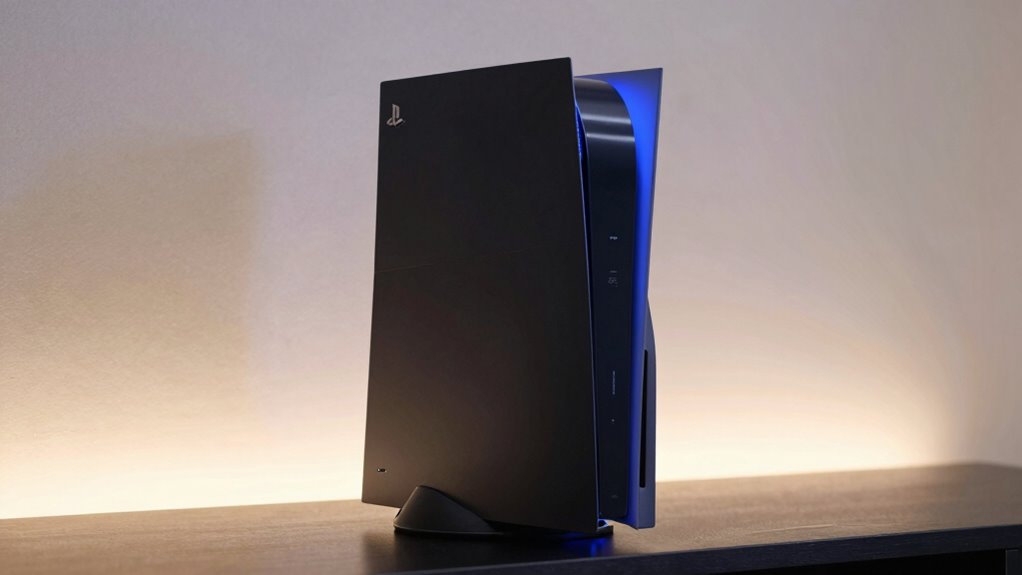

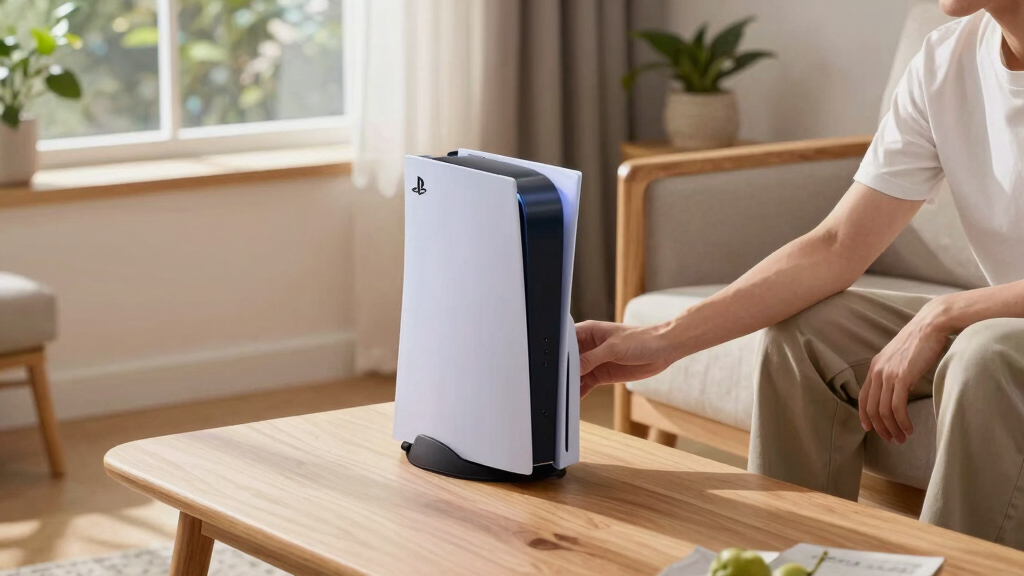
If you’re seeking the best cooling stands for PS5, you’re aiming to keep your console cool during intense gaming sessions while also managing space and accessories. The PS5/Slim/Pro Stand and Cooling Station with LED Controller Charging Station stands out as the overall top pick thanks to its effective cooling and multifunctional design. For those prioritizing aesthetics, the Hexagon RGB Aesthetics Stand offers vibrant lighting, while the FastSNAIL Charging Stand with Cooling Fan combines cooling power with rapid charging. However, buyers must weigh factors like noise levels, size, and additional features, as not all stands deliver the same performance or convenience. Continue reading for a detailed breakdown of these options and what to consider when choosing your ideal cooling stand.
Play games included with Prime
Start a Prime free trial and play with Amazon Luna on your devices.
Start playingAs an affiliate, we earn on qualifying purchases.
Complete the kit


Key Takeaways
- The best cooling stands balance effective thermal management with ease of use and build quality.
- LED lighting and aesthetic features are common, but may affect cooling efficiency or noise levels.
- Dual controller charging is a must-have for most gamers, but not all stands include this feature.
- Larger stands often incorporate more USB ports and storage options, trading space for additional functionality.
- Noise levels vary significantly; quieter models tend to cost more but offer a more comfortable gaming environment.
| PS5/Slim/Pro Stand and Cooling Station with LED Controller Charging Station for PlayStation 5 Console |  | Best Overall Multifunctional Stand and Cooling Solution | Compatibility: PS5, PS5 Slim, PS5 Pro | Cooling Fan Speed: 3 levels (3100-3500 RPM) | Charging Time: 2.5 hours for controllers | VIEW ON AMAZON | See Our Full Breakdown |
| PS5 Stand with Hexagon RGB Aesthetics, Cooling Station, Dual Controller Charger, USB Hub, Headset Holder for PlayStation 5 Slim/Pro/Digital |  | Best for Customizable Aesthetics and Effective Cooling | Lighting Effects: 10 modes including breathing, static, rainbow | Cooling Fans: Dual turbo fans, noise under 40dB | Controller Charging: Charges two controllers in about 2 hours | VIEW ON AMAZON | See Our Full Breakdown |
| PS5 / PS5 Slim Cooling Station with Dual Controller Charging Station, Headset Holder, Cooling Fan, 4 USB Hub, Organizer |  | Best for Complete Organization and Quiet Cooling | Cooling Fan: 3-speed adjustable | Controller Charging: Dual, 3 hours to full | USB Ports: 4 | VIEW ON AMAZON | See Our Full Breakdown |
| PS5 Pro/Slim/Standard Stand and Cooling Station with Controller Charging Station |  | Best Compact, Adjustable Cooling and Charging Hub | Cooling Fan Levels: 3 levels (Strong/Medium/Normal) | Fan Size: 2.36 inches | Charging Capacity: 2 controllers | VIEW ON AMAZON | See Our Full Breakdown |
| Cooling Station for PS5 Slim/Pro – Vertical Stand Organizer with Dual Controller Charger, 16 Game Slots, 7 RGB Lights, Cooler Fan, USB Ports, Headset & Remote Holder |  | Best for Ultimate Organization and Visual Flair | Cooling Range: 5-12°C | Fan Speeds: High, Medium, Low | Controller Charging: 2 controllers | VIEW ON AMAZON | See Our Full Breakdown |
| FastSNAIL Charging Stand with Cooling Fan for PS5, Dual Controller Charger Station with RGB Lights, Headset Hook, and 3 Cooler Fans |  | Best Overall Cooling Stand for PS5 | Compatibility: PS5, PS5 Slim, PS5 Pro | Controller Charging: DualSense and Edge controllers | Charging Time: 2.5-4 hours depending on controller | VIEW ON AMAZON | See Our Full Breakdown |
| Cooling Stand for PS5 with Dual Controller Charging and Auto Fan |  | Best for Automated Cooling and Versatile Storage | Compatibility: PS5 Original, Slim, Pro Disc & Digital | Cooling Fan: Auto adjustable, turbo fan with 3-speed control | Charging Ports: 3 USB ports for controllers, headset, and devices | VIEW ON AMAZON | See Our Full Breakdown |
| Tokluck PS5 Cooling Station with Auto Turbofan & Controller Charger |  | Best for Customizable Cooling and Aesthetic Effects | Compatibility: All PS5 Console Digital & Disc Version | Fan Speed Adjustment: Automatic and manual modes with 3 levels | Lighting: 9 RGB effects with adjustable brightness | VIEW ON AMAZON | See Our Full Breakdown |
| Cooling Stand with Dual Fans for PS5 Slim & PS5 Pro, RGB Light |  | Best for Dual-Fan Enhanced Cooling with App Control | Dual Fans: Yes | RGB Light: 7 colors, app-controlled | Compatibility: PS5 Slim & Pro | VIEW ON AMAZON | See Our Full Breakdown |
| PS5 Cooling Station with Dual Controller Charger, RGB Lighting, and Multi-Device Organizer |  | Best for Multi-Device Organization and Cooling | Controller Charging: DualSense controllers, 3-hour full charge | Fan Speeds: 3 adjustable levels | RGB Lighting: 4 modes, 8 colors | VIEW ON AMAZON | See Our Full Breakdown |
| PS5/Slim/Pro Cooling Station with Controller Charging Dock and USB Hubs |  | Best Overall for Versatile Cooling and Organization | Compatibility: PS5 Standard, Slim, Digital & Disc Versions | Cooling Fan: Adjustable 3-speed turbo fan | Charging Time: 3 hours for full charge | VIEW ON AMAZON | See Our Full Breakdown |
| PS5/PS5 Slim/PS5 Pro Stand and Cooling Station with Dual Controller Charging Station for PlayStation 5 Console, White |  | Best for Sleek, Space-Saving Setup | Compatibility: PS5, PS5 Slim, PS5 Pro | Fan Speeds: 3 adjustable levels | Charging Ports: Dual wireless chargers | VIEW ON AMAZON | See Our Full Breakdown |
| PS5/Slim/Pro Stand with Cooling & Charging Station, RGB Lights, Adjustable Fan, Controller Charger for PlayStation 5 |  | Best for Gaming Style and Customization | Compatibility: PS5, PS5 Slim, PS5 Pro | Cooling System: High-efficiency cooling fans with multi-protection | Charging Time: 3.5 hours for PS5 controller, 2.5 for Edge | VIEW ON AMAZON | See Our Full Breakdown |
| Cooling Station with Controller Charger for PS5/Slim/Pro, Dual Controller Charging Station with Cooling and RGB Lighting |  | Best for Versatile, Quiet Cooling and Charging | Compatibility: All PS5 models | Cooling System: Turbo fan with 3 levels | Charging: Charges 2 controllers in 2-2.5 hours | VIEW ON AMAZON | See Our Full Breakdown |
| cooling stands for ps5 | Compatibility | USB Ports |
|---|---|---|
| PS5/Slim/Pro Stand and Cooling | PS5, PS5 Slim, PS5 Pro | 3 |
| PS5 Stand with Hexagon RGB Aes | PS5 Disc, Digital, Slim, Pro | 3 |
| PS5 / PS5 Slim Cooling Station | — | 4 |
| PS5 Pro/Slim/Standard Stand an | PS5 Pro, PS5 Slim, PS5 Disc, Digital | — |
| Cooling Station for PS5 Slim/P | — | 3 USB + 1 Type-C |
| FastSNAIL Charging Stand with | PS5, PS5 Slim, PS5 Pro | — |
| Cooling Stand for PS5 with Dua | PS5 Original, Slim, Pro Disc & Digital | — |
| Tokluck PS5 Cooling Station wi | All PS5 Console Digital & Disc Version | 3 USB charging ports |
| Cooling Stand with Dual Fans f | PS5 Slim & Pro | — |
| PS5 Cooling Station with Dual | PS5, PS5 Slim, PS5 Pro | 2 USB A, 1 USB C |
| PS5/Slim/Pro Cooling Station w | PS5 Standard, Slim, Digital & Disc Versions | 3 USB hubs |
| PS5/PS5 Slim/PS5 Pro Stand and | PS5, PS5 Slim, PS5 Pro | — |
| PS5/Slim/Pro Stand with Coolin | PS5, PS5 Slim, PS5 Pro | 3 USB HUBs |
| Cooling Station with Controlle | All PS5 models | 2 USB charging ports |
More Details on Our Top Picks
PS5/Slim/Pro Stand and Cooling Station with LED Controller Charging Station for PlayStation 5 Console
This stand stands out for combining cooling, charging, and storage functions in a single, versatile unit. Its adjustable cooling speeds help prevent overheating during intense gaming, while the multiple USB ports and storage for 14 discs keep your setup organized. Compared with the more feature-rich Cooling Station for PS5 Slim/Pro, it offers a balanced mix of functions without overcomplicating the design, though it may be bulkier and require more space. The safety protections add peace of mind, making it ideal for users who want a comprehensive, all-in-one solution. The main tradeoff is its size, which might not suit compact setups, and the charging speed for controllers could be faster for highly active players.
Pros:- Combines cooling, charging, and storage functions in one device
- Efficient cooling with adjustable speeds
- Keeps accessories and games organized
Cons:- May be bulky for tight spaces
- Controller charging could be quicker
Best for: Gamers who want a reliable, all-in-one stand that manages cooling, charging, and storage efficiently
Not ideal for: Small-space users or those preferring a minimalist setup, as it requires significant vertical space
- Compatibility:PS5, PS5 Slim, PS5 Pro
- Cooling Fan Speed:3 levels (3100-3500 RPM)
- Charging Time:2.5 hours for controllers
- USB Ports:3
- Game Storage:14 discs
- Protection Features:Overcharge, overheat, overvoltage, short-circuit
Our verdict“This pick is best for gamers seeking a comprehensive, space-efficient solution for keeping their PS5 cool and organized.”
PS5 Stand with Hexagon RGB Aesthetics, Cooling Station, Dual Controller Charger, USB Hub, Headset Holder for PlayStation 5 Slim/Pro/Digital
This stand makes a statement with vibrant RGB lighting and effective dual turbo fans that can cut console temperature by up to 50%. Its customizable 10 lighting effects add personality to any gaming setup, and the dual controller charger ensures quick, protected power-ups. Compared with the more utilitarian PS5/Slim/Pro Stand and Cooling Station with LED Controller, this model emphasizes visual flair and cooling efficiency, though its size might be less suitable for cramped spaces, and detailed dimensions are not specified. It’s ideal for gamers who want a stylish, well-ventilated setup, but those who prioritize space-saving might find it bulky.
Pros:- Vibrant RGB lighting with multiple effects
- Effective cooling reduces temperature by 50%
- Fast dual controller charging with overcharge protection
Cons:- Lighting effects may be distracting
- Size may not fit in tight spaces
Best for: Gamers who value aesthetics and effective cooling during extended gaming sessions
Not ideal for: Users with limited space or those seeking a minimalistic, distraction-free environment
- Lighting Effects:10 modes including breathing, static, rainbow
- Cooling Fans:Dual turbo fans, noise under 40dB
- Controller Charging:Charges two controllers in about 2 hours
- USB Ports:3
- Compatibility:PS5 Disc, Digital, Slim, Pro
Our verdict“This stand suits gamers who want a stylish, cooling-enhanced setup with customizable lighting effects.”
PS5 / PS5 Slim Cooling Station with Dual Controller Charging Station, Headset Holder, Cooling Fan, 4 USB Hub, Organizer
This all-in-one station excels at maintaining a tidy gaming space with its dual controller charger, headset holder, and 4 USB ports. The quiet, adjustable cooling fan prevents overheating without adding noise, making it ideal for long gaming marathons. Compared to the more compact PS5 Pro/Slim/Standard Stand and Cooling Station, it provides extra USB ports and a dedicated headset holder, but it may be larger and less portable. Its design is well-suited for gamers who prioritize organization and quiet operation, but it requires a dedicated space for the entire station.
Pros:- All-in-one design with cooling, charging, and organization
- Quiet, adjustable fan helps prevent overheating
- Fast charging with smart protection
Cons:- Requires space for the entire station
- Limited to PS5 and PS5 Slim
Best for: Gamers who want a comprehensive, quiet cooling and organization station for their PS5 setup
Not ideal for: Players with limited space or those seeking a lightweight, portable solution
- Cooling Fan:3-speed adjustable
- Controller Charging:Dual, 3 hours to full
- USB Ports:4
- Material:Premium, non-slip padding
- Additional Features:Headset holder, safety screw, LED indicators
Our verdict“Ideal for those who need a quiet, organized station to support extended gaming sessions without clutter.”
PS5 Pro/Slim/Standard Stand and Cooling Station with Controller Charging Station
This stand offers a straightforward yet versatile cooling solution with adjustable turbo fan levels and a dual controller charger. Its compact size makes it a practical choice for those who want effective cooling without bulk, and the three USB hubs provide additional device charging. Compared with larger, multi-function options like the Cooling Station for PS5 Slim/Pro, it sacrifices some organizational features for simplicity and space efficiency. The lack of detailed noise level info might be a concern for noise-sensitive users, but its ease of use appeals to players seeking a no-fuss setup.
Pros:- Effective cooling with adjustable fan levels
- Charges two controllers simultaneously
- Includes multiple USB hubs for accessories
Cons:- Requires additional power source
- No specific noise level info
Best for: Players who want a space-efficient, adjustable cooling and charging station without extra bells and whistles
Not ideal for: Users needing extensive organization or lighting features, or those with space constraints for larger units
- Cooling Fan Levels:3 levels (Strong/Medium/Normal)
- Fan Size:2.36 inches
- Charging Capacity:2 controllers
- USB Hubs:3 ports
- Compatibility:PS5 Pro, PS5 Slim, PS5 Disc, Digital
Our verdict“This stand suits gamers who prefer a simple, adjustable cooling and charging station in a compact form factor.”
Cooling Station for PS5 Slim/Pro – Vertical Stand Organizer with Dual Controller Charger, 16 Game Slots, 7 RGB Lights, Cooler Fan, USB Ports, Headset & Remote Holder
This all-in-one setup aims to be the centerpiece of any gaming space, combining cooling, dual controller charging, and extensive organization with 16 game slots. Its 7 RGB lighting modes add a vibrant touch, while the cooler fan maintains a 5-12°C temperature reduction. Compared with more straightforward stands, it emphasizes aesthetics and multiple functionalities, but it does not include the PS5 console or controllers, and the short power cord limits placement options. It’s best for gamers who want a highly customizable, visually appealing hub that also keeps their console cool.
Pros:- Combines cooling, charging, and organization in one compact device
- Supports dual controllers with overcharge protection
- Supports multiple USB devices with 4 ports and RGB lighting
Cons:- Package excludes PS5 and controllers
- Cooling fan is auxiliary, not a replacement for the console’s own fan
- Short power cord limits placement flexibility
Best for: Dedicated gamers seeking a visually striking, organized, and cooling-enhanced PS5 station
Not ideal for: Those with limited space or seeking a simple, minimal setup without extensive lighting
- Cooling Range:5-12°C
- Fan Speeds:High, Medium, Low
- Controller Charging:2 controllers
- USB Ports:3 USB + 1 Type-C
- Game Slots:16
- Lighting:7 RGB modes
Our verdict“This model is suitable for gamers who prioritize a colorful, organized, and cool gaming environment with extensive storage options.”
FastSNAIL Charging Stand with Cooling Fan for PS5, Dual Controller Charger Station with RGB Lights, Headset Hook, and 3 Cooler Fans
This stand stands out for combining reliable dual controller charging with effective cooling, making it a well-rounded choice for dedicated gamers. Unlike the more automated Tokluck PS5 Cooling Station, the FastSNAIL offers customizable RGB lighting with a memory feature, adding aesthetic appeal, though it requires USB power from the PS5 for lighting functions. Its adjustable fan speeds effectively keep the console cool during long gaming sessions, but the fan noise, though low, might be noticeable to sensitive users. The included headset hook and anti-skid rubber base add practical organization features, making it ideal for players who want both function and style. Compared to the Cooling Stand with Dual Fans for PS5, it offers more lighting customization, but the latter might be simpler to set up for minimalists.
Pros:- Supports all PS5 models with dual controller charging
- Effective cooling with adjustable fan speeds
- Customizable RGB lighting with memory function
- Includes practical accessories like headset hook
Cons:- Requires USB power supply from PS5 for RGB lights
- Fan noise, though low, may be noticeable
Best for: Gamers who prioritize a combination of cooling, charging, and customizable aesthetics in a single stand
Not ideal for: Casual players who prefer a straightforward stand without lighting or extra features, as it may feel overly complex
- Compatibility:PS5, PS5 Slim, PS5 Pro
- Controller Charging:DualSense and Edge controllers
- Charging Time:2.5-4 hours depending on controller
- Fan Speed:Low, Medium, High, Off
- Fan Noise:Below 50dB at high speed
- RGB Lights:9 modes with memory function
Our verdict“This pick is best suited for gamers seeking an all-in-one stand with strong cooling, charging, and visual customization.”
Cooling Stand for PS5 with Dual Controller Charging and Auto Fan
This stand is ideal for players who want a more automated cooling experience, thanks to its turbo fan with auto temperature-based speed control. It’s compatible with all PS5 versions and offers LED indicators for dual controller charging, making it more user-friendly than the manual fan adjustments of the FastSNAIL. Its space-saving design includes multiple accessory slots, helping to keep your gaming area organized, but it does require an external power source, which can add clutter for small setups. While its automatic cooling is effective, the bulkiness might be a downside for those with limited space. Compared with the Tokluck PS5 Cooling Station, this model’s automatic fan control reduces manual adjustments, but it might be less customizable overall.
Pros:- Effective automatic cooling with adjustable fan speeds
- Fast dual controller charging with LED indicators
- Space-efficient organizer for gaming accessories
- Compatible with all PS5 versions
Cons:- Requires external power source for full operation
- Potentially bulky for compact setups
Best for: Players who want automatic cooling and organized storage without too many manual settings
Not ideal for: Minimalist setups or users who prefer a purely plug-and-play design without external power needs
- Compatibility:PS5 Original, Slim, Pro Disc & Digital
- Cooling Fan:Auto adjustable, turbo fan with 3-speed control
- Charging Ports:3 USB ports for controllers, headset, and devices
- Power Source:Wall outlet or console front port
- Charging Time:Approximately 2 hours
Our verdict“This stand is perfect for gamers who favor automatic cooling and organized spaces, though it needs an external power source.”
Tokluck PS5 Cooling Station with Auto Turbofan & Controller Charger
The Tokluck station offers advanced features like automatic 3-level fan speed adjustment based on console temperature, making it suitable for players who want proactive cooling. Its RGB lighting with 9 effects and adjustable brightness adds a vibrant touch to any gaming setup, but this level of customization could be distracting for some. The dual-controller charger is fast, taking about 2.5 hours, and the built-in temperature probe adds a layer of intelligent cooling that surpasses simpler models like the Cooling Stand with Dual Fans for PS5. However, its complex setup may be overwhelming for less tech-savvy users, and the lighting effects may not appeal to minimalists. Compared with the FastSNAIL, it emphasizes automatic cooling over manual control, but at the cost of increased complexity.
Pros:- Automatically adjusts fan speed based on console temperature
- Includes dual-controller charging with fast 2.5-hour charge time
- Features customizable RGB lighting effects
- Multiple USB ports for accessories
Cons:- Complex setup with many features may be overwhelming
- Lighting effects might be distracting
Best for: Tech-savvy gamers who enjoy customizable lighting and automated cooling features
Not ideal for: Players seeking a straightforward, simple stand without many adjustable features or lighting effects
- Compatibility:All PS5 Console Digital & Disc Version
- Fan Speed Adjustment:Automatic and manual modes with 3 levels
- Lighting:9 RGB effects with adjustable brightness
- Charging Time:2.5 hours for controllers
- USB Ports:3 USB charging ports
Our verdict“Ideal for gamers who appreciate smart cooling and vibrant lighting, though it demands a more involved setup process.”
Cooling Stand with Dual Fans for PS5 Slim & PS5 Pro, RGB Light
This stand excels at boosting airflow with its dual fans, making it suitable for players who want enhanced cooling during intense gaming. Its app-controlled RGB lighting with 7 colors and effects offers a customizable aesthetic, similar to the Tokluck but with a focus on app ease of use. The installation is straightforward, involving simple screws and spacers, ideal for those who want quick setup. While its cooling performance is solid thanks to dual fans, it is limited to PS5 Slim and Pro models, unlike some universal stands. The reliance on a USB A to USB A cable, which may not be included, could be a minor inconvenience for some users.
Pros:- Effective dual fans for improved cooling
- App-controlled RGB lighting with multiple effects
- Easy installation with minimal tools
- Supports PS5 Slim & Pro models
Cons:- Requires USB A to USB A cable, which may not be included
- Limited to certain PS5 models
Best for: Owners of PS5 Slim or Pro who want an easy-to-install cooling solution with vibrant RGB lighting
Not ideal for: Players with the standard PS5 Digital or Disc edition looking for a more universal or feature-rich stand
- Dual Fans:Yes
- RGB Light:7 colors, app-controlled
- Compatibility:PS5 Slim & Pro
- Installation:Easy, with screws and spacers
- Power:USB A to USB A cable
Our verdict“This stand provides robust cooling and vibrant lighting for PS5 Slim and Pro owners seeking quick, effective setup.”
PS5 Cooling Station with Dual Controller Charger, RGB Lighting, and Multi-Device Organizer
This station combines cooling, charging, and organization, making it a versatile choice for players who want a tidy setup. Its dual controller charging and three adjustable fan speeds ensure effective cooling and power management, comparable to the FastSNAIL. Its RGB lighting with four modes and eight colors adds a lively touch, while the multiple USB ports facilitate charging of various accessories. The stand also functions as an organizer for the console, disks, and headset, ideal for clutter-conscious gamers. However, it relies on a USB connection for power, which may limit placement options, and the lighting modes might be distracting for minimalists. Compared to models with automatic or app-controlled fans, this offers a more straightforward multi-function approach.
Pros:- Efficient dual controller charging with protections
- Vibrant RGB lighting with multiple modes
- Organizes console, controllers, disks, and headset
- Multiple USB ports for accessories
Cons:- Requires connection to power via USB
- Lighting modes may be distracting
Best for: Gamers who want a combined cooling, charging, and organizational station in a single setup
Not ideal for: Players preferring minimal setups or those who dislike multi-function devices with many features
- Controller Charging:DualSense controllers, 3-hour full charge
- Fan Speeds:3 adjustable levels
- RGB Lighting:4 modes, 8 colors
- USB Ports:2 USB A, 1 USB C
- Compatibility:PS5, PS5 Slim, PS5 Pro
Our verdict“This versatile station is best for players seeking a combined cooling, charging, and organizing solution for a tidy gaming space.”
PS5/Slim/Pro Cooling Station with Controller Charging Dock and USB Hubs
This cooling station stands out for its comprehensive approach, combining effective cooling with fast controller charging and multiple USB hubs. Its adjustable 3-speed turbo fan ensures you can balance noise and cooling performance, a step up from simpler stands that lack speed control, like the B09QGK2LW3. However, it requires removal of the panel adapter for digital PS5 Slims, which could be inconvenient. Compared to more integrated options like the B0FPR47153, this station offers broader compatibility and more ports, but at the cost of slightly more setup effort. Overall, this pick fits gamers who want a blend of cooling, charging, and organization without sacrificing versatility.
Pros:- Effective cooling with adjustable fan speeds
- Fast charging for two controllers in 3 hours
- Multiple USB ports for accessories
- Organizes controllers, headset, and discs neatly
Cons:- Not compatible with Edge controllers
- Requires removal of panel adapter for digital PS5 Slim
Best for: Gamers seeking a multi-functional stand that handles cooling, controller charging, and accessory organization for all PS5 models
Not ideal for: Players with limited space or those who prefer a minimal setup, since it involves multiple components and adjustments
- Compatibility:PS5 Standard, Slim, Digital & Disc Versions
- Cooling Fan:Adjustable 3-speed turbo fan
- Charging Time:3 hours for full charge
- USB Ports:3 USB hubs
- Overcharge Protection:Yes
- Included Accessories:Cooling stand, headset holder, screw, panel
Our verdict“This stand is ideal for gamers who want a well-rounded hub for cooling, charging, and organizing their PS5 setup with maximum flexibility.”
PS5/PS5 Slim/PS5 Pro Stand and Cooling Station with Dual Controller Charging Station for PlayStation 5 Console, White
This stand offers a clean and minimalist design, combining cooling, dual controller charging, and accessory organization in a single white unit. Its three adjustable fan speeds help prevent overheating during extended gaming sessions, similar to the B0CLV1YDYS, but with a more streamlined look. It’s important to note that it does not include the console or controllers, so it’s best suited for owners who already have their equipment ready. Compared with the more feature-rich B0FPR47153, this model emphasizes aesthetics over extensive external features, making it perfect for players who value a tidy, stylish setup. The tradeoff is that it requires more space and a separate setup for the console and controllers.
Pros:- Provides cooling and dual charging in one sleek unit
- Adjustable fan speeds for effective cooling
- Dual wireless controller chargers with overcharge protection
- Multiple USB 3.0 ports for peripherals
Cons:- Does not include console or controllers
- Requires extra space for setup and connections
Best for: Owners who want a visually appealing, compact stand that handles cooling and charging without extra clutter
Not ideal for: Casual gamers or new buyers without existing controllers or accessories, since it doesn’t include any peripherals
- Compatibility:PS5, PS5 Slim, PS5 Pro
- Fan Speeds:3 adjustable levels
- Charging Ports:Dual wireless chargers
- USB Hubs:3 USB 3.0 ports
- Overcharge Protection:Yes
- Power Input:120V, 5V, 3.6A
Our verdict“This stand suits players who prioritize a tidy appearance and already own their gaming accessories, but it demands a dedicated space for full use.”
PS5/Slim/Pro Stand with Cooling & Charging Station, RGB Lights, Adjustable Fan, Controller Charger for PlayStation 5
This multifunctional stand combines cooling, charging, and light effects, appealing to gamers who enjoy a visually dynamic setup. Its RGB lighting with 9 modes adds flair, while the adjustable fans and multi-protection chips help maintain optimal temperatures during long gaming marathons. Unlike simpler stands, such as the B0FPR47153, this option emphasizes aesthetics alongside function, though setup can be more involved with multiple cables and screws. The noise from the fans might be a concern for some, especially when running at higher speeds. Compared to more straightforward cooling stations, this model might be more than what casual players need but is perfect for those who want a personalized, vibrant gaming environment.
Pros:- Effective cooling with high-efficiency fans
- RGB lighting with 9 modes for personalized style
- Adjustable charging ports for different controllers
- Multi-protection chips for safety
Cons:- Complex setup with multiple cables and screws
- Fan noise may be noticeable during operation
Best for: Players who value visual customization and extended gaming sessions with cooling and charging in one device
Not ideal for: Users who prefer a quick, simple setup or dislike noise from fans, since it can be noticeable
- Compatibility:PS5, PS5 Slim, PS5 Pro
- Cooling System:High-efficiency cooling fans with multi-protection
- Charging Time:3.5 hours for PS5 controller, 2.5 for Edge
- USB Ports:3 USB HUBs
- RGB Lighting:Yes, 9 modes
- Power Source:USB, PC, wall socket, AC adapter
Our verdict“Ideal for players who want a colorful, feature-rich stand that combines cooling, charging, and aesthetic appeal, though it demands more setup effort.”
Cooling Station with Controller Charger for PS5/Slim/Pro, Dual Controller Charging Station with Cooling and RGB Lighting
This cooling station offers a balanced package of cooling, dual controller charging, and organized storage, suitable for players who want a simple yet effective setup. Its turbo fan with 3 adjustable levels ensures the console stays cool without excessive noise—especially compared to the RGB-heavy B0CLV1YDYS. The inclusion of RGB lighting adds style without overwhelming, and its quiet operation makes it a good choice for late-night gaming. However, it relies on the PS5 USB port for power, which might limit placement options, and it doesn’t include the console or controllers. Compared with the more elaborate B09QGK2LW3, it provides fewer ports but keeps the setup straightforward and quiet.
Pros:- Universal compatibility with all PS5 models
- Effective cooling with adjustable fan levels
- Fast dual controller charging with safety protections
- Quiet operation and easy installation
Cons:- Controllers, console, and accessories are not included
- Requires connection to PS5 USB port for power
Best for: Players seeking a reliable cooling and charging station that operates quietly and fits easily into a simple setup
Not ideal for: Gamers who need extensive USB ports or already own many accessories, as it offers limited expansion
- Compatibility:All PS5 models
- Cooling System:Turbo fan with 3 levels
- Charging:Charges 2 controllers in 2-2.5 hours
- USB Ports:2 USB charging ports
- Lighting:RGB with 9 modes
- Operation:Quiet, powered via PS5 USB port
Our verdict“This stand is perfect for players who want a straightforward, quiet cooling and charging solution without extra fuss or noise.”
How We Picked
These cooling stands were evaluated based on performance, design, usability, durability, and value. Priority was given to how effectively each stand cooled the PS5 during extended sessions, as overheating can impact console longevity. Ease of setup, controller charging capabilities, and additional features like RGB lighting or storage were also considered, helping to assess overall usability. We ranked products to serve different needs — from simple cooling solutions to feature-rich models — ensuring a balanced view of options across various budgets and preferences.Factors to Consider When Choosing Cooling Stands For Ps5
When selecting a cooling stand for your PS5, it’s important to consider several factors beyond just cooling performance. The right stand should fit your space, match your aesthetic, and include features that enhance your gaming experience. Understanding these broader considerations can help you avoid common pitfalls like choosing an overly noisy or unstable stand, or one that doesn’t support your controller charging needs.Cooling Performance and Fan Quality
Effective cooling is the core function of these stands, but not all fans are created equal. Look for models with high-quality, quiet fans that can handle prolonged gaming sessions without excessive noise or vibration. Some stands feature multiple fans or adjustable speeds, offering more control over noise and cooling efficiency. Remember, a stand that cools well but is too loud can detract from your gaming experience, so balance performance with noise levels.
Size and Compatibility
Size matters in a cooling stand. Larger units often include extra features like USB hubs or storage slots but can take up more space, which might be a concern in smaller setups. Ensure the stand you choose is compatible with your PS5 model—whether digital or disc edition—and fits comfortably in your designated gaming area. Overly bulky stands may look out of place or be inconvenient to move.
Controller Charging and Additional Features
Most gamers want a stand that can charge controllers, but the quality of charging docks varies. Some models offer fast-charging, while others may charge more slowly or be less reliable. Additional features like RGB lighting, headset holders, or extra USB ports can enhance convenience but may add to the cost or noise. Consider which features genuinely improve your setup versus those that are just aesthetic extras.
Build Quality and Ease of Use
A sturdy, well-built stand will last longer and provide stability during gameplay. Look for durable materials and simple assembly. Features like adjustable fans or customizable lighting should be intuitive to operate without complicated setups. Poor build quality can lead to wobbling or noise, undermining the stand’s purpose.
Value and Price
While high-end stands often include more features, they come at a higher price. Assess whether the extra cost aligns with your gaming needs—if you only require basic cooling, a simpler, more affordable model may suffice. Conversely, if you want an all-in-one solution with lighting and storage, investing in a premium stand could be worthwhile. Watch for warranties or customer reviews to gauge long-term value.
Frequently Asked Questions
Will a cooling stand prevent my PS5 from overheating during long gaming sessions?
A cooling stand can significantly reduce the risk of overheating by improving airflow around your console. However, it won’t eliminate all heat buildup if your PS5 is stored in a poorly ventilated space or used heavily for extended periods. Combining a good cooling stand with proper placement—like keeping the console in a well-ventilated area—will give the best results in maintaining optimal temperatures.
Are cooling stands noisy, and how does noise affect the gaming experience?
Many cooling stands feature fans that generate noise, which can be distracting during quiet gaming moments. Some models incorporate noise-reduction designs or quieter fans, but these tend to be pricier. If noise is a concern, look for stands with adjustable fan speeds or reviews mentioning silent operation. The right balance depends on your sensitivity to sound and the environment where you game.
Can I use a cooling stand with a vertical or horizontal PS5 setup?
Most cooling stands are designed for vertical placement, aligning with the PS5’s natural orientation, but some models support horizontal use as well. Check the product specifications to ensure compatibility with your preferred setup. Stability is key—an unstable stand can risk tipping over, especially if it’s too lightweight or poorly designed.
How important are RGB lighting and aesthetic features compared to cooling performance?
While RGB lighting and aesthetic features can enhance the look of your gaming setup, they often come at the expense of cooling efficiency or noise levels. If cooling is your priority, focus on stands with high-quality fans and good airflow. Aesthetic features should be considered secondary unless they directly contribute to your overall gaming environment.
Is it worth paying more for a stand with extra USB ports or storage options?
Additional USB ports and storage can add convenience, especially if your setup requires connecting peripherals or organizing games and accessories. Paying more for these features makes sense if they streamline your gaming experience and reduce clutter. However, if you only need basic cooling and charging, a simpler, less expensive stand may be more practical.
Conclusion
The best overall cooling stand for most users is the PS5/Slim/Pro Stand and Cooling Station with LED Controller Charging Station, offering a balanced mix of cooling power, controller charging, and extra features. If you prioritize value, the FastSNAIL Charging Stand with Cooling Fan provides effective cooling at a lower price. For those wanting a premium aesthetic experience, the Hexagon RGB Aesthetics Stand with vibrant lighting is ideal. Beginners or casual gamers should consider simpler models with easy setup, while power users or streamers may prefer stands with multiple USB ports and advanced cooling options. Your choice depends on your specific needs, space, and budget—use this guide to find the perfect fit for your gaming setup.
NFL season / tailgating Picks
team gear
As an affiliate, we earn on qualifying purchases.