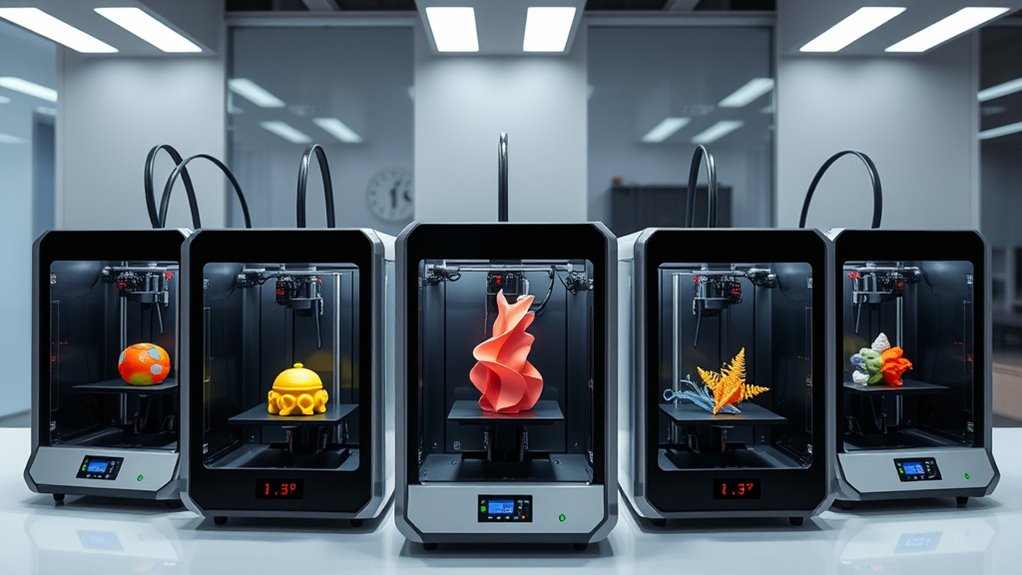

Searching for the best 3D printers in 2026? The market now offers a wide array of choices, from high-speed multi-material models to beginner-friendly setups. The FlashForge Creator 5 stands out as the overall best for its versatility and multi-tool capability, while the Bambu Lab A1 Mini is perfect for newcomers thanks to its ease of use. More advanced users might lean toward the Original Prusa XL for large-scale projects or multi-material options. With tradeoffs around speed, complexity, and cost, choosing the right printer depends on your specific needs. Keep reading for a detailed breakdown of the top models and what makes each one unique.
Complete the kit


Key Takeaways
- Versatility in material and multi-tool options distinguishes top-tier printers like the FlashForge Creator 5.
- Ease of use and auto-calibration features are key for beginners, as seen in the Bambu Lab A1 Mini and Adventurer 5M.
- High-speed printing capabilities, especially at 600mm/s, are common among premium models but may sacrifice detail quality.
- Large build volumes are available but often come with increased size and cost, making them more suitable for professionals.
- Multi-material and multi-color printing are increasingly accessible, but they often add complexity and maintenance needs.
| FlashForge Creator 5 3D Printer with 4 Toolheads, Multi-Color & Multi-Material Printing, Auto Calibration, CoreXY, 600mm/s |  | Best for Multi-Color and Multi-Material Complex Projects | Number of Toolheads: 4 | Maximum Speed: 600mm/s | Calibration: Auto | VIEW ON AMAZON | See Our Full Breakdown |
| Bambu Lab A1 Mini 3D Printer + LED Lamp Kit, Beginner-Friendly, Auto Calibration, Quiet |  | Best for Beginners and Creative Home Projects | Printer Type: 3D Printer | Included Kit: LED Lamp Kit | Features: Full-Auto Calibration, Active Flow Rate Compensation, Quiet Operation | VIEW ON AMAZON | See Our Full Breakdown |
| FlashForge Adventurer 5M 3D Printer with Auto Leveling and High-Speed Printing |  | Best for Versatile, High-Speed Small to Medium Projects | Print Size: 220x220x220mm | Max Speed: 600mm/s | Extruder Temperature: 280°C | VIEW ON AMAZON | See Our Full Breakdown |
| FLASHFORGE AD5X Multi-Color 3D Printer, CoreXY 600mm/s High-Speed, 1-Click Auto Leveling, 300°C Direct Drive Extruder, 220x220x220mm Build Volume |  | Best for Multi-Color Rapid Prototyping and Complex Models | Print Speed: 600mm/s | Build Volume: 220x220x220mm | Maximum Extruder Temperature: 300°C | VIEW ON AMAZON | See Our Full Breakdown |
| 3D Printer with Auto Leveling, 280°C Direct Extruder, CoreXY Metal Structure, 600mm/s High Speed, 220x220x220mm Print Size |  | Best for Larger, Precise, and Enclosed Printing Tasks | Print Size: 220x220x220mm | Max Speed: 600mm/s | Extruder Temperature: 280°C | VIEW ON AMAZON | See Our Full Breakdown |
| Bambu Lab A1 Combo + LED Lamp Kit, Multi-Color 3D Printing with AMS Lite |  | Best for Multi-Color, High-Speed Decorative Prints | Printing Speed: Up to 10,000 mm/s² acceleration | Color Printing: Multi-color with AMS lite | Calibration: Full-auto calibration | VIEW ON AMAZON | See Our Full Breakdown |
| Snapmaker U1 3D Printer Multi-Color with 4 Toolheads and Fast Toolchanger |  | Best for Versatile Multi-Material, Multi-Color Projects | Toolheads: 4 with 5 seconds Toolchanger | Build Volume: 270 x 270 x 270 mm | Speed: 500 mm/s | VIEW ON AMAZON | See Our Full Breakdown |
| Original Prusa XL 5-Toolhead Multi-Material Large-Format CoreXY 3D Printer |  | Best for Industrial-Grade Multi-Color and Large-Scale Prototyping | Build Volume: 14.17 × 14.17 × 14.17 inches | Number of Toolheads: Five | Material Compatibility: Multi-material, full-color | VIEW ON AMAZON | See Our Full Breakdown |
| Creality K2 Combo 3D Printer with Multicolor Printing, Auto Leveling, and AI Camera |  | Best for Plug-and-Play Multi-Color Enthusiasts with Monitoring | Build Volume: 260×260×260 mm | Color Capabilities: Up to 16 colors with 4 CFS units | Printing Speed: 600mm/s | VIEW ON AMAZON | See Our Full Breakdown |
| Bambu Lab P1S Combo 3D Printer with Auto Bed Leveling and Multi-Color Printing |  | Best for High-Speed, Enclosed Multi-Color Printing | Colors: Up to 16 | Max Speed: 500mm/s | Acceleration: 20000 mm/s² | VIEW ON AMAZON | See Our Full Breakdown |
More Details on Our Top Picks
FlashForge Creator 5 3D Printer with 4 Toolheads, Multi-Color & Multi-Material Printing, Auto Calibration, CoreXY, 600mm/s
The FlashForge Creator 5 stands out for its ability to handle true multi-color and multi-material printing thanks to four independent toolheads, making it ideal for intricate designs that require color variations or multiple materials. Unlike the Bambu Lab A1 Mini, which focuses on simplicity and ease for beginners, the Creator 5 sacrifices some user-friendliness for versatility and speed, with speeds reaching up to 600mm/s. The complex setup and higher cost may deter hobbyists or small startups, but for professional or educational environments seeking multi-material capabilities, this model delivers significant value. The auto calibration and filament waste reduction features support consistent, efficient prints, though the multiple toolheads increase the learning curve and maintenance requirements.
Pros:- Supports true multi-color and multi-material printing with independent toolheads
- Fast 7-second tool swaps with intelligent preheating
- High-speed printing up to 600mm/s with automatic calibration
- Reduces filament waste by up to 80%
Cons:- Complex setup process due to multiple toolheads
- Higher initial cost compared to single-nozzle models
- Requires ample space for installation and calibration
Best for: Professionals or educational institutions needing multi-color/multi-material prototypes and complex models
Not ideal for: Beginners or users with limited space due to the complex setup and multiple components
- Number of Toolheads:4
- Maximum Speed:600mm/s
- Calibration:Auto
- Supported Materials:PLA, PETG, TPU, PETG-CF, Support materials
- System:CoreXY
- Filament Waste Reduction:Up to 80%
Our verdict“This printer excels for advanced users who need multi-material and multi-color capabilities, accepting a steeper learning curve and higher investment.”
Bambu Lab A1 Mini 3D Printer + LED Lamp Kit, Beginner-Friendly, Auto Calibration, Quiet
The Bambu Lab A1 Mini is tailored for newcomers, offering automatic calibration and quiet operation, making it ideal for home use or small workshops where ease and low noise matter. Compared with the FlashForge Adventurer 5M, which emphasizes speed and precision, the A1 Mini prioritizes simplicity and a friendly ecosystem, including an LED Lamp Kit for decorative projects. Its access to the MakerWorld library and app management makes it straightforward for those starting out, though its capabilities are limited to compatible lamp models and basic filament types. The quiet operation at ≤48 dB also makes it suitable for environments where noise could be disruptive, though complete beginners might face a slight learning curve with software and setup.
Pros:- Beginner-friendly with automatic calibration and simple setup
- Quiet operation suitable for home or office environments
- Includes LED Lamp Kit to enhance creative projects
- Access to extensive model library via Bambu Handy app
Cons:- Limited to compatible lamp models for LED projects
- May require some initial learning for complete newcomers
- Price might be higher relative to basic entry-level printers without ecosystem features
Best for: Beginners or hobbyists interested in creative lighting and small-scale 3D printing projects
Not ideal for: Advanced users needing multi-material, high-speed, or large-volume printing capabilities
- Printer Type:3D Printer
- Included Kit:LED Lamp Kit
- Features:Full-Auto Calibration, Active Flow Rate Compensation, Quiet Operation
- Ecosystem:MakerWorld Model Library, Bambu Handy app
- Noise Level:≤48 dB
Our verdict“This model makes the most sense for newcomers who want ease of use and creative lighting options, while not being suitable for complex multi-material tasks.”
FlashForge Adventurer 5M 3D Printer with Auto Leveling and High-Speed Printing
The Adventurer 5M is a strong choice for users prioritizing speed and ease, featuring automatic bed leveling and a direct extruder capable of reaching 280°C, which broadens filament options. Compared with the FlashForge Creator 5, the Adventurer 5M offers a larger print size of 220x220x220mm with a straightforward setup, though it may not match the Creator 5’s multi-material capabilities. High speeds of up to 600mm/s and remote monitoring via app support efficient workflows, but frequent maintenance and the potential for reduced quality at top speeds mean it’s best suited for users who balance speed with some quality expectations. Regular upkeep is required to keep consistent results.
Pros:- Automatic bed leveling for quick setup
- High-speed printing with precise control
- Remote monitoring via mobile app
- Versatile nozzle options and quick nozzle changes
Cons:- Requires regular maintenance for consistent performance
- High-speed operation can reduce fine detail quality
- Limited to filament types compatible with direct drive extruder
Best for: Enthusiasts and small businesses seeking fast, reliable prints on medium-sized projects
Not ideal for: Users requiring multi-material or multi-color detailed prints, or those with limited maintenance capacity
- Print Size:220x220x220mm
- Max Speed:600mm/s
- Extruder Temperature:280°C
- Nozzle Options:0.25-0.8mm
- Nozzle Change Time:3 seconds
- Warm-up Time:35 seconds
Our verdict“Suitable for users who need rapid turnaround of medium-sized prints with reliable automatic features and are willing to handle maintenance.”
FLASHFORGE AD5X Multi-Color 3D Printer, CoreXY 600mm/s High-Speed, 1-Click Auto Leveling, 300°C Direct Drive Extruder, 220x220x220mm Build Volume
The FLASHFORGE AD5X is engineered for multi-color printing at high speeds, with support for up to four colors simultaneously. Its 1-Click Auto Leveling simplifies setup, while the direct drive extruder reaching 300°C expands filament versatility, comparable to the Creator 5 but with a focus on rapid, multi-color output. Compared to the simpler, beginner-focused Bambu Lab A1 Mini, the AD5X emphasizes speed and multi-color complexity, making it ideal for prototyping and detailed projects. The complex setup and high-speed operation require some technical skill, but the ability to monitor remotely via app adds convenience. Limitations on filament types for direct drive extruders should be considered for specific applications.
Pros:- Supports multi-color printing with up to 4 colors simultaneously
- Fast speeds up to 600mm/s for rapid prototyping
- Automatic bed leveling for quick setup
- Remote monitoring and control via mobile app
Cons:- Complex setup that may challenge less experienced users
- High-speed printing can impact final quality if not managed carefully
- Limited filament compatibility with direct drive extruder, especially for specialty filaments
Best for: Prototypers and designers who need multi-color, high-speed production with large build capacity
Not ideal for: Hobbyists or beginners seeking straightforward, single-material printing workflows
- Print Speed:600mm/s
- Build Volume:220x220x220mm
- Maximum Extruder Temperature:300°C
- Nozzle Sizes:0.25mm to 0.8mm
- Auto Leveling:1-Click
- Connectivity:Mobile app control
Our verdict“This printer is perfect for professionals needing fast, multi-color output, accepting some complexity in setup and operation.”
3D Printer with Auto Leveling, 280°C Direct Extruder, CoreXY Metal Structure, 600mm/s High Speed, 220x220x220mm Print Size
The 3D Printer with Auto Leveling offers a sturdy enclosed design and a metal CoreXY frame, making it suitable for larger and more sensitive projects. Its 220x220x220mm build volume and 600mm/s speed enable faster, larger-scale production, similar in capacity to the Adventurer 5M but with a dust-protected, enclosed structure. The auto bed leveling ensures consistent first-layer adhesion, a key advantage over open-frame models like the Creator 5. However, the enclosed design can complicate maintenance and filament access, and the maximum extruder temperature of 280°C limits some filament choices. This model appeals to users who value stability and larger prints but are comfortable with some operational constraints.
Pros:- Enclosed frame for dust and temperature stability
- Auto bed leveling for consistent first layers
- High-speed printing up to 600mm/s
- Large print volume suitable for bigger models
Cons:- Enclosed design complicates maintenance and filament changes
- Maximum extruder temperature may restrict certain filaments
- Limited access for quick troubleshooting
Best for: Hobbyists or small workshops requiring larger, stable, and enclosed printing environments
Not ideal for: Users who prioritize quick, open access for frequent maintenance or multi-material printing
- Print Size:220x220x220mm
- Max Speed:600mm/s
- Extruder Temperature:280°C
- Auto Bed Leveling:Yes
- Structure:CoreXY all metal
- Enclosure:Yes
Our verdict“Ideal for users needing larger, enclosed, and stable prints with high speed, accepting some operational access limitations.”
Bambu Lab A1 Combo + LED Lamp Kit, Multi-Color 3D Printing with AMS Lite
This option stands out for its ability to produce vibrant, multi-colored prints quickly, thanks to its high acceleration and automatic calibration. Compared with the Creality K2, it offers smoother multi-color capabilities but relies on the optional AMS Lite for color switching, which adds complexity. Its quiet operation makes it suitable for shared spaces, yet initial setup can be daunting for newcomers. The inclusion of an LED lamp kit expands creative possibilities for decorative projects. However, it doesn’t specify filament compatibility beyond basic types, which may limit some users. Overall, this printer makes the most sense for hobbyists wanting fast, multi-color outputs with minimal fuss once calibrated.
Pros:- High-speed, multi-color 3D printing for vibrant results
- Automatic full-auto calibration simplifies setup
- Quiet operation suitable for home or office use
- Includes LED Lamp Kit for functional lighting projects
Cons:- Requires AMS Lite for multi-color printing, which may be sold separately
- Initial setup can be complex for less experienced users
Best for: Artists or DIY enthusiasts focused on decorative or functional multi-color projects who want quiet, fast printing.
Not ideal for: Beginners seeking a straightforward, all-in-one solution without extra components or setup complexity.
- Printing Speed:Up to 10,000 mm/s² acceleration
- Color Printing:Multi-color with AMS lite
- Calibration:Full-auto calibration
- Flow Rate Compensation:Active flow rate compensation
- Nozzle:1-Clip quick swap nozzle
- Noise Level:Quiet operation
Our verdict“Best suited for creative users who prioritize speed and color vibrancy over plug-and-play simplicity.”
Snapmaker U1 3D Printer Multi-Color with 4 Toolheads and Fast Toolchanger
The Snapmaker U1 is designed for users who want to switch between multiple materials and colors with speed and ease, thanks to its 5-second toolchanger and four independent toolheads. Its high-speed CoreXY system reaches 500 mm/s, making complex multi-material jobs feasible in less time than traditional printers. Compared to the Prusa XL, it offers more flexibility in multi-material configurations but is less suited for large-scale industrial prototyping, given its smaller build volume. Its user-friendly interface with remote app control makes it appealing for both enthusiasts and professionals. However, its setup can be challenging for absolute beginners, and it supports a limited range of filament types. Overall, this model makes the most sense for those who need rapid multi-material changes in a compact footprint.
Pros:- Rapid 5-second toolchanger reduces downtime
- Supports multi-color and multi-material printing simultaneously
- High-speed, accurate CoreXY motion
- Intuitive touchscreen and remote app control
Cons:- Complex initial setup may challenge newcomers
- Limited filament compatibility with the toolheads
Best for: Advanced hobbyists or small professional workshops needing quick multi-material manufacturing.
Not ideal for: Absolute beginners or those working with unsupported filament types like flexible or composite materials.
- Toolheads:4 with 5 seconds Toolchanger
- Build Volume:270 x 270 x 270 mm
- Speed:500 mm/s
- Calibration:Automatic
- Material Compatibility:Rigid and flexible materials including PETG, TPU, PLA
- Connectivity:Remote app control
Our verdict“Ideal for users who prioritize multi-material flexibility and quick changeovers in a compact, high-speed printer.”
Original Prusa XL 5-Toolhead Multi-Material Large-Format CoreXY 3D Printer
The Prusa XL is engineered for professional users needing large, multi-material, full-color prints, with a massive 14.17-inch cube volume. It supports up to five toolheads, enabling complex, multi-color assemblies in a single run. Unlike the Snapmaker U1, which emphasizes quick tool changes, the XL offers industrial-level precision and seamless software ecosystem integration, making it ideal for complex prototypes. Its size and high cost mean it isn’t a fit for casual hobbyists, especially due to the elaborate assembly process and fragile parts. This printer is best for small-scale manufacturing, design studios, or advanced prototyping where scale and multi-material capabilities outweigh budget concerns.
Pros:- Supports up to five materials or colors simultaneously
- Large build volume for complex prototypes
- High precision with CoreXY design
- Seamless software ecosystem integration
Cons:- Complex, delicate assembly process
- High purchase price limits accessibility for hobbyists
Best for: Industrial designers, prototyping firms, or serious hobbyists working on large, multi-material projects.
Not ideal for: Entry-level hobbyists or users with limited space or budget, due to its complexity and size.
- Build Volume:14.17 × 14.17 × 14.17 inches
- Number of Toolheads:Five
- Material Compatibility:Multi-material, full-color
- Connectivity:Wi-Fi
- Included Accessories:Satin print sheet, 1kg spool of Prusament PLA
Our verdict“Best suited for advanced users with large-scale, multi-material manufacturing needs who can handle its setup complexity.”
Creality K2 Combo 3D Printer with Multicolor Printing, Auto Leveling, and AI Camera
The Creality K2 Combo offers a nearly ready-to-use experience with its pre-assembled design and advanced features like auto leveling and an AI camera. Its ability to handle up to 16 colors via four CFS units makes it appealing for users wanting detailed multi-color outputs without manual filament swaps. Compared with the Bambu Lab P1S, it provides more straightforward multi-color capabilities, though setup for multiple CFS units can be tricky and requires some technical know-how. Its quiet operation and real-time monitoring are valuable for home or educational environments. The main limitation is that it supports only the specified materials, which might restrict some projects. Overall, this printer suits users seeking a high-quality, multi-color experience with monitoring features, ready with minimal setup.
Pros:- Supports up to 16 colors with 4 CFS units
- Pre-assembled for quick start
- Auto leveling and AI camera for precision and real-time monitoring
- Ultra-quiet operation
Cons:- Complex setup for multiple CFS units
- Limited to supported filament types
Best for: Enthusiasts or educators who want a pre-assembled, multi-color printer with remote monitoring features.
Not ideal for: Users wanting a flexible, open-material system or those uncomfortable with multi-unit calibration complexity.
- Build Volume:260×260×260 mm
- Color Capabilities:Up to 16 colors with 4 CFS units
- Printing Speed:600mm/s
- Pre-assembled:Yes
- Auto Leveling:Yes
- Camera:AI Smart Camera
Our verdict“Best for users who prioritize ease of use, multi-color output, and real-time project monitoring in a ready-to-use package.”
Bambu Lab P1S Combo 3D Printer with Auto Bed Leveling and Multi-Color Printing
The Bambu Lab P1S Combo emphasizes speed and ease, with a coreXY design reaching 500 mm/s and an enclosed build chamber for better print quality and safety. Its multi-color capabilities support up to 16 colors, making it suitable for highly detailed, vibrant prints. Compared to the Creality K2, it offers faster speeds and better enclosure benefits, but its build volume isn’t specified, which could limit larger projects. Its automatic bed leveling and simple setup appeal to users of all skill levels, especially those seeking quick, colorful results without manual fuss. However, it isn’t recommended for carbon fiber or glass fiber-reinforced filaments, restricting some advanced material use. This model makes the most sense for hobbyists or small studios prioritizing speed and multi-material versatility within a compact, enclosed design.
Pros:- Vibrant multi-color and multi-material printing
- High speed with quick setup
- Enclosed design improves print quality
- Automatic bed leveling for consistency
Cons:- Build volume is not specified, limiting large projects
- Connecting the AMS for multi-color printing adds complexity
Best for: Hobbyists or small professional users focused on fast, colorful, multi-material prints in a controlled environment.
Not ideal for: Users needing large build volumes or working with specialty, reinforced filaments like carbon fiber.
- Colors:Up to 16
- Max Speed:500mm/s
- Acceleration:20000 mm/s²
- Enclosure:Yes
- Auto Bed Leveling:Yes
- Setup Time:15 minutes
Our verdict“Ideal for users seeking rapid, multi-color printing in an enclosed, easy-to-use system for small-scale production.”

How We Picked
Our evaluation focused on performance, usability, build quality, and value. We prioritized printers that balanced high-quality output with user-friendly features, especially auto-calibration and quick setup. Speed and versatility were crucial, but we also considered maintenance ease and cost of consumables. The ranking favors models that cater to both hobbyists and professionals, with clear distinctions in their intended use cases. Additional factors like noise levels and upgrade options influenced our choices to ensure a well-rounded selection for different buyer needs.Factors to Consider When Choosing 3d Printers
Choosing the right 3D printer involves considering several key factors beyond just print quality. First, think about your primary use—whether it’s hobbyist prototyping, educational projects, or professional manufacturing—as this impacts size, speed, and material compatibility. Next, assess ease of setup and ongoing maintenance; models with auto-calibration and straightforward interfaces reduce frustration. Budget is also a major consideration: more advanced features typically come with higher costs, so weigh the tradeoffs between investment and functionality. Lastly, consider future-proofing—look for upgradeability and support, especially if you plan to grow your 3D printing capabilities over time.Print Quality and Speed
Print resolution and speed are often intertwined. High-speed printers, like those capable of 600mm/s, can produce prototypes quickly but may compromise detail and surface finish. Conversely, models focused on precision may operate at slower speeds but deliver finer details. Consider your project needs: for rapid prototyping, speed might matter most, while detailed miniatures favor higher resolution. Remember, faster speeds can also lead to increased vibrations, so build stability and frame rigidity are important factors to check.Build Volume and Size
The size of the printing area directly affects what you can produce. Large build volumes are essential for big projects but tend to increase the printer’s footprint and cost. Smaller models are more space-efficient and often easier to maintain, making them suited for hobbyists or limited workspace environments. Think about your typical project size and storage capacity before committing to a large or compact model. Also, consider whether the printer’s dimensions fit comfortably in your workspace, especially if you plan to keep it on a desk or shelf.Material Compatibility and Multi-Color Printing
Flexibility in material use expands what you can create, from standard PLA to more advanced composites. Multi-color and multi-material capabilities, like those on the FlashForge Creator 5 or Bambu Lab A1 Combo, are appealing but often involve complex feeding systems or extra equipment. These features can increase maintenance needs and cost. For occasional multi-color work, a simple single-extruder printer might suffice, but if you plan regular multi-material printing, investing in a dedicated multi-tool or multi-extruder setup pays off.Ease of Use and Maintenance
Beginners should prioritize printers with auto-leveling, straightforward interfaces, and good community support. Features like quick tool changes and easy filament loading reduce setup frustration. Maintenance tasks such as nozzle cleaning or part replacement should be simple to perform. Higher-end models often include touchscreen controls and self-calibration, which save time and reduce errors. But keep in mind, these advanced features can add to initial costs and complexity in troubleshooting.Cost and Long-Term Value
Initial price is just one part of the total investment. Consider ongoing expenses like filament, replacement parts, and potential upgrades. Cheaper models may save money upfront but could require frequent repairs or lack features needed for more ambitious projects. Conversely, higher-priced printers often offer better durability, faster speeds, and more consistent results, making them worthwhile for serious users. Balance your budget against your intended use to avoid overspending on features you won’t need.Frequently Asked Questions
What’s the best 3D printer for beginners?
The Bambu Lab A1 Mini is a top choice for newcomers because it combines simplicity with reliable auto-calibration, quiet operation, and solid print quality. Its user-friendly interface and minimal setup requirements make it accessible for those just starting out. While it might lack some advanced features found in professional models, it offers enough versatility for learning and small projects without overwhelming the user with complexity.
Should I prioritize speed or detail in my 3D printer?
This depends on your main objective. If you need rapid prototypes or quick turnaround, a high-speed printer like those capable of 600mm/s can be beneficial, though it may sacrifice some surface quality. For highly detailed miniatures or intricate designs, slower, high-precision models will deliver better surface finishes. In many cases, choosing a balanced model that offers decent speed without significant compromise on quality is the smarter move, especially if you plan to do a mix of projects.
How important is build volume for my 3D printer?
Build volume determines the maximum size of objects you can produce in a single print. If your projects involve large parts or multiple smaller pieces assembled later, a larger build area is advantageous. However, bigger printers tend to be bulkier and more expensive. For hobbyists or educational use with smaller projects, a compact size often suffices and makes the printer easier to fit into limited spaces.
Are multi-material or multi-color printers worth the extra cost?
Multi-material and multi-color options expand creative possibilities, allowing for complex, multi-tone models or functional multi-material parts. However, they also introduce additional complexity and maintenance, often requiring more sophisticated feeding systems and more frequent upkeep. For occasional multi-color work, simpler single-extruder models can be more practical, while dedicated multi-material setups are better suited for professional or high-volume applications.
What features should I look for in a 3D printer to future-proof my investment?
Look for printers that support upgradeability, such as modular toolheads or firmware updates, and have a strong community or manufacturer support. Features like auto-calibration, touchscreen interfaces, and compatibility with multiple filament types can extend the printer’s usefulness. Additionally, consider models with open-source firmware or upgrade paths, as these allow you to adapt the machine as your skills and project demands grow.