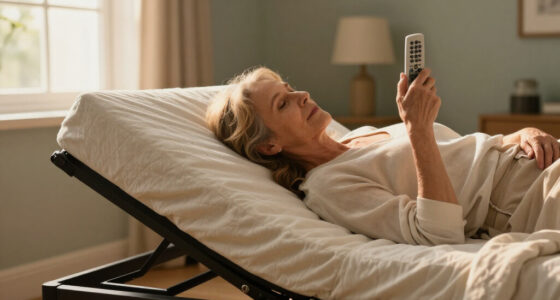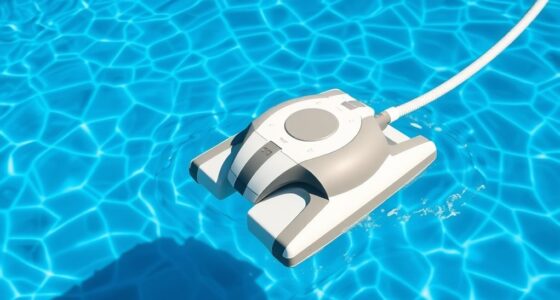
Among the medical alert systems for seniors in this roundup, Bay Alarm Medical SOS Mobile GPS is my best overall pick because it combines mobile location tracking with access to 24/7 emergency monitoring. CallToU is my best value choice for households that only need a senior to summon a nearby caregiver, while the Medical Guardian MGMini stands out as a compact premium option for help beyond the home. The main choice is between professional monitoring and a lower-cost caregiver pager, followed by decisions about GPS, automatic fall detection, charging, and monthly fees. Seniors who rarely leave home have different needs from independent users who drive, walk, or travel alone. Continue reading for my full breakdown of which system fits each care setting and budget.

Turn quiet afternoons into listening time
- Thousands of audiobooks, podcasts and originals
- Listen on your phone, tablet or Echo — also offline
- Cancel anytime
Complete the kit


Key Takeaways
- Bay Alarm Medical SOS Mobile GPS ranks first because its monitored mobile design covers more situations than the home-only pagers, though that broader protection comes with recurring service costs.
- Three entries feature the Medical Guardian MGMini, revealing how often the same core device appears in different listings; buyers should compare the plan, accessories, activation terms, and seller rather than treat each listing as a different system.
- CallToU offers the clearest value when a caregiver is already nearby, but its local receiver cannot replace a monitoring center when nobody is available to respond.
- The SecuLife pendant and smartband add GPS and fall-detection appeal, yet wearable style, charging frequency, cellular coverage, and service terms may matter more than the difference between a pendant and wristband.
- The landline personal emergency device remains useful for a homebound senior with dependable phone service, but mobile GPS systems are a better match for anyone who regularly leaves the house.
| PILSAMAS WiFi Caregiver Pager Wireless Call Button with App Alert |  | Best App-Connected Home System | Power source: Battery powered | Battery: 1 × 12-volt battery | Wi-Fi requirement: 2.4GHz | VIEW LATEST PRICE | See Our Full Breakdown |
| Medical Guardian MGMini Medical Alert Device for Seniors |  | Best Battery Life for Mobile Use | Device type: Medical alert necklace | Connectivity: Cellular with Wi-Fi backup | Battery life: Up to 120 hours | VIEW LATEST PRICE | See Our Full Breakdown |
| Medical Guardian MGMini Medical Alert Device for Seniors |  | Best for Transparent Monitoring Costs | Device type: Medical alert necklace | Connectivity: 4G LTE | Supported networks: AT&T and Verizon | VIEW LATEST PRICE | See Our Full Breakdown |
| CallToU Caregiver Pager Wireless Call Button Nurse Alert System |  | Best Long-Range Local Pager | Maximum range: 500+ feet | Ringtones: 55 | Volume settings: 5 levels | VIEW LATEST PRICE | See Our Full Breakdown |
| Life Alert System No Monthly Fee, Caregiver Pager Call Button for Elderly at Home |  | Best Fee-Free Wearable Bundle | Connectivity: 2.4GHz Wi-Fi | Alert delivery: Receiver and smartphone app | Wearable styles: Necklace and bracelet | VIEW LATEST PRICE | See Our Full Breakdown |
| SecuLife Medical Alert Pendant |  | Best Low-Cost Mobile Monitoring | Fall Detection: Automatic | GPS Tracking: Yes, with geofence zones | Waterproof Rating: IP67 | VIEW LATEST PRICE | See Our Full Breakdown |
| Seculife Medical Alert Smartband |  | Best for Health Tracking | Fall Detection: Automatic | GPS Tracking: Yes | Heart-Rate Monitor: Yes | VIEW LATEST PRICE | See Our Full Breakdown |
| Life Alert System with Waterproof Call Button and App Notification |  | Best No-Fee Home System | System Type: In-home caregiver alert system | Compatible Device: Smartphone | Control Method: App and push button | VIEW LATEST PRICE | See Our Full Breakdown |
| 4G LTE Medical Alert Necklace with 24/7 SOS Monitoring |  | Best for Nationwide Travel | Connectivity: 4G LTE | Coverage: Coast-to-coast cellular coverage | Battery Life: 3–5 days | VIEW LATEST PRICE | See Our Full Breakdown |
| Medical Guardian MGMini |  | Best Discreet Design | Connectivity: Cellular with Wi-Fi backup | Cellular Technology: omniSIM | Battery Life: 120 hours | VIEW LATEST PRICE | See Our Full Breakdown |
| Caregiver Wireless Call Button System with Receiver and SOS Button |  | Best Bedside Caregiver Call Button | Call Buttons: 1 SOS button | Receiver: Included | Water Protection: IP55 | VIEW LATEST PRICE | See Our Full Breakdown |
| Bay Alarm Medical SOS Mobile GPS 24/7 Medical Alert System for Seniors |  | Best for Nationwide Mobility | Network: 4G LTE | Connectivity: Cellular | Monitoring: 24/7 medical alert service | VIEW LATEST PRICE | See Our Full Breakdown |
| Landline Personal Emergency Device with 2-Way Call for Seniors and Elderly |  | Best No-Fee Landline System | Connectivity: Landline | Two-Way Communication: Yes | Contact Options: Family, police, and fire services | VIEW LATEST PRICE | See Our Full Breakdown |
| medical alert systems for senior | Battery life | Connectivity |
|---|---|---|
| PILSAMAS WiFi Caregiver Pager | — | — |
| Medical Guardian MGMini Medica | Up to 120 hours | Cellular with Wi-Fi backup |
| Medical Guardian MGMini Medica | Not specified | 4G LTE |
| CallToU Caregiver Pager Wirele | — | — |
| Life Alert System No Monthly F | Not specified | 2.4GHz Wi-Fi |
| SecuLife Medical Alert Pendant | Up to 6 days | — |
| Seculife Medical Alert Smartba | Described as extended; duration not specified | — |
| Life Alert System with Waterpr | — | — |
| 4G LTE Medical Alert Necklace | 3–5 days | 4G LTE |
| Medical Guardian MGMini | 120 hours | Cellular with Wi-Fi backup |
| Caregiver Wireless Call Button | — | — |
| Bay Alarm Medical SOS Mobile G | Several days, depending on usage | Cellular |
| Landline Personal Emergency De | — | Landline |
More Details on Our Top Picks
PILSAMAS WiFi Caregiver Pager Wireless Call Button with App Alert
I rank the PILSAMAS WiFi Caregiver Pager as the Best App-Connected Home System because it pairs local alarms with real-time smartphone alerts. Unlike the CallToU Caregiver Pager, it can notify relatives who are not within earshot of the receiver. Its 230-foot range and 95dB alarm suit multilevel homes, while two fixed buttons and a wristband give a senior several ways to ask for help. Buyers trade professional monitoring for a family-led response model, so someone must notice and act on each alert. It also works only with 2.4GHz Wi-Fi, and SMS, phone, or email alerts cost extra. I place it above the fee-free Life Alert System for its stated range and customization, but below Medical Guardian MGMini for emergencies requiring trained monitoring agents.
Pros:- Two fixed call buttons and a wearable wristband provide several access points
- 230-foot range supports larger or multilevel homes
- Customizable app alerts support remote family oversight
- Core app service and product updates do not carry a monthly fee
Cons:- Depends on a 2.4GHz Wi-Fi connection
- SMS, telephone, and email notifications require a paid subscription
- Family caregivers, rather than professional agents, must respond
Best for: I recommend this for families who want app alerts, several call-button locations, and no mandatory monitoring bill.
Not ideal for: I would skip it for homes without reliable 2.4GHz Wi-Fi or seniors who need professional emergency dispatch.
- Power source:Battery powered
- Battery:1 × 12-volt battery
- Wi-Fi requirement:2.4GHz
- Compatible device:Smartphone
- Control methods:App, remote, and touch
- Maximum range:230 feet
- Alarm volume:95dB
- Call controls:2 call buttons and 1 wristband panic button
- Dimensions:3.1 × 0.8 × 3.1 inches
Our verdict“I would choose PILSAMAS for a connected household that wants flexible family alerts without paying for a monitoring center.”
Medical Guardian MGMini Medical Alert Device for Seniors
I give this Medical Guardian MGMini listing the Best Battery Life for Mobile Use role because its stated 120-hour runtime reduces how often a senior must remember to recharge. Cellular service, Wi-Fi backup, location tracking, and two-way communication make it far more suitable for errands and travel than the home-bound CallToU Caregiver Pager. Compared with the other Medical Guardian MGMini listing in this batch, this version supplies a clear five-day battery claim and identifies omniSIM technology, giving buyers better connectivity information. The tradeoff is an ongoing monitoring subscription, with fall detection priced separately. It also relies on US AT&T and Verizon coverage. I rank it highly for independent seniors who leave home regularly, but its recurring service costs make fee-free family pager systems cheaper over time.
Pros:- 120-hour stated battery life reduces charging frequency
- Cellular service with Wi-Fi backup supports home and mobile use
- Two-way communication connects the wearer with monitoring agents
- Location tracking helps families locate a senior during an emergency
Cons:- Professional monitoring requires a recurring subscription
- Fall detection carries an additional charge
- Service is limited to supported AT&T and Verizon networks in the US
Best for: I recommend this for active seniors who leave home regularly and may forget to charge a wearable every night.
Not ideal for: I would skip it for buyers outside the US or households unwilling to pay for professional monitoring and a separate fall-detection add-on.
- Device type:Medical alert necklace
- Connectivity:Cellular with Wi-Fi backup
- Battery life:Up to 120 hours
- SIM technology:omniSIM
- Emergency communication:One-touch SOS and two-way communication
- Location feature:Location tracking
- Supported devices:Computer, smartphone, and tablet
- Enclosure materials:Plastic/resin and metal
- Fall detection:Optional paid add-on
Our verdict“I would pick this MGMini for a mobile senior who values long battery life and professional help more than avoiding monthly fees.”
Medical Guardian MGMini Medical Alert Device for Seniors
I assign this Medical Guardian MGMini the Best for Transparent Monitoring Costs role because the listing states both the $43.95 monthly monitoring charge and the optional $10 fall-detection fee. That clarity helps me separate the device price from its long-term cost. Like the other MGMini, it provides two-way emergency communication and works across AT&T and Verizon networks, but this listing also details hourly location updates, step counting, a lanyard, and a belt clip. It is more capable away from home than the PILSAMAS WiFi Caregiver Pager, which depends on household Wi-Fi and family response. Yet the unspecified battery life is a meaningful weakness, especially beside the other MGMini listing’s 120-hour claim. I would favor this version when known service pricing matters more than battery documentation.
Pros:- Monitoring and fall-detection prices are stated clearly
- 4G LTE support covers both AT&T and Verizon networks
- Hourly location updates can help families track a mobile senior
- Lanyard and belt clip provide two carrying options
Cons:- The $43.95 monthly monitoring charge adds substantial long-term cost
- Optional fall detection costs another $10 per month
- Battery runtime is not specified
Best for: I recommend this for US families budgeting for monitored mobile protection who want service and fall-detection prices stated upfront.
Not ideal for: I would skip it for fee-averse households or caregivers who need a documented battery runtime before buying.
- Device type:Medical alert necklace
- Connectivity:4G LTE
- Supported networks:AT&T and Verizon
- Monitoring:24/7 subscription service
- Monitoring price:$43.95 per month
- Fall detection:Optional, $10 per month
- Location reporting:Hourly location updates
- Included accessories:Lanyard and belt clip
- Battery life:Not specified
Our verdict“I would choose this MGMini when transparent monthly pricing and mobile location assistance outweigh the missing battery-life figure.”
CallToU Caregiver Pager Wireless Call Button Nurse Alert System
I rank the CallToU Caregiver Pager as the Best Long-Range Local Pager because its 500-plus-foot reach more than doubles the stated range of the PILSAMAS WiFi Caregiver Pager. That extra coverage suits larger homes, yards, workshops, or detached living spaces where a nearby caregiver remains responsible for responding. The waterproof transmitter can be carried into damp areas, while 55 ringtones and volume up to 110dB make the receiver easier to distinguish from other household sounds. Its simplicity also removes Wi-Fi setup and app management. The limitation is that help stays local: there are no smartphone alerts, GPS, two-way speech, or professional monitoring. A single receiver and transmitter may also be restrictive for a larger household, and the receiver needs an outlet. I favor it when distance and loudness matter more than remote oversight.
Pros:- 500-plus-foot range covers more space than the Wi-Fi pager options
- Waterproof and dustproof transmitter supports bathroom and outdoor use
- Volume reaches 110dB for caregivers who need a loud alarm
- Portable receiver and 55 ringtones allow flexible placement and identification
Cons:- No app notifications, GPS, or professional monitoring
- Receiver must remain connected to an electrical outlet
- The one-button, one-receiver package may be insufficient for larger setups
Best for: I recommend this for seniors living with an on-site caregiver in a large home or on a property with outdoor areas.
Not ideal for: I would skip it for seniors who live alone or need relatives and emergency agents to receive alerts remotely.
- Maximum range:500+ feet
- Ringtones:55
- Volume settings:5 levels
- Maximum volume:110dB
- Water resistance:Waterproof transmitter
- Included receiver:1 portable plug-in receiver
- Included transmitter:1 waterproof call button
Our verdict“I would buy CallToU for long-range communication with an on-site caregiver, not as a substitute for monitored emergency service.”
Life Alert System No Monthly Fee, Caregiver Pager Call Button for Elderly at Home
I place this Life Alert System No Monthly Fee in the Best Fee-Free Wearable Bundle slot because it supplies both necklace and bracelet-style controls rather than forcing a senior into one wearing method. Waterproof buttons support routine use around sinks or showers, while the receiver and app alerts let an in-home caregiver and remote relative receive the same request. Compared with the PILSAMAS WiFi Caregiver Pager, it offers more wearable choice but provides no stated coverage range, making room-to-room reliability harder to judge before purchase. It also lacks the GPS, two-way speech, and professional agents offered by Medical Guardian MGMini. Battery life is not documented either. I see it as a practical household call system, but family availability remains the safety plan; the absence of monthly fees comes with less emergency infrastructure.
Pros:- No monthly fee lowers ongoing ownership cost
- Necklace and bracelet formats accommodate different wearing preferences
- Waterproof call controls suit daily home routines
- Receiver and app notifications can alert both local and remote family members
Cons:- Wireless range and coverage are not stated
- Battery-life information is missing
- No GPS, two-way emergency speech, or professional monitoring is listed
Best for: I recommend this for families who want necklace and bracelet call options plus app alerts without a monthly monitoring charge.
Not ideal for: I would skip it for seniors who live alone, travel independently, or need verified coverage and battery specifications.
- Connectivity:2.4GHz Wi-Fi
- Alert delivery:Receiver and smartphone app
- Wearable styles:Necklace and bracelet
- Water resistance:Waterproof call buttons
- Included controls:Call button and SOS watch button
- Receiver:Included
- Intended setting:Home use
- Battery life:Not specified
Our verdict“I would choose this bundle for an at-home senior with responsive family caregivers who want wearable flexibility and no recurring bill.”
SecuLife Medical Alert Pendant
I rank the SecuLife Medical Alert Pendant as the strongest budget-minded mobile choice because its $20 monthly subscription includes the core protections most seniors need away from home: automatic fall detection, GPS tracking, geofencing, and two-way calling. It costs less per month than the Seculife Medical Alert Smartband while offering a more straightforward interface built around a large SOS button. Its IP67 construction also makes daily wear less risky around showers or sinks. The tradeoff is upkeep: up to six days of battery life still demands a regular charging routine, and cellular availability governs calling and tracking. It also lacks the Smartband’s heart-rate monitoring. I favor this pendant for buyers who want monitored mobile protection without paying extra for wellness data.
Pros:- Lower $20 monthly subscription than the Seculife Smartband
- Automatic fall detection can trigger help when the wearer cannot press SOS
- GPS tracking and geofence zones help caregivers monitor travel
- IP67 construction supports everyday wear around water
Cons:- Calling and location features depend on cellular service
- Six-day maximum battery life requires recurring charging
- No heart-rate monitoring like the Seculife Smartband
Best for: Budget-conscious seniors who leave home regularly and want fall detection, caregiver location tools, and direct calling in one simple pendant
Not ideal for: Seniors living in weak cellular-coverage areas or anyone likely to forget a weekly charging routine
- Fall Detection:Automatic
- GPS Tracking:Yes, with geofence zones
- Waterproof Rating:IP67
- Battery Life:Up to 6 days
- Subscription Cost:$20 per month
- Communication:Two-way calling
- Controls and Display:Large SOS button with time, battery, and signal indicators
Our verdict“This is my pick for mobile protection at a comparatively modest monthly price, provided cellular coverage and weekly charging are manageable.”
Seculife Medical Alert Smartband
The Seculife Medical Alert Smartband earns this role by pairing emergency protection with a built-in heart-rate monitor, a distinction the SecuLife Medical Alert Pendant and MGMini do not offer. That makes it better suited to families who want basic wellness information alongside fall detection, GPS location alerts, SOS access, and two-way calling. Its wrist-worn format may also be harder to misplace than a pendant, while IP67 protection supports continuous daily wear. I place it below simpler alert devices for ease of ownership, though: setup may challenge users who are uncomfortable with connected wearables, the subscription starts at $25 per month, and the product data does not state a precise runtime. The unclear battery schedule makes charging demands harder to judge before purchase.
Pros:- Heart-rate monitoring adds wellness data absent from the other mobile picks
- Automatic fall detection and GPS alerts support active seniors
- Hands-free two-way calling reduces dependence on a nearby phone
- IP67 wrist-worn design is suited to continuous daily wear
Cons:- Subscription starts at $25 per month
- Exact battery duration is not disclosed
- Initial setup may be difficult for users unfamiliar with smart wearables
Best for: Tech-comfortable seniors and involved caregivers who want emergency response features plus basic heart-rate monitoring
Not ideal for: Buyers seeking the simplest possible SOS device or a clearly documented charging interval
- Fall Detection:Automatic
- GPS Tracking:Yes
- Heart-Rate Monitor:Yes
- Waterproof Rating:IP67
- Communication:Two-way calling with hands-free answering
- SOS Control:Large dedicated button
- Battery Life:Described as extended; duration not specified
- Subscription:Required, from $25 per month
Our verdict“I recommend this smartband when health tracking matters alongside emergency protection and the buyer accepts added setup and subscription costs.”
Life Alert System with Waterproof Call Button and App Notification
I chose this Life Alert home system for seniors who need a household call button rather than a monitored mobile service. Its alarm and app notifications carry no required monthly fee, while the 656-foot stated range gives the wearer more freedom around a typical home than short-range bedside pagers. Compared with the SecuLife Medical Alert Pendant, it avoids recurring monitoring charges and frequent GPS-device charging, but it does not provide fall detection, mobile GPS tracking, or a direct connection to a professional response center. The necklace and wristband options make wearing the button flexible, and IPX6 protection handles splashes. I see the 2.4GHz Wi-Fi dependency as its main dividing line: app alerts rely on the home network, while SMS and phone-call alerts require another subscription.
Pros:- Core alarm and app alerts have no required monthly fee
- 656-foot stated range supports movement around the home
- Necklace and wristband wearing options suit different preferences
- IPX6 call button resists splashes during daily routines
Cons:- No automatic fall detection or GPS tracking
- App notifications require a 2.4GHz Wi-Fi network
- SMS and phone-call alerts require an added subscription
Best for: Seniors living with or near a responsive caregiver who want an affordable in-home call button with app alerts
Not ideal for: Older adults living alone who need automatic fall detection, professional monitoring, or protection beyond the home
- System Type:In-home caregiver alert system
- Compatible Device:Smartphone
- Control Method:App and push button
- Maximum Range:656 feet
- Waterproof Rating:IPX6
- Wi-Fi Requirement:2.4GHz for app notifications
- Wearable Formats:Necklace and wristband
- Alert Fees:App alerts have no monthly fee; SMS and calls require a subscription
Our verdict“This is my value choice for caregiver-supported homes, but it is not a substitute for a monitored mobile alert service.”
4G LTE Medical Alert Necklace with 24/7 SOS Monitoring
This 4G LTE medical alert necklace makes my list for seniors whose routines extend well beyond their neighborhood. Its combination of coast-to-coast cellular coverage, GPS tracking, automatic fall detection, and 24/7 SOS monitoring is more travel-oriented than the Wi-Fi-dependent Life Alert home system. Compared with the MGMini, it states water resistance and includes fall detection in the listed feature set rather than presenting it as optional. Those benefits come with less pricing clarity: the supplied information does not identify the monitoring fee, and the overall cost may strain tighter budgets. Battery life also ranges from three to five days, so heavy use can shorten the interval between charges. I would choose it for broad mobile protection, but only after confirming local coverage, monitoring charges, and the exact response-service terms.
Pros:- Coast-to-coast 4G LTE coverage supports regional and interstate travel
- Automatic fall detection adds protection when SOS cannot be pressed
- GPS tracking helps responders and caregivers locate the wearer
- Water-resistant necklace is designed for regular daily use
Cons:- Three-to-five-day battery life creates frequent charging demands
- Full operation depends on cellular coverage
- Monitoring price is not specified and may be costly
Best for: Independent seniors who travel across regions and need monitored GPS protection beyond the house
Not ideal for: Price-sensitive buyers or seniors who cannot reliably recharge a wearable every three to five days
- Connectivity:4G LTE
- Coverage:Coast-to-coast cellular coverage
- Battery Life:3–5 days
- Water Resistance:Yes
- Fall Detection:Automatic
- GPS Tracking:Yes
- Monitoring:24/7 SOS monitoring
- App Compatibility:Yes
Our verdict“I favor this necklace for seniors who travel widely and prioritize monitored GPS coverage over low fees and long battery life.”
Medical Guardian MGMini
I give the Medical Guardian MGMini the discreet-design role because its narrow wearable body and multiple wearing options make emergency coverage feel less clinical. A one-touch SOS button, two-way speaker, GPS updates, and omniSIM cellular technology support independent use both at home and away. Compared with the Seculife Medical Alert Smartband, the MGMini has a simpler mission and avoids extra health-tracking controls; compared with the 4G LTE Medical Alert Necklace, its fall detection is optional rather than listed as standard. Its 120-hour battery matches five days at most, placing it behind the SecuLife pendant’s six-day claim. I also want clearer water-resistance and durability information before recommending it for shower wear. The required monitoring subscription may push ownership costs beyond what budget-focused buyers can justify.
Pros:- Slim, discreet shape is less conspicuous than many alert pendants
- Two-way speaker connects the wearer directly with the monitoring team
- GPS location updates support use outside the home
- Cellular service with Wi-Fi backup adds connection flexibility
Cons:- Monitoring requires a subscription that may be expensive
- Fall detection costs extra or requires an optional service
- Water-resistance and long-term durability details are not provided
Best for: Style-conscious seniors who want a compact monitored device with simple SOS calling and several wearing options
Not ideal for: Buyers who require included fall detection, confirmed shower-safe construction, or the lowest possible monthly expense
- Connectivity:Cellular with Wi-Fi backup
- Cellular Technology:omniSIM
- Battery Life:120 hours
- Communication:Two-way speaker
- Location Features:GPS location updates
- Fall Detection:Optional
- Monitoring:24/7 service available by subscription
- Dimensions:15.7 x 1.45 x 0.6 inches
- Enclosure Material:Plastic
Our verdict“This is my choice for seniors who value discreet wear and direct monitored communication more than bundled fall detection or price transparency.”
Caregiver Wireless Call Button System with Receiver and SOS Button
I rank the Caregiver Wireless Call Button System as a practical choice for seniors who live with a caregiver and need simple one-button assistance. Unlike the Bay Alarm Medical SOS Mobile GPS, it does not depend on cellular service or a monitoring subscription. Its IP55 construction also provides better protection from splashes and dust than an unprotected indoor button.
The tradeoff is reach and flexibility. The package has only one SOS button and one receiver, while the PILSAMAS WiFi Caregiver Pager supplies multiple buttons plus app alerts. The manufacturer also provides no wireless-range figure, making placement harder to plan in a large home. I see this as a local caregiver pager rather than a monitored emergency system: it can summon someone nearby, but the supplied data does not indicate GPS tracking, two-way speech, or direct emergency-service contact.
Pros:- Single SOS button keeps requests for help simple
- Adjustable volume and multiple ringtones help distinguish alerts
- IP55 protection resists dust and water splashes
- Wide operating-temperature range supports varied indoor environments
Cons:- Only one call button and one receiver are supplied
- No published wireless range for planning coverage
- Does not provide stated GPS, two-way calling, or professional monitoring
Best for: Seniors sharing a small home with an attentive family caregiver who needs an audible bedside or bathroom call button
Not ideal for: Seniors living alone or in large homes, since it lacks stated monitoring, remote app alerts, and a published wireless range
- Call Buttons:1 SOS button
- Receiver:Included
- Water Protection:IP55
- Dust Protection:IP55
- Alert Controls:Adjustable volume
- Alert Tones:Multiple ringtones
- Operating Temperature:-4°F to 140°F
- Warranty:18 months
Our verdict“I recommend this for nearby caregiver assistance, but not as a replacement for a monitored medical alert service.”
Bay Alarm Medical SOS Mobile GPS 24/7 Medical Alert System for Seniors
I place the Bay Alarm Medical SOS Mobile GPS highest for seniors who regularly leave home because its 4G LTE cellular connection supports help beyond a receiver’s local range. At under two ounces, it is easier to keep on the body than a stationary landline unit, and the lanyard and belt clip suit different clothing preferences. Caregivers also gain app-based monitoring that the Landline Personal Emergency Device lacks.
That broader protection carries ongoing cost: full functionality requires a subscription, whereas the landline device has no monthly fee. Battery life is described only as several days and changes with use, so charging becomes part of the care routine. Its water-resistant construction is another limitation beside fully waterproof pendants, especially for seniors who want shower coverage. I favor it for active users, while homebound buyers can spend less on a local system.
Pros:- 4G LTE connectivity supports use away from home
- One-button panic control reduces operating complexity
- Under-two-ounce body is easy to wear daily
- Mobile app gives caregivers an additional monitoring channel
Cons:- Subscription is required for full functionality
- Several-day battery life varies with usage and requires regular charging
- Water-resistant rating may be insufficient for shower or immersion use
Best for: Active seniors who travel outside the home and whose families want app-supported, cellular medical alert coverage
Not ideal for: Budget-focused or homebound seniors who do not want a recurring subscription or routine device charging
- Network:4G LTE
- Connectivity:Cellular
- Monitoring:24/7 medical alert service
- Weight:Under 2 oz
- Water Protection:Water-resistant
- Battery Life:Several days, depending on usage
- Wearing Options:Neck lanyard and belt clip
- Caregiver Access:Mobile app
Our verdict“I would choose this for a mobile senior who values broad cellular coverage more than avoiding monthly fees.”
Landline Personal Emergency Device with 2-Way Call for Seniors and Elderly
I chose the Landline Personal Emergency Device for households that already maintain landline service and want to avoid a monitoring bill. Its two-way communication lets a senior speak with family, police, or fire contacts rather than relying solely on an audible household alarm. Compared with the Caregiver Wireless Call Button System, that voice connection offers more useful context when the senior is alone.
The savings come with firm boundaries. This is a home-only landline device, so the Bay Alarm Medical SOS Mobile GPS is far better for errands, travel, or outdoor activity. A 24-hour rechargeable backup keeps the unit available during shorter power interruptions, but it cannot compensate for a failed phone line. I rank it behind cellular options for flexibility, yet its absence of monthly fees makes it appealing for homebound seniors with reliable landline infrastructure.
Pros:- No monthly monitoring fee
- Two-way voice communication provides context during an emergency
- Can connect seniors with family, police, and fire contacts
- Rechargeable 24-hour backup supports shorter power outages
Cons:- Requires an existing working landline
- Protection is limited to the home
- Offers no stated cellular connection, GPS tracking, or caregiver app
Best for: Homebound seniors with reliable landline service who want two-way emergency calling without a monthly monitoring charge
Not ideal for: Active seniors, cellular-only households, or anyone needing protection during errands and travel
- Connectivity:Landline
- Two-Way Communication:Yes
- Contact Options:Family, police, and fire services
- Monthly Fees:None
- Power System:Rechargeable
- Battery Backup:24 hours
Our verdict“I recommend this to landline-equipped, mostly homebound seniors who prioritize two-way calling and predictable costs over mobility.”
How We Picked
I ranked these systems by the reliability of the response path: who receives an alert, how that person is contacted, and whether help remains available when family members are busy. I gave added weight to 24/7 professional monitoring, mobile GPS, two-way communication, and clearly described fall-detection features because they expand protection beyond a nearby caregiver. For home-only pagers, I focused on usable range, button placement, receiver design, and whether app alerts add a practical second route to assistance.
I also compared wearability, charging demands, connectivity, water resistance claims, and the likely difficulty of daily operation for a senior. Cost rankings account for both the purchase price and ongoing monitoring or cellular fees, since a cheap device can become expensive over several years. When the same product appeared more than once, as the MGMini does here, I treated the duplicate listings as variations in bundle or offer rather than separate inventions. My final order favors systems with the broadest dependable protection, then assigns lower-fee pagers and specialized devices to the households they serve best.
Factors to Consider When Choosing Medical Alert Systems For Seniors
The right system depends less on the longest feature list and more on where the senior spends time, who can respond, and how consistently the device will be worn. I would start by mapping a normal week, including time alone, trips outside, bathing, sleep, and charging habits. That exercise usually reveals whether a buyer needs professional monitoring, a caregiver pager, or a mobile GPS wearable.
Choose the Right Response Path
A button is only useful when its alert reaches someone who can act. Professional monitoring provides a staffed response path at all hours and can be the safer choice for seniors who live alone or have family far away. A caregiver pager sends the alert to a receiver or phone, which works well when a relative or aide is reliably on the property. The common mistake is buying a no-fee pager for a household where the caregiver frequently shops, works, sleeps through alarms, or loses internet access. App notifications can widen coverage, but they still depend on phone settings, network service, and a person noticing the message. I would pay a monthly fee when there are regular periods with no dependable local responder.
Match Coverage to the Senior’s Routine
Home range figures can be misleading because walls, floors, appliances, and building materials weaken a wireless signal. I would treat a quoted range as a best-case figure and check whether the receiver can be heard from bedrooms, bathrooms, a garden, or a detached garage. Seniors who leave home alone gain more from cellular coverage and GPS location than from a long indoor pager range. GPS can help responders find the device, but it may be less precise inside large buildings or areas with weak cellular service. A landline system suits a home-centered routine only when the phone connection remains dependable. Paying for mobile service makes the most sense when outside-the-home protection is part of the actual care plan.
Treat Fall Detection as a Backup
Automatic fall detection can help when a senior cannot reach or press the button, but no wearable identifies every fall. Sudden sitting, dropping the device, or vigorous arm movement may trigger false alerts, while a slow collapse may be harder to recognize. I would view the feature as a backup to a large, accessible manual SOS control, not as a replacement for one. Ask how an automatic alert is canceled, how long the countdown lasts, and whether the wearer can speak with a responder afterward. A senior who resents false alarms may stop wearing the device, which defeats the purpose. Fall detection justifies a higher price most clearly for someone with balance problems, fainting risk, or a history of falls.
Plan for Charging, Water, and Daily Wear
The strongest alert service cannot help if the wearable sits on a charger or dresser. Pendants are often easy to reach with either hand, while smartbands may feel more familiar to someone who already wears a watch. I would prioritize comfort and consistent wear over a smaller size that creates fiddly buttons or unclear status lights. Water resistance matters because bathrooms are a high-risk location, but buyers should verify whether a device is rated for showers, splashes, or full submersion. Charging should fit an existing routine, with a second person checking battery status when memory loss is present. A system with simple charging and clear low-battery alerts may provide better real-world coverage than a feature-heavy wearable that needs frequent attention.
Compare the Full Cost and Contract
No-monthly-fee systems are appealing, but they generally shift responsibility from a monitoring center to family or paid caregivers. Monitored GPS products may add activation charges, cellular service, fall-detection fees, equipment leases, or cancellation rules to the advertised price. I would calculate the cost across at least two years and ask what happens if the device is lost, damaged, or no longer needed. Duplicate listings deserve extra care: the three MGMini entries may differ in seller, included accessories, plan terms, or promotional pricing even when the hardware name matches. Buyers should also confirm whether an app supports multiple caregivers and whether extra buttons or receivers cost more. The best value is the system with a sustainable response plan, not automatically the one with the lowest checkout price.
Frequently Asked Questions
Do I need professional monitoring or a no-monthly-fee caregiver pager?
I would choose professional monitoring for a senior who lives alone, spends hours without nearby help, or needs coverage while away from home. A no-fee caregiver pager makes more sense in a shared household, assisted living arrangement, or caregiving setup where someone is consistently close enough to respond. App alerts do not create professional monitoring; they still rely on family members seeing the notification and deciding what to do. If responder availability changes from day to day, the monitored option usually provides the more dependable safety net. The monthly cost buys staffing and a defined response process, not merely extra hardware.
Is automatic fall detection worth paying extra for?
Fall detection is most useful for a senior with prior falls, poor balance, fainting episodes, or limited ability to press a button after an injury. It can add peace of mind, but it may miss some events or send false alarms. I would ask whether detection is included, optional, or tied to a higher service tier, since the long-term price difference can exceed the hardware cost. The wearer should still practice using the manual SOS button and know how to cancel an accidental alert. For a low-risk senior who always has a caregiver nearby, the extra fee may offer less value than an additional call button in the bathroom.
Should I choose a pendant, smartband, or separate call button?
The best form is the one the senior will wear or keep within reach every day. A pendant is usually accessible to either hand and can remain visible, while a smartband may be less conspicuous and harder to misplace. Wall-mounted or bedside call buttons are useful backups but cannot help after a fall in another room. I would check button size, clasp difficulty, skin comfort, speaker placement, and whether the wearable can enter the shower. For memory loss, a wearable with caregiver-visible battery and location status may be easier to manage than several movable buttons.
Why are there three Medical Guardian MGMini listings in this roundup?
The repeated name indicates that the listings share the same MGMini product family, not that buyers are choosing among three unrelated devices. Differences may lie in seller, color, included accessories, promotional terms, activation, or monitoring plan. I would compare the total recurring price and exact bundle before ordering, then verify that the listing is authorized and compatible with the desired service. A lower initial price has little value if it requires a costlier plan or omits an accessory. In the ranking, I treat MGMini as one compact premium option and use its duplicate listings to flag the need for careful offer comparison.
Will a medical alert system still work during a power, Wi-Fi, or cellular outage?
Outage behavior depends on the connection route. A Wi-Fi caregiver system may lose app alerts when the router or internet service stops, though a local receiver could continue working if it has power or battery backup. A cellular GPS device does not need home Wi-Fi, but it still relies on cellular coverage and a charged battery. Landline units may work during some outages when connected to a traditional phone line, while modem-based phone service often needs household power. I would ask about backup-battery duration, offline alerts, and connection checks, then test the household’s outage plan with every caregiver.
Conclusion
Bay Alarm Medical SOS Mobile GPS is my best overall recommendation for seniors who need monitored help at home and away. For a household with a reliable nearby caregiver, CallToU is the best value because it keeps the response process simple without a monthly monitoring bill. The Medical Guardian MGMini is my premium compact pick for buyers willing to pay recurring fees for a smaller mobile device, while PILSAMAS is the friendliest starting point for beginners who want buttons, a wrist option, and app-based caregiver alerts. I would choose the SecuLife pendant for a senior who specifically needs GPS plus fall-detection support, and the SecuLife smartband for someone more likely to keep a watch-style wearable on. A homebound senior with dependable traditional phone service may be better served by the landline two-way calling device. The deciding question is who will answer the alert: if that person is not always nearby, I would favor a professionally monitored mobile system over a no-fee pager.