
Use this guide to choose and set up a medical alert system for an older adult who may need help after a fall, sudden illness, or other emergency. You will compare home and mobile options, confirm how the service works, place and test the equipment, and make a plan for keeping it ready. It is written for seniors, family members, and caregivers with no specialist experience. Allow 1-2 hours to compare options and complete setup; shipping or installation may take additional time.

Wi-Fi Medical Alert System for Seniors with Call Buttons, Waterproof Wristband, Receiver, and LED Display
- ✔ Wireless range: Up to 300 feet, stated
- ✔ Audible alarm: 110 dB
- ✔ Wi-Fi: 2.4 GHz only

SecuLife Medical Alert Pendant for Seniors with Fall Detection, GPS Tracking, and Two-Way Calling
- ✔ Connectivity: 4G LTE cellular
- ✔ Safety features: Fall alerts, SOS calling, GPS, geofencing
- ✔ Calling: Two-way calling

911 Help Now Medical Alert Pendant for Seniors with Direct 911 Calling
- ✔ Cellular connectivity: 4G LTE in the United States where compatible coverage is available
- ✔ Emergency calling: Direct 911 call
- ✔ Activation: Press and hold SOS for 3 seconds
Difficulty: Beginner | Time: 1-2 hours, plus delivery and setup time
What You’ll Need
Tools & Materials:
- A phone or computer with internet access
- A list of the senior’s medications, health concerns, and emergency contacts
- A measuring tape, if checking the home unit’s advertised range
- The system’s equipment, instructions, and account details after purchase
Knowledge:
- A basic understanding of the senior’s daily routine and mobility
- The home address and any entry instructions responders may need
- Whether the senior has a landline, reliable cellular coverage, or both
Ask the senior what they would feel comfortable wearing and using. A system helps contact support, but it does not replace emergency services, medical care, or a clinician’s advice. If there is an immediate medical emergency, call the local emergency number.
Wi-Fi Medical Alert System for Seniors with Call Buttons, Waterproof Wristband, Receiver, and LED Display
For a senior who spends most of the day at home, this system offers a straightforward alert path: press a call button and the receiver sounds a 110 dB alarm. Its stated wireless reach of up to 300 feet gives the user room to move around the home or nearby area, while the wristband remote can be worn in the shower. The receiver alarm works without a monthly fee, which makes this a more self-contained home option than SecuLife, whose cellular calling and tracking require a subscription.The tradeoff is that an alarm is not the same as a staffed response service. The system can send app notifications to shared contacts, but SMS alerts require a subscription, and the available details do not describe a monitoring center. Wi-Fi setup is limited to 2.4 GHz, so households using only a 5 GHz network may need to adjust their setup. Also, only the wristband remote is identified as waterproof; do not assume the receiver or other buttons can get wet.Compared with 911 Help Now, this pick is built around notifying people nearby or connected through the app rather than placing a direct emergency call. It makes the most sense when family or caregivers can respond to alerts and home coverage is the priority. We would look elsewhere for location tracking on outings, fall detection, or guaranteed operator involvement.
Pros:
- Receiver alarm works without a monthly fee
- App alerts can be shared with others
- Stated wireless signaling range reaches up to 300 feet
- Waterproof wristband remote can be worn while showering
Cons:
- SMS notifications require a subscription
- Wi-Fi supports 2.4 GHz only
- Only the wristband remote is specified as waterproof
Best for: Seniors who spend most of their time at home and want a loud local alarm plus app notifications shared with caregivers.
Not ideal for: People who regularly go out alone, need GPS or fall detection, or expect a monitoring center to answer alerts.
Bottom line: We rank it first for home use because it combines a loud receiver alarm and caregiver app alerts without a required fee for the local alarm.
“We rank it first for home use because it combines a loud receiver alarm and caregiver app alerts without a required fee for the local alarm.”
SecuLife Medical Alert Pendant for Seniors with Fall Detection, GPS Tracking, and Two-Way Calling
SecuLife is the most feature-rich choice for a senior who wants to remain active outside the home. Its 4G LTE connection, GPS tracking, and geofence alerts give selected contacts more context when the wearer is away, while two-way calling supports a conversation through the pendant. Fall alerts add another route to notifying contacts if the wearer cannot press the SOS button. That combination sets it apart from the Wi-Fi system, which centers on a home receiver and does not list GPS or fall detection.This added coverage comes with ongoing obligations: a monthly subscription is required, and the pendant needs charging. Battery life is described as up to six days in one place and an average of five days elsewhere, so we would plan around the shorter figure until the manufacturer clarifies it. The IP67 rating is useful for everyday water exposure, but it does not remove the need to keep the device charged and cellular coverage available.Compared with 911 Help Now, SecuLife routes alerts through selected contacts and offers location tools rather than relying on a direct 911 call. That can suit caregivers who want visibility and a chance to coordinate, but the product information does not establish that an operator monitors every alert. Choose it for mobility and shared location awareness; skip it if avoiding recurring service costs or device charging is the main priority.
Pros:
- Fall alerts can notify selected emergency contacts
- GPS tracking includes geofence alerts and location history
- Two-way calling enables hands-free communication
- IP67 water resistance rating
Cons:
- A monthly subscription is required
- Battery life is listed as both up to six days and an average of five days
- Cellular coverage and regular charging are needed for its core features
Best for: Seniors who go out independently and want fall alerts, GPS location sharing, and two-way cellular calling.
Not ideal for: Buyers who want no recurring subscription, minimal charging, or a clearly specified staffed monitoring service.
Bottom line: We place SecuLife second because its tracking and fall alerts are the strongest match for mobile seniors, though its subscription and charging needs narrow its appeal.
“We place SecuLife second because its tracking and fall alerts are the strongest match for mobile seniors, though its subscription and charging needs narrow its appeal.”
911 Help Now Medical Alert Pendant for Seniors with Direct 911 Calling
911 Help Now favors a simple, direct response path: hold the SOS button for three seconds and the pendant calls 911 over compatible 4G cellular service in the United States. A built-in microphone and speaker let the wearer speak with the dispatcher, and the included lanyard, clothing clip, and protective cover offer a few ways to carry it. With no subscription or monthly monitoring fee, it is the clearest fit for someone who specifically wants a direct emergency call without an ongoing service plan.That simplicity transfers responsibility to the wearer. Unlike SecuLife, this pendant does not list fall detection, GPS tracking, geofence alerts, or contact notifications; the user must press and hold the button and be able to communicate with the dispatcher. There is also no monitoring center or operator screening the alert, so it is a poor match for someone who wants a person to assess the situation or contact family first.For home use, the Wi-Fi system can alert nearby people and shared app contacts, while 911 Help Now is designed to call emergency services directly. Neither approach is automatically better: the right choice depends on whether the senior can initiate and manage a dispatcher call, and whether compatible cellular coverage is available where they live and travel. The device uses three AAA batteries, but no battery-life estimate is provided, so we would not infer a replacement schedule from the included cells alone.
Pros:
- Calls 911 directly without a subscription or monthly monitoring fee
- Built-in microphone and speaker support a dispatcher conversation
- Includes a protective cover, lanyard, and clothing clip
- Three AAA batteries are included
Cons:
- Requires compatible cellular coverage
- No monitoring center or operator screens the call
- No fall detection or GPS features are specified
Best for: Seniors who can press and hold an SOS button and speak with a 911 dispatcher, and prefer no monthly fee.
Not ideal for: People who need fall detection, GPS location sharing, contact-first escalation, or a staffed monitoring center.
Bottom line: We recommend it for users who want direct 911 access without recurring fees and are comfortable handling the call themselves.
“We recommend it for users who want direct 911 access without recurring fees and are comfortable handling the call themselves.”
As an Amazon Associate we earn from qualifying purchases.
Before You Start
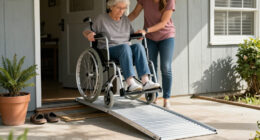
Write down where the senior spends time: inside the home, in the yard, or away from home. Note whether they live alone, use a walker or wheelchair, have trouble hearing or speaking, or may forget to charge or wear a device. These details affect the type of system and support features to compare.
Read the service terms before paying. Check the full monthly cost, equipment charges, contract length, cancellation rules, cellular coverage, response-center availability, and how the service handles an unanswered call. Ask whether the device can detect falls and whether that feature costs extra. Fall detection may not identify every fall, so the user should still press the help button when able.
Step-by-Step Instructions
Step 1: List the senior’s needs and routine
Write down the rooms and outdoor areas the senior uses, how often they go out alone, and any communication or mobility barriers. Ask which device they would actually wear, such as a pendant, wrist button, or another supported option. Record a trusted contact and the local emergency number in your planning notes.
Tip: Choose around the senior’s habits. A feature has little value if the person will not wear, charge, or carry the device.
Check: Your notes describe where help may be needed, how the user can communicate, and which device styles they will accept.
Step 2: Choose home or mobile coverage
Select a home system if the senior is usually at home. Check whether it connects through a landline or cellular network and whether the base station reaches the rooms and outdoor spaces they use. Select a mobile system if they need protection away from home; verify its cellular coverage in their usual locations and how often it needs charging. Choose a combination system if both settings matter.
Tip: Ask the provider what happens during a power or network outage. A backup battery may keep the base station running for a limited time, but it does not guarantee a connection.
Check: The selected coverage matches the senior’s routine, and you know which connection the service uses.
Step 3: Compare service and device terms
Compare at least two providers using the same checklist: monthly and one-time charges, contract and cancellation terms, included equipment, response-center hours, two-way voice, device range, water resistance, battery life, and available caregiver notifications. Ask whether the provider contacts emergency services, a listed contact, or both, and how it handles a call when the user cannot speak. Get the answers and total costs in writing before ordering.
Tip: Do not treat a fall-detection feature as a substitute for pressing the button. Ask how the feature works, whether it can be turned off, and what limitations the provider lists.
Check: You can explain the total cost, coverage, response process, and cancellation conditions for the system you chose.
Step 4: Order the system and prepare contacts
Order directly from the provider or from a seller whose service terms you have reviewed. Give the provider the correct home address, phone number, and approved contacts. Describe the entrance, building, apartment, gate, or access code responders may need. Tell each listed contact that they may receive a call and explain what action the provider expects them to take.
Tip: Share only access information needed for a response, and ask the provider how it stores and updates that information.
Check: The account has the correct address and contact details, and the listed people know they may be contacted.
Step 5: Install and wear the device
Follow the included setup instructions. Place the home base station in a central location near a power outlet, where the senior can hear it and speak toward it. Keep it away from furniture or equipment that blocks the microphone or speaker. Charge mobile equipment fully before use. Put the help button on the senior in the position recommended by the provider, including during bathing if the device is rated for that use.
Tip: Do not put the base station in a closed cabinet or assume every pendant is waterproof. Check the device label and instructions for water exposure and cleaning guidance.
Check: The equipment powers on, the device is charged, and the senior can reach or wear the button during the situations covered by the service.
Step 6: Test the system with the provider
Follow the provider’s stated test procedure, or call its support line first to arrange a test. Press the help button only as directed, then speak with the response center through the equipment. Confirm that the center has the correct name, address, and contact plan. Test from the rooms or areas where the senior may need help, following the provider’s instructions for checking range. Ask how to end a test call correctly.
Tip: Do not make an unannounced test emergency call. If the user accidentally activates a real alert, stay on the line and explain that it was accidental.
Check: The response center confirms the test, hears the user clearly, and reads back the correct location and response details.
Step 7: Practice using the device and set a maintenance reminder
Show the senior how to press the button and speak with the response center. Practice saying their name, location, and what help they need. Explain that they should press the button after a fall or when they need assistance, if they can do so safely. Set a recurring reminder to check the charge, wear, and function according to the provider’s schedule. Update the provider when the address, contacts, or access instructions change.
Tip: Keep the written instructions and provider support number somewhere easy for the senior and caregivers to find.
Check: The senior can identify and activate the button, and someone is assigned to check the equipment and account details.
Common Mistakes to Avoid
- Relying on fall detection to catch every fall. — Treat fall detection as an added feature. Teach the user to press the button whenever they can and confirm the provider’s stated limitations.
Troubleshooting
Problem: A mobile device is often left at home or runs out of charge.
Solution: Attach charging to a daily routine and store the device near an item the senior takes when leaving. Ask the provider about battery alerts and an alternative wearable style.
What Success Looks Like
The system is activated for the correct address, the response center can hear the user, and the provider has accurate contact and access information. The senior can reach and use the device in the intended settings, understands how to request help, and knows what to do if the system fails. A caregiver or household member has a reminder for charging, periodic checks, and account updates.
Next Steps
Keep the provider’s support number and setup instructions accessible. Follow the provider’s schedule for charging and testing, and repeat the test after moving equipment, changing service, or updating contact details. Review the senior’s routine when their health, mobility, or living arrangements change; adjust the coverage if their needs shift. Contact the provider for device faults or questions about service limits. For urgent medical symptoms or immediate danger, call the local emergency number.
Frequently Asked Questions
Does a medical alert system call emergency services automatically?
That depends on the provider and the service plan. Some alerts connect to a response center that speaks with the user and follows the account’s response plan. Ask whether staff call emergency services, a listed contact, or both, and what they do if no one answers.
Can the senior wear the help button in the shower?
Only if the specific device is rated for water exposure in that setting. Check the manufacturer’s instructions and ask the provider about cleaning and water limits. Do not assume a device is waterproof because it is worn on the wrist or around the neck.
Will fall detection identify every fall?
No fall-detection feature can be assumed to identify every fall. Ask the provider about its limits and any added fee. The user should press the alert button when they need help and are able to do so.
What should the family do if the device stops working?
Contact the provider using its support number and follow its instructions for checking power, charge, and connection. If the senior needs urgent help while the unit is unavailable, call the local emergency number directly.