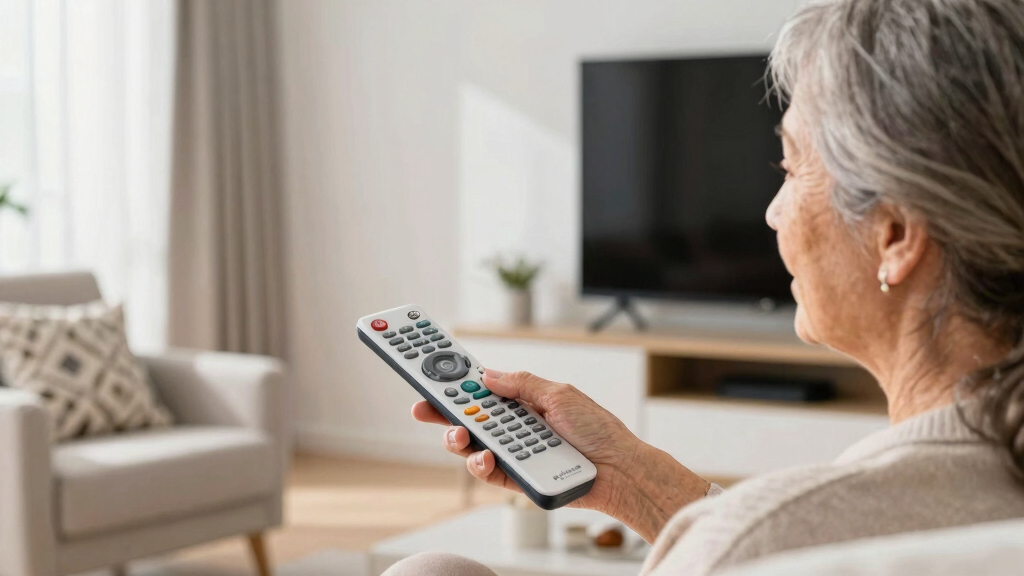

Senior-friendly television remote controls should reduce confusion, improve readability, and make everyday commands easy to find. My best overall pick is the Flipper Big Button Universal TV Remote because its stripped-back layout is especially well suited to seniors with memory or dexterity challenges. The GE Big Button Universal Remote offers stronger value for two-device households, while the EasyMote adds backlighting and learning controls for buyers who need more flexibility. The main tradeoffs are simplicity versus device coverage, easy setup versus customization, and large buttons versus access to smart-TV functions. Continue reading for my full breakdown of which designs fit different users and television setups.
Complete the kit


Key Takeaways
- The Flipper ranks first because its highly restricted control set does more to prevent accidental input than a standard remote with merely enlarged buttons.
- The GE Big Button Universal Remote offers the strongest value balance, pairing broad brand support with two-device control without moving into premium pricing.
- Backlighting separates only a few models: the Philips BigEZ, GE BigEZ, and EasyMote are better choices for dark rooms, while the Anderic relies on glow keys.
- The Vizio replacement remote is the safest brand-specific choice, but its narrow compatibility makes it less useful than the universal leaders.
- Several generic big-button models rank lower because their listings provide few clear advantages beyond key size, especially when compared with remotes offering learning, setup locks, or multi-device support.
| Big Button Universal TV Remote – Easy to Use, Great for Seniors |  | Best TV-Only Simplicity | Button size: Oversized | Button feedback: Tactile | Device support: Televisions only | VIEW LATEST PRICE | See Our Full Breakdown |
| Flipper Big Button Universal TV Remote for Seniors and Dementia |  | Best Overall | Primary functions: Power, channel up/down, volume up/down, mute | Button design: Large, color-coded, tactile | Device technology: Infrared | VIEW LATEST PRICE | See Our Full Breakdown |
| GE Big Button Universal Remote Control |  | Best for Two-Device Entertainment | Device capacity: 2 devices | Color: Silver | Button design: Large, easy-to-read | VIEW LATEST PRICE | See Our Full Breakdown |
| Big Button Universal TV Remote for Seniors and Dementia |  | Best Dementia-Friendly Alternative | Supported device types: Televisions, cable boxes, soundbars | Button size: Large | Button coding: Color-coded | VIEW LATEST PRICE | See Our Full Breakdown |
| EZclicker TV Remote for Seniors, Big Button Universal Remote (Black) |  | Best Compact Pick | Dimensions: 6 x 2 x 1 inches | Color: Black | Button size: Large | VIEW LATEST PRICE | See Our Full Breakdown |
| Big Button Universal TV Remote for Seniors, Easy to Use, Compatible with Major TV Brands |  | Best for Tactile Simplicity | Button size: Large | Button feedback: Tactile | Compatibility: Major TV brands | VIEW LATEST PRICE | See Our Full Breakdown |
| Big Button Universal Remote for All TV Brands |  | Best No-Programming Pick | Compatible brands: Samsung, LG, VIZIO, Sony, Hisense, Philips, Panasonic, and Sharp | Setup: No programming required | Enter button: Extra-large | VIEW LATEST PRICE | See Our Full Breakdown |
| Vizio Replacement TV Remote – Big Button, Easy to Use, Compatible with Vizio TVs |  | Best for Vizio TVs | Compatibility: Vizio TVs | Setup: No programming required | Button size: Large | VIEW LATEST PRICE | See Our Full Breakdown |
| Anderic RR1004 Big Button TV Remote Control – Senior Friendly, Easy-to-use with Glow Keys, Simple Layout – Compatible with Most IR TVs |  | Best for Low-Light Rooms | Button size: Large | Low-light feature: Glow-in-the-dark keys | Signal type: Infrared | VIEW LATEST PRICE | See Our Full Breakdown |
| Philips BigEZ OneTouch Universal TV Remote for Seniors, Backlit Buttons, 2 Devices |  | Best Two-Device Pick | Number of devices: 2 | TV brands: Samsung, LG, Sony, Vizio, and Roku TV | Additional device support: Set-top boxes and streaming devices | VIEW LATEST PRICE | See Our Full Breakdown |
| EZclicker Big Button Universal TV Remote (Black) |  | Best Compact TV-Only Pick | Button size: Extra-large | Button feedback: Tactile | TV compatibility: Major TV brands | VIEW LATEST PRICE | See Our Full Breakdown |
| GE BigEZ OneTouch Big Button Universal TV Remote for Seniors |  | Best Two-Device Pick | Button design: Large, color-coded controls | Button lighting: Backlit | Device capacity: 2 devices | VIEW LATEST PRICE | See Our Full Breakdown |
| Big Button Universal TV Remote – Easy to Use for Seniors, Compatible with Major TV Brands |  | Best for Limited Dexterity | Button design: Large buttons | Enter button: Extra-large | Button feedback: Tactile | VIEW LATEST PRICE | See Our Full Breakdown |
| Big Button Universal TV Remote – Easy to Use, Great for Seniors |  | Best for Guided Setup | Button design: Large buttons | Enter button: Extra-large | Button feedback: Tactile | VIEW LATEST PRICE | See Our Full Breakdown |
| Universal Big Button TV Remote – EasyMote |  | Best Minimalist Learning Remote | Button count: 6 large buttons | Button lighting: Backlit | Device compatibility: Major IR televisions and set-top boxes | VIEW LATEST PRICE | See Our Full Breakdown |
| senior-friendly television remote control | Button feedback |
|---|---|
| Big Button Universal TV Remote | Tactile |
| Flipper Big Button Universal T | — |
| GE Big Button Universal Remote | — |
| Big Button Universal TV Remote | Tactile |
| EZclicker TV Remote for Senior | Tactile |
| Big Button Universal TV Remote | Tactile |
| Big Button Universal Remote fo | Tactile |
| Vizio Replacement TV Remote | Tactile |
| Anderic RR1004 Big Button TV R | — |
| Philips BigEZ OneTouch Univers | — |
| EZclicker Big Button Universal | Tactile |
| GE BigEZ OneTouch Big Button U | — |
| Big Button Universal TV Remote | Tactile |
| Big Button Universal TV Remote | Tactile |
| Universal Big Button TV Remote | — |
More Details on Our Top Picks
Big Button Universal TV Remote – Easy to Use, Great for Seniors
I rank the Big Button Universal TV Remote highly for seniors who need basic television control without extra device modes. Its oversized tactile buttons are easier to locate and press when vision or finger mobility is limited, while the Mute and Volume+ pairing shortcut keeps caregiver setup brief. Compared with the Flipper Big Button Remote, this model sacrifices cable-box, soundbar, and favorite-channel control for a more focused layout. That narrower scope can reduce accidental input changes, but it also means keeping another remote nearby for any external equipment. I prefer it over the EZclicker TV Remote for buyers who value the clearly specified 90-day replacement coverage. The short warranty and lack of streaming support keep it below more versatile options, yet its straightforward TV operation gives it a clear purpose.
Pros:- Oversized buttons provide larger visual and physical targets
- Tactile feedback helps users confirm a button press
- Mute and Volume+ shortcut simplifies synchronization
- Works with eight listed major television brands
Cons:- Cannot operate cable boxes or streaming players
- TV-only design may require a second remote
- Replacement coverage lasts just 90 days
Best for: Seniors with limited vision or dexterity who watch through a compatible television without a cable box or streaming player
Not ideal for: Households using external cable, soundbar, or streaming equipment, since this remote controls televisions only
- Button size:Oversized
- Button feedback:Tactile
- Device support:Televisions only
- Compatible brands:Samsung, LG, VIZIO, Sony, Hisense, Philips, Panasonic, Sharp
- Programming method:Press and hold Mute and Volume+
- Streaming-device support:No
- Cable-box support:No
- Warranty:90-day free replacement
Our verdict“I recommend this model for seniors who want large, tactile controls and need nothing beyond basic television operation.”
Flipper Big Button Universal TV Remote for Seniors and Dementia
The Flipper Big Button Remote earns my top position because it combines a reduced six-function interface with broader equipment support than most senior-focused remotes. Large, color-coded tactile controls can help a user distinguish power, channel, volume, and mute commands, while 25 programmable favorites reduce the need to remember channel numbers. Unlike the TV-only EZclicker model, Flipper can operate compatible cable boxes and soundbars alongside a television. It is also more dementia-oriented than the GE Big Button Universal Remote, which retains a fuller conventional keypad. The tradeoff is setup and infrastructure: a caregiver may need to program the favorites, every command requires direct infrared line of sight, and streaming boxes or apps remain unsupported. Batteries are also absent. I still rank it first for its balance of simplicity and multi-device control.
Pros:- Six core controls reduce opportunities for confusing button presses
- Color-coded tactile buttons support visual and physical recognition
- Controls compatible televisions, cable boxes, satellite boxes, and soundbars
- Stores up to 25 favorite channels for direct access
Cons:- Does not control streaming set-top boxes or television apps
- Infrared operation requires direct line of sight
- Two AA batteries must be purchased separately
Best for: Caregivers supporting a senior or person with dementia who watches television through an infrared cable or satellite box
Not ideal for: Streaming-first households or users whose equipment sits behind cabinet doors, because streaming is unsupported and infrared requires line of sight
- Primary functions:Power, channel up/down, volume up/down, mute
- Button design:Large, color-coded, tactile
- Device technology:Infrared
- Supported device types:Televisions, cable boxes, satellite boxes, soundbars
- Favorite channels:Up to 25
- Voice control:Not available
- Line of sight:Required
- Battery requirement:2 AA
- Batteries included:No
Our verdict“I recommend Flipper as the strongest all-around choice when simplified controls, favorite channels, and cable-box operation matter more than streaming.”
GE Big Button Universal Remote Control
I give the GE Big Button Universal Remote Control this role because it serves seniors who need a familiar remote layout across two entertainment devices. Its large ergonomic body and readable buttons address reduced vision, while automatic code search and direct entry offer two setup routes when one method proves awkward. Master volume control also prevents the common frustration of switching device modes merely to adjust sound. Compared with Flipper, the GE supports Roku, Apple TV, disc players, and other listed streaming equipment, making it better for mixed-media households. The compromise is greater interface complexity: its fuller control set may be harder for someone with dementia than Flipper’s six-button design. It also handles only two devices and omits batteries. I place it behind Flipper because versatility is useful, but cognitive simplicity carries more weight in this senior-focused ranking.
Pros:- Large, easy-to-read buttons support users with impaired vision
- Controls two devices from one remote
- Supports listed streaming players and disc players as well as televisions
- Master volume control reduces device-mode switching
Cons:- Fuller button layout may overwhelm users with cognitive impairment
- Cannot manage more than two devices
- Two AA batteries are not supplied
Best for: Seniors with impaired vision who need one conventional remote for a television plus a streaming player, soundbar, or disc player
Not ideal for: People with dementia who become confused by full keypads, or households that need to control more than two devices
- Device capacity:2 devices
- Color:Silver
- Button design:Large, easy-to-read
- Setup methods:Automatic code search and direct code entry
- Volume feature:Master volume control
- Television compatibility:Samsung, Vizio, LG, Sony, Sharp, TCL, Panasonic, and other smart TVs
- Other compatible devices:Roku, Apple TV, streaming players, Blu-ray, DVD
- Battery requirement:2 AA, not included
Our verdict“I recommend the GE for seniors who want large buttons without giving up control of a second entertainment device.”
Big Button Universal TV Remote for Seniors and Dementia
I see the Big Button Universal TV Remote for Seniors and Dementia as a practical alternative for caregivers who want large, color-coded controls without limiting operation to the television. It covers TVs, cable boxes, and soundbars, giving it a wider role than the TV-only Big Button Universal TV Remote and EZclicker models. The tactile button response can help users confirm presses, while color separation may make recurring controls easier to identify. Against the Flipper Big Button Remote, however, this model lacks a stated favorite-channel system and provides fewer documented setup details. Some equipment, including compatible Xfinity boxes, may also demand clear line of sight. Add the missing AAA batteries, and Flipper remains my stronger overall recommendation. This pick still earns a place because its simple multi-device coverage suits homes where television and cable control cannot be separated.
Pros:- Large buttons are easier to target with limited dexterity
- Color coding can help users distinguish common controls
- Tactile feedback provides physical confirmation
- Supports televisions, cable boxes, and soundbars
Cons:- No favorite-channel feature is specified
- Some compatible devices require unobstructed line of sight
- Two AAA batteries are not included
Best for: Caregivers who need a simplified, color-coded remote for a senior using a television with an infrared cable box or soundbar
Not ideal for: Buyers who want documented favorite-channel programming or equipment hidden inside a cabinet
- Supported device types:Televisions, cable boxes, soundbars
- Button size:Large
- Button coding:Color-coded
- Button feedback:Tactile
- Listed brands:Samsung, LG, Vizio, Xfinity, and other supported brands
- Line of sight:Required for some devices
- Battery requirement:2 AAA
- Batteries included:No
Our verdict“I recommend this alternative for caregiver-managed TV-and-cable setups where color-coded simplicity matters more than favorite-channel shortcuts.”
EZclicker TV Remote for Seniors, Big Button Universal Remote (Black)
The EZclicker TV Remote for Seniors is my compact pick for users who find broad universal remotes physically cumbersome. At 6 by 2 by 1 inches, it should be easier to hold, store, and keep beside a chair than the larger ergonomic GE model. Its large tactile buttons still provide clearer targets for limited vision or hand control, and compatibility with major television brands avoids locking the buyer to one manufacturer. That portability comes with a firm boundary: unlike Flipper, EZclicker cannot control cable boxes, and unlike the GE remote, it offers no support for streaming players. A second handset may erase much of its convenience in multi-device homes. The two required AAA batteries are not supplied either. I rank it as a specialist rather than an all-purpose choice because compact TV-only control is valuable only when the viewing setup is equally simple.
Pros:- Compact six-inch body is easier to hold and store
- Large buttons provide accessible press targets
- Tactile feedback helps confirm commands
- Works across major television brands
Cons:- Cannot control cable boxes or streaming devices
- TV-only operation may require a second remote
- Two AAA batteries are not included
Best for: Seniors who want a small, lightweight remote for direct control of a compatible television with no external media equipment
Not ideal for: Cable and streaming households, since users would still need separate remotes for those devices
- Dimensions:6 x 2 x 1 inches
- Color:Black
- Button size:Large
- Button feedback:Tactile
- Compatibility:Major television brands
- Streaming-device support:No
- Cable-box support:No
- Battery requirement:2 AAA, not included
Our verdict“I recommend EZclicker for seniors who prioritize a compact grip and use the television without external boxes or players.”
Big Button Universal TV Remote for Seniors, Easy to Use, Compatible with Major TV Brands
I place the Big Button Universal TV Remote for Seniors on this list for buyers who value physical feedback more than broad device control. Its large tactile buttons can make each press easier to confirm for someone with reduced vision or hand strength. Compared with the Big Button Universal Remote for All TV Brands, this model requires programming, so it is less convenient for households seeking immediate setup. The process is described as simple, but a caregiver may still need to handle it. I rank it above more complicated remotes for straightforward television control, yet below the Philips BigEZ for versatility because it cannot operate cable boxes or streaming devices. Its lightweight body is easy to hold, though TV-only compatibility makes it a poor replacement for a multi-device remote.
Pros:- Large buttons are easier to locate and press
- Tactile feedback helps confirm button presses
- Programming is designed to be simple
- Works with major television brands
Cons:- Cannot control cable boxes or streaming devices
- Programming adds a setup step that competing models avoid
- Two AAA batteries must be purchased separately
Best for: Seniors with limited dexterity or reduced vision who watch television through the TV’s built-in tuner and want strong tactile feedback
Not ideal for: Households using cable boxes, streaming players, or a single remote for several entertainment devices
- Button size:Large
- Button feedback:Tactile
- Compatibility:Major TV brands
- Unsupported devices:Cable boxes and streaming devices
- Dimensions:7 x 2 x 1 inches
- Power source:2 AAA batteries
- Batteries included:No
Our verdict“I recommend this model for seniors who want a light, tactile remote and need control of the television alone.”
Big Button Universal Remote for All TV Brands
I rank the Big Button Universal Remote for All TV Brands highest among these TV-only choices for buyers who want to avoid code entry. Its no-programming setup removes a common hurdle for seniors with dementia and caregivers managing several small tasks. The extra-large enter button and tactile controls also provide clearer physical targets than a conventional remote. Compared with the Big Button Universal TV Remote for Seniors, Easy to Use, Compatible with Major TV Brands, it is easier to start using but offers the same narrow device scope. I would choose the Philips BigEZ instead for a cable box or streaming player. This model earns its place through wide television-brand support, not smart features. Buyers still need batteries, and TV-only operation may leave two remotes on the coffee table.
Pros:- No programming is required for supported televisions
- Extra-large enter button provides a clear central target
- Tactile controls suit limited dexterity
- Supports a broad list of major TV brands
Cons:- Does not operate streaming devices or cable boxes
- Lacks smart TV shortcuts and other extended controls
- Batteries are not included
Best for: Caregivers setting up a simple remote for a senior with dementia, reduced vision, or limited hand mobility
Not ideal for: Viewers who control a Roku player, cable box, or other external source alongside their television
- Compatible brands:Samsung, LG, VIZIO, Sony, Hisense, Philips, Panasonic, and Sharp
- Setup:No programming required
- Enter button:Extra-large
- Button feedback:Tactile
- Control design:Big-button layout
- Intended users:Seniors, visually impaired users, and people with dementia
- Unsupported devices:Streaming devices and cable boxes
Our verdict“I would pick this for a caregiver who wants the simplest possible setup for a supported television and no external devices.”
Vizio Replacement TV Remote – Big Button, Easy to Use, Compatible with Vizio TVs
I selected the Vizio Replacement TV Remote for buyers who prefer guaranteed brand focus over universal compatibility. Because it is designed for Vizio televisions, its no-programming operation avoids the codes and pairing choices that can frustrate a senior or caregiver. The 7-inch body remains compact enough for lighter handling, while large tactile buttons are easier to identify by touch. Compared with the Big Button Universal Remote for All TV Brands, this pick sacrifices brand flexibility for a more direct Vizio replacement. I would not choose it for a household that may change television brands soon. It also trails the Philips BigEZ in device coverage because it cannot manage a cable box or streaming player. For a compatible set, though, its brand-specific simplicity and lightweight design make the buying decision unusually clear.
Pros:- Works with Vizio TVs without programming
- Large buttons provide easier visual and physical targets
- Tactile feedback confirms presses
- Compact, lightweight shape is easier to handle
Cons:- Locked to Vizio televisions rather than multiple brands
- Cannot control cable boxes or streaming devices
- Requires separately purchased AAA batteries
Best for: Vizio TV owners who need a lightweight replacement remote for a senior with reduced vision or hand strength
Not ideal for: Multi-brand households or viewers who need to operate a cable box or separate streaming player
- Compatibility:Vizio TVs
- Setup:No programming required
- Button size:Large
- Button feedback:Tactile
- Dimensions:7 x 2 x 1 inches
- Power source:2 AAA batteries
- Batteries included:No
Our verdict“I recommend this as a direct, low-effort replacement for a senior who uses a Vizio TV and no external device.”
Anderic RR1004 Big Button TV Remote Control – Senior Friendly, Easy-to-use with Glow Keys, Simple Layout – Compatible with Most IR TVs
I rank the Anderic RR1004 as the strongest choice here for seniors who watch television in a dim room. Its glow-in-the-dark keys keep the core controls easier to find after the lights go down, while the trimmed layout limits distractions to power, volume, channel, mute, and closed captions. Compared with the Philips BigEZ, the Anderic controls fewer device types and lacks full backlighting, but its infrared learning function offers more freedom to copy selected commands. That flexibility comes with added setup work, so a caregiver may need to help. LG owners receive the easiest start because the remote arrives pre-programmed for their televisions. I place it below simpler no-programming models for independent setup, yet its learning capability and minimal button count better serve users who become confused by crowded smart-TV remotes.
Pros:- Glow-in-the-dark keys remain visible in dim rooms
- Minimal layout reduces accidental presses and confusion
- Infrared learning can copy selected commands
- Comes pre-programmed for LG televisions
Cons:- Works only with infrared equipment, not RF or Bluetooth systems
- Learning and non-LG setup may require caregiver assistance
- Core-only layout omits advanced smart-TV and streaming controls
Best for: Seniors who watch TV in low light and need only a small set of clearly separated controls
Not ideal for: Users with Bluetooth or RF equipment, or anyone who wants app shortcuts and full smart-TV navigation
- Button size:Large
- Low-light feature:Glow-in-the-dark keys
- Signal type:Infrared
- TV compatibility:Most IR TVs, including LG, Samsung, and Sony
- LG setup:Pre-programmed
- Learning function:Yes
- Main controls:Power, volume, channel, mute, and closed captions
- Layout:Core functions only
Our verdict“I favor the Anderic RR1004 for low-light viewing when simple IR controls matter more than smart features or effortless setup.”
Philips BigEZ OneTouch Universal TV Remote for Seniors, Backlit Buttons, 2 Devices
I put the Philips BigEZ OneTouch first for seniors who need one remote to manage both a television and a second entertainment device. Unlike the TV-only Big Button Universal Remote for All TV Brands, it supports two-device control, including compatible set-top boxes and streaming equipment. That can remove a second handset from the chair or bedside table, reducing mix-ups. Its fully backlit, distinct buttons also provide stronger nighttime visibility than the Anderic RR1004’s glow keys, and the colorblind-friendly design reduces reliance on color cues. The tradeoff is a busier control set than a core-functions remote, which may be less suitable for someone with advanced dementia. Two-device capacity is also a firm ceiling. I give it the broadest role in this group because one-touch setup balances added capability with senior-focused visibility, though power still depends on separately supplied batteries.
Pros:- Controls two compatible entertainment devices
- Backlit buttons are easier to read in dark rooms
- Colorblind-friendly design uses large, distinct controls
- One-touch setup reduces configuration effort
Cons:- Cannot replace remotes in systems with more than two devices
- Broader control layout may be confusing for users who need very few buttons
- Basic functions may not cover every advanced smart-TV command
Best for: Seniors who need one visible, large-button remote for a TV plus a cable box or streaming device
Not ideal for: Households with three or more devices, or users with advanced dementia who need only power, volume, and channel controls
- Number of devices:2
- TV brands:Samsung, LG, Sony, Vizio, and Roku TV
- Additional device support:Set-top boxes and streaming devices
- Button lighting:Backlit
- Button design:Large and distinct
- Accessibility design:Colorblind-friendly
- Setup:One-touch
- Power source:2 AA batteries
- Color:Black
Our verdict“I recommend the Philips BigEZ when reducing a TV-and-streaming setup to one visible remote matters more than having advanced controls.”
EZclicker Big Button Universal TV Remote (Black)
I rank the EZclicker Big Button Universal TV Remote as the strongest compact choice for someone who only needs television controls. Its extra-large, tactile buttons are easier to locate and press than the smaller, more numerous controls found on many standard universal remotes. At 7 inches long, it remains manageable for hands with limited grip strength. Programming requires holding two buttons while the remote searches for a code, which is simpler than entering code lists but may still require caregiver help. Compared with the GE BigEZ OneTouch, this model cannot manage a streaming player or second device. The TV-only design reduces confusion, yet it rules out homes where cable boxes, Fire TV Sticks, or Roku Sticks handle everyday viewing.
Pros:- Extra-large buttons are easier to see and press
- Tactile feedback helps users confirm each press
- Two-button automatic programming avoids code entry
- Compact 7-inch body is easier to handle and store
Cons:- Cannot control cable boxes or streaming sticks
- Limited to television functions
- Two AAA batteries must be purchased separately
Best for: Seniors who watch broadcast or smart-TV content directly through one major-brand television and need large tactile controls.
Not ideal for: Cable and streaming-device users, since it cannot control cable boxes, Fire TV Sticks, or Roku Sticks.
- Button size:Extra-large
- Button feedback:Tactile
- TV compatibility:Major TV brands
- Excluded devices:Cable boxes, Fire TV Stick, and Roku Stick
- Control scope:Television only
- Programming method:Hold Mute and Volume+ for up to 60 seconds
- Batteries:2 AAA, not included
- Dimensions:7 x 2 x 1 inches
Our verdict“This is my compact pick for seniors who want fewer complications and control only a single television.”
GE BigEZ OneTouch Big Button Universal TV Remote for Seniors
The GE BigEZ OneTouch earns its place by balancing senior-friendly visibility with control of two devices. Large, backlit and color-coded buttons can reduce hunting in dim rooms, while support for TVs and streaming players means fewer remotes on the chair-side table. That makes it more flexible than the EZclicker Big Button Universal TV Remote, which handles televisions only. I place it below ultra-simple choices for users with memory difficulties because two-device operation introduces more buttons and another control mode. It also lacks the customizable command layout of the EasyMote learning remote. Still, its broad brand support and U.S.-based assistance make setup less intimidating for a senior living independently or a family member configuring the remote from a distance.
Pros:- Large backlit buttons remain visible in dim rooms
- Color-coded controls are easier to distinguish
- Operates a television and one additional device
- Supports major TV brands and streaming players
Cons:- Two-device operation may confuse users who need the simplest layout
- Cannot replace remotes for systems with three or more components
- Two AA batteries are not included
Best for: Seniors who regularly switch between a television and one streaming player and need illuminated, easy-to-distinguish controls.
Not ideal for: People with memory difficulties who may become confused by device switching, or households needing control of more than two components.
- Button design:Large, color-coded controls
- Button lighting:Backlit
- Device capacity:2 devices
- Supported device types:TVs and streaming players
- Compatible brands:Samsung, LG, Vizio, Sony, and Roku TV
- Setup:Simple setup instructions
- Color:White
- Batteries:2 AA, not included
Our verdict“I recommend this model when one senior-friendly remote must handle both a television and a streaming player.”
Big Button Universal TV Remote – Easy to Use for Seniors, Compatible with Major TV Brands
I favor this Big Button Universal TV Remote for buyers whose main concern is pressing the right control with stiff or unsteady fingers. The extra-large Enter button creates a clear central target, while tactile feedback gives physical confirmation that a command was entered. It covers more named television brands than many basic replacement remotes, including Hisense, Philips, Panasonic, and Sharp. Compared with the GE BigEZ OneTouch, however, it has no backlighting and cannot operate a streaming player. Its Mute-and-Volume+ programming routine is straightforward, though a caregiver may need to perform the initial setup. The 90-day replacement warranty adds some purchase protection, but the TV-only limitation makes this a poor match for viewers who change channels through a cable box.
Pros:- Extra-large Enter button provides an easy central target
- Tactile feedback confirms button presses
- Supports a broad selection of major TV brands
- Includes 90-day free replacement coverage
Cons:- No backlighting for dark-room use
- Cannot control streaming devices or cable boxes
- Initial manual programming may require caregiver help
Best for: Seniors with arthritis, tremors, or reduced finger sensitivity who need a large central button and tactile confirmation.
Not ideal for: Viewers who rely on a cable box or streaming device, since this remote controls compatible televisions only.
- Button design:Large buttons
- Enter button:Extra-large
- Button feedback:Tactile
- Compatible brands:Samsung, LG, Vizio, Sony, Hisense, Philips, Panasonic, and Sharp
- Programming method:Press and hold Mute and Volume+
- Control scope:Television only
- Excluded devices:Streaming devices and cable boxes
- Warranty:90-day free replacement
Our verdict“This is my pick for limited dexterity when tactile response matters more than lighting or multi-device support.”
Big Button Universal TV Remote – Easy to Use, Great for Seniors
The Big Button Universal TV Remote is a sensible choice when a family member can follow a defined synchronization sequence during setup. Its process goes beyond simply holding Mute and Volume+: the user releases those buttons and presses Mute again to complete pairing. That extra step is less automatic than the EZclicker search routine, but the clear programming sequence can be easier to repeat when written down. Large buttons, an oversized Enter control, and tactile response suit reduced vision or hand mobility. Compared with the similarly named B0GSDYXLYY model, this pick is differentiated mainly by its documented final sync step rather than added functions. I would choose it for straightforward TV control, not versatility: it lacks backlighting, cable-box support, and streaming control. A 90-day replacement policy softens the risk.
Pros:- Oversized Enter button is easy to locate
- Tactile response supports users with reduced sensation
- Documented synchronization sequence can be repeated
- 90-day free replacement coverage limits purchase risk
Cons:- Multi-step manual pairing may be difficult without help
- No support for cable boxes or streaming devices
- No backlighting for low-light viewing
Best for: Caregivers setting up a basic remote for a senior who needs large tactile buttons and uses one compatible television.
Not ideal for: Seniors configuring electronics without assistance or anyone whose channels come through a cable or streaming box.
- Button design:Large buttons
- Enter button:Extra-large
- Button feedback:Tactile
- Compatible brands:Samsung, LG, Vizio, Sony, Hisense, Philips, Panasonic, and Sharp
- Programming method:Hold Mute and Volume+, release, then press Mute to sync
- Control scope:Television only
- Excluded devices:Streaming devices and cable boxes
- Warranty:90-day free replacement
Our verdict“I see this as a caregiver-friendly setup choice for simple, single-TV households.”
Universal Big Button TV Remote – EasyMote
The EasyMote takes the most focused approach in this group: just six large, backlit buttons for core commands. That sparse layout can help someone with dementia or low vision avoid accidental presses, while the wrist strap makes the remote harder to drop or misplace. Unlike the EZclicker TV-only model, EasyMote can learn commands from compatible infrared TVs and cable boxes, giving a caregiver more freedom to build a useful button set. The tradeoff is that learning mode requires another working remote and some initial configuration. It also cannot reproduce menus, app shortcuts, or other advanced controls with only six buttons. Compared with the GE BigEZ OneTouch, this is simpler after setup but less capable day to day. I rank it as the best customized minimalist choice.
Pros:- Six-button layout reduces visual and cognitive clutter
- Backlighting improves low-light visibility
- Learning mode supports customized commands
- Wrist strap reduces drops and misplacement
Cons:- Learning setup may require caregiver assistance and an existing remote
- Only basic functions fit on the six-button layout
- Works only with infrared-compatible equipment
Best for: Caregivers creating a six-command setup for a senior with dementia, low vision, or difficulty managing crowded button layouts.
Not ideal for: Smart-TV users who frequently open apps, browse menus, enter numbers, or use Bluetooth and radio-frequency devices.
- Button count:6 large buttons
- Button lighting:Backlit
- Device compatibility:Major IR televisions and set-top boxes
- Signal type:Infrared
- Programming features:Learning mode and quick code search
- Material:Plastic
- Included handling aid:Rubber wrist strap
- Color:White
- Batteries:Not included
Our verdict“I recommend EasyMote when a carefully chosen six-button layout is safer and easier than a full universal remote.”
How We Picked
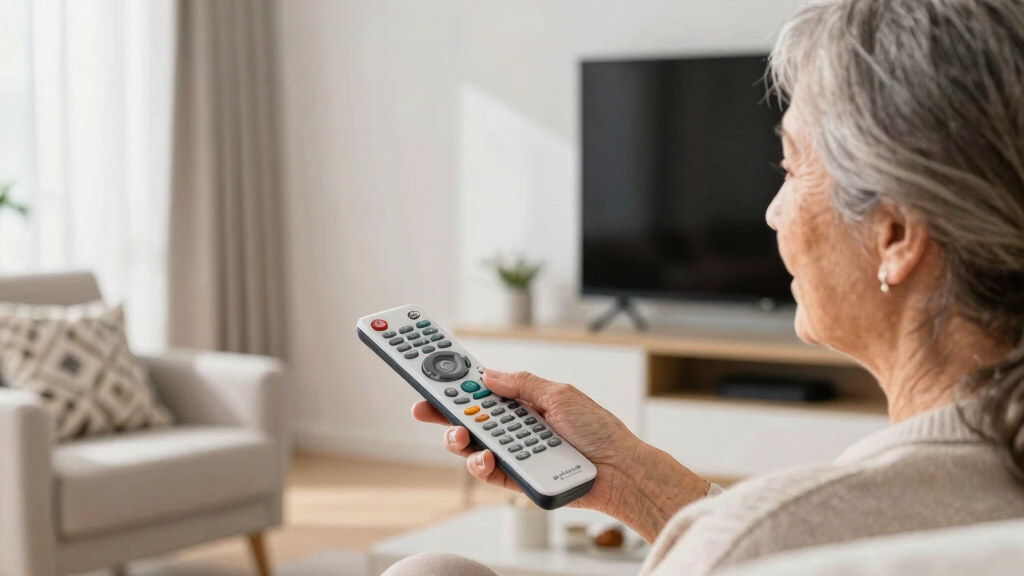
I ranked these 15 remotes according to layout simplicity, button visibility, setup burden, and compatibility. I gave the most weight to designs that reduce accidental presses and keep volume, channel, power, and mute controls easy to identify. Large buttons helped, but fewer well-spaced controls scored better than crowded layouts with oversized keys. I also compared backlighting, glow markings, learning capability, device capacity, and support for major television brands.
My ordering reflects how safely each remote fits its intended user, not the raw number of functions. Models aimed at dementia care received extra credit for restricted layouts and settings that a caregiver can configure once. Universal remotes ranked higher when their added coverage did not make daily operation harder, while brand-specific replacements earned narrower roles. When products appeared nearly identical, I favored the option with a clearer functional advantage or stronger buyer fit rather than treating every big-button design as interchangeable.
Factors to Consider When Choosing Senior-friendly Television Remote Controls
The right remote depends on more than eyesight or hand strength. I would match the design to the user’s memory, dexterity, television equipment, and access to setup help. A six-button remote can be freeing for one person and too limiting for another. The sections below explain the choices that have the greatest effect on day-to-day independence.
Choose Cognitive Simplicity Before Button Count
A remote can have large labels and still be confusing if every surface is filled with controls. For someone with memory loss, I favor a restricted layout with only daily commands, since unused input, menu, and playback buttons create opportunities for mistakes. Users who regularly open streaming apps may find that same design frustrating. In that case, a moderately simplified two-device model can preserve independence without removing needed functions. One common mistake is choosing the remote with the largest keys while ignoring spacing, color contrast, and control hierarchy. I would prioritize the smallest command set that still covers the viewer’s real routine.
Match the Remote to the Signal and Devices
Most products in this roundup rely on infrared control, which needs a clear path to the television or cable box. That works well for conventional TVs but may not reproduce Bluetooth pairing, voice search, pointer controls, or every smart-TV shortcut. A universal remote also needs compatible codes for each device, while a brand-specific replacement usually offers a more direct setup. I would list the television, cable box, streaming player, and sound system before choosing between one-device and two-device control. Buyers often assume the word universal means every function will work, yet it usually refers to broad basic-command compatibility. If the household depends heavily on apps or voice features, keeping the original remote nearby may still be necessary.
Plan Who Will Handle Setup and Recovery
The easiest remote to operate may still require a caregiver to enter codes, teach commands, or verify button assignments. I prefer one-time setup with a lock for users who might accidentally erase programming or switch devices. Learning remotes can copy commands from an existing handset, but that process requires a working original remote and careful alignment. Code-based models may be quicker when the television brand is well supported. I would also check how the remote behaves after battery replacement, because lost programming can turn a minor maintenance task into a service visit. For distant caregivers, stable programming matters more than extra customization.
Compare Backlighting, Glow Keys, and Contrast
Backlit buttons are useful when the viewer watches in a dim room and needs labels to remain readable. Glow keys require prior exposure to light and usually highlight fewer controls, but they consume no battery power. High-contrast printing can be more useful than either feature during daytime viewing, especially for users with reduced contrast sensitivity. I would also examine whether power, volume, and channel controls have distinct shapes that can be recognized by touch. A common buying error is paying for lighting while overlooking tiny labels or glossy surfaces that produce glare. The best visibility package combines clear contrast, tactile separation, and readable symbols.
Know When Premium Features Are Worth Paying For
Higher-priced remotes make sense when learning capability, backlighting, or cable-box control replaces several daily frustrations. They offer less value when the viewer only changes volume and channels on one television. For a basic setup, I would put more money toward dependable compatibility and sturdy buttons rather than a long feature list. Households with mixed equipment may save time by paying for a model that can learn missing commands from the original remote. Battery type and compartment access also matter, since small screws or stiff covers can complicate routine care. The best value is the remote whose extra functions will actually be used, not simply the least expensive listing.
Frequently Asked Questions
Should I buy a universal remote or an exact replacement for the television brand?
I would choose an exact replacement when the viewer owns one television, wants familiar functions, and needs the simplest setup path. A universal model is more useful when one remote must operate different brands or a second device. The tradeoff is that universal remotes may require code entry and may not reproduce every smart feature. Brand-specific replacements are also easier for family members to identify if several remotes are stored together. For a straightforward Vizio setup, the Vizio Replacement TV Remote makes more sense than paying for broad compatibility that will never be used.
Which type of remote is best for someone with dementia?
I would favor a remote with very few visible controls, strong contrast, and programming that can be protected from accidental changes. Power, volume, channel, and mute are often enough, though the right set depends on the person’s viewing habits. The Flipper stands above more conventional big-button models because it focuses on reducing choices rather than only enlarging them. A caregiver should configure the television and remote together, then remove unused handsets that could cause confusion. For dementia care, predictability usually matters more than smart-TV access.
Will a big-button universal remote control streaming apps and smart-TV menus?
It may control basic smart-TV commands, but app navigation and special shortcuts vary by television and remote. Simple senior models often omit directional pads, home buttons, microphones, and dedicated streaming keys to keep the layout manageable. Two-device support does not automatically mean full compatibility with every streaming player. I would check the required daily actions against the visible buttons before buying. If app browsing is central to the viewer’s routine, a moderately simplified remote is usually a better fit than a six-button design.
Is a learning remote easier to set up than a code-based universal remote?
A code-based remote is often quicker when the television brand appears in its supported list and the supplied code works immediately. A learning remote is more flexible because it can copy individual commands from the original handset. That flexibility comes with a longer setup process and depends on having a functioning original remote. I favor learning capability when a cable box or less common television uses commands that universal code libraries may miss. For a caregiver willing to configure it once, the EasyMote provides broader customization than the basic universal options.
Are backlit buttons better than glow-in-the-dark keys for seniors?
Backlighting is generally easier to read because it illuminates labels on demand rather than relying on stored light. Glow keys can still help a user locate major controls and may use less battery power. Neither feature fixes weak contrast, crowded spacing, or tiny printed labels. I would choose the Philips BigEZ, GE BigEZ, or EasyMote for regular nighttime viewing, while the Anderic suits buyers who only need basic low-light guidance. Daytime users may gain more from high-contrast buttons than from either lighting method.
Conclusion
For most buyers, I recommend the Flipper Big Button Universal TV Remote as the best overall choice because its restricted layout offers the clearest advantage for seniors who become overwhelmed by conventional controls. The GE Big Button Universal Remote is my best-value pick for households that want broad brand support and control of two devices at a lower cost. For beginners who need large, plainly labeled controls without a highly specialized design, the EZclicker TV Remote for Seniors offers a sensible middle ground.
I would choose the EasyMote as the premium option for buyers who will benefit from backlighting, learning capability, and cable-box support. The Philips BigEZ or GE BigEZ better serves nighttime viewers who want two-device control, while the Anderic is a simpler glow-key alternative. Vizio owners seeking minimal setup should pick the dedicated Vizio replacement, and caregivers supporting someone with dementia should stay with the Flipper. The remaining generic big-button models fit basic single-TV needs, but I would choose them only when confirmed compatibility and a lower price outweigh the clearer advantages of the leading picks.