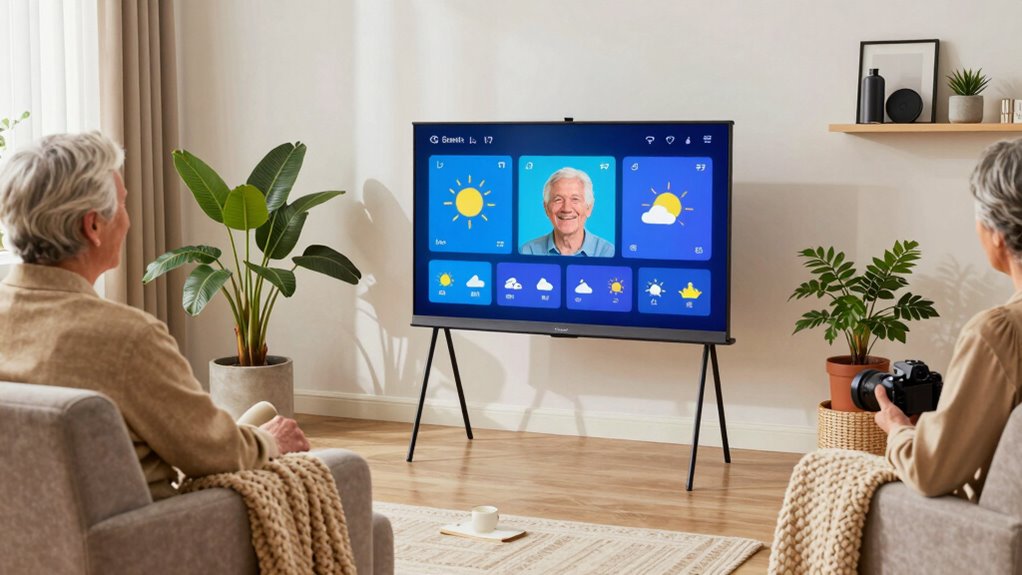

Choosing a smart display that truly meets seniors’ needs requires balancing simplicity, functionality, and safety. The Amazon Echo Show 5 stands out for its compact size and privacy controls, making it ideal for users new to smart tech. The ViewClix Smart Frame offers an intuitive way to stay connected through photos and video calls, perfect for less tech-savvy seniors. Meanwhile, the Echo Show 11 delivers a larger, more versatile experience for those comfortable with a bigger screen. Each option involves tradeoffs—smaller displays are easier to handle but less immersive, and more feature-rich models may be overwhelming for some.

Turn quiet afternoons into listening time
- Thousands of audiobooks, podcasts and originals
- Listen on your phone, tablet or Echo — also offline
- Cancel anytime
Complete the kit


Key Takeaways
- Size and simplicity are key: smaller screens like the Echo Show 5 are easier for seniors to use but limit visual detail.
- Photo and video sharing features promote connection but often require paid memberships or subscriptions.
- Privacy features such as camera shutters and mute buttons are essential for user comfort and safety.
- Larger displays like the Echo Show 15 or ViewClix frame greatly enhance ease of viewing and interaction.
- Ease of setup and management, including remote controls, significantly impact overall user experience.
| Amazon Echo Show 5 (newest model), Smart Display, Alexa Compatible, Glacier White |  | Best Overall Compact Smart Display for Seniors | Display Size: 5.5 inches | Camera: 2 MP | Bass: 2x | VIEW ON AMAZON | See Our Full Breakdown |
| Smart Frame by ViewClix 15.6” Digital Picture Frame with Video Calling |  | Best for Staying Connected with Photos and Video Calls | Screen Size: 15.6 inches | Connectivity: Wi-Fi | Membership: 1 month included | VIEW ON AMAZON | See Our Full Breakdown |
| 15.6-inch Smart Digital Family Calendar with Touch Screen and Photo Frame |  | Best for Organization and Home Management | Screen Size: 15.6 inches | Display: HD Touchscreen | Connectivity: Wi-Fi | VIEW ON AMAZON | See Our Full Breakdown |
| Amazon Echo Show 11 (2025 Model), 11″ Full-HD Display with Spatial Audio and Alexa+ |  | Best for Larger, Versatile Viewing | Display: 11-inch Full-HD | Viewing Area: 60% more than Echo Show 8 | Audio: Spatial audio with up to 2x bass | VIEW ON AMAZON | See Our Full Breakdown |
| Amazon Echo Show 15 (Newest Model) – 15.6″ Full HD Smart Display with Fire TV and Alexa |  | Best for Large Screen Home Organization | Display: 15.6-inch Full HD | Camera: Centered, auto-framing | Connectivity: Wi-Fi, Bluetooth | VIEW ON AMAZON | See Our Full Breakdown |
| easy to use smart displays for senior | Camera | Connectivity | Display |
|---|---|---|---|
| Amazon Echo Show 5 | 2 MP | — | — |
| Smart Frame by ViewClix 15.6” | — | Wi-Fi | — |
| 15.6-inch Smart Digital Family | — | Wi-Fi | HD Touchscreen |
| Amazon Echo Show 11 | Centered auto-framing with 3.3x zoom | — | 11-inch Full-HD |
| Amazon Echo Show 15 | Centered, auto-framing | Wi-Fi, Bluetooth | 15.6-inch Full HD |
More Details on Our Top Picks
Amazon Echo Show 5 (newest model), Smart Display, Alexa Compatible, Glacier White
The Echo Show 5 offers a small, easy-to-handle screen that fits well in any space. Its 5.5-inch display is perfect for quick updates like weather, news, or video calls without overwhelming users. Compared with larger models, it’s more manageable, especially for those with limited mobility or visual acuity. However, the small size can mean a less immersive viewing experience, and its camera resolution is modest, making detailed video calls less clear. Nonetheless, its privacy features like mic/camera off button and end-to-end encryption provide peace of mind.
Pros:- Compact size with improved sound quality
- Supports smart home control and video calling
- Strong privacy controls and eco-friendly materials
Cons:- Small display size limits viewing experience
- Limited camera resolution
- Requires compatible smart devices for full functionality
Best for: Seniors new to smart tech who prioritize privacy and simplicity.
Not ideal for: Users who want high-quality video calls or large visual displays.
- Display Size:5.5 inches
- Camera:2 MP
- Bass:2x
- Color:Glacier White
- Privacy Features:Mic/camera off button, camera shutter
- Materials:Recycled polyester yarn, recycled aluminum
Our verdict“A balanced, privacy-focused choice ideal for seniors seeking a simple, compact smart display.”
Smart Frame by ViewClix 15.6” Digital Picture Frame with Video Calling
The ViewClix Smart Frame makes staying connected straightforward. Its large 15.6-inch screen is easy to view, and the user interface is designed specifically for seniors, making photo sharing and video calls accessible without complex setup. The remote management feature allows family members to update content remotely, reducing the need for physical handling. However, the subscription requirement—initially included for only one month—may be a barrier for long-term use, and privacy concerns with video calls could be an issue for some users. Still, it offers an intuitive, user-friendly way to keep loved ones close.
Pros:- Easy-to-use interface tailored for seniors
- Remote management simplifies updates
- Supports photo and video sharing from anywhere
Cons:- Requires a paid subscription for full features
- Limited to 1 month of included membership
- Potential privacy issues with video calls
Best for: Seniors who prioritize simple communication and photo sharing.
Not ideal for: Those unwilling to pay ongoing subscription fees or concerned about privacy.
- Screen Size:15.6 inches
- Connectivity:Wi-Fi
- Membership:1 month included
- Management:Remote via app and website
- Designed For:Seniors
Our verdict“An ideal device for seniors focused on visual connection, with straightforward management but ongoing costs.”
15.6-inch Smart Digital Family Calendar with Touch Screen and Photo Frame
This device combines a digital calendar, chore chart, and photo display into one 15.6-inch HD touchscreen. Its intuitive interface makes managing schedules, meal plans, and family photos simple. Setup is quick, with instant Wi-Fi sync, and it integrates well with major calendar services. However, its reliance on Wi-Fi and limited customization options can hinder some users, especially if they want more personalized features. Its size makes it more suitable for central home locations like the kitchen rather than a bedside table.
Pros:- Combines digital calendar, chore chart, and photo display
- Easy setup and Wi-Fi sync
- Supports customization and interactive features
Cons:- Requires Wi-Fi connection for full use
- Limited app compatibility details
- Potentially expensive for a home decor device
Best for: Families or seniors who want a multifunctional device for organization and visual appeal.
Not ideal for: Seniors who prefer a dedicated device for communication or entertainment.
- Screen Size:15.6 inches
- Display:HD Touchscreen
- Connectivity:Wi-Fi
- Modes:Calendar and Photo Frame
- Features:Weather forecast, customizable lists
Our verdict“A versatile, all-in-one device suited for family organization, with a larger display that may not fit all spaces.”
Amazon Echo Show 11 (2025 Model), 11″ Full-HD Display with Spatial Audio and Alexa+
The Echo Show 11 offers a bigger, vibrant 11-inch Full-HD display with 60% more viewing area than smaller models. Its spatial audio and Omnisense technology create a personalized multimedia experience. The device excels at smart home control, video calling, and photo display, making it suitable for users comfortable with a larger screen. Its higher price point might deter some, and it requires compatible smart home devices to unlock its full potential. Still, the large display makes it easier to see and interact with for users with limited eyesight or who want a more engaging experience.
Pros:- Large, vibrant Full-HD display
- Rich spatial audio with enhanced bass
- Advanced privacy controls
Cons:- Premium price point
- Requires compatible smart devices for full functionality
- Size may be too large for small spaces
Best for: Seniors comfortable with technology who want a larger, more immersive experience.
Not ideal for: Users new to smart displays or on a tight budget.
- Display:11-inch Full-HD
- Viewing Area:60% more than Echo Show 8
- Audio:Spatial audio with up to 2x bass
- Processor:AZ3 Pro chip
- Camera:Centered auto-framing with 3.3x zoom
- Technology:Omnisense
Our verdict“A highly capable, larger smart display for seniors seeking an engaging, multimedia-rich experience.”
Amazon Echo Show 15 (Newest Model) – 15.6″ Full HD Smart Display with Fire TV and Alexa
The Echo Show 15 is designed to be the centerpiece of a busy household. Its 15.6-inch Full HD screen is perfect for kitchen use, displaying recipes, calendars, and family photos. With built-in Fire TV, streaming becomes effortless, and its customizable widgets support home organization. The centered camera with auto-framing makes video calls natural and easy. While its size is a major advantage for larger spaces, it can be too bulky for small rooms, and some features require subscriptions, which could add to ongoing costs. Privacy controls are included, but the size might be overwhelming for some users.
Pros:- Large, high-definition display ideal for kitchens
- Built-in Fire TV access to streaming apps
- Smart home dashboard and privacy controls
Cons:- Requires subscriptions for some streaming services
- Size may be too large for small spaces
- Potential privacy concerns despite controls
Best for: Large households or seniors who want a comprehensive home hub with entertainment options.
Not ideal for: Small-space dwellers or those preferring a discreet device.
- Display:15.6-inch Full HD
- Camera:Centered, auto-framing
- Connectivity:Wi-Fi, Bluetooth
- Features:Fire TV, smart home dashboard
- Privacy:Mic/camera-off button, built-in shutter
Our verdict“A feature-rich large display for those who want a central, multimedia home hub.”

How We Picked
To select these smart displays, I focused on ease of use for seniors, considering factors like display size, interface simplicity, and setup process. I prioritized products with clear privacy controls and minimal learning curves, favoring models with large, bright screens and straightforward controls. I also examined user reviews and feature sets to identify the best balance of usability and functionality, avoiding overly complex or feature-heavy devices that might confuse first-time users. Devices that support remote management or have dedicated senior interfaces earned higher marks, ensuring they promote safe, independent use.
| easy to use smart displays for senior | Connectivity |
|---|---|
| Amazon Echo Show 5 | — |
| Smart Frame by ViewClix 15.6” | Wi-Fi |
| 15.6-inch Smart Digital Family | Wi-Fi |
| Amazon Echo Show 11 | — |
| Amazon Echo Show 15 | Wi-Fi, Bluetooth |
Factors to Consider When Choosing Easy To Use Smart Displays For Seniors
When selecting a smart display for seniors, focus on simple controls, clear displays, and privacy features. The ideal device should be easy to set up and manage, with intuitive interfaces that don’t overwhelm. Size matters—smaller screens are easier to handle but less immersive, while larger screens improve visibility but require more space. Consider whether features like video calling, photo sharing, or home control are priorities, and match these with the senior’s comfort level with technology. Devices that support remote management or have dedicated senior modes tend to deliver a more stress-free experience.
Size and Display
Size directly impacts ease of use. Smaller screens like the Echo Show 5 are lightweight and manageable but may not be ideal for users with visual impairments. Larger displays such as the Echo Show 15 or ViewClix frame enhance visibility and make interaction more comfortable, especially for video calls or viewing photos. Choose a size that balances space constraints with visual comfort, keeping in mind the senior’s dexterity and eyesight.
Ease of Use and Interface
Look for devices with straightforward interfaces, minimal setup steps, and simple navigation. Devices with large icons, voice control options, and clear instructions reduce frustration. Features like remote management or dedicated senior modes can simplify ongoing use by family members or caregivers, ensuring the device remains a helpful tool rather than a source of confusion.
Privacy and Security
Privacy controls such as camera shutters, microphone mute buttons, and encrypted calls are essential. These features help seniors feel safe and in control of their devices. Devices with clear, accessible privacy settings are preferred, especially if the senior is concerned about being watched or recorded without consent.
Additional Features
Consider if extra functions like streaming, calendar management, or smart home control will be useful. Larger devices often offer more integrated features, but sometimes at the expense of simplicity. Prioritize devices that align with the senior’s daily habits and comfort level with technology to avoid overwhelming them.
Frequently Asked Questions
Are smart displays suitable for seniors with limited tech experience?
Yes, many smart displays are designed specifically for ease of use, featuring large icons, simple interfaces, and voice controls. Devices like the Echo Show 5 or ViewClix Smart Frame prioritize intuitive operation, making them accessible even for those new to technology. Additionally, remote management options allow family members or caregivers to assist with setup and updates, reducing potential frustration.
What privacy features should I look for in a senior-friendly smart display?
Privacy features such as physical camera shutters, microphone mute buttons, and end-to-end encryption are vital. These controls give seniors peace of mind about who can see or hear them and allow quick disabling of cameras and mics when needed. Devices with clear, accessible privacy settings are especially recommended for those concerned about security or privacy invasions.
Is a larger screen always better for seniors?
Not necessarily. While larger screens like the Echo Show 15 or ViewClix frame enhance visibility and make interaction easier, they also require more space and can be visually overwhelming for some users. Smaller screens are more manageable and less intimidating but may limit the amount of information displayed at once. The best choice depends on the senior’s eyesight, dexterity, and available space.
Do smart displays require ongoing subscriptions?
Some features, such as photo sharing or streaming, may require paid subscriptions or memberships, as seen with the ViewClix Smart Frame. However, many basic functions like video calling, weather updates, and smart home control are available without extra costs. It’s important to consider long-term costs when choosing a device, especially for seniors on fixed incomes.
Can these devices be managed remotely by family members?
Yes, many smart displays support remote management through dedicated apps or web portals. This feature allows family members or caregivers to update content, adjust settings, or troubleshoot without needing to be physically present. Devices like the ViewClix Smart Frame and some Amazon Echo models excel in this area, making ongoing support much easier.
Conclusion
For seniors new to technology or who prioritize privacy and simplicity, the Amazon Echo Show 5 remains a strong recommendation. Those seeking to maintain close connections with family through photos and video calls should consider the ViewClix Smart Frame, especially if they are comfortable with subscriptions. If a larger, more versatile device fits their lifestyle, the Echo Show 11 offers a good balance of size and features, while the Echo Show 15 suits households looking for a central home management hub. Choosing the right device ultimately depends on the senior’s comfort level, space, and specific needs—prioritize ease of use and privacy for a truly senior-friendly experience.