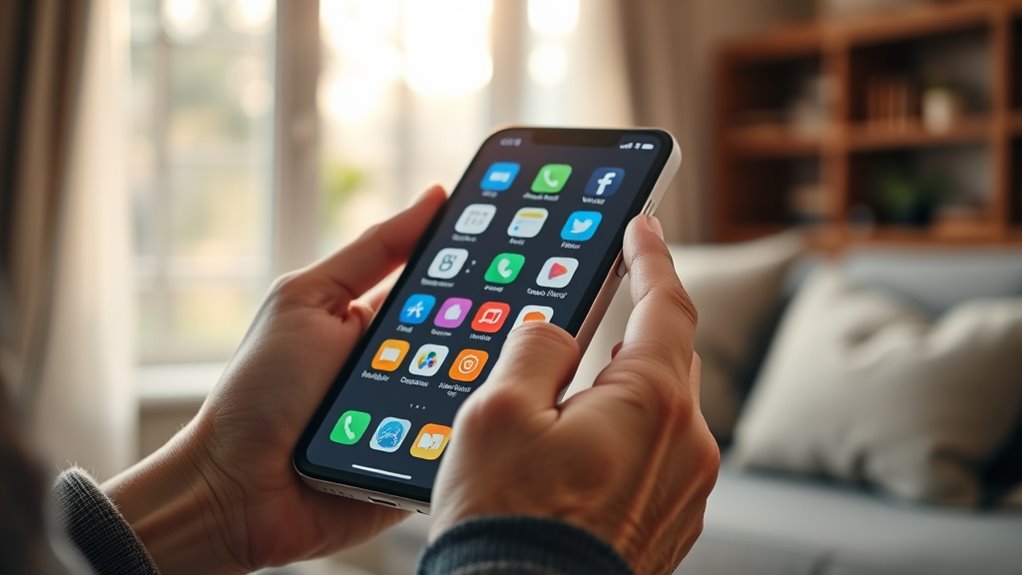

Among the smartphones for elderly users in this roundup, I rank the LIVELY Jitterbug Smart5 as the best overall because its senior-focused design and service ecosystem reduce the learning burden without giving up core smartphone functions. The Motorola Moto G 2025 offers the strongest value for buyers comfortable with a standard Android interface, while the RealSAM Pocket leads for blind users through its voice-operated approach. The main choice is between a simplified phone with guided support, a conventional smartphone with greater flexibility, and a specialized device built around a particular accessibility need. Buyers must also weigh carrier restrictions, recurring service costs, screen size, physical controls, and the amount of help available from family members. Read on for the full breakdown of which model best fits each type of user.
Complete the kit


Key Takeaways
- The Jitterbug Smart5 takes first place because its senior-centered interface and support model create a better balance of simplicity and smartphone capability than the older Smart4 and Smart3.
- The Moto G 2025 is the value leader, but its conventional Android layout and Tracfone lock make it a better fit for confident users than for complete beginners.
- RealSAM Pocket serves the clearest specialist role: its voice-led operation is better suited to blind users than merely enlarging icons on a mainstream phone.
- GrandPad 9R favors family involvement through a larger tablet-and-phone format, though its size and service-led model reduce portability and may raise long-term costs.
- The small slider and 1.77-inch models trade visibility for familiarity; they suit calling-focused buyers, while their compact screens and older software limit broader app use.
| PUSOKEI 4G Slider Phone |  | Best Compact Dual-SIM Phone | Display: 3.0-inch touchscreen | Operating system: Android 8.1 support, non-upgradable | Memory: 2GB RAM | VIEW ON AMAZON | See Our Full Breakdown |
| Unlocked 4G Senior Cell Phone with 6.56-Inch Display |  | Best Large-Screen Unlocked Pick | Display: 6.56-inch HD+ | Operating system: Android 13 | Memory: 3GB RAM | VIEW ON AMAZON | See Our Full Breakdown |
| Senior-Friendly Cell Phone with 1.77-Inch Display |  | Best No-Frills Phone | Display: 1.77 inches | Chip: SC6531 | Memory: 32MB RAM | VIEW ON AMAZON | See Our Full Breakdown |
| Motorola Moto G 2025 64GB |  | Best Mainstream Smartphone | Carrier: Locked to Tracfone | Display: 6.7-inch, 120Hz | Storage: 64GB | VIEW ON AMAZON | See Our Full Breakdown |
| Unlocked 4G Dual-SIM Slide Phone |  | Best Touch-and-Keypad Hybrid | Display: 3.0-inch touchscreen | Operating system: Android 8.1 | Network: 4G, 3G, and 2G | VIEW ON AMAZON | See Our Full Breakdown |
| LIVELY Jitterbug Smart5 Smartphone for Seniors |  | Best Overall | Screen Size: 6.75 inches | Network Compatibility: Lively phone service only | SIM Card: Pre-installed | VIEW ON AMAZON | See Our Full Breakdown |
| RealSAM Pocket 5G Voice-Operated Smartphone |  | Best for Blind and Low-Vision Users | Mobile Connectivity: 5G | Wireless Connectivity: Bluetooth and Wi-Fi | Carrier Compatibility: Unlocked for major carriers | VIEW ON AMAZON | See Our Full Breakdown |
| LIVELY Jitterbug Smart4 Smartphone for Seniors |  | Best for Long Calls | Operating System: Android 13.0 | Screen Size: 6.7 inches | Memory: 4 GB RAM | VIEW ON AMAZON | See Our Full Breakdown |
| GrandPad 9R Second Generation Senior Tablet & Phone |  | Best for Family Connection | Model: GrandPad 9R, second generation | Processor: Qualcomm 2 GHz | Battery: 4550 mAh lithium-ion | VIEW ON AMAZON | See Our Full Breakdown |
| LIVELY Jitterbug Smart3 Smartphone for Seniors |  | Best Simple-Menu Pick | Screen Size: 6.2 inches | Menu Style: List-based | Input Feature: Voice typing | VIEW ON AMAZON | See Our Full Breakdown |
| smartphones for elderly | Battery | Display | Operating system |
|---|---|---|---|
| PUSOKEI 4G Slider Phone | Built-in 2000mAh | 3.0-inch touchscreen | Android 8.1 support, non-upgradable |
| Unlocked 4G Senior Cell Phone | 4000mAh | 6.56-inch HD+ | Android 13 |
| Senior-Friendly Cell Phone wit | 1800mAh | 1.77 inches | — |
| Motorola Moto G 2025 64GB | 5000mAh | 6.7-inch, 120Hz | — |
| Unlocked 4G Dual-SIM Slide Pho | 2000mAh | 3.0-inch touchscreen | Android 8.1 |
| LIVELY Jitterbug Smart5 Smartp | Long-lasting | — | — |
| RealSAM Pocket 5G Voice-Operat | — | — | — |
| LIVELY Jitterbug Smart4 Smartp | 5000 mAh; up to 24 hours battery life | — | Android 13.0 |
| GrandPad 9R Second Generation | 4550 mAh lithium-ion | — | — |
| LIVELY Jitterbug Smart3 Smartp | Long-lasting; capacity not specified | — | Not specified |
More Details on Our Top Picks
PUSOKEI 4G Slider Phone
I rank the PUSOKEI 4G Slider Phone as the strongest compact choice for older adults who want physical controls without giving up Wi-Fi, apps, or 4G service. Its sliding, one-handed design is easier to carry than the 6.7-inch Motorola Moto G 2025, while dual SIM slots suit buyers managing personal and family numbers. Compared with the similar Unlocked 4G Slide Phone, PUSOKEI provides clearer hardware details, including 2GB of RAM, 16GB of storage, and dual 2MP cameras. The tradeoff is longevity: Android 8.1 cannot be upgraded, and 16GB fills quickly once apps and photos accumulate. I would choose it for calling, messaging, radio, and a few lightweight apps, but not for banking apps, demanding software, or buyers who need a large, highly readable display.
Pros:- Compact sliding body supports comfortable one-handed handling
- Dual SIM slots allow two numbers on one phone
- 4G, Wi-Fi, Bluetooth 5.0, and app downloads provide flexible communication
- USB-C charging and a 2000mAh battery simplify everyday upkeep
Cons:- Non-upgradable Android 8.1 has limited long-term app compatibility
- 16GB internal storage leaves little room for apps and media
- Three-inch display and 2MP cameras are restrictive
Best for: I recommend it to older adults who want a pocketable keypad-and-touchscreen phone with two physical SIM slots.
Not ideal for: I would skip it for buyers with impaired vision or anyone relying on current, security-sensitive Android apps.
- Display:3.0-inch touchscreen
- Operating system:Android 8.1 support, non-upgradable
- Memory:2GB RAM
- Storage:16GB, expandable up to 32GB
- Network:4G, 3G, and 2G
- SIM:Dual SIM slots
- Cameras:2MP front and rear
- Battery:Built-in 2000mAh
- Ports:USB-C and 3.5mm headphone jack
Our verdict“I would pick PUSOKEI for compact dual-SIM convenience, provided a small screen and aging software are acceptable.”
Unlocked 4G Senior Cell Phone with 6.56-Inch Display
I place this 6.56-inch senior smartphone above the compact slider models for buyers who need larger text, roomier touch controls, and a more current Android interface. Android 13 offers broader app compatibility than the PUSOKEI 4G Slider Phone’s fixed Android 8.1 installation, while the 4000mAh battery gives less frequent chargers more breathing room. It also adds IP52 protection against limited dust and dripping water, though it is not waterproof. The compromises sit inside the large shell: 3GB of RAM can slow heavier multitasking, and 32GB of storage is modest for photos and apps. Its eSIM-focused activation may also frustrate buyers whose carrier or helper expects a physical card. I rank it below the Motorola Moto G 2025 for speed, storage, camera quality, and 5G, but ahead for carrier flexibility and senior-oriented positioning.
Pros:- Large HD+ display gives text and touch targets more room
- Android 13 supports newer apps than the slider-phone alternatives
- 4000mAh battery reduces charging frequency
- IP52 rating provides limited protection from dust and drips
Cons:- Only 3GB of RAM may produce sluggish multitasking
- 32GB storage can fill quickly with apps, updates, and photos
- eSIM activation depends on compatible carrier support
Best for: I recommend it to older adults who want a large Android screen, unlocked 4G service, and eSIM activation.
Not ideal for: I would skip it for heavy app users or families whose chosen carrier cannot activate its eSIM.
- Display:6.56-inch HD+
- Operating system:Android 13
- Memory:3GB RAM
- Storage:32GB
- Battery:4000mAh
- Water and dust resistance:IP52
- Rear camera:13MP
- Front camera:5MP
- Connectivity:eSIM, USB-C, dual-band Wi-Fi, and Bluetooth
Our verdict“I would choose this model for large-screen readability and unlocked service, but only after confirming eSIM support.”
Senior-Friendly Cell Phone with 1.77-Inch Display
I rank this Senior-Friendly Cell Phone as the simplest option here because it concentrates on calls, physical keys, FM radio, and a flashlight rather than a full smartphone experience. That narrower scope can reduce accidental taps and confusing menus for someone who finds the LIVELY Jitterbug Smart5 or Motorola Moto G 2025 overly complex. The 1800mAh battery is generous relative to its basic hardware, and dual SIM support is useful for separating two numbers. Yet simplicity brings firm limits: the 1.77-inch screen is much smaller than either slider phone’s three-inch display, while 32MB of RAM and 32MB of built-in storage rule out modern apps. Although the supplied specification lists a 30MP rear camera, I would not make image quality the buying reason for hardware in this class. There is also no stated water resistance.
Pros:- Straightforward physical-key operation limits menu complexity
- 1800mAh battery is well matched to low-power basic-phone use
- Dual SIM slots support two separate mobile numbers
- FM radio, flashlight, and multilingual menus add practical utility
Cons:- Tiny 1.77-inch display may be hard to read
- 32MB RAM and 32MB built-in storage cannot support a modern app experience
- No stated protection from water or dust
Best for: I recommend it to older adults who mainly call and text and prefer physical keys over smartphone apps.
Not ideal for: I would skip it for buyers who need a large display, video calling, navigation, or current mobile apps.
- Display:1.77 inches
- Chip:SC6531
- Memory:32MB RAM
- Built-in storage:32MB
- Expandable storage:Up to 32GB
- Battery:1800mAh
- Rear camera:Listed as 30MP
- SIM:Dual SIM slots
- Charging port:USB-C
Our verdict“I would choose this phone for call-first simplicity, not for anyone seeking a true smartphone.”
Motorola Moto G 2025 64GB
I give the Motorola Moto G 2025 the mainstream-performance role because its 5G connection, 6.7-inch 120Hz display, and 50MP camera move well beyond the basic senior-phone formula. Compared with the 6.56-inch Unlocked 4G Senior Cell Phone, it supplies twice the storage, a larger battery, faster mobile data, and a smoother screen. Those gains matter for video calls, family photos, maps, and everyday web use. The 5000mAh battery also makes it the best fit in this batch for buyers who regularly forget to charge. I do not rank it as the easiest option, however: it lacks the stripped-back controls of the Senior-Friendly Cell Phone and may require a family member to simplify the interface. Its Tracfone lock is the biggest restriction, tying activation to one provider rather than letting the buyer select any compatible carrier.
Pros:- Large 6.7-inch 120Hz display offers smooth scrolling and spacious controls
- 5000mAh battery supports longer periods between charges
- 50MP Quad Pixel camera is stronger than the basic cameras in this batch
- 5G connectivity and 64GB storage suit modern smartphone use
Cons:- Carrier lock requires activation with Tracfone
- Standard smartphone interface may be complex for beginners
- Large body is less pocketable and harder to operate one-handed
Best for: I recommend it to tech-comfortable older adults who want 5G, a big smooth display, and a capable camera on Tracfone.
Not ideal for: I would skip it for buyers who need carrier freedom or a purpose-built simplified senior interface.
- Carrier:Locked to Tracfone
- Display:6.7-inch, 120Hz
- Storage:64GB
- Camera:50MP Quad Pixel
- Battery:5000mAh
- Mobile connectivity:5G
- Color:Sapphire Blue
Our verdict“I would buy the Moto G 2025 for a capable everyday smartphone on Tracfone, not for maximum simplicity or carrier choice.”
Unlocked 4G Dual-SIM Slide Phone
I assign the Unlocked 4G Dual-SIM Slide Phone the hybrid role for buyers who want touchscreen access alongside tactile controls. It sits between the call-focused Senior-Friendly Cell Phone and a conventional Android model: Wi-Fi, Bluetooth, 4G, FM radio, and MP3/MP4 playback provide more flexibility than a basic handset, while the sliding form remains easier to pocket than the Motorola Moto G 2025. It closely resembles the PUSOKEI 4G Slider Phone, including the same screen size, battery capacity, dual-SIM layout, and Android generation. I rank PUSOKEI higher because its RAM, storage, cameras, ports, and frequency bands are documented more clearly. This model’s tactile-and-touch combination is still attractive for mixed-input users, but its three-inch screen can strain aging eyes and Android 8.1 limits access to newer apps and security updates.
Pros:- Sliding design combines tactile controls with a touchscreen
- Unlocked 4G support offers more carrier choice than the Tracfone-locked Motorola
- Dual SIM slots can keep two numbers active in one device
- Wi-Fi, Bluetooth, FM radio, and media playback broaden everyday use
Cons:- Three-inch screen is cramped for large text and touch controls
- Android 8.1 limits newer app and security-update support
- RAM, internal storage, cameras, and network bands are not fully specified
Best for: I recommend it to older adults who want physical controls for calls plus a small touchscreen for light media and internet use.
Not ideal for: I would skip it for buyers needing strong app compatibility, a large reading area, or clearly documented memory and camera hardware.
- Display:3.0-inch touchscreen
- Operating system:Android 8.1
- Network:4G, 3G, and 2G
- SIM:Dual SIM slots
- Battery:2000mAh
- Wireless connectivity:Wi-Fi and Bluetooth
- Media features:FM radio, MP3, MP4, and e-books
Our verdict“I would select this slide phone for mixed tactile and touch control, though PUSOKEI is the safer buy when hardware transparency matters.”
LIVELY Jitterbug Smart5 Smartphone for Seniors
I rank the LIVELY Jitterbug Smart5 as Best Overall because it combines a very large 6.75-inch display, a straightforward menu, clear audio, and direct access to 24/7 help. Compared with the Jitterbug Smart4, its slightly larger screen gives text and controls more room, making it the stronger choice for buyers with reduced vision or less precise touch control. It also offers a more familiar touchscreen experience than the voice-led RealSAM Pocket. The Urgent Response button adds a valuable safety layer for someone living alone. Its main compromise is carrier freedom: activation requires a paid Lively plan, and the phone cannot move to another network. The simplified feature set may also feel restrictive to seniors who want broader Android customization or demanding apps.
Pros:- Large 6.75-inch screen provides generous space for text and touch controls
- Simple menu reduces the number of steps needed for common tasks
- Urgent Response button provides access to 24/7 assistance
- Pre-installed SIM makes Lively activation more direct
Cons:- Locked to Lively service with no carrier flexibility
- Safety and calling services require a paid Lively plan
- Simplified software offers fewer advanced capabilities than a mainstream smartphone
Best for: Older adults who want a large touchscreen, simple navigation, and one-button access to emergency support
Not ideal for: Buyers who want to keep an existing carrier or install and customize a wide range of advanced Android apps
- Screen Size:6.75 inches
- Network Compatibility:Lively phone service only
- SIM Card:Pre-installed
- Menu:Simplified senior-friendly interface
- Calling Features:Voice calling and call captioning
- Emergency Assistance:Urgent Response button with 24/7 help
- Battery:Long-lasting
Our verdict“I recommend the Smart5 for seniors who value readability and built-in assistance more than carrier choice or extensive customization.”
RealSAM Pocket 5G Voice-Operated Smartphone
The RealSAM Pocket earns its place by addressing vision loss more directly than any other option here. Rather than relying on enlarged icons like the GrandPad 9R or Jitterbug Smart5, it uses voice-operated calling, messaging, and information access. Object and scene recognition, plus access to sighted volunteers, can help with tasks that ordinary senior interfaces do not address. Its unlocked 5G support also offers far more carrier flexibility than any Lively model. I place it below the Smart5 for general senior use because its specialized controls suit a narrower audience. Commands are limited to English, a carrier SIM is not supplied, and the manufacturer says it is not suited to people with moderate or severe neurological or hearing impairments. Buyers who struggle to hear spoken feedback may find a large visual menu easier.
Pros:- Voice control supports calling, messaging, and information access without relying on a touchscreen
- Object and scene recognition can assist with everyday visual tasks
- Unlocked 5G design works with major carriers
- Free customer support and training help buyers learn the specialized interface
Cons:- English is the only supported command language
- Not designed for moderate or severe neurological or hearing impairments
- Carrier-specific SIM card must be obtained separately
Best for: Blind or visually impaired English-speaking adults who can comfortably control a phone through speech and audio feedback
Not ideal for: People with moderate or severe hearing or neurological impairments, since the voice-led interface may be difficult to operate
- Mobile Connectivity:5G
- Wireless Connectivity:Bluetooth and Wi-Fi
- Carrier Compatibility:Unlocked for major carriers
- Voice Assistant:Yes
- Vision Assistance:Object and scene recognition with sighted-volunteer support
- Command Language:English
- Included Accessories:Charging cable, wall plug, SIM tool, and Quick Start Guide
- Customer Support:Free support and training
Our verdict“I recommend the RealSAM Pocket when vision accessibility is the main need and spoken controls are a comfortable fit.”
LIVELY Jitterbug Smart4 Smartphone for Seniors
I give the LIVELY Jitterbug Smart4 the long-calls role because its listed 37-hour talk time is unusually specific and useful for buyers who frequently speak with family or support services. The 6.7-inch screen is only slightly smaller than the Smart5 display, while call captioning and voice calling make conversations more accessible. Its 3.5 mm headphone jack is another practical advantage for wired headsets. Against the newer Smart5, though, the Smart4 has less screen space and is the less future-facing choice. Its 32 GB of storage can become restrictive if photos and apps accumulate, and the body has no water resistance. Like every Jitterbug model in this group, it works only after activation on Lively service, so the easy setup comes at the cost of carrier choice and continuing plan fees.
Pros:- Listed 37-hour talk time suits frequent and extended phone calls
- Large 6.7-inch display supports easier reading and tapping
- Voice calling and call captioning improve conversational accessibility
- Pre-installed SIM and USB-C charging simplify everyday setup
Cons:- Restricted to Lively service and its paid plans
- 32 GB storage leaves limited room for growing photo and app libraries
- No water resistance increases the risk from spills or rain
Best for: Seniors who spend substantial time on voice calls and want captioning, a large screen, and a wired-headset option
Not ideal for: Photo-heavy users or buyers who need water resistance, expandable carrier choices, or generous app storage
- Operating System:Android 13.0
- Screen Size:6.7 inches
- Memory:4 GB RAM
- Storage:32 GB
- Processor:MediaTek Helio, 2.3 GHz
- Battery:5000 mAh; up to 24 hours battery life
- Talk Time:Up to 37 hours
- Cameras:13 MP rear and 8 MP front
- Ports:USB Type-C and 3.5 mm headphone jack
Our verdict“I recommend the Smart4 for seniors who prioritize long conversations and calling aids over storage, water protection, and carrier flexibility.”
GrandPad 9R Second Generation Senior Tablet & Phone
The GrandPad 9R is my family-connection pick because its large icons, companion apps, video calls, photo sharing, and multiplayer games create a shared system rather than a conventional smartphone. Its private family network blocks spam and scams, a meaningful distinction from the Jitterbug Smart5, which centers more heavily on emergency response and everyday calling. The included charging cradle can also be easier to manage than plugging a small cable into a phone. This is a tablet-sized device, though, so it is less pocketable than every Jitterbug model and has only eight hours of listed battery life. Many capabilities depend on activation and a subscription, with optional plans starting at $25 per month. It is also incompatible with Consumer Cellular, making it a poor match for anyone determined to keep that service.
Pros:- Large icons and simplified navigation reduce visual clutter
- Private network blocks unwanted callers, spam, and scams
- Companion apps let relatives share photos and stay connected
- Wireless charging cradle avoids fiddly charging connectors
Cons:- Tablet form is much less pocketable than a standard smartphone
- Full functionality depends on activation and recurring plan fees
- Eight-hour listed battery life trails phone-focused alternatives
Best for: Families who want a protected, shared communication system for an older relative who mainly calls, exchanges photos, and plays simple games at home
Not ideal for: Active seniors who need a pocketable phone, all-day unplugged battery life, or continued Consumer Cellular service
- Model:GrandPad 9R, second generation
- Processor:Qualcomm 2 GHz
- Battery:4550 mAh lithium-ion
- Battery Life:Up to 8 hours
- Cameras:HD 720p rear camera with flashlight and 5 MP front camera
- Included Equipment:Wireless charging cradle, protective case, and stylus
- Family Access:Companion apps for Android and iOS
- Service:Optional plans starting at $25 per month
Our verdict“I recommend the GrandPad 9R for a family-managed home communication setup, not for seniors seeking a conventional pocket phone.”
LIVELY Jitterbug Smart3 Smartphone for Seniors
The LIVELY Jitterbug Smart3 remains a focused choice for seniors who respond better to a list-based menu than grids of small app icons. Voice typing reduces keyboard work, while emergency response and health services add more support than the generic unlocked senior phones in the wider lineup. Compared with the Smart5, its 6.2-inch display is smaller and its design is less current, but that reduced size may feel more manageable in the hand. I rank it below both newer Jitterbug models because the supplied data leaves its operating system and precise battery capacity unspecified, making its remaining software life and endurance harder to judge. It is also tied to Lively activation, and users familiar with standard Android phones may find its basic feature set too restrictive for modern apps, multitasking, or extensive personalization.
Pros:- List-based menu presents common functions in a clear sequence
- Voice typing reduces reliance on a small on-screen keyboard
- Emergency response and health services add support for independent living
- 6.2-inch screen is more manageable than the larger Smart4 and Smart5 displays
Cons:- Works only with activated Lively service
- Unspecified operating system and battery capacity make longevity harder to judge
- Basic feature set may restrict apps and personalization
Best for: Seniors who prefer a simple vertical menu, voice typing, and a smaller touchscreen with access to Lively safety services
Not ideal for: Experienced smartphone users who want current hardware details, mainstream Android flexibility, or freedom to choose another carrier
- Screen Size:6.2 inches
- Menu Style:List-based
- Input Feature:Voice typing
- Emergency Button:Yes
- Battery:Long-lasting; capacity not specified
- Network Compatibility:Lively phone service only
- Activation:Required
- Operating System:Not specified
Our verdict“I recommend the Smart3 for buyers who favor a smaller phone and list-based navigation over newer hardware and carrier freedom.”
How We Picked
I ranked these products by how well they address the real barriers older users face: interface clarity, readability, physical handling, and access to help. I gave more weight to simple calling, messaging, charging, and mistake recovery than to camera specifications or processor speed. I also examined whether each device offers a clear advantage over the others, such as voice operation, a larger family-friendly format, physical controls, or access to mainstream apps. Models rose in the ranking when their design matched a broad group of older users without creating major compromises elsewhere. A product aimed at a narrow disability could still rank highly within its specialty, but it did not automatically outrank a more versatile everyday option.
My ordering also reflects network compatibility, battery demands, software age, service dependence, and total ownership cost. Carrier-locked phones lost flexibility compared with unlocked models, while obscure Android devices faced added questions around updates and app compatibility. I treated advertised battery capacity as only part of the story because screen size, background apps, charging habits, and standby use affect real-world convenience. Dedicated support services earned extra credit for beginners, although recurring fees reduced their value for budget-focused buyers. This method places the Jitterbug Smart5 first for its broad senior appeal, followed by options that make stronger sense for specific budgets, abilities, or usage patterns.
| smartphones for elderly | Operating system |
|---|---|
| PUSOKEI 4G Slider Phone | Android 8.1 support, non-upgradable |
| Unlocked 4G Senior Cell Phone | Android 13 |
| Senior-Friendly Cell Phone wit | — |
| Motorola Moto G 2025 64GB | — |
| Unlocked 4G Dual-SIM Slide Pho | Android 8.1 |
| LIVELY Jitterbug Smart5 Smartp | — |
| RealSAM Pocket 5G Voice-Operat | — |
| LIVELY Jitterbug Smart4 Smartp | Android 13.0 |
| GrandPad 9R Second Generation | — |
| LIVELY Jitterbug Smart3 Smartp | Not specified |
Factors to Consider When Choosing Smartphones For Elderly
I would choose a phone by matching it to the user’s daily routine, dexterity, eyesight, confidence, and available support rather than buying the model with the longest feature list. The best device is the one the buyer can answer, charge, recover, and carry without regular frustration.
Match the Interface to the User’s Confidence
For many older buyers, menu depth matters more than raw performance. I would start by asking whether the user already understands tapping, swiping, notifications, and app permissions. A large screen can still feel confusing when icons move, alerts pile up, or settings are buried several layers down. Slider phones and simple handsets reduce the number of choices, but they also restrict maps, video calls, banking apps, and photo sharing. Families often make the mistake of choosing a powerful mainstream phone and planning to simplify it later, only to leave behind unfamiliar prompts and unused applications. If the buyer needs frequent guidance, a purpose-built senior interface is usually more helpful than extra processing power.
Check the Carrier Before Buying the Phone
Unlocked does not always mean universal compatibility, especially when a listing names only selected US carriers or network bands. I recommend confirming the exact model number with the intended carrier before purchase, including support for voice over LTE, 5G, Wi-Fi calling, and emergency services. A locked prepaid model may cost less upfront, but it limits the ability to change networks if coverage or pricing disappoints. Dual-SIM and eSIM features can help families manage travel or separate numbers, yet they add setup steps that some users will never need. Rural buyers should place reliable local coverage above display size, camera count, or storage. A simple phone on a strong network is a safer choice than a feature-rich device with uncertain call reliability.
Decide How Much Human Support Is Needed
Senior-focused services can provide setup help, urgent-response features, and simpler customer support, which may be more valuable than a lower hardware price. I would ask who will help when the user forgets a password, dismisses a permission request, or cannot find a contact. If a nearby relative can manage updates and settings, a standard Android phone may offer better long-term value. Buyers without regular family assistance may benefit from a service-centered device, even when it carries a monthly premium. Remote support also needs boundaries because shared passwords and loosely controlled accounts can create privacy risks. The right choice depends on whether the household needs only a phone or a phone-plus-support system.
Choose Accessibility Tools for the Actual Limitation
Large text alone does not solve every accessibility problem. Reduced vision may call for high contrast, screen magnification, spoken menus, or full voice operation, while hearing loss may make speaker volume, hearing-aid compatibility, and clear vibration patterns more useful. Limited dexterity changes the equation again because small side buttons, tight charging ports, and gesture-heavy controls can become daily obstacles. I recommend identifying the hardest repeated task, such as answering calls or reading messages, and choosing around that task. A specialist voice-operated phone can be worth its higher price for a blind user, but it may feel restrictive to someone who only needs larger icons. Buyers should also check whether accessibility settings remain active after updates and whether a helper can restore them if they change.
Compare Total Cost, Not Just the Purchase Price
The cheapest handset can become expensive when it needs replacement early, lacks security updates, or works only with an unsuitable plan. I compare device price, activation fees, monthly service, accessories, and likely replacement life as one total. A protective case, charging cradle, screen protector, and spare cable may add more practical value than paying for extra storage. Older Android versions can reduce app compatibility over time, making a low initial price less attractive for users who rely on banking, transport, or medical portals. Service-based phones may cost more each month, but that premium can replace some family troubleshooting or paid assistance. I would pay more when the added cost buys reliable support or meaningful accessibility, not merely a larger specification sheet.
Frequently Asked Questions
Is a Senior-Specific Smartphone Better Than a Regular Android Phone?
A senior-specific phone is usually better for someone who needs simpler menus, guided support, and fewer accidental settings changes. A regular Android model offers more app choice, easier accessory shopping, and often better hardware for the price. I would choose standard Android when the user already handles apps confidently or has dependable help nearby. A dedicated senior model makes more sense when confusion or forgotten steps regularly prevent successful calls and messages. The deciding factor is not age but how independently the buyer can recover from mistakes.
Will an Unlocked Senior Phone Work With Any Carrier?
No, an unlocked label only means the phone is not tied to one carrier contract. The device still needs compatible network bands, voice technology, and carrier approval. I recommend giving the carrier the exact model number or IMEI before ordering, particularly for lesser-known imported phones. Buyers should also confirm Wi-Fi calling and emergency-call support if indoor reception is weak. A clear compatibility check is safer than relying on a broad 4G or 5G claim in the product title.
How Large Should the Screen Be for an Older User?
A screen around six inches or larger can make text, photos, and video calls easier to see, but bigger is not automatically easier. Large phones may be harder to grip, fit poorly in a pocket, and require two-handed use. I would balance readability against hand strength and carrying habits, then increase text and icon sizes before judging the interface. A small slider or feature phone may suit a buyer who mainly calls known contacts and values physical familiarity. For severe vision loss, spoken navigation may help more than added screen size.
Are Older Jitterbug Models Still a Sensible Buy?
An older Smart4 or Smart3 may be appealing when the price is low and the buyer wants the familiar Jitterbug approach. I would verify current activation eligibility, software support, battery condition, and service compatibility before buying one. An older model becomes poor value when savings are small compared with the Smart5 or when the battery has already aged. Refurbished units also deserve a clear return policy because battery health is difficult to judge from a listing. The Smart5 is the safer long-term choice, while older versions fit buyers seeking lower upfront cost within the same service family.
When Is a Voice-Operated Phone Worth the Higher Price?
A voice-operated phone is worth paying for when vision loss makes touch targets, screen readers, and gesture memorization unreliable. It should allow the user to complete calls, messages, contacts, and everyday information tasks by speech, rather than offering voice commands as a minor extra. I would also examine how the system handles noisy rooms, unusual names, weak data coverage, and private information spoken aloud. Someone with mild vision difficulty may get enough help from a mainstream phone’s built-in accessibility tools. For a blind user who depends on independent operation, a specialist option such as RealSAM Pocket can provide greater practical independence than a larger conventional display.
Conclusion
For most buyers, I recommend the Jitterbug Smart5 as the best overall choice because it pairs everyday smartphone functions with a design and support structure aimed at older users. The Moto G 2025 is my best-value pick for someone comfortable with standard Android and willing to use Tracfone. Buyers seeking a premium family communication setup should choose the GrandPad 9R, accepting its larger size and service costs in return for a more managed experience. For beginners focused mainly on calls, the Senior-Friendly 1.77-inch phone offers a gentler starting point, while the Smart4 is the better beginner option when apps and a larger touch display still matter. The RealSAM Pocket is my specialist recommendation for blind users, and the compact PUSOKEI or similar slider models suit buyers who value physical familiarity over modern software. I would make the final choice by matching the interface and support model to the user first, then checking carrier compatibility and total monthly cost.