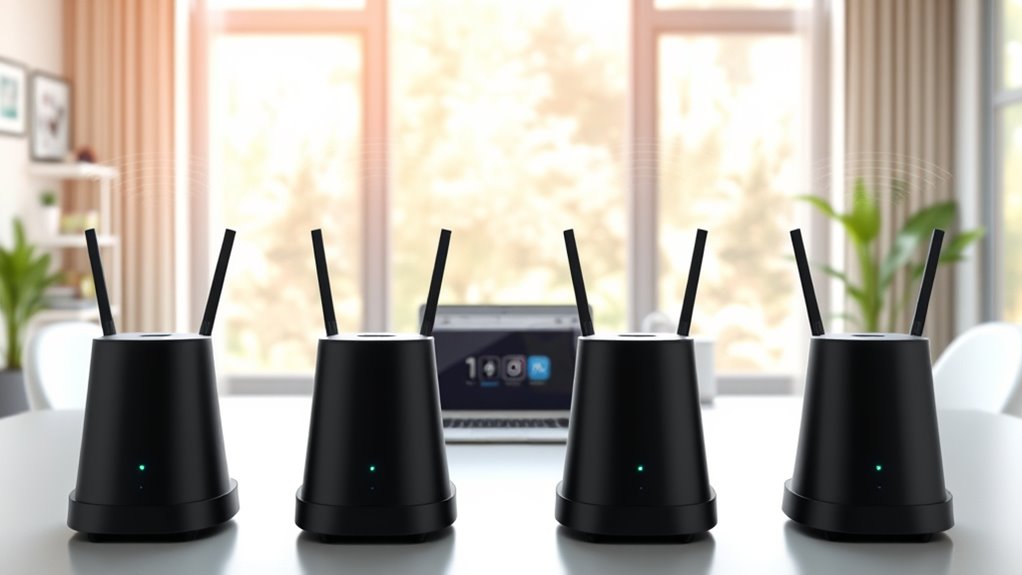

If you’re looking for the best Wi-Fi mesh systems in 2025, I recommend checking out options like the TP-Link Deco X55 AX3000, Deco BE25 with WiFi 7, and the Deco XE75 WiFi 6E for large homes or offices. Systems like the NETGEAR Nighthawk MK72 and Amazon eero 6 also offer reliable speed and coverage. Each system has unique features to suit your needs, and I’ll share more details to help you choose the perfect one.
Key Takeaways
- The list includes advanced Wi-Fi 6, Wi-Fi 6E, and Wi-Fi 7 mesh systems for optimal speed and coverage.
- It covers systems suitable for large homes and busy offices, supporting over 150 devices and extensive coverage areas.
- Features like wired backhaul, easy setup, security, and management are emphasized for user convenience.
- Entry-level options are included for smaller spaces, alongside high-performance systems for demanding environments.
- The guide highlights top brands such as TP-Link, Google, Amazon eero, and NETGEAR for reliable, high-speed connectivity.
TP-Link Deco X55 AX3000 WiFi 6 Mesh System (3-Pack)
If you’re looking for a reliable way to eliminate dead zones and support multiple devices at home or in the office, the TP-Link Deco X55 AX3000 WiFi 6 Mesh System (3-Pack) is an excellent choice. It offers seamless coverage up to 6,500 square feet, supporting Wi-Fi 6 for fast speeds and low latency. With the ability to handle up to 150 devices simultaneously, it’s perfect for busy households or workplaces. Each unit includes three Gigabit Ethernet ports for wired connections, and the AI-driven mesh topology optimizes performance. Easy to set up and manage via the Deco app, it also includes strong security features for peace of mind.
Best For: households or small offices seeking reliable, high-speed Wi-Fi coverage for multiple devices with easy setup and strong security.
Pros:
- Seamless whole-home Wi-Fi coverage up to 6,500 sq ft with Wi-Fi 6 technology for fast speeds and low latency
- Supports up to 150 devices simultaneously, ideal for busy households or workplaces
- Easy setup and management via the Deco app, with integrated security features like TP-Link’s HomeShield
Cons:
- Requires modem for most ISPs, which may add to initial setup complexity
- Slightly larger size per unit may be less discreet in some environments
- Might be overkill for smaller spaces or users with minimal device needs
TP-Link Deco BE25 Mesh Wi-Fi System (3-Pack)
The TP-Link Deco BE25 Mesh Wi-Fi System (3-Pack) is an ideal choice for those seeking fast, reliable connectivity across large homes or busy offices. This WiFi 7 system delivers up to 5 Gbps speeds with 4-stream dual-band technology, supporting the latest devices and gaming consoles. Its coverage extends up to 6,600 square feet, handling over 150 devices without slowing down. With wired backhaul options and AI-Roaming, it guarantees seamless performance and stable connections everywhere. Easy to set up and manage, the Deco BE25 combines advanced security features with voice control, making it perfect for future-proof, high-demand networks.
Best For: households or offices seeking ultra-fast, reliable WiFi coverage for multiple devices, smart home integration, and high-demand activities like gaming and streaming.
Pros:
- Supports WiFi 7 with speeds up to 5 Gbps and advanced technologies like MLO and 240 MHz channels for optimal performance.
- Covers up to 6,600 sq. ft. and supports over 150 devices without performance loss, ideal for large spaces.
- Features wired backhaul options, AI-Roaming, and robust security through TP-Link HomeShield, enhancing stability and protection.
Cons:
- Requires a modem for most internet service providers, adding an extra step to setup.
- Higher price point compared to older WiFi systems without WiFi 7 capabilities.
- Limited to 3 units in the pack, which may not suffice for extremely large or complex homes without additional units.
TP-Link Deco XE75 AXE5400 Tri-Band WiFi 6E Mesh System
For those seeking seamless, high-speed connectivity across a large home or office, the TP-Link Deco XE75 AXE5400 Tri-Band WiFi 6E Mesh System stands out as an excellent choice. Covering up to 7,200 sq. ft., it replaces traditional routers and extenders with three units that use AI-driven mesh technology for smooth, reliable coverage. Its WiFi 6E tri-band setup delivers speeds up to 5,400 Mbps, with the 6 GHz band reducing interference and improving network efficiency. Supporting up to 200 devices, it guarantees minimal buffering. The system’s easy setup via the Deco app, plus security features like HomeShield, make it a top pick for large homes and offices.
Best For: users with large homes or offices seeking seamless, high-speed WiFi coverage for many devices with easy setup and reliable security.
Pros:
- Covers up to 7,200 sq. ft. with three units, ideal for large spaces
- Supports WiFi 6E tri-band speeds up to 5,400 Mbps and up to 200 devices
- User-friendly setup via the Deco app with voice control support for convenience
Cons:
- Requires a compatible modem for most ISP services, adding to setup complexity
- Higher price point compared to traditional routers or extenders
- May be more advanced than necessary for small or basic WiFi needs
TP-Link Deco X15 Mesh Wi-Fi System (3-Pack)
The TP-Link Deco X15 Mesh Wi-Fi System (3-Pack) is an excellent choice for households or small businesses seeking reliable, high-speed internet coverage across large spaces. It offers Wi-Fi 6 AX1500 dual-band performance, delivering up to 1,201 Mbps on 5 GHz and 300 Mbps on 2.4 GHz. Covering up to 5,600 sq. ft., it minimizes dead zones and buffers, supporting up to 120 devices with dynamic backhaul for stability. Each unit has two Gigabit Ethernet ports, supporting wired backhaul and flexible setup options. With robust security via TP-Link HomeShield, easy app-based management, AI-roaming, and voice control compatibility, it’s a versatile, high-performance mesh system for any home or office.
Best For: households or small businesses seeking reliable, high-speed Wi-Fi coverage over large areas with flexible wired and wireless options.
Pros:
- Delivers fast Wi-Fi 6 AX1500 dual-band performance with extensive coverage up to 5,600 sq. ft.
- Supports wired Ethernet backhaul with 6 Gigabit ports across the 3 units for reliable, high-speed connections.
- Includes advanced security features via TP-Link HomeShield and easy setup through the Deco app.
Cons:
- Requires a modem for most internet service providers, adding an extra device to setup.
- May be overkill for small spaces with minimal Wi-Fi needs.
- Premium security features may require subscription plans for full access.
TP-Link Deco S4 Mesh WiFi System (3-Pack)
If you’re looking to eliminate dead zones and guarantee seamless connectivity across a large home or office, the TP-Link Deco S4 Mesh WiFi System (3-Pack) is an excellent choice. It uses Deco Mesh technology to deliver fast AC1900 speeds and strong signals throughout up to 5,500 square feet. The system supports up to 100 devices, with each unit featuring dual Gigabit Ethernet ports for wired backhaul and connections. Setup is simple via the Deco app, and it’s compatible with all major ISPs. Plus, it offers parental controls and voice commands through Alexa, making it a versatile, reliable solution for stable, high-speed internet coverage.
Best For: households or offices needing extensive, seamless WiFi coverage across large areas with multiple devices and easy setup.
Pros:
- Covers up to 5,500 sq ft with three units, eliminating dead zones
- Supports up to 100 devices with fast AC1900 speeds
- Features wired Ethernet backhaul with two Gigabit ports per unit for enhanced stability
Cons:
- Requires a compatible modem, which may add to setup costs
- Setup and management depend on the Deco app, which may not appeal to all users
- Does not include built-in modem functionality if not already provided by your ISP
Google WiFi Mesh Router System (2 Pack) for Whole Home Coverage
When setting up reliable Wi-Fi coverage across large spaces, the Google WiFi Mesh Router System (2 Pack) stands out as an excellent choice. It offers seamless coverage up to 3,800 square feet, eliminating dead zones in homes or offices. Supporting Wi-Fi 5 with speeds up to 2.2 Gbps, it handles streaming, gaming, and browsing on multiple devices effortlessly. The system’s dual-band operation, simple setup, and scalability—adding more points if needed—make it versatile and user-friendly. With high customer satisfaction and a sleek design, this 2-pack provides reliable, high-speed connectivity that adapts to your growing device needs.
Best For: households or offices seeking seamless, high-speed Wi-Fi coverage over large areas with easy setup and scalability.
Pros:
- Provides whole-home coverage up to 3,800 sq ft, eliminating dead zones
- Supports fast Wi-Fi 5 speeds up to 2.2 Gbps, ideal for streaming and gaming
- Simple, scalable setup with the option to add more points as needed
Cons:
- Only supports Wi-Fi 5; does not include Wi-Fi 6 or newer standards
- Limited to a 2-pack, which may require additional units for very large spaces
- Some users may find the design less customizable or flexible compared to traditional routers
Amazon eero 6+ Mesh WiFi System (3-Pack)
For busy households or small offices that need reliable, high-speed internet across multiple devices, the Amazon eero 6+ Mesh WiFi System (3-Pack) delivers seamless coverage and gigabit speeds. It supports Wi-Fi speeds up to 1 Gbps and covers up to 4,500 sq. ft., making it ideal for large spaces. With support for over 75 devices simultaneously, it handles heavy smart home setups and multiple users effortlessly. The system features Wi-Fi 6 technology, TrueMesh routing, and a built-in smart home hub for Zigbee and Thread devices. Setup is simple via the eero app, and remote management guarantees your network stays secure and optimized.
Best For: households or small offices needing reliable, high-speed WiFi coverage for multiple devices and smart home integration.
Pros:
- Supports gigabit speeds up to 1 Gbps for fast, affordable internet.
- Covers up to 4,500 sq. ft. with a 3-pack system, ideal for large spaces.
- Handles over 75 devices simultaneously, perfect for busy households and smart homes.
Cons:
- Requires a subscription for advanced security and management features.
- May be more expensive than basic WiFi routers without mesh capabilities.
- Setup, while guided by the app, might be challenging in complex network environments.
NETGEAR Orbi 370 Series Dual-Band WiFi 7 Mesh Network System
The NETGEAR Orbi 370 Series Dual-Band WiFi 7 Mesh Network System stands out as an ideal choice for households and small offices needing fast, reliable coverage across large spaces. It delivers up to 5 Gbps speeds, 1.7 times faster than WiFi 6, supporting up to 70 devices over 6,000 sq.ft. Its design includes a router and two extenders, with a 2.5 Gigabit Ethernet port and optional wired backhaul for stability. The system features high-performance antennas, seamless mesh technology, and compatibility with any ISP. Managed via the intuitive Orbi app, it offers robust security with NETGEAR Armor, making it perfect for modern homes and workspaces.
Best For: households and small offices seeking fast, reliable whole-home WiFi coverage with support for multiple devices and modern entertainment or work needs.
Pros:
- Up to 5 Gbps speeds, 1.7 times faster than WiFi 6, ensuring quick data transfer and streaming
- Supports up to 70 devices across 6,000 sq.ft., ideal for busy homes and small offices
- Easy management via the Orbi app with robust security features like NETGEAR Armor
Cons:
- Higher price point compared to basic WiFi systems
- Large units may require adequate space for optimal placement
- Requires compatible internet service plans to maximize performance
TP-Link Deco WiFi 6 Mesh System (Deco X20)
If you need reliable, high-speed Wi-Fi coverage for a large home or busy office, the TP-Link Deco WiFi 6 Mesh System (Deco X20) is an excellent choice. It replaces traditional routers and extenders, delivering seamless coverage up to 5800 sq. ft. using Wi-Fi 6 AX1800 technology for fast, stable connections. Supporting up to 150 devices simultaneously, it’s perfect for busy households or offices. Each unit has 2 Gigabit Ethernet ports, and a 3-pack offers wired backhaul for enhanced speeds. Setup is straightforward via the Deco app, and remote management makes controlling your network easy—even with voice commands through Alexa.
Best For: households or offices needing large-scale, high-speed Wi-Fi coverage with multiple device support and easy management.
Pros:
- Seamless coverage up to 5800 sq. ft. with Wi-Fi 6 AX1800 technology.
- Supports connection of up to 150 devices simultaneously for reliable multi-user performance.
- Easy setup via the Deco app with remote management and voice control options.
Cons:
- Requires a compatible modem and internet plan up to 1 Gbps, which may incur additional costs.
- The initial investment for a 3-pack system can be relatively high compared to traditional routers.
- Limited to Wi-Fi 6 devices for optimal performance; older devices may not benefit fully.
NETGEAR Orbi Whole Home WiFi 6 Mesh System
When reliable, high-speed Wi-Fi coverage is essential across large spaces, the NETGEAR Orbi Whole Home WiFi 6 Mesh System delivers seamlessly, supporting up to 6,600 square feet and 75 devices. It leverages WiFi 6 technology to provide fast AX3800 Gigabit speeds, ensuring smooth streaming, gaming, and web conferencing. It connects easily to your existing cable modem, replacing your router, and is compatible with any internet provider up to 1Gbps. Additional satellites can extend coverage up to 2,200 sq. ft. each. With built-in security, NETGEAR Armor, and simple management via the Orbi app, it’s a reliable, secure choice for large homes or offices.
Best For: households or offices needing extensive, high-speed Wi-Fi coverage across large areas with multiple devices.
Pros:
- Covers up to 6,600 sq. ft. and supports 75 devices for comprehensive connectivity
- Utilizes WiFi 6 technology for fast AX3800 Gigabit speeds and smooth performance
- Easy to set up and manage via the Orbi app with built-in security features
Cons:
- Designed for use in the U.S. only, limiting international availability
- Additional satellites are sold separately, increasing overall cost for expanded coverage
- Requires compatible internet service up to 1Gbps, which may not be suitable for gigabit fiber plans without verification
TP-Link Deco BE23 Mesh Wi-Fi System (3-Pack)
Designed for large homes and busy offices, the TP-Link Deco BE23 Mesh Wi-Fi System (3-Pack) offers cutting-edge Wi-Fi 7 technology to deliver lightning-fast speeds and seamless coverage. It supports speeds up to 3.6 Gbps with Multi-Link Operation, multi-RUs, and 4K-QAM, making it ideal for modern devices like the iPhone 16 Pro. With four high-gain antennas per node and two 2.5 Gbps ports, it guarantees strong, reliable signals across up to 6,500 square feet. The system also combines wireless and wired backhaul for stability, supports up to 150 devices, and features advanced security with TP-Link HomeShield, making it a top choice for demanding environments.
Best For: households or offices needing extensive, high-speed Wi-Fi coverage with advanced security and seamless device management.
Pros:
- Supports Wi-Fi 7 technology with speeds up to 3.6 Gbps, ideal for modern high-demand devices.
- Covers large areas up to 6,500 sq. ft. with mesh system and multiple antennas for reliable connectivity.
- Equipped with wired 2.5 Gbps ports and supports up to 150 devices simultaneously for versatile networking.
Cons:
- Requires a modem for most internet connections, which may add to setup complexity.
- Premium features and Wi-Fi 7 support may come at a higher cost compared to older models.
- As a mesh system, extensive expansion might require additional compatible TP-Link units, increasing overall investment.
TP-Link Deco BE63 Tri-Band WiFi 7 Mesh System (3-Pack)
The TP-Link Deco BE63 Tri-Band WiFi 7 Mesh System (3-Pack) is an excellent choice for large homes or offices that demand fast, reliable connectivity across extensive areas. It leverages Wi-Fi 7 technology, offering speeds up to 5188 Mbps on the 6GHz band, ensuring smooth streaming and gaming. With coverage up to 7,600 sq.ft. and support for over 200 devices, it maintains performance even in busy environments. Features like AI-Roaming enable seamless device switching, while wired backhaul options and four 2.5G ports boost speed and coverage. Plus, TP-Link’s HomeShield security and easy app management make this system both powerful and user-friendly.
Best For: households or offices with large areas and numerous devices requiring fast, reliable Wi-Fi coverage and advanced network security.
Pros:
- Supports Wi-Fi 7 with multi-gigabit speeds and extensive coverage up to 7,600 sq.ft.
- Capable of handling over 200 devices simultaneously without performance loss
- Easy setup with the Deco App and includes advanced security features via TP-Link HomeShield
Cons:
- Requires a modem for most internet service providers, adding to initial setup cost
- Premium price point due to advanced Wi-Fi 7 technology and features
- May be overkill for small homes or users with minimal device needs
NETGEAR Nighthawk Mesh WiFi 6 System (MK72)
If you need reliable, high-speed Wi-Fi coverage for a medium-sized home or office, the NETGEAR Nighthawk Mesh WiFi 6 System (MK72) is a great choice. It includes an AX3000 router and one satellite extender, covering up to 3,000 sq. ft. and supporting over 35 devices. You can expand coverage with additional satellites. It supports WiFi 6 technology for fast, gigabit speeds, ideal for streaming, gaming, and video calls. Setup is simple via the Nighthawk app, and it replaces your existing router and modem. Plus, built-in security with NETGEAR Armor keeps your network protected automatically.
Best For: households or small offices in need of reliable, high-speed Wi-Fi coverage with support for multiple devices and easy setup.
Pros:
- Supports WiFi 6 technology for fast gigabit speeds and improved performance.
- Covers up to 3,000 sq. ft. with included router and satellite, expandable with additional units.
- Features built-in NETGEAR Armor security for automatic protection against threats.
Cons:
- Not compatible with Nighthawk Tri-band or Orbi WiFi 6 Mesh systems.
- Requires replacement of existing modem and router, which may be inconvenient for some setups.
- Limited to US use only, reducing its usability in other regions.
TP-Link Deco S4 Whole Home Mesh WiFi System (2-Pack)
For those seeking reliable, whole-home Wi-Fi coverage without dead zones, the TP-Link Deco S4 2-Pack makes an excellent choice. Its Deco Mesh technology delivers faster speeds and strong signals, covering up to 3,800 sq. ft. seamlessly. The system supports up to 75 devices at once with fast 3×3 AC1900 speeds, automatically switching between units for ideal performance. Setup is simple via the Deco app, and it works with all major internet providers. With a single network name and password, it offers seamless roaming, plus robust parental controls and voice-activated guest WiFi. Overall, the Deco S4 ensures stable, secure, and expansive coverage for any home or office.
Best For: those seeking reliable, wide-ranging WiFi coverage for large homes or offices with multiple devices.
Pros:
- Seamless mesh network eliminates dead zones and provides stable coverage up to 3,800 sq. ft.
- Supports up to 75 devices simultaneously with fast AC1900 speeds for smooth streaming and browsing
- Easy setup via the Deco app and compatibility with all major internet providers ensures user-friendly installation
Cons:
- May require a modem depending on the internet service provider, adding to initial setup complexity
- Limited to a 2-pack, which might not be sufficient for extremely large or multi-story homes
- No mention of advanced security features beyond parental controls and guest WiFi integration
Amazon eero 6 Mesh Wi-Fi Extender
Looking to eliminate dead zones and boost your Wi-Fi performance effortlessly? The Amazon eero 6 Mesh Wi-Fi Extender is a great solution, adding up to 1,500 sq. ft. of Wi-Fi 6 coverage to your existing eero network. It’s easy to set up in minutes through the eero app, and you can manage your network remotely. With TrueMesh technology, it intelligently routes traffic, reducing buffering and dead spots, ideal for streaming 4K, gaming, and video calls. Plus, automatic updates keep your network secure and current. You can add multiple extenders for seamless coverage, making it perfect for larger homes or offices.
Best For: households or offices seeking to eliminate dead zones and enhance Wi-Fi coverage effortlessly with easy setup and reliable performance.
Pros:
- Easy to set up in minutes via the eero app, no technical expertise needed
- Extends Wi-Fi coverage up to 1,500 sq. ft. with support for Wi-Fi 6 technology
- Uses TrueMesh technology for intelligent traffic routing, reducing buffering and dead spots
Cons:
- Requires existing eero network for setup, not a standalone solution
- May need multiple extenders for larger areas, increasing cost and complexity
- Limited to US customer support, which might not be accessible internationally
Factors to Consider When Choosing Wi-Fi Mesh Systems for Home/Office

When choosing a Wi-Fi mesh system, I consider factors like coverage area to guarantee all my spaces are connected reliably. I also look at device compatibility and security features to keep my network safe and easy to manage. Finally, I prioritize future-proof technology to stay ahead as my needs evolve.
Coverage Area Needs
Ever wondered how to choose a Wi-Fi mesh system that truly fits your space? First, measure your home’s square footage and identify areas with weak or no Wi-Fi signal. This helps determine the coverage area you need. Keep in mind that larger device counts mean you’ll want a system capable of handling multiple connections simultaneously. Different mesh systems offer coverage from around 3,800 sq. ft. to over 7,200 sq. ft., so pick one that matches your space. Walls, floors, and building materials can weaken signals and reduce coverage, so consider adding extra nodes if needed. Also, think about future growth—select a system that allows you to add units later, ensuring your Wi-Fi keeps up as your needs evolve.
Device Compatibility
Choosing the right Wi-Fi mesh system isn’t just about coverage; it’s also about making sure it works seamlessly with your devices. First, check that the system supports the Wi-Fi standards your devices use, like Wi-Fi 5, Wi-Fi 6, or Wi-Fi 7. Compatibility with all your gadgets—including smart home devices, gaming consoles, and streaming boxes—is vital. Make sure the system can handle multiple devices simultaneously, especially if you have over 100 or 200 connected devices. Backward compatibility with older Wi-Fi generations ensures legacy devices stay connected. Additionally, consider if the mesh system offers voice control or app management features, making it easier to manage your network across different device ecosystems. Compatibility is key to a smooth, hassle-free experience.
Network Security Features
Secure network features are essential for protecting your home or office Wi-Fi mesh system from cyber threats. I look for systems that include advanced security like WPA3 encryption and automatic firmware updates, which help guard against vulnerabilities. Integrated security services such as parental controls, IoT protection, and real-time threat detection give me confidence my network stays safe. I also prioritize systems that support secure remote management, allowing me to monitor and adjust security settings from anywhere. Devices with a strong cybersecurity commitment, like adherence to industry standards or pledges such as the U.S. CISA Secure-by-Design, are particularly reassuring. Additionally, support for VPN clients and servers ensures encrypted remote access, providing an extra layer of security for my data and network.
Setup and Management Ease
Setting up and managing a Wi-Fi mesh system should be as simple as possible, especially for those without technical expertise. I look for systems with user-friendly apps or web interfaces that guide me through setup with clear, step-by-step visuals or automatic configurations. Remote management is a must, so I can monitor and adjust my network from anywhere, whether at home or on the go. Voice control compatibility with assistants like Alexa or Google Assistant adds convenience, allowing hands-free operation. I also prioritize systems that offer straightforward security and parental controls, easily accessible through the management interface. Overall, a hassle-free setup combined with intuitive management features makes maintaining a reliable, secure network stress-free and accessible for everyone.
Future-Proof Technology
To guarantee my Wi-Fi mesh system stays relevant as technology evolves, I look for models that incorporate the latest standards like Wi-Fi 6E and Wi-Fi 7, which deliver faster speeds and lower latency. These standards support Multi-Link Operation (MLO) and wider channels up to 320 MHz, enabling seamless, high-bandwidth connections as network demands grow. I also prioritize systems with AI-driven algorithms that adapt to changing environments, ensuring compatibility with future smart home and IoT devices. Support for wired backhaul with multi-gig ports prepares the network for higher internet speeds and increased data loads. Additionally, backward compatibility with Wi-Fi 5 and Wi-Fi 6 guarantees that my existing devices remain functional while I upgrade to newer technology, future-proofing my network effectively.
Frequently Asked Questions
How Do Mesh Systems Improve Wi-Fi Stability in Large Spaces?
Mesh systems improve Wi-Fi stability in large spaces by creating multiple interconnected nodes that work together seamlessly. I’ve noticed that they automatically route data through the fastest and least congested paths, reducing dead zones and buffering. This setup guarantees consistent coverage and speeds across my entire home or office. With mesh, I don’t experience drops or weak signals, no matter where I am, making my connection reliable and smooth.
Can Mesh Wi-Fi Systems Support Smart Home Device Integration Effectively?
Yes, mesh Wi-Fi systems support smart home device integration effectively. I’ve found that they provide seamless coverage across large spaces, ensuring all devices stay connected without interruptions. With their centralized management and easy setup, I can effortlessly control smart devices through a single app. Plus, many mesh systems prioritize bandwidth for smart gadgets, helping everything run smoothly without slowing down my internet experience.
What Is the Typical Lifespan and Upgrade Cycle for Mesh Routers?
A typical lifespan for a mesh router is around 3 to 5 years, but it’s like a faithful companion that gradually wears down. I recommend upgrading every few years to keep pace with tech advances and security. Think of it as replacing worn-out shoes—necessary to stay comfortable and secure. Staying current ensures you enjoy maximum speed and coverage, especially as new devices demand more from your network.
Are There Any Security Concerns Unique to Mesh Wi-Fi Networks?
Yes, there are security concerns specific to mesh Wi-Fi networks. I’ve found that since mesh systems connect multiple nodes, vulnerabilities in one can potentially affect the entire network. It’s vital to keep firmware updated, use strong, unique passwords, and enable network encryption. Regularly monitoring device access and implementing additional security features like firewalls help protect your data and maintain a secure, reliable mesh network.
How Do Mesh Systems Handle Multiple Users Streaming Simultaneously?
This is a game-changer! Mesh systems handle multiple users streaming simultaneously with smart load balancing. They automatically prioritize bandwidth, ensuring your videos, games, and work calls stay smooth and lag-free. The system dynamically allocates resources, so no one gets left behind or experiences buffering. I’ve seen it in action—your entire household can stream, browse, and work without a hiccup, even during peak times.
Conclusion
Choosing the right Wi-Fi mesh system is like finding the perfect dance partner—trust me, it makes all the difference. With so many options boasting unmatched speed and coverage, you can finally say goodbye to dead zones and lag. Just pick the one that fits your space and needs, and you’ll be dancing through your online world effortlessly. After all, a reliable connection isn’t just a luxury—it’s the rhythm of modern life.