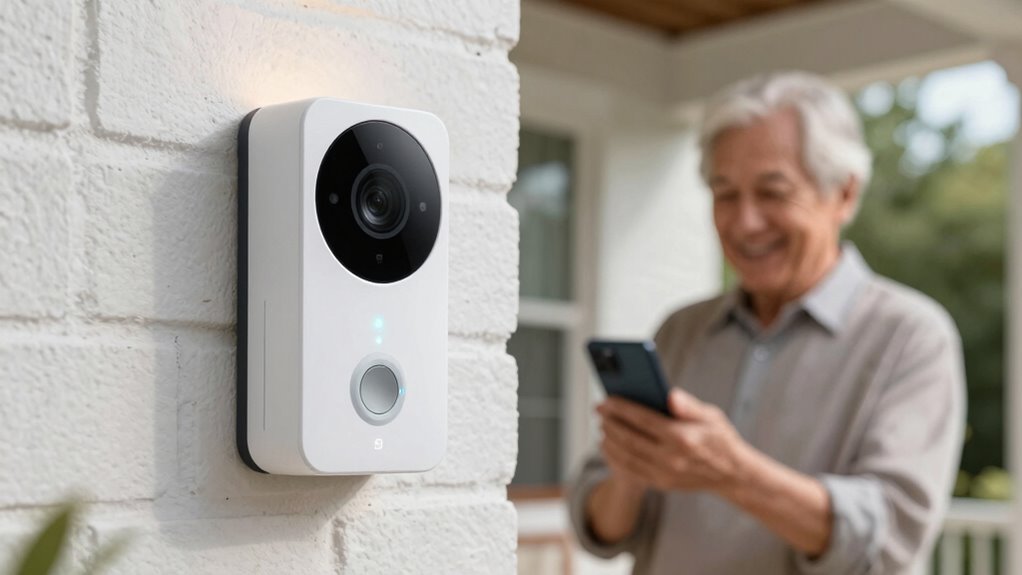

For families choosing video doorbells for elderly parents, the best fit depends on whether they want to answer from a phone or see visitors on a dedicated indoor screen. I’d start with the Wireless Video Doorbell System with 7-Inch Touchscreen Monitor for its large viewing display, while the Tapo 2K Wireless Smart Video Doorbell with Chime is a simpler option for homes already comfortable with app alerts. The Aosu Wireless Doorbell Camera with aosuBase Mini stands out for local storage and AI detection. The main tradeoffs are screen size, setup, battery upkeep, and reliance on a smartphone or subscription features. Read on for how all 12 options compare and which one fits your family’s needs.

Turn quiet afternoons into listening time
- Thousands of audiobooks, podcasts and originals
- Listen on your phone, tablet or Echo — also offline
- Cancel anytime
Complete the kit


Key Takeaways
- Dedicated screens change the experience: The 7-inch touchscreen model and the 4.5-inch and 4.3-inch monitor options give parents a direct way to see visitors without opening an app.
- The best fit depends on household habits: A chime or indoor monitor can make alerts easier to notice, while app-centered models suit parents who already use a smartphone comfortably.
- Local storage is a meaningful distinction: The Aosu model includes a base with local storage, which may appeal to families who want recorded clips without relying only on cloud storage.
- Higher resolution does not solve every access problem: Several picks offer 2K or 3K video, but a large, easy-to-use display may matter more to someone who struggles with small phone screens.
- Wireless convenience brings maintenance: Battery-powered models avoid some wiring work, but families should plan who will monitor charge levels and handle recharging.
| Chamberlain myQ Video Doorbell with 2K Camera |  | Best for Flexible Installation | Camera resolution: 2K | Field of view: 150° | Night vision: Color | VIEW ON AMAZON | See Our Full Breakdown |
| Tapo 2K Wireless Smart Video Doorbell with Chime |  | Best for Wide Entrance Coverage | Resolution: 2K | Field of view: 160° diagonal | Wi-Fi band: 2.4GHz | VIEW ON AMAZON | See Our Full Breakdown |
| Wireless Video Doorbell Camera with 4.5-Inch Monitor |  | Best for Parents Who Avoid Apps | Connectivity: Private 2.4GHz signal; no Wi-Fi or app required | Indoor display: 4.5-inch IPS monitor | Video resolution: 1080p | VIEW ON AMAZON | See Our Full Breakdown |
| BOIFUN Wireless Video Doorbell Camera 2K HD with Night Vision and Two-Way Audio | 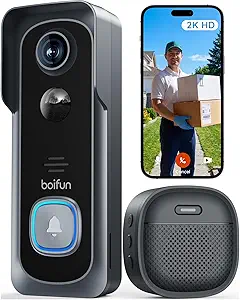 | Best for Subscription-Free Local Recording | Resolution: 2K HD | Field of view: 166° | Night vision: HDR with 940nm IR, up to 10 meters | VIEW ON AMAZON | See Our Full Breakdown |
| Wireless Video Doorbell System with 7-Inch Touchscreen Monitor |  | Best for a Large Indoor Display | Monitor: 7-inch touchscreen, 1080p | Camera field of view: 160° | Audio: Two-way audio | VIEW ON AMAZON | See Our Full Breakdown |
| Wireless Video Doorbell with 1080p Screen, Local Storage, Two-Way Audio, and Night Vision |  | Best for No-App Simplicity | Video resolution: 1080p | Viewing angle: 160° | Connectivity: No Wi-Fi required | VIEW ON AMAZON | See Our Full Breakdown |
| Wireless 2K HD Video Doorbell Camera with Chime |  | Best Value for Connected Basics | Resolution: 2K HD | Field of view: 166° | Power: Rechargeable battery | VIEW ON AMAZON | See Our Full Breakdown |
| Anona 3K Dual-Camera Wireless Video Doorbell with Chime |  | Best for Doorstep and Package Visibility | Camera resolution: 3K; 5MP main camera and 2MP secondary camera | Battery capacity: 5200mAh | Battery life: Up to 100 days | VIEW ON AMAZON | See Our Full Breakdown |
| Aosu Wireless Doorbell Camera with 2K Resolution, Battery-Powered Video Doorbell with aosuBase Mini, Local Storage, AI Detection, and Smart Features | 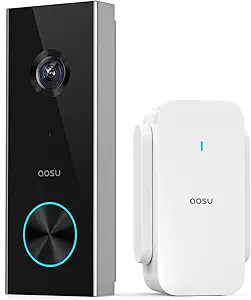 | Best for Less Frequent Battery Charging | Resolution: 2K | Viewing angle: 166° | Storage: Local and cloud | VIEW ON AMAZON | See Our Full Breakdown |
| 1080p Wireless Video Doorbell Camera with AI Detection, Two-Way Audio, Night Vision, and Indoor Receiver |  | Best for a Familiar Indoor Alert | Video resolution: 1080p | Connectivity: 2.4 GHz Wi-Fi | Detection: AI human, pet, and vehicle detection | VIEW ON AMAZON | See Our Full Breakdown |
| Wireless Battery-Powered Video Doorbell Camera with AI Human Detection |  | Best for Reducing Unnecessary Alerts | Resolution: 2 MP | Power source: Rechargeable lithium-ion battery | Charging: USB-C | VIEW ON AMAZON | See Our Full Breakdown |
| TKMARS Wireless Video Doorbell Camera with 4.3-Inch Monitor |  | Best for Parents Who Prefer a Screen | Resolution: 1080p | Viewing angle: 170° | Display: 4.3-inch IPS | VIEW ON AMAZON | See Our Full Breakdown |
| video doorbells for elderly parent | Storage | Night vision | Resolution | Connectivity |
|---|---|---|---|---|
| Chamberlain myQ Video Doorbell | — | Color | — | — |
| Tapo 2K Wireless Smart Video D | MicroSD up to 512GB; optional cloud storage | Full color with spotlight | 2K | — |
| Wireless Video Doorbell Camera | MicroSD up to 128GB, sold separately | Infrared, up to 32 ft | — | Private 2.4GHz signal; no Wi-Fi or app required |
| BOIFUN Wireless Video Doorbell | MicroSD up to 128GB | HDR with 940nm IR, up to 10 meters | 2K HD | — |
| Wireless Video Doorbell System | Included TF card | — | — | 2.4GHz and 5GHz Wi-Fi; TuyaSmart app |
| Wireless Video Doorbell with 1 | Local storage; microSD card not included | Yes | — | No Wi-Fi required |
| Wireless 2K HD Video Doorbell | — | — | 2K HD | — |
| Anona 3K Dual-Camera Wireless | Up to 512GB microSD card; not included, or optional cloud storage | — | — | 2.4 GHz Wi-Fi and Wi-Fi 6 |
| Aosu Wireless Doorbell Camera | Local and cloud | — | 2K | — |
| 1080p Wireless Video Doorbell | Optional cloud storage with AES-128 encryption | 4 IR LEDs | — | 2.4 GHz Wi-Fi |
| Wireless Battery-Powered Video | 128 MB flash memory; optional cloud storage | — | 2 MP | — |
| TKMARS Wireless Video Doorbell | — | — | 1080p | Bluetooth; direct wireless connection between doorbell and monitor |
More Details on Our Top Picks
Chamberlain myQ Video Doorbell with 2K Camera
For a parent’s entrance where wiring may be inconvenient, the myQ’s battery or wired power options make placement more adaptable than the wired requirements of some doorbell setups. Its 2K camera, 150° view, and color night vision can help relatives see who is at the door in varied lighting, while two-way talk lets them respond without opening it. Compared with the Tapo 2K Wireless Smart Video Doorbell, myQ offers less stated viewing width, but its dual power options may suit homes where battery charging is a concern and existing wiring is available.
The tradeoff is that some AI alerts require a separate monitoring plan, and the wireless chime is described as coming soon. I’d choose it when installation flexibility matters more than having a complete chime setup immediately.
Pros:- Battery or wired installation accommodates different entryways
- 2K camera with color night vision
- Customizable motion alerts
- Two-way talk supports remote conversations at the door
Cons:- Some AI alerts require a separate Video Monitoring Plan
- Wireless chime is described as coming soon
- 150° view is narrower than the Tapo model’s stated 160° diagonal view
Best for: Families choosing between battery and wired installation for a parent’s home, especially when existing doorbell wiring is available.
Not ideal for: Parents who need a ready-to-use indoor chime or want every AI alert feature without a separate monitoring plan.
- Camera resolution:2K
- Field of view:150°
- Night vision:Color
- Power options:Battery or wired
- Connectivity features:Two-way talk and real-time motion alerts
- Charging port:USB-C
- Color:Black
Our verdict“Choose myQ for a parent’s home when flexible power options matter more than an included wireless chime.”
Tapo 2K Wireless Smart Video Doorbell with Chime
The 160° diagonal view gives the Tapo a useful advantage when a parent’s doorway includes steps, a nearby walkway, or a wider porch. Its 2K video, person detection, and spotlight color night vision can help family members distinguish visitors and check the entrance after dark. Compared with the Chamberlain myQ, Tapo covers a wider stated angle and offers local microSD storage alongside optional cloud storage; myQ, by comparison, can be wired or battery powered.
For an older parent, the app and two-way audio can make it easier for relatives to help screen a visitor, but this model depends on 2.4GHz Wi-Fi for full functionality. The microSD card is not included, and battery life varies with use. I’d pick it for a connected home where broader coverage matters more than avoiding setup and charging.
Pros:- 160° diagonal view covers a broad entrance
- 2K video with full-color spotlight night vision
- Local microSD or optional cloud storage
- Two-way audio and person detection
Cons:- MicroSD card is sold separately
- Full functionality requires Wi-Fi
- Battery life varies with usage
Best for: Families with reliable 2.4GHz Wi-Fi who want a wide view and the choice of local or cloud recordings.
Not ideal for: Parents who avoid smartphone-based setup, lack dependable Wi-Fi, or need a system that never requires battery charging.
- Resolution:2K
- Field of view:160° diagonal
- Wi-Fi band:2.4GHz
- Battery capacity:6400mAh
- Storage:MicroSD up to 512GB; optional cloud storage
- Night vision:Full color with spotlight
- Mounting:Includes 15° angled wedge
Our verdict“Choose Tapo when a broad view and flexible recording matter more than a no-Wi-Fi setup.”
Wireless Video Doorbell Camera with 4.5-Inch Monitor
This system is a strong fit for a parent who would rather look at a dedicated screen than open a phone app. The 4.5-inch indoor monitor connects over a private signal, so the doorbell works without Wi-Fi, an app, or a subscription. That makes its basic visitor check simpler than the app-connected Tapo 2K Wireless Smart Video Doorbell, though Tapo has a wider view and person detection. The monitor’s two-way audio also lets a parent speak to a caller from inside.
The compromises matter: video is 1080p with a 120° view, and the camera records only when the doorbell is pressed. It has no motion detection or automatic recording, so it will not flag someone who approaches without ringing. Local recording needs a separately sold microSD card, and the monitor needs wall power for regular use. I’d choose it for straightforward answering, not continuous surveillance.
Pros:- Works without Wi-Fi, an app, or subscription fees
- Dedicated 4.5-inch monitor for viewing visitors
- Two-way audio with adjustable volume
- Wireless installation with infrared night vision
Cons:- No motion detection or automatic recording
- MicroSD card is sold separately
- Indoor monitor requires wall power for regular use
Best for: Parents who want to see and speak with callers on a dedicated indoor screen without using Wi-Fi or a smartphone app.
Not ideal for: Families who need motion alerts or automatic recording, or parents who want a portable monitor without regular wall power.
- Connectivity:Private 2.4GHz signal; no Wi-Fi or app required
- Indoor display:4.5-inch IPS monitor
- Video resolution:1080p
- Viewing angle:120°
- Wireless range:Up to 120 meters
- Storage:MicroSD up to 128GB, sold separately
- Night vision:Infrared, up to 32 ft
- Recording trigger:Doorbell press only; no motion detection
Our verdict“Choose this system for app-free visitor checks, provided doorbell-press-only recording is enough.”
BOIFUN Wireless Video Doorbell Camera 2K HD with Night Vision and Two-Way Audio
The BOIFUN suits families who want 2K video and core alerts without a subscription. Its stated 166° view is wider than the Chamberlain myQ’s 150° view, which may help cover a broader porch. Human detection can make alerts more relevant than basic motion notices, while two-way audio lets a relative help a parent answer from elsewhere. Local microSD storage also keeps recordings on site rather than requiring an optional cloud plan.
There are practical limits for an older homeowner: it works on 2.4GHz Wi-Fi only, and its battery is non-removable, so recharging means taking the unit down or arranging help. The claimed battery life is up to 60 days under laboratory conditions, not a guarantee for every home. Compared with the Tapo, BOIFUN avoids subscription fees for core features, but its stated microSD capacity is lower. I’d favor it when local storage and wide coverage take priority over easy battery replacement.
Pros:- 2K HD camera with a stated 166° field of view
- Core features offered without subscription fees
- Human detection and two-way audio
- No-drill installation and anti-theft alarm
Cons:- Supports 2.4GHz Wi-Fi only
- Non-removable battery requires recharging
- MicroSD card is not included and storage is limited to 128GB
Best for: Families seeking wide-angle coverage, human detection, and local recordings without a subscription.
Not ideal for: Parents without 2.4GHz Wi-Fi or households where removing a non-removable doorbell for charging would be difficult.
- Resolution:2K HD
- Field of view:166°
- Night vision:HDR with 940nm IR, up to 10 meters
- Wi-Fi:2.4GHz only
- Battery life:Up to 60 days under laboratory conditions
- Storage:MicroSD up to 128GB
- App:BoifunCam
- Installation:No-drill, quick setup
Our verdict“Choose BOIFUN for broad coverage and subscription-free local recording if someone can manage periodic recharging.”
Wireless Video Doorbell System with 7-Inch Touchscreen Monitor
The standout here is the 7-inch touchscreen monitor, which gives a parent a larger surface for checking the entrance than the 4.5-inch screen on the Wireless Video Doorbell Camera with 4.5-Inch Monitor. The system also pairs that display with 1080p video, two-way audio, motion detection, and an included TF card, so recorded events do not depend on a subscription. For relatives, motion alerts and app access can add a way to check in when the parent cannot get to the door quickly.
The tradeoff is that motion detection reaches only up to 5 meters, which may miss activity farther from the camera. Its stated 60-meter wireless signal distance applies to open spaces, so walls and layout may affect placement. Unlike the BOIFUN, this model supports both 2.4GHz and 5GHz Wi-Fi, but it relies on the TuyaSmart app for connected use. I’d choose it when screen size and an included local recording card outweigh range concerns.
Pros:- Large 7-inch 1080p touchscreen monitor
- Included TF card for local recordings
- Motion detection, night vision, and two-way audio
- Supports 2.4GHz and 5GHz Wi-Fi
Cons:- Motion detection range is limited to 5 meters
- Wireless signal distance is stated for open spaces only
- Connected app use relies on TuyaSmart
Best for: Parents who prefer a large indoor display and families who want local event recordings without a subscription.
Not ideal for: Homes where visitors approach from beyond the 5-meter detection range or where the monitor must work across a complex layout.
- Monitor:7-inch touchscreen, 1080p
- Camera field of view:160°
- Audio:Two-way audio
- Features:Motion detection, night vision, automatic day/night switching
- Storage:Included TF card
- Connectivity:2.4GHz and 5GHz Wi-Fi; TuyaSmart app
- Motion detection range:Up to 5 meters
- Wireless signal distance:Up to 60 meters in open spaces
Our verdict“Choose this system when a large screen and included local storage matter more than long-range motion detection.”
Wireless Video Doorbell with 1080p Screen, Local Storage, Two-Way Audio, and Night Vision
For parents who would rather check a screen than open a phone app, this model puts visitor viewing on its built-in monitor. It needs no Wi-Fi connection or subscription, which makes it a more self-contained choice than the Aosu Wireless Doorbell Camera, whose full functionality depends on Wi-Fi. The 1080p video, 160° view, night vision, and two-way audio cover the basics of seeing and speaking with a caller. That simplicity comes with limits: remote phone alerts and smart-home controls aren’t listed, and saving footage requires a separately purchased microSD card. I’d choose it for parents who want a direct indoor viewing setup; families who need remote access should look at a connected model instead.
Pros:- Built-in monitor provides a direct way to view visitors without a phone app
- No Wi-Fi connection or subscription is required
- 1080p video and a 160° viewing angle show a broad view of the doorway
- Night vision and two-way audio support viewing and conversation after dark
Cons:- MicroSD card for local recording is not included
- No remote phone alerts or smart-home compatibility are listed
Best for: Older adults who want to view and speak with visitors on an included screen without using an app or home Wi-Fi
Not ideal for: Families who need phone alerts, remote viewing, or smart-home integration
- Video resolution:1080p
- Viewing angle:160°
- Connectivity:No Wi-Fi required
- Display:Built-in monitor screen
- Audio:Two-way audio
- Night vision:Yes
- Storage:Local storage; microSD card not included
- Subscription:Not required
Our verdict“Choose this for parents who value a simple built-in viewing screen over phone-based features.”
Wireless 2K HD Video Doorbell Camera with Chime
This battery-powered doorbell covers the everyday connected features many families need while including an indoor chime for parents who may not hear a phone alert. Its 2K video, 166° view, human detection, and two-way talk offer a sharper, more selective setup than the 1080p Indoor Receiver Video Doorbell Camera. Basic cloud clips loop for seven days, and local recording is available with a separately purchased TF card; neither basic use nor human detection requires a subscription. The tradeoffs are a 2.4 GHz-only Wi-Fi connection and battery life that can vary with activity. I’d pick it for households that want phone access plus a chime, while parents who avoid apps may prefer the no-Wi-Fi built-in monitor option.
Pros:- Included indoor chime gives an audible alert inside the home
- 2K video and a 166° field of view provide a broad, detailed image
- Human detection can limit irrelevant motion alerts
- Basic cloud clips and core use do not require a subscription
Cons:- Connects to 2.4 GHz Wi-Fi only
- TF card for local recording is not included
- Battery life varies with usage
Best for: Families setting up a connected doorbell for parents who want an indoor chime, phone access, and basic recording without a required subscription
Not ideal for: Households whose Wi-Fi is 5 GHz only or parents who want to avoid phone apps and network setup
- Resolution:2K HD
- Field of view:166°
- Power:Rechargeable battery
- Battery life:Up to 60 days under stated lab conditions
- Night vision range:Up to 33 feet
- Local storage:TF card up to 128GB; card not included
- Cloud storage:Free basic 7-day loop clips
- Wi-Fi:2.4 GHz only
- Weather resistance:IP66
Our verdict“Choose this for connected everyday coverage with an included chime and basic recording options.”
Anona 3K Dual-Camera Wireless Video Doorbell with Chime
The Anona’s main difference is its dual-camera view: a 5MP primary camera and a second camera help cover visitors as well as activity closer to the doorstep. That can help a family check for packages without asking a parent to step outside. Its person, pet, and package detection works without a subscription, and the choice of battery or hardwired power gives it more installation flexibility than the battery-only Wireless 2K HD Video Doorbell Camera with Chime. Hardwiring also enables 24/7 recording, but it takes more setup than a simple battery install. The 2.4 GHz Wi-Fi limit and separately purchased microSD card are practical constraints. This is the stronger fit for busy doorsteps; a simpler single-camera model is easier to configure.
Pros:- Secondary camera adds a view of doorstep activity and packages
- AI person, pet, and package detection does not require a subscription
- Battery and hardwired power options suit different installation needs
- Color night vision and an included indoor chime support day-to-day use
Cons:- MicroSD card for local storage is not included
- Wi-Fi is limited to 2.4 GHz
- 24/7 recording requires hardwired power
Best for: Families who want to check both visitors and packages for an older parent, especially where hardwired power is available
Not ideal for: Parents or caregivers seeking a simple single-camera setup, or homes that rely on 5 GHz-only Wi-Fi
- Camera resolution:3K; 5MP main camera and 2MP secondary camera
- Battery capacity:5200mAh
- Battery life:Up to 100 days
- Power options:Battery powered or hardwired
- Recording:24/7 recording supported when hardwired
- Storage:Up to 512GB microSD card; not included, or optional cloud storage
- Connectivity:2.4 GHz Wi-Fi and Wi-Fi 6
- Detection:AI person, pet, and package detection
- Weather resistance:IP65
Our verdict“Choose the Anona when package visibility and dual-camera coverage matter more than a simpler installation.”
Aosu Wireless Doorbell Camera with 2K Resolution, Battery-Powered Video Doorbell with aosuBase Mini, Local Storage, AI Detection, and Smart Features
For a parent’s household where frequent charging would be a nuisance, the Aosu stands out with a stated battery life of up to 180 days. Its 2K video, 166° view, and AI human detection make it a more capable connected camera than the no-Wi-Fi Wireless Video Doorbell with 1080p Screen, which trades remote features for an included monitor. Aosu supports local and cloud storage, plus Alexa and Google Assistant, while quick replies and a voice changer give family members another way to respond. The main compromise is dependence on 2.4 GHz Wi-Fi for full functionality; setup may also be more involved than a self-contained monitor system. Battery life varies with use, so the stated maximum shouldn’t be treated as a guarantee.
Pros:- Battery life is stated at up to 180 days
- 2K resolution and a 166° view cover a broad area
- AI human detection can make alerts more relevant
- Supports local and cloud storage, plus Alexa and Google Assistant
Cons:- Full functionality requires Wi-Fi
- Connects to 2.4 GHz Wi-Fi
- Setup may be complex for parents who are unfamiliar with connected devices
Best for: Caregivers who want remote access and AI human alerts while minimizing how often they need to recharge the doorbell
Not ideal for: Parents without reliable 2.4 GHz Wi-Fi or households wanting a screen-based, app-free system
- Resolution:2K
- Viewing angle:166°
- Storage:Local and cloud
- Battery life:Up to 180 days
- Wi-Fi:2.4 GHz
- AI detection:Human detection
- Compatibility:Alexa and Google Assistant
Our verdict“Choose Aosu for connected monitoring with less frequent charging, provided the household has 2.4 GHz Wi-Fi.”
1080p Wireless Video Doorbell Camera with AI Detection, Two-Way Audio, Night Vision, and Indoor Receiver
An included indoor receiver gives this doorbell a useful role for parents who may miss a phone notification or keep their phone elsewhere. It also sends phone alerts and supports two-way audio, so a caregiver can speak with a caller remotely. The AI detection covers people, pets, and vehicles, a broader set of categories than the human-only detection on the Aosu Wireless Doorbell Camera. Its 1080p resolution is lower than Aosu’s 2K, though, and cloud storage is optional rather than a no-subscription local-storage setup. This makes the receiver the main reason to choose it: it adds an audible alert indoors without requiring a more involved monitor system. It still depends on 2.4 GHz Wi-Fi, and saved cloud footage requires an optional purchase.
Pros:- Included indoor receiver provides an audible alert inside
- AI detection distinguishes people, pets, and vehicles
- Two-way audio and phone alerts let caregivers respond remotely
- Rechargeable battery avoids a wired power connection
Cons:- Optional cloud storage requires an additional purchase
- Requires 2.4 GHz Wi-Fi
- 1080p resolution is lower than the 2K Aosu option
Best for: Families who want an indoor receiver to alert a parent while retaining phone notifications and remote two-way conversation
Not ideal for: Households seeking included local recording, higher-resolution video, or a system that works without Wi-Fi
- Video resolution:1080p
- Connectivity:2.4 GHz Wi-Fi
- Detection:AI human, pet, and vehicle detection
- Audio:Two-way audio
- Night vision:4 IR LEDs
- Power:Rechargeable battery; USB charging with 5V 1A/2A adapter
- Storage:Optional cloud storage with AES-128 encryption
- Included accessory:Indoor receiver
Our verdict“Choose this when an indoor receiver matters more than higher resolution or included local recording.”
Wireless Battery-Powered Video Doorbell Camera with AI Human Detection
For parents who can use a smartphone, AI human detection can make motion notifications more relevant by filtering for people rather than sending an alert for every movement. Two-way audio lets them answer the door remotely, while family sharing gives relatives a way to help monitor visits. Compared with the TKMARS Wireless Video Doorbell Camera with 4.3-Inch Monitor, this model offers app-based access instead of a dedicated indoor screen, so it suits families who want to check in from their own phones. The tradeoff is that it depends on 2.4 GHz Wi-Fi, and cloud storage may require a separate subscription. Its rechargeable battery avoids door wiring, but someone will need to recharge it periodically.
Pros:- AI human detection can make motion alerts more useful.
- Two-way audio supports remote conversations with visitors.
- Family sharing lets relatives access the doorbell through the app.
- Battery power and USB-C charging allow wireless installation.
Cons:- Optional cloud storage requires a separate subscription.
- Requires 2.4 GHz Wi-Fi for connected features.
- The rechargeable battery needs periodic charging.
Best for: Families supporting a parent who is comfortable using a smartphone and wants fewer irrelevant motion alerts.
Not ideal for: Parents who prefer a dedicated indoor monitor or households without reliable 2.4 GHz Wi-Fi.
- Resolution:2 MP
- Power source:Rechargeable lithium-ion battery
- Charging:USB-C
- Wi-Fi:2.4 GHz
- Audio:Two-way audio with built-in microphone and speaker
- Night vision range:30 feet
- Storage:128 MB flash memory; optional cloud storage
- Water resistance:Water resistant
Our verdict“Choose this model for a smartphone-using parent and family who want person-focused alerts and remote check-ins.”
TKMARS Wireless Video Doorbell Camera with 4.3-Inch Monitor
The 4.3-inch indoor monitor gives a parent a direct way to see who is at the door without opening an app or handling a smartphone. Its connection to the doorbell works without Wi-Fi, an app, or a subscription, a useful distinction from the app-based Wireless Battery-Powered Video Doorbell Camera with AI Human Detection. A 170° viewing angle, 1080p video, night vision, and two-way audio cover the basic tasks of identifying and speaking with visitors. That simplicity comes with range limits: the wireless link is rated for 50–80 meters in open areas but can fall to 5–30 meters around obstacles. The monitor also needs charging, so it suits homes where someone can keep it powered and within range better than households wanting phone access from anywhere.
Pros:- Works without Wi-Fi, an app, or a subscription.
- Dedicated 4.3-inch screen makes visitors easier to check at home.
- 1080p video and a 170° viewing angle provide a broad view.
- Two-way audio, night vision, and IP65 weather resistance.
Cons:- Wireless range can shrink considerably when obstacles are present.
- The indoor monitor requires charging.
- Direct monitor connection does not provide app-based remote access.
Best for: Older adults who want to answer the door from a dedicated indoor screen and do not want to use Wi-Fi or an app.
Not ideal for: Families who need remote smartphone access, or homes where walls and obstacles may weaken the monitor connection.
- Resolution:1080p
- Viewing angle:170°
- Display:4.3-inch IPS
- Battery capacity:1000mAh
- Standby time:1–3 months
- Water resistance:IP65
- Wireless range:50–80 meters in open areas; 5–30 meters with obstacles
- Connectivity:Bluetooth; direct wireless connection between doorbell and monitor
Our verdict“Pick TKMARS for a parent who wants a simple indoor screen and can keep the monitor charged within wireless range.”

How We Picked
I compared these models around the needs that most affect an older adult’s daily use: whether they can see who is at the door without a smartphone, how alerts reach them indoors, and how much setup and upkeep the system may require. Screen size and the presence of an indoor receiver or chime matter because an alert that is easy to notice and answer can be more useful than a higher-resolution camera alone. I also weighed stated video resolution, night vision, two-way audio, storage approach, and detection features as practical aids rather than standalone reasons to rank a product highly.
The ranking favors systems that reduce friction for the person answering the door, then accounts for flexibility and recording features for families helping remotely. That puts the 7-inch touchscreen system first for households prioritizing a visible indoor interface, while app-focused and local-storage options serve different needs. Product names and feature descriptions alone do not establish reliability, accessibility, subscription terms, or compatibility, so buyers should confirm those details before choosing.
Factors to Consider When Choosing Video Doorbells For Elderly Parents
Choosing a doorbell for a parent is partly a technology decision and partly a household routine decision. Before comparing camera specs, think through who will notice an alert, who will help with setup, and how the system will be maintained.
Decide whether a phone or indoor screen should be the main interface
A phone app gives family members a way to check alerts remotely, but it can be a poor primary interface for someone who avoids apps, wears reading glasses, or keeps a phone in another room. A dedicated monitor can make answering feel more like using a familiar home device. Check where the display will sit and whether your parent can reach and read it from their usual living area. A large screen does not help if it is placed out of sight or requires complicated menu navigation. Some households may benefit from both an indoor receiver for the parent and app access for a relative. Decide who is expected to answer before choosing the interface.
Plan for hearing, visibility, and alert timing
Doorbell alerts need to reach the parent in the rooms where they spend time. A chime or indoor receiver may be easier to notice than a phone notification, but its usefulness depends on placement and volume controls. Ask whether the parent can hear the existing doorbell and whether they can see a screen quickly when it rings. Night vision helps with seeing a visitor in low light, but it does not address an alert that was missed. If hearing or vision is a concern, check the available alert settings and screen readability before purchase. Avoid assuming that every model offers accessibility settings simply because it has an app or display.
Match the installation to the home and the person helping
Wireless models can reduce the need to work with existing doorbell wiring, which may suit a home where installation help is limited. They still need a stable mounting location and a practical way to recharge or replace the battery. Wired installation may reduce battery chores, but first confirm the home’s existing wiring and the installer’s requirements. Think about who will handle installation, connect the system to Wi-Fi, and troubleshoot it later. A setup that is easy for an adult child may still be confusing for the person using the doorbell. Check Wi-Fi coverage at the entrance, since a weak signal can undermine otherwise useful features.
Understand recording, storage, and ongoing service needs
Live viewing and saved recordings serve different purposes: a parent may only need to identify a visitor, while family members may want to review missed deliveries or unfamiliar activity. Some products describe local storage, while other recording features may depend on a cloud plan or account settings. Read the current storage terms before buying and confirm what remains available without a paid service. Local storage can reduce reliance on a subscription, but it may still require setup and occasional maintenance. Decide who will review recordings and how long clips need to remain available. Do not pay for recording features that no one in the household plans to use.
Choose detection features around the real source of nuisance alerts
Motion and person detection can help a family notice someone approaching, but sensitivity and placement affect how often alerts arrive. A busy sidewalk, passing cars, or shared hallway may create frequent notifications that become easy to ignore. AI human detection may help filter some activity, though performance depends on the product and the scene. Before buying, consider how close the door is to public space and whether the family wants alerts for every motion or only likely visitors. More alerts are not automatically more useful, particularly for someone who finds repeated notifications stressful. Look for clear controls so a helper can tune the system after installation.
Treat battery upkeep as part of the family plan
A battery-powered doorbell may be convenient at installation, but it shifts some work to later. Establish who will check charge status and recharge the unit, especially if the parent cannot safely reach the mounting point. Ask how the doorbell behaves while charging and whether a low battery generates an alert someone will notice. Families who live nearby can share this task more easily than relatives who visit infrequently. If nobody can reliably manage charging, prioritize an installation that avoids repeated battery handling where the home’s wiring permits it. The least complicated option is the one the household can keep operating over time.
Frequently Asked Questions
Is a doorbell with an indoor monitor better than one that uses a phone app?
It can be a better fit when your parent prefers a dedicated screen or does not keep a smartphone nearby. A monitor gives them a direct place to view a visitor, while an app can be more useful for relatives who want remote alerts. Consider who will answer most calls and where the device will be placed. A monitor still needs clear controls and a reliable connection. If your parent already uses a phone comfortably, an app-based model with a chime may be sufficient.
Will family members be able to answer the doorbell remotely?
Remote answering depends on the particular model’s app, account setup, connectivity, and supported features; do not assume that every product offers the same access. Check whether multiple household members can receive alerts and whether they can speak through two-way audio. The parent’s home also needs working Wi-Fi at the entrance. Decide who will maintain account access and respond when the parent cannot. Test the handoff between parent and family members during setup so everyone knows what an alert looks like.
Can I avoid a monthly fee and still see who is at the door?
Many doorbells provide live viewing without requiring the same storage plan used for saved clips, but the exact terms vary by model. The Aosu option in this roundup specifies local storage through its base, making it a candidate for buyers who want recordings stored at home. Verify which features work without a subscription, including clip history, detection, and remote access. If your parent only needs to see a visitor live, recording may not be necessary at all. Confirm current plan details before purchase because service terms can change.
What should I do if my parent may not hear a standard doorbell chime?
Look for a system with an indoor receiver or monitor and check the alert controls before choosing. Placement matters: a receiver in a frequently used room can help more than a louder chime located far away. Ask your parent to try the alert from their usual seat and at different times of day. If a visual alert or accessibility setting is needed, confirm that the model supports it rather than relying on assumptions from product photos. A doorbell should supplement the household’s normal way of reaching the parent, not serve as the only contact method.
Who should manage charging, settings, and missed alerts?
Agree on this before installation, especially for a battery-powered model. A nearby relative, caregiver, or technically confident household member can take responsibility for checking battery status, adjusting notifications, and helping with account access. The parent should still know how to view a visitor and what to do if the system is offline. Keep the routine simple and avoid enabling alerts that no one intends to monitor. If there is no dependable person to handle recurring upkeep, favor a setup that requires less battery and app maintenance.
Conclusion
For a parent who wants to see visitors on a dedicated screen, my best overall pick is the Wireless Video Doorbell System with 7-Inch Touchscreen Monitor. The best value in features for a household seeking a familiar app and chime is the Tapo 2K Wireless Smart Video Doorbell, while the best premium feature set goes to the Aosu model for its local-storage base and AI detection. For beginners, choose the simplest system your parent can use comfortably, and arrange setup help rather than relying on the feature list alone. If a large display is the priority but a 7-inch screen does not suit the room, compare the 4.5-inch and 4.3-inch monitor models. Before ordering, confirm Wi-Fi coverage, recording terms, alert settings, and who will handle battery upkeep.
Cold & flu season Picks
humidifiers
As an affiliate, we earn on qualifying purchases.