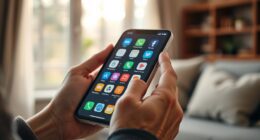
Finding a universal remote suited for seniors involves balancing simplicity, readability, and compatibility. The Philips BigEZ OneTouch stands out as the best overall choice thanks to its large, backlit buttons and intuitive layout. The GE Big Button Universal Remote offers excellent compatibility with popular smart TVs and streaming devices, making it a versatile pick. However, many options in this category struggle with small buttons, complicated layouts, or lack of backlighting—common hurdles for seniors. Continue reading for a detailed breakdown of the top models and what makes each one suitable for different needs.

Get comfort and care essentials delivered free — and shop member deals
- Fast, free delivery on millions of items
- Access to Prime Big Deal Days deals on October 6–7
- Prime Video, Amazon Music and more included
Complete the kit


Key Takeaways
- Large, backlit buttons significantly improve ease of use for seniors with vision challenges.
- Compatibility with multiple devices and brands is key for versatility in a universal remote.
- Simplified layouts with minimal buttons reduce confusion and promote independence.
- Some models include dementia-friendly features, prioritizing safety and ease of use.
- Price varies widely, with premium options offering extra features but not always necessary for basic needs.
| Philips BigEZ OneTouch Universal TV Remote for Seniors, Backlit, Multi-Device, Black |  | Best Overall for Easy Multi-Device Control and Visual Accessibility | Device Compatibility: Samsung, LG, Sony, Vizio, Roku TV, set-top box, cable/satellite box, streaming player, soundbar | Backlit Buttons: Yes | Number of Devices: 2 | VIEW ON AMAZON | See Our Full Breakdown |
| GE Big Button Universal Remote Control for Samsung, Vizio, LG, Sony, Sharp, Roku, Apple TV, TCL, Panasonic, Smart TVs, Streaming Players, Blu-Ray, DVD, 2-Device, Silver |  | Best Value for Simple, Wide Compatibility with Easy Setup | Device Control: 2 devices | Compatibility: Samsung, Vizio, LG, Sony, Sharp, Roku, Apple TV, TCL, Panasonic, Blu-Ray, DVD | Setup: Automatic code search, direct code entry | VIEW ON AMAZON | See Our Full Breakdown |
| Big Button Universal TV Remote for Seniors, Easy to Use, Compatible with Major TV Brands |  | Best for Simplicity and Major Brand Compatibility, Limited to TV Control | Button Size: Extra-large | Compatibility: Major TV brands (not for cable or streaming devices) | Batteries: 2x AAA (not included) | VIEW ON AMAZON | See Our Full Breakdown |
| Big Button Universal Remote for All TV Remote, Compatible with Samsung, LG, VIZIO, Sony, Hisense, Philips, Panasonic TVs |  | Best for Out-of-the-Box Simplicity with Universal Compatibility | Compatible Devices: Television | Connectivity Technology: Infrared | Button Quantity: 39 | VIEW ON AMAZON | See Our Full Breakdown |
| Flipper Big Button Universal TV Remote for Seniors and Dementia |  | Best for Dementia-Friendly Design with Multi-Device Control | Functions: On/Off, Channel Up, Channel Down, Volume Up, Volume Down, Mute | Compatibility: IR devices including Xfinity, Spectrum, Samsung, LG, Vizio, TCL, Panasonic, Insignia | Batteries: 2 AA (not included) | VIEW ON AMAZON | See Our Full Breakdown |
| Big Button Universal TV Remote for Seniors – Easy to Use, Compatible with Most Brands, Dementia-Friendly |  | Best Overall for Simplicity and Accessibility | Button Design: Extra-large enter button, tactile feedback | Compatibility: Samsung, LG, VIZIO, Sony, Hisense, Philips, Panasonic, Sharp TVs | Setup: No programming needed | VIEW ON AMAZON | See Our Full Breakdown |
| RIVIERA Big Button Universal Remote Control for Old TV Brands |  | Best for Wide Compatibility with Older TVs | Compatibility: LG, Samsung, Sony, Vizio, Sharp, Toshiba, JVC, Sanyo, Zenith, Panasonic, Philips, Hitachi, RCA, Hisense, TCL | Features: Big buttons, easy to use, no programming needed for most models, automatic search | Voice Control: Not supported | VIEW ON AMAZON | See Our Full Breakdown |
| Universal Big Button TV Remote – EasyMote, Backlit, Learning, Compatible with TV & Cable Box, Ideal for Elderly Care |  | Best for Versatility with Backlit and Learning Features | Maximum Range: 50 Feet | Number of Buttons: 6 | Supported Devices: Set Top Box, Television | VIEW ON AMAZON | See Our Full Breakdown |
| Universal Big Button TV Remote Replacement Compatible with Samsung, VIZIO, LG, Sony, Philips, and More |  | Best for Quick Setup and Bright Keys in Low Light | Compatible Devices: Television | Connectivity Technology: Infrared | Button Quantity: 20 | VIEW ON AMAZON | See Our Full Breakdown |
| EZclicker TV Remote for Seniors, Big Button Universal Remote (Black) |  | Best Compact and Lightweight for Easy Handling | Button Type: Big buttons with tactile feedback | Compatibility: Major TV brands | Dimensions: 6″ x 2″ x 1″ | VIEW ON AMAZON | See Our Full Breakdown |
| EZclicker Big Button Universal TV Remote (Black) |  | Best for Simplicity and Basic TV Control | Button Size: Large | Compatibility: Major TV brands | Batteries: 2x AAA (not included) | VIEW ON AMAZON | See Our Full Breakdown |
| Big Button Universal TV Remote – Easy to Use for Seniors, Compatible with Major TV Brands |  | Best for Wide Compatibility and Easy Programming | Button Design: Extra-large enter button, tactile feedback | Compatibility: Samsung, LG, VIZIO, Sony, others | Programming Method: Hold Mute & Vol+ for sync | VIEW ON AMAZON | See Our Full Breakdown |
| Universal TV Remote Control Compatible with Samsung, LG, Vizio, Sony, Hisense, and More |  | Best for Wide Device Compatibility and Setup Flexibility | Compatible Devices: Many brands including Samsung, LG, Sony, Vizio, and more | Not Compatible: Streaming sticks, Fire TV, Chromecast | Power: 2 AAA batteries (not included) | VIEW ON AMAZON | See Our Full Breakdown |
| OYSTERBOY Big Button Universal TV Remote for Seniors (Silver) |  | Best for Ergonomics and Visual Clarity | Button Size: Large | Compatibility: Universal with all major TV brands | Setup: Plug-and-play | VIEW ON AMAZON | See Our Full Breakdown |
| GE BigEZ OneTouch Big Button Universal TV Remote for Seniors, Easy to Use, Replacement for Samsung, LG, Sony, Vizio, Roku TV, Streaming Devices, Backlit Buttons, 2 Devices, White |  | Best for Backlit Visibility and Multi-Device Control | Brand: GE | Model: 84666 | Device Compatibility: Samsung, LG, Sony, Vizio, Roku, and more | VIEW ON AMAZON | See Our Full Breakdown |
| universal remotes for senior | Compatibility |
|---|---|
| Philips BigEZ OneTouch Univers | — |
| GE Big Button Universal Remote | Samsung, Vizio, LG, Sony, Sharp, Roku, Apple TV, TCL, Panasonic, Blu-Ray, DVD |
| Big Button Universal TV Remote | Major TV brands (not for cable or streaming devices) |
| Big Button Universal Remote fo | — |
| Flipper Big Button Universal T | IR devices including Xfinity, Spectrum, Samsung, LG, Vizio, TCL, Panasonic, Insignia |
| Big Button Universal TV Remote | Samsung, LG, VIZIO, Sony, Hisense, Philips, Panasonic, Sharp TVs |
| RIVIERA Big Button Universal R | LG, Samsung, Sony, Vizio, Sharp, Toshiba, JVC, Sanyo, Zenith, Panasonic, Philips, Hitachi, RCA, Hisense, TCL |
| Universal Big Button TV Remote | — |
| Universal Big Button TV Remote | — |
| EZclicker TV Remote for Senior | Major TV brands |
| EZclicker Big Button Universal | Major TV brands |
| Big Button Universal TV Remote | Samsung, LG, VIZIO, Sony, others |
| Universal TV Remote Control Co | — |
| OYSTERBOY Big Button Universal | Universal with all major TV brands |
| GE BigEZ OneTouch Big Button U | — |
More Details on Our Top Picks
Philips BigEZ OneTouch Universal TV Remote for Seniors, Backlit, Multi-Device, Black
The Philips BigEZ remote stands out for its large, backlit, color-coded buttons, making it particularly suitable for seniors and visually impaired users. Unlike the simpler Big Button remote, it supports two devices with a straightforward setup, providing versatility for those who switch between a TV and streaming device. Its backlit buttons enhance visibility in low light, but it is limited to controlling only two devices and lacks advanced features found on high-end remotes. This remote’s focus on accessibility and multi-device support makes it an excellent all-around choice for users needing clarity and simplicity, though those with many devices might find it restrictive.Pros:- Large, backlit, colorblind-friendly buttons for easy navigation
- Supports multiple devices with simple one-touch setup
- Backlit buttons improve usability in dim environments
- Technical support available for programming guidance
Cons:- Limited to controlling only two devices at a time
- Requires two AA batteries, which are not included
- Lacks advanced features like voice control or smart home integration
Best for: Seniors who need to manage multiple devices easily and require enhanced visibility features
Not ideal for: Users with more than two devices or seeking advanced smart features, as it offers limited device control and basic functions
- Device Compatibility:Samsung, LG, Sony, Vizio, Roku TV, set-top box, cable/satellite box, streaming player, soundbar
- Backlit Buttons:Yes
- Number of Devices:2
- Color:Black
- Power:2 AA batteries
Our verdict“This remote is ideal for seniors needing a straightforward, visually accessible multi-device solution without complex features.”
GE Big Button Universal Remote Control for Samsung, Vizio, LG, Sony, Sharp, Roku, Apple TV, TCL, Panasonic, Smart TVs, Streaming Players, Blu-Ray, DVD, 2-Device, Silver
The GE Big Button remote offers large, easy-to-read buttons and controls two devices comfortably, making it a practical choice for seniors with limited vision. Compared with the Philips BigEZ, it lacks backlit buttons, which could be a drawback in low-light settings, but it compensates with broad device compatibility and a straightforward setup process. Its ergonomic design ensures comfort during extended use, though it’s limited to controlling only two devices and doesn’t feature backlighting or smart functions. For those seeking a cost-effective, wide-ranging universal remote, this model provides solid basic control with minimal fuss.Pros:- Large, easy-to-read buttons suitable for impaired vision
- Controls up to two devices for simplicity
- Automatic code search and direct code entry ease setup
- Ergonomic shape for comfortable handling
Cons:- No backlit buttons for use in darkness
- Limited to controlling only two devices
- Batteries not included, requiring extra purchase
Best for: Budget-conscious seniors who need to control two devices with straightforward setup and good readability
Not ideal for: Users who often watch TV in dim environments or want additional device management beyond two gadgets
- Device Control:2 devices
- Compatibility:Samsung, Vizio, LG, Sony, Sharp, Roku, Apple TV, TCL, Panasonic, Blu-Ray, DVD
- Setup:Automatic code search, direct code entry
- Color:Silver
- Power:Requires 2 AA batteries
Our verdict“This remote offers an affordable, broad device compatibility solution best suited for seniors needing simple, reliable control in well-lit spaces.”
Big Button Universal TV Remote for Seniors, Easy to Use, Compatible with Major TV Brands
This remote is designed with large, tactile buttons that make TV control accessible for seniors with vision or dexterity challenges. Unlike the multi-device Philips or GE models, it focuses solely on television operation, making it ideal for users who want simplicity without extra features. Its straightforward programming process ensures quick setup, but it isn’t compatible with cable boxes or streaming devices, limiting its use for those with more complex entertainment setups. Its compact size and tactile feedback make it a solid pick for those who only need to control a TV and prefer a tactile, no-fuss experience.Pros:- Extra-large buttons with tactile feedback for easy use
- Simple one-button programming process
- Compatible with major TV brands without complicated setup
- Compact design fits comfortably in hand
Cons:- Limited to TV control only; no cable or streaming device support
- Batteries not included, may require frequent replacement
- No backlit buttons for low-light viewing
Best for: Seniors who want a simple, easy-to-program remote for controlling major TV brands only
Not ideal for: Households with cable or streaming boxes, or users needing to control multiple devices beyond the TV
- Button Size:Extra-large
- Compatibility:Major TV brands (not for cable or streaming devices)
- Batteries:2x AAA (not included)
- Dimensions:7″ x 2″ x 1″
- Control Type:Infrared
Our verdict“This remote makes sense for seniors who want a straightforward TV control solution with tactile feedback and no extra bells and whistles.”
Big Button Universal Remote for All TV Remote, Compatible with Samsung, LG, VIZIO, Sony, Hisense, Philips, Panasonic TVs
The Big Button Universal Remote offers a no-fuss experience with large tactile buttons, making it suitable for seniors with limited dexterity. Unlike the more advanced remotes, it requires no programming—just insert batteries and start using—which appeals to those seeking immediate accessibility. It supports most major brands, but it’s limited to controlling only one device at a time and doesn’t support streaming or cable boxes. Its simplicity is a significant advantage for users who prefer plug-and-play options, though it lacks features like backlighting or multi-device control.Pros:- Large, easy-to-press buttons suitable for impaired vision
- No programming needed—ready out of the box
- Universal compatibility across major TV brands
- Simple operation for users with dexterity challenges
Cons:- Limited to controlling a single device at a time
- No backlit buttons for low-light environments
- Requires batteries, which may need frequent replacement
Best for: Seniors who want a ready-to-use remote with broad TV brand support and minimal setup
Not ideal for: Those needing control over multiple devices or who watch in dim lighting, due to absence of backlit buttons
- Compatible Devices:Television
- Connectivity Technology:Infrared
- Button Quantity:39
- Range:10 meters
- Batteries:2 AAA (not included)
Our verdict“This remote is perfect for seniors who want quick, universal TV control with minimal setup and no extra features.”
Flipper Big Button Universal TV Remote for Seniors and Dementia
The Flipper Big Button remote emphasizes tactile, color-coded buttons, making it especially suitable for seniors and dementia patients. Unlike the single-function remotes, it controls TVs, cable boxes, and soundbars, offering broader device management. Its customizable favorite channels and clear tactile feedback help reduce confusion and improve control, but it doesn’t support streaming devices or smart apps, limiting its flexibility in modern setups. Its line-of-sight requirement and lack of voice features mean it’s best suited for controlled environments where simplicity and device control are priorities.Pros:- Large, color-coded tactile buttons for easy operation
- Controls multiple IR devices including TVs, cable boxes, and soundbars
- Allows programming of up to 25 favorite channels
- Designed with dementia-friendly features in mind
Cons:- Does not support streaming or smart device control
- Requires direct line of sight to devices
- No voice control or smart home features
Best for: Seniors with dementia or impaired vision who need a tactile and multi-device remote with simple operation
Not ideal for: Users who require streaming or voice control, or those who prefer remote operation without line-of-sight restrictions
- Functions:On/Off, Channel Up, Channel Down, Volume Up, Volume Down, Mute
- Compatibility:IR devices including Xfinity, Spectrum, Samsung, LG, Vizio, TCL, Panasonic, Insignia
- Batteries:2 AA (not included)
- Control Type:Infrared
- Channel Memory:Up to 25 favorites
Our verdict“This remote excels for seniors with dementia needing tactile, multi-device control in simple environments, but isn’t suitable for streaming or voice commands.”
Big Button Universal TV Remote for Seniors – Easy to Use, Compatible with Most Brands, Dementia-Friendly
This remote stands out for its straightforward design, with extra-large, tactile buttons that are ideal for seniors and users with visual impairments. Unlike more complex remotes like the EasyMote, it requires no programming, making it perfect for those who need a no-fuss experience. While it’s limited to TV control and lacks smart features, its universal compatibility across major brands ensures broad usability. The tradeoff is that it doesn’t support streaming devices or additional functions, which may frustrate tech-savvy users seeking versatility. Overall, this remote is best suited for elderly users or dementia patients who prioritize ease over advanced capabilities.
Pros:- Large, easy-to-press buttons with tactile feedback
- No setup or programming required, ready out of the box
- Universal compatibility with major TV brands
Cons:- Limited to TV control only, no streaming or smart device support
- Requires batteries not included
Best for: Seniors with limited dexterity or vision needing simple, reliable TV control
Not ideal for: Younger users or those wanting to control streaming devices or smart home features
- Button Design:Extra-large enter button, tactile feedback
- Compatibility:Samsung, LG, VIZIO, Sony, Hisense, Philips, Panasonic, Sharp TVs
- Setup:No programming needed
- Intended Users:Seniors, elderly, dementia patients, visually impaired
Our verdict“This remote is ideal for seniors or dementia patients seeking a simple, fuss-free TV control solution.”
RIVIERA Big Button Universal Remote Control for Old TV Brands
The RIVIERA remote excels at supporting a broad range of older TV brands, including Toshiba, Sanyo, and JVC, making it a strong choice for households with vintage sets. Compared with the BigEZ OneTouch, it offers a larger variety of compatible models and an automatic search function, reducing setup hassle. However, it does not support voice commands, and response times can be slower when using universal mode. Its large, simple buttons make it accessible, but the slower response may be frustrating for users accustomed to more responsive remotes. This pick makes the most sense for seniors who own older TVs and prefer straightforward operation without smart features.
Pros:- Large, easy-to-press buttons ideal for seniors
- Universal compatibility with many older TV brands
- No programming needed for most models
Cons:- Does not support voice commands
- Slower response time in universal mode
Best for: Seniors with older or non-smart TVs needing easy, universal control
Not ideal for: Users with newer smart TVs or those seeking voice control capabilities
- Compatibility:LG, Samsung, Sony, Vizio, Sharp, Toshiba, JVC, Sanyo, Zenith, Panasonic, Philips, Hitachi, RCA, Hisense, TCL
- Features:Big buttons, easy to use, no programming needed for most models, automatic search
- Voice Control:Not supported
- Power:Requires alkaline batteries (not included)
Our verdict“This remote is perfect for seniors with vintage TVs who want simple, reliable control without extra features.”
Universal Big Button TV Remote – EasyMote, Backlit, Learning, Compatible with TV & Cable Box, Ideal for Elderly Care
The EasyMote offers a compelling balance of simplicity and flexibility. Its large, backlit buttons enhance visibility in dim lighting, and its learning feature allows customization, making it more adaptable than basic remotes like the Big Button Universal Remote for Seniors. However, it can only control one device at a time, and it requires batteries not included. Unlike the more straightforward BigEZ remote, the EasyMote’s learning mode might add complexity for users who prefer a plug-and-play approach. This remote is well-suited for seniors who want control over both TV and cable boxes with added visibility and some personalization.
Pros:- Large, backlit buttons for visibility in dark rooms
- Supports both TV and cable box control
- Learning mode for customizable button programming
Cons:- Requires 2 AA batteries not included
- Limited to one device at a time
Best for: Seniors or caregivers needing an easy, backlit remote with learning capabilities for multiple devices
Not ideal for: Users who prefer simple, no-programming remotes or don’t need cable box control
- Maximum Range:50 Feet
- Number of Buttons:6
- Supported Devices:Set Top Box, Television
- Connectivity Technology:Infrared
- Batteries:2 AA batteries required
Our verdict“This remote is best for seniors who want a versatile, backlit control with some customization options.”
Universal Big Button TV Remote Replacement Compatible with Samsung, VIZIO, LG, Sony, Philips, and More
This remote offers illuminated keys, making it easy for users to see controls in dark environments, a feature less emphasized by the simpler Easyclicker or BigEZ remotes. Its quick setup and compatibility with multiple major brands make it suitable for those who want a dependable, responsive remote without complicated programming. The limited range of 10 meters and control of only one device at a time mirror the tradeoffs seen in other basic remotes, but its fast response and bright keys make it a good option for occasional use. It’s ideal for users prioritizing visibility and responsiveness over multi-device control or advanced features.
Pros:- Illuminated keys for easy use in low light
- Fast infrared response for quick channel changes
- Simple setup process
Cons:- Limited to controlling only one device at a time
- Requires batteries to operate
Best for: Seniors who need a bright, easy-to-see remote for a single TV with quick setup
Not ideal for: Households with multiple smart devices or those seeking advanced features
- Compatible Devices:Television
- Connectivity Technology:Infrared
- Button Quantity:20
- Maximum Range:10 Meters
- Battery Type:Alkaline
- Color:Black
Our verdict“This remote is suitable for seniors who want a bright, straightforward remote with quick response times.”
EZclicker TV Remote for Seniors, Big Button Universal Remote (Black)
The EZclicker remote prioritizes a compact, lightweight design, making it easy for seniors with limited strength or dexterity to handle. Its large, tactile buttons ensure straightforward operation, but it’s limited to controlling just TVs, similar to the Big Button Universal Remote for Seniors. Unlike the EasyMote, it lacks backlit keys or learning features, which could be drawbacks for users with impaired vision or those needing customization. Its simplicity makes it a practical choice for those who want a no-frills remote that’s easy to grip and operate without extra features or complexity.
Pros:- Lightweight and compact, easy to handle
- Large, tactile buttons for easy pressing
- Simple programming process
Cons:- No backlit or learning features
- Limited to TV control only
Best for: Seniors who prefer a lightweight, easy-to-hold remote with large buttons for TV control only
Not ideal for: Users who want backlit buttons or multi-device control, or need learning capabilities
- Button Type:Big buttons with tactile feedback
- Compatibility:Major TV brands
- Dimensions:6″ x 2″ x 1″
- Batteries:2x AAA (not included)
Our verdict“This remote is best for seniors seeking a small, lightweight device with big buttons for straightforward TV operation.”
EZclicker Big Button Universal TV Remote (Black)
This remote stands out for its oversized buttons and tactile feedback, making it ideal for seniors with limited dexterity or vision. Compared to the OYSTERBOY Big Button Universal TV Remote, it offers a more compact design but lacks compatibility with streaming devices or cable boxes. Its simple programming process ensures minimal frustration, though it only controls TVs and requires batteries (not included). The lightweight build makes it easy to handle, but its limited functionality might fall short for users wanting more tech features. If basic TV control with ease of use is your priority, this remote fits well. However, those seeking control of streaming services should look elsewhere.
Pros:- Large, easy-to-press buttons ideal for limited dexterity
- Simple programming process minimizes setup hassle
- Lightweight and compact for comfortable handling
Cons:- Limited to TV control only, no streaming or smart device support
- Batteries not included, which can delay setup
Best for: Seniors who need a straightforward, easy-to-use remote solely for TV operation.
Not ideal for: Tech-savvy seniors or users wanting integrated streaming control, since it doesn’t support streaming devices or cable boxes.
- Button Size:Large
- Compatibility:Major TV brands
- Batteries:2x AAA (not included)
- Dimensions:7″ x 2″ x 1″
Our verdict“Best suited for seniors seeking a no-fuss remote dedicated solely to TV control without extra features.”
Big Button Universal TV Remote – Easy to Use for Seniors, Compatible with Major TV Brands
This remote makes a strong case for users who want broad brand compatibility, supporting major brands like Samsung, LG, and Sony. Unlike the EZclicker, it offers tactile feedback on a larger, more prominent enter button, which helps with navigation. Its simple setup involves holding Mute and Volume+ to sync, avoiding complex menus that can confuse less tech-savvy seniors. The 90-day warranty offers peace of mind, but it doesn’t support streaming devices or cable boxes, similar to the EZclicker. This remote is an excellent choice for those who prioritize compatibility with multiple TV brands and straightforward programming but don’t need smart device control.
Pros:- Large buttons with tactile feedback for easy operation
- Supports a wide range of major TV brands
- Simple one-step programming process
Cons:- No support for streaming devices or cable boxes
- Requires manual pairing for each TV, which might be cumbersome for some
Best for: Seniors who need a versatile remote compatible with numerous major TV brands and prefer simple setup.
Not ideal for: Those wanting control over streaming devices or smart TVs beyond basic TV functions, since it doesn’t support streaming sticks or HDMI devices.
- Button Design:Extra-large enter button, tactile feedback
- Compatibility:Samsung, LG, VIZIO, Sony, others
- Programming Method:Hold Mute & Vol+ for sync
- Warranty:90 days
Our verdict“Ideal for seniors seeking broad TV compatibility with straightforward setup and operation.”
Universal TV Remote Control Compatible with Samsung, LG, Vizio, Sony, Hisense, and More
This remote offers an extensive list of compatible devices, covering many brands and media players, making it suitable for households with multiple types of entertainment equipment. Unlike the Big Button Remote, it emphasizes compatibility with media devices like DVD players and older TVs, though it does not support streaming sticks or sound bars. Setup is straightforward through code list or automatic search, but it relies solely on infrared, limiting its use with newer smart devices. This remote is perfect for users with various non-smart devices but may disappoint those wanting control over streaming services or newer gadgets.
Pros:- Compatible with a broad range of devices and brands
- Simple setup with code list and auto search
- Includes user manual for easy pairing
Cons:- Limited to infrared, restricting functionality with smart devices
- No support for streaming sticks or soundbars
Best for: Seniors with a mix of older TVs, DVD players, and media devices who want a single remote for all.
Not ideal for: Those with smart TVs or streaming sticks, as this remote does not support HDMI or Bluetooth devices.
- Compatible Devices:Many brands including Samsung, LG, Sony, Vizio, and more
- Not Compatible:Streaming sticks, Fire TV, Chromecast
- Power:2 AAA batteries (not included)
- Connection:Infrared only
Our verdict“Best for users with multiple non-smart entertainment devices seeking a universal remote with wide compatibility.”
OYSTERBOY Big Button Universal TV Remote for Seniors (Silver)
This remote emphasizes ergonomic design and high-contrast, large buttons, making it especially suitable for users with limited dexterity and vision. Compared with the EZclicker, it has a more straightforward, plug-and-play setup, reducing potential frustration for seniors unfamiliar with technology. Its simple layout and lightweight profile make it a comfortable choice for extended use, but it offers fewer advanced features, limiting appeal for users who want more control or smart device integration. If ease of use and visual clarity are your priorities, the OYSTERBOY provides a reliable, straightforward experience.
Pros:- Large, clearly labeled buttons for easy recognition
- Universal compatibility with major TV brands
- Plug-and-play setup simplifies installation
Cons:- Limited advanced features, no streaming or smart device support
- Design may be too basic for users wanting more customization
Best for: Seniors who need a basic, ergonomic remote with clear labeling and easy setup.
Not ideal for: Tech enthusiasts or users seeking multi-device control or smart features, as its functionality is limited to TV control.
- Button Size:Large
- Compatibility:Universal with all major TV brands
- Setup:Plug-and-play
- Design:Lightweight, ergonomic
- Color:Silver
Our verdict“Ideal for seniors requiring a simple, ergonomic remote with high-visibility buttons and easy setup.”
GE BigEZ OneTouch Big Button Universal TV Remote for Seniors, Easy to Use, Replacement for Samsung, LG, Sony, Vizio, Roku TV, Streaming Devices, Backlit Buttons, 2 Devices, White
This remote excels in accessibility, featuring backlit, color-coded buttons that enhance visibility for visually impaired users. Its support for two devices makes it more versatile than the EZclicker or OYSTERBOY, especially for those managing multiple TVs or streaming devices. The straightforward setup and U.S.-based support add to its appeal, though the size might be too large for some users preferring a more compact remote. While it doesn’t support streaming sticks or soundbars via HDMI, its backlit buttons and multi-device controls make it a strong choice for seniors needing better visibility and flexible device management.
Pros:- Large, backlit, color-coded buttons for easy visibility
- Supports control of two devices simultaneously
- Simple operation with reliable setup and US-based support
Cons:- Requires two AA batteries (not included), adding to setup cost
- Limited to preset device buttons, may need programming for extra devices
Best for: Seniors with visual impairments who need a larger, backlit remote capable of managing multiple devices.
Not ideal for: Those seeking a lightweight, minimalist remote or wanting control over smart home devices via Bluetooth or HDMI.
- Brand:GE
- Model:84666
- Device Compatibility:Samsung, LG, Sony, Vizio, Roku, and more
- Number of Devices:2
- Backlit Buttons:Yes
- Power Source:2 AA batteries (not included)
Our verdict“Perfect for visually impaired seniors who need a large, backlit remote capable of controlling multiple devices effortlessly.”

How We Picked
These remotes were evaluated based on usability, durability, compatibility, and design simplicity. Priority was given to models with large, clearly labeled buttons, backlit features, and straightforward layouts that minimize confusion. We also considered how well each remote could control multiple devices, as seniors often use a combination of TVs, streaming devices, and DVD players. The ranking reflects a balance between affordability and features that genuinely enhance ease of use, with a focus on models that cater specifically to seniors’ needs, including those with dementia-friendly options.Factors to Consider When Choosing Universal Remotes For Seniors
Choosing the right universal remote for seniors involves understanding several key factors. Beyond basic compatibility, you should prioritize ease of use, readability, and ergonomic design. It’s vital to avoid models with cluttered buttons or small labels, which can hinder independence. Considering features like backlighting and simplified layouts can make a significant difference. Additionally, think about the number of devices you need to control, as some remotes handle multiple gadgets, while others focus on just the TV. Price and durability also matter, especially if the remote will be used frequently or handled roughly.Ease of Use and Button Design
Look for remotes with large, tactile buttons and high-contrast labels. Backlit keys are especially helpful in low-light conditions. A straightforward, minimal button layout reduces the cognitive load, helping seniors find what they need quickly without confusion. Avoid remotes with small, crowded buttons or complex functions that require multiple presses or menus.
Compatibility and Device Control
Ensure the remote can control all essential devices, including TVs, streaming boxes, and DVD players. Some models are pre-programmed for major brands, while others are learning remotes that can mimic existing controllers. A remote that can manage multiple devices with a single button press simplifies daily routines and reduces the number of remotes needed.
Design and Ergonomics
Ergonomic shapes and lightweight construction make handling easier, especially for those with arthritis or limited dexterity. Non-slip surfaces and large buttons that are easy to press without excessive force can prevent frustration. Make sure the remote fits comfortably in the hand and is easy to grip, even for users with tremors or reduced strength.
Additional Features and Considerations
Features like backlighting, simple setup, and dementia-friendly modes can significantly enhance usability. Consider whether the remote offers learning functions or voice control if these features might benefit the user. Also, evaluate the remote’s durability—models with sturdy construction and easy-replace batteries tend to last longer and require less maintenance.
Price and Value
While premium remotes offer more features, they aren’t always necessary for straightforward needs. Many affordable options deliver excellent simplicity and compatibility. Balance your budget with the features that genuinely improve daily use. Remember, investing in a remote with better readability and ease of use often results in greater independence and less frustration.
Frequently Asked Questions
How do I set up a universal remote for a senior who isn’t tech-savvy?
Most universal remotes are designed for straightforward setup, often involving entering a code or using an auto-program feature. For seniors who aren’t comfortable with technology, choosing a model with pre-programmed device control and clear, step-by-step instructions can simplify the process. Having a helper initially assist with setup can also reduce frustration. Once configured, these remotes typically require minimal further interaction, making daily use easier.
Are backlit buttons enough for seniors with poor vision?
Backlit buttons significantly improve visibility in dim environments, but they should be combined with large, high-contrast labels for best results. Some seniors benefit from remotes with high-contrast color schemes or tactile markings. Testing the remote in typical lighting conditions and ensuring the buttons are easy to locate by touch can help determine if the design suits their needs.
Should I prioritize a learning remote or one pre-programmed with device codes?
Pre-programmed remotes are generally easier for seniors to set up and use, especially if they aren’t familiar with technology. Learning remotes offer greater flexibility when controlling multiple devices, but they often require more complex setup. For typical use, a pre-programmed remote that covers essential devices will usually provide enough versatility without overwhelming the user.
What features are most helpful for seniors with dementia?
For seniors with dementia, simplicity and clarity are paramount. Look for remotes with minimal buttons, large labels, and clear functions. Some models include dementia-friendly modes that restrict access to only essential controls or limit options to prevent confusion. Durable, tactile buttons and a straightforward layout can reduce anxiety and improve confidence during use.
Is it worth paying extra for a premium remote?
Paying more can be justified if the remote offers features like backlit keys, learning capabilities, or ergonomic design that significantly enhance usability. However, for basic needs, affordable models with large buttons and simple layouts often suffice. Consider your specific requirements and whether the additional features will genuinely improve daily interactions before investing in a premium model.
Conclusion
For those seeking the easiest overall experience, the Philips BigEZ OneTouch offers intuitive operation with large, backlit buttons and broad device control. Budget-conscious users who still want simplicity should consider the GE Big Button Universal Remote, which combines affordability with broad compatibility. If premium features like advanced learning functions or dementia-friendly modes are needed, the GE BigEZ OneTouch Big Button Remote provides excellent value. Beginners or those with significant vision or dexterity challenges will benefit from models with minimal buttons and clear labeling, while tech-savvy users might prioritize more versatile remotes with extensive device support. Tailor your choice to your specific needs, balancing ease of use, device control, and budget.
Halloween Picks
halloween
As an affiliate, we earn on qualifying purchases.