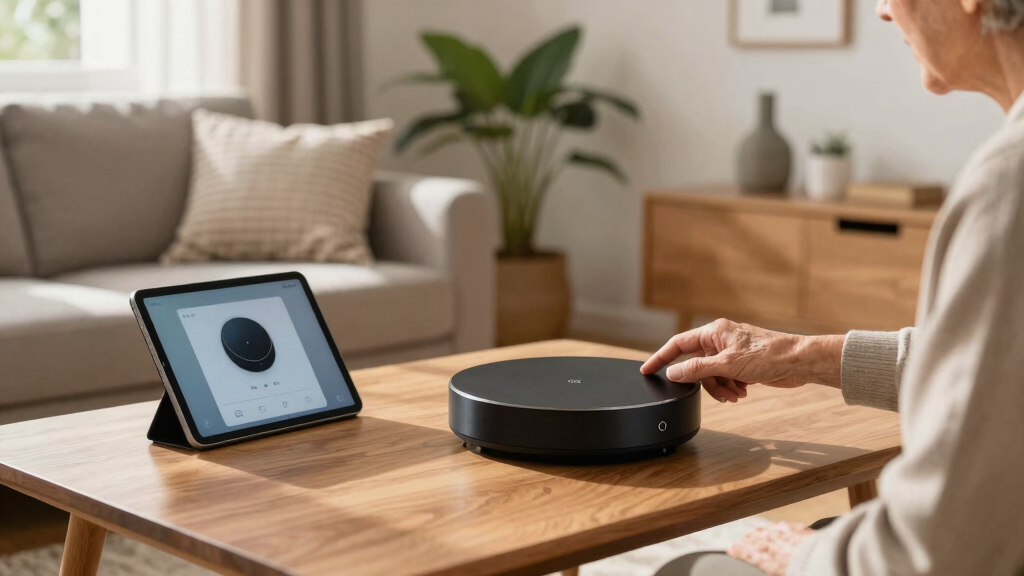
Smart home hubs serve as the central control point for your connected devices, simplifying automation and ensuring compatibility across brands. The Smart Multi-Mode Gateway stands out as the best overall pick for its broad protocol support and reliable app control. The Aeotec Smart Home Hub 2 offers excellent compatibility with Zigbee and Matter for future-proofing, while the Philips Hue Bridge Pro excels if lighting is your priority. Choosing the right hub involves tradeoffs between protocol support, ease of use, and compatibility with existing devices. Continue reading for a detailed breakdown that helps you find the best fit for your smart home setup.
Complete the kit


Key Takeaways
- Compatibility with multiple protocols like Zigbee, Z-Wave, and Matter was a key factor in top-performing hubs.
- Local control and automation capabilities often outperform cloud-dependent hubs in speed and privacy.
- Hubs with broad ecosystem support, including Apple HomeKit, Alexa, and Google, offer greater flexibility.
- Ease of setup and user interface clarity significantly impact user experience, especially for beginners.
- Premium hubs with advanced automation features tend to cost more but provide more customization options.
| Smart Multi-Mode Gateway: ZigBee 3.0 & Bluetooth & Mesh Hub, App Remote Control, Voice Control via Alexa/Google Home (Tuya Smart Devices Only) |  | Best for Versatile Protocol Support | Modes: Bluetooth mesh and ZigBee 3.0 | App Compatibility: Smart Life/Tuya App | Voice Control: Alexa and Google Home | VIEW ON AMAZON | See Our Full Breakdown |
| Aeotec Smart Home Hub 2 – V4, Zigbee & Matter Gateway, Compatible with Alexa & Google Assistant |  | Best for Future-Proof Compatibility | Compatibility: Zigbee, Matter | Supports: SmartThings, Alexa, Google Assistant | Connectivity: Wi-Fi, Ethernet | VIEW ON AMAZON | See Our Full Breakdown |
| eufy Security eufy Smart Display E10, 8-inch Control Panel, Smart Home Hub with Four Views, Instant Door Alerts, Daily Event Reports, 64GB Storage |  | Best for Home Security Integration | Display Size: 8 inches | Storage: 64GB EMMC | Compatibility: Smart home devices | VIEW ON AMAZON | See Our Full Breakdown |
| Philips Hue Bridge Pro Smart Lighting Hub, Wireless, Supports 150+ Lights & 50+ Accessories, Compatible with Apple Home, Alexa, Google, Samsung SmartThings |  | Best for Large-Scale Lighting Automation | Processor: 1.7 GHz quad-core Cortex-A35 | Memory: 4 GB DDR4 SDRAM | Supported Lights: 150+ | VIEW ON AMAZON | See Our Full Breakdown |
| Homey Bridge | Smart Home Hub for Home Automation |  | Best for Multi-Protocol Integration and Privacy | Product Dimensions: 5 x 5 x 3 inches | Item Weight: 1.19 pounds | Connectivity: Z-Wave Plus, Zigbee, Wi-Fi, BLE, Infrared | VIEW ON AMAZON | See Our Full Breakdown |
| Hubitat Elevation C-8 Pro Smart Home Hub – Local Control & Automation for Smart Devices |  | Best Overall for Local Control and Custom Automation | Product Dimensions: 2.95 x 3.23 x 0.67 inches | Item Weight: 2.56 ounces | Supported Protocols: Matter 1.5, Z-Wave 800 Series, Zigbee 3.0, Bluetooth | VIEW ON AMAZON | See Our Full Breakdown |
| Amazon Echo Hub (newest model), 8″ Smart Home Control Panel with Alexa+ |  | Best for User-Friendly Control and Ecosystem Integration | Display: 8 inches | Compatibility: WiFi, Bluetooth, Zigbee, Matter, Sidewalk, Thread | Control: Customizable dashboard, voice commands, media controls | VIEW ON AMAZON | See Our Full Breakdown |
| Amazon Echo Hub 8” Smart Home Control Panel with Alexa | | Best for Easy Smart Device Management via Alexa | Display Size: 8 inches | Connectivity: WiFi, Bluetooth, Zigbee, Matter, Sidewalk, Thread | Compatibility: Alexa-compatible devices, smart locks, thermostats | VIEW ON AMAZON | See Our Full Breakdown |
| Aqara Hub M1S Gen 2 Zigbee 3.0 Gateway for Smart Home Automation |  | Best for Apple HomeKit Users and Zigbee Enthusiasts | Connectivity: 2.4 GHz Wi-Fi | Zigbee Protocol: 3.0 | Device Capacity: 128 devices | VIEW ON AMAZON | See Our Full Breakdown |
| Aeotec Smart Home Hub, Z-Wave, Zigbee, Matter Gateway, Compatible with Alexa and Google Assistant |  | Best for Versatile Multi-Protocol Compatibility and Reliability | Connectivity: Wi-Fi, Ethernet | Protocols: Z-Wave, Zigbee, Matter | Compatibility: Alexa, Google Assistant, SmartThings | VIEW ON AMAZON | See Our Full Breakdown |
| Home Assistant Green – Smart Home Hub with Advanced Automation |  | Best for Customizable, Local-First Automation | Processor: Quad-core | Storage: 32GB | RAM: 4GB | VIEW ON AMAZON | See Our Full Breakdown |
| Aqara Smart Home Hub M3 with Matter, Zigbee, Thread, Bluetooth, Wi-Fi, PoE, IR, Apple HomeKit, Alexa, SmartThings, Home Assistant, IFTTT |  | Best for Multi-Protocol Versatility and Seamless Ecosystem Integration | Protocols Supported: Zigbee, Thread, Bluetooth, Wi-Fi | Matter Compatibility: Yes | Device Capacity: 127 Zigbee, 127 Thread | VIEW ON AMAZON | See Our Full Breakdown |
| smart home hub | Connectivity | Compatibility |
|---|---|---|
| Smart Multi-Mode Gateway: ZigB | — | — |
| Aeotec Smart Home Hub 2 | Wi-Fi, Ethernet | Zigbee, Matter |
| eufy Security eufy Smart Displ | — | Smart home devices |
| Philips Hue Bridge Pro Smart L | — | — |
| Homey Bridge | Smart Home Hub | Z-Wave Plus, Zigbee, Wi-Fi, BLE, Infrared | Amazon Alexa, Google Home, Siri Shortcuts |
| Hubitat Elevation C-8 Pro Smar | — | — |
| Amazon Echo Hub | — | WiFi, Bluetooth, Zigbee, Matter, Sidewalk, Thread |
| Amazon Echo Hub 8” Smart Home | WiFi, Bluetooth, Zigbee, Matter, Sidewalk, Thread | Alexa-compatible devices, smart locks, thermostats |
| Aqara Hub M1S Gen 2 Zigbee 3.0 | 2.4 GHz Wi-Fi | — |
| Aeotec Smart Home Hub | Wi-Fi, Ethernet | Alexa, Google Assistant, SmartThings |
| Home Assistant Green | USB expandability for Z-Wave, Zigbee, Thread | — |
| Aqara Smart Home Hub M3 with M | Wired (PoE, USB-C) and wireless (Wi-Fi 2.4/5 GHz) | — |
More Details on Our Top Picks
Smart Multi-Mode Gateway: ZigBee 3.0 & Bluetooth & Mesh Hub, App Remote Control, Voice Control via Alexa/Google Home (Tuya Smart Devices Only)
This hub excels in supporting multiple protocols like ZigBee 3.0 and Bluetooth mesh, making it a flexible choice for users with diverse smart devices. Unlike the Aeotec Smart Home Hub 2, which emphasizes broad standards like Zigbee and Matter, this Tuya-compatible device is limited to Tuya/SmartLife devices, which could restrict device options. Its strength lies in integrating many devices into one ecosystem with remote control and voice commands, ideal for those already invested in Tuya-compatible products. However, it’s constrained by ecosystem lock-in and requires app setup, making it less suitable for users who want a more open platform or native smart home ecosystem integration.
Pros:- Supports both ZigBee 3.0 and Bluetooth mesh for versatile device connectivity
- Remote control and automation through popular apps like Smart Life and Tuya
- Voice control integration with Alexa and Google Home
Cons:- Limited to Tuya/SmartLife devices, restricting broader ecosystem compatibility
- Requires app setup and network configuration, which could be complex for some users
Best for: Homeowners with Tuya-compatible devices seeking an affordable, multi-protocol gateway that’s easy to control remotely.
Not ideal for: Users wanting a universal hub that supports multiple ecosystems like Z-Wave, Z-Wave Plus, and Z-Wave devices, or those needing compatibility outside Tuya/SmartLife environments.
- Modes:Bluetooth mesh and ZigBee 3.0
- App Compatibility:Smart Life/Tuya App
- Voice Control:Alexa and Google Home
- Device Support:Up to 128 devices
- Protocol Support:Tuya/SmartLife devices only
Our verdict“This hub makes the most sense for users already invested in Tuya/SmartLife products needing a flexible, protocol-supporting gateway.”
Aeotec Smart Home Hub 2 – V4, Zigbee & Matter Gateway, Compatible with Alexa & Google Assistant
The Aeotec Smart Home Hub 2 V4 is designed to support the latest standards like Zigbee and Matter, setting it apart from older or more limited hubs such as the Philips Hue Bridge Pro. Its support for local automation via Wi-Fi and Ethernet enhances reliability, especially during internet outages. Compared to the Homey Bridge, which also offers broad protocol support, this hub emphasizes compatibility with emerging standards, making it ideal for users seeking longevity and future-proofing. Nonetheless, it excludes Z-Wave devices, which could be a dealbreaker for those with existing Z-Wave ecosystems, and its focus on newer standards might limit compatibility with some older smart devices.Pros:- Supports Zigbee and Matter for broad, future-ready device compatibility
- Easy setup via Wi-Fi or Ethernet, simplifying installation
- Enables local automations for reliable operation during internet outages
Cons:- Does not support Z-Wave devices, limiting some existing device integrations
- Limited to compatible smart device brands, which could restrict choices
Best for: Tech-savvy homeowners wanting a hub that supports current standards like Zigbee and Matter for broad device compatibility and future readiness.
Not ideal for: Users with extensive Z-Wave device collections or those seeking a hub with Z-Wave support, since this model omits it entirely.
- Compatibility:Zigbee, Matter
- Supports:SmartThings, Alexa, Google Assistant
- Connectivity:Wi-Fi, Ethernet
- Z-Wave:Not supported
- Local Automation:Yes
Our verdict“Ideal for users who prioritize compatibility with emerging standards like Zigbee and Matter, and value local automation capabilities.”
eufy Security eufy Smart Display E10, 8-inch Control Panel, Smart Home Hub with Four Views, Instant Door Alerts, Daily Event Reports, 64GB Storage
The eufy Smart Display E10 offers a compelling blend of security monitoring and smart home control with an 8-inch touchscreen, making it a strong contender for security-focused households. Unlike the Philips Hue Bridge Pro, which specializes in lighting, this device emphasizes security with instant door alerts and live video feeds, all accessible via a user-friendly display. Its ability to show four camera views simultaneously enhances situational awareness, but it’s limited to compatible camera brands and ecosystems, and lacks outdoor weather-resistant features. This makes it ideal for indoor security but less suited for outdoor or weather-prone environments.Pros:- Supports multiple camera feeds simultaneously for comprehensive monitoring
- Instant door alerts and live video streaming enhance security responsiveness
- User-friendly touchscreen accessible for all ages
Cons:- Limited to compatible camera and device ecosystems, restricting flexibility
- No outdoor or weather-resistant features, limiting outdoor use
Best for: Homeowners prioritizing integrated security with easy-to-monitor video feeds and instant alerts, especially for indoor environments.
Not ideal for: Households seeking outdoor, weather-resistant security solutions or a smart hub that controls a wide range of non-security devices.
- Display Size:8 inches
- Storage:64GB EMMC
- Compatibility:Smart home devices
- Features:Four views, instant door alerts, event reports
Our verdict“Best suited for indoor security monitoring with easy access to multiple camera views and instant alerts.”
Philips Hue Bridge Pro Smart Lighting Hub, Wireless, Supports 150+ Lights & 50+ Accessories, Compatible with Apple Home, Alexa, Google, Samsung SmartThings
The Philips Hue Bridge Pro is built for extensive lighting setups, supporting over 150 lights and 50 accessories, making it ideal for large homes or elaborate lighting schemes. Its quad-core processor and fast response times outpace many competitors like the Homey Bridge, which offers broader protocol support but may be slower in response. The Hue Bridge’s advanced features, such as motion sensing with Hue MotionAware and Zigbee Trust Center security, enhance automation reliability. However, the need for multiple Hue devices to enable motion sensing can complicate setup, and it’s primarily focused on lighting, limiting it for broader home automation tasks.Pros:- Supports over 150 lights and 50 accessories for large-scale automation
- Fast processing speeds for quick responses and scene changes
- Includes motion sensing automation with Hue MotionAware
Cons:- Requires multiple Hue devices for full motion sensing functionality
- Setup can be complex for beginners unfamiliar with Hue ecosystem
Best for: Homeowners seeking a robust, high-capacity lighting hub that integrates seamlessly with major platforms and supports complex lighting scenes.
Not ideal for: Users looking for a multi-protocol hub supporting Z-Wave, Zigbee, and other standards beyond lighting, or those with small lighting setups.
- Processor:1.7 GHz quad-core Cortex-A35
- Memory:4 GB DDR4 SDRAM
- Supported Lights:150+
- Supported Accessories:50+
- Motion Sensing:Hue MotionAware
Our verdict“This hub is perfect for users with extensive lighting needs who want seamless integration and reliable automation.”
Homey Bridge | Smart Home Hub for Home Automation
The Homey Bridge stands out for its support of Z-Wave Plus, Zigbee, Wi-Fi, BLE, and Infrared, making it one of the most versatile hubs in this lineup. It’s particularly suited for users with a broad device ecosystem, including Z-Wave devices, which the Aeotec Hub does not support. Its ability to integrate voice assistants like Alexa, Google, and Siri Shortcuts, combined with automation features via the Homey app, offers a comprehensive control experience. The downside is that some features depend heavily on cloud services and require a subscription for full device connectivity, which could deter privacy-conscious users or those seeking a purely local control system.Pros:- Supports multiple protocols including Z-Wave Plus, Zigbee, Wi-Fi, BLE, and Infrared
- Enables voice control with Alexa, Google, and Siri Shortcuts
- Offers automation and scene creation through the Homey app
Cons:- Subscription required for full device connectivity and features
- Some features rely on cloud services, possibly impacting privacy
Best for: Homeowners seeking a highly adaptable, multi-protocol hub that supports Z-Wave, Zigbee, Wi-Fi, and IR, with an emphasis on privacy and automation.
Not ideal for: People who want a simple, plug-and-play hub without ongoing subscription costs or who prefer purely local control without cloud dependence.
- Product Dimensions:5 x 5 x 3 inches
- Item Weight:1.19 pounds
- Connectivity:Z-Wave Plus, Zigbee, Wi-Fi, BLE, Infrared
- Compatibility:Amazon Alexa, Google Home, Siri Shortcuts
- Includes:3 months Homey Premium subscription
Our verdict“Ideal for users who prioritize multi-protocol support and privacy, accepting some reliance on cloud services and subscriptions.”
Hubitat Elevation C-8 Pro Smart Home Hub – Local Control & Automation for Smart Devices
The Hubitat Elevation C-8 Pro stands out for its emphasis on local processing, which ensures automations run quickly and reliably without relying on internet connectivity. Compared to cloud-dependent hubs like the Amazon Echo Hub, it offers greater privacy and reduced latency, making it ideal for users who prioritize speed and control. However, it requires some technical know-how to navigate its setup and automation configuration, which could be a barrier for beginners. This hub supports a broad range of protocols, including Matter 1.5, Z-Wave 800, Zigbee 3.0, and Bluetooth, providing compatibility with most smart devices. Its reliance on local processing means automations are less susceptible to internet outages, but it doesn’t function as a standalone device—it’s primarily for automating existing smart home setups.
Pros:- Supports multiple protocols for extensive device compatibility
- Local processing guarantees fast, reliable automations
- No subscription fees and automatic updates
Cons:- Requires technical knowledge for setup and customization
- Limited to automation functions; not a standalone smart device
Best for: Tech-savvy homeowners seeking fast, reliable automations with broad protocol support
Not ideal for: Beginners or those who want a plug-and-play system with minimal setup
- Product Dimensions:2.95 x 3.23 x 0.67 inches
- Item Weight:2.56 ounces
- Supported Protocols:Matter 1.5, Z-Wave 800 Series, Zigbee 3.0, Bluetooth
- First Available:December 28, 2023
Our verdict“Best suited for users who want advanced local control and are comfortable with some setup complexity.”
Amazon Echo Hub (newest model), 8″ Smart Home Control Panel with Alexa+
The Amazon Echo Hub offers a highly approachable interface with an 8-inch display and Alexa+, making it a great choice for those new to smart home control. It excels in ease of use, with a customizable dashboard and voice commands that anyone can master. Compared with the more technical Hubitat Elevation, this hub simplifies device management for users who prefer a visual interface and seamless Alexa integration. Its compatibility with thousands of devices, along with privacy features like mic off and eco-friendly materials, adds to its appeal. However, some advanced automations or integrations may require additional subscriptions or separate accessories, and it’s limited to Amazon-compatible ecosystems, which might be restrictive for multi-brand setups.
Pros:- User-friendly interface with customizable dashboard
- Works with a wide range of devices and protocols
- Privacy features and eco-conscious materials
Cons:- Requires separate purchase for wall mounts and accessories
- Some features depend on additional subscriptions
Best for: Homeowners seeking an intuitive, Alexa-compatible smart home control panel
Not ideal for: Advanced users wanting local automation or broad protocol support without cloud reliance
- Display:8 inches
- Compatibility:WiFi, Bluetooth, Zigbee, Matter, Sidewalk, Thread
- Control:Customizable dashboard, voice commands, media controls
- Privacy features:Mic off button, multiple privacy layers
Our verdict“Ideal for users who prioritize ease of use and Alexa ecosystem compatibility over advanced automation features.”
Amazon Echo Hub 8” Smart Home Control Panel with Alexa
The Amazon Echo Hub 8” delivers straightforward smart home management through Alexa, making it suitable for users who want quick control over their devices. Its 8-inch display, combined with support for protocols like Zigbee and Thread, allows for simple setup and broad compatibility. Compared with the Hubitat Elevation, it sacrifices some local control for the convenience of Alexa’s voice ecosystem and easy installation, although it requires a separate stand or wall mount that’s sold separately. Its privacy features and recycled materials are nice touches, but some users may find the need for additional accessories and the limited automation complexity a drawback.
Pros:- Easy to control a variety of smart devices with Alexa
- Supports multiple connectivity protocols
- Privacy-conscious design with multiple controls
Cons:- Requires wall mounting or separate stand
- Installation options like in-wall pass-throughs are sold separately
Best for: Amazon users looking for a simple, voice-activated control panel
Not ideal for: Power users wanting local automations or multi-protocol support beyond Alexa
- Display Size:8 inches
- Connectivity:WiFi, Bluetooth, Zigbee, Matter, Sidewalk, Thread
- Compatibility:Alexa-compatible devices, smart locks, thermostats
- Privacy Features:Mic off button, multiple privacy controls
Our verdict“Great for users who want an Alexa-enabled control panel with straightforward device management.”
Aqara Hub M1S Gen 2 Zigbee 3.0 Gateway for Smart Home Automation
The Aqara Hub M1S Gen 2 excels in supporting Apple HomeKit alongside Alexa and Google Assistant, making it an appealing choice for users invested in Apple’s ecosystem. Its compact size and RGB lighting add ambiance, while the Zigbee 3.0 support ensures reliable connectivity for Aqara devices and compatible sensors. Compared to the more versatile Aeotec Hub, the Aqara Hub is more limited in ecosystem compatibility—only supporting Aqara devices and Wi-Fi networks—yet it offers strong security with WPA3. Its reliance on 2.4 GHz Wi-Fi and a close-range signal might pose performance issues in larger or Wi-Fi-congested homes, which is a tradeoff for its tight integration and automation features.
Pros:- Supports Apple HomeKit, Alexa, and Google Assistant
- RGB lighting and illumination sensor for automation
- Secure Wi-Fi with WPA3 encryption
Cons:- Limited to 2.4 GHz Wi-Fi networks
- Supports only Aqara devices, not third-party Zigbee gadgets
Best for: Apple HomeKit users and those with Aqara-compatible devices
Not ideal for: Users needing support for third-party Zigbee devices or Wi-Fi 6 networks
- Connectivity:2.4 GHz Wi-Fi
- Zigbee Protocol:3.0
- Device Capacity:128 devices
- Dimensions:3.14 x 3.14 x 1.63 inches
- Security:WPA3
- Lighting:RGB LED with diffuser
Our verdict“A solid choice for Apple HomeKit fans seeking a compact, secure Zigbee gateway with ambiance features.”
Aeotec Smart Home Hub, Z-Wave, Zigbee, Matter Gateway, Compatible with Alexa and Google Assistant
The Aeotec Smart Home Hub offers broad protocol support, including Z-Wave, Zigbee, and Matter, making it a flexible choice for users who want to unify devices from different ecosystems. Its support for both Wi-Fi and Ethernet ensures stable connectivity, which is vital for a seamless smart home experience. Compared to the Aqara Hub, the Aeotec Hub is more versatile across third-party devices and regions, although its setup can be more involved, especially for those unfamiliar with smart home platforms. Its local automations run efficiently, but some features may require a SmartThings account, adding complexity for less experienced users.
Pros:- Supports Z-Wave, Zigbee, and Matter for extensive device compatibility
- Wired and wireless setup options for reliability
- Local automations for faster responses
Cons:- Primarily designed for North American markets
- Setup requires a smartphone app and some familiarity with smart home platforms
Best for: Homeowners who want a robust, multi-protocol hub with reliable wired or wireless setup
Not ideal for: Users in regions outside North America or those seeking a plug-and-play experience
- Connectivity:Wi-Fi, Ethernet
- Protocols:Z-Wave, Zigbee, Matter
- Compatibility:Alexa, Google Assistant, SmartThings
- Supported Regions:North America
Our verdict“Ideal for tech-savvy users needing a powerful, multi-protocol hub with flexible connectivity options.”
Home Assistant Green – Smart Home Hub with Advanced Automation
This official Home Assistant hub stands out for users who prioritize local control and advanced automation capabilities. Its fanless design and power-efficient operation make it suitable for discreet, always-on setups, while the quad-core processor and 32GB storage support complex automations. Unlike the Aqara M3, which offers multi-protocol versatility, the Green focuses on seamless integration within the Home Assistant ecosystem, making it ideal for tech-savvy users who want a DIY approach. The lack of built-in Wi-Fi may be a drawback for those seeking a wireless setup without Ethernet, and limited internal storage could pose challenges for large data needs. However, its USB expandability and official support make it a compelling choice for dedicated smart home enthusiasts. Overall, this pick makes the most sense for users who value local processing and custom automation over plug-and-play simplicity.Pros:- Supports multiple protocols via USB expansion, offering flexible device integration
- Official Home Assistant hardware supported by Nabu Casa, ensuring reliable updates
- Power-efficient operation with a fanless design
Cons:- Limited internal storage for large data or extensive automations
- Requires Ethernet connection for setup, which may be inconvenient for some
Best for: Home automation enthusiasts who want a highly customizable, local-first hub with support for Z-Wave, Zigbee, and Thread.
Not ideal for: Casual users or those preferring a simple, Wi-Fi-based setup without Ethernet dependencies, as the device lacks integrated Wi-Fi and requires Ethernet for initial setup.
- Processor:Quad-core
- Storage:32GB
- RAM:4GB
- Power Consumption:A few watts
- Connectivity:USB expandability for Z-Wave, Zigbee, Thread
- Wi-Fi:No built-in Wi-Fi
Our verdict“This hub is best suited for dedicated smart home users seeking customizable, local automation with robust protocol support.”
Aqara Smart Home Hub M3 with Matter, Zigbee, Thread, Bluetooth, Wi-Fi, PoE, IR, Apple HomeKit, Alexa, SmartThings, Home Assistant, IFTTT
The Aqara M3 hub excels in supporting a broad array of protocols, including Zigbee, Thread, Bluetooth, and Wi-Fi, making it an excellent choice for users with diverse device ecosystems. Its Matter compatibility ensures future-proofing, and the integrated IR blaster adds a layer of control for non-smart devices. Compared to the Home Assistant Green, which emphasizes local control and custom automation, the M3 prioritizes multi-protocol support and ease of integration across major platforms like Apple HomeKit and Alexa. However, its placement requirement—between 6 to 19 feet from the router—may limit flexibility, and the need to purchase the PoE power adapter separately adds to initial costs. Some cloud-dependent features remain, which could be a concern for users seeking full local automation. Overall, this hub makes the most sense for owners who want a versatile, multi-protocol device that works seamlessly across ecosystems.Pros:- Supports Zigbee, Thread, Bluetooth, and Wi-Fi for comprehensive device compatibility
- Includes a smart IR blaster with learning and feedback for controlling traditional electronics
- Supports Matter, ensuring compatibility with upcoming smart devices
Cons:- Requires placement within 6 to 19 feet of the router for optimal connectivity
- PoE power adapter is not included, adding to the setup cost
- Some cloud reliance for notifications may limit fully offline automation
Best for: Homeowners with varied smart devices who want a flexible, multi-protocol hub that integrates easily into existing ecosystems like Apple HomeKit or Alexa.
Not ideal for: Users seeking a purely local automation hub without internet dependency, as some cloud-based notifications and features still require internet access.
- Protocols Supported:Zigbee, Thread, Bluetooth, Wi-Fi
- Matter Compatibility:Yes
- Device Capacity:127 Zigbee, 127 Thread
- Connectivity:Wired (PoE, USB-C) and wireless (Wi-Fi 2.4/5 GHz)
- Storage:8GB encrypted local storage
- IR Blaster:360° with feedback and learning
Our verdict“This hub is ideal for users with diverse smart ecosystems seeking a versatile, multi-protocol device that offers seamless integration and future-proofing.”
How We Picked
The products in this roundup were selected based on a combination of protocol support, ease of use, compatibility with popular voice assistants, and build quality. We prioritized hubs that support multiple protocols like Zigbee, Z-Wave, and Matter, ensuring future-proofing and broad device compatibility. Ease of setup, user interface, and app stability were also critical, as these factors dramatically affect daily usability. Devices with local control features were ranked higher because they offer faster response times and better privacy. Cost and value were considered, but premium features only influenced rankings when they directly improved performance or user experience.| smart home hub | Compatibility |
|---|---|
| Smart Multi-Mode Gateway: ZigB | — |
| Aeotec Smart Home Hub 2 | Zigbee, Matter |
| eufy Security eufy Smart Displ | Smart home devices |
| Philips Hue Bridge Pro Smart L | — |
| Homey Bridge | Smart Home Hub | Amazon Alexa, Google Home, Siri Shortcuts |
| Hubitat Elevation C-8 Pro Smar | — |
| Amazon Echo Hub | WiFi, Bluetooth, Zigbee, Matter, Sidewalk, Thread |
| Amazon Echo Hub 8” Smart Home | Alexa-compatible devices, smart locks, thermostats |
| Aqara Hub M1S Gen 2 Zigbee 3.0 | — |
| Aeotec Smart Home Hub | Alexa, Google Assistant, SmartThings |
| Home Assistant Green | — |
| Aqara Smart Home Hub M3 with M | — |
Factors to Consider When Choosing Smart Home Hubs
Choosing the right smart home hub depends on your existing ecosystem, device needs, and preferences for control and automation. A well-chosen hub can dramatically simplify managing your smart devices, but selecting one that doesn’t align with your setup may lead to frustration or limited device support. Consider your technical comfort level, future device plans, and the importance of privacy when making your decision. The following factors will help you narrow down the best options for your smart home.Protocol Support and Compatibility
Ensuring your hub supports the protocols used by your devices is crucial. Zigbee and Z-Wave are the most common for home automation, but Matter is emerging as a universal standard promising broader compatibility. A hub that supports multiple protocols reduces the need for multiple controllers and minimizes compatibility issues. However, check whether the hub supports the specific brands and devices you already own or plan to purchase, avoiding future frustration.
Ease of Use and Setup
The user interface, app stability, and setup process can make or break your experience. Some hubs offer straightforward smartphone apps with guided installation, while others require more technical knowledge. For beginners, a hub with clear instructions and robust customer support can save time and frustration. Advanced users might prioritize customization options, but even they benefit from an intuitive setup process.
Local Control vs. Cloud Dependence
Hubs with local control capabilities tend to respond faster and provide increased privacy since they don’t rely solely on internet connectivity. These hubs can operate and automate devices even during internet outages, which is a significant advantage for reliability. However, local control often comes with a more complex setup process and fewer remote management features, so weigh the importance of speed and privacy against convenience.
Ecosystem Support and Integration
Consider whether the hub integrates seamlessly with your preferred voice assistants and ecosystems, such as Apple HomeKit, Alexa, or Google Assistant. Compatibility with multiple ecosystems offers greater flexibility and future-proofing. Some hubs excel in supporting a wide range of third-party devices, while others are more specialized. Think about your long-term device plans and choose a hub that can grow with your smart home.
Price and Value
Smart home hubs vary widely in cost, from budget-friendly options to premium devices with advanced automation features. Balance your budget against the features you need—sometimes paying a bit more yields significantly better reliability, protocol support, or automation capabilities. Remember that a more expensive hub may offer better longevity and integration, but affordable options can be sufficient for simpler setups.
Frequently Asked Questions
Can I use multiple smart home hubs in one house?
Yes, many households use multiple hubs to cover different protocols or smart device ecosystems. However, managing multiple hubs can introduce complexity, requiring integrations or bridges to connect them seamlessly. It’s generally better to select a hub that supports all your protocols and devices to keep setup and maintenance simple. If you do opt for multiple hubs, ensure they can communicate or integrate through platforms like IFTTT or dedicated apps for smooth operation.
Is a more expensive smart home hub worth it?
Higher-priced hubs often offer better protocol support, faster local control, and more automation options. For users with diverse device ecosystems or those prioritizing privacy and reliability, investing in a premium hub can be worthwhile. However, if your setup is simple or budget-constrained, a less expensive model may meet your needs without unnecessary features. Carefully compare the specific capabilities that justify the higher cost before making a decision.
Do I need a smart home hub if I use only Wi-Fi devices?
Wi-Fi devices can often be managed directly via their apps without a hub, but using a hub can simplify device management, especially as your system grows. A hub consolidates control and automations from multiple protocols, including Zigbee and Z-Wave, which Wi-Fi alone cannot cover. For a small, Wi-Fi-only setup, a hub might be optional, but for expanding or more integrated systems, a hub usually adds significant value.
Are hubs with Matter support more future-proof?
Yes, hubs that support Matter are designed to be compatible with a wide range of devices regardless of manufacturer, promising a more unified ecosystem. As Matter adoption increases, hubs with this protocol will likely support more devices out of the box, reducing the need for multiple controllers. This makes Matter-enabled hubs a smart choice for future-proofing, especially if you plan to expand or upgrade your smart home over time.
How important is local control in a smart home hub?
Local control is increasingly valued because it allows automation and device control without relying solely on internet connectivity, resulting in faster response times and enhanced privacy. During outages, local control ensures your smart devices still operate as intended. However, hubs with strong local control features might be more complex to configure and less integrated with cloud-based services. If reliability and privacy are priorities, choosing a hub with robust local control is advisable.
Conclusion
For users seeking a reliable, all-around smart home hub, the Smart Multi-Mode Gateway offers broad protocol support and robust control features, making it ideal as the best overall choice. Budget-conscious homeowners will find the Aeotec Smart Home Hub 2 provides excellent compatibility without breaking the bank. Those with a focus on lighting automation should consider the Philips Hue Bridge Pro for its seamless integration with smart lighting. Beginners or those new to smart homes will benefit from hubs with straightforward setup, like the Amazon Echo Hub. For tech-savvy users wanting advanced automation, the Home Assistant Green offers highly customizable features. Ultimately, your choice should align with your existing ecosystem, device needs, and automation priorities.