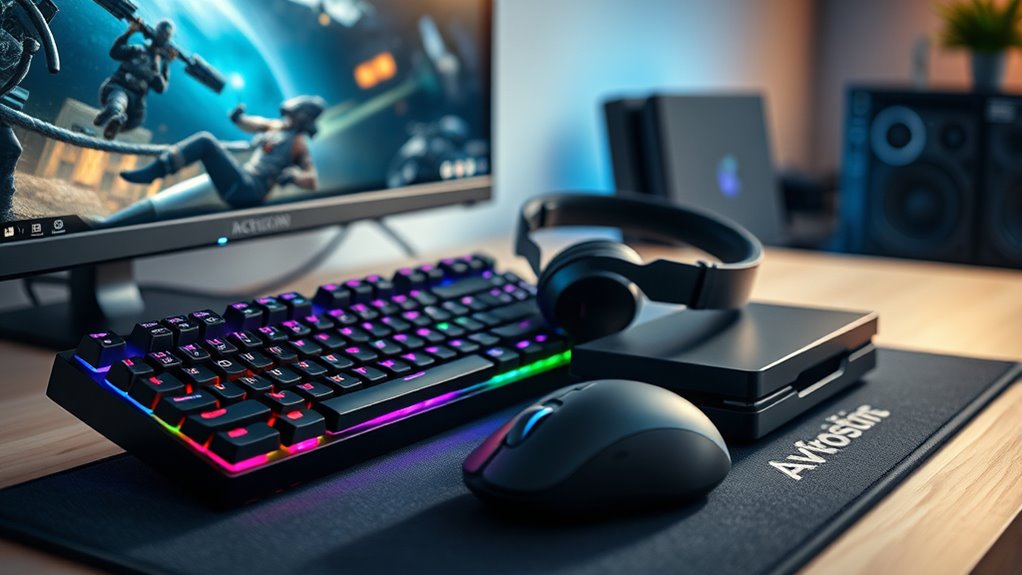

Gaming accessories enhance your play, offering better sound, control, and convenience. The Logitech G Astro A50 stands out as the best overall headset for its comfort and sound clarity, while the Logitech G502 Hero provides precise mouse control for competitive gaming. For immersive racing, the Logitech G29 offers realistic steering, and the YUNZII IF68 keyboard combines style with hot-swappable switches. Streamers will appreciate the Elgato Stream Deck MK.2 for quick control, and the G PRO X2 SUPERSTRIKE mouse adds wireless freedom with high accuracy. The main tradeoffs involve balancing budget versus features, comfort versus performance, and simplicity versus customization. Continue reading for a full breakdown of these top picks and what to consider when choosing your perfect gaming setup.

Turn quiet afternoons into listening time
- Thousands of audiobooks, podcasts and originals
- Listen on your phone, tablet or Echo — also offline
- Cancel anytime
Complete the kit


Key Takeaways
- The best overall gaming headset, the Logitech G Astro A50, combines comfort, sound quality, and multi-platform compatibility but comes at a premium price.
- Wired mice like the Logitech G502 Hero deliver superior precision at a lower cost, but wireless options like the G PRO X2 offer greater freedom with only a slight tradeoff in latency.
- The Logitech G29 stands out for realistic racing experiences, but its bulky design may not suit all users, especially those with limited space.
- Mechanical keyboards like the YUNZII IF68 add customization options and style, yet hot-swappable switches can increase complexity for beginners.
- Streamers and content creators benefit most from the Elgato Stream Deck MK.2’s macro controls, though it adds to the overall setup cost.
| Logitech G Astro A50 Multi-Platform Wireless Gaming Headset – Black |  | Best Overall Wireless Headset for Versatility and Immersive Audio | Connectivity: USB-C, 2.4GHz wireless, Bluetooth | Platform Compatibility: PS5, Xbox, PC, Switch | Audio Drivers: 40mm Pro-G graphene | VIEW ON AMAZON | See Our Full Breakdown |
| Logitech G502 Hero Wired Gaming Mouse – Black |  | Best Precision and Customization for Serious Gamers | Sensor: HERO 25,600 DPI | Programmable Buttons: 11 | Scroll Wheel: Dual mode hyper-fast | VIEW ON AMAZON | See Our Full Breakdown |
| Logitech G29 Racing Wheel and Pedals for PS5/PS4/PC | 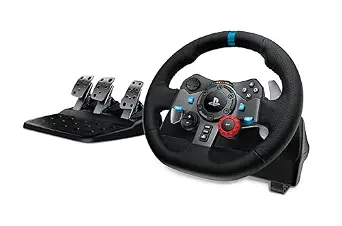 | Best Realistic Driving Experience for Racing Enthusiasts | Compatibility: PS5, PS4, PC | Wheel Material: Leather | Rotation: 900 degrees | VIEW ON AMAZON | See Our Full Breakdown |
| YUNZII IF68 Wireless Mechanical Gaming Keyboard with TFT Screen & Knob, 65% Layout, RGB Backlit, Hot Swappable, PBT Keycaps (Pink, Milk V2 Switch) |  | Best Compact Customizable Mechanical Keyboard for Gaming and Productivity | Display: 200*480px TFT screen | Layout: 65% | Connectivity: Bluetooth, 2.4G, Wired (USB-C) | VIEW ON AMAZON | See Our Full Breakdown |
| Elgato Stream Deck MK.2 Studio Controller, 15 Macro Keys |  | Best Customizable Control Panel for Streamers and Power Users | VIEW ON AMAZON | See Our Full Breakdown | |||
| Logitech G PRO X2 SUPERSTRIKE Wireless Gaming Mouse – Black/White |  | Best for Esports Professionals and Competitive Gamers | Weight: 61g | Sensor: HERO 2 | DPI: up to 44,000 | VIEW ON AMAZON | See Our Full Breakdown |
| gaming accessorie | Connectivity | Compatibility |
|---|---|---|
| Logitech G Astro A50 Multi-Pla | USB-C, 2.4GHz wireless, Bluetooth | — |
| Logitech G502 Hero Wired Gamin | — | PC/Mac |
| Logitech G29 Racing Wheel and | — | PS5, PS4, PC |
| YUNZII IF68 Wireless Mechanica | Bluetooth, 2.4G, Wired (USB-C) | — |
| Elgato Stream Deck MK.2 Studio | — | — |
| Logitech G PRO X2 SUPERSTRIKE | Wireless, USB-C | PC and Mac |
More Details on Our Top Picks
Logitech G Astro A50 Multi-Platform Wireless Gaming Headset – Black
The Logitech G Astro A50 stands out for its seamless multi-platform compatibility, making it a versatile choice for gamers who switch between PS5, Xbox, PC, and Switch without hassle. Its 40mm Pro-G graphene drivers deliver exceptionally rich and balanced sound, rivaling wired options like the Logitech G502 mouse in audio quality, but with the added convenience of wireless freedom. The 24-hour battery life ensures long gaming sessions, though the headset’s premium price and reliance on a base station for charging might deter budget-conscious users. Its complex feature set offers extensive customization via G HUB and G App, which could be overwhelming for casual gamers.
Pros:- Multi-platform connectivity with easy switching
- Exceptional immersive audio with customizable settings
- Long-lasting 24-hour battery life
Cons:- Premium price may be a barrier for some
- Requires a base station for charging, adding clutter
- Features can be complex for casual users
Best for: Gamers who prioritize high-quality sound, multi-platform flexibility, and long battery life for extended sessions
Not ideal for: Casual players seeking a straightforward headset at a lower price, or those preferring simple plug-and-play setups
- Connectivity:USB-C, 2.4GHz wireless, Bluetooth
- Platform Compatibility:PS5, Xbox, PC, Switch
- Audio Drivers:40mm Pro-G graphene
- Battery Life:24 hours
- Microphone:48 kHz full-bandwidth boom mic
- Charging:Magnetic charging dock
- Audio Processing:7-Core DSP
- Control Software:G HUB and G App
Our verdict“This headset is ideal for dedicated gamers who want versatile wireless performance with premium sound and are willing to invest in advanced features.”
Logitech G502 Hero Wired Gaming Mouse – Black
The Logitech G502 Hero offers outstanding accuracy with its 25,600 DPI HERO sensor, making it a top choice for gamers who need pixel-perfect precision, especially when compared with more basic mice. Its 11 programmable buttons and customizable RGB lighting provide extensive flexibility, aligning well with the G G502’s feature set but with a wired connection that limits mobility—something the wireless Astro A50 or YUNZII IF68 can’t match. The adjustable weights allow for a tailored feel, though the complexity of customization might be daunting for casual players who prefer a straightforward experience. Its high accuracy makes it a natural pick for competitive titles, but the wired design may be restrictive for some.
Pros:- High-precision 25,600 DPI sensor
- Multiple programmable buttons for advanced control
- Customizable RGB lighting and profiles
- Adjustable weights for personalized feel
Cons:- Wired connection limits mobility
- Complex customization may be overwhelming for beginners
Best for: Competitive gamers seeking high precision, extensive customization, and reliable wired performance
Not ideal for: Casual players or those who prefer wireless setups for convenience and minimal clutter
- Sensor:HERO 25,600 DPI
- Programmable Buttons:11
- Scroll Wheel:Dual mode hyper-fast
- Lighting:RGB LIGHTSYNC
- Adjustable Weights:Up to five 3.6 g weights
- Compatibility:PC/Mac
Our verdict“This mouse is perfect for gamers who demand precise control and extensive customization but don’t mind sacrificing wireless freedom.”
Logitech G29 Racing Wheel and Pedals for PS5/PS4/PC
The Logitech G29 offers a highly immersive racing experience, thanks to its realistic force feedback and 900-degree rotation, surpassing simpler controllers like traditional gamepads. The pressure-sensitive pedals add depth, while its leather-wrapped wheel enhances comfort and realism. Compared to the Astro A50’s audio immersion, the G29 focuses on tactile feedback that truly puts you in the driver’s seat, although the plastic components may feel less durable over time. It requires ample space for full rotation and comes at a premium price, making it suitable primarily for serious racing fans rather than casual gamers who might prefer more compact or less expensive options.
Pros:- Realistic force feedback for immersive driving
- High-precision, pressure-sensitive pedals
- Wide 900-degree rotation for authentic turns
- Sturdy, customizable pedal setup
Cons:- Plastic parts may feel less durable over time
- Requires space for full wheel rotation
- Premium price limits accessibility
Best for: Racing enthusiasts who want realistic feedback and precise control in driving sims
Not ideal for: Casual gamers or those with limited space, due to its size and price point
- Compatibility:PS5, PS4, PC
- Wheel Material:Leather
- Rotation:900 degrees
- Pedals:Pressure-sensitive nonlinear brake
- Plastic Content:52% certified post-consumer recycled plastic
Our verdict“This wheel is best suited for dedicated racing fans seeking realistic feedback and control, despite its higher cost and space requirements.”
YUNZII IF68 Wireless Mechanical Gaming Keyboard with TFT Screen & Knob, 65% Layout, RGB Backlit, Hot Swappable, PBT Keycaps (Pink, Milk V2 Switch)
The YUNZII IF68 excels as a compact 65% mechanical keyboard with a versatile array of features, including a customizable TFT screen and multifunctional knob, making it ideal for gamers who want customization and functionality in a small form factor. Its hot-swappable switches and durable PBT keycaps allow for personal tweaks, while the RGB backlighting adds aesthetic flair. Compared to larger options, its 65% layout saves desk space but sacrifices some keys, which might frustrate users dependent on full-size keyboards. The extensive customization options can be overwhelming for beginners, and its pink color may not appeal to all, but for tech-savvy gamers, it offers a compelling blend of form and function.
Pros:- Customizable TFT screen for personalized animations
- Versatile connectivity including Bluetooth and 2.4G
- Hot-swappable switches and durable PBT keycaps
- RGB backlighting with 16.8 million colors
Cons:- Complex setup may challenge beginners
- Pink color may not suit all tastes
- Premium price for feature-rich design
Best for: Advanced gamers and streamers who value customization, compact design, and multifunctionality in a keyboard
Not ideal for: Beginners or users preferring larger, simpler keyboards without extensive customization options
- Display:200*480px TFT screen
- Layout:65%
- Connectivity:Bluetooth, 2.4G, Wired (USB-C)
- Battery:8000mAh
- Switch Support:3-pin and 5-pin hot-swappable
- Keycaps:Double shot PBT
- Backlighting:RGB with 16.8 million colors
Our verdict“This keyboard suits tech-savvy gamers seeking a compact, highly customizable keyboard with extra features for gaming and streaming.”
Elgato Stream Deck MK.2 Studio Controller, 15 Macro Keys
The Elgato Stream Deck MK.2 offers a highly adaptable control surface with 15 LCD keys, making it a standout for streamers and content creators who need quick access to commands and workflows. Its visual feedback ensures commands are executed correctly, and the wide range of plugins expands its utility far beyond simple shortcuts. While it doesn’t match the extensive key count of larger control surfaces, the compact size and compatibility with both Mac and PC make it a versatile addition to any setup. The plastic build feels less premium, and the need for a USB-C connection could require adapters in some setups, but overall, it enhances productivity significantly.
Pros:- 15 customizable LCD keys for versatile control
- Supports a broad range of plugins and apps
- Visual feedback confirms command execution
- Compatible with both Mac and Windows
Cons:- Requires USB-C connection, may need adapters
- Limited to 15 keys for very complex workflows
- Plastic construction may feel less durable
Best for: Streamers and content creators seeking a customizable, space-efficient macro panel with visual feedback
Not ideal for: Users needing a large number of keys or those on setups without USB-C ports without adapters
Our verdict“Ideal for streamers and power users who want a flexible, compact macro control surface to streamline workflows and enhance live production.”
Logitech G PRO X2 SUPERSTRIKE Wireless Gaming Mouse – Black/White
The Logitech G PRO X2 SUPERSTRIKE stands out for its ultra-lightweight design and exceptional customization options, making it ideal for competitive players who need quick, precise movements. Compared with the Logitech G502 Hero, which is wired and slightly heavier, the SUPERSTRIKE offers the freedom of wireless connectivity without sacrificing accuracy, thanks to the HERO 2 sensor with DPI up to 44,000. However, its advanced features require the Logitech G HUB software, which could be a barrier for players who prefer plug-and-play simplicity. The long battery life of 60-90 hours ensures uninterrupted sessions, but the need for the separate POWERPLAY charging system adds extra cost. This mouse is best suited for serious gamers who prioritize performance and customization over budget constraints or simplicity.
Pros:- Highly customizable with adjustable actuation points and trigger reset
- Long battery life supports extended gaming sessions
- Lightweight at 61g allows for fast, precise movements
- Advanced haptic feedback enhances immersion
Cons:- Advanced features depend on Logitech G HUB software, which may complicate setup
- Requires separate purchase of the POWERPLAY charging system for wireless charging
- Premium price may be a deterrent for budget-conscious buyers
Best for: Esports professionals and competitive gamers seeking lightweight, highly customizable wireless performance
Not ideal for: Casual gamers or users on a tight budget who may find the premium price and software requirements prohibitive
- Weight:61g
- Sensor:HERO 2
- DPI:up to 44,000
- Battery Life:60-90 hours
- Connectivity:Wireless, USB-C
- Polling Rate:8 kHz
- Compatibility:PC and Mac
Our verdict“This mouse is an excellent choice for serious gamers who value precision, customization, and wireless freedom, provided they are willing to invest in the premium features.”

How We Picked
Products were evaluated based on performance, build quality, usability, versatility, and value. Headsets were judged by sound clarity, comfort, and multi-platform support. Mice were rated on precision, responsiveness, and wireless stability. Keyboards were assessed for typing experience, customization, and build quality. Additional features like macro capability or immersive experience were also considered. The ranking reflects a balance between high-end features and accessibility, prioritizing options that suit both casual gamers and enthusiasts alike.| gaming accessorie | Connectivity | Compatibility |
|---|---|---|
| Logitech G Astro A50 Multi-Pla | USB-C, 2.4GHz wireless, Bluetooth | — |
| Logitech G502 Hero Wired Gamin | — | PC/Mac |
| Logitech G29 Racing Wheel and | — | PS5, PS4, PC |
| YUNZII IF68 Wireless Mechanica | Bluetooth, 2.4G, Wired (USB-C) | — |
| Elgato Stream Deck MK.2 Studio | — | — |
| Logitech G PRO X2 SUPERSTRIKE | Wireless, USB-C | PC and Mac |
Factors to Consider When Choosing Gaming Accessories
When choosing gaming accessories, it’s essential to consider how each piece enhances your gaming experience without complicating your setup. Prioritize comfort for peripherals you use for hours, and look for compatibility with your gaming platform. Performance features like precision and responsiveness directly influence your gameplay, especially in competitive titles. Consider your budget carefully, as premium gear offers advanced features, but many mid-range options deliver excellent value. Lastly, think about your specific needs—streaming, racing, or general gaming—and select accessories that complement those activities.Performance and Responsiveness
For gaming accessories, responsiveness is key. A high-quality mouse with low latency and a precise sensor can make a difference in fast-paced games. Similarly, headsets with clear audio and good noise isolation improve situational awareness. Don’t compromise on performance for cheaper options unless it’s a casual setup, as lag or poor audio can frustrate your experience. Consider wired versus wireless options based on your preference for mobility versus stability—wired tends to be more reliable, while wireless adds convenience.
Comfort and Ergonomics
Comfort is often overlooked but vital for long gaming sessions. Ergonomic designs reduce fatigue, especially for mice, keyboards, and headsets that are worn for hours. Adjustable features like headband size, keyboard angle, and mouse grip help customize your experience. Avoid bulky or poorly padded accessories that can cause discomfort or even strain over time. Testing for fit and feel, when possible, can prevent buyer’s remorse after extended use.
Compatibility and Platform Support
Ensure your accessories work seamlessly with your gaming devices and platforms. Some headsets and controllers are optimized for PC, while others support consoles like PlayStation or Xbox. Check for compatibility with your operating system and any required drivers. Multi-platform support adds flexibility, especially if you switch between devices. A mismatch can limit functionality or require additional adapters, increasing complexity and cost.
Customization and Upgradability
Advanced gamers often prioritize customization options, such as programmable keys, RGB lighting, or hot-swappable switches. These features allow tailoring your gear to your play style and aesthetic preferences. However, they can also add to the complexity and price. Consider whether you need extensive customization or if simpler, plug-and-play accessories meet your needs. Upgradability can extend the life of your gear, so look for products with modular components or firmware support for future enhancements.
Price vs. Value
Premium accessories tend to offer better durability, features, and comfort, but they also come at a higher cost. Mid-range options often strike a good balance between affordability and performance, suitable for most gamers. Be wary of very low-priced peripherals, which may sacrifice quality and longevity. It’s worthwhile to invest more in core items like a mouse or headset if you’re serious about gaming, but for casual use, budget-friendly models can suffice without sacrificing too much experience.
Frequently Asked Questions
Should I choose a wired or wireless gaming headset?
The decision between wired and wireless headsets depends on your priorities. Wireless headsets offer greater freedom of movement and fewer cable clutter, which can be advantageous in a cluttered setup or when moving around. However, wired headsets generally provide more reliable audio quality and lower latency, which is crucial for competitive gaming. If you prefer convenience and have a stable wireless connection, a wireless model like the Logitech G Astro A50 makes sense. For ultimate responsiveness, a wired headset might be better, especially in fast-paced multiplayer scenarios.
Is a mechanical keyboard worth the extra cost for gaming?
Mechanical keyboards often deliver superior tactile feedback, durability, and customization, which many gamers find improves their experience. The YUNZII IF68, for example, offers hot-swappable switches and RGB lighting, appealing for those who want personalization. However, they tend to be more expensive and louder than membrane keyboards. If you prioritize responsiveness and long-term reliability, a mechanical keyboard can be a worthwhile investment, especially if you spend many hours gaming or typing. For casual gamers, a less expensive membrane keyboard might suffice without noticeable downsides.
What should I consider when choosing a gaming mouse?
Performance factors like sensor accuracy, DPI range, and responsiveness are critical in a gaming mouse. Ergonomics and grip style should match your hand size and preferred hold—whether palm, claw, or fingertip grip. Wireless mice, like the Logitech G PRO X2, offer freedom of movement but should have stable connections to avoid lag. Also, consider additional programmable buttons if you play complex games requiring quick access to commands. Balancing budget with these features will help you find a mouse that enhances your gameplay without overspending.
Are RGB lighting features worth paying extra for?
RGB lighting primarily adds aesthetic appeal and personalization to your setup. For some gamers, the visual customization enhances the overall experience and creates a cohesive look. However, it usually does not impact performance or comfort. If you value style and matching your accessories to your gaming environment, paying extra for RGB features makes sense. Conversely, if your focus is purely on performance and durability, simpler models without lighting can save money and reduce complexity.
How do I decide which accessory to prioritize first?
Start with the peripherals that will have the most immediate impact on your gameplay, typically a good mouse and headset. These directly influence your control, communication, and immersion. Upgrading your keyboard or adding specialized gear like a racing wheel can come later once your core setup feels solid. Prioritize based on your main gaming activities—competitive shooters benefit from precise mice, while racing sims need realistic steering wheels. Ensuring comfort, compatibility, and performance should guide your initial choices.
Conclusion
For casual gamers or those just starting out, the Logitech G502 Hero mouse and YUNZII IF68 keyboard deliver excellent value and performance. Serious players or streamers should consider investing in the Logitech G Astro A50 headset for immersive sound and the Elgato Stream Deck for content control. Those seeking a premium experience will find the Logitech G Astro A50 and G PRO X2 mouse worth the investment, blending comfort, durability, and high-end features. Beginners will benefit from straightforward, reliable gear, while competitive gamers should prioritize precision and responsiveness in their accessories. Ultimately, matching your specific needs and budget will lead to the most satisfying gaming setup.