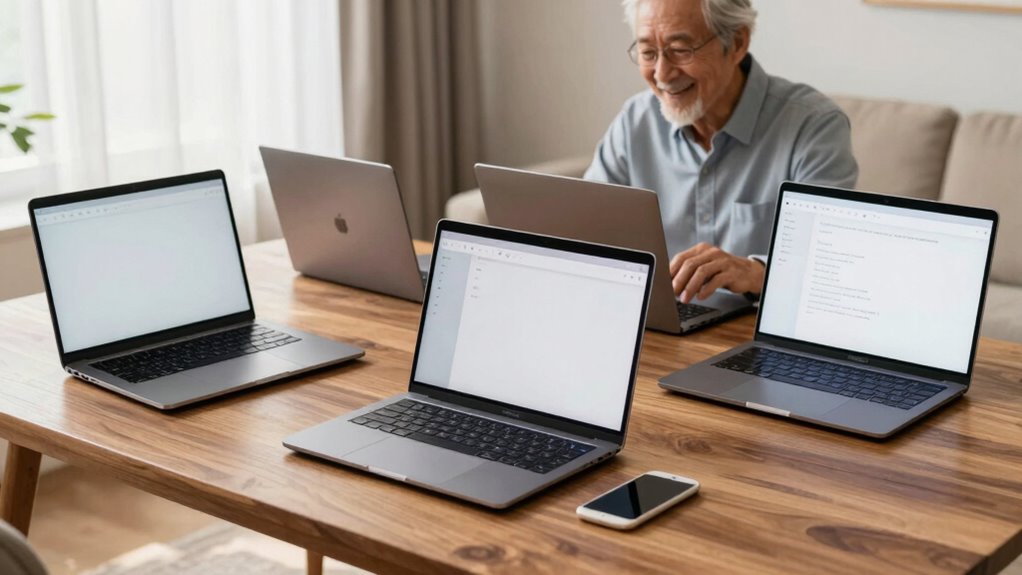

Choosing a laptop for seniors means prioritizing simplicity, reliability, and comfort. Among the best options are the Samsung Galaxy Chromebook Go for its lightweight portability, the Lenovo IdeaPad 3i Chromebook for its vibrant display, and the Dell 15 Laptop for its balanced Windows experience. Each offers a distinct tradeoff: some excel in portability, others in screen quality or software familiarity. In this guide, I’ll help you understand which model suits your specific needs, whether for browsing, video calls, or light productivity.

Turn quiet afternoons into listening time
- Thousands of audiobooks, podcasts and originals
- Listen on your phone, tablet or Echo — also offline
- Cancel anytime
Complete the kit


Key Takeaways
- Lightweight models like Samsung Galaxy Chromebook Go excel for portability and all-day battery life.
- Larger screens such as the Lenovo IdeaPad 3i provide easier viewing, but come with limited storage options.
- Windows-based options like the Dell 15 offer more software flexibility at the expense of slightly higher complexity.
- Chromebooks tend to be simpler, faster for basic tasks, but have storage and app limitations.
- Considering the user’s comfort with technology helps determine whether a touchscreen or traditional keyboard is better.


| easy to use laptops for senior | Processor | RAM | Storage | Display |
|---|---|---|---|---|
| Samsung 14" Galaxy Chromebook | Intel Celeron N4500 | 4GB | 64GB | 14 inches |
| Lenovo IdeaPad 3i Chromebook | Intel Celeron N4500 | 8GB | 64GB eMMC | 15.6” FHD 1920×1080 |
| Dell 15 Laptop with 15.6-inch | Intel Core 3 | 8GB DDR4 | 512GB SSD | 15.6-inch FHD |
| Dell Latitude 3190 11.6" HD 2- | Intel Celeron N5030 | 4GB DDR4 | 128GB SSD | 11.6" HD Multi-Touch |
| HP 15.6 inch Laptop with Touch | AMD Ryzen 3 7320U | 8GB LPDDR5 | 128GB PCIe NVMe SSD | 15.6" HD Touchscreen |
More Details on Our Top Picks
Samsung 14″ Galaxy Chromebook Go Laptop PC Computer, Intel Celeron N4500, 4GB RAM, 64GB Storage, ChromeOS, Silver
The Samsung Galaxy Chromebook Go stands out for its lightweight, slim profile, making it ideal for seniors who prioritize portability. Its 14-inch display offers a comfortable viewing experience, and the long 12-hour battery life supports all-day use without needing frequent recharges. Its durability, built to military-grade standards, ensures it withstands daily handling. While the basic specs limit multitasking and storage, the seamless integration with Google services makes it remarkably simple to operate for those familiar with smartphones or tablets. Compared with larger or more powerful laptops, this model sacrifices some performance for ease of use and portability.
Pros:- Lightweight and slim for easy handling
- Long-lasting 12-hour battery
- Durable, military-grade build
- Fast Wi-Fi for smooth browsing
Cons:- Limited storage capacity of 64GB
- Basic specs may struggle with multitasking
- Processor less suited for demanding tasks
Best for: Seniors who want a lightweight, reliable device primarily for browsing, video calls, and light tasks.
Not ideal for: Users needing advanced software, large storage, or heavy multitasking capabilities.
- Processor:Intel Celeron N4500
- RAM:4GB
- Storage:64GB
- Display:14 inches
- Battery Life:12 hours
- Operating System:ChromeOS
Our verdict“A portable, reliable Chromebook perfect for everyday browsing and communication, but less suited for heavy multitasking.”
Lenovo IdeaPad 3i Chromebook, 15.6” FHD Display, Intel Celeron N4500, 8GB RAM, 64GB eMMC, Abyss Blue
The Lenovo IdeaPad 3i Chromebook offers a larger 15.6-inch Full HD screen, making it easier for seniors with visual impairments or those who prefer bigger displays. Its 8GB RAM enhances multitasking, allowing for smoother operation when switching between tasks. The 10-hour battery life is convenient for all-day use, and the lightweight design ensures portability. However, its 64GB eMMC storage can fill up quickly if you store many files locally. The Chrome OS environment is simple but may lack some software compatibility, especially for more advanced applications. Compared to the Samsung Chromebook, this model balances a bigger screen with slightly more RAM but still retains limited storage.
Pros:- Vivid 15.6-inch Full HD display
- Long battery life of up to 10 hours
- Lightweight and portable
- 8GB RAM for better multitasking
Cons:- Limited 64GB storage capacity
- Chrome OS may restrict some software use
- Processor may not handle intensive tasks
Best for: Seniors valuing a larger display for ease of use, with occasional multitasking and web browsing.
Not ideal for: Those needing extensive storage or running specialized Windows applications.
- Display:15.6” FHD 1920×1080
- Processor:Intel Celeron N4500
- RAM:8GB
- Storage:64GB eMMC
- Battery Life:Up to 10 hours
- Color:Abyss Blue
Our verdict“A Chromebook suited for users who prefer a larger screen and decent multitasking, but with limited local storage.”
Dell 15 Laptop with 15.6-inch FHD Display, Intel Core 3, 8GB RAM, 512GB SSD, Windows 11 Home
The Dell 15 Laptop offers a traditional Windows experience with a 15.6-inch Full HD display, making it suitable for users who prefer familiar software environments. Its Intel Core 3 processor and 8GB RAM provide ample performance for everyday tasks like email, browsing, and document editing. The 512GB SSD ensures fast startup and file access, and ergonomic features contribute to comfortable use. Its support package with a 1-year onsite service adds peace of mind. Compared with Chromebooks, this device handles more complex applications but may be slightly heavier and more complex for absolute beginners.
Pros:- Large 15.6-inch FHD display
- Fast SSD storage accelerates workflows
- Ergonomic design for comfort
- Support from onsite service
Cons:- Less portable due to size
- No touchscreen included
- Processor less capable for heavy tasks
Best for: Seniors comfortable with Windows and needing a versatile device for productivity and entertainment.
Not ideal for: Those who prefer simple, browser-based tasks or want a highly lightweight device.
- Display:15.6-inch FHD
- Processor:Intel Core 3
- RAM:8GB DDR4
- Storage:512GB SSD
- Graphics:Intel UHD Graphics
- Operating System:Windows 11 Home
- Service:1 Year Onsite Service
Our verdict“A solid Windows laptop offering a good balance of performance and usability for everyday computing.”
Dell Latitude 3190 11.6″ HD 2-in-1 Touchscreen Laptop with Intel N5030, 4GB RAM, 128GB SSD, Windows 11 Pro (Renewed)
The Dell Latitude 3190 provides a compact 11.6-inch 2-in-1 touchscreen experience, ideal for seniors who want flexibility. Its multi-touch screen makes navigation straightforward, and its lightweight design enhances portability. The Intel N5030 processor and 4GB RAM deliver adequate performance for typical tasks like browsing, video calls, and light document editing. The 128GB SSD balances speed with limited storage, and Windows 11 Pro offers additional security features. As a renewed product, it may have some signs of wear, but it remains a capable choice for mobility and ease of use. Compared to larger models, it prioritizes portability and touchscreen functionality, but the lower resolution and limited storage are tradeoffs.
Pros:- Versatile 2-in-1 touchscreen design
- Lightweight and portable
- Solid performance for basic tasks
- Enhanced security with Windows 11 Pro
Cons:- Low-resolution display
- Limited 128GB storage
- Renewed product may have minor cosmetic issues
Best for: Seniors needing a compact, touch-enabled device for on-the-go use, especially for simple tasks and mobility.
Not ideal for: Heavy users or those needing extensive storage or high-resolution visuals.
- Display:11.6″ HD Multi-Touch
- Processor:Intel Celeron N5030
- RAM:4GB DDR4
- Storage:128GB SSD
- Operating System:Windows 11 Pro
- Ports:HDMI, USB 3.1, Combo audio
Our verdict“A flexible, portable 2-in-1 ideal for seniors who value touchscreen interaction and mobility, but with limited storage and resolution.”
HP 15.6 inch Laptop with Touchscreen, AMD Ryzen 3, 8GB RAM, 128GB SSD, Windows 11 Home in S Mode, Natural Silver
The HP 15.6-inch touchscreen laptop combines a modern design with a responsive AMD Ryzen 3 processor and 8GB RAM, making it suitable for seniors who prefer touch controls. Its 128GB SSD offers quick startup times, and built-in privacy features like a camera shutter and microphone mute enhance security. The HD touchscreen is intuitive and easier for those less comfortable with traditional mouse and keyboard controls. However, the limited storage might require cloud or external storage for larger files, and S Mode restricts app installation unless switched out. Compared to the Windows Dell, this model emphasizes security and touch interaction, but sacrifices some flexibility.
Pros:- Touchscreen for intuitive navigation
- Enhanced privacy features
- Fast SSD storage
- Eco-friendly recycled plastics
Cons:- Limited 128GB storage
- HD resolution may be less sharp
- S Mode restricts app installation
Best for: Seniors seeking a touch-enabled, secure device for browsing, communication, and light tasks.
Not ideal for: Heavy data storage needs or advanced software use.
- Display:15.6″ HD Touchscreen
- Processor:AMD Ryzen 3 7320U
- RAM:8GB LPDDR5
- Storage:128GB PCIe NVMe SSD
- Graphics:AMD Radeon Graphics
- Operating System:Windows 11 Home in S Mode
- Features:Camera shutter, microphone mute
Our verdict“A secure, touch-friendly laptop ideal for seniors prioritizing privacy and easy control, with some storage limitations.”

How We Picked
Our selection focused on laptops that are easy to operate for seniors, emphasizing simplicity, affordability, and reliability. We compared models based on screen size, weight, battery life, operating system, and overall usability. Products with touchscreens or simplified interfaces scored higher, while those with more complex features or limited accessibility were less favored. We balanced specifications with practical tradeoffs, ensuring each pick suits a specific type of user—from absolute beginners to those needing a versatile device.
| easy to use laptops for senior | Processor | Operating System |
|---|---|---|
| Samsung 14" Galaxy Chromebook | Intel Celeron N4500 | ChromeOS |
| Lenovo IdeaPad 3i Chromebook | Intel Celeron N4500 | — |
| Dell 15 Laptop with 15.6-inch | Intel Core 3 | Windows 11 Home |
| Dell Latitude 3190 11.6" HD 2- | Intel Celeron N5030 | Windows 11 Pro |
| HP 15.6 inch Laptop with Touch | AMD Ryzen 3 7320U | Windows 11 Home in S Mode |
Factors to Consider When Choosing Easy To Use Laptops For Seniors
When choosing a laptop for seniors, priorities include ease of use, lightweight design, and adequate screen size. The goal is to find a device that minimizes frustration while maximizing comfort and functionality. Consider whether the user prefers a touchscreen or traditional keyboard, and if Windows or ChromeOS better suits their familiarity. Storage capacity and battery life are also key factors, especially for those who need to stay connected on the go.Screen Size and Display
For seniors with visual concerns, larger screens like 15.6 inches make text and icons easier to see. However, larger laptops tend to be heavier, so balancing size with portability is essential. If portability is a top priority, a 14-inch model offers a good compromise, providing a comfortable viewing area without becoming cumbersome.
Operating System Choices
Chromebooks running ChromeOS are generally simpler to operate, with straightforward interfaces and automatic updates. They excel for basic browsing, email, and video calls. Windows laptops offer greater software flexibility but can introduce more complexity. Choosing between them depends on the user’s comfort level and the types of apps they need.
Performance and Storage
For light tasks, a basic processor like Intel Celeron is sufficient, especially when combined with 4GB or 8GB of RAM. Storage is often limited in budget models—64GB or 128GB—so consider whether cloud storage or external drives are acceptable. If more storage is needed, a model with SSD storage provides faster access and better performance.
Battery Life and Portability
Long battery life reduces the need for frequent charging, which is especially helpful for seniors who may not want to carry chargers everywhere. Lightweight, compact models enhance portability, making it easier to carry the device during travel or daily outings.
Frequently Asked Questions
What is the easiest operating system for seniors?
Chromebooks with ChromeOS are generally the simplest, featuring a clean, intuitive interface that resembles a browser. They’re ideal for basic tasks like browsing, email, and video calls. Windows laptops provide more options for software but may require more familiarity with features and settings, making them better suited for users comfortable with technology.
Should I choose a touchscreen or a traditional keyboard?
Touchscreens can be more intuitive for seniors who prefer direct interaction, especially for navigation and photo viewing. However, traditional keyboards might be better for those who are used to typing and need more precise control. The decision depends on the user’s comfort with touch interfaces and specific needs.
How much storage does a senior need in a laptop?
Most seniors use their laptops for browsing, video calls, and light document work, so 64GB or 128GB of storage is usually enough if they utilize cloud services or external drives for larger files. Those who store lots of photos, videos, or documents locally may require a model with larger storage or an external drive solution.
Is a lightweight laptop more fragile?
Lightweight models like the Samsung Galaxy Chromebook Go are designed with durability in mind, often featuring tough materials. While they are less bulky and easier to carry, some ultra-light models might be more prone to scratches or minor damage if not handled carefully. Choosing a model with a durable build can mitigate this concern.
Are refurbished or renewed laptops safe to buy?
Renewed or refurbished laptops, like the Dell Latitude 3190, can offer significant savings and still function well if purchased from reputable sources. They might have minor cosmetic flaws or wear but are tested to meet quality standards. It’s important to buy from trusted vendors that provide warranties or guarantees for peace of mind.
Conclusion
For seniors who prioritize portability and simplicity, lightweight Chromebooks like the Samsung Galaxy Chromebook Go are ideal. Those who prefer larger screens and more traditional Windows environments should consider the Dell 15 Laptop. If touch interaction and enhanced privacy are key, the HP touchscreen model is a strong choice. Ultimately, matching the device to the user’s comfort level with technology and specific needs will lead to the best experience, whether for casual browsing, video calls, or light productivity.
Evergreen bestsellers Picks
bestsellers
As an affiliate, we earn on qualifying purchases.