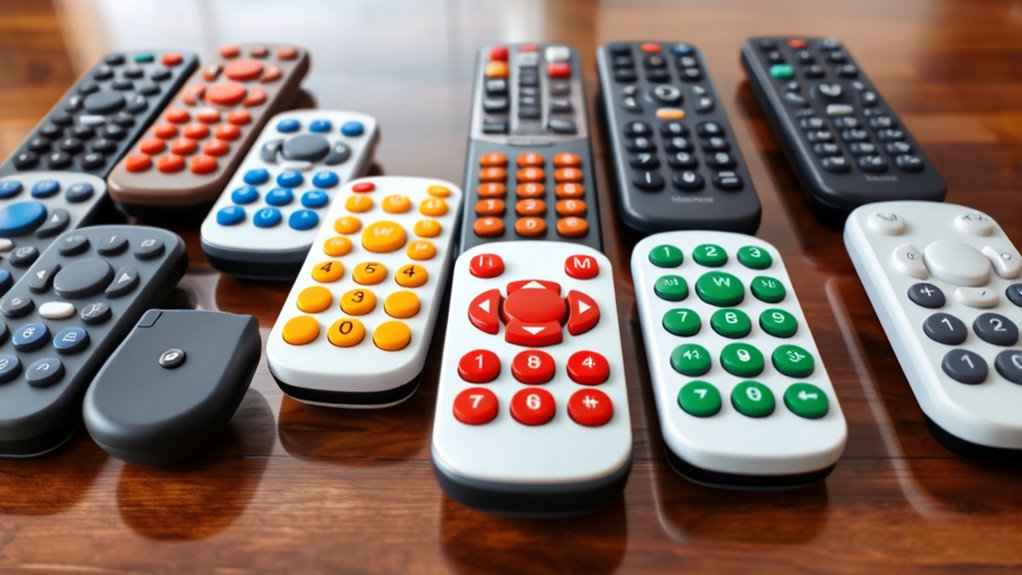

When searching for a big button remote control, the goal is to find a device that simplifies TV use without sacrificing compatibility or features. The Big Button Universal Remote stands out as the best overall choice for its broad compatibility and straightforward design. For those prioritizing ease of use for seniors, the GE BigEZ OneTouch offers excellent simplicity, while the SatelliteSale UR3-SR3S is a solid option for cable users. The main tradeoffs involve balancing features like backlit buttons, compatibility, and price, depending on your specific needs. Keep reading for a detailed comparison of these options to find the perfect fit.

Get comfort and care essentials delivered free — and shop member deals
- Fast, free delivery on millions of items
- Access to Prime Big Deal Days deals on October 6–7
- Prime Video, Amazon Music and more included
Complete the kit


Key Takeaways
- Compatibility varies significantly; choose a remote that works with your specific TV or cable box to avoid frustration.
- Backlit buttons improve usability in low-light environments, but may increase cost or complexity.
- Simplified remotes are ideal for seniors or those with cognitive impairments, but often lack advanced features or streaming capabilities.
- Price ranges from budget options to premium models, with more features generally costing more.
- Some remotes are multi-device capable, reducing clutter, but may have a steeper learning curve.



More Details on Our Top Picks
Big Button Universal Remote for All TV Remote, Compatible with Samsung, LG, VIZIO, Sony, Hisense, Philips, Panasonic TVs
This remote stands out for its simplicity and broad compatibility, making it an excellent choice for users who want a straightforward, large-button device without the need for setup. Unlike the GE BigEZ, which offers multi-device control and backlit buttons, this model focuses solely on controlling one TV at a time, limiting its versatility but enhancing ease of use. Its large, tactile buttons and out-of-the-box functionality eliminate programming frustrations, ideal for seniors or visually impaired individuals. The 10-meter range is sufficient for most living rooms but less than some premium options, which might be a drawback for larger spaces. Overall, this remote offers a practical solution for those prioritizing simplicity over advanced features.
Pros:- Large, easy-to-press tactile buttons
- No setup or programming required
- Compatible with multiple major TV brands
- Lightweight and ergonomic design
Cons:- Limited to controlling only one device at a time
- Range may be restricted to 10 meters
- No backlit buttons for low-light use
Best for: Seniors or visually impaired users who need a reliable, easy-to-operate TV remote without extra features.
Not ideal for: Tech-savvy users wanting multi-device control or smart home integration, as this remote can’t handle streaming or smart devices.
- Compatible Devices:Television
- Connectivity Technology:Infrared
- Button Quantity:39
- Maximum Range:10 Meters
- Number of Batteries:2 AAA
- Color:All
- Supported Devices:1 TV
Our verdict“This remote is perfect for users who need a simple, large-button control for a single TV, especially in settings with limited dexterity or vision.”
GE BigEZ OneTouch Big Button Universal TV Remote for Seniors, Easy to Use, Replacement Remote for Samsung, LG, Sony, Vizio, Roku TV, Streaming Players, Backlit Buttons, 2 Device, White, 84666
This model makes a strong case for users managing multiple devices, with preset buttons for popular brands and backlit keys for improved visibility. Compared to the Big Button Universal Remote (Product 1), which controls only one device, the GE BigEZ can handle two, making it more versatile in a multi-device environment. Its backlit buttons are a significant advantage for low-light use, a feature absent in many basic remotes, including the SatelliteSale UR3-SR3S. Setup is straightforward—pressing the brand button and then power—though some users might find the programming process for additional devices a bit more involved. This pick benefits those who need simple multi-device control combined with enhanced visibility.
Pros:- Supports two devices simultaneously
- Backlit, easy-to-see buttons
- Preset for major TV brands and streaming devices
- Simple one-button setup for each device
Cons:- Limited to controlling only two devices
- Programming additional devices beyond the preset two can be complex
- No smart home or voice control features
Best for: Seniors or visually impaired users with multiple devices, such as TVs and streaming devices, seeking an easy-to-use remote with backlit buttons.
Not ideal for: Users who only need control over a single device or want advanced smart home integration, as this remote is limited to two devices and lacks smart features.
Our verdict“This remote is well-suited for users managing multiple devices who value visibility and simplicity over advanced features.”
SatelliteSale TV Remote Control UR3-SR3S Big Button Remote Control Replacement for Spectrum Set-top Cable Boxes
This remote excels for cable TV users, especially Spectrum and TWC subscribers, thanks to its large, glow-in-the-dark buttons and programmable macros. Compared to the other options, which focus mainly on TV control, the UR3-SR3S is tailored for cable box operation, with a simple layout that minimizes confusion. Its glow-in-the-dark keypad is a particularly useful feature for viewers in dark rooms or those with visual impairments. However, its control is limited to Spectrum and TWC cable boxes, and it requires programming for other devices, which could be a hurdle for some. Overall, this remote is ideal for cable customers who value simplicity and readability.
Pros:- Glow-in-the-dark numeric keypad
- Designed for Spectrum/TWC cable boxes
- Large, easy-to-read buttons
- Programmable macro buttons for favorite channels
Cons:- Limited to Spectrum and TWC devices
- Requires programming for other devices
- No backlit or smart features
Best for: Spectrum or TWC cable subscribers needing a large-button remote dedicated to cable box control, especially in dark viewing environments.
Not ideal for: Users wanting universal control over multiple devices or smart home features, as this remote is primarily designed for cable boxes and a TV.
Our verdict“Ideal for cable TV users who prioritize large buttons and visibility, particularly in dimly lit rooms.”
Samsung Replacement TV Remote Compatible with Samsung TV’s ONLY (Black) Big Button TV Remote Control, Simplified and Easy to Use (2xAAA Batteries not Included)
This remote is designed specifically for Samsung TVs, offering a straightforward, no-programming-needed experience with large buttons and tactile feedback. Compared to the universal options like the EZclicker, which support multiple brands, this model focuses solely on Samsung, simplifying operations for Samsung owners. Its compact size (7 inches) makes it easy to handle, and the large buttons reduce accidental presses. However, its limited scope means it can’t control other brands or additional devices, which could be a limitation for households with multiple brands or streaming needs. It makes the most sense for users seeking a simple, dedicated Samsung remote.
Pros:- Designed specifically for Samsung TVs
- No programming required
- Large, tactile buttons
- Lightweight and easy to handle
Cons:- Controls only one device
- Limited expandability for multiple devices
- No backlit buttons or smart features
Best for: Samsung TV owners who want a dedicated, easy-to-use remote with large buttons and no setup hassle.
Not ideal for: People with multiple devices or brands in their home, or those seeking smart features or multi-device control, as this remote is Samsung-specific and basic.
- Maximum Number of Supported Devices:1
- Compatible Devices:Television
- Connectivity Technology:Infrared
- Button Quantity:13
- Maximum Range:45 Feet
- Batteries:2x AAA
Our verdict“This remote is ideal for Samsung TV owners who need a simple, dedicated replacement with large buttons.”
EZclicker Big Button Universal TV Remote (Orange)
This remote combines bold color with large, tactile buttons, making it a good choice for users who prefer bright, easily identifiable controls. Compared to the more feature-rich GE BigEZ, which supports two devices and backlit keys, the EZclicker offers a minimalistic design focused on control of a single TV. Its bright orange color enhances visibility, but this also means it might not blend well in all environments. It’s a straightforward, no-fuss remote with simple setup, ideal for those who want a visually striking device for basic TV operation. Its limitation to one device and no smart capabilities narrow its appeal for multi-device households.
Pros:- Large, easy-to-press buttons
- Bright orange color for high visibility
- Simple setup, no programming required
- Universal compatibility with major TV brands
Cons:- Limited to controlling only one device
- Batteries not included
- No backlit buttons for dark rooms
Best for: Brightly colored remote users and seniors who prefer a simple, large-button TV control with easy visibility.
Not ideal for: Multi-device users or those seeking backlit or smart features, as this remote is limited to a single TV and lacks advanced functions.
- Color:Orange
- Maximum Range:45 Feet
- Button Quantity:13
- Connectivity Technology:Infrared
- Compatible Devices:Television
- Controller Type:Button Control
- Batteries:2x AAA (Not Included)
Our verdict“This remote is best for users who want a bright, simple, large-button remote for a single TV, especially in well-lit environments.”
GE Big Button Universal Remote Control for Samsung, Vizio, Lg, Sony, Sharp, Roku, Apple TV, TCL, Panasonic, Smart TVs, Streaming Players, Blu-Ray, DVD, 2-Device, Silver, 33701
This universal remote stands out for its straightforward setup and ability to control two devices simultaneously, making it ideal for users who want simplicity without sacrificing basic functionality. Compared to the Flipper remote, which offers more tactile customization but lacks multi-device support, the GE remote provides a broader control range with less complexity, though it’s limited to just two devices. Its ergonomic design and large buttons cater well to those with impaired vision or dexterity issues, but it doesn’t include backlit keys or advanced programming options. The free U.S.-based support adds reassurance for less tech-savvy users. Overall, this remote makes the most sense for households needing reliable, large-button control of a couple of devices, especially in assisted living environments or hotels.
Pros:- Controls two devices simultaneously for simplified setup
- Ergonomic design with large, easy-to-read buttons
- Simple automatic code search and direct code entry
Cons:- Limited to controlling only two devices
- No backlit keys for use in dark environments
Best for: Users who need a simple, reliable remote to control two devices with large, easy-to-read buttons.
Not ideal for: Tech-savvy users or those wanting control over more than two devices or advanced features like backlit keys or streaming app navigation.
- Device Control Limit:2 devices
- Setup Method:Automatic code search, direct code entry
- Design:Ergonomic, silver finish
- Supported Devices:Smart TVs, streaming devices, Blu-ray, DVD
- Support:U.S.-based technical support
Our verdict“This remote is perfect for users seeking straightforward, multi-device control with large buttons and easy setup.”
Big Button Universal TV Remote for Seniors, Simple Easy to Use, Dementia Products for Elderly, Works with Major TV Brands, NOT for Streaming (2xAAA Batteries Not Included) (Black)
This remote makes a compelling choice for seniors or individuals with limited dexterity, thanks to its oversized buttons, tactile feedback, and extremely simple programming. Unlike the Flipper remote, which offers channel favorites and control over cable boxes, this remote is solely for TV control, which simplifies its use but limits flexibility. Its straightforward setup—just turn on the TV and hold the mute button—appeals to users with minimal technical skills, but it doesn’t support streaming devices or advanced features. Its compact size and lightweight design make it easy to handle, though it might be too basic for those who want control over multiple devices or streaming services. This pick is ideal for elderly users who need a hassle-free remote for basic TV functions.
Pros:- Large, tactile buttons for easy use
- Very simple setup process
- Compact and lightweight for easy handling
Cons:- Limited to TV control only, no streaming or cable box support
- Batteries not included
Best for: Elderly users or people with dementia requiring a simple, large-button remote for TV control only.
Not ideal for: Households with multiple devices, streaming needs, or those seeking advanced features and customization.
- Button Size:Extra-large
- Compatibility:Major TV brands
- Programming:Turn on TV, hold mute button
- Batteries:2x AAA (not included)
- Design:7″ x 2″ x 1″
- Control Type:TV only
Our verdict“This remote is best suited for elderly users seeking a straightforward, large-button device to control only their TV.”
Flipper Big Button Universal TV Remote for Seniors, Dementia – Works Both TV Only or TV & Cable (STB) Set Up – Favorites, IR Devices Spectrum, Xfinity, Samsung, Vizio, LG [Does not Work Streaming]
” image=”https://m.media-amazon.com/images/I/5176HTbclCL._AC_SX300_SY300_QL70_ML2_.jpg” link=”0″]Best for Seniors Wanting Custom Channel Favorites and Basic Control
View on AmazonThe Flipper remote excels in its large, color-coded tactile buttons designed specifically for users with low vision or impaired dexterity. Unlike the other options, it supports programming up to 25 favorite channels, making channel surfing more manageable for seniors. However, it only controls TV and cable box devices via IR, excluding streaming services or smart device navigation. Its simple configuration—programming via direct line of sight—fits those who prefer straightforward, dedicated control over a limited set of functions. The absence of backlit buttons and advanced features means it’s less suited for dark room use or tech-savvy users seeking versatility. This remote makes sense for caregivers or family members seeking a focused, easy-to-use device for channel management.
Pros:- Color-coded, tactile buttons for easy identification
- Supports up to 25 favorite channels
- Works with many IR-controlled devices including cable and TV
Cons:- Does not support streaming apps or smart device navigation
- Requires line of sight for operation
Best for: Seniors or caregivers needing a remote that emphasizes channel favorites and basic TV/cable control.
Not ideal for: Users with streaming devices, smart TVs, or those requiring internet app control, as it does not support streaming functions.
- Control Scope:TV and cable (IR devices)
- Favorites:Up to 25 channels
- Buttons:Color-coded, tactile
- Setup:Line of sight programming
- Limitations:No streaming or smart device support
Our verdict“This remote is ideal for seniors who prioritize channel favorites and simple TV or cable control without streaming features.”
EZclicker Big Button Universal TV Remote (White)
The EZclicker remote offers oversized buttons and tactile feedback, making it suitable for seniors or anyone with limited dexterity. Its simple design focuses on controlling major TV brands, but it doesn’t extend to streaming devices or cable boxes, limiting its scope. Compared to the Learning remote, which can be customized for different brands and functions, EZclicker’s straightforward approach appeals to those who want no-fuss operation. The remote’s lightweight and compact form makes it easy to handle, but the absence of backlit keys or programmable features means it’s less adaptable for complex setups. This pick makes the most sense for users seeking a low-cost, uncomplicated solution for basic TV watching.
Pros:- Large, easy-to-press buttons
- Simple programming process
- Lightweight and compact design
Cons:- Limited to TV control, no streaming or cable support
- Batteries not included
Best for: Budget-conscious users seeking a simple, easy-to-use remote for primary TV control.
Not ideal for: People with multiple devices, streaming needs, or those wanting advanced customization features.
- Button Size:Extra-large
- Compatibility:Major TV brands
- Batteries:2x AAA (not included)
- Design:7″ x 2″ x 1″
- Features:Basic TV control only
Our verdict“This remote is perfect for users who want an affordable, straightforward device to control their TV without extra features.”
Learning Big Button Universal TV Remote for Elderly with Backlit
This remote combines large, backlit buttons with learning capabilities, making it suitable for users who want tailored control over many TV brands. Its ability to learn from the original remote enhances flexibility, especially for users with unique or multiple device setups. Unlike the Flipper, which is limited to basic functions, this remote offers more comprehensive control, but setup is more complex and requires an original remote for programming. The backlit keys make it easier to operate in dim rooms, but batteries are not included, and setup might challenge users unfamiliar with learning remotes. It’s best suited for users who need a personalized experience and can handle a slightly more involved setup process.
Pros:- Large, backlit buttons for easy visibility
- Supports learning function for wide compatibility
- Flexible control over hundreds of TV brands
Cons:- Requires original remote for programming
- Setup can be complex for some users
- Batteries not included
Best for: Elderly users or caregivers needing customizable, backlit remote control for many TV brands.
Not ideal for: Users seeking a simple, plug-and-play remote without programming or those who prefer a basic, non-learning device.
- Compatibility:Hundreds of TV brands
- Learning Function:Yes
- Backlit Keys:Yes
- Batteries Included:No
- Design:Large buttons with backlighting
Our verdict“This remote suits users who want personalized, backlit control with the ability to learn commands from other remotes, despite a more involved setup process.”
Big Button Universal TV Remote for Seniors, Easy to Use, Compatible with Most Brands
This remote excels in offering a straightforward, no-fuss experience for seniors and those with limited dexterity. Its extra-large buttons are designed for easy press without confusion, and it works with most major TV brands, making it ideal for households with multiple TV models. Unlike the EZclicker Big Button Remote, which requires manual programming, this remote is truly plug-and-play, saving time and frustration. However, its limitation to TV control and lack of smart device compatibility mean it won’t suit users seeking a universal remote that also manages streaming or cable boxes. Compared to the GE BigEZ, it offers a simpler, more accessible design, but the tradeoff is reduced versatility.
Pros:- Extra-large buttons designed for easy pressing
- Works with most major TV brands without programming
- Simple, accessible design ideal for limited dexterity
Cons:- Limited to TV control only, no smart device compatibility
- Not compatible with streaming devices or cable boxes
- May not work with all newer smart TV models
Best for: Seniors or elderly users who need a simple, compatible remote with no setup fuss.
Not ideal for: Households with streaming devices or cable boxes, since it only controls TVs.
- Button Size:Extra-large
- Compatibility:Samsung, LG, VIZIO, Sony, Hisense, Philips, Panasonic, Sharp TVs
- Programming:No programming needed
- Target Users:Seniors, elderly, people with dementia or visual impairments
Our verdict“This remote is best for seniors who prioritize simplicity and broad TV compatibility over advanced features.”
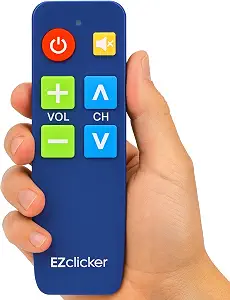
EZclicker TV Remote for Seniors, Extra Simple Big Button Remote (Blue)
This remote makes a strong case for users who need tactile feedback combined with large buttons, especially since its big buttons and tactile feedback cater well to those with limited dexterity or impaired vision. Compared to the Big Button Universal TV Remote for Seniors, which is more about broad compatibility, the EZclicker emphasizes ease of use through simple programming and tactile cues. Its large buttons make pressing effortless, but the remote’s limited to TV control and the absence of smart device support mean it won’t suit those wanting a single remote for multiple gadgets. The requirement to buy batteries separately is a minor inconvenience, especially when compared to models including batteries or with longer-lasting power features.
Pros:- Large, easy-to-press buttons with tactile feedback
- Simple programming process
- Compatible with major TV brands
Cons:- Batteries not included, requiring an extra purchase
- Limited to TV control only, no smart device support
Best for: Seniors or visually impaired users who value tactile feedback and straightforward setup.
Not ideal for: Owners of smart TVs or streaming devices, since it controls only traditional TVs.
- Button Size:Large
- Compatibility:Major TV Brands
- Batteries:2x AAA (not included)
- Dimensions:6″ x 2″ x 1″
- Color:Blue
- Special Features:Big button universal controls, tactile feedback
Our verdict“This remote suits seniors who need tactile cues and straightforward programming for TV control.”
EZclicker Big Button Universal TV Remote (Black) Simple Easy to Use, Great for Seniors, Works with Major TV Brands
The EZclicker stands out for its easy, one-step programming process, making it ideal for seniors or those with limited tech skills. Its extra-large enter button and tactile feedback provide clear, responsive control, reducing frustration for users with impaired vision or dexterity. Compared to other models like the Big Button Universal Remote for Seniors, it emphasizes quick setup and a compact design, which is especially helpful for users who prefer a smaller, lightweight remote. However, it’s strictly for TV control, excluding streaming devices or cable boxes. Its simple, straightforward approach makes it less feature-rich but highly accessible, though the lack of included batteries could be inconvenient.
Pros:- Simple, quick programming process
- Extra-large enter button and tactile feedback
- Compact and lightweight design
Cons:- Batteries not included, needs separate purchase
- Limited to TV control only, no smart device compatibility
Best for: Seniors seeking an easy-to-program, compact remote with tactile features for TV control.
Not ideal for: Households with multiple smart devices or streaming platforms, as it only works with TVs.
- Button Size:Extra-large
- Compatibility:Major TV Brands
- Batteries:2x AAA (not included)
- Dimensions:7″ x 2″ x 1″
- Color:Black
- Features:Large buttons, tactile feedback, simple setup
Our verdict“This remote offers a quick, easy solution for seniors who want a reliable, simple TV remote with tactile cues.”

How We Picked
These products were evaluated based on their compatibility with major TV brands and streaming devices, ease of use, button size and clarity, build quality, and value for money. We prioritized models designed specifically for seniors or those needing simplified controls, but also included versatile universal remotes for general use. The ranking reflects a balance between affordability, functionality, and user-friendliness, ensuring options for different needs and budgets. Devices with reliable performance, positive user feedback, and durable construction ranked higher, while those with limited compatibility or complex features were rated lower.Factors to Consider When Choosing Big Button Remote Control
Choosing the right big button remote control requires understanding several key factors that impact usability and compatibility. Consider your primary device types, lighting conditions, and whether you need additional features like backlit buttons or multi-device control. Avoid common pitfalls such as selecting a remote that doesn’t support your specific TV model or overpaying for unnecessary features. A well-chosen remote will enhance accessibility and convenience without overwhelming you with complexity or extra cost.Compatibility with Devices
Always verify that the remote supports your TV brand and model. Some remotes are universal and compatible with multiple brands, while others are designed for specific models or ecosystems. Choosing a remote that matches your device ensures reliable operation and prevents frustration. If you use multiple devices, look for models that can control more than one, reducing the need for multiple remotes cluttering your space.
Button Size and Layout
Large, clearly labeled buttons are essential for ease of use, especially for seniors or those with visual impairments. Consider the button layout—simple arrangements without clutter help prevent accidental presses. Some remotes feature tactile differences or raised buttons, which can assist users in locating functions by touch, improving independence and confidence during use.
Lighting and Visibility
Backlit buttons significantly enhance usability in dim environments, such as bedrooms or living rooms in the evening. However, they may add to the cost or power consumption. If lighting is a concern, verify that the remote’s backlit feature is adjustable or long-lasting. For users with visual impairments, high-contrast designs or illuminated displays make a notable difference.
Additional Features and Versatility
Some big button remotes include features like learning capabilities, multi-device control, or programmable buttons, expanding their functionality beyond basic use. While these add convenience, they can also complicate operation for less tech-savvy users. Decide whether you need advanced features or prefer a straightforward, dedicated remote for simplicity.
Price and Durability
Budget options can be effective for temporary or occasional use, but may lack durability or essential features. Higher-priced models often offer better build quality, longer-lasting buttons, and more comprehensive compatibility. Investing in a durable remote is especially worthwhile if it will see frequent daily use or if it’s intended for someone with limited dexterity.
Frequently Asked Questions
Will a big button remote work with my smart TV?
Many big button remotes are designed primarily for traditional TVs and some basic streaming devices. If your smart TV is compatible with universal remotes, chances are a big button model will work, especially if it supports your TV brand. However, for more advanced smart features or app controls, you might need a remote with specific smart platform compatibility or use your phone app instead.
Are backlit buttons necessary for everyday use?
Backlit buttons are highly beneficial if you often watch TV in low-light conditions, as they improve visibility and reduce eye strain. However, if your viewing environment is well-lit or you rarely use the remote at night, you might save money by choosing a non-backlit model. Consider your environment and preferences when deciding whether this feature is worth the extra cost.
Can I replace my existing remote with a big button remote?
Replacing your existing remote depends on compatibility and functionality needs. Many big button remotes are universal and can control multiple devices, making them a good replacement option. However, double-check that the remote supports your specific TV and other devices. If you rely on advanced features or voice control, a basic big button remote might not fully substitute your current device.
How durable are these remote controls for daily use?
Durability varies widely across models. Higher-quality remotes typically feature sturdy construction and long-lasting buttons designed for frequent use. Cheaper models might wear out faster or have buttons that become unresponsive. If the remote will be used daily or by someone with limited dexterity, investing in a more durable, well-built model ensures longevity and consistent performance.
Is it better to buy a remote with multiple device control or a single-device remote?
If you have multiple devices like a cable box, sound system, or streaming devices, choosing a remote that can control all of them reduces clutter and simplifies operation. However, multi-device remotes can be more complex to set up and learn. For straightforward TV use, a single-device remote may be more intuitive, but if convenience is key, a multi-device model generally offers better overall value.
Conclusion
For those seeking the best overall experience, the Big Button Universal Remote offers broad compatibility and straightforward design. If affordability is your priority, budget-friendly options like the EZclicker models deliver reliable performance without extra features. Premium users or tech-savvy buyers may prefer remotes with additional functions like multi-device control or learning capabilities, even if they come at a higher price. Beginners or seniors should focus on models like the GE BigEZ or Flipper, which prioritize simplicity and ease of use. Ultimately, choosing the right big button remote depends on your device ecosystem, ease of use, and budget—consider these factors carefully to find your ideal match.
Fall Picks
fall essentials
As an affiliate, we earn on qualifying purchases.