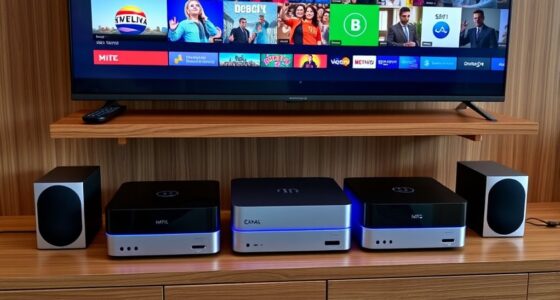

For seniors who want voice control without a complicated setup, the Amazon Echo Dot (5th Gen) is my best overall pick for its compact design and straightforward Alexa access. The Echo Show 8 adds a larger screen for video calls and visual reminders, while the Google Nest Audio suits households that already rely on Google Assistant. The main choice is between a simple speaker that keeps attention on voice commands and a screen that makes calls and information easier to see. Sound quality, smart-home compatibility, and how much setup the user can manage also separate these options. Read on for a full comparison and guidance by need.

Turn quiet afternoons into listening time
- Thousands of audiobooks, podcasts and originals
- Listen on your phone, tablet or Echo — also offline
- Cancel anytime
Complete the kit


Key Takeaways
- Echo Dot (5th Gen) leads for a simple voice-first setup; the larger Echo displays add visual help but require more screen interaction.
- Echo Show 8 is the most balanced screen option for video calls and visible reminders, while the Show 5 takes less space and the Show 15 is better suited to a shared wall display.
- Google Nest Audio is the clearest alternative for people already using amazon.com/dp/B09B8V1LZ3?tag=comfortalife-20&ascsubtag=dc-1108846″ target=”_blank” rel=”nofollow sponsored noopener”>amazon.com/dp/B0FY3YXCT1?tag=comfortalife-20&ascsubtag=dc-1108846″ target=”_blank” rel=”nofollow sponsored noopener”>Google services, though it lacks a screen for visual prompts.
- Sonos Era 100 and Echo Dot Max put more emphasis on listening quality, a benefit for music but not a substitute for accessible controls.
- Echo Spot is designed around bedside clock and alarm use; its compact display is less suited to video calls or reading information across a room.
| Amazon Echo Dot Max Smart Speaker, Graphite |  | Best for Room-Filling Sound | Color: Graphite | Voice assistant: Alexa; designed to support Alexa+ | Smart home hub: Built-in | VIEW LATEST PRICE | See Our Full Breakdown |
| Amazon Echo Show 5 Smart Display, Charcoal |  | Best Compact Visual Assistant | Display: 5.5-inch touchscreen | Camera: 2 MP with built-in shutter | Speaker: 1.75-inch full-range speaker | VIEW LATEST PRICE | See Our Full Breakdown |
| Amazon Echo Show 8 (newest model), 8.7-inch HD Smart Display with Spatial Audio, Graphite |  | Best Overall for Visual Assistance | Display: 8.7-inch HD touchscreen, 800 x 1340 resolution | Camera: 13 MP with auto framing | Audio: 1 x 2.8-inch woofer and 2 full-range drivers | VIEW LATEST PRICE | See Our Full Breakdown |
| Amazon Echo Spot Smart Alarm Clock with Alexa, Ocean Blue |  | Best for Bedside Routines | Color: Ocean Blue | Connectivity: Wi-Fi | Smart assistant: Alexa | VIEW LATEST PRICE | See Our Full Breakdown |
| Sonos Era 100 Wireless Smart Speaker, White |  | Best for Music-Focused Listening | Model: Era 100 (E10G1US1) | Color: White | Connectivity: Wi-Fi, Bluetooth, 3.5 mm line-in with adapter | VIEW LATEST PRICE | See Our Full Breakdown |
| Google Nest Audio Bluetooth and Wi-Fi Smart Speaker, Chalk |  | Best for Room-Filling Voice-Controlled Sound | Audio output mode: Stereo | Maximum output power: 30 watts | Speaker size: 3.07 inches | VIEW LATEST PRICE | See Our Full Breakdown |
| Amazon Echo Dot (5th Gen) Smart Speaker with Alexa, Charcoal |  | Best Compact Starter Speaker | Generation: 5th Gen | Dimensions: 3.9 x 3.9 x 3.5 inches | Weight: 10.7 ounces | VIEW LATEST PRICE | See Our Full Breakdown |
| Amazon Echo Show 15 Full HD Smart Display with Fire TV |  | Best for Large Visual Reminders | Screen size: 15.6 inches | Display resolution: 1080p Full HD | Built-in entertainment: Fire TV | VIEW LATEST PRICE | See Our Full Breakdown |
| senior friendly smart speaker | Dimensions | Color | Weight |
|---|---|---|---|
| Amazon Echo Dot Max Smart Spea | — | Graphite | — |
| Amazon Echo Show 5 Smart Displ | 5.8 x 3.6 x 3.2 inches | Charcoal | 16.1 oz (456 g) |
| Amazon Echo Show 8 | 8.2 x 5 x 5.9 inches | — | 37 oz (1049 g) |
| Amazon Echo Spot Smart Alarm C | — | Ocean Blue | — |
| Sonos Era 100 Wireless Smart S | 7 x 5.1 x 7.22 inches | White | 2020 g |
| Google Nest Audio Bluetooth an | 3.07 x 4.89 x 6.89 inches (D x W x H) | — | — |
| Amazon Echo Dot | 3.9 x 3.9 x 3.5 inches | — | 10.7 ounces |
| Amazon Echo Show 15 Full HD Sm | — | — | — |
More Details on Our Top Picks
Amazon Echo Dot Max Smart Speaker, Graphite
The Echo Dot Max suits a senior who wants Alexa responses and music to carry clearly across a living room, without adding a screen to manage. Its room-adapting playback and nearly three times the bass of the 2022 Echo Dot give it a fuller sound than the smaller Echo Dot (5th Gen). A built-in smart home hub and presence and temperature sensing can also support routines, such as adjusting compatible devices when someone enters a room. The tradeoff is that those routines depend on compatible smart home products, and its eero coverage extension only works with an existing eero network. Compared with the Echo Show 8, it offers no visual controls or video calls; choose it for voice-led use and stronger sound instead.
Pros:- Room-filling sound with nearly three times the bass of the 2022 Echo Dot
- Playback adapts automatically to the room
- Built-in smart home hub and presence and temperature sensing support routines
- Can extend an existing eero network and pair with compatible speakers
Cons:- Wi-Fi extension requires an existing eero network
- Smart home routines and multi-device pairing depend on compatible equipment
Best for: Older adults who want a voice-first speaker with fuller sound for a shared living space and may add compatible smart home devices
Not ideal for: People who benefit from large on-screen text, visual reminders, or video calls; the Echo Show 8 is a better fit
- Color:Graphite
- Voice assistant:Alexa; designed to support Alexa+
- Smart home hub:Built-in
- Sensing:Omnisense presence and temperature detection
- Audio:Room-filling sound; nearly 3x the bass of Echo Dot (2022 release)
- Wi-Fi extension:Up to 1,000 sq. ft. on an existing eero network
Our verdict“Choose the Echo Dot Max if clear, fuller voice-led audio matters more than having a screen for visual cues.”
Amazon Echo Show 5 Smart Display, Charcoal
The Echo Show 5 adds a small visual layer to Alexa: a senior can ask for the weather, see photos, or make a video call from its 5.5-inch screen. The camera shutter and combined microphone and camera-off control give the owner direct privacy controls. Its compact footprint is easier to place on a bedside table than the larger Echo Show 8, but that smaller display also means less room for readable information. The Show 8 is the stronger choice for larger on-screen cues, a more capable camera, and fuller audio; the Show 5 makes more sense when space is tight and basic visual prompts are enough. Some services may require subscriptions or extra fees, and it does not support ad-hoc or peer-to-peer Wi-Fi networks.
Pros:- Compact touchscreen can show photos, weather, and news
- Built-in camera supports video calls and compatible home monitoring
- Camera shutter and microphone and camera-off control offer direct privacy options
- Can control compatible smart home devices by voice or screen
Cons:- The 5.5-inch display leaves less room for readable information than the Echo Show 8
- Some skills and services may require subscriptions or additional fees
- Does not support ad-hoc or peer-to-peer Wi-Fi networks
Best for: Older adults with limited bedside or counter space who want Alexa, photo viewing, and occasional video calls
Not ideal for: People who need larger text or a more spacious screen for reading updates; consider the Echo Show 8
- Display:5.5-inch touchscreen
- Camera:2 MP with built-in shutter
- Speaker:1.75-inch full-range speaker
- Dimensions:5.8 x 3.6 x 3.2 inches
- Weight:16.1 oz (456 g)
- Wi-Fi:Dual-band 802.11a/b/g/n/ac
- Color:Charcoal
Our verdict“Pick the Echo Show 5 for a compact bedside screen and basic calls, provided its small display is comfortable to read.”
Amazon Echo Show 8 (newest model), 8.7-inch HD Smart Display with Spatial Audio, Graphite
For seniors who find voice commands easier when paired with visible information, the Echo Show 8 is the most rounded pick here. Its 8.7-inch HD touchscreen gives more room for updates and controls than the Echo Show 5, while its auto-framing camera and noise reduction support video calls. Spatial audio from a woofer and two full-range drivers also makes it more suited to music and video than a display chosen mainly for compact bedside use. The built-in hub supports Zigbee, Matter, and Thread devices, which can simplify control of compatible smart home gear. The tradeoffs are its larger footprint and dependence on Alexa-compatible devices for smart features. Amazon Sidewalk is enabled by default unless previously turned off.
Pros:- 8.7-inch HD touchscreen provides more viewing space than the Echo Show 5
- Auto-framing camera supports video calls
- Spatial audio system includes a woofer and two full-range drivers
- Built-in hub supports Zigbee, Matter, and Thread
Cons:- Larger footprint may not suit a crowded bedside table
- Smart features depend on Alexa and compatible devices
- Amazon Sidewalk is enabled by default unless previously turned off
Best for: Older adults who want a larger screen for visual updates and video calls, plus a speaker for music and compatible smart home control
Not ideal for: People with very limited table space or those who want a simple voice-only speaker; the Echo Dot Max takes up less space
- Display:8.7-inch HD touchscreen, 800 x 1340 resolution
- Camera:13 MP with auto framing
- Audio:1 x 2.8-inch woofer and 2 full-range drivers
- Dimensions:8.2 x 5 x 5.9 inches
- Weight:37 oz (1049 g)
- Wi-Fi:Wi-Fi 6E (IEEE 802.11ax)
- Smart home hub:Zigbee, Matter, and Thread Border Router
- Bluetooth:Version 5.4
Our verdict“Choose the Echo Show 8 if a larger screen, video calls, and smart home controls are more useful than a compact voice-only speaker.”
Amazon Echo Spot Smart Alarm Clock with Alexa, Ocean Blue
The Echo Spot is designed around the bedside: its customizable display can show the time, weather, or song information, while Alexa handles voice requests and routines. That makes it a more focused nightstand option than the screen-equipped Echo Show 5, which adds a camera and video calls but has a larger visual interface. The Spot also offers rich sound for music, podcasts, and audiobooks, and a microphone-off button for a quick privacy control. Its smart home commands work only with compatible devices, and the eero Wi-Fi extension requires an existing eero network. Choose it for a clock-led setup with voice controls; skip it if video calling or a larger screen for viewing information is a priority.
Pros:- Customizable display can show time, weather, and song information
- Rich sound supports music, podcasts, and audiobooks
- Microphone-off button and in-app privacy controls
- Supports Alexa routines and compatible smart home controls
Cons:- Wi-Fi coverage extension requires an existing eero network
- Smart home controls require compatible devices
- No camera for video calls, unlike the Echo Show 5
Best for: Older adults who want an Alexa alarm clock with glanceable time and weather, voice routines, and bedside audio
Not ideal for: People who want video calls, a larger screen for visual information, or Wi-Fi extension without an eero network
- Color:Ocean Blue
- Connectivity:Wi-Fi
- Smart assistant:Alexa
- Display:Customizable clock display
- Wi-Fi extension:Up to 1,000 sq. ft. on an existing eero network
- Privacy controls:Microphone-off button and in-app controls
- Recycled materials:36%
Our verdict“The Echo Spot suits a senior who wants a bedside clock and voice assistant, rather than a screen for calls and extended viewing.”
Sonos Era 100 Wireless Smart Speaker, White
The Sonos Era 100 is the music-first choice for a senior who values stereo playback and wants to stream over Wi-Fi or Bluetooth. Its dual tweeters and larger midwoofer set it apart from the Echo Dot Max, which also emphasizes fuller sound but adds Alexa’s built-in smart home hub and sensing features. The Era 100 has Alexa voice control and Trueplay room tuning, though it is less centered on visual prompts or home monitoring than either Echo Show display. Playback through the Sonos app is another option, but a single microphone and corded power shape the setup. The optional 3.5 mm line-in adapter is sold separately, and the speaker is not water resistant.
Pros:- Stereo sound from dual tweeters and a larger midwoofer
- Streams audio over Wi-Fi or Bluetooth
- Alexa voice commands and Sonos app playback provide control options
- Trueplay tuning adjusts sound for the room
Cons:- Requires corded power
- 3.5 mm line-in needs a separate adapter
- Not waterproof or water resistant
Best for: Older adults who prioritize music quality and want Wi-Fi or Bluetooth streaming in a fixed listening spot
Not ideal for: People who need a screen for reminders or video calls, or want a portable, water-resistant speaker
- Model:Era 100 (E10G1US1)
- Color:White
- Connectivity:Wi-Fi, Bluetooth, 3.5 mm line-in with adapter
- Speaker type:Multi-room
- Dimensions:7 x 5.1 x 7.22 inches
- Weight:2020 g
- Microphones:1
- Power:Corded electric
Our verdict“Choose the Era 100 for music-focused listening when a fixed, screen-free speaker fits better than an Echo display.”
Google Nest Audio Bluetooth and Wi-Fi Smart Speaker, Chalk
The Nest Audio is my pick for a senior who wants to hear music, weather updates, and spoken answers clearly across a room without relying on a screen. Its 30-watt woofer and tweeter give it a stronger sound-focused role than the compact Amazon Echo Dot (5th Gen), whose single driver plays in mono. Voice control through Google Assistant can make everyday requests easier for someone who finds small buttons or menus awkward. Wi-Fi and Bluetooth offer two ways to play audio, and compatible speakers can extend listening around the home. The tradeoff is that this speaker provides no display for visual reminders, and its plastic, non-waterproof enclosure limits where it can sit. Choose the Echo Dot for a smaller Alexa-based setup; choose this model when fuller sound is the priority.
Pros:- 30-watt woofer and tweeter support room-filling sound.
- Built-in Google Assistant enables voice control for music, weather, and compatible smart home devices.
- Wi-Fi and Bluetooth give two ways to stream audio.
- Compatible speakers can be paired or used for whole-home audio.
Cons:- No screen for visual reminders, video calls, or on-device information.
- Not waterproof, limiting placement near sinks or showers.
- Plastic enclosure may feel less substantial than a premium speaker.
Best for: Older adults who want hands-free music and spoken information to carry through a living room or bedroom.
Not ideal for: People who need large on-screen reminders, visual controls, or a speaker for a bathroom or other wet area.
- Audio output mode:Stereo
- Maximum output power:30 watts
- Speaker size:3.07 inches
- Connectivity:Wi-Fi and Bluetooth
- Control method:Voice
- Built-in microphone:Yes
- Dimensions:3.07 x 4.89 x 6.89 inches (D x W x H)
- Waterproof:No
Our verdict“Pick the Nest Audio for room-filling sound and hands-free Google Assistant, and choose the Echo Dot if a smaller Alexa speaker suits the household better.”
Amazon Echo Dot (5th Gen) Smart Speaker with Alexa, Charcoal
The Echo Dot (5th Gen) makes a straightforward first smart speaker for someone who wants to ask Alexa for an audiobook, podcast, or smart home action without learning a display interface. Its small, shelf-friendly body is easier to fit beside a bed than the larger Google Nest Audio, while voice control and routines can reduce the need to reach for a phone. The built-in motion and temperature sensors add functions the Nest Audio listing does not specify, and Bluetooth supports audio streaming. Its limits matter for older listeners: the 1.6-inch mono driver is a modest choice for filling a large room, and there is no screen for visual prompts. The eero extension feature only helps households with a compatible eero network. Pick this for a compact Alexa starting point; consider the Nest Audio for fuller sound.
Pros:- Compact dimensions make it easy to place near a bed or chair.
- Alexa supports voice requests, compatible smart home controls, and routines.
- Motion and indoor temperature sensors add household functions.
- Bluetooth audio streaming and multi-room pairing offer flexible playback.
Cons:- The 1.6-inch full-range driver and mono playback are less suited to room-filling sound than the Google Nest Audio.
- No display for visual reminders or on-device information.
- eero Built-in requires a compatible eero setup, linked accounts, and the eero app.
Best for: Older adults starting with Alexa who want a compact speaker for a bedside table, kitchen counter, or small room.
Not ideal for: Listeners who need stronger sound across a large room, a visual display, or Wi-Fi extension without a compatible eero network.
- Generation:5th Gen
- Dimensions:3.9 x 3.9 x 3.5 inches
- Weight:10.7 ounces
- Speaker driver:1.6-inch full-range driver
- Playback channels:Mono
- Wi-Fi:Dual-band 802.11a/b/g/n/ac (2.4 and 5 GHz)
- Bluetooth:A2DP audio streaming and AVRCP voice control
- eero Built-in coverage:Up to 1,000 sq. ft. with a compatible eero network
Our verdict“Choose the Echo Dot for a small, voice-controlled Alexa setup, and choose the Google Nest Audio when sound coverage matters more.”
Amazon Echo Show 15 Full HD Smart Display with Fire TV
The Echo Show 15 suits a senior who prefers to read reminders and household information at a glance instead of relying on spoken updates alone. Its 15.6-inch Full HD display gives family widgets, smart home controls, and video calls more room than the Echo Show 5 or Echo Show 8. Built-in Fire TV also makes it a more versatile shared screen than the audio-only Google Nest Audio, though entertainment is secondary to its organizing role here. For relatives helping coordinate appointments or household routines, the large screen can make shared information easier to see. The tradeoff is its large display format: it takes more wall or counter space than a compact speaker, and some streaming services may require subscriptions. Choose it for visible family organization; choose the smaller Echo Show models where space is limited.
Pros:- Large 15.6-inch Full HD display makes widgets and controls easier to view from across a room.
- Customizable family widgets support shared household organization.
- Built-in Fire TV adds streaming entertainment.
- Auto-framing camera supports video calls, with a shutter and mic/camera-off button for privacy.
Cons:- Its large screen takes substantially more placement space than the Echo Show 5 or Echo Show 8.
- Some streaming services may require a subscription.
- A visual interface may be unnecessary for someone who only wants voice-controlled audio.
Best for: Older adults and family caregivers who want shared schedules, smart home controls, and video calls visible on a large screen.
Not ideal for: People with limited wall or counter space, or those who want a simple audio-only speaker without a large display.
- Screen size:15.6 inches
- Display resolution:1080p Full HD
- Built-in entertainment:Fire TV
- Camera features:Auto-framing, wide field of view, 3.3x zoom, and noise reduction
- Privacy features:Mic/camera-off button and camera shutter
- Included accessories:Fire TV remote
Our verdict“Choose the Echo Show 15 when large, shared visual reminders and video calls matter more than a compact footprint or audio-only simplicity.”

How We Picked
I compared these speakers through the needs that most affect day-to-day use: how naturally a person can make requests, whether important information is visible, how well the device fits a bedside or shared room, and whether it supports common tasks such as calls, reminders, music, and smart-home control. I also weighed sound, physical footprint, screen size, and reliance on a particular voice assistant. A device with more features did not automatically rank higher; added controls and setup only help when they fit the user.
The Echo Dot (5th Gen) ranks first because its voice-first format keeps interaction simple for a broad range of users. Screen-based models follow where their visual features solve specific needs, with the Echo Show 8 ahead of smaller or larger displays for its more flexible room use. The Nest Audio, Era 100, and Echo Dot Max suit households that place greater weight on assistant preference or sound. The Spot and Show 15 rank for narrower settings: bedside routines and a shared central display.
| senior friendly smart speaker | Color |
|---|---|
| Amazon Echo Dot Max Smart Spea | Graphite |
| Amazon Echo Show 5 Smart Displ | Charcoal |
| Amazon Echo Show 8 | — |
| Amazon Echo Spot Smart Alarm C | Ocean Blue |
| Sonos Era 100 Wireless Smart S | White |
| Google Nest Audio Bluetooth an | — |
| Amazon Echo Dot | — |
| Amazon Echo Show 15 Full HD Sm | — |
Factors to Consider When Choosing Senior Friendly Smart Speakers
Choosing a senior-friendly speaker starts with the person’s routines and comfort with technology, not a feature checklist. A screen can make some tasks easier while adding taps, menus, and notifications; a speaker can keep things voice-led while leaving information less visible. Use these broader questions to match the device to its home and its main user.
Voice Control or a Screen?
Think about whether the user would rather ask aloud or read and tap. Voice-first speakers keep the main interaction consistent, which can help someone who rarely uses touchscreens. A display can show a caller, recipe, reminder, or time, but it also presents menus and on-screen prompts that may need attention. Avoid buying a screen just because it appears more capable; choose one when its visual information solves a recurring problem. If vision is the concern, check the screen’s size and placement from the user’s usual seat. If hearing or speech makes voice commands difficult, physical controls and accessible settings deserve equal weight.
Place It Where It Will Be Used
The room changes what counts as easy to use. A bedside speaker can support alarms and routines, while a kitchen or living-room device may need to be heard across background noise. A large display needs a stable, visible location and power nearby; a compact speaker is easier to place but offers no visual reference. Before choosing, check whether the user can reach the device’s buttons and whether its microphone can hear requests from the normal speaking position. Avoid putting a screen where glare or viewing angle makes text hard to read. The right placement can matter as much as the model.
Match the Assistant to Existing Devices
Smart speakers work best when their assistant can reach the services and devices the household already uses. Check compatibility with the person’s phone, calendar, lights, thermostat, and preferred music or calling services before buying. Mixing ecosystems may mean separate apps, accounts, or setup steps, which can make routine requests harder to maintain. A family member helping with setup should confirm which account will own reminders and connected devices. Consider privacy preferences too: review microphone controls, camera options on displays, and who can make calls or drop in. A simpler setup often beats a longer feature list.
Plan for Hearing, Speech, and Vision Needs
Do not assume a louder speaker alone will solve every accessibility need. Check whether the device offers adjustable volume, clear spoken responses, captions or visual call information, and controls that the user can operate without precise gestures. A screen may help someone follow a conversation visually, while a voice-only model may suit a person who prefers fewer distractions. If speech recognition is unreliable for the user, test how the household can adjust settings or use the device manually. Choose a room position that supports comfortable listening and viewing. Accessibility is personal, so match the features to the specific difficulty rather than age alone.
Decide Who Will Maintain It
Smart speakers need occasional account, network, and software attention, so decide in advance who can help when something changes. A device tied to one family member’s account may make initial setup easier but can complicate reminders, contacts, and ownership later. Write down the Wi-Fi network, account owner, and key voice commands in a place the user can find. Keep the first setup focused on a few useful tasks rather than enabling every feature at once. Also consider whether the user can restart the device or adjust volume without help. Ongoing simplicity is part of the buying decision.
Frequently Asked Questions
Is a smart display easier for an older adult than a speaker?
It depends on which tasks matter most. A display can make caller identity, reminders, and visual information easier to follow, but it introduces touch controls and on-screen menus. A voice-first speaker may be simpler for someone comfortable speaking commands and wanting fewer distractions. Consider the user’s vision, hearing, and comfort with touchscreens before choosing. If possible, place the device where the person can see and reach it easily.
Can family members set up reminders and calls for a senior?
Family members can often help configure accounts, contacts, and routines, but the available options depend on the assistant and its settings. Decide whose account will own the device and reminders before setup, since changing ownership later can take extra work. Confirm that the person is comfortable with any calling or remote access features and knows how to control them. Keep the contact list focused and explain how to start or end a call. A short written guide with a few commands can make shared support easier.
Should I choose Alexa or Google Assistant for a senior?
Start with the services and devices the person already uses. A household with Google calendars or Android phones may find Google Assistant more familiar, while Alexa can be a natural fit for people who already use Echo devices or Alexa-compatible home controls. Check specific needs such as calling, music, reminders, and smart-home devices instead of assuming the assistants behave identically. The family member who will help with setup should also be comfortable managing that ecosystem. Familiarity often matters more than the number of supported features.
Will a smart speaker still help if the user has trouble hearing?
It may help with certain routines, but hearing needs vary and a speaker is not a hearing aid. Look for adjustable volume and, where useful, a display that can show caller or reminder information. Place the device close enough for comfortable listening and avoid competing background noise. If voice recognition or spoken replies are frustrating, consider whether the user can operate physical controls or benefit from captions on a screen. Match the device to the person’s hearing support needs and test it in the room where it will be used.
What should I configure before giving a smart speaker as a gift?
Ask who will own and manage the account, then connect only the services and devices the recipient wants to use. Set up a small number of useful contacts, reminders, or routines and demonstrate how to change the volume and mute the microphone. For a model with a camera, explain its controls and let the recipient choose whether to enable calling features. Make sure Wi-Fi is available in the intended room and leave simple instructions nearby. A gift is easier to adopt when it arrives ready for familiar daily tasks.
Conclusion
For most voice-first households, I recommend the Echo Dot (5th Gen) as the best overall choice, with the Echo Show 8 as my pick for beginners who benefit from a visible screen and video calls. The Google Nest Audio is the best value in a Google-centered home, while the Sonos Era 100 is my premium choice for someone who prioritizes music listening. Choose the Echo Spot for bedside alarms, the Echo Show 5 when a compact display is the priority, or the Show 15 for a shared household screen. The Echo Dot Max makes more sense when sound is a bigger priority than visual guidance. Match the pick to the recipient’s daily habits and the person who will help maintain it.
Fall Picks
fall essentials
As an affiliate, we earn on qualifying purchases.