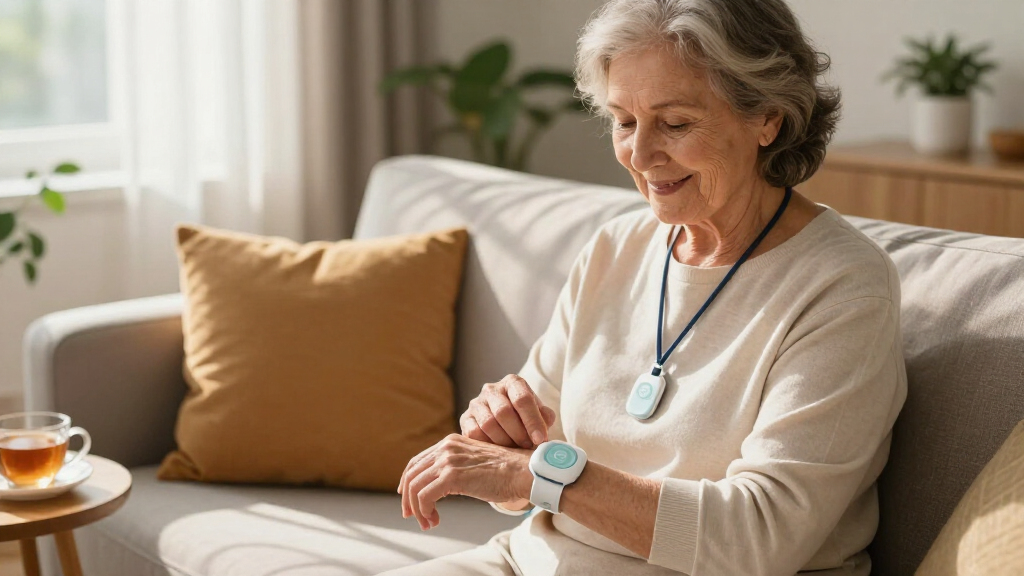

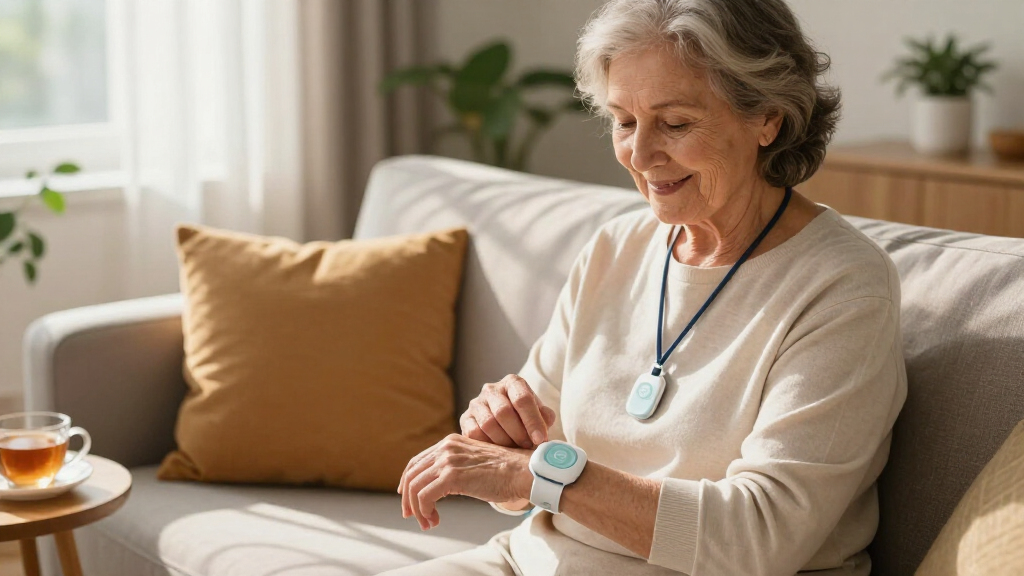
The best easy-to-use medical alert system is the ADT On-The-Go Emergency Medical Alert All-in-One, which combines GPS tracking, fall detection, and a trusted monitoring network in a single wearable device that requires almost nothing from the user beyond wearing it. Close behind are the Nomo Medical Alert System, which pairs a genuinely simple interface with responsive caregiver notifications, and the Guardian Alert 911 Plus, the strongest pick for buyers who refuse to pay monthly fees — it connects straight to 911 with no subscription at all. The main tradeoff in this category is between simplicity and capability: no-monthly-fee pendants are the easiest to own but lack professional monitoring, while monitored systems like ADT and Bay Alarm offer caregiver apps and GPS at the cost of an ongoing plan. Battery life, water resistance for shower use, and whether fall detection is included or an add-on also separate these options more than price does. Read on for the full breakdown of all seven systems.
Complete the kit


Key Takeaways
- The ADT On-The-Go earned the top spot because it’s the only pick here that combines true one-button simplicity, GPS, fall detection, and a professionally staffed monitoring center — but it requires a monthly plan the no-fee options avoid.
- Two of the seven products (Life Alert Caregiver Pager and Guardian Alert 911 Plus) eliminate monthly fees entirely, making them the best value for budget-conscious buyers, though neither connects to a live monitoring agent.
- Fall detection was not standard across the lineup — the Nomo, Bay Alarm, Guardian Alert, SecuLife, and Safety+ include it, but buyers should verify it’s enabled by default rather than assumed, since a misconfigured device defeats the purpose.
- Water resistance varied noticeably: shower-safe pendants like the Guardian Alert and Bay Alarm held up better for bathroom emergencies, while caregiver pagers with WiFi receivers were the weakest around water.
- Caregiver involvement was the biggest differentiator for families — the Nomo and Life Alert pager shine with app-based notifications, whereas standalone 911 devices leave loved ones out of the loop until after the fact.
| ADT On-The-Go Emergency Medical Alert for Seniors, All-in-One |  | Best Overall | Monitoring: ADT professional 24/7 monitoring | Fall Detection: Optional automatic fall detection | Connectivity: Built-in GPS and nationwide cellular | VIEW LATEST PRICE | See Our Full Breakdown |
| Nomo Medical Alert System with Fall Detection for Seniors at Home |  | Best for Home-Based Caregiving | Includes: Smart Hub, two Satellites, Smart Tags, Nomo app | Connectivity: WiFi (2.4 GHz) | Monitoring: Fall detection, motion and sound sensing | VIEW LATEST PRICE | See Our Full Breakdown |
| Bay Alarm Medical SOS Mobile GPS Medical Alert System with Fall Detection for Seniors |  | Best Wearable Comfort | Connectivity: 4G LTE nationwide | Weight: Under 2 oz | Water Resistance: Yes | VIEW LATEST PRICE | See Our Full Breakdown |
| Life Alert System No Monthly Fee, Caregiver Pager Call Button for Seniors with App, Panic Alarm System |  | Best Budget Pick | Connectivity: 2.4GHz WiFi | Includes: Waterproof call button, SOS watch button, receiver | Wearable Options: Necklace, bracelet | VIEW LATEST PRICE | See Our Full Breakdown |
| Guardian Alert 911 Plus – No Monthly Fees, 2-Way Emergency Pendant for Seniors |  | Best No-Fee Emergency Access | Monthly Fees: None | Fall Detection: Included | Water Resistance: Yes | VIEW LATEST PRICE | See Our Full Breakdown |
| SecuLife Medical Alert Pendant for Seniors with Fall Detection and GPS Tracking |  | Best for Active Seniors on the Go | Fall Detection: Yes (automatic) | GPS Tracking: Yes, real-time with geo-fence zones | Two-Way Calling: Yes | VIEW LATEST PRICE | See Our Full Breakdown |
| Safety+ 4G Medical Alert System with Fall Detection and GPS |  | Best Full-Service Monitoring Option | Connectivity: 4G LTE | Monitoring Service: 24/7 nationwide; first month included, $40/month after | Fall Detection: Yes (automatic) | VIEW LATEST PRICE | See Our Full Breakdown |
| easy-to-use medical alert system | Connectivity | Fall Detection |
|---|---|---|
| ADT On-The-Go Emergency Medica | Built-in GPS and nationwide cellular | Optional automatic fall detection |
| Nomo Medical Alert System with | WiFi (2.4 GHz) | — |
| Bay Alarm Medical SOS Mobile G | 4G LTE nationwide | — |
| Life Alert System No Monthly F | 2.4GHz WiFi | — |
| Guardian Alert 911 Plus | — | Included |
| SecuLife Medical Alert Pendant | — | Yes (automatic) |
| Safety+ 4G Medical Alert Syste | 4G LTE | Yes (automatic) |
More Details on Our Top Picks
ADT On-The-Go Emergency Medical Alert for Seniors, All-in-One
This option stands out for pairing 24/7 professional monitoring with a genuinely simple design — one button, built-in GPS and cellular, and no pendants or base stations to juggle. Compared with the Bay Alarm Medical SOS Mobile, which also offers nationwide cellular coverage, the ADT device trades a lower subscription tier for the backing of a monitoring center with a long institutional track record, which matters when seconds count. The main tradeoff is cost: fall detection costs extra each month, and no device catches every fall. Still, for seniors who leave the house regularly, the all-in-one form factor removes the most common usability barrier — remembering to bring a separate pendant.
Pros:- All-in-one device with built-in GPS and cellular service
- 24/7 professional monitoring from an established provider
- No external accessories needed for daily use
- No long-term contracts required
Cons:- Fall detection requires an additional monthly fee and never catches 100% of falls
- Ongoing monthly monitoring plan is mandatory
Best for: Active seniors who leave home often and want monitored, cellular-based protection without extra gear
Not ideal for: Budget-conscious buyers who can’t absorb monthly fees plus an add-on charge for fall detection
- Monitoring:ADT professional 24/7 monitoring
- Fall Detection:Optional automatic fall detection
- Connectivity:Built-in GPS and nationwide cellular
- Device Type:All-in-one mobile medical alert device
- Accessories:None required
- Contract:No long-term contract
Our verdict“The safest pick for seniors who want professional, cellular-based protection at home and away, provided the monthly costs fit the budget.”
Nomo Medical Alert System with Fall Detection for Seniors at Home
Where the ADT On-The-Go centers on professional dispatch, Nomo takes a different approach: it keeps family members in the loop through app-based caregiver notifications, motion sensing, and two-way voice — all camera-free for privacy. Setup requires no installer, which makes this pick better suited to households where an adult child manages the system remotely. The 60-day free trial is one of the most generous in this roundup, and the $19.99/month cost afterward undercuts most monitored cellular services. The catch is dependence on stable 2.4 GHz WiFi — unlike the Bay Alarm SOS Mobile, it won’t help outside the home, and fall detection sensitivity may need tuning to avoid false alarms.
Pros:- Easy DIY setup with no professional installation
- Camera-free, privacy-focused monitoring
- Generous 60-day free trial of emergency services
- Includes Smart Hub, two Satellites, and Smart Tags for whole-home coverage
Cons:- Requires a stable 2.4 GHz WiFi connection to function
- Fall detection sensitivity may need adjustment for accuracy
- Home-only protection with a monthly fee after the trial
Best for: Seniors living at home with tech-comfortable family members who want remote visibility
Not ideal for: Seniors who leave the house often or whose homes have unreliable WiFi
- Includes:Smart Hub, two Satellites, Smart Tags, Nomo app
- Connectivity:WiFi (2.4 GHz)
- Monitoring:Fall detection, motion and sound sensing
- Emergency Features:Two-way voice, instant alerts, caregiver notifications
- Trial Period:60 days free
- Service Cost After Trial:$19.99/month
- Landline Required:No
Our verdict“A smart choice for homebound seniors whose families want layered, privacy-respecting oversight at a lower monthly cost.”
Bay Alarm Medical SOS Mobile GPS Medical Alert System with Fall Detection for Seniors
Weighing under 2 ounces, this pendant is the most comfortable option here for all-day wear — noticeably lighter than carrying the ADT On-The-Go as a single unit, and it can be worn as a neck lanyard or belt clip. The one-button emergency call over 4G LTE keeps operation dead simple, and a companion app lets caregivers check in without hovering. Water resistance means it survives the shower, where many falls happen. The tradeoff is battery management: it lasts several days per charge, but usage and network conditions drain it faster, so someone must remember to charge it — a real limitation compared with hub-based systems like the Nomo that never leave their outlet.
Pros:- Ultra-lightweight at under 2 oz for comfortable all-day wear
- One-button emergency access over reliable nationwide 4G LTE
- Multiple wearing options — neck lanyard or belt clip
- Water-resistant for shower and bath safety
Cons:- Subscription required for full functionality
- Battery life varies with usage and network conditions
Best for: Seniors who prioritize lightweight, discreet wear and want GPS protection outside the home
Not ideal for: Anyone likely to forget regular charging, since a dead pendant offers no protection
- Connectivity:4G LTE nationwide
- Weight:Under 2 oz
- Water Resistance:Yes
- Battery Life:Several days per charge
- Wearing Options:Neck lanyard, belt clip
- Features:Fall detection, two-way communication, caregiver app support
Our verdict“The most wearable pick for seniors who want barely-there protection at home and on the go, as long as charging stays on the routine.”
Life Alert System No Monthly Fee, Caregiver Pager Call Button for Seniors with App, Panic Alarm System
This system’s selling point is simple: no monthly fee, ever. Unlike the Bay Alarm SOS Mobile or ADT On-The-Go, which both require ongoing subscriptions, this WiFi-based kit alerts family through a receiver and app rather than a monitoring center. That distinction matters — when the button is pressed, a loved one is notified, not 911, so it works best for seniors who have responsive family nearby. The waterproof wearable buttons work as a necklace or bracelet and can be placed throughout the house. Compared with the Guardian Alert 911 Plus, which also skips fees but connects directly to 911, this option is better for households where family is the first line of response. The WiFi dependency is the weak point, and backup power isn’t specified.
Pros:- No monthly fee or subscription required
- Waterproof wearable buttons for necklace or bracelet use
- Real-time app notifications keep family informed
- Easy setup with coverage across bedroom, bathroom, kitchen, and hallway
Cons:- Dependent on stable 2.4GHz WiFi with no stated backup power
- Requires a smartphone for app notifications
- No connection to professional emergency services
Best for: Seniors living with or near attentive family who want a one-time-cost alert system
Not ideal for: Seniors living alone far from family, since alerts go to relatives rather than emergency services
- Connectivity:2.4GHz WiFi
- Includes:Waterproof call button, SOS watch button, receiver
- Wearable Options:Necklace, bracelet
- Coverage Area:Whole home — bedroom, bathroom, kitchen, hallway
- Monthly Fee:None
- Notification Method:Receiver and smartphone app
Our verdict“The most affordable path to in-home peace of mind when family caregivers can respond quickly.”
Guardian Alert 911 Plus – No Monthly Fees, 2-Way Emergency Pendant for Seniors
This pick splits the difference between subscription systems and family-only pagers. Like the Life Alert no-fee system above, it costs nothing monthly — but instead of alerting relatives, it connects directly to 911 through a two-way voice pendant, with no landline needed. That makes it the strongest choice for seniors living alone who want genuine emergency access without recurring bills. It adds fall detection and water resistance, features usually locked behind monthly fees elsewhere. The tradeoff is simplicity in the less flattering sense: there’s no caregiver app, no GPS tracking, and no monitoring agent to walk through a crisis — just you and the dispatcher. Compared with the Bay Alarm SOS Mobile, you give up location services and professional support in exchange for zero ongoing cost.
Pros:- No monthly fees for operation
- Direct two-way connection to 911 without a landline
- Built-in fall detection at no extra cost
- Water-resistant for everyday environments
Cons:- No caregiver app, GPS tracking, or monitoring-center support
- Provides only emergency communication with no extra features
Best for: Independent seniors living alone who want direct 911 access with no subscription
Not ideal for: Seniors who wander or have dementia, since there’s no GPS tracking or caregiver monitoring
- Monthly Fees:None
- Fall Detection:Included
- Water Resistance:Yes
- Two-Way Voice:Yes
- Landline Required:No
- Emergency Connection:Direct 911
Our verdict“The best zero-cost option for solo seniors who want a direct line to 911 and nothing more to manage.”
SecuLife Medical Alert Pendant for Seniors with Fall Detection and GPS Tracking
This option stands out for pairing automatic fall detection with real-time GPS tracking and geo-fence zones, which makes it the strongest pick here for seniors who still garden, walk the neighborhood, or travel. Compared with the Nomo Medical Alert System, which is built primarily for home use, the SecuLife works anywhere with cellular coverage — a genuine difference if the wearer leaves the house regularly. Its IP67 waterproof rating also beats the water-resistant-only Safety+ 4G, so shower wear is less of a worry. The tradeoff is the $20/month subscription, half the cost of Safety+ but still a recurring bill, and the six-day battery demands a weekly charging routine that some users will forget.
Pros:- Automatic fall detection triggers alerts without pressing a button
- Geo-fence zones notify family if the wearer leaves a set area
- IP67 waterproof rating tolerates showers and rain
- Subscription costs half of what Safety+ charges
- One year of location history for caregivers to review
Cons:- Monthly subscription required for the device to function
- Six-day battery life means frequent recharging
- Useless in areas without cellular coverage
Best for: Active seniors who leave home often and want family to see their location via geo-fencing
Not ideal for: Budget-conscious buyers who hate subscriptions — the Life Alert no-monthly-fee system covers home-only needs without any recurring cost
- Fall Detection:Yes (automatic)
- GPS Tracking:Yes, real-time with geo-fence zones
- Two-Way Calling:Yes
- Waterproof Rating:IP67
- Battery Life:Up to 6 days
- Subscription Cost:$20 per month
- Location History:1 year
Our verdict“This is the pick for mobile seniors whose families want GPS oversight away from home at a mid-range subscription price.”
Safety+ 4G Medical Alert System with Fall Detection and GPS
What separates the Safety+ from most rivals in this lineup is its 24/7 nationwide professional monitoring backed by a caregiver app, so a trained emergency dispatcher — not just family members — responds when a fall is detected. Compared with the Guardian Alert 911 Plus, which simply dials 911 itself with no monthly fee, the Safety+ offers hands-off emergency handling but at a real cost: the first month is included, then it jumps to $40/month, double the SecuLife subscription. Its multiple wearing options — lanyard, belt clip, or dock — make it comfortable for seniors who resist necklace-style pendants. The tradeoffs are price and dependence on 4G LTE coverage, which thins out in rural areas.
Pros:- 24/7 professional emergency monitoring included
- Caregiver app gives family remote visibility
- Multiple wearing styles suit different comfort preferences
- First month of service included with easy activation
Cons:- $40/month after the first month — the priciest ongoing cost here
- Requires reliable 4G LTE coverage
- Six-day battery needs disciplined recharging
Best for: Seniors living alone whose families want a professional monitoring center, not just caregiver alerts, responding to emergencies
Not ideal for: Rural residents outside solid 4G coverage, and anyone unwilling to absorb a $480/year subscription after month one
- Connectivity:4G LTE
- Monitoring Service:24/7 nationwide; first month included, $40/month after
- Fall Detection:Yes (automatic)
- GPS Location:Yes
- Battery Life:Up to 6 days
- Water Resistance:Yes
- Included Accessories:Charging dock, lanyard, belt clip
- Caregiver Access:Companion app
Our verdict“This makes the most sense for seniors who want a staffed monitoring center behind every alert and can justify the premium subscription.”
How We Picked
I ranked these systems against a single question: could a person with limited tech comfort use this device confidently during an emergency? That meant rewarding one-button operation, comfortable wearables, clear two-way speaker quality, and setup that takes minutes rather than an afternoon. I also weighed whether each device works reliably in the places seniors actually fall — bathrooms, yards, and away from home — which made water resistance, GPS coverage, and cellular backup serious ranking factors rather than bonus features.
Beyond usability, I compared total cost of ownership, because a cheap pendant with mandatory monthly fees can cost more over two years than a pricier upfront device with no subscription. Monitoring style — professional call center, direct 911, or family caregiver — separated the lineup into three clear tiers. Products that hid fall detection behind extra fees, shipped with confusing setup steps, or had weak speaker performance ranked lower regardless of their other strengths.
| easy-to-use medical alert system | Fall Detection |
|---|---|
| ADT On-The-Go Emergency Medica | Optional automatic fall detection |
| Nomo Medical Alert System with | — |
| Bay Alarm Medical SOS Mobile G | — |
| Life Alert System No Monthly F | — |
| Guardian Alert 911 Plus | Included |
| SecuLife Medical Alert Pendant | Yes (automatic) |
| Safety+ 4G Medical Alert Syste | Yes (automatic) |
Factors to Consider When Choosing Easy-to-use Medical Alert Systems
Choosing an easy-to-use medical alert system comes down to matching the device to the person who will wear it — and to the family who will worry about them. These are the factors that actually change how well a system performs in daily life.
Who Answers the Alert: Monitoring Center, 911, or Family
This is the single biggest decision, and it’s one many buyers skip past. A professionally monitored system like ADT or Bay Alarm routes your button press to a trained agent who assesses the situation and dispatches the right help — including alerting family. A direct-911 pendant like the Guardian Alert cuts out the middleman and the monthly bill, but every press summons emergency services, which can feel heavy-handed for a minor stumble. A caregiver pager only notifies people you designate, which works beautifully for active families nearby but fails if everyone is unreachable. The mistake I see most often is families choosing the cheapest option without asking who, realistically, will pick up at 3 a.m.
Fall Detection: Included or Bolted On
Falls cause most medical alert purchases, yet fall detection is not always bundled with the base device. Some companies advertise it prominently but charge extra per month or require a premium plan, and a few cheaper pendants skip it entirely. There’s also a performance tradeoff worth knowing: automatic fall detection can generate false alarms from bending over quickly or sitting down hard, which frustrates users and sometimes leads them to stop wearing the device. If the wearer is conscious and able to press a button, a simple manual pendant with excellent button ergonomics may serve better than a sensitive automatic system. If the user has a history of blackouts, seizures, or falls where they could not reach a button, automatic detection stops being optional.
Monthly Fees vs. Upfront Cost
Run the math over three years before committing. A monitored device with a $30 monthly plan costs over $1,000 in that window, while a no-fee pendant like the Guardian Alert or a caregiver pager costs its purchase price once. The catch is what you give up: no-fee devices generally lack GPS tracking, caregiver apps, and any human backup if the wearer can’t speak. Families sometimes buy the cheap option, then discover they need monitoring later and end up buying twice. A middle path — a no-fee device paired with a basic caregiver app — suits many households, but only if someone is consistently available to respond.
At-Home Range vs. On-the-Go Coverage
A common and costly mistake is buying a home-based system for someone who still gardens, walks the dog, or drives. Home systems rely on a base unit with a limited range — often 300 to 1,000 feet — and a pendant that leaves that range becomes a useless accessory. Mobile GPS devices solve this but depend on cellular networks and battery discipline, meaning someone must remember to charge them every one to two days. If the wearer is mostly homebound, a longer-range home unit with a long-life battery is simpler and more reliable. If they leave the house regularly, GPS isn’t a luxury — it’s the reason the device works at all when help can’t find them otherwise.
Wearability and Water Resistance
A device that sits in a drawer protects no one. Pendants and bracelets that feel bulky, itch, or clash with daily habits get abandoned within weeks, so comfort deserves real weight in the decision. Bathrooms are statistically the most dangerous room in the house, which makes shower-safe water resistance one of the most practical features on any spec sheet — look for explicit shower ratings, not vague “splash-proof” language. Button size matters too: stiff or recessed buttons are hard for arthritic hands to press under stress. Involve the wearer in the choice whenever possible, because the best system on paper loses to the one they’ll actually keep on.
Frequently Asked Questions
Are no-monthly-fee medical alert systems actually reliable?
They can be, but their reliability depends on the situation rather than the device. A no-fee pendant like the Guardian Alert 911 Plus connects directly to 911 over a cellular connection, so it works anywhere with signal and there’s no subscription to lapse or cancel. The weakness is what happens after the call connects: there’s no monitoring agent to speak for an unresponsive user, no GPS location shared with family, and no caregiver notification. For a senior who is lucid, mostly at home, and has nearby family, a no-fee device covers the essentials well. For someone who lives alone, travels, or might be unable to communicate during an emergency, professional monitoring fills gaps a 911-only device cannot.
Does fall detection work automatically, or do I need to press the button?
Automatic fall detection uses accelerometers to sense sudden drops and impacts, then places a call without any button press — but it’s not perfect. Fast sitting, bending, or a dropped pendant can trigger false alarms, and slow slides to the floor sometimes go undetected. Most systems build in a grace period where the wearer can cancel a false alert, which reduces annoyance but assumes they’re conscious. Devices like the Nomo, Bay Alarm, and Guardian Alert include detection, though you should confirm during setup whether it’s activated by default or hidden in settings. Treat fall detection as a safety net layered on top of the button, never as a replacement for it.
Can I use a medical alert system if my parent doesn’t have a smartphone?
Yes, and in many cases that’s the ideal setup. Most pendants, including the monitored options like ADT and Bay Alarm, work entirely on their own cellular connection — the wearer never touches an app. A smartphone matters mainly for caregiver features: apps like the one bundled with the Life Alert pager and Nomo system let family members receive alerts, check battery status, and track location remotely. If the caregiver has a smartphone, the senior doesn’t need one. The only scenario where the senior’s phone matters is Bluetooth-based systems that route calls through it, which I’d avoid for very tech-averse users since a dead phone battery disables the whole system.
What happens if I press the button accidentally?
With monitored systems, this is a non-issue in practice. The agent who answers will ask if you’re okay, and you simply say it was a mistake — most companies log it and move on with no penalty. Direct-911 devices are less forgiving: once the call connects, dispatchers often treat it as a real emergency, and repeated false alarms can strain relationships with local services, so look for a model with a cancel window. Caregiver pager systems are the most forgiving since they only ring family members. During setup, walk the user through the cancellation process out loud so it’s muscle memory, because fumbling for a cancel function mid-alarm is where accidental-press anxiety really comes from.
Is a medical alert system covered by Medicare or insurance?
Original Medicare does not cover medical alert systems, as they’re classified as personal convenience items rather than durable medical equipment. Some Medicare Advantage plans offer allowances or partnerships that subsidize a device or monitoring subscription, so it’s worth calling your plan directly before buying. Medicaid waiver programs in some states will cover systems for qualifying members, and Veterans may have access through VA programs. Long-term care insurance occasionally reimburses monitoring fees too. Even with no coverage, no-monthly-fee options like the Guardian Alert keep the total cost to a single purchase, which softens the blow for budget-fixed households.
Conclusion
For most buyers, the ADT On-The-Go All-in-One is the best overall choice — it wraps GPS, fall detection, and professional monitoring into a device simple enough for anyone to wear and use. The Guardian Alert 911 Plus is the best value for anyone who refuses a monthly bill, trading caregiver features for direct 911 access and shower-safe durability. Families who want maximum visibility without a subscription should look at the Life Alert Caregiver Pager, which earns the best-for-beginners spot thanks to app-based alerts and near-zero learning curve. For premium coverage with both fall detection and GPS outside the home, the Bay Alarm Medical SOS Mobile justifies its cost for active seniors, while the Nomo is the best fit for homebound users who want a clean interface with caregiver notifications. Whatever you choose, the deciding factor should be honesty about the wearer’s routine — the system that matches their real daily life is the one that will actually save it.