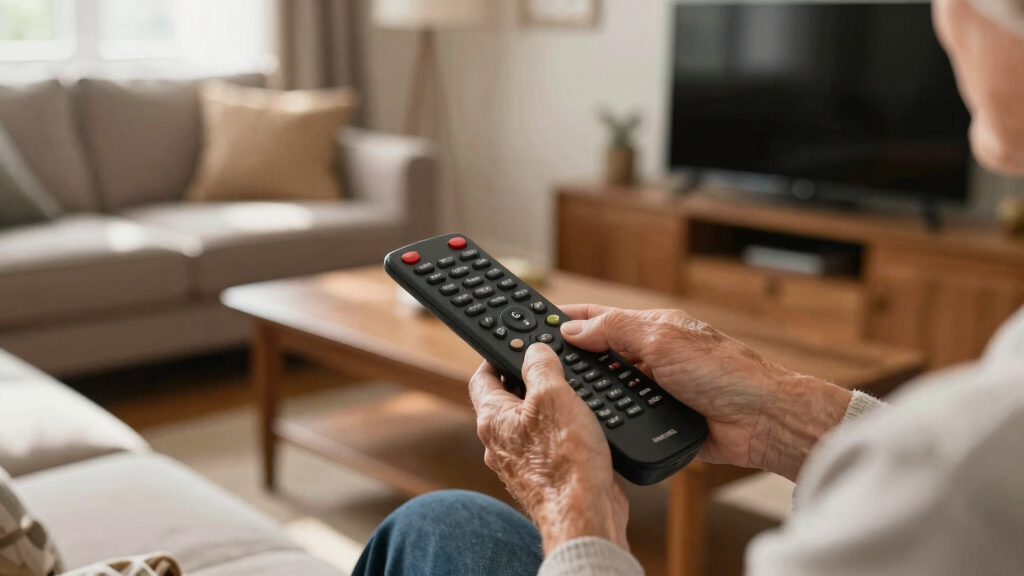

Large-button remote controls replace crowded keypads with clearer, easier-to-press controls for seniors, people with limited vision or dexterity, and anyone who wants simpler TV operation. My best overall pick is the GE BigEZ OneTouch because it combines backlit buttons, two-device control, and a less intimidating layout. The GE Big Button Universal Remote offers better value for basic two-device setups, while the Backlit Learning Remote is the stronger premium choice for buyers who need customization. The main tradeoff is simplicity versus versatility: extra device controls and learning functions expand what a remote can do, but they also add setup steps and more chances for accidental input. Continue reading for the full breakdown of compatibility, visibility, setup, and the buyer each option suits best.

Turn quiet afternoons into listening time
- Thousands of audiobooks, podcasts and originals
- Listen on your phone, tablet or Echo — also offline
- Cancel anytime
Complete the kit


Key Takeaways
- The GE BigEZ OneTouch leads the roundup because its backlighting, large controls, and two-device capacity balance accessibility with everyday flexibility.
- Direct Samsung replacements are simpler than universal models for Samsung-only households, but they lose their advantage when a soundbar or streaming player joins the setup.
- Backlighting and high-contrast colors solve different problems: illumination helps in dark rooms, while white, orange, and red housings make the handset easier to locate.
- More device capacity is not always better. The QFX REM-115 controls up to eight devices, yet its broader scope creates more complexity than most TV-only buyers need.
- Several generic models have nearly identical names, making exact brand support, learning capability, button count, and seller documentation more useful than the word “universal” alone.
| Samsung Replacement TV Remote Compatible with Samsung TVs (Red) |  | Best Samsung-Specific Pick | Compatibility: Samsung TVs | Button design: Large buttons | Button feedback: Tactile | VIEW LATEST PRICE | See Our Full Breakdown |
| QFX REM-115 8-in-1 Large Jumbo Universal Remote Control |  | Best for Multiple Devices | Control capacity: Up to 8 devices | Compatible device types: HDTVs, soundbars, and Blu-ray players | Compatible TV brands: RCA, Sony, Philips, Samsung, GE, Zenith, Panasonic, Sharp, Toshiba, Daewoo, Hitachi, Sanyo, LG, JVC, Mitsubishi, Emerson, and Magnavox | VIEW LATEST PRICE | See Our Full Breakdown |
| Large Button Universal TV Remote Control for Seniors |  | Best Basic Universal Pick | Button size: Large | Button markings: Clearly marked | Compatibility: Most major TV brands | VIEW LATEST PRICE | See Our Full Breakdown |
| Universal Big Button TV Remote Replacement for Samsung, VIZIO, LG, Sony, Philips & More |  | Best for Long-Range Control | Compatibility: Samsung, VIZIO, LG, Sony, Philips, and other supported TVs | Hotkeys: 4 | Key lighting: Illuminated | VIEW LATEST PRICE | See Our Full Breakdown |
| Big Button Universal Remote for All TV Remote |  | Best No-Programming Universal Pick | Compatible brands: Samsung, LG, VIZIO, Sony, Hisense, Philips, Panasonic, and Sharp | Device support: TVs only | Button design: Large buttons | VIEW LATEST PRICE | See Our Full Breakdown |
| Big Button Universal TV Remote for Seniors |  | Best No-Programming Pick | Compatible devices: Televisions | Connectivity: Infrared | Controller type: Button control | VIEW LATEST PRICE | See Our Full Breakdown |
| Backlit Big Button Universal Learning Remote Control |  | Best for Dark Rooms | Compatibility: Most TV brands, set-top boxes, and DVD players | Backlighting: Yes | Button size: Large | VIEW LATEST PRICE | See Our Full Breakdown |
| GE Big Button 2-Device Universal Remote Control |  | Best Flexible Setup | Device capacity: 2 devices | Color: Silver | Compatible brands: Samsung, Vizio, LG, Sony, Sharp, Roku, Apple TV, TCL, Panasonic, and other major brands | VIEW LATEST PRICE | See Our Full Breakdown |
| GE BigEZ OneTouch Big Button Universal Remote |  | Best Overall | Device compatibility: Samsung, LG, Vizio, Sony, Roku TV, and streaming players | Device capacity: 2 devices | Backlit buttons: Yes | VIEW LATEST PRICE | See Our Full Breakdown |
| EZclicker Big Button Universal TV Remote |  | Best Compact Pick | Button type: Large tactile buttons | Compatibility: Major TV brands | Unsupported devices: Cable boxes, Fire TV Stick, and Roku Stick | VIEW LATEST PRICE | See Our Full Breakdown |
| EZclicker Big Button Universal TV Remote (Orange) |  | Best High-Visibility Pick | Color: Orange | Button size: Oversized | Button feedback: Tactile | VIEW LATEST PRICE | See Our Full Breakdown |
| Big Button Universal TV Remote for Seniors, Easy to Use, White |  | Best for Long-Range TV Control | Compatible device: Television | Brand compatibility: Major TV brands | Connectivity: Infrared | VIEW LATEST PRICE | See Our Full Breakdown |
| Big Button Universal TV Remote for Seniors, Easy to Use, Compatible with Major TV Brands |  | Best for Limited Dexterity | Button size: Extra-large | Compatibility: Major TV brands | Unsupported devices: Cable boxes and streaming devices | VIEW LATEST PRICE | See Our Full Breakdown |
| Big Button Universal TV Remote for Seniors and Dementia |  | Best for Simplified Multi-Device Control | Button design: Large, color-coded, and tactile | Core functions: Power, channel, volume, and mute | Favorite channels: Customizable | VIEW LATEST PRICE | See Our Full Breakdown |
| Samsung Replacement TV Remote for Samsung TVs – Black, Big Button Design |  | Best No-Setup Pick for Samsung TVs | Color: Black | Compatibility: Samsung TVs | Button size: Big-button design | VIEW LATEST PRICE | See Our Full Breakdown |
| large-button remote control | Compatibility | Batteries included |
|---|---|---|
| Samsung Replacement TV Remote | Samsung TVs | No |
| QFX REM-115 8-in-1 Large Jumbo | — | — |
| Large Button Universal TV Remo | Most major TV brands | — |
| Universal Big Button TV Remote | Samsung, VIZIO, LG, Sony, Philips, and other supported TVs | — |
| Big Button Universal Remote fo | — | No |
| Big Button Universal TV Remote | — | — |
| Backlit Big Button Universal L | Most TV brands, set-top boxes, and DVD players | — |
| GE Big Button 2-Device Univers | — | — |
| GE BigEZ OneTouch Big Button U | — | No |
| EZclicker Big Button Universal | Major TV brands | — |
| EZclicker Big Button Universal | Major TV brands | No |
| Big Button Universal TV Remote | — | No |
| Big Button Universal TV Remote | Major TV brands | No |
| Big Button Universal TV Remote | — | No |
| Samsung Replacement TV Remote | Samsung TVs | No |
More Details on Our Top Picks
Samsung Replacement TV Remote Compatible with Samsung TVs (Red)
Samsung Replacement TV Remote (Red) takes my Best Samsung-Specific Pick because its large, tactile keys and plug-and-play setup remove two common barriers: hard-to-feel controls and confusing code entry. Compared with the Big Button Universal Remote for All TV Remote, it offers narrower compatibility, but that narrow focus makes it the cleaner choice for a Samsung-only household. The red shell may also be easier to spot on a sofa or table.
I rank it below broader universal choices for mixed-brand homes. It controls Samsung TVs only, lacks support for cable boxes or streaming players, and ships without batteries. Still, its compact 7-inch body balances large-button access with manageable handling, which suits buyers with low vision or reduced finger strength who want basic TV control without setup work.
Pros:- Large buttons provide clear targets for users with low vision
- Tactile feedback helps users confirm presses by touch
- Works with compatible Samsung TVs without programming
- Compact red body is easy to handle and locate
Cons:- Restricted to Samsung TVs
- Cannot replace remotes for cable boxes or streaming devices
- Required AAA batteries are not included
Best for: Samsung TV owners with low vision or limited hand dexterity who want immediate, code-free operation
Not ideal for: Mixed-brand households or viewers who need one remote for a TV, cable box, and streaming player
- Compatibility:Samsung TVs
- Button design:Large buttons
- Button feedback:Tactile
- Programming:Not required
- Battery type:2 AAA batteries
- Batteries included:No
- Dimensions:7 x 2 x 1 inches
Our verdict“This is my pick for Samsung owners who value simple tactile controls more than multi-device versatility.”
QFX REM-115 8-in-1 Large Jumbo Universal Remote Control
QFX REM-115 earns my Best for Multiple Devices position because it can replace up to eight remotes, including controls for HDTVs, soundbars, and Blu-ray players. That makes it far more capable than the Big Button Universal Remote for All TV Remote, which handles televisions only. Glow-in-the-dark keys aid nighttime use, while shortcuts for five major streaming services reduce menu hunting.
The extra capability comes with greater visual and setup complexity. A jumbo remote with numerous device modes is less approachable than the simplified Samsung Replacement TV Remote, and compatibility remains tied to listed brands. Its streaming shortcuts also depend on a compatible internet-connected smart TV. I would choose it for a crowded entertainment center, but buyers seeking only power, volume, and channel controls may find a simpler model easier.
Pros:- Controls as many as eight compatible entertainment devices
- Jumbo buttons provide large pressing targets
- Glow-in-the-dark keys are easier to find in a dim room
- Dedicated Netflix, Prime Video, YouTube, Hulu, and Disney+ shortcuts reduce menu steps
Cons:- More buttons and device modes create a steeper learning curve
- Compatibility is limited to the listed brands and supported devices
- Streaming shortcuts require a compatible internet-connected smart TV
Best for: Households that want one large-button remote for a branded TV, soundbar, and disc player
Not ideal for: Users with cognitive difficulties who may be confused by multiple device modes and numerous shortcut keys
- Control capacity:Up to 8 devices
- Compatible device types:HDTVs, soundbars, and Blu-ray players
- Compatible TV brands:RCA, Sony, Philips, Samsung, GE, Zenith, Panasonic, Sharp, Toshiba, Daewoo, Hitachi, Sanyo, LG, JVC, Mitsubishi, Emerson, and Magnavox
- Button format:Large jumbo buttons
- Low-light feature:Glow-in-the-dark illuminated buttons
- Streaming shortcuts:Netflix, Prime Video, YouTube, Hulu, and Disney+
- Smart TV requirement:Internet capability required for streaming shortcuts
Our verdict“The QFX makes the most sense when replacing a pile of remotes matters more than maintaining a stripped-down layout.”
Large Button Universal TV Remote Control for Seniors
Large Button Universal TV Remote Control for Seniors is my Best Basic Universal Pick for buyers who want broad TV compatibility without a device-packed layout. Its clearly marked keys and lightweight ergonomic body prioritize readable, comfortable operation. Compared with the QFX REM-115, this model gives up eight-device control and streaming shortcuts, but its reduced feature set should be easier to learn.
It does not claim the no-programming convenience of the Big Button Universal Remote for All TV Remote, nor does it offer the illuminated keys and 40-foot range of the Universal Big Button TV Remote Replacement. That leaves it in a practical middle position: broader than a brand-specific replacement yet simpler than a full entertainment remote. I favor it for straightforward viewing, while smart-TV power users should skip it because advanced and programmable functions are limited.
Pros:- Large, clearly marked buttons improve readability
- Supports most major TV brands
- Lightweight ergonomic body is easier to hold
- Simple feature set reduces control clutter
Cons:- Offers few advanced smart-TV controls
- May lack programmable functions
- No illuminated-key feature is specified for dark-room use
Best for: Older viewers with low vision who use a major-brand TV and want a lightweight remote for basic daily controls
Not ideal for: Smart-TV power users who rely on app shortcuts, programmable commands, or advanced menu functions
- Button size:Large
- Button markings:Clearly marked
- Compatibility:Most major TV brands
- Design:Ergonomic
- Weight class:Lightweight
- Intended users:Seniors and people with low vision
- Feature level:Basic TV control with limited advanced functions
Our verdict“I recommend this model for buyers who want uncomplicated universal TV control and can live without smart shortcuts or programming features.”
Universal Big Button TV Remote Replacement for Samsung, VIZIO, LG, Sony, Philips & More
Universal Big Button TV Remote Replacement claims my Best for Long-Range Control slot with a specified 40-foot infrared reach and response time below 0.2 seconds. Compared with the Large Button Universal TV Remote Control for Seniors, it adds illuminated keys and four hotkeys, making channel access and dark-room operation faster. Battery memory also prevents repeated setup after replacements.
This is a more feature-rich TV remote, but it is not a full multi-device hub like the QFX REM-115. Its infrared signal requires a clear path, initial setup may be needed, and the 90-day support period is brief. I rank it highly for viewers seated far from the screen who still want large visible controls. Buyers who need signals to pass through cabinets, or who want one remote for a soundbar and Blu-ray player, should choose another option despite its fast, durable button system.
Pros:- Infrared range reaches up to 40 feet
- Illuminated large keys improve low-light visibility
- Response time below 0.2 seconds supports quick control
- Battery memory retains settings after battery changes
Cons:- Infrared control requires line of sight
- Some televisions may require initial setup
- After-sales support lasts only 90 days
Best for: Viewers in large rooms who need illuminated large buttons and reliable TV commands from up to 40 feet away
Not ideal for: Cabinet-based home theaters or multi-device systems that need non-infrared control through obstacles
- Compatibility:Samsung, VIZIO, LG, Sony, Philips, and other supported TVs
- Hotkeys:4
- Key lighting:Illuminated
- Signal type:Infrared
- Maximum range:Up to 40 feet
- Response time:Less than 0.2 seconds
- Durability rating:Tested for more than 150,000 button clicks
- Battery memory:No reset required after battery changes
- After-sales support:90 days
Our verdict“This is my choice for large-room TV viewing when range, visible keys, and quick response outweigh multi-device control.”
Big Button Universal Remote for All TV Remote
Big Button Universal Remote for All TV Remote is my Best No-Programming Universal Pick because it pairs multi-brand support with insert-and-use operation. That combination gives it a wider audience than the Samsung Replacement TV Remote while retaining the same low-friction setup. An extra-large enter button and tactile feedback also help users with low vision, reduced dexterity, or dementia identify and confirm common presses.
Simplicity sets the limit. Unlike the QFX REM-115, this remote cannot control streaming players, cable boxes, or other entertainment gear, and it provides no streaming hotkeys. It also lacks the illuminated keys and stated 40-foot reach of the Universal Big Button TV Remote Replacement. I would place it ahead of those models for easy everyday TV operation, but behind them for connected home theaters. The missing batteries add a small purchase step to an otherwise straightforward setup.
Pros:- No programming is required with supported televisions
- Works across eight listed major TV brands
- Extra-large enter button creates an easy central target
- Tactile feedback helps confirm button presses
Cons:- Controls televisions only
- Does not support streaming devices or cable boxes
- Batteries are required but not included
Best for: Caregivers setting up a simple major-brand TV remote for someone with dementia, low vision, or reduced dexterity
Not ideal for: Households wanting one remote to operate a cable box, streaming player, soundbar, and television
- Compatible brands:Samsung, LG, VIZIO, Sony, Hisense, Philips, Panasonic, and Sharp
- Device support:TVs only
- Button design:Large buttons
- Primary control:Extra-large enter button
- Button feedback:Tactile
- Programming:Not required
- Intended users:Seniors, visually impaired users, people with limited dexterity, and people with dementia
- Batteries included:No
Our verdict“I favor this remote for caregivers and major-brand TV owners who want broad compatibility without programming or extra device controls.”
Big Button Universal TV Remote for Seniors
I place the Big Button Universal TV Remote for Seniors high for buyers who want the shortest path from opening the package to controlling a television. Unlike the EZclicker Big Button Universal TV Remote, which uses a programming process, this model is designed to work with most major TV brands without programming. Its tactile controls also give users with limited vision or hand mobility clearer feedback after each press. That simplicity comes from a narrow focus: it controls only one television and cannot replace cable-box or streaming-device remotes. The 10-meter infrared range is ample for a typical living room, but it requires a direct path to the TV. I see this as the simplest TV-only choice, not a solution for a multi-device entertainment center.
Pros:- Large tactile buttons provide clearer physical feedback
- Designed to work with most major television brands without programming
- Simple control layout suits users with limited vision or dexterity
- 10-meter range accommodates most living rooms
Cons:- Controls only one device
- Cannot operate streaming devices or cable boxes
- Offers no smart-home integration
Best for: Seniors or visually impaired viewers who need a straightforward, tactile remote for one television without a programming routine
Not ideal for: Households using cable boxes, streaming players, or multiple devices, since it controls only one television
- Compatible devices:Televisions
- Connectivity:Infrared
- Controller type:Button control
- Maximum range:10 meters
- Maximum supported devices:1
- Smart-home compatibility:Not supported
Our verdict“I recommend this model for buyers who want uncomplicated control of one television and have no need for entertainment-device extras.”
Backlit Big Button Universal Learning Remote Control
I rank the Backlit Big Button Universal Learning Remote as the strongest choice for viewers who regularly watch television in dim rooms. The illuminated, oversized controls are easier to identify after the lights go down, while its sub-0.3-second response and 10-meter range support quick everyday operation. Compared with the GE BigEZ OneTouch, this model’s learning function can copy commands from an existing remote for TVs, set-top boxes, and DVD players, giving buyers more control over button assignments. The catch is that the original remote must still work during setup; the GE BigEZ is less dependent on that copying process. Number buttons may also remain unusable when the source remote lacks matching commands. I favor this for customizable low-light control, provided someone can handle the initial programming.
Pros:- Backlit large buttons remain readable in dim rooms
- Learning function supports customized command copying
- Works with most televisions, set-top boxes, and DVD players
- 10-meter range and sub-0.3-second response support responsive control
Cons:- Requires the original remote for programming
- Number buttons may not work when the source remote lacks matching controls
- Batteries must be purchased separately
Best for: Nighttime viewers who have a working original remote and want large illuminated buttons with copied device commands
Not ideal for: Buyers replacing a lost or broken original remote, since the learning setup depends on access to that remote
- Compatibility:Most TV brands, set-top boxes, and DVD players
- Backlighting:Yes
- Button size:Large
- Learning function:Yes
- Control range:10 meters (33 feet)
- Response time:Less than 0.3 seconds
- Battery included:No
Our verdict“I recommend this remote for low-light viewing when customization matters more than having a setup that works without the original controller.”
GE Big Button 2-Device Universal Remote Control
I give the GE Big Button Universal Remote this role because it offers two practical setup paths: automatic code search and direct code entry. That flexibility makes it easier to recover when one method fails, and unlike the Backlit Big Button Universal Learning Remote, it does not rely on copying commands from a working original remote. It can control two entertainment devices, so a viewer can consolidate a TV and a soundbar, cable box, streaming player, or disc player. Large, readable buttons keep the layout accessible, while Samsung TV preprogramming may shorten setup for those owners. I rank it below the GE BigEZ OneTouch for visibility because no backlighting is listed. Its basic two-device design also leaves home-theater users short of capacity, but it strikes a useful balance between simplicity and compatibility.
Pros:- Controls two devices from one accessible layout
- Offers both automatic code search and direct code entry
- Large buttons are easier to read for users with impaired vision
- Preprogrammed support simplifies setup for Samsung TV owners
Cons:- No backlighting is specified
- Two-device limit is restrictive for larger entertainment systems
- Basic controls may omit advanced device functions
Best for: Viewers who want one accessible remote for a television plus one soundbar, cable box, streaming player, or disc player
Not ideal for: Home-theater owners with three or more components or users who need illuminated buttons for nighttime viewing
- Device capacity:2 devices
- Color:Silver
- Compatible brands:Samsung, Vizio, LG, Sony, Sharp, Roku, Apple TV, TCL, Panasonic, and other major brands
- Compatible device types:TVs, soundbars, cable boxes, streaming players, Blu-ray players, and DVD players
- Automatic setup:Automatic code search
- Manual setup:Direct code entry
- Power:2 AA batteries required; not included
Our verdict“I recommend this GE model when two-device capacity and flexible code-based setup matter more than backlighting or advanced controls.”
GE BigEZ OneTouch Big Button Universal Remote
I rank the GE BigEZ OneTouch first in this batch because it combines several accessibility aids without giving up two-device control. Its large, backlit buttons remain visible in darker rooms, while color-coded controls give users another way to distinguish common functions. Compared with the silver GE Big Button Universal Remote, the BigEZ offers better visual separation with the same two-device capacity. It also supports major TV brands and streaming players, reducing the need to juggle separate controllers. The compromise is a preset-oriented layout that may need programming for less common equipment and cannot expand beyond two devices. Batteries are another separate purchase. Even with those limits, I find its mix of visibility, simplicity, and device coverage the most convincing choice for seniors who need more than TV-only operation.
Pros:- Large backlit buttons improve visibility in dim rooms
- Color-coded controls make key functions easier to distinguish
- Controls two devices to reduce remote clutter
- Supports major TV brands and streaming players
Cons:- Cannot control more than two devices
- Less common equipment may require additional programming
- Two AA batteries are required but not included
Best for: Seniors and visually impaired viewers who need illuminated, color-coded controls for a television and one streaming or entertainment device
Not ideal for: Users with three or more components or uncommon devices that may require custom programming beyond the preset controls
- Device compatibility:Samsung, LG, Vizio, Sony, Roku TV, and streaming players
- Device capacity:2 devices
- Backlit buttons:Yes
- Control identification:Color-coded controls
- Color:White
- Battery type:2 AA batteries
- Batteries included:No
Our verdict“I recommend the GE BigEZ as the best all-around choice for buyers who need strong button visibility and simple two-device control.”
EZclicker Big Button Universal TV Remote
I choose the EZclicker Big Button Universal TV Remote for buyers who want tactile controls in a body that is easy to hold, store, or carry between rooms. At 7 by 2 by 1 inches, it provides a defined compact footprint without replacing its large, easy-press buttons with tiny controls. Compared with the Big Button Universal TV Remote for Seniors, the EZclicker requires simple programming rather than offering a setup-free approach. Its limitations are equally clear: it works with major television brands but cannot control cable boxes, Fire TV Stick devices, or Roku Stick players. The black finish also lacks the backlit visibility of the white GE BigEZ OneTouch. I regard it as a focused, portable TV remote for limited-dexterity users, not a consolidated controller for a streaming-centered setup.
Pros:- Large tactile buttons are easier to locate and press
- Compact 7-inch body is convenient to hold and store
- Supports major television brands
- Programming process is designed to be simple
Cons:- Cannot control cable boxes or streaming sticks
- Requires programming, unlike some setup-free alternatives
- Two AAA batteries are required but not included
Best for: Users with limited dexterity who want a compact, tactile remote solely for controlling a major-brand television
Not ideal for: Streaming and cable viewers who want one remote to control a TV plus Roku Stick, Fire TV Stick, or cable-box functions
- Button type:Large tactile buttons
- Compatibility:Major TV brands
- Unsupported devices:Cable boxes, Fire TV Stick, and Roku Stick
- Dimensions:7 x 2 x 1 inches
- Setup:Programmable universal TV control
- Power:2 AAA batteries required; not included
Our verdict“I recommend the EZclicker for buyers who value a compact grip and tactile TV controls more than streaming-device compatibility.”
EZclicker Big Button Universal TV Remote (Orange)
I rank the EZclicker Big Button Universal TV Remote (Orange) as the strongest choice for buyers who frequently misplace a remote or struggle to distinguish dark controls against furniture. Its bright orange casing and oversized tactile buttons address visibility and dexterity without producing the unwieldy feel of the QFX REM-115 jumbo remote. At 7 inches long and 2 inches wide, it should remain manageable in smaller hands. The tradeoff is a narrow job description: unlike the Big Button Universal TV Remote for Seniors and Dementia, it cannot operate cable boxes or soundbars. Programming is designed to be simple, but it still adds a setup step that the Samsung Replacement TV Remote avoids. I favor this model when visibility and straightforward TV control matter more than multi-device access.
Pros:- Bright orange body is easier to spot on furniture or bedding
- Oversized buttons reduce precision demands
- Tactile feedback helps users confirm presses by touch
- Compact, lightweight body is easier to grip than a jumbo remote
Cons:- Cannot control cable boxes or streaming devices
- Requires programming before use
- AAA batteries must be purchased separately
Best for: Seniors or visually impaired viewers who need a brightly colored remote that is easier to locate and operate by touch
Not ideal for: Cable, streaming-device, or soundbar users who want one remote to control their full entertainment setup
- Color:Orange
- Button size:Oversized
- Button feedback:Tactile
- Compatibility:Major TV brands
- Unsupported devices:Cable boxes and streaming devices
- Dimensions:7 x 2 x 1 inches
- Battery requirement:2 AAA batteries
- Batteries included:No
Our verdict“This is my visibility-first pick for buyers who need simple TV control in an easy-to-find, hand-friendly design.”
Big Button Universal TV Remote for Seniors, Easy to Use, White
The Big Button Universal TV Remote for Seniors in White earns its place through a stated 45-foot infrared range, making it better suited to large bedrooms and open living areas than models that provide no range figure. Its tactile button layout reduces the fine finger movement demanded by conventional remotes, while the white casing can be easier to identify beside darker furniture. Compared with the EZclicker Orange, however, it is less conspicuous when misplaced among pale bedding. It also lacks the cable-box, soundbar, and favorites support offered by the Big Button Universal TV Remote for Seniors and Dementia. I would choose this for basic TV operation across a larger room, provided there is a clear infrared path. Buyers expecting control over an entire media system will find its TV-only scope restrictive.
Pros:- Specified 45-foot range suits larger viewing spaces
- Large tactile buttons demand less finger precision
- Simple programming is accessible for many senior users
- Works with major TV brands through infrared
Cons:- Limited to television control
- Infrared operation depends on pointing the remote toward the TV
- Two AAA batteries are required but not supplied
Best for: Viewers in large bedrooms or living rooms who need tactile TV controls with a specified 45-foot infrared range
Not ideal for: Households that need cable-box, soundbar, streaming-device, or app control from the same remote
- Compatible device:Television
- Brand compatibility:Major TV brands
- Connectivity:Infrared
- Controller type:Button control
- Maximum range:45 feet
- Color:White
- Control scope:TV only
- Battery requirement:2 AAA batteries
- Batteries included:No
Our verdict“I recommend this model for buyers who want uncomplicated large-button TV control from farther across the room.”
Big Button Universal TV Remote for Seniors, Easy to Use, Compatible with Major TV Brands
I place the Big Button Universal TV Remote for Seniors in the dexterity-focused role because it combines extra-large buttons, one-button programming, and a compact body. That pairing matters for someone who needs broad press targets but may find a true jumbo remote, such as the QFX REM-115, tiring or awkward to hold. Its 7-by-2-inch footprint matches the compact EZclicker Orange, though it lacks that model’s highly visible casing. The simple setup gives it an advantage over universal remotes with longer code-entry routines, yet the Samsung Replacement TV Remote remains easier for Samsung owners because no programming is needed. Device coverage is the main compromise: this model handles major TV brands but not cable boxes or streaming hardware. I see it as a focused accessibility replacement, not a whole-system controller.
Pros:- Extra-large buttons accommodate reduced finger precision
- One-button programming simplifies initial setup
- Compact proportions are easier to hold than jumbo designs
- Supports major television brands
Cons:- Does not operate cable boxes or streaming devices
- Still requires programming, unlike brand-specific replacements
- Batteries are sold separately
Best for: People with arthritis, tremors, or reduced hand control who need extra-large targets without a bulky jumbo housing
Not ideal for: Viewers who rely on a cable box or streaming player and want to avoid switching between remotes
- Button size:Extra-large
- Compatibility:Major TV brands
- Unsupported devices:Cable boxes and streaming devices
- Programming method:One-button programming
- Length:7 inches
- Width:2 inches
- Depth:1 inch
- Battery requirement:2 AAA batteries
- Batteries included:No
Our verdict“This is my pick for limited dexterity when large press targets and a compact grip outweigh the need for multi-device control.”
Big Button Universal TV Remote for Seniors and Dementia
The Big Button Universal TV Remote for Seniors and Dementia is the most capable option in this batch for reducing remote clutter. Unlike the EZclicker Orange and the white 45-foot model, it can operate IR televisions, cable boxes, and soundbars. Color-coded tactile controls help separate core actions, while customizable favorites can reduce the steps needed to reach familiar channels. Those features make it more useful for caregivers configuring a stable routine. Added capability brings added setup responsibility, and it is not a universal answer for modern entertainment systems: streaming boxes and apps remain unsupported. It also needs direct line of sight, so hidden equipment may respond poorly. I rank it above the TV-only choices for mixed IR setups, but below simpler models for buyers who only need power and volume. Its advantage is controlled versatility rather than minimalism.
Pros:- Large color-coded tactile buttons separate common functions
- Controls compatible TVs, cable boxes, and soundbars
- Customizable favorite channels reduce repeated navigation
- Dedicated power, channel, volume, and mute controls keep operation focused
Cons:- Cannot control streaming set-top boxes or streaming apps
- Direct line of sight is required
- Multi-device and favorites setup may require caregiver assistance
Best for: Caregivers setting up a simplified infrared TV, cable-box, and soundbar system for a senior or person with cognitive impairment
Not ideal for: Streaming-first households or rooms where entertainment equipment is hidden inside cabinets
- Button design:Large, color-coded, and tactile
- Core functions:Power, channel, volume, and mute
- Favorite channels:Customizable
- Compatible device types:TVs, IR cable boxes, and soundbars
- Listed compatibility:Xfinity, Spectrum, Samsung, LG, Vizio, TCL, Panasonic, and Insignia
- Unsupported services:Streaming set-top boxes and streaming apps
- Operating requirement:Direct line of sight
- Battery requirement:2 AA batteries
- Batteries included:No
Our verdict“I recommend this remote for caregiver-managed IR systems that need fewer controllers and quick access to familiar channels.”
Samsung Replacement TV Remote for Samsung TVs – Black, Big Button Design
For a Samsung-only household, the Samsung Replacement TV Remote offers the cleanest route to accessible controls: insert batteries and use it, with no programming required. That makes it easier to deploy than the EZclicker Orange or the major-brand Big Button Universal TV Remote, both of which trade wider compatibility for a setup process. Large tactile buttons support users with reduced vision or hand control, and the 7-by-2-inch body stays more manageable than the QFX REM-115 jumbo design. The narrow compatibility that makes setup easy is also its firm limitation. It cannot move to an LG, Sony, or Vizio television, and its basic feature set omits smart shortcuts and broader device control. I rank it as the best Samsung-specific choice, not the most flexible remote. It makes sense when immediate, uncomplicated TV operation is the priority.
Pros:- Works with Samsung TVs without programming
- Large tactile buttons support vision and dexterity needs
- Compact, lightweight body is easier to handle than jumbo remotes
- Brand-specific design removes universal-code setup
Cons:- Restricted to Samsung televisions
- No added smart functions or multi-device controls
- Two AAA batteries are not included
Best for: Samsung TV owners who need a large-button replacement that a senior or caregiver can put into service without programming
Not ideal for: Multi-brand households or viewers who need smart shortcuts, streaming controls, or support for additional devices
- Color:Black
- Compatibility:Samsung TVs
- Button size:Big-button design
- Button feedback:Tactile
- Programming required:No
- Dimensions:7 x 2 x 1 inches
- Battery requirement:2 AAA batteries
- Batteries included:No
Our verdict“This is my straightforward recommendation for Samsung owners who value immediate setup and accessible buttons over flexibility.”
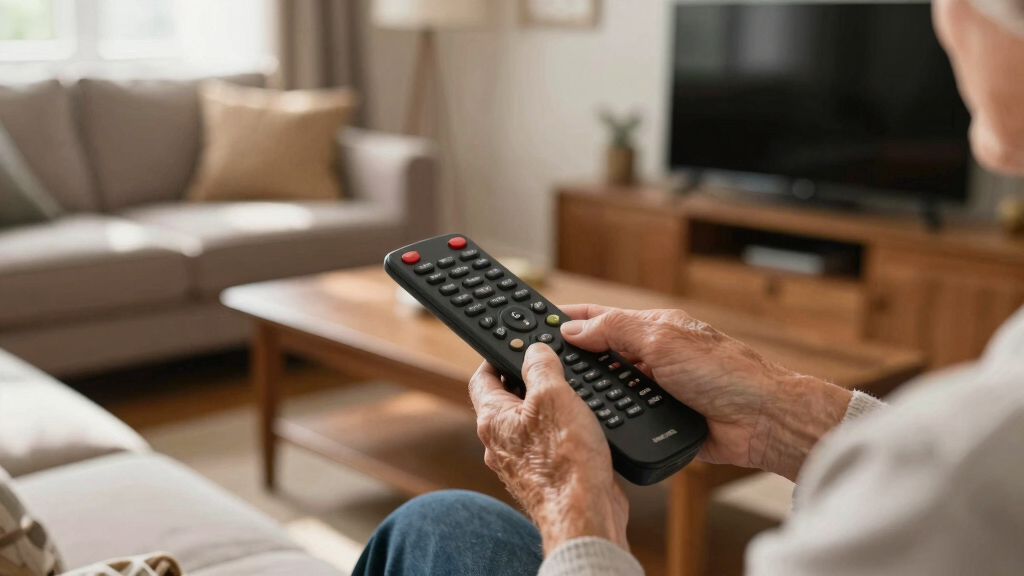
How We Picked
I evaluated these 15 remotes through the needs that make large-button design genuinely useful: button size and spacing, label contrast, layout simplicity, grip-friendly proportions, backlighting, and resistance to accidental presses. I also compared TV-brand coverage, direct-replacement convenience, learning support, device capacity, and the amount of setup likely to be required. A large handset ranked lower when extra controls diluted the benefit of its larger keys.
My ranking gives the most weight to easy daily operation, followed by compatibility and setup burden. Models combining a readable layout with useful additions such as backlighting or two-device control ranked above basic remotes that offered size alone. Specialized picks received credit for solving a narrower problem well, including Samsung-only replacement, dementia-friendly operation, or eight-device control. Value reflects the balance of useful capability and complexity rather than the longest feature list.
| large-button remote control | Compatibility |
|---|---|
| Samsung Replacement TV Remote | Samsung TVs |
| QFX REM-115 8-in-1 Large Jumbo | — |
| Large Button Universal TV Remo | Most major TV brands |
| Universal Big Button TV Remote | Samsung, VIZIO, LG, Sony, Philips, and other supported TVs |
| Big Button Universal Remote fo | — |
| Big Button Universal TV Remote | — |
| Backlit Big Button Universal L | Most TV brands, set-top boxes, and DVD players |
| GE Big Button 2-Device Univers | — |
| GE BigEZ OneTouch Big Button U | — |
| EZclicker Big Button Universal | Major TV brands |
| EZclicker Big Button Universal | Major TV brands |
| Big Button Universal TV Remote | — |
| Big Button Universal TV Remote | Major TV brands |
| Big Button Universal TV Remote | — |
| Samsung Replacement TV Remote | Samsung TVs |
Factors to Consider When Choosing Large-button Remote Controls
I would choose a large-button remote by working backward from the person using it, the equipment it must control, and the mistakes most likely to interrupt viewing. The points below explain where a simpler remote helps and where paying for added capability makes sense.
Judge the Usable Buttons, Not the Remote’s Size
A jumbo shell does not guarantee large usable targets. I look for wide spacing around power, volume, channel, input, and mute because these are the controls pressed most often. Raised shapes or distinct key positions can help someone operate the remote by touch. Small secondary labels, crowded number pads, and rows of identical keys can erase much of the accessibility benefit. For limited dexterity, firm separation between buttons may matter more than the total surface area. For reduced vision, bold labels and strong contrast usually provide more help than decorative color alone.
Match Compatibility to the Whole Viewing Setup
The word universal does not mean every function will work with every television. Basic infrared commands such as power and volume have broad support, while app shortcuts, voice control, menus, and smart-home features may remain tied to the original remote. I would list the TV, streaming player, soundbar, and disc player before choosing a model. A direct Samsung replacement makes sense for one compatible Samsung TV, but it becomes limiting if the viewer must keep another handset nearby for audio. A two-device remote fits many TV-and-streamer setups without adding too many mode controls. Eight-device models suit larger systems, although their extra modes can confuse someone who only wants to watch television.
Choose Between Code Setup and Learning
Most universal remotes rely on brand codes, automatic code searches, or learning from an existing handset. Code entry is quick when the correct code is documented, but one code may operate power and volume without supporting input selection. Automatic searches take longer and can stop on a partial match. A learning remote can copy selected commands, which is useful for unusual televisions or a carefully simplified layout. That flexibility usually requires the original working remote and patient button-by-button programming. I favor learning capability for uncommon equipment and straightforward code setup for mainstream TV-only use.
Separate Low-Light Visibility From Findability
Backlit keys help during viewing because the labels remain readable when the room is dark. They do not make a misplaced remote easier to see from across the room once the lighting switches off. Bright orange, red, or white housings solve that second problem by standing out against dark furniture and bedding. I would prioritize backlighting for evening movie watching and high-contrast casing for a remote that is frequently misplaced. Glow materials can fade, while powered backlights may shorten battery life if they activate often. The best choice depends on whether reading the keys or finding the handset causes more frustration.
Limit Features When Mistakes Are Costly
Extra controls can create unwanted mode changes, input switching, purchases, or menu screens that are hard to exit. For someone with memory loss or cognitive impairment, I prefer a restricted set of core commands over broad smart-TV access. Caregivers should check whether unused keys can be ignored, covered, disabled, or left unprogrammed. A dedicated dementia-oriented model may be a better fit than a standard jumbo remote with dozens of enlarged buttons. Buyers who regularly change inputs or use streaming menus will need more controls, even if that makes the layout busier. The right balance is the fewest buttons that complete the real routine.
Check Power, Memory, and Ongoing Support
A remote that forgets its programming after a battery change can turn routine maintenance into repeated setup work. I would check for code retention or nonvolatile memory, especially when a caregiver handles programming. Common battery sizes are easier to replace than coin cells, and a clearly marked compartment reduces guesswork. Printed code lists matter because generic models may have limited online documentation or several visually similar revisions. A low purchase price loses appeal if the seller cannot supply instructions for the exact unit. Paying more can make sense for clear documentation, dependable memory, and recognizable support, even when the button layout looks similar.
Frequently Asked Questions
Will a large-button universal remote control every feature on my smart TV?
Usually not. Most models handle power, volume, channels, mute, and input selection, but voice assistants, pointer controls, app-specific menus, and Bluetooth functions may still require the original handset. Smart TVs can also use different command sets across model years from the same brand. I would keep the original remote stored nearby for setup changes and occasional advanced functions. Choose a learning model if copying a few unsupported infrared commands would complete the daily routine.
Is a direct replacement better than a universal remote?
A direct replacement is often better when one television is the entire setup and the replacement explicitly matches its brand or model family. It may work with little or no programming and can preserve a more familiar key arrangement. A universal remote is better when the viewer needs to control a second device or when the original layout is too crowded. Compatibility claims still need checking because neither category guarantees access to voice, Bluetooth, or every smart-TV command. I would choose direct replacement for simplicity and universal control for broader equipment coverage.
Should I choose backlit buttons or a brightly colored remote?
Choose backlighting when the main problem is reading labels in a dark room. Choose orange, red, or white casing when the remote frequently disappears against furniture, blankets, or cushions. These features address separate frustrations, so one does not replace the other. Backlights also depend on batteries and may activate for only a short period. For low vision across varied lighting, I would favor high-contrast labels plus illumination when both are available.
How many devices should a senior-friendly remote control?
For most households, one or two devices are easier to manage than a remote with many selectable modes. A TV and streaming player or soundbar usually cover the everyday viewing path. Eight-device control can reduce handset clutter in a larger entertainment system, but mode buttons make it easier to control the wrong component accidentally. I would only choose that capacity when the same user regularly operates several devices and understands mode switching. Otherwise, fewer device modes preserve the simplicity that large buttons are meant to provide.
What makes a remote more suitable for someone with dementia?
A dementia-friendly remote should focus on a small, predictable group of controls rather than merely enlarging every button from a standard handset. Power, volume, and channel access may be enough for one viewer, while another may need direct access to a favorite source. Unused keys can cause confusion if they open menus or change inputs with no clear path back. Caregivers should also look for retained programming and a design that is easy to locate. I would choose a dedicated simplified model when preventing accidental changes matters more than versatility.
Conclusion
My best overall recommendation is the GE BigEZ OneTouch for buyers who want large backlit controls and enough flexibility for two devices. The GE Big Button Universal Remote in Silver is my best-value choice for a straightforward TV-and-streamer or TV-and-audio pairing. Buyers willing to spend more for customization should choose the Backlit Big Button Learning Remote, while beginners who mainly need a visible, uncomplicated handset should start with the orange EZclicker. The QFX REM-115 makes more sense for users who genuinely need one jumbo remote for several entertainment components. For cognitive impairment, I would choose the dedicated Big Button Universal TV Remote for Seniors and Dementia; for a Samsung-only household, one of the Samsung replacement models removes unnecessary universal setup. Matching the remote to the viewer’s actual routine will produce a better result than choosing the model with the most buttons.
Halloween Picks
halloween
As an affiliate, we earn on qualifying purchases.