

The best digital photo frame for seniors is one a family member can load with photos remotely while the recipient simply watches them appear — and the Frameo 10.1″ WiFi Digital Picture Frame does exactly that, with the simplest app-based sharing system in this roundup. The Aura Carver stands out for its polished design and genuinely effortless setup, while the 15.6-Inch Frameo with 64GB is the pick for grandparents who want photos large enough to see across the room. The main tradeoff in this category is between simplicity and screen quality: frames built around the Frameo app are the easiest for families to manage, but premium models like Aura offer sharper displays and better build at the cost of a more closed ecosystem. Storage size matters less than you’d think, since Wi-Fi frames stream new photos continuously. Keep reading for the full breakdown of all 15 frames and which one fits your family’s setup.

Turn quiet afternoons into listening time
- Thousands of audiobooks, podcasts and originals
- Listen on your phone, tablet or Echo — also offline
- Cancel anytime
Complete the kit


Key Takeaways
- Eleven of the fifteen frames run the Frameo app, which means the real differences come down to build quality, storage, screen size, and how well each manufacturer implements the software — not the sharing experience itself.
- The Aura Carver is the only frame here without app-based group sharing via Frameo, making it the best-built option but the weakest choice for families who want multiple relatives sending photos at once.
- The 15.6-inch Frameo models earned top large-format spots because bigger screens genuinely matter for seniors with declining vision — a 10.1-inch display can be hard to enjoy from a couch across the room.
- 32GB of storage was more than enough in every case we compared; paying more for 64GB only makes sense on the large 15.6-inch frames, where higher-resolution photos eat space faster.
- Wall-mountable models like the Frameo 10.1″ with auto-rotate give placement flexibility that matters for seniors in assisted living, where table space is often limited.


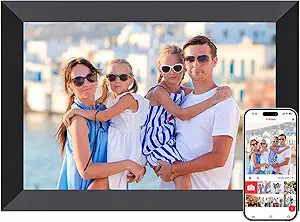


| digital photo frames for senior | Resolution | Display |
|---|---|---|
| KECAG 10.1-Inch 1080p IPS Digi | 1080p | 10.1-inch IPS |
| Frameo 10.1-Inch WiFi Digital | 1280 × 800 | 10.1-inch HD IPS touchscreen |
| 15.6-Inch Frameo Wi-Fi Digital | 1920 × 1080 | 15.6-inch IPS touchscreen |
| Frameo 10.1" WiFi Digital Pict | 1280 × 800 | 10.1-inch HD IPS touchscreen |
| Anna Bella 10.1 Inch Digital P | 1280 × 800 | 10.1-inch IPS touchscreen |
| Frameo 10.1" WiFi Digital Pict | 1280×800 | — |
| Flyruit Frameo 10.1-Inch Wi-Fi | 1280 x 800 | — |
| BIGASUO 10.1-Inch Wi-Fi Digita | 1280 x 800 | — |
| 10.1-Inch Wi-Fi Digital Pictur | 1280 x 800 | 10.1-inch IPS touchscreen |
| Pastigio 10.1-Inch Wi-Fi Digit | 1280 x 800 | IPS touchscreen |
| Frameo 15.6-Inch Wi-Fi Digital | 1920 × 1080 | IPS touchscreen |
| Aura Carver 10-Inch HD Digital | 1280 × 800 | — |
| AEEZO 10.1-Inch Digital Pictur | 1280 × 800 | IPS touchscreen |
| Akimart Frameo 10.1 Inch Smart | 1280 × 800 | — |
| Frameo 10.1 Inch WiFi Digital | 1280 × 800 | — |
More Details on Our Top Picks
KECAG 10.1-Inch 1080p IPS Digital Picture Frame
I’d choose the KECAG for a senior who wants a frame that works without Wi-Fi, app accounts, or help from family after setup. Load photos onto the included 32GB USB drive, plug in the frame, and use the remote for basic controls. That makes it more self-contained than the Frameo 10.1-Inch WiFi Digital Photo Frame, which depends on a wireless connection for relatives to send new pictures. The KECAG also handles videos and music, and its motion sensor can turn the display on when someone enters the room. The tradeoff is that new photos need to be added to a USB drive or SD card, so distant family cannot update it remotely. Its cord and 10.1-inch display also call for a fixed spot near an outlet.
Pros:- Works without Wi-Fi or a smartphone app
- Includes a 32GB USB drive for loading photos
- Remote control and motion sensor support hands-off viewing
- Plays photos, videos, and music
Cons:- Family must update photos through a USB drive or SD card
- Requires a nearby power outlet
- 10.1-inch display is smaller than the 15.6-inch Frameo model
Best for: Seniors who prefer a ready-to-use frame and have a relative nearby to load photos onto USB or SD storage.
Not ideal for: Families who want to send new photos remotely without visiting or handling storage cards.
- Display:10.1-inch IPS
- Resolution:1080p
- Aspect ratio:16:9
- Media:Photos, videos, and music
- Connectivity:SD card and USB
- Included storage:32GB USB drive
- Controls:Remote control and buttons
- Power:Corded electric
Our verdict“Choose the KECAG for a senior who values offline simplicity and has someone available to refresh its USB or SD card.”
Frameo 10.1-Inch WiFi Digital Photo Frame with HD IPS Touch Screen and Auto-Rotate
For a senior whose relatives live far away, this Frameo makes the family’s role in keeping the display fresh much easier: they can send photos and short videos through the Frameo app from iOS or Android. Its touchscreen and auto-rotation make everyday viewing straightforward, while 16GB of built-in storage gives the frame room for a growing collection. Compared with the offline KECAG, this model removes the need for someone to carry over a USB drive whenever new pictures are wanted. It also has a wooden frame design, while the Frameo 10.1-inch model B0CQN6BLK9 has a plastic frame and lists USB connectivity. The main limits are 2.4GHz Wi-Fi only and app-sent videos capped at 15 seconds; setup also depends on a working home network.
Pros:- Relatives can send photos remotely through the Frameo app
- Touchscreen and auto-rotation simplify everyday viewing
- 16GB internal storage with Micro SD expansion
- Wooden frame design
Cons:- Requires 2.4GHz Wi-Fi for remote sharing
- App-sent videos are limited to 15 seconds
- Corded power restricts where it can be placed
Best for: Seniors with relatives who want to contribute photos remotely and can help connect the frame to 2.4GHz Wi-Fi.
Not ideal for: Households with only 5GHz Wi-Fi or anyone who wants family sharing without app and network setup.
- Display:10.1-inch HD IPS touchscreen
- Resolution:1280 × 800
- Aspect ratio:16:10
- Storage:16GB built-in
- Expandable storage:Micro SD up to 32GB
- Wi-Fi:2.4GHz only
- Video sharing:Up to 15 seconds per video
- Power:Corded electric
Our verdict“Pick this Frameo for a senior whose family will regularly send pictures remotely and can handle the initial Wi-Fi setup.”
15.6-Inch Frameo Wi-Fi Digital Picture Frame, 64GB
The 15.6-inch screen is the clearest reason to choose this Frameo: photos are easier to see across a room than on the 10.1-inch Frameo models in this roundup. Its Full HD IPS touchscreen pairs with a wide viewing angle, and relatives can send pictures through the Frameo app. The 64GB internal storage also leaves more room for a large collection than the 16GB in the Frameo 10.1-Inch model. For a senior who enjoys watching family videos, this frame can play MP4 files with sound from supported storage. That capability comes with extra setup choices: SD cards and USB drives must use FAT32, and larger capacities may not work. App videos remain limited to 15 seconds, and Wi-Fi support is 2.4GHz only, so the bigger screen does not remove the sharing constraints.
Pros:- 15.6-inch Full HD IPS touchscreen is easier to view from farther away
- 64GB built-in storage for a large photo collection
- Remote photo sharing through the Frameo app
- Plays MP4 videos with sound and supports SD or USB expansion
Cons:- App-sent videos are limited to 15 seconds
- Supports 2.4GHz Wi-Fi only
- External storage requires FAT32 formatting and larger capacities may be incompatible
Best for: Seniors who want a large, easy-to-see display and have space for a desktop or wall-mounted frame.
Not ideal for: People with limited display space or families using 5GHz-only Wi-Fi who expect to send longer videos through the app.
- Display:15.6-inch IPS touchscreen
- Resolution:1920 × 1080
- Viewing angle:178°
- Built-in storage:64GB
- Wi-Fi:2.4GHz
- App video limit:15 seconds
- Video playback:MP4 with sound
- Mounting:Desktop or wall mount
Our verdict“Choose this model when screen size and built-in storage matter more than compact placement or flexible app video length.”
Frameo 10.1″ WiFi Digital Picture Frame
This 10.1-inch Frameo is a practical pick for families who want remote sharing but also need options for where the frame sits. Its adjustable stand and wall-mount option suit a bedside table, shelf, or wall, while the touchscreen and auto-rotation help photos display in either orientation. Like the other 10.1-inch Frameo, it gives relatives a way to send photos and videos through the app, unlike the offline KECAG, which relies on removable storage. Its 16GB internal memory is listed as holding over 50,000 pictures, with Micro SD expansion up to 32GB. That is ample for many family collections, but less expandable than the Anna Bella’s support for up to 128GB SD cards. The plastic frame and corded power are modest tradeoffs for its mounting flexibility.
Pros:- Can sit on an adjustable stand or be wall mounted
- Remote photo and video sharing through the Frameo app
- Touchscreen and auto-rotation support simple viewing
- Micro SD expansion up to 32GB
Cons:- Requires corded power, including when wall mounted
- Expansion is limited to Micro SD cards up to 32GB
- Plastic frame has a simpler finish than the wooden Frameo model
Best for: Families buying for a senior who needs a wall-mounted frame or wants to move it between a shelf and tabletop.
Not ideal for: Buyers who need larger external storage options or a premium frame material.
- Display:10.1-inch HD IPS touchscreen
- Resolution:1280 × 800
- Aspect ratio:16:10
- Storage:16GB internal
- Expandable storage:Micro SD up to 32GB
- Connectivity:Wi-Fi and USB
- Controls:App and touchscreen
- Mounting:Adjustable stand and wall mount
Our verdict“Pick this Frameo if mounting flexibility matters more than a larger screen or high-capacity storage expansion.”
Anna Bella 10.1 Inch Digital Picture Frame, 32GB Storage, WiFi Photo Frame with 1280×800 IPS Touch Screen, Auto-Rotate, Black
For families who want remote sharing and room to keep adding locally stored pictures, the Anna Bella combines 32GB built-in memory with SD card support up to 128GB. That gives it more storage headroom than the 16GB Frameo 10.1-Inch models, which cap Micro SD expansion at 32GB. Relatives can send photos and short videos through the AiMOR app, while auto-rotation and auto-brightness adapt the display to photo orientation and room light. The tradeoff is a sharing limit: free sending is restricted to nine photos or one video of up to 15 seconds at a time. It also needs Wi-Fi to receive shared content, unlike the KECAG. I’d favor this for a family willing to help with the app and network in exchange for more storage flexibility.
Pros:- 32GB built-in storage with SD card expansion up to 128GB
- Relatives can share photos through the AiMOR app
- Auto-rotation and auto-brightness adapt the display
- Includes a one-year replacement service and lifetime technical support
Cons:- Requires Wi-Fi to receive shared content
- Free sharing is limited to nine photos or one short video at a time
- App videos are limited to 15 seconds
Best for: Families who want remote sharing plus substantial local storage for a senior with a growing photo archive.
Not ideal for: Seniors whose home lacks Wi-Fi or relatives who want to send large batches of photos in one go.
- Display:10.1-inch IPS touchscreen
- Resolution:1280 × 800
- Built-in storage:32GB
- Expandable storage:SD card up to 128GB
- App:AiMOR for iOS and Android
- Free sharing limit:Nine photos or one short video at a time
- Video limit:15 seconds
- Display features:Auto-rotation and auto-brightness
Our verdict“Choose the Anna Bella if remote family sharing and generous SD card expansion matter more than unrestricted batch sending.”
Frameo 10.1″ WiFi Digital Picture Frame – White
This Frameo-branded frame stands out for having the most polished sharing ecosystem in this batch. The free Frameo app lets multiple family members send photos and short clips from anywhere, and the gift-ready packaging with a 1-year replacement warranty plus lifetime technical support makes it the safest choice when you cannot be there in person to troubleshoot. Compared with the Flyruit frame, which also runs Frameo, this model adds handy extras like a calendar, weather display, and a collage mode that shows up to six photos at once — small touches that give the frame daily utility beyond a slideshow. The 15-second video cap is the main compromise, as is the 32GB ceiling on SD cards, so anyone hoping to load full vacation videos should plan around it.
Pros:- Secure, simple photo sharing from anywhere via the free Frameo app
- 32GB built-in storage plus SD and USB for extra media
- Calendar, weather, collage mode, and custom sleep settings add daily utility
- 1-year replacement warranty and lifetime technical support
Cons:- Videos sent through the app are limited to 15 seconds
- SD cards and USB drives over 32GB may not work properly
Best for: Families gifting a frame to grandparents who want app sharing plus reliable support if something goes wrong
Not ideal for: Buyers who want to play long videos — the app caps clips at 15 seconds and larger SD cards may not work
- Screen Size:10.1 inches
- Resolution:1280×800
- Panel Type:IPS HD touchscreen
- Storage:32GB built-in (over 80,000 photos)
- Expandable Storage:SD card and USB (up to 32GB, FAT32)
- Connectivity:WiFi
- Video via App:Up to 15 seconds
- Warranty:1-year replacement, lifetime technical support
Our verdict“The most complete Frameo package here for families who value easy sharing and strong after-sale support over long video playback.”
Flyruit Frameo 10.1-Inch Wi-Fi Digital Picture Frame, 32GB
Where the official Frameo 10.1-inch white model leans on its app ecosystem, the Flyruit wins on transfer flexibility: alongside Frameo sharing over Wi-Fi, it accepts microSD cards, USB-C drives, and direct computer transfers. That matters for seniors without reliable Wi-Fi or family members who prefer loading a card at home. The auto-rotation handles portrait and landscape photos without manual fiddling, and reactions and greetings features add a warm, personal touch the BIGASUO frame lacks. The tradeoff is a 2.4GHz-only Wi-Fi radio — fine on most routers, but a headache on mesh networks that broadcast 5GHz by default — and the frame must stay plugged in at all times.
Pros:- Remote sharing via the Frameo app with multiple transfer options offline
- microSD, USB-C, and computer transfer support
- IPS touchscreen with automatic portrait and landscape rotation
- 32GB built-in storage
Cons:- Only supports 2.4GHz Wi-Fi
- Must remain plugged in to operate
- No external storage included in the box
Best for: Households that mix app sharing with offline transfers from cards, drives, or a computer
Not ideal for: Homes running 5GHz-only networks — the 2.4GHz Wi-Fi limit may cause setup frustration
- Display Size:10.1 inches
- Resolution:1280 x 800
- Display Type:IPS touchscreen
- Built-in Storage:32GB
- External Storage:Up to 32GB via microSD or USB-C drive
- Wi-Fi:2.4GHz only
- Supported Formats:JPG, JPEG, BMP, PNG; MP4 video
- Power:Corded, must remain plugged in
Our verdict“A sensible pick when you want both app sharing and offline loading options, provided your router handles 2.4GHz.”
BIGASUO 10.1-Inch Wi-Fi Digital Picture Frame with Frameo, 32GB Memory and Touchscreen
The BIGASUO covers the fundamentals — Frameo app sharing, a 10.1-inch IPS touchscreen, and 32GB of storage — at a more accessible price point than the official Frameo white model, making it a low-risk first frame for a grandparent. The matte black finish also blends into most living rooms more quietly than white plastic. It handles slideshows, auto-rotate, and brightness adjustment with the same app everyone in the family can use, though it skips the calendar, weather, and collage extras of the Frameo-branded pick. The bigger caution is longevity: the software update support date is listed as unknown, so unlike Flyruit’s model with clearly documented transfer options, this one may age faster as apps evolve.
Pros:- Remote photo and video sharing through the familiar Frameo app
- Touchscreen setup simple enough for seniors to manage alone
- 32GB storage with micro SD expansion
- Slideshow, auto-rotate, and brightness controls
Cons:- Corded power only
- Software update support date is unknown
- Lacks extras like calendar, weather, or collage modes
Best for: Budget-conscious buyers who want core Frameo app sharing without paying for extra features
Not ideal for: Anyone who wants guaranteed long-term software support — the update roadmap is unclear
- Display Size:10.1 inches
- Resolution:1280 x 800
- Display Type:IPS touchscreen
- Memory:32GB
- Expandable Storage:Micro SD card
- Connectivity:Wi-Fi
- Power Source:Corded electric
- Warranty:One year
Our verdict“A straightforward, affordable entry into app-based photo sharing, best for buyers comfortable with uncertain long-term updates.”
10.1-Inch Wi-Fi Digital Picture Frame with 32GB Memory
This unbranded frame sets itself apart with an ambient light sensor and automatic brightness adjustment, a genuinely senior-friendly feature the BIGASUO and Flyruit frames lack — the display dims itself in the evening instead of glaring across a dark room. It uses the AiMOR app rather than Frameo, which means the whole family needs a different app, but the sharing workflow is just as simple. It also supports microSD cards up to 64GB, double the 32GB ceiling of the Frameo-based models, though media must be imported to internal storage before it plays rather than running straight from the card. Like most frames here, videos top out at 15 seconds.
Pros:- Ambient light sensor automatically adjusts brightness for comfort
- Micro SD expansion up to 64GB
- Auto-rotation and smart cropping for tidy displays
- Intuitive touchscreen controls
Cons:- Videos limited to 15-second clips
- Micro SD media must be imported before playback
- Uses AiMOR app rather than the more common Frameo ecosystem
Best for: Seniors sensitive to screen glare at night, thanks to automatic brightness that adapts to room lighting
Not ideal for: Families already standardized on the Frameo app across other frames — this uses AiMOR instead
- Display:10.1-inch IPS touchscreen
- Resolution:1280 x 800
- Internal Storage:32GB
- Expandable Storage:Micro SD cards up to 64GB
- Connectivity:Wi-Fi; AiMOR app sharing
- Video Length:Up to 15 seconds
- Features:Auto-rotation, smart cropping, ambient light sensor, slideshow, sleep mode
- Color:Black
Our verdict“Choose this one if automatic brightness and larger card support matter more than staying inside the Frameo app family.”
Pastigio 10.1-Inch Wi-Fi Digital Picture Frame with Frameo
The Pastigio is the only frame in this batch with a walnut-brown wood-effect finish, and that alone changes where it belongs — on a shelf or mounted on a wall where it reads as decor rather than gadget, unlike the matte black BIGASUO or white Frameo models. Functionally it matches the core package: Frameo app sharing with multiple users, 32GB of storage, auto-rotation, and offline transfer via microSD, USB-C, or a Windows computer. The 16:10 aspect ratio suits landscape photos nicely. Two caveats: no storage card or drive comes in the box, and computer transfers are Windows-only, so Mac households should stick with the Flyruit, whose transfer path is more flexible.
Pros:- Attractive walnut wood-effect finish suits home decor
- Frameo app sharing supports multiple family users
- Offline transfer via microSD, USB-C, or computer
- Tabletop or wall placement with auto-rotation
Cons:- USB-C drive and microSD card not included
- Computer transfer limited to Windows
- Videos capped at 15 seconds
Best for: Buyers who want a frame that blends with wood furnishings and can be wall-mounted as decor
Not ideal for: Mac users — offline computer transfers are supported on Windows only
- Screen Size:10.1 inches
- Display:IPS touchscreen
- Resolution:1280 x 800
- Aspect Ratio:16:10
- Storage:32GB
- Connectivity:Wi-Fi with Frameo app
- Offline Transfer:Micro SD card, USB-C drive, or Windows computer
- Frame Material:Wood-effect plastic, walnut brown
- Power Source:Corded electric
Our verdict“The pick when aesthetics matter most — the same Frameo sharing in a frame that actually looks at home on a wall.”
Frameo 15.6-Inch Wi-Fi Digital Picture Frame, 64GB
For seniors who prefer photos they can see from across a room, this 15.6-inch Full HD screen gives the Frameo 10.1 Inch WiFi Digital Picture Frame a clear size advantage. Its wide-viewing IPS touchscreen and 64GB of built-in storage also make it a practical choice for a large family photo collection, with remote sharing through the Frameo app for relatives who live elsewhere. SD card and USB imports offer another way to add pictures, though they require some setup: external media needs FAT32 formatting, and larger cards or drives may not work reliably. The bigger screen takes more space than a compact bedside frame, and families should be comfortable helping with initial setup and media imports.
Pros:- Large 15.6-inch Full HD display is easier to view from farther away
- IPS screen supports wide viewing angles
- 64GB of built-in storage holds a large photo collection
- Family can share photos and videos remotely through the Frameo app
Cons:- SD cards and USB drives must use FAT32 formatting
- 64GB or 128GB external media may not work reliably
- Larger footprint needs more display space than a 10.1-inch frame
Best for: Seniors who want a large display in a living room and have family available to help manage setup and photo sharing.
Not ideal for: People with limited tabletop or wall space, or anyone who wants to add external storage without checking its format and capacity.
- Screen size:15.6 inches
- Resolution:1920 × 1080
- Display:IPS touchscreen
- Built-in storage:64GB
- Photo capacity:Up to 100,000 photos
- Sharing:Frameo app for iOS and Android
- Media import:SD card or USB drive; FAT32 required
- Mounting:Tabletop or wall-mounted
Our verdict“Choose this Frameo when a large, sharp display matters more than a compact footprint and someone can help with setup.”
Aura Carver 10-Inch HD Digital Picture Frame with Gravel Mat
The Aura Carver suits families who want to keep a senior’s frame filled without asking them to manage cards or USB drives. Relatives can contribute through the Aura app and supported services, and the frame offers unlimited storage with no subscription fee. Its display adjusts to room lighting, which helps photos remain comfortable to view as the light changes. Compared with the larger Frameo 15.6-Inch Wi-Fi Digital Picture Frame, the Carver takes up less space but gives up screen size and Full HD resolution. Setup and sharing depend on Wi-Fi, so it is a weaker fit where internet access is unreliable. Videos are supported, but clips are limited to 30 seconds.
Pros:- Unlimited photo and video storage with no subscription fee
- Friends and family can contribute remotely
- Display adjusts brightness to room lighting
- Supports videos with sound and iOS Live Photos
Cons:- Wi-Fi is required for setup and sharing
- Video clips are limited to 30 seconds
- 10-inch HD display is smaller and lower-resolution than the 15.6-inch Frameo
Best for: Seniors whose family members want to add photos remotely and keep the frame updated without handling storage media.
Not ideal for: Households without dependable Wi-Fi or buyers who want a large screen or longer video playback.
- Display size:10 inches
- Resolution:1280 × 800
- Aspect ratio:16:10
- Connectivity:Wi-Fi
- Memory storage:100GB
- Compatible devices:iOS 13+ and Android 5.0+
- Power cord:Adjustable fabric cord up to 6.5 feet
- Controls:Touch Bar
Our verdict“Pick the Aura Carver if family-led, ongoing photo sharing matters more than a large display or offline flexibility.”
AEEZO 10.1-Inch Digital Picture Frame with Touchscreen and 32GB Storage
Families who send pictures in different orientations may value the AEEZO’s auto-rotate feature, which lets the frame adjust between portrait and landscape without asking its owner to reposition it. Its ambient light sensor also adjusts brightness as room lighting changes, while the AiMOR app lets family and friends send photos remotely. Compared with the similarly sized Akimart Frameo 10.1 Inch, the AEEZO focuses on auto-rotation and light adjustment; the Akimart lists extras such as calendar sync and collage mode. One practical catch: photos on an SD card must be imported into the frame before viewing, so the card is not a direct playback option. App sharing also depends on Wi-Fi.
Pros:- Auto-rotates between portrait and landscape orientations
- Ambient light sensor adjusts screen brightness
- Family and friends can share photos remotely through AiMOR
- 32GB internal storage keeps imported photos on the frame
Cons:- SD card photos must be imported before they can be viewed
- Remote sharing requires Wi-Fi and the app
- The 10.1-inch, 1280 × 800 display is smaller than the 15.6-inch Frameo
Best for: Seniors who receive a mix of portrait and landscape photos and want the display to adjust automatically.
Not ideal for: People who want to browse photos directly from an SD card or need remote sharing where Wi-Fi is unavailable.
- Screen size:10.1 inches
- Resolution:1280 × 800
- Display:IPS touchscreen
- Internal storage:32GB
- Connectivity and app:Wi-Fi and AiMOR app
- Orientation:Auto-rotate
- Brightness:Adjustable with built-in light sensor
- SD card support:Up to 64GB; files must be imported
Our verdict“Choose the AEEZO for automatic orientation and brightness adjustment, provided someone can manage app sharing and SD imports.”
Akimart Frameo 10.1 Inch Smart WiFi Digital Photo Frame with 32GB Memory
The Akimart gives families more than a rotating slideshow: its calendar sync, collage mode, custom albums, and emoji reactions add ways to organize and respond to shared photos. The 10.1-inch IPS touchscreen auto-rotates, and the Frameo app lets invited relatives send photos and short videos remotely. Compared with the AEEZO 10.1-Inch Digital Picture Frame, Akimart adds these organizational extras, while the AEEZO specifies an ambient light sensor and supports SD cards up to 64GB. Akimart’s video limit is just 15 seconds, and its Micro SD expansion still requires handling a card. It also needs constant power, so it cannot be placed where a cable cannot reach.
Pros:- Frameo app supports private remote sharing
- 32GB internal memory with Micro SD expansion
- Auto-rotates between portrait and landscape
- Includes calendar sync, collage mode, emoji reactions, and custom albums
Cons:- Video clips are limited to 15 seconds
- Requires constant power and has no battery
- 1280 × 800 resolution is lower than the 15.6-inch Frameo’s Full HD display
Best for: Seniors whose families want calendar, collage, and album features alongside remote Frameo sharing.
Not ideal for: Buyers who want longer video clips, a battery-powered frame, or a larger, higher-resolution screen.
- Screen size:10.1 inches
- Resolution:1280 × 800
- Screen type:IPS LCD touchscreen
- Internal memory:32GB
- Storage expansion:Micro SD card
- Video format and limit:MP4; up to 15 seconds
- Connectivity and app:Wi-Fi; Frameo for iOS and Android
- Mounting:Tabletop
Our verdict“Choose the Akimart if its calendar and album features suit the family and short clips and a power cable are acceptable.”
Frameo 10.1 Inch WiFi Digital Picture Frame with 32GB Memory, 1280×800 IPS Touch Screen, Wall Mountable, Auto-Rotate
This Frameo 10.1-inch model works for families who want the choice of a tabletop display or a wall-mounted frame. Its detachable stand, auto-rotation, and 32GB internal memory make it adaptable to different rooms, while invited users can send photos through the free Frameo app. Compared with the Akimart Frameo 10.1 Inch, it also supports wall mounting and lists sleep mode and brightness adjustment; the Akimart adds calendar sync and collage features. Both limit app videos to 15 seconds. This model’s Micro SD expansion is capped at 32GB and requires FAT32 formatting, which adds a compatibility step. Its 1280 × 800 display is also much smaller than the 15.6-inch Frameo.
Pros:- Can be used on a tabletop or mounted on a wall
- Detachable stand and auto-rotation support different orientations
- Frameo app allows invited users to share photos remotely
- 32GB internal memory with Micro SD expansion
Cons:- App video uploads are limited to 15 seconds
- Micro SD expansion is limited to 32GB and requires FAT32
- 10.1-inch 1280 × 800 screen is smaller than the 15.6-inch Frameo
Best for: Families choosing between a shelf and wall placement who want invited relatives to send photos remotely.
Not ideal for: People who want longer video clips, a high-resolution large screen, or simple expansion without formatting limits.
- Screen size:10.1 inches
- Resolution:1280 × 800
- Screen type:IPS touchscreen
- Internal memory:32GB
- Photo capacity:About 40,000 photos
- Expandable storage:Micro SD up to 32GB; FAT32 format
- App and video limit:Frameo for iOS and Android; up to 15 seconds per video
- Features:Auto-rotate, wall mountable, detachable stand, sleep mode, brightness adjustment
Our verdict“Pick this Frameo when flexible tabletop or wall placement is the priority and its short video and card limits fit your needs.”

How We Picked
Because this roundup is built around seniors as the end user, I evaluated every frame on who actually interacts with it: the recipient turns it on and looks at it, while family members handle the setup and photo sending. That split shaped the criteria. The most heavily weighted factor was remote photo sharing — whether photos can be sent from anywhere via a phone app, how many people can be given sending access, and whether the senior ever needs to touch a menu. Closely behind was display size and clarity, since many buyers in this category are choosing for parents or grandparents with vision changes; 15.6-inch screens scored differently than 10.1-inch ones for this reason.
From there, I compared touchscreen responsiveness, auto-rotate reliability, storage capacity, build quality, and physical design — including whether a frame looks like something a senior would want in their living room versus a gadget on a desk. Setup difficulty was treated as a family burden, not a user burden, but frames that a senior can accidentally knock out of slideshow mode were penalized. Finally, I weighed value: since so many frames in this list share the same Frameo platform, price differences have to be justified by real hardware or design advantages. The ranking reflects that logic — frames that deliver the same core experience for less sit above near-identical models that cost more without adding anything a senior would notice.
Factors to Consider When Choosing Digital Photo Frames For Seniors
Before choosing a frame, it helps to understand what actually drives satisfaction in this category — and where buyers most often go wrong. These are the factors that separated the top picks from the rest, along with the mistakes I’d avoid when buying for an older recipient.Who Really Controls the Frame?
The single biggest mistake buyers make is treating this like a gadget purchase for the senior, when it’s really a sharing system for the whole family. Think through who will send photos: if three adult children and several grandchildren all want to contribute, you need a frame with a multi-user app where each person can be approved as a sender. The Frameo-based models handle this well — one person manages approvals from their phone, and the senior never gets involved. A closed ecosystem like Aura’s works beautifully for a single dedicated sender but becomes clunky when a wider family wants in. Decide this before comparing specs, because it eliminates half your options immediately.
Screen Size Matters More Than Resolution
With seniors, viewing distance drives screen size. A 10.1-inch frame looks generous on a desk but modest from across a living room, which is why the 15.6-inch models earned higher placement for recipients with limited mobility who sit farther away. Resolution is the lesser factor here — nearly every 10.1-inch frame in this roundup uses the same 1280×800 IPS panel, so you’re choosing between identical screens more often than not. What does vary is panel quality and viewing angle: IPS screens hold up when viewed from the side, which matters for a frame placed on a side table next to a favorite chair. If your recipient watches mostly from one spot, don’t pay extra for size; if they move around or have low vision, size wins.
Storage: Why 32GB Is Almost Always Enough
Storage is the spec buyers overpay for most often. A 32GB frame holds roughly 40,000 photos at typical sharing resolutions — far more than most families will ever send. The 64GB options only earn their premium on the 15.6-inch frames, where larger displays justify higher-resolution files. A more useful question is what happens when storage fills: good Frameo implementations automatically delete the oldest photos to make room, while cheaper builds can freeze or stop accepting new images. Read that behavior as a feature, not the gigabyte count. Also note that Wi-Fi frames don’t rely on storage the way USB-only frames do — photos arrive continuously, so capacity is a buffer, not a limit.
Touchscreens Can Be a Blessing and a Trap
Every frame in this roundup uses a touchscreen, and that’s mostly good — but accidental touches are the hidden failure mode for senior users. A swipe while dusting or an accidental tap can pause a slideshow, open a menu, or delete a photo, and the recipient may not know how to recover. The better implementations default back to the slideshow quickly or require deliberate gestures for anything destructive. When comparing frames, look for how the interface behaves when ignored, not how it behaves when used. A frame that quietly returns to showing photos after a stray tap is worth more than one with a slicker interface that demands attention.
Placement, Mounting, and Room Reality
Where the frame will live should shape the purchase. Assisted living rooms and nursing homes often have very little table space, which makes wall-mountable models like the Frameo 10.1″ with auto-rotate genuinely more practical, not just more flexible. Auto-rotate matters for wall mounting too — a frame locked in landscape won’t display portrait phone photos well. Consider power access as well: every frame here needs an outlet, and a room with sockets behind furniture makes a long cord or a wall placement near an outlet the practical choice. Measure before buying; a 15.6-inch frame is a substantial object, and it can overwhelm a small bedside table.
The Setup Burden Falls on You
Plan on setting the frame up yourself before gifting it. Connect it to Wi-Fi, link the app, send the first batch of photos, and confirm the slideshow is running — then wrap it. A frame that arrives blank and requires the senior to enter a Wi-Fi password has a real chance of never getting used. Most Frameo-based models can be fully configured in under fifteen minutes from a phone, and some vendors pre-configure on request. Also decide who the ongoing manager is: someone needs to invite new senders, occasionally reboot the frame, and answer questions when a photo doesn’t arrive. Naming that person before the purchase prevents the frame from quietly going dark two months later.
Frequently Asked Questions
Does the senior need Wi-Fi or any tech skill to use a Frameo-based frame?
The frame itself needs Wi-Fi to receive photos, but the senior needs no tech skill at all — once it’s set up, it just displays a continuous slideshow. All the technical work happens on the family side: a relative installs the Frameo app, connects the frame to the home network during setup, and approves photo senders. The senior’s only interactions are watching and, optionally, tapping to skip a photo. The one thing to plan for is initial setup, which should be done by a family member before the frame is gifted, ideally pre-loaded with photos so it works the moment it’s plugged in. If the recipient’s home Wi-Fi is unreliable, that’s the one scenario where a frame loses its main advantage.
Why do so many different brands all use the same Frameo app?
Frameo is a software platform that manufacturers license, which is why eleven of the fifteen frames here share the same app and sharing system. This is actually good news for buyers: the photo-sending experience is consistent across all of them, with the same app, the same friend-approval system, and the same video and caption support. The differences come down to hardware — screen quality, storage, build materials, speaker quality, and how cleanly the manufacturer integrates the software. Some budget implementations feel sluggish or ship with outdated app versions, so brand reputation for firmware support matters. When two Frameo frames cost different amounts, judge them on the hardware, not the software.
Is the Aura Carver worth it over cheaper Frameo frames?
It depends entirely on how your family sends photos. The Carver has the best build quality and design in this roundup — it looks like a framed print rather than a gadget, and Aura’s setup is the smoothest available. But its sharing model is built around one owner inviting a limited circle, and it lacks the open multi-sender system that makes Frameo frames ideal for large families. If one adult child will be the primary photo sender and design matters, the Carver is worth the premium. If four relatives want to send photos freely from their own phones, a Frameo-based frame serves the family better even with plainer hardware. It’s a trade of elegance for ecosystem openness.
Is a 15.6-inch frame too big, or the right size for an older parent?
For seniors, bigger usually works better than you’d expect. The 15.6-inch frames in this roundup shine for recipients with declining vision or who view the frame from across a room, where a 10.1-inch display becomes hard to enjoy. The downsides are physical: they need a stable, reasonably deep surface or a wall mount, they’re heavier, and they cost more. If the frame will sit on a nightstand two feet from the pillow, a 10.1-inch model is plenty and saves money. If it’s going in a living room or a mobility-limited recipient’s main sitting area, the larger screen is one of the few upgrades a senior will genuinely notice every day.
Can a frame display videos and photos sent from multiple family members’ phones?
Yes, and this is the core strength of the Frameo platform. Once the frame’s owner approves someone as a friend in the app, that person can send photos and short videos from their own phone from anywhere — a grandchild on vacation can add photos the same day they take them. Videos typically need to be under about 15 seconds on Frameo-based frames, so it’s for clips, not home movies. Each sender manages their own app, so there’s no shared account or password to coordinate. The Aura Carver supports multiple invited senders too, but its limits are tighter, which is worth checking against your family’s size before committing.
Conclusion
The right pick here depends less on specs and more on your family’s photo-sharing habits and your recipient’s living situation. For best overall, the Frameo 10.1″ WiFi Digital Picture Frame delivers the smoothest app-based sharing with dependable hardware — the combination that keeps a frame in daily use for years. For best value, the AEEZO 10.1-Inch and Anna Bella frames prove you can get the full Frameo experience with a touchscreen and 32GB of storage without paying for premium branding. For best premium, the Aura Carver is unmatched on build and design, provided one or two dedicated senders will manage it. For beginners — families setting up their first frame for a parent — the Flyruit Frameo or Akimart models offer the simplest out-of-box path. And for specific needs: choose a 15.6-inch Frameo (64GB) for low-vision recipients or large rooms, and the wall-mountable Frameo 10.1″ with auto-rotate for assisted living spaces with no spare table. Whichever you choose, the decision that matters most is committing to someone managing the photos — a frame with fresh photos arriving weekly is the one that gets looked at every single day.
Fall Picks
fall essentials
As an affiliate, we earn on qualifying purchases.