TL;DR
The one-button Wireless Caregiver Pager is showing a clear drop below its usual tracked range. It may suit simple room-to-room signaling, but check its range, power needs, alert style, and limitations before relying on it.
The Wireless Caregiver Pager, listed as one call button paired with one receiver, has a deal signal showing a clear drop below its usual tracked range. That makes this a timely moment for households already considering a simple way to let a nearby caregiver know when help is needed. The signal is a reason to check the current listing, not a recommendation to buy without checking whether the setup fits.

Turn quiet afternoons into listening time
- Thousands of audiobooks, podcasts and originals
- Listen on your phone, tablet or Echo — also offline
- Cancel anytime
A home pager can be useful for a specific, everyday task: a person in a bedroom or another room presses a button, and a caregiver hears the receiver. Think of it as a doorbell between rooms, rather than a complete medical alert service. It should not be assumed to contact emergency services, detect falls, or work beyond its stated range. Before deciding, consider where the person will keep the button, where the receiver will sit, and what kind of help the system is meant to summon.
The deal signal shows a clear drop below the pager’s usual tracked range.
The listed bundle is one call button and one receiver for home use.
Check range, usability, alert audibility, power needs, and the device’s limits before relying on it.
What changed
The deal signal identifies a clear drop below the pager’s usual tracked range and labels the event an all-time low. That describes the product’s price history signal; it does not establish how long the offer will last or guarantee that the current listing will show the same offer when you visit. The product title describes a one-button, one-receiver bundle for use at home, which gives shoppers a concrete starting point for evaluating the deal.
The drop matters most if this is already the kind of device your household needs. A family considering a call button for someone who spends time in a bedroom, for example, can use the lower tracked price as a prompt to compare the listing with their routine. The tradeoff is that an attractive deal can draw attention away from the practical questions: will the signal reach the caregiver, will they notice it, and can the person press the button? The deal label answers none of these. Confirm the included components and current listing details before purchasing, and treat the tracked drop as a reason to review the product rather than proof that it is the right solution.
Products Worth Considering

Oral-B iO5 Rechargeable Electric Toothbrush with 3 Brush Heads and Travel Case
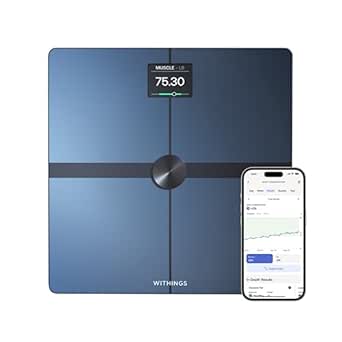
Withings Body Smart Wi-Fi and Bluetooth Body Composition Scale

Garmin Forerunner 265S Running Smartwatch, 42 mm, Whitestone/Neo Tropic
As an affiliate, we earn on qualifying purchases.
Why it matters
A call button can replace shouting across rooms or making repeated trips just to ask whether someone needs attention. In a familiar routine, a person might press it when they want help getting up or need an item brought to them. That can make communication simpler, but the benefit depends on a chain of small things working: the button must be within reach, the person must be able to operate it, the receiver must be audible, and the caregiver must be available to respond.
This is a household communication aid, not a monitored medical alert service or emergency plan. If the caregiver is outside, asleep in another part of the house, or unable to hear the receiver, the signal may not lead to a timely response. Someone who needs automatic fall detection or help while away from home may need a different type of service. A basic pager may be a practical fit when a nearby caregiver is usually available and the need is limited to room-to-room contact; it offers less coverage when the person is alone for long periods or needs support beyond the home. Consider the routine first, then decide whether the device fills a specific gap.
Check the live price
The live listing is the place to confirm the current offer and the details attached to this specific bundle. Check the current price and listing before deciding. The deal signal indicates a strong drop relative to the product’s usual tracked range, while the checkout price and terms are controlled by the retailer and can change.
Use the listing as a practical buying checklist. Confirm that it includes one call button and one receiver, then look for power requirements, how the button attaches or is carried, the receiver’s alert style, and the stated wireless range. These details affect whether the pager can fit the intended routine: a receiver that is hard to hear or a button that is not kept nearby can make a low price irrelevant. If the person spends time at the far end of a house, don’t assume the signal will reach through every wall. Check return terms and whether the setup matches the rooms where help may be requested.
Check range and placement
Wireless performance depends on the home’s layout and the receiver’s location. Walls, floors, and distance can affect whether the signal reaches the caregiver, so a range claim should be weighed against the actual rooms involved. A receiver near the main living area in a small apartment faces a different challenge from one used across floors in a larger home. The practical question is not just how far the signal may travel in ideal conditions, but whether it can reach the caregiver from the places the person will actually use the button.
Plan where each component would go and review the manufacturer’s range guidance on the listing. If purchased, test the signal from likely use spots and establish a routine for keeping the button within reach. A successful test from one room does not confirm coverage everywhere, especially where walls or floors separate the button and receiver. Don’t assume the device covers outdoor areas or every floor unless the product information supports that use. If the signal is unreliable from a key location, changing receiver placement may help, but the household should not rely on it until the setup works consistently enough for its intended purpose.
Match the alert to the person
The button and receiver need to work for both the person asking for help and the caregiver expected to hear it. Consider whether the user can comfortably reach and press the button, whether its controls are clear, and whether the receiver’s alert can be noticed amid normal household sounds. Someone with limited hand strength may want to check how much pressure the button takes. A caregiver who wears hearing aids may want to understand the alert style and volume options before choosing where to place the receiver.
There is also a difference between sending a signal and getting help. The pager may notify someone nearby, but the household still needs an agreed response: who checks in, how quickly, and what to do if there is no response. That plan matters when caregivers share shifts or move between rooms; otherwise, everyone may assume someone else heard the alert. Review product details and buyer feedback for clues about setup and usability, but don’t assume the device has been tested for your household. Its value depends on whether the controls suit the user and whether the alert fits the caregiver’s routine.
Know the limits before relying on it
A home pager should be judged by the job it is designed to do. The supplied title describes a button and receiver; it does not establish emergency dispatch, fall detection, GPS location, or monitoring outside the home. Those functions involve different capabilities and response arrangements. A household that needs them should compare dedicated medical alert options and confirm exactly what each service provides, including any subscription, coverage, and response terms.
For example, a caregiver in the kitchen may be able to respond to a signal from the next room, while someone alone at home for long periods may need a plan that does not depend on a nearby person hearing a receiver. Consider backup arrangements too: keep a phone accessible if appropriate, discuss who to contact in an emergency, and check the pager’s power needs and operating instructions. Treat the device as one part of a care routine. A lower tracked price or a successful button press cannot show whether every safety need is covered, so discuss medical or care decisions with a qualified professional when needed.
Frequently Asked Questions
What does the deal alert mean?
The signal reports a clear drop below the product’s usual tracked range and labels it an all-time low. It does not guarantee the offer will remain available or establish that the pager suits every household.
What is included in the listed bundle?
The product title describes one call button and one receiver. Confirm the current listing to verify included components and any setup or power details.
Does this pager contact emergency services?
The supplied product information does not establish emergency dispatch. Treat it as a way to alert a nearby caregiver unless the retailer or manufacturer explicitly confirms additional services.
Will it work throughout my home?
That depends on the stated range and the home’s layout. Walls and floors can affect wireless signals, so review the range information and consider testing from the rooms where the button will be used.
What should I check before buying?
Confirm the bundle, power requirements, alert style, range information, button usability, and return terms. Also decide who will respond when the receiver sounds and what backup plan the household needs.
Conclusion
The Wireless Caregiver Pager’s tracked drop may be worth a look for households seeking a basic way to signal a caregiver nearby at home. Its usefulness will depend on the home layout, the user’s ability to reach the button, and whether someone can hear and respond to the receiver. Check the live listing for the current offer and included details, then compare the pager’s capabilities with the care routine you need. If you require emergency dispatch, fall detection, or coverage away from home, verify those needs separately before treating a simple pager as sufficient.