TL;DR
Voice controlled lights let you switch, dim, or group compatible lighting with spoken commands through a smart speaker, phone, or voice-enabled hub. Before choosing a replacement, check the exact assistant support, whether you need a hub, and whether a smart bulb or wired switch suits the room. Voice control works best alongside reliable physical controls and routines that match your habits.
You say “turn off the kitchen lights” with both hands full of groceries, and the room goes dark before you reach the counter. That small convenience is the appeal of voice controlled lights: you can use spoken commands through a compatible smart speaker, phone, or voice-enabled hub to switch lights, dim them, or control a group.

Turn quiet afternoons into listening time
- Thousands of audiobooks, podcasts and originals
- Listen on your phone, tablet or Echo — also offline
- Cancel anytime
If you are replacing a particular lighting product, the product name alone may not tell you what will fit. The available product information for some models can be incomplete or change over time, so treat a replacement as a chance to match your actual need: one warm bulb by the bed, a color strip behind a desk, or a switch that controls an existing ceiling fixture.
This guide explains how voice control works, what to check for compatibility, and where smart bulbs, switches, and light strips make sense. You will also get a practical setup checklist and a way to think about privacy, reliability, and energy use before you buy.
Choose a smart bulb for a compatible socket, a smart switch for a wired fixture, and a light strip for accent lighting.
Check the exact model’s voice-assistant support, hub needs, network requirements, and dimming or color features before buying.
A smart bulb usually needs its wall switch left on to remain powered and voice-connected.
Keep a physical control available and test it alongside voice and app control during setup.
Schedules and sensors can reduce lights left on, but energy savings depend on your habits and the devices’ power use.
What Voice Controlled Lights Let You Do
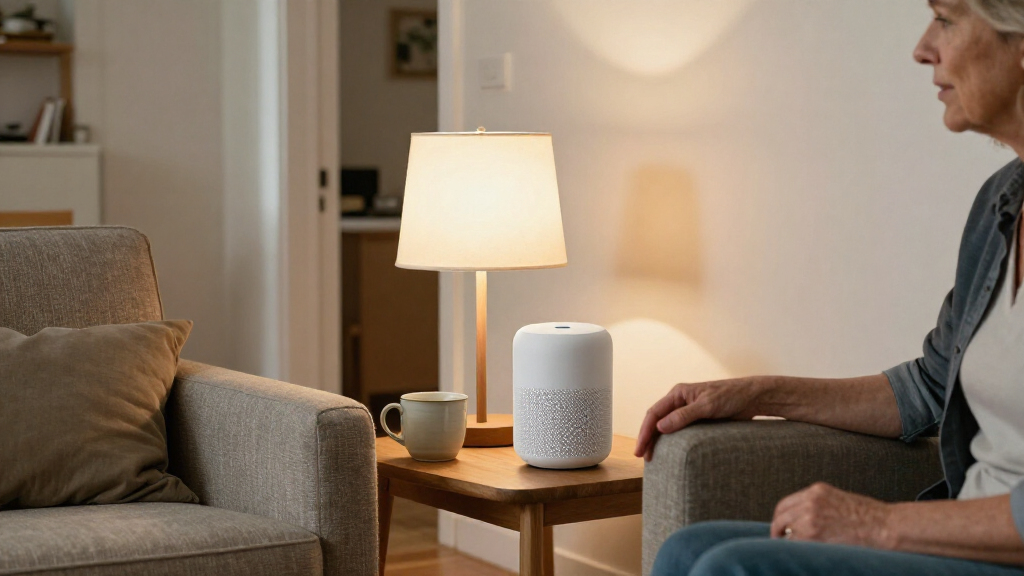
Voice controlled lights are lighting systems that respond to spoken commands through a smart speaker, phone, or compatible hub. You can ask an assistant to turn a light on or off, adjust brightness, change color when the hardware supports it, or control a group of lights. The command travels from the microphone-equipped assistant through the relevant service or local connection to a compatible bulb, switch, or hub.
That sounds abstract until you use it on an ordinary evening. Imagine carrying a pot of pasta to the table: “Dim the dining room to 40 percent” can save you from putting the pot down and crossing a dark room. A bedtime routine might turn off the living room and leave a small lamp glowing beside the bed.
Voice control is one way to operate the light, not a promise that every feature works everywhere. A basic bulb may only support on and off, while a dimmable bulb can change brightness and an RGB strip can offer colors. The product, fixture, app, voice assistant, and sometimes hub all affect which commands work.
Think of the assistant as a remote control you can speak to. The light still needs compatible hardware and power before it can respond.
Many systems add app controls, schedules, routines, or motion triggers. Those options matter when you want a porch light to come on at dusk or a hallway to brighten when someone walks through. If you only need to turn one lamp off from across the room, a simpler setup may be enough.
Products Worth Considering

Levoit Core 400S-P Smart Air Purifier for Large Rooms
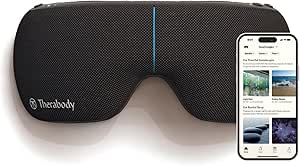
Therabody SmartGoggles 2nd Gen Heated Eye and Temple Massager

Therabody Theragun Relief Massage Gun, 3-Speed, Black
As an affiliate, we earn on qualifying purchases.
Pick a Smart Bulb, Switch, or Light Strip for the Room
Choose a smart bulb for a quick lamp upgrade, a smart switch for an existing wired fixture, and a light strip for decorative or indirect light. Those categories solve different problems, so a replacement should start with the room and the way people use it. Similar product titles do not prove that two products share fittings, features, or assistant support.
A bulb is often the straightforward choice for a bedside lamp. A listing such as the Kasa KL110 describes an 800-lumen soft-white bulb with dimming and voice-assistant support; still, you should verify the current model details and compatibility for your region before buying. A color strip, such as options sold by Hyrion or Govee, suits a desk edge or shelf where colored accent light matters more than lighting an entire room.
A smart switch can preserve familiar wall control for a ceiling fixture, but installation involves wiring and may require a qualified electrician. It may not fit every home or wiring arrangement. If you rent, or you do not want to alter wiring, a bulb or plug-in lamp can be a more practical starting point.
| Type | Best fit | What to check |
|---|---|---|
| Smart bulb | Lamps and compatible sockets | Base, brightness, dimming, and switch habits |
| Smart switch | Existing wired fixtures | Wiring, fixture support, and installation needs |
| Light strip | Accents behind desks or shelves | Length, power supply, color control, and placement |
Think of these options like shoes: a hiking boot and a house slipper both cover your feet, but they are built for different jobs. Decide what the light needs to do before comparing product names.
Check Assistant, Hub, and Network Compatibility Before Buying
Voice controlled lights work only when the light and your voice-control setup can communicate with each other. Check the exact product model against the assistant you plan to use, such as Alexa, Google Assistant, or Apple Home. A broad label like “works with smart home” does not tell you which commands or features are supported.
For example, you may want a bulb for an Apple Home setup while another household member uses an Alexa speaker. A Matter-compatible product can help with cross-platform interoperability, but support remains specific to the product and the features in question. Read the model’s current requirements and confirm whether it needs a separate hub.
Connectivity affects how quickly commands land. Many products use Wi-Fi, while others use Bluetooth, Zigbee, Thread, or a hub-linked connection. A bulb installed at the far end of a house may respond slowly if the Wi-Fi signal is weak; thick walls, router configuration, and cloud service dependence can also affect performance.
Before purchase, jot down the assistant and network you already have. Then verify the bulb or switch model, any hub requirement, and the features you expect—such as dimming, color, groups, and away-from-home control. This small check is like checking a charger connector before a trip: a familiar brand name does not guarantee the plug fits your device.
- Confirm the exact model, not only the product family.
- Check whether your region and assistant support the features you want.
- Look for hub, Wi-Fi band, app, and account requirements.
- Keep a physical control available if the network or assistant is unavailable.
Connectivity standards change, and manufacturers can update software or requirements. Recheck the product’s current documentation when you are ready to choose.
Set Up Your First Voice Controlled Light in Five Steps
You can make a first voice controlled light easier to live with by choosing its location, confirming compatibility, setting it up, and testing both voice and physical controls. Start with one lamp in a room where hands-free control solves a real annoyance. A bedside table or kitchen counter is often easier than a whole-house installation because you can see quickly whether the setup fits your routine.
- Choose the job. Decide whether you need a warm reading lamp, a dimmable ceiling light, or a color strip behind a monitor.
- Check the fit. Match the bulb base or switch type, brightness needs, assistant, and any hub requirement.
- Install and pair. Follow the product’s instructions in its app, then link the account to your voice assistant if required.
- Name it clearly. Use a short room-based name such as “bedside lamp” rather than a confusing brand or model name.
- Test the ordinary controls. Try voice commands, app control, and the wall switch so everyone knows what still works if the network goes down.
Suppose you fit a smart bulb in a guest-room lamp and call it “guest lamp.” You can test “turn on guest lamp” and “dim guest lamp to 30 percent,” then show a visitor the wall switch. If the switch is turned off, many smart bulbs lose power and cannot hear the next command.
For a wired smart switch, installation is a different task. If you are not comfortable working with electrical wiring, consult a qualified electrician. The goal is not to automate every light in one afternoon; it is to make one useful command feel dependable.
Keep Lights Useful When Wi-Fi or Voice Control Fails
A dependable lighting setup gives you another way to control the room when voice control is unavailable. Voice services may depend on the internet, an account, a cloud service, or a working local network. Some hub-based systems can handle certain commands locally, but capabilities vary by product and setup.
Consider a hallway light late at night. If the router restarts, you still want a way to turn the light on without asking a speaker that has gone quiet. A smart bulb may still be controlled by its wall switch, although switching it off cuts its power and network connection. A properly installed smart switch generally preserves physical operation, but behavior depends on the product and wiring.
Plan for the small failures before they happen. Keep the switch accessible, label a confusing control, and test the app and wall control during setup. If you group several lights, check whether one failed bulb prevents the rest from responding or whether you can control each light separately.
A useful routine should also have a clear fallback. For example, a “movie time” routine may dim the living room, but a lamp with a physical button gives you a quick option if the assistant mishears you. The routine is like a shortcut on a well-marked trail: it saves effort, while the path remains easy to follow if the shortcut is blocked.
Remote app control when you are away may require internet access, account setup, and remote access enabled. Check those conditions if your goal is to turn on a porch light before arriving home. Do not assume an offline setup can also control lights from another city.
Protect Your Privacy and Account While Using Voice Control
Voice controlled lights involve both connected lighting and a microphone-equipped assistant. The assistant needs to recognize a command, and the provider’s handling of audio, transcripts, and account data depends on its settings and privacy practices. Review the controls for microphone muting, voice history, and data retention in the assistant you use.
Picture a shared apartment where a smart speaker sits beside the kitchen. Everyone may use it to control lights, but not everyone may want the same history settings. Agree on who manages the account, how guests can mute the microphone, and what happens when a flatmate moves out.
Secure the account that links your devices. Use a strong, unique password, enable available account security features, and install manufacturer updates. If a product supports several home platforms, use the platform you understand and maintain; adding integrations you never use can make account management harder.
Privacy is not a reason to fear every smart bulb. It is a reason to know which device listens for commands, which account controls the lights, and where to change the settings. Check the manufacturer’s current privacy policy because practices can differ across providers and change over time.
Before adding a speaker to a bedroom or shared room, decide where it will sit and how you will mute it. A physical switch remains a simple, visible control.
For instance, a family might keep a voice assistant in the kitchen, use a smart bulb in the living room, and leave a regular switch in a guest room. That choice can balance convenience with household comfort instead of applying one setup to every room.
Use Schedules to Reduce Waste Without Expecting Automatic Savings
Smart lighting can reduce wasted electricity when schedules, occupancy sensors, or routines stop lights from staying on unnecessarily. The devices do not guarantee a lower bill by themselves. Results depend on how long lights would otherwise stay on, the power each device uses, and whether the automation actually matches household habits.
Take a porch light that someone often forgets to switch off at sunrise. A dusk-to-dawn schedule can address that specific habit. In a home office, a routine might turn the desk lamp off at the end of the workday, while an occupancy sensor could be useful in a laundry room where people often leave quickly.
Keep the automation simple enough that you trust it. A complicated schedule that turns lights off while someone is reading can annoy the household and lead people to disable the system. Start with one predictable pattern, such as switching off a hallway light after a set period, then adjust it when real use shows a problem.
Brightness and color controls can also improve comfort, but they are not the same as energy savings. A dimmable bulb only helps if you actually use a lower setting, and a color strip left on all night still uses electricity. Look at the product’s energy information and think about your existing routine rather than assuming a “smart” label means lower consumption.
It can help to treat an automation like a thermostat setting: useful when it reflects the way you live, frustrating when it ignores your schedule. A small, reliable routine often beats a clever one that needs constant correction.
Choose a Replacement by Matching the Job, Not the Product Title
A good replacement for a voice-controlled light matches your room, control style, and assistant, even when its specifications differ from the product you are replacing. Some discontinued or hard-to-find product listings provide too little reliable information to compare exact features. In that case, start with category fit and verify each replacement’s current details before purchase.
If you need a single soft-white bulb for a lamp, a dimmable Wi-Fi bulb such as the Kasa KL110 may fit that kind of use, subject to current model and assistant compatibility. If you want color along a shelf or desk, a strip such as the Hyrion 100-foot option or Govee 16.4-foot option belongs to a different category and suits accent lighting better than a ceiling fixture.
Consider a Matter smart bulb, such as a Linkind model, when platform flexibility matters. Matter support is intended to improve interoperability among smart-home platforms, but exact features still depend on the product, app, assistant, and software version. Verify the current setup requirements rather than assuming every platform supports every color or routine.
These examples are starting points, not promises that one product is a direct match or will work in every home. For a replacement, write down the socket or mounting needs, desired brightness and color, voice assistant, and whether you want a physical wall switch to remain the main control. Then compare listings against that short checklist.
- For a bedside lamp, prioritize a compatible base, warm light, and dependable dimming.
- For a desk accent, check strip length, power supply placement, and color controls.
- For a ceiling fixture, check whether a smart switch fits the wiring and installation conditions.
- For a mixed-platform home, confirm exact Matter and assistant support for the model.
Replacement shopping gets easier when you compare what each light is built to do instead of treating “voice control” as one universal feature.
Frequently Asked Questions
What do I need to control lights by voice?
You usually need a compatible smart bulb or switch and a compatible voice assistant, such as a smart speaker or phone. Some products also need a hub, so check the exact model’s setup requirements before buying.
Can I use voice control with my existing lights?
Often, yes: you can replace a bulb with a compatible smart bulb or install a smart switch that supports the fixture. Switch installation involves wiring and may call for a qualified electrician, while a bulb is usually the simpler change.
Will a smart bulb work when the wall switch is off?
Usually not. The wall switch cuts power to the bulb, so it cannot stay connected to the network or respond to a voice command until power returns.
Do voice controlled lights need Wi-Fi and internet?
It depends on the product and setup. Many voice-control features rely on Wi-Fi or cloud services, while some hub-based systems can support certain local controls; check the product documentation for offline behavior.
Can I dim or change the color of any voice controlled light?
No. Dimming and color changes require compatible hardware and support from the app and assistant. A basic on/off bulb or switch cannot make a standard bulb change color.
Do smart lights automatically save energy?
No. Schedules, occupancy sensors, and routines can help prevent lights from being left on, but savings depend on your habits and device power use. A smart feature alone does not guarantee a lower electricity bill.
Conclusion
Start with one room and one clear job: a bedside lamp you can dim, a hallway light you often forget, or a desk strip for softer evening light. Match the product to the fixture, check the exact assistant and hub requirements, and keep a physical control within reach.
Good voice controlled lights should make a room feel easier to use, not like another gadget to troubleshoot. Choose the setup that fits your routine, then let the lights answer with a quiet click and a warm glow.