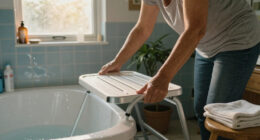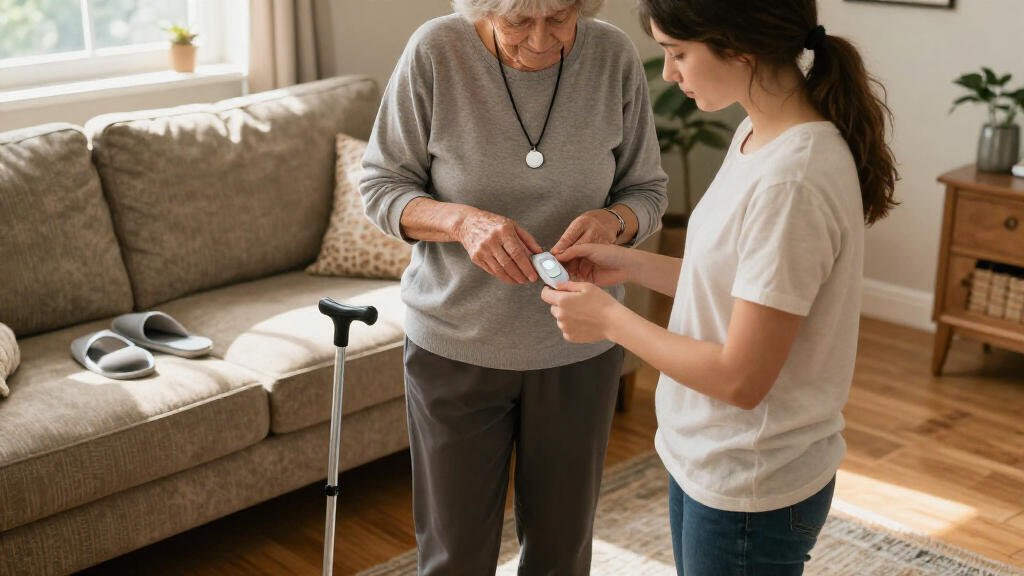
Medical alert systems with fall detection can call for help when a wearer cannot press the button, but the right choice depends on where they spend time and how they prefer to wear a device. I rank the ADT Medical Alert Plus as the best overall pick for people who mainly need protection at home, while the SecuLife pendant stands out for GPS and two-way calling on the go, and Nomo Smart Care offers a different approach for household monitoring. The main tradeoffs are home coverage versus mobile freedom, pendant versus wristband comfort, and how much confidence to place in automatic fall detection. No system can detect every fall, so manual help access and a reliable connection matter too. Read on for the full breakdown and guidance on matching a system to daily routines.

Turn quiet afternoons into listening time
- Thousands of audiobooks, podcasts and originals
- Listen on your phone, tablet or Echo — also offline
- Cancel anytime
Complete the kit


Key Takeaways
- ADT Medical Alert Plus leads for home-focused protection, while the ADT On-the-Go options make more sense for people who need coverage away from home.
- SecuLife’s pendant and wristband share GPS and two-way calling, but the form factor can decide which one a wearer is more likely to keep on.
- The lineup spans different connection and monitoring approaches; buyers should confirm cellular coverage, service terms, and response arrangements before choosing.
- Safety+ 4G and Smart Med Alert combine mobile-oriented features with fall detection, making them worth comparing for people who leave home regularly.
- MGMini prioritizes a compact wearable, while the in-home ADT system prioritizes a familiar home setup; neither is a universal fit for every routine.
| ADT Medical Alert Plus In-Home Emergency Response System with Fall Detection |  | Best for Home Coverage | Connectivity: 4G cellular | Fall detection: Automatic accelerometer sensor | Maximum pendant range: 600 feet | VIEW LATEST PRICE | See Our Full Breakdown |
| SecuLife Medical Alert Pendant with Fall Detection, GPS Tracking and Two-Way Calling |  | Best for GPS and Longer Battery Life | Connectivity: 4G LTE cellular | Fall alerts: Included | Location features: GPS tracking, geofencing, and location history | VIEW LATEST PRICE | See Our Full Breakdown |
| SecuLife SOS Medical Alert Wristband with Fall Detection, GPS Tracking, Geofencing, and Two-Way Calling |  | Best Screen-Free Wristband | Connectivity: Cellular | Fall detection: Automatic fall alerts | Location features: GPS tracking, geofencing, and one year of location history | VIEW LATEST PRICE | See Our Full Breakdown |
| ADT On-the-Go Mobile Medical Alert System with Fall Detection Pendant |  | Best for Professional Mobile Monitoring | Connectivity: LTE/GPS on the AT&T network | Monitoring: 24/7 professional monitoring required | Battery life: 40 hours | VIEW LATEST PRICE | See Our Full Breakdown |
| Safety+ 4G Medical Alert System with Fall Detection and GPS |  | Best for Caregiver Visibility | Connectivity: Nationwide 4G | Fall detection: Automatic | Location: GPS | VIEW LATEST PRICE | See Our Full Breakdown |
| ADT On-The-Go Emergency Medical Alert for Seniors |  | Best for Simple Mobile Coverage | Model: MD5 | Connectivity: Cellular | Location: Built-in GPS | VIEW LATEST PRICE | See Our Full Breakdown |
| Smart Med Alert Cellular Medical Alert Necklace with GPS and Fall Detection |  | Best for Automatic Fall Alerts on the Go | Connectivity: Cellular (LTE via AT&T) | GPS: Built-in | Fall detection: Automatic; requires a qualifying plan and may not detect every fall | VIEW LATEST PRICE | See Our Full Breakdown |
| Nomo Smart Care Medical Alert System with Fall Detection |  | Best for Whole-Home Wireless Coverage | Model: KIT1001R-01 | Included components: Smart Hub, two Satellite range extenders, wearable Tags | Fall detection: Wearable Tag alert | VIEW LATEST PRICE | See Our Full Breakdown |
| Medical Guardian MGMini Medical Alert Device for Seniors, Rose Gold |  | Best Compact Wearable | Model: MGMini | Color: Rose Gold | Connectivity: Cellular, Wi-Fi backup | VIEW LATEST PRICE | See Our Full Breakdown |
| medical alert systems with fall detection | Connectivity | Fall detection | Dimensions | Battery life |
|---|---|---|---|---|
| ADT Medical Alert Plus In-Home | 4G cellular | Automatic accelerometer sensor | 7 x 6 x 2.75 inches | — |
| SecuLife Medical Alert Pendant | 4G LTE cellular | — | — | Five days listed in specifications; up to six days stated in description |
| SecuLife SOS Medical Alert Wri | Cellular | Automatic fall alerts | — | One day |
| ADT On-the-Go Mobile Medical A | LTE/GPS on the AT&T network | — | 0.63 x 1.75 x 2.75 inches | 40 hours |
| Safety+ 4G Medical Alert Syste | Nationwide 4G | Automatic | — | Up to six days |
| ADT On-The-Go Emergency Medica | Cellular | Optional integrated detection; may not detect all falls | 2.75 x 1.75 x 0.63 inches | — |
| Smart Med Alert Cellular Medic | Cellular (LTE via AT&T) | Automatic; requires a qualifying plan and may not detect every fall | 2 x 1.68 x 0.62 inches | — |
| Nomo Smart Care Medical Alert | Wireless; Wi-Fi required for monitoring features | Wearable Tag alert | 10.6 x 4.75 x 7.1 inches | — |
| Medical Guardian MGMini Medica | Cellular, Wi-Fi backup | — | — | Up to 72 hours |
More Details on Our Top Picks
ADT Medical Alert Plus In-Home Emergency Response System with Fall Detection
I’d choose the ADT Medical Alert Plus for someone who spends most of the day at home and wants fall detection backed by 24/7 professional monitoring. Its pendant reaches up to 600 feet, giving the wearer room to move around the home and yard while staying connected to the base unit. Temperature alerts add a separate layer of home oversight, notifying ADT if conditions go above 105°F or below 35°F. Compared with the mobile ADT On-the-Go Mobile Medical Alert, this system is built around in-home range rather than taking the alert system along on errands. The tradeoff is that it depends on a paid monitoring plan and activation, with billing quarterly; it is also less suited to someone who needs protection away from home.
Pros:- Automatic fall detection connects to 24/7 professional monitoring.
- Pendant range reaches up to 600 feet.
- Temperature alerts flag readings above 105°F or below 35°F.
- Monitoring agents can provide step-by-step communication and update emergency contacts.
Cons:- Requires activation and an ongoing paid monitoring agreement.
- Monitoring is billed quarterly.
- In-home pendant range does not provide the mobile GPS coverage of ADT On-the-Go.
Best for: People who spend most of their time at home and want monitored fall detection with room to move around the house and yard.
Not ideal for: People who regularly go out alone and need GPS-enabled protection beyond the home’s pendant range.
- Connectivity:4G cellular
- Fall detection:Automatic accelerometer sensor
- Maximum pendant range:600 feet
- Monitoring:24/7 professional monitoring required
- Temperature alerts:Above 105°F or below 35°F
- Power source:Corded electric
- Dimensions:7 x 6 x 2.75 inches
- Weight:1.1 pounds
Our verdict“Choose this ADT system if the wearer needs monitored fall detection around the home and values temperature alerts over mobile coverage.”
SecuLife Medical Alert Pendant with Fall Detection, GPS Tracking and Two-Way Calling
The SecuLife Medical Alert Pendant suits someone who wants to carry fall alerts and location sharing beyond the house without wearing a screen-free wristband. It combines GPS tracking, geofencing, and two-way calling, so preset contacts can be called and caregivers can receive location updates. Its display also shows time and battery information, which can help the wearer keep track of charge status. Compared with the SecuLife SOS Medical Alert Wristband, this pendant has a much longer stated battery life—five days in the specs, though the description says up to six—and a display. That extra runtime comes with a daily-wear device that needs charging, and the monthly subscription is required. I’d skip it for anyone who prefers a simple wristband or does not want ongoing service fees.
Pros:- Combines automatic fall alerts, GPS tracking, and geofence notifications.
- Two-way calling connects the wearer with preselected contacts.
- IP67 waterproof rating supports use in wet conditions.
- Stated battery life is five days in the specs, with up to six days claimed in the description.
Cons:- Requires a monthly subscription.
- Battery life claims differ between the specifications and product description.
- A pendant must be charged and worn for its location and alert features to be available.
Best for: Wearers who want GPS location and two-way calls on a pendant, with less frequent charging than a one-day-battery wristband.
Not ideal for: People who prefer a screen-free wristband or want to avoid a required monthly subscription.
- Connectivity:4G LTE cellular
- Fall alerts:Included
- Location features:GPS tracking, geofencing, and location history
- Calling:Two-way calling with hands-free auto-answer
- Water resistance:IP67
- Battery capacity:1000 mAh
- Battery life:Five days listed in specifications; up to six days stated in description
- Compatible devices:Android and iOS smartphones
Our verdict“Pick this pendant if GPS, calling, and longer stated battery life matter more than a screen-free wristband design.”
SecuLife SOS Medical Alert Wristband with Fall Detection, GPS Tracking, Geofencing, and Two-Way Calling
This SecuLife SOS Wristband is the most wearable-feeling choice here for someone who would rather press a wrist button than manage a pendant display. A press can call preset contacts, while automatic fall alerts, GPS tracking, geofencing, and two-way voice calling extend support beyond the home. Its screen-free design keeps the device simple to look at, and IP67 protection covers rain, splashes, and handwashing. Compared with the SecuLife pendant, though, the wristband’s one-day battery life means a much tighter charging routine; its listed subscription is also higher. I’d choose it for people who strongly prefer wrist wear and can reliably charge it every day. Anyone who may forget frequent charging is better served by the pendant’s longer stated runtime.
Pros:- Screen-free wristband has an SOS button for calling preset contacts.
- Includes automatic fall alerts, GPS tracking, and geofence notifications.
- Two-way voice calling supports hands-free auto-answer.
- IP67 design is intended to withstand rain, splashes, and handwashing.
Cons:- Battery life is listed as one day, requiring frequent charging.
- Requires a monthly subscription.
- Its listed subscription is higher than that of the SecuLife pendant.
Best for: People who want a screen-free alert device on the wrist and can keep up with daily charging.
Not ideal for: Wearers who may forget nightly charging or want longer battery life between charges.
- Connectivity:Cellular
- Fall detection:Automatic fall alerts
- Location features:GPS tracking, geofencing, and one year of location history
- Calling:Two-way voice calling with hands-free auto-answer
- Water resistance:IP67
- Battery life:One day
- Battery capacity:680 mAh
- Warranty:One year
Our verdict“Choose this wristband if wearing an alert device on the wrist matters more than minimizing charging and subscription demands.”
ADT On-the-Go Mobile Medical Alert System with Fall Detection Pendant
For a wearer who leaves home often but wants a monitoring service to respond to an alert, I’d put the ADT On-the-Go Mobile Medical Alert ahead of the ADT Medical Alert Plus. Its LTE and GPS technology connects the mobile device to 24/7 U.S.-based professional monitoring over AT&T, while the waterproof wristband or necklace gives the wearer a choice of how to carry the alert button. Emergency contacts can also receive updates during an incident. The tradeoff is a listed 40-hour battery life, so charging needs more attention than with the Safety+ 4G system’s stated six-day runtime. Phone activation and a monthly monitoring plan add setup steps and recurring commitment. This is a better fit for mobile monitoring than for someone who primarily needs broad pendant range around the house.
Pros:- 24/7 professional monitoring is available over the AT&T cellular network.
- LTE and GPS technology supports mobile use.
- Waterproof wearable options include a wristband or necklace.
- Caregivers and emergency contacts can receive updates during emergencies.
Cons:- Battery life is listed as 40 hours, calling for frequent charging.
- Phone activation is required.
- Requires an ongoing monthly monitoring plan.
Best for: People who leave home regularly and want 24/7 professional monitoring through a mobile LTE/GPS device.
Not ideal for: People who need several days between charges or want to avoid phone activation and a monthly monitoring plan.
- Connectivity:LTE/GPS on the AT&T network
- Monitoring:24/7 professional monitoring required
- Battery life:40 hours
- Wear options:Waterproof wristband or necklace
- Included components:Medical alert mobile device, wristband, and cradle charger
- Weight:1.76 ounces
- Dimensions:0.63 x 1.75 x 2.75 inches
- Activation:Phone activation required
Our verdict“Choose ADT On-the-Go if you want professional monitoring while away from home and can manage its 40-hour charging cycle.”
Safety+ 4G Medical Alert System with Fall Detection and GPS
The Safety+ 4G Medical Alert System makes the most sense for families who want to check more than whether an emergency call went through. Its caregiver app can show location, activity, battery, and emergency alerts, while nationwide 4G, GPS, and automatic fall detection support use at home and on the go. A stated battery life of up to six days also means less frequent charging than the ADT On-the-Go device, whose battery is listed at 40 hours. Safety+ requires phone activation and a subscription after the included first month, and its product details say fall alerts may need operator assessment to determine whether assistance is needed. That makes it a strong app-centered option for involved caregivers, though buyers seeking a simpler home-only system may prefer ADT Medical Alert Plus.
Pros:- Automatic fall detection and GPS location work over nationwide 4G.
- Caregiver app shows location, activity, battery, and emergency alerts.
- Battery life is stated as up to six days.
- Lanyard and belt clip offer two ways to wear the device.
Cons:- Phone activation is required.
- An ongoing subscription is required after the included first month.
- Fall alerts may require operator assessment before assistance is arranged.
Best for: Families who want GPS-enabled fall alerts plus app access to the wearer’s location, activity, and battery status.
Not ideal for: People who prefer a home-only alert setup or do not want phone activation and ongoing subscription service.
- Connectivity:Nationwide 4G
- Fall detection:Automatic
- Location:GPS
- Battery life:Up to six days
- Water use:Designed for showers or rain
- Wear options:Lanyard with magnetic clasp or belt clip
- Included items:Charging dock with power adapter, lanyard, and belt clip
- Service:First month included; subscription required afterward
Our verdict“Choose Safety+ if caregiver app visibility and longer stated battery life are priorities for a mobile fall detection system.”
ADT On-The-Go Emergency Medical Alert for Seniors
The ADT On-The-Go suits someone who wants a single device for calling help at home or away, without relying on a smartphone. Its built-in GPS and cellular connection support mobile use, while the one-button SOS reaches ADT’s professional monitoring agents around the clock. Compared with the Nomo Smart Care Medical Alert System, which uses a home hub and range-extending satellites, this device is designed to travel with its wearer rather than cover rooms around a fixed base. Fall detection is available, but it costs extra and may miss some falls, so buyers should weigh that limitation against the convenience of one-button help. A monthly plan and phone activation are required; IP57 water resistance adds some everyday protection, but does not make it waterproof.
Pros:- Built-in GPS and cellular connectivity support use away from home without a separate phone.
- One-button SOS reaches 24/7 professional monitoring agents.
- All-in-one design avoids the need for a separate pendant or wristband.
- IP57 water resistance offers protection against some exposure to water.
Cons:- Fall detection costs extra and may not detect every fall.
- A monthly monitoring plan is required.
- Phone activation is required before use.
Best for: Older adults who leave home regularly and want a single cellular device with GPS and access to professional monitoring.
Not ideal for: People seeking fall detection included without an added monthly charge, or anyone who cannot complete phone activation.
- Model:MD5
- Connectivity:Cellular
- Location:Built-in GPS
- Fall detection:Optional integrated detection; may not detect all falls
- Water resistance:IP57
- Dimensions:2.75 x 1.75 x 0.63 inches
- Weight:1.76 ounces
- Included items:Medical alert mobile device, lanyard, cradle charger
- Monitoring:24/7 professional monitoring; monthly plan required
Our verdict“Choose the ADT On-The-Go if you want a straightforward mobile alert device with GPS, and accept an added charge for fall detection.”
Smart Med Alert Cellular Medical Alert Necklace with GPS and Fall Detection
The Smart Med Alert necklace puts automatic fall detection and two-way voice in a cellular wearable, so the wearer can contact professionals without a nearby smartphone or a manual SOS press after a fall. That makes it a more direct fit for mobile users who prioritize automatic alerts than the Medical Guardian MGMini, whose listed features center on its emergency button and two-way speaker. GPS adds location support, while the optional app can show location and battery status. The tradeoffs are a required monitoring subscription and cellular coverage; fall detection also requires a qualifying plan and cannot catch every fall. Its water-resistant build is intended for everyday wear, but it is not waterproof and should not be submerged.
Pros:- Automatic fall detection can alert the monitoring center if the wearer cannot press SOS.
- Built-in cellular service supports two-way voice without a nearby smartphone.
- GPS supports location tracking, with optional app access to location and battery status.
- Magnetic charging and a water-resistant design support routine daily wear.
Cons:- Requires an active monitoring subscription and cellular coverage.
- Fall detection requires a qualifying plan and may not detect every fall.
- Water resistance does not allow submersion.
Best for: People who want an always-worn cellular necklace that can send fall alerts and connect to professionals without a smartphone.
Not ideal for: People who need a waterproof device for swimming or want fall detection without a qualifying subscription plan.
- Connectivity:Cellular (LTE via AT&T)
- GPS:Built-in
- Fall detection:Automatic; requires a qualifying plan and may not detect every fall
- Voice:Two-way voice
- Water resistance:Water resistant to 1 meter; not waterproof
- Charging:Magnetic
- Dimensions:2 x 1.68 x 0.62 inches
- Band material:Silicone/woven lanyard
- Additional features:Heart rate monitor, spoken time
Our verdict“Pick this necklace if automatic fall alerts and mobile two-way communication matter more than waterproofing or avoiding a subscription.”
Nomo Smart Care Medical Alert System with Fall Detection
The Nomo Smart Care system takes a different approach from the wearable-first Smart Med Alert necklace: a Smart Hub, two Satellites, and wearable Tags create a wireless home setup, with Tags offering panic buttons and fall detection. The Satellites extend coverage around the home, which can help when a single hub would not reach every room. Two-way voice through the Hub and caregiver alerts via the Nomo app give family members another way to stay informed. Its wireless DIY installation avoids special wiring, but the system depends on Wi-Fi and the app for monitoring features. It is less suited to errands or travel than cellular pendants, and monitoring requires a monthly subscription after the trial period. Choose it for in-home coverage, not for a device that follows the wearer outdoors.
Pros:- Wearable Tags combine fall detection with panic buttons.
- Two Satellites extend wireless coverage beyond the Smart Hub.
- Two-way voice through the Hub supports direct communication.
- Wireless DIY setup avoids special wiring.
Cons:- Monitoring requires a monthly subscription after the trial period.
- Monitoring features depend on Wi-Fi and the Nomo app.
- The hub-and-satellite setup is intended for home coverage rather than mobile use.
Best for: Households that want wearable fall detection and panic buttons linked to a home hub, with satellite coverage across multiple rooms.
Not ideal for: People who need protection while away from home or do not have reliable Wi-Fi and smartphone app access.
- Model:KIT1001R-01
- Included components:Smart Hub, two Satellite range extenders, wearable Tags
- Fall detection:Wearable Tag alert
- Connectivity:Wireless; Wi-Fi required for monitoring features
- Communication:Two-way voice through the Hub
- Power:AC power with battery backup
- Installation:Wireless DIY
- Compatible devices:Smartphone, tablet
- Dimensions:10.6 x 4.75 x 7.1 inches
Our verdict“Choose Nomo if you need a connected in-home fall alert setup across multiple rooms and have reliable Wi-Fi and app access.”
Medical Guardian MGMini Medical Alert Device for Seniors, Rose Gold
The Medical Guardian MGMini is a compact option for someone who values flexible wearing choices: the package includes both a lanyard and belt clip, while its emergency button connects to a 24/7 monitoring team through a two-way speaker. Compared with the ADT On-The-Go Emergency Medical Alert, the MGMini adds Wi-Fi backup and lists up to 72 hours of battery life, but its product details do not specify fall detection. That distinction matters in a roundup focused on fall alerts: the described help flow depends on the wearer pressing SOS, so it is a weaker fit for someone who may be unable to reach the button after falling. GPS location assistance and step counting are available through the app or portal. Monitoring must be activated before use, and a subscription is required.
Pros:- Compact device can be worn with the included lanyard or belt clip.
- Two-way speaker connects the SOS button to 24/7 monitoring.
- GPS location assistance and step counting are available through an app or online portal.
- Up to 72 hours of battery life and about four hours to recharge.
Cons:- The listed features do not specify automatic fall detection.
- Monitoring must be activated before use and requires a subscription.
- Only one device can be active per member at a time.
Best for: Active older adults who want a compact monitored SOS device with a choice of lanyard or belt clip and GPS location assistance.
Not ideal for: Buyers whose main priority is automatic fall detection, since the listed product details do not specify that feature.
- Model:MGMini
- Color:Rose Gold
- Connectivity:Cellular, Wi-Fi backup
- Battery life:Up to 72 hours
- Recharge time:About 4 hours
- Emergency features:SOS button, two-way speaker, GPS location assistance
- Additional features:Hourly location updates, step counting
- Monitoring:24/7 subscription required; no long-term contract; cancel anytime
- Included items:Device, charging cradle, power cord, clip, lanyard, EMT card, owner’s manual/quick start guide, service agreement
Our verdict“Choose the MGMini for compact SOS monitoring and flexible wear, but pick a model with specified fall detection if automatic alerts are essential.”
How We Picked
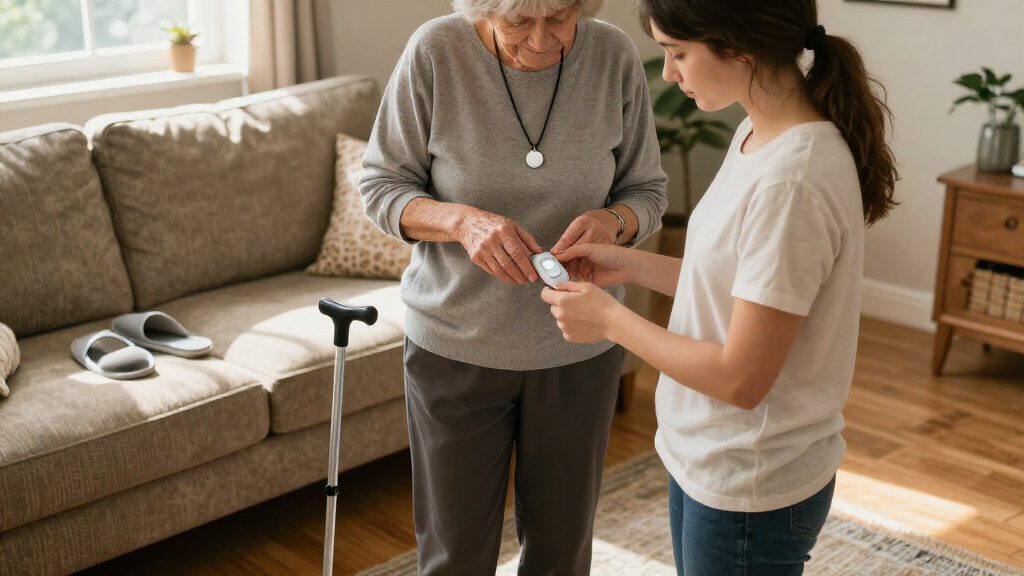
I ranked these systems around the jobs buyers actually need them to do: summon help after a fall, remain usable when the wearer is alone, and fit daily habits well enough to be worn consistently. I compared the listed form factors and features, including home versus mobile use, GPS, two-way calling, and whether the device is a pendant, wristband, or compact wearable. I also treated setup, connectivity, charging or upkeep, and clarity about response service as decision factors rather than assuming that a longer feature list means better protection.
The order reflects fit across common needs, not a claim that any device detects every fall. ADT Medical Alert Plus ranks first as a straightforward home-focused choice; mobile systems earn their place when going out is part of the routine, while smaller or less conventional designs suit narrower preferences. Product descriptions do not establish real-world detection accuracy or identical service terms, so I recommend checking current coverage, subscription details, and fall-detection limitations before buying.
| medical alert systems with fall detection | Fall detection |
|---|---|
| ADT Medical Alert Plus In-Home | Automatic accelerometer sensor |
| SecuLife Medical Alert Pendant | — |
| SecuLife SOS Medical Alert Wri | Automatic fall alerts |
| ADT On-the-Go Mobile Medical A | — |
| Safety+ 4G Medical Alert Syste | Automatic |
| ADT On-The-Go Emergency Medica | Optional integrated detection; may not detect all falls |
| Smart Med Alert Cellular Medic | Automatic; requires a qualifying plan and may not detect every fall |
| Nomo Smart Care Medical Alert | Wearable Tag alert |
| Medical Guardian MGMini Medica | — |
Factors to Consider When Choosing Medical Alert Systems With Fall Detection
Before choosing a device, I would start with the wearer’s routine and the likely failure points: being outside coverage, leaving the alert at home, forgetting to charge it, or expecting automatic detection to replace a help button. These broader checks can matter more than a small difference in feature lists.
Match Coverage to Where Help Is Needed
Decide whether the wearer is mainly at home, regularly walks outside, or travels between places during the day. An in-home unit may be a sensible fit for someone who rarely goes out alone, but it leaves a gap if they take walks or run errands without it. Mobile GPS models address that gap only when their connection works in the places the wearer visits. Ask which cellular network the device uses and check coverage at home, in common destinations, and along regular routes. A common mistake is buying for the usual routine while overlooking appointments, visits, or time spent in a yard or garage. If routines change often, mobility may be worth prioritizing over a simpler home-only setup.
Treat Fall Detection as a Backup, Not a Guarantee
Automatic detection can help when someone cannot reach a button, but movement and impact patterns vary, so no device should be treated as certain to identify every fall. Ask the provider how its detection feature works, what happens after a suspected fall, and whether a call can be canceled if the wearer is unhurt. The wearer should still know how to trigger an alert manually and keep the device accessible while bathing, dressing, or resting, where falls can also happen. Check whether detection is included with the selected device and service plan rather than assuming every version has the same setup. Buyers sometimes focus on the feature name and miss the response steps that follow an alert. A clear, practiced response process is part of the protection.
Choose a Form Factor the Wearer Will Keep On
A pendant, wristband, and compact wearable may offer different levels of comfort and convenience, even when their listed features overlap. Ask the wearer which style feels natural and whether they will tolerate wearing it during ordinary tasks, not just when someone reminds them. A wristband may suit someone who dislikes a necklace, while a pendant may be easier for someone who prefers a familiar alert button. Smaller devices can be less obtrusive, but buyers should check that the controls remain easy to find and press. Try to involve the wearer in the choice rather than selecting solely for appearance or caregiver preference. The most capable system is of little help if it stays on a bedside table.
Check Charging and Everyday Upkeep
Mobile devices depend on battery charge, so the routine for charging them deserves as much attention as their GPS features. Ask how often the device needs charging under typical use, how the wearer sees battery status, and what alert appears when power runs low. Consider whether the wearer can manage the charger independently or needs a family member to help. Home systems can reduce the need to carry a charged unit outside, but they still depend on working power and a usable connection. A frequent buying mistake is choosing a mobile system for its freedom without planning where and when it will be charged. Match maintenance demands to the wearer’s habits and available support.
Understand the Monitoring and Service Arrangement
A device’s buttons and sensors are only one part of the system; buyers should find out who answers an alert and what information that person receives. Confirm whether monitoring service is required, whether the device can contact chosen people, and what happens if no one answers. Ask about setup steps, ongoing service obligations, cancellation terms, and any limits on where the system works. Do not assume that GPS or two-way calling means the same response arrangement across brands. Families should also decide who will be listed as an emergency contact and whether those contacts can respond quickly. Clear expectations before activation can prevent confusion during an actual alert.
Pay for the Needs That Change the Decision
More features are useful only when they solve a real problem for the wearer. GPS and two-way calling matter more for someone who spends time alone away from home than for someone who rarely leaves a familiar residence. A simpler setup may be easier for a new user, while added mobility features can justify a more involved device for an active routine. Compare the full service requirements and included functions instead of judging by the hardware description alone. Also check whether the wearer needs help with small controls, hearing a call, or understanding an alert prompt. I would pay extra for a feature tied to a specific daily risk, not for a feature the wearer is unlikely to use.
Frequently Asked Questions
Can fall detection call for help if the wearer cannot press the button?
That is the intended role of automatic fall detection: the device can start an alert after it identifies a possible fall, even if the wearer does not press the help button. Detection is not guaranteed for every fall, and an alert may also be triggered when a movement resembles one. Ask what the device does after a suspected fall, including whether it provides time to cancel an alert and how responders are contacted. Keep the manual button within reach and make sure the wearer knows how to use it. Treat automatic detection as a backup to, not a replacement for, an accessible help button.
Should I choose an in-home system or a mobile system with GPS?
Choose based on where the wearer spends time alone. An in-home system is a closer match for someone who stays at home and wants a dedicated setup there, while a GPS-enabled mobile device is more appropriate for walks, errands, and visits away from home. A mobile unit may require regular charging and a working cellular connection, so freedom of movement comes with extra upkeep. Some households may need protection in both settings, but should confirm how the chosen service covers each one. Write down a typical week before deciding; it often reveals whether home-only coverage leaves a meaningful gap.
Is a pendant or wristband easier for an older adult to use?
There is no single best form factor for everyone, because comfort, dexterity, and personal preference affect whether a device gets worn. A wristband can appeal to someone who does not like a necklace, while a pendant may feel more familiar to someone accustomed to wearing one. Check whether the alert control is easy to locate and press, and whether the wearer can put the device on without help. If possible, let the wearer compare the styles before choosing. Regular use matters more than selecting a design that looks discreet but is often removed.
What should I check about cellular service and GPS before buying?
Ask which cellular network supports the device and verify service where the wearer lives and spends time, not only in a broad coverage map. GPS can help locate a mobile user, but location features still depend on the device having power and a usable connection. Check whether the system works indoors, in the wearer’s usual destinations, and in places with weak reception. Also ask what happens when the device cannot connect and whether the provider can explain any coverage limitations. A trial or return policy can be useful when available, especially if the wearer’s routine includes areas with inconsistent service.
What should I confirm before activating a monitoring plan?
Confirm who responds to an alert, whether a monitoring service is required, and how the system contacts family or emergency services. Read the service terms for ongoing obligations, cancellation steps, and any limits on coverage or device use. Ask whether fall detection is included in the selected configuration and how the wearer can tell that the device is powered and ready. Add contacts who can respond, and tell them what to expect when an alert arrives. A brief practice run after setup can help the wearer and caregivers understand the call flow before they need it.
Conclusion
For a home-focused buyer seeking a clear starting point, I recommend the ADT Medical Alert Plus as my best overall pick in this lineup. For a more mobile routine, compare the SecuLife pendant, Safety+ 4G, and ADT On-the-Go systems based on coverage, service details, and charging demands; the listed features alone do not establish one universal best value. Buyers seeking a more feature-rich mobile setup can look closely at GPS and two-way calling options as the premium-leaning choice, while a first-time buyer may prefer the home-focused ADT setup for its narrower job and simpler decision. For specific needs, choose the SecuLife wristband if that form factor is more wearable, Nomo Smart Care for a household-oriented approach, or MGMini when a compact device matters most. Before ordering any option, confirm service terms, cellular coverage, charging needs, and how its fall-detection alerts are handled.