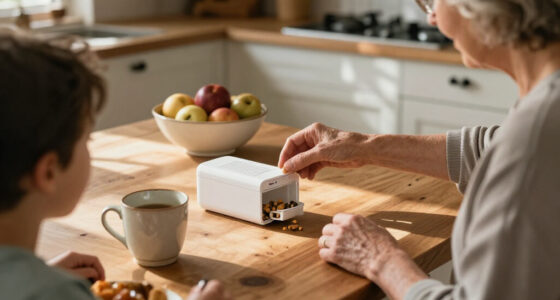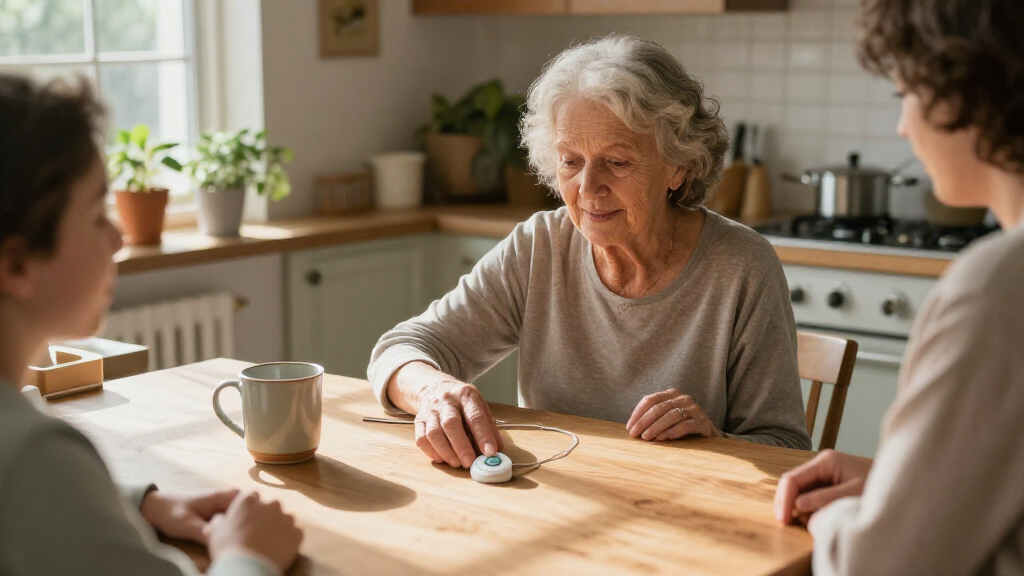

Among these wearable medical alert devices for seniors, I rank the Medical Guardian MGMini as the best overall choice for shoppers who want a compact wearable from a dedicated alert-device brand. The SecuLife SOS Wristband stands out for buyers seeking GPS and fall detection in a wrist-worn format, while the no-monthly-fee 4G LTE pendant appeals to people who want direct 911 calling rather than a monitoring plan. The biggest tradeoff is between monitored help and direct emergency calling, with other differences in fall detection, location features, comfort, and setup. No single device suits every senior or home routine. Read on for the full comparison and guidance on matching a device to the wearer’s needs.
Complete the kit


Key Takeaways
- The MGMini Pearl and Rose Gold are the same device in different finishes. Choose between them by appearance and preference, not by expecting different alert features.
- SecuLife’s wristband and smartband options put wearables first, while its pendant is a better fit for someone who prefers a neck-worn device; check each model’s specific service and detection details before choosing.
- GPS and fall detection are not interchangeable with monitored response. A device’s alert route and who receives the call can matter as much as its sensors.
- The two app-controlled LED-display systems prioritize home use. Their receiver-and-button approach differs from cellular pendants and wristbands intended to accompany the wearer away from home.
- The no-monthly-fee 4G LTE pendant trades a monitoring service for direct 911 calling. That can suit some buyers, but it is not the same response model as a service that routes alerts through an emergency response center.
| Medical Guardian MGMini Medical Alert Device for Seniors | Pearl |  | Best Overall for Wearable Flexibility | Brand: Medical Guardian | Color: Pearl | Connectivity: Cellular, Wi-Fi backup | VIEW LATEST PRICE | See Our Full Breakdown |
| Smart Med Alert Cellular Medical Alert Necklace with Emergency Button for Seniors |  | Best for Included Fall Detection | Connectivity: Cellular LTE | Monitoring: 24/7 monitoring subscription required | Fall detection: Yes | VIEW LATEST PRICE | See Our Full Breakdown |
| Medical Guardian MGMini Medical Alert Device for Seniors, Rose Gold |  | Best for Location and Activity Details | Brand: Medical Guardian | Color: Rose Gold | Connectivity: Cellular, Wi-Fi backup | VIEW LATEST PRICE | See Our Full Breakdown |
| SecuLife SOS Wristband for Seniors with Fall Detection, GPS Tracking, and Waterproof Medical Alert |  | Best Wrist-Worn Option | Brand: SecuLife | Wear style: Wristband | Battery life: About 1 day | VIEW LATEST PRICE | See Our Full Breakdown |
| SecuLife Medical Alert Pendant for Seniors with Fall Detection and GPS |  | Best for Longer Battery Life | Brand: SecuLife | Connectivity: 4G LTE cellular | Battery capacity: 1000 mAh | VIEW LATEST PRICE | See Our Full Breakdown |
| Seculife Medical Alert Smartband for Seniors |  | Best for GPS-Enabled Wearable Monitoring | Supported operating systems: iOS, Android | Emergency features: Fall alerts, SOS calling, two-way calls | Location features: GPS, geofencing, one year of location history | VIEW LATEST PRICE | See Our Full Breakdown |
| App-Controlled Senior Medical Alert System with Call Buttons, Waterproof Wristband, Receiver, and 6-Number LED Display |  | Best for Home Caregiver Notifications | System components: Call buttons, receiver, wristband remote | Wireless range: Up to 300 feet | Alarm volume: 110 dB | VIEW LATEST PRICE | See Our Full Breakdown |
| Medical Alert Pendant for Seniors – Direct 911 Calling, No Monthly Fees, 4G LTE SOS Button with Two-Way Speaker, Neck Lanyard Included |  | Best for Simple Direct Emergency Calls | Cellular connection: 4G LTE | Emergency control: One-touch push-button SOS | Calling: Direct 911 call with two-way speaker and microphone | VIEW LATEST PRICE | See Our Full Breakdown |
| Life Alert Systems for Seniors No Monthly Fee App-Controlled with Call Buttons and LED Display |  | Best No-Fee Shared Home Alert | Control method: Smartphone app | Wireless range: Up to 300 feet | Connectivity: Dual-channel; 2.4 GHz Wi-Fi support | VIEW LATEST PRICE | See Our Full Breakdown |
| wearable medical alert devices for senior | Connectivity |
|---|---|
| Medical Guardian MGMini Medica | Cellular, Wi-Fi backup |
| Smart Med Alert Cellular Medic | Cellular LTE |
| Medical Guardian MGMini Medica | Cellular, Wi-Fi backup |
| SecuLife SOS Wristband for Sen | — |
| SecuLife Medical Alert Pendant | 4G LTE cellular |
| Seculife Medical Alert Smartba | — |
| App-Controlled Senior Medical | — |
| Medical Alert Pendant for Seni | — |
| Life Alert Systems for Seniors | Dual-channel; 2.4 GHz Wi-Fi support |
More Details on Our Top Picks
Medical Guardian MGMini Medical Alert Device for Seniors | Pearl
The Medical Guardian MGMini is a strong fit for seniors who want one compact device for home and outings, rather than a system tied to a household base. Its GPS location support and two-way speaker let the wearer contact monitoring support through the device, while Wi-Fi backup adds another connection option. Up to three days of battery life means less frequent charging than the SecuLife SOS Wristband, which is listed for about one day. The tradeoff is that fall detection is optional, not included, and service must be activated before use. I’d choose this over the Smart Med Alert necklace for its longer stated battery life, but shoppers should account for the monitoring subscription and separate fall-detection charge.
Pros:- Compact necklace-style design supports discreet everyday wear.
- GPS location and two-way communication support help when the wearer is away from home.
- Up to three days of battery life reduces charging frequency compared with the one-day SecuLife SOS Wristband.
- Cellular connectivity with Wi-Fi backup offers more than one connection option.
Cons:- Monitoring service must be activated before the device can be used for emergency support.
- Fall detection is optional and adds a separate monthly charge.
- The stated three-day battery life still requires regular charging.
Best for: Seniors who want a discreet, GPS-enabled alert device for both home and outings and can keep up with a regular charging routine.
Not ideal for: People who need fall detection included or want to use a device without activating a paid monitoring service.
- Brand:Medical Guardian
- Color:Pearl
- Connectivity:Cellular, Wi-Fi backup
- Battery life:Up to 3 days
- Communication:Two-way speaker
- Location:GPS
- Monitoring:Activation of a monitoring service required
- Supported application:App/Portal
Our verdict“Choose the MGMini if you want a discreet, mobile alert device with GPS and longer battery life than the SecuLife SOS Wristband, and are comfortable paying for monitoring and optional fall detection.”
Smart Med Alert Cellular Medical Alert Necklace with Emergency Button for Seniors
The Smart Med Alert necklace makes sense for buyers who want fall detection described as part of the device, alongside GPS and two-way voice communication. That differs from the Medical Guardian MGMini, where fall detection is an optional add-on. The cellular connection and ability to speak through the necklace can help a wearer request assistance without reaching for a smartphone, while the optional app adds location and notification management for caregivers. Its water-resistant construction suits everyday wear around splashes, but the product is not meant for submersion. It also depends on an active monitoring subscription and cellular coverage, so it is less suitable for anyone seeking a no-service device. Fall detection can miss some falls, so it should not replace a personal safety plan.
Pros:- Fall detection, GPS tracking, and 24/7 monitoring are described as included capabilities.
- Two-way voice communication works through the wearable without requiring a smartphone for the conversation.
- Water-resistant design suits everyday exposure to splashes.
- Optional app features can help caregivers manage location and notifications.
Cons:- Requires an active monitoring subscription and cellular coverage.
- Water resistance does not make it suitable for submersion.
- Automatic fall detection may not identify every fall.
Best for: Seniors and caregivers who want a cellular necklace with fall detection, GPS, and two-way communication without relying on the wearer to use a smartphone.
Not ideal for: People who need a device for swimming or bathing, live where cellular coverage is unreliable, or want to avoid a monitoring subscription.
- Connectivity:Cellular LTE
- Monitoring:24/7 monitoring subscription required
- Fall detection:Yes
- GPS tracking:Yes
- Communication:Two-way voice communication
- Water resistance:Water-resistant; not waterproof
- Battery:Rechargeable
- Material:Silicone
Our verdict“Pick the Smart Med Alert necklace over the MGMini if included fall detection matters more to you than the MGMini’s stated longer battery life.”
Medical Guardian MGMini Medical Alert Device for Seniors, Rose Gold
This Rose Gold MGMini shares the core appeal of the Pearl MGMini: a wearable SOS button, two-way audio, GPS assistance, and up to 72 hours of battery life. Its extra detail is hourly location updates and step counting, which may suit families who want some routine activity and location information alongside emergency access. It also comes with a clip and lanyard, giving the wearer more than one way to carry it. Compared with the Smart Med Alert necklace, the MGMini makes fall detection an optional add-on rather than a stated standard feature. Monitoring activation is required, and only one device can be active per member at a time, which limits households hoping to run multiple devices under one member.
Pros:- GPS assistance includes hourly location updates.
- Two-way speaker and SOS button connect the wearer with monitoring support.
- Up to 72 hours of battery life and a stated four-hour recharge time.
- Clip and lanyard offer different ways to wear the device.
Cons:- Requires an activated paid monitoring subscription.
- Fall detection is an optional add-on.
- Only one device can be active per member at a time.
Best for: Seniors who want GPS-assisted emergency support plus basic activity information and a choice of clip or lanyard wear.
Not ideal for: Buyers who need fall detection included, want multiple active devices per member, or prefer a medical alert device with no subscription requirement.
- Brand:Medical Guardian
- Color:Rose Gold
- Connectivity:Cellular, Wi-Fi backup
- Battery life:Up to 72 hours
- Recharge time:4 hours
- Emergency communication:SOS button and two-way speaker
- Location assistance:GPS with hourly location updates
- Additional features:Step counting; optional fall detection
Our verdict“Choose this MGMini if location updates, step counting, and flexible wearing options appeal more than the Smart Med Alert necklace’s included fall-detection positioning.”
SecuLife SOS Wristband for Seniors with Fall Detection, GPS Tracking, and Waterproof Medical Alert
The SecuLife SOS Wristband is the clearest choice here for seniors who would rather wear an alert on the wrist than around the neck. It combines fall detection, GPS tracking, and two-way voice calling, with an app for family or caregiver monitoring. Its waterproof positioning also suits daily wear in wet conditions better than the Smart Med Alert necklace, which is described as water-resistant but not waterproof. The main compromise is battery life: the listed one-day runtime calls for a daily charging habit, while either Medical Guardian MGMini is rated for up to three days. Full features also require a monthly subscription. I’d favor it for wrist comfort and caregiver app access, but not for seniors likely to forget frequent charging.
Pros:- Wrist-worn format suits people who do not like necklaces or lanyards.
- Includes fall detection, GPS tracking, and two-way voice calling.
- Waterproof design is suited to wet daily conditions.
- Compatible with Android and iOS smartphones for caregiver monitoring.
Cons:- Listed battery life is about one day, making frequent charging necessary.
- A monthly subscription is required for full features.
- The supplied data does not specify cellular connectivity or a particular monitoring response setup.
Best for: Seniors who prefer a wristband to a pendant and whose caregivers want GPS and alert information through a compatible smartphone app.
Not ideal for: People who need multi-day battery life, dislike daily charging, or want full functionality without a monthly subscription.
- Brand:SecuLife
- Wear style:Wristband
- Battery life:About 1 day
- Battery capacity:680 mAh
- Fall detection:Yes
- Location:GPS tracking and geofencing
- Communication:Two-way voice calling
- Compatibility:Android and iOS smartphones
- Warranty:1 year
Our verdict“Choose the SecuLife wristband if wrist wear and caregiver app access matter more than the MGMini models’ longer stated battery life.”
SecuLife Medical Alert Pendant for Seniors with Fall Detection and GPS
The SecuLife Medical Alert Pendant stands apart for combining up to six days of battery life with fall alerts, GPS, geofencing, and two-way calling. That runtime is longer than the three-day ratings for the Medical Guardian MGMini models and a major advantage for someone who may forget frequent charging. A large SOS button and display showing time, battery, and signal give the wearer useful status information at a glance; hands-free auto-answer can also help when speaking is difficult. The pendant’s IP67 rating adds protection against water and dust, though the device still requires a subscription. Compared with the SecuLife SOS Wristband, this is the better pick for fewer charging interruptions, but it is not a wrist-worn option.
Pros:- Battery life is listed as up to six days, with an average of five days.
- Fall alerts, GPS, geofencing, and location history support wearer and caregiver awareness.
- Large SOS button, two-way calling, and hands-free auto-answer support emergency communication.
- IP67 water resistance adds protection for everyday exposure to water and dust.
Cons:- Requires a monthly subscription for service.
- Uses 4G LTE cellular connectivity, so service depends on cellular coverage.
- Pendant format will not suit seniors who prefer a wristband.
Best for: Seniors who prefer a pendant, want fall alerts and caregiver location tools, and place a high priority on reducing charging frequency.
Not ideal for: People who prefer wrist wear, want to avoid a monthly subscription, or need a device that works without cellular service.
- Brand:SecuLife
- Connectivity:4G LTE cellular
- Battery capacity:1000 mAh
- Battery life:Up to 6 days; listed average 5 days
- Water resistance:IP67
- Features:Fall alerts, GPS tracking, geofencing, SOS calling, two-way calling
- Compatible devices:Android devices, smartphones, iOS devices
- Included items:Charging cable, SIM card, user manual
- Subscription:Monthly service subscription required
Our verdict“Choose this pendant over the MGMini if longer stated battery life and a visible status display are more useful to you than the MGMini’s Wi-Fi backup.”
Seculife Medical Alert Smartband for Seniors
The Seculife Medical Alert Smartband suits seniors who want a wearable with more than a basic help button: it combines fall-triggered calls, two-way calling, GPS, geofencing, and health measurements. A held SOS button can also call preselected contacts, while automatic answering for approved contacts may make it easier for caregivers to reach the wearer. Compared with the Medical Alert Pendant for Seniors, this band adds location tools and health metrics rather than focusing on direct emergency calls alone. That broader feature set comes with real tradeoffs: service features require a monthly subscription, and the listed battery life is only about one day, so regular charging is part of ownership. I’d favor it for someone who needs location support outside the home and can keep the device charged.
Pros:- Fall detection can call preselected emergency contacts
- Two-way calling and automatic answering for approved contacts
- GPS, geofencing, and one year of location history
- IP67 water resistance
Cons:- A monthly subscription is required for service features
- Listed average battery life is about one day
- Health measurements add capability but do not replace medical monitoring
Best for: Seniors who go out independently and want fall alerts, GPS location, and caregiver calling in a wrist-worn device.
Not ideal for: People who want a no-subscription alert device or may struggle to charge a wearable every day.
- Supported operating systems:iOS, Android
- Emergency features:Fall alerts, SOS calling, two-way calls
- Location features:GPS, geofencing, one year of location history
- Health metrics:Heart rate, blood oxygen, body temperature
- Water resistance:IP67; listed depth of 1 meter
- Battery:680 mAh lithium polymer; listed average life of 1 day
- Display:2 inches
- Band material and color:Silicone, black
- Subscription:Required for service features; listed from $25 per month
Our verdict“Choose this band if GPS and fall-triggered contact calls matter more than avoiding a subscription and frequent charging.”
App-Controlled Senior Medical Alert System with Call Buttons, Waterproof Wristband, Receiver, and 6-Number LED Display
This app-connected home alert system is built around a receiver, call buttons, and a waterproof wrist remote rather than a cellular wearable for use everywhere. Its 300-foot wireless range can cover many homes, and the local signal is described as working during internet outages; caregivers can also receive app notifications over 2.4 GHz Wi-Fi. That makes it a different proposition from the GPS-equipped Seculife Medical Alert Smartband, which is better suited to seniors who need location support away from home. Here, the main advantage is shared household alerts without a monthly fee for basic use. The tradeoff is that only the wrist remote is waterproof, and optional SMS alerts require a subscription. I’d pick it for a home where caregivers can respond to app or receiver alerts, not for someone seeking monitored emergency dispatch.
Pros:- App alerts can be shared with multiple caregivers
- Wireless signal can work during internet outages
- Waterproof wrist-worn remote
- Basic use does not require a monthly fee
Cons:- App connection supports 2.4 GHz Wi-Fi only
- Optional SMS notifications require a subscription
- Water resistance applies only to the wrist remote
Best for: Households with caregivers nearby who want a home-based call system, a wearable remote, and shared app alerts without a basic-use fee.
Not ideal for: Seniors who need GPS, cellular coverage outside the home, or a waterproof receiver and complete system.
- System components:Call buttons, receiver, wristband remote
- Wireless range:Up to 300 feet
- Alarm volume:110 dB
- App compatibility:Tuya Smart or Smart Life
- Wi-Fi:2.4 GHz only
- Water resistance:Wrist-worn remote only
- LED display:6-number display
- Batteries:2 included
- SMS notifications:Optional; subscription required
Our verdict“Choose this system for shared alerts around the home, but choose the Seculife Smartband instead if outdoor GPS support is a priority.”
Medical Alert Pendant for Seniors – Direct 911 Calling, No Monthly Fees, 4G LTE SOS Button with Two-Way Speaker, Neck Lanyard Included
This pendant keeps its purpose narrow: press the SOS button to call 911 over a 4G LTE connection, then use the built-in speaker and microphone to communicate. Its no-monthly-fee approach may appeal to buyers who want emergency calling without a monitoring contract, and the included lanyard makes it easy to wear. Compared with the Seculife Medical Alert Smartband, it skips fall detection, GPS, geofencing, and health metrics in favor of simpler operation. That simplicity also limits what it can do: it is an emergency-calling device, not a caregiver location or routine health-monitoring tool. Operation depends on compatible cellular service, and its three AAA batteries mean battery condition and replacement matter. I’d choose it for someone who can reliably press the button and wants direct emergency access without ongoing service fees.
Pros:- Direct 911 calling through a built-in microphone and speaker
- No monthly fee or monitoring contract listed
- Compact, lightweight pendant with included neck lanyard
- Push-button operation with voice prompts
Cons:- Requires compatible cellular service
- Limited to emergency calling, without GPS or fall detection
- Battery life depends on battery condition
Best for: Seniors who want a straightforward wearable SOS button for direct 911 calls and do not need fall detection or GPS.
Not ideal for: People who need automatic fall alerts, caregiver location tracking, health metrics, or a device that works without compatible cellular service.
- Cellular connection:4G LTE
- Emergency control:One-touch push-button SOS
- Calling:Direct 911 call with two-way speaker and microphone
- Power source:3 AAA batteries, included
- Weight:2.4 oz
- Dimensions:1.6 × 0.49 × 2.8 inches
- Color:White
- Wear options:Neck lanyard included
- Ongoing fee:No monthly fee listed; compatible cellular service required
Our verdict“Choose this pendant for direct, simple 911 calling without a monthly fee, and skip it if automatic alerts or location tracking are needed.”
Life Alert Systems for Seniors No Monthly Fee App-Controlled with Call Buttons and LED Display
This app-controlled alert system is aimed at households that want a 300-foot local alert range and shared caregiver notifications without a monthly fee for basic operation. Its dual-channel connectivity and LED display offer a home-focused alternative to the Medical Alert Pendant for Seniors, which is a portable device for direct 911 calls rather than a shared household alert setup. The distinction matters: this system is more suited to getting help from people connected through the app than to contacting emergency services directly. Full app functionality depends on a smartphone and 2.4 GHz Wi-Fi, while added SMS notifications require a subscription. The supplied dimensions are listed as 0.1 inches on each axis, so they do not provide useful guidance about the system’s actual footprint. I’d consider it for a caregiver-supported home, not for a senior seeking a standalone cellular wearable.
Pros:- No monthly fee listed for basic operation
- Up to 300-foot wireless range
- Dual-channel connectivity
- Shared device feature can alert multiple caregivers
Cons:- Full functionality requires a smartphone app
- Wi-Fi support is limited to 2.4 GHz
- Additional SMS notifications require a subscription
Best for: Caregiver-supported households that want shared app alerts and a local call-button system without a basic-use monthly fee.
Not ideal for: Seniors who need a wearable device for outings, direct 911 calling, GPS, or app-free operation.
- Control method:Smartphone app
- Wireless range:Up to 300 feet
- Connectivity:Dual-channel; 2.4 GHz Wi-Fi support
- Audible alarm:110 dB
- Batteries:2 A batteries, included
- Display:LED display
- Shared access:Shared device capability for multiple caregivers
- SMS notifications:Additional notifications require a subscription
Our verdict“Choose this for shared, app-based alerts at home; choose the direct-call pendant instead if the wearer needs a portable way to contact 911.”
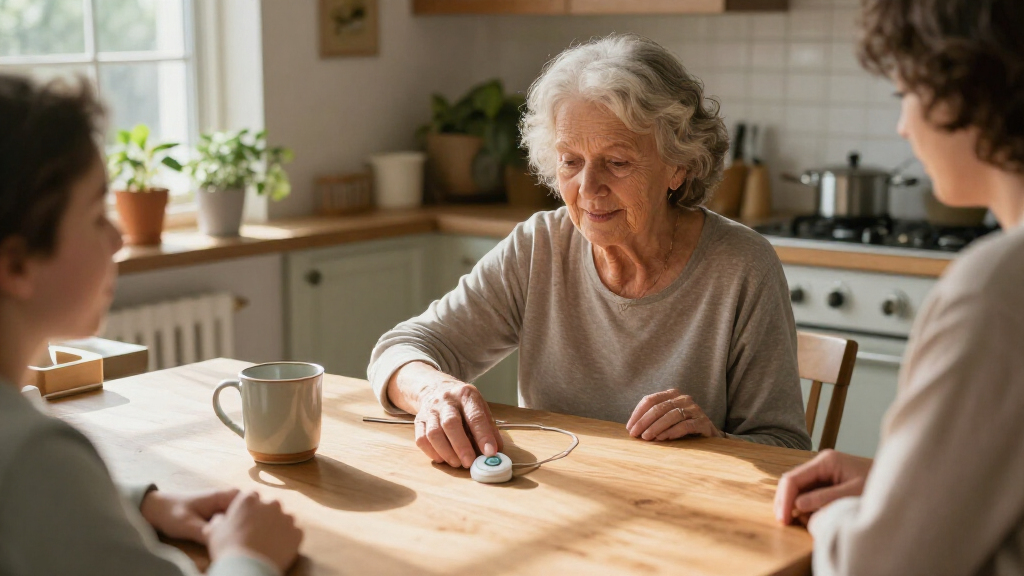
How We Picked
I compared these nine devices against the decisions that matter most for senior safety: how an alert is placed, whether the device is wearable beyond the home, the stated availability of GPS and fall detection, the response route, and how straightforward the controls appear. I also weighed comfort and likely day-to-day use: a device only helps if the wearer is willing and able to keep it on and charge it. Since the supplied product descriptions do not establish every service term or technical detail, I avoid treating unlisted features as guaranteed and recommend checking the current listing and provider terms before purchase.
The ranking favors devices that appear to combine a practical wearable form with a clear safety use case, which places the MGMini first as a compact general-purpose option and the SecuLife wearables high for buyers prioritizing location features or wrist wear. The two MGMini colors are treated as one device family, not separate feature winners. Home-oriented app-and-receiver kits rank lower for people seeking protection away from home, while direct-to-911 equipment ranks lower for buyers who want a staffed monitoring service. These are different alert models rather than a simple quality ladder.
Factors to Consider When Choosing Wearable Medical Alert Devices For Seniors
Before choosing a wearable, I would start with the wearer’s daily routine and the response they want—not the longest feature list. A device that stays charged, gets worn, and reaches the right person is more useful than one with extra functions that are rarely used.
Choose the Alert Response Route First
Medical alert products can route an alert to a monitoring center, a caregiver, or emergency services directly, and these paths are not equivalent. Ask who answers, what happens if the wearer cannot speak, and whether the device supports two-way communication. Direct 911 calling may avoid a monitoring plan, but it also changes who receives the first alert and how family members are involved. A caregiver-call setup can work well when someone is reliably available, but it may leave gaps during work or sleep. Write down the desired response sequence before comparing devices. This simple step prevents buying based on a button or sensor while overlooking the service behind it.
Match Coverage to Where the Wearer Goes
A home receiver and call-button kit is generally a different proposition from a cellular wearable with GPS: the former is designed around a base station, while the latter may be intended for use outside the home. Do not assume a product works everywhere just because it has an app or cellular wording in its name. Check coverage, network compatibility, location-sharing behavior, and whether service activation is required. Think through common trips such as a walk, errands, or visiting a neighbor, not only the living room. If the wearer rarely leaves home, a simpler home-focused setup may be easier to manage. If they are active outside, portability and reliable connection should take priority.
Treat Fall Detection as Backup, Not a Substitute
Fall detection can add a layer of help if someone cannot press the button, but it may not detect every fall and can sometimes trigger an alert when no emergency occurred. Ask whether detection is built in or optional, whether it carries an added service requirement, and how the wearer can cancel a false alert. The wearer should still know how to trigger help manually. A common mistake is to choose a device based on the phrase “fall detection” without learning where the alert goes. For someone at high risk of falls, discuss the response plan with family or a clinician as well as checking the product’s stated capabilities. The best fit is a device whose alert process the wearer and helpers can explain.
Prioritize Wearability and Charging Habits
Neck pendants, wristbands, and smartbands feel different on the body, so comfort and dexterity can affect whether a senior wears a device consistently. Consider whether the wearer dislikes jewelry, has trouble fastening a clasp, or may remove a device for bathing or sleep. A waterproof claim should be checked against the manufacturer’s exact limits; it does not automatically mean the device can be worn in every water setting. Charging is another daily-use issue: find out how often charging is needed and whether the wearer can manage the connector independently. A device left on a charger during an outing provides no protection. If possible, choose a form the wearer is willing to keep on and build charging into an existing routine.
Compare Total Ownership, Not Just the Device
Look beyond the hardware to activation, connectivity, monitoring, app access, and replacement or cancellation terms. A no-monthly-fee model can reduce ongoing obligations, yet direct 911 calling may not provide the same intermediary support as a monitored service. Conversely, recurring service can add a response center but creates a continuing commitment that should be understood before purchase. Ask whether the listed functions require a subscription, a SIM or cellular plan, or a companion phone. Confirm who can manage the account if the senior cannot. The right choice depends on the support family wants and can maintain, not simply the lowest apparent cost.
Check Fit for the Wearer, Not Only the Caregiver
A family member may value GPS, app notifications, and multiple contacts, while the senior may care most about a large button and simple instructions. Both perspectives matter because the wearer must recognize the alert button and feel comfortable using it. Check button size, screen readability, audio clarity, and whether setup can be completed without regular smartphone use. For someone with memory or vision challenges, fewer steps may be more useful than additional app controls. Have the intended wearer practice the alert process with the appropriate contacts or provider guidance. If the device seems confusing during setup, that difficulty may persist in an emergency.
Frequently Asked Questions
Should I choose a monitored medical alert device or one that calls 911 directly?
I would choose based on who should receive the first alert and what help the wearer may need to explain the situation. A monitored service can provide a trained intermediary and may contact designated people according to its procedures, while a direct-911 device routes the call to emergency services. Direct calling is not automatically better just because it avoids a monitoring plan; it may offer less support for contacting family or handling a non-emergency. Ask each provider what happens when the wearer does not respond, and whether the device supports two-way audio. Match the response route to the senior’s communication ability and the family’s availability.
Is GPS necessary if the senior mostly stays at home?
GPS may have limited day-to-day value for someone who rarely leaves home, especially if a home-based receiver provides suitable coverage in the rooms they use. It becomes more useful when the wearer takes walks, runs errands, or may need help away from the house. GPS does not replace a working connection or an alert response plan, so check how location is shared and who can access it. Also consider whether the senior is comfortable with location features and any related app setup. Choose based on actual routines rather than treating GPS as a must-have for every wearer.
Can fall detection replace pressing the emergency button?
No. Fall detection is a backup feature, not a guarantee that every fall will be recognized or that an alert will reach help without delay. The wearer should still be able to press the button, and helpers should know how the device responds if the wearer cannot answer. Ask about false alerts, cancellation steps, and any service requirements tied to detection. If the senior has frequent falls or may be unable to communicate, discuss the full safety plan with family and a health professional. The sensor is most useful when it supports, rather than replaces, a clear response process.
Are app-controlled call-button kits suitable for seniors who go out alone?
They may be a good fit for a home-centered routine, but an app-controlled kit with a receiver should not be assumed to provide the same away-from-home coverage as a cellular wearable with GPS. Check the kit’s range and whether it depends on a home base, internet connection, or a caregiver’s phone. If the senior regularly walks or leaves the property alone, ask how an alert works beyond the receiver’s coverage area. A portable cellular device may better match that routine, provided its service and coverage are confirmed. The deciding factor is where help needs to be reachable, not whether the product includes an app.
How should I choose between a pendant and a wristband?
Start with what the senior will wear consistently and can operate comfortably. A wristband may be easier for someone who dislikes a necklace or wants the alert button on the wrist, while a pendant may suit someone who finds a wrist device irritating or restrictive. Check fastening, button accessibility, water-use limits, and charging needs for the exact model. Also verify that the form factor does not hide a difference in response service or feature availability. When possible, let the wearer handle both styles before deciding, since comfort is a daily-use issue rather than a cosmetic detail.
Conclusion
For a general-purpose wearable, I would start with the Medical Guardian MGMini; the Pearl and Rose Gold listings represent finish choices rather than separate feature tiers. For a best value pick among the stated product concepts, the no-monthly-fee 4G LTE pendant may appeal to buyers who specifically want direct 911 calling, provided they accept that this is not a monitored response service. I would not label a premium winner from the available descriptions alone, because they do not establish enough about service levels or ownership costs to compare that fairly. For beginners, choose the simplest wearable and response route the senior can explain and practice; a caregiver should confirm setup and alert handling before relying on it. For specific needs, consider the SecuLife SOS Wristband when wrist wear, GPS, and stated fall detection are priorities, or a home receiver kit when the wearer mainly needs an at-home call button. Before buying, verify service terms, coverage, charging demands, and the exact alert route for the selected model.