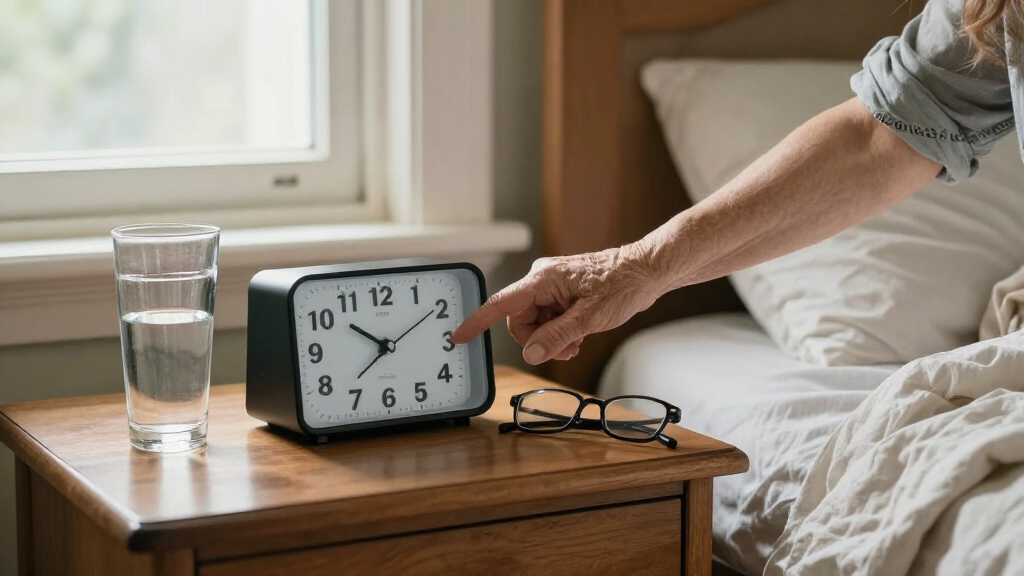
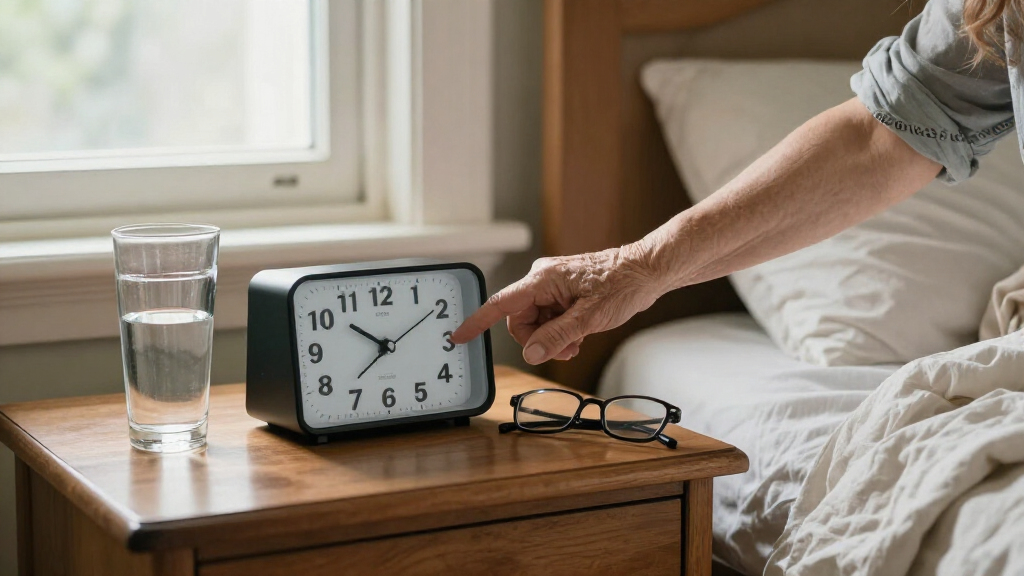
Large-print talking clocks for seniors can make the time easier to read and hear, but the right choice depends on whether clear speech, a larger display, simple controls, or multiple reminders matters most. I rank the MASSII 27 Alarms Digital Talking Clock as the best overall for households that need several alarms and custom reminders. The MASSII 11.5-Inch Digital Clock stands out for its oversized display, while the Cirbic Extra Large Talking Button Clock favors straightforward spoken time access. The main tradeoff is between more functions and simpler operation, with screen size and sound controls also varying across the lineup. Read on for the full breakdown and help matching a clock to the person who will use it.

Turn quiet afternoons into listening time
- Thousands of audiobooks, podcasts and originals
- Listen on your phone, tablet or Echo — also offline
- Cancel anytime
Complete the kit


Key Takeaways
The MASSII 27 Alarms model is the most flexible pick for users who need several scheduled prompts, while its many settings may be more than someone seeking a simple clock wants.
The 11.5-inch MASSII puts display size first; its large screen is a stronger fit for reading across a room than compact options, though it takes up more space.
One-button access can matter more than a long feature list. The Cirbic’s large-button approach suits people who want spoken information without working through a complex interface.
Talking functions vary in scope. Some listed models announce time, date, and day, while others add multiple alarms, reminders, or volume choices; buyers should match these functions to daily routines.
Memory-support clocks and low-vision clocks solve different problems. Calendar-oriented models such as the Robin Day Clock emphasize date and day clarity, while spoken controls and extra-loud announcements may matter more for users with limited vision or hearing.
| MASSII 27 Alarms Digital Talking Clock with Voice Announcement, Auto DST, Custom Reminders, Sleep Trainer, Large Calendar for Elderly and Dementia Patients |  | Best for Daily Routines | Display: 7-inch digital screen, 1280 × 800 resolution | Brightness: 10 levels | Alarms: 27 | VIEW LATEST PRICE | See Our Full Breakdown |
| Cirbic Extra Large Talking Button Clock for Low Vision |  | Best for Simple Press-to-Hear Access | Display type: Analog | Dimensions: 4.5 in W × 2.5 in H | Power: Battery powered | VIEW LATEST PRICE | See Our Full Breakdown |
| Digital Alarm Clock with Date and Day of Week for Seniors, Voice Announcement, Multiple Alarms, Auto DST – Black |  | Best for Multilingual Spoken Time | Display: 7-inch digital LED display | Power: Corded electric | Spoken time: Voice announcement in 9 languages | VIEW LATEST PRICE | See Our Full Breakdown |
| MASSII 11.5-Inch Digital Clock with Alarms, Reminders, Talking Time, and Auto Dimmer |  | Best Large-Print Display | Display: 11.5-inch HD display, 1280 × 800 resolution | Alarms: 27 | Custom reminders: 20+ | VIEW LATEST PRICE | See Our Full Breakdown |
| TimeVocalist Talking Clock with Large Button, Alarms & Voice Reminders |  | Best for Caregiver-Managed Voice Reminders | Display: None | Controls: Large button; Bluetooth app control | Functions: Talking time and date, voice reminders, multiple alarms, hourly chime | VIEW LATEST PRICE | See Our Full Breakdown |
| Large Talking Alarm Clock for Blind – Announces Time, Date, and Day of Week |  | Best for Simple, Cordless Operation | Display: Analog, high contrast | Screen size: 3.5 inches | Announcements: Time, date, and day of the week | VIEW LATEST PRICE | See Our Full Breakdown |
| Robin Day Clock 2026 for Seniors, 8″ Large Digital Calendar Dementia Clock with Talking Function, Alarms, Easy-to-Read Display for Elderly, Day Date Time, Medication Reminder, DST, White |  | Best for Daily Routines and Reminders | Display: Digital | Screen size: 8 inches (20 centimeters) | Dimensions: 8 inches wide x 6.5 inches high | VIEW LATEST PRICE | See Our Full Breakdown |
| GOLOZA 7” Digital Dementia Clock, Talking Clock with 10 Volumes |  | Best for Adjustable Voice and Display Settings | Display: LCD | Screen size: 7 inches | Dimensions: 7.7 inches wide x 5 inches high | VIEW LATEST PRICE | See Our Full Breakdown |
| Extra Large Talking Alarm Clock for Seniors |  | Best for Guided, Quiet Operation | Display: Large, high contrast; display type and dimensions not specified | Announcements: Time, date, and day of the week | Voice controls: Voice guidance and adjustable volume | VIEW LATEST PRICE | See Our Full Breakdown |
| Talking Clock – Extra Loud Time & Date for Elderly, Dementia, Low Vision |  | Best for Loud, Adjustable Announcements | Display: Digital, large and high contrast | Dimensions: 6.7 inches wide x 3.8 inches high | Maximum volume: Up to 85 dB | VIEW LATEST PRICE | See Our Full Breakdown |
| large print talking clocks for senior | Display | Dimensions | Announcements | Power |
|---|---|---|---|---|
| MASSII 27 Alarms Digital Talki | 7-inch digital screen, 1280 × 800 resolution | 8.03 in W × 5.67 in H | Voice announcement of time and date | Corded electric; backup battery preserves settings |
| Cirbic Extra Large Talking But | — | 4.5 in W × 2.5 in H | — | Battery powered |
| Digital Alarm Clock with Date | 7-inch digital LED display | 5.6 in W × 7.8 in H | — | Corded electric |
| MASSII 11.5-Inch Digital Clock | 11.5-inch HD display, 1280 × 800 resolution | — | English time, day, week, and date | — |
| TimeVocalist Talking Clock wit | None | 3.5 in W × 1.6 in H | — | Battery powered |
| Large Talking Alarm Clock for | Analog, high contrast | 3.5 x 1.5 x 3.5 inches | Time, date, and day of the week | — |
| Robin Day Clock 2026 for Senio | Digital | 8 inches wide x 6.5 inches high | Talking function; displays day, date, and time | — |
| GOLOZA 7” Digital Dementia Cl | LCD | 7.7 inches wide x 5 inches high | — | — |
| Extra Large Talking Alarm Cloc | Large, high contrast; display type and dimensions not specified | — | Time, date, and day of the week | Electrical; specific connection details not provided |
| Talking Clock | Digital, large and high contrast | 6.7 inches wide x 3.8 inches high | — | — |
More Details on Our Top Picks
MASSII 27 Alarms Digital Talking Clock with Voice Announcement, Auto DST, Custom Reminders, Sleep Trainer, Large Calendar for Elderly and Dementia Patients
The MASSII pairs a 7-inch display with spoken time and date announcements, so it serves people who need both visual and audio cues. Its 27 alarms and 20 custom reminders give caregivers room to set separate prompts for medication, meals, and other routines; that is more scheduling flexibility than the simpler Cirbic Extra Large Talking Button Clock for Low Vision, which focuses on press-to-hear time and date. Adjustable brightness and automatic daylight-saving adjustment reduce routine fiddling, while the sleep-training feature adds an option beyond basic clock functions. The tradeoff is a more involved setup, and its corded power makes it a fixed bedside or tabletop device rather than a portable one. I’d choose it over the Cirbic when reminders matter more than a minimal interface, but skip it if setup needs to be very simple.
Pros:- 7-inch display has 10 brightness levels for adjusting visibility to the room.
- Voice announcements provide an audio way to check the time and date.
- 27 alarms and 20 custom reminders support multiple daily prompts.
- Automatic DST adjustment and a remote control reduce some routine clock adjustments.
Cons:- Requires an outlet, limiting use away from a power source.
- The feature-rich setup may be difficult for someone who wants only basic time and alarm functions.
- Backup power preserves settings only, rather than providing normal clock operation.
Best for: Seniors or caregivers who want a large visual clock plus many scheduled reminders for daily routines.
Not ideal for: People who need a portable clock or a very simple, button-only setup; this model needs an outlet and its many functions may take time to configure.
- Display:7-inch digital screen, 1280 × 800 resolution
- Brightness:10 levels
- Alarms:27
- Custom reminders:20
- Announcements:Voice announcement of time and date
- Power:Corded electric; backup battery preserves settings
- Controls:Remote control included
- Dimensions:8.03 in W × 5.67 in H
- Warranty:365 days
Our verdict“Choose the MASSII if a senior needs many scheduled reminders alongside a large, spoken display and can manage a more involved setup.”
Cirbic Extra Large Talking Button Clock for Low Vision
The Cirbic is the simplest option here: press its large, high-contrast button to hear the time, then press again for the date. That direct interaction may suit someone who struggles with small controls or menus. Unlike the MASSII 27 Alarms Digital Talking Clock, it does not offer a bank of custom reminders or a large digital screen; its strength is a straightforward audio check, with an alarm for basic scheduling. Audio setup instructions can also help a user or caregiver get it ready without relying only on printed directions. The compact tabletop design and battery power avoid a fixed outlet, but three AAA batteries are required and not included. The voice has only high and low volume settings, so this is a poor match for anyone who needs fine volume control or large on-screen print.
Pros:- Large button makes spoken time and date access more direct than menu-based clocks.
- Audio setup instructions can help users who find printed setup steps difficult.
- Includes an alarm for a basic scheduled alert.
- Battery-powered tabletop design does not require a nearby outlet.
Cons:- Three AAA batteries are required and are not included.
- Only high and low voice-volume settings are specified.
- Its 4.5-by-2.5-inch body does not provide a large visual time display.
Best for: Low-vision users who want a compact tabletop clock that announces time and date with a single prominent button.
Not ideal for: Buyers who need large-print visual time, many reminders, or more than two voice-volume settings.
- Display type:Analog
- Dimensions:4.5 in W × 2.5 in H
- Power:Battery powered
- Batteries:3 AAA batteries, not included
- Voice:English male voice with North American accent
- Voice volume:High and low settings
- Functions:Talking time and date, alarm, audio setup instructions
- Mounting:Tabletop
- Color:Blue
Our verdict“Pick the Cirbic for uncomplicated spoken time and date access, not for large-print viewing or a full reminder schedule.”
Digital Alarm Clock with Date and Day of Week for Seniors, Voice Announcement, Multiple Alarms, Auto DST – Black
This clock’s clearest distinction is its spoken time in nine languages, which gives multilingual households more flexibility than the English-only MASSII 11.5-Inch Digital Clock. Its 7-inch digital display and multiple alarms also cover the basics for someone who wants a visual readout alongside spoken time. Automatic dimming can make the display less intrusive in a bedroom, while day mode supports daytime visibility. Compared with the MASSII, this model is the more language-flexible choice, but the supplied details list fewer reminder specifics and no remote control or custom-reminder count. It still depends on corded power, so it belongs in a stable indoor spot. The nonstandard backup battery requirement may also complicate replacement, making it less appealing for buyers who want easy-to-source backup cells.
Pros:- Spoken time supports nine languages, unlike the English-only MASSII 11.5-Inch Digital Clock.
- 7-inch display offers a substantial visual time readout.
- Multiple alarms can support recurring schedule prompts.
- Automatic dimming and day mode give options for different room lighting.
Cons:- Corded power limits placement and portability.
- Backup requires a nonstandard battery that may be harder to source.
- Product details do not specify a custom-reminder count or remote control.
Best for: Seniors in multilingual households who want a large digital display, spoken time, and multiple alarms.
Not ideal for: Caregivers seeking extensive custom reminders or remote operation, or buyers who want a clock that can run away from an outlet.
- Display:7-inch digital LED display
- Power:Corded electric
- Spoken time:Voice announcement in 9 languages
- Alarms:Multiple alarms
- Display adjustment:Automatic dimming and day mode
- Material:Plastic
- Dimensions:5.6 in W × 7.8 in H
- Weight:0.44 kg
- Backup battery:1 nonstandard battery required
Our verdict“Choose this model when multilingual spoken time is the priority and a plugged-in clock with basic alarm scheduling is enough.”
MASSII 11.5-Inch Digital Clock with Alarms, Reminders, Talking Time, and Auto Dimmer
For a buyer who needs the time to be easy to read from across a room, this MASSII’s 11.5-inch HD display is the main reason to choose it. It shows and announces time, day, week, and date, combining a broad visual calendar with spoken prompts. The 27 alarms and 20+ custom reminders make it better suited to structured daily routines than the Cirbic Extra Large Talking Button Clock, which offers a simpler press-to-hear experience instead of a large schedule display. Ten dimming levels and a remote give caregivers more control over placement and brightness. That larger screen comes with a fixed power requirement, and its announcements are in English only. Compared with the 7-inch MASSII model, this is the stronger pick for viewing distance, but it takes more space and still needs an outlet.
Pros:- 11.5-inch HD display is the largest specified screen in this batch.
- Spoken time, day, week, and date offer both visual and audio cues.
- 27 alarms and more than 20 custom reminders support detailed routines.
- Remote control and 10 dimming levels help caregivers adjust the clock without reaching its controls.
Cons:- Plug-in power restricts placement to locations near an outlet.
- Spoken announcements are in English.
- The large display may take up too much space on a small bedside surface.
Best for: Seniors with low vision who need a large, glanceable display and caregivers managing several reminders in one room.
Not ideal for: People needing portability, non-English spoken announcements, or a compact clock for a crowded bedside table.
- Display:11.5-inch HD display, 1280 × 800 resolution
- Alarms:27
- Custom reminders:20+
- Display modes:6
- Dimming:10 levels
- Alarm volume:10 levels
- Announcements:English time, day, week, and date
- Power and backup:Plug-in adapter; memory battery preserves time and settings
- Included accessories:Remote control and power adapter
Our verdict“Choose this MASSII when large-print viewing distance and extensive reminders matter more than portability or multilingual announcements.”
TimeVocalist Talking Clock with Large Button, Alarms & Voice Reminders
The TimeVocalist takes a different approach from the screen-based MASSII clocks: it has no visual display, relying on a large button, spoken announcements, and voice reminders instead. That can work well for someone who has difficulty reading a screen but can comfortably press a control. Its Bluetooth app control lets a caregiver manage reminders and flexible alarms, a useful distinction from the Cirbic clock, whose simpler controls do not offer app-based scheduling. Multilingual voices add flexibility for households that do not use English. The tradeoff is substantial for a roundup centered on large print: there is no visual time readout at all. Battery power avoids a cord, but two AAA cells will need replacement over time, and the product is intended for indoor use.
Pros:- Large button provides a straightforward way to request spoken time and date.
- Voice reminders and flexible alarms can support medication and daily-task routines.
- Bluetooth app control gives caregivers a way to manage settings remotely within the product’s connected setup.
- Multilingual voices and included AAA batteries add flexibility at setup.
Cons:- No display means users cannot read the time visually.
- Two AAA batteries will need replacement, and battery life is not specified.
- Indoor-only use limits placement outside the home.
Best for: Caregivers who want to set voice reminders and alarms by app for a senior who prefers audio to visual time checks.
Not ideal for: Seniors who need large-print time on a screen, or users who do not have a caregiver available to manage Bluetooth app settings.
- Display:None
- Controls:Large button; Bluetooth app control
- Functions:Talking time and date, voice reminders, multiple alarms, hourly chime
- Voice:Multilingual voices
- Power:Battery powered
- Batteries:2 AAA batteries, included
- Dimensions:3.5 in W × 1.6 in H
- Weight:3.52 ounces
- Use:Indoor tabletop
Our verdict“Choose the TimeVocalist for caregiver-managed audio reminders, but skip it if large-print visual time is a requirement.”
Large Talking Alarm Clock for Blind – Announces Time, Date, and Day of Week
This compact clock suits someone who needs spoken time and calendar information without a menu-heavy setup. Its one-button operation and audio instructions make it less demanding to operate than the feature-rich Robin Day Clock 2026, which adds configurable alarms and reminders but may take longer to set up. The loud male voice announces the time, date, and day, while the high-contrast analog face offers a visual reference as well. Battery power avoids the need to keep it near an outlet, though the listing’s battery details conflict: the description says two AAA batteries, while the specifications say two AA batteries. I’d verify that before buying. The small 3.5-inch size is easy to place, but it offers less display area than the larger digital clocks in this lineup.
Pros:- One-button operation and audio instructions reduce the learning curve
- Announces time, date, and day of the week
- Battery-powered design allows placement away from an outlet
- Compact high-contrast analog face provides a visual cue
Cons:- Conflicting battery information: the description says AAA, while the specifications list AA
- The 3.5-inch display is smaller than the digital calendar clocks in this roundup
- Analog display may not suit buyers who prefer large digital lettering
Best for: Seniors who want spoken time and date, straightforward controls, and a small bedside clock that does not need a power outlet
Not ideal for: Buyers who need a large digital readout, programmable medication reminders, or certainty about the required battery size
- Display:Analog, high contrast
- Screen size:3.5 inches
- Announcements:Time, date, and day of the week
- Alarm:Yes
- Power source:Battery powered
- Battery information:Description says 2 AAA; specifications list 2 AA
- Dimensions:3.5 x 1.5 x 3.5 inches
- Mounting:Tabletop
Our verdict“Choose this compact option if simple spoken updates and cordless placement matter more than a large digital display or advanced reminders.”
Robin Day Clock 2026 for Seniors, 8″ Large Digital Calendar Dementia Clock with Talking Function, Alarms, Easy-to-Read Display for Elderly, Day Date Time, Medication Reminder, DST, White
The Robin is the strongest fit here for someone who needs a large calendar display alongside spoken information and routine prompts. It shows the day, date, and time on an 8-inch digital screen, with customizable alarms for medication or events. That makes it more useful for a structured daily schedule than the simpler Large Talking Alarm Clock for Blind, which announces calendar details but lacks the listed reminder flexibility. Automatic daylight saving adjustment also cuts down on seasonal clock changes. The tradeoff is a more involved setup, and its corded power makes it less flexible to place than battery-powered options. It can sit on a table or mount on a wall, but its 8-by-6.5-inch footprint may crowd a small bedside surface. I’d pick it for routine support, not for portable use.
Pros:- 8-inch digital display presents day, date, and time together
- Talking function and customizable alarms support daily routines
- Automatic daylight saving adjustment reduces manual clock changes
- Can be placed on a table or mounted on a wall
Cons:- Corded operation limits placement and portability
- Setup may be more involved than the one-button Large Talking Alarm Clock for Blind
- Its 8-by-6.5-inch body may be too large for a crowded bedside table
Best for: Seniors or caregivers who need a prominent day-and-date display plus scheduled medication and event reminders
Not ideal for: People who need a portable clock, have limited bedside space, or want the simplest possible setup
- Display:Digital
- Screen size:8 inches (20 centimeters)
- Dimensions:8 inches wide x 6.5 inches high
- Announcements:Talking function; displays day, date, and time
- Alarms:Customizable alarms and reminders
- Power source:Corded electric
- Backup battery:1 CR2032 included
- Mounting:Tabletop or wall mount
Our verdict“Choose the Robin for a readable calendar and scheduled routine prompts, provided a fixed power source and setup time are acceptable.”
GOLOZA 7” Digital Dementia Clock, Talking Clock with 10 Volumes
The GOLOZA is a good match for households that want to tune both the spoken announcements and the screen to the user’s surroundings. Its 10 volume levels and adjustable brightness offer more personalization than the Large Talking Alarm Clock for Blind, whose description emphasizes a loud voice but does not list volume adjustment. A 7-inch LCD, calendar display, and customizable reminders add useful routine cues without the Robin Day Clock 2026’s larger 8-inch footprint. The range of themes, colors, and language options may help tailor the screen, but also means there are more settings to learn. Like the Robin, this model relies on corded power, so it is not a portable choice. I’d favor it when adjustability matters more than plug-free placement or a minimal control layout.
Pros:- 10 volume levels allow spoken prompts to be adjusted to the room
- Adjustable brightness can make the display more comfortable in different lighting
- 7-inch LCD includes a calendar display and talking function
- Themes, colors, and language options allow more display customization
Cons:- Corded power limits placement compared with battery-powered models
- Multiple settings may take time for some users to learn
- Indoor use only
Best for: Seniors and caregivers who want adjustable speech volume and screen brightness, plus reminders in a mid-size digital clock
Not ideal for: Buyers who need a battery-operated clock, prefer very simple controls, or do not want to configure display options
- Display:LCD
- Screen size:7 inches
- Dimensions:7.7 inches wide x 5 inches high
- Voice settings:10 volume levels
- Additional features:Talking clock, calendar display, adjustable brightness, customizable reminders
- Power source:Corded electric via USB
- Backup battery:1 CR2032 required
- Material:Acrylic
Our verdict“Choose the GOLOZA if adjustable speech and screen settings matter more than portability or the simplest possible operation.”
Extra Large Talking Alarm Clock for Seniors
This model centers on accessible setup and a quiet bedside experience: it offers voice guidance, adjustable volume, and silent clock operation so ticking is less likely to disturb sleep. That makes it a different kind of pick from the Robin Day Clock 2026, which emphasizes a visible calendar and scheduled reminders. The Extra Large Talking Alarm Clock announces time, date, and day, but the supplied product details do not specify screen dimensions or a power source beyond describing it as requiring electricity. I would not assume its display is larger than the 7-inch GOLOZA or Robin’s 8-inch screen without clearer sizing. Its high-contrast buttons and compact design are useful for direct operation, yet the listed red-only color and potentially bulky fit may not work for every bedroom. It suits buyers who value guided use over calendar-rich features.
Pros:- Voice guidance can make setup easier for seniors
- Adjustable volume accommodates different listening needs
- Silent operation avoids ticking noise during sleep
- Announces time, date, and day of the week
Cons:- The supplied specifications do not give screen dimensions, making display size hard to compare
- Requires electrical power, with no battery option listed
- Red is the only listed color, and the body may not fit small bedside tables
Best for: Seniors who want voice-guided setup, adjustable announcement volume, and a silent bedside clock with date and day announcements
Not ideal for: Buyers who need a confirmed large screen size, battery-powered portability, or a digital calendar with scheduled reminders
- Display:Large, high contrast; display type and dimensions not specified
- Announcements:Time, date, and day of the week
- Voice controls:Voice guidance and adjustable volume
- Features:Alarm, calendar display, silent clock operation
- Power:Electrical; specific connection details not provided
- Mounting:Tabletop
- Material:Plastic
- Color:Red
Our verdict“Choose this model for guided operation and quiet use, but look to the Robin or GOLOZA if a clearly specified large calendar display is the priority.”
Talking Clock – Extra Loud Time & Date for Elderly, Dementia, Low Vision
For a buyer who may not hear a quieter clock, this model’s clearest advantage is its adjustable volume up to 85 dB, paired with a large high-contrast display and loud wake-up chime. The GOLOZA also offers adjustable volume, but its listed description gives no maximum level; this clock is the more direct choice when a stated loudness limit matters. A night mode can reduce light disturbance during sleep, while one-button operation keeps the feature set approachable compared with the Robin Day Clock 2026’s reminder-focused setup. Power is flexible: use AC or three AA batteries, though the batteries are not included. The listed dimensions, 6.7 by 3.8 inches, are more concrete than the unspecified screen size of the Extra Large Talking Alarm Clock for Seniors, but the product is for indoor tabletop use and has no listed outage backup.
Pros:- Adjustable volume reaches a specified maximum of 85 dB
- Large high-contrast digital display supports visual checking
- Night mode helps limit light disturbance during sleep
- Can run on AC power or three AA batteries
Cons:- Three AA batteries are not included
- No backup power is listed for outages when using the AC connection
- Indoor tabletop use does not suit buyers seeking a portable outdoor clock
Best for: Seniors with low vision or hearing who want a high-contrast tabletop clock with very loud adjustable announcements and night mode
Not ideal for: People who need outdoor use, a large calendar with scheduled reminders, or battery backup during a power outage
- Display:Digital, large and high contrast
- Dimensions:6.7 inches wide x 3.8 inches high
- Maximum volume:Up to 85 dB
- Features:Adjustable brightness, adjustable volume, loud alarm, night mode
- Power source:AC or 3 AA batteries
- Batteries:3 AA required; not included
- Mounting:Tabletop
- Indoor/outdoor use:Indoor
Our verdict“Choose this clock when loud adjustable announcements and night mode matter more than reminder scheduling or outage backup.”
How We Picked
I compared these clocks through the needs named in the search: readable displays, audible time access, and practical daily use for seniors, including people with low vision or memory concerns. I gave weight to the size and clarity suggested by the product details, the information announced aloud, control simplicity, alarm and reminder flexibility, volume options, and features such as auto dimming or daylight-saving adjustment. A feature only counted as an advantage when it could address a recognizable need, rather than simply adding complexity.
The ranking favors a balance of accessibility and useful functions: the MASSII 27 Alarms model leads for its combination of spoken announcements, reminders, and scheduling flexibility; the 11.5-inch MASSII earns a distinct place for its notably large display. Simpler button-led clocks rank well for people who may struggle with menus, while models with more specialized display or sound features suit narrower needs. Product descriptions do not establish every detail, such as exact viewing distance, speech clarity in a noisy room, or ease of setup, so I treat those as points for buyers to verify before choosing.
| large print talking clocks for senior | Announcements | Power | Mounting |
|---|---|---|---|
| MASSII 27 Alarms Digital Talki | Voice announcement of time and date | Corded electric; backup battery preserves settings | — |
| Cirbic Extra Large Talking But | — | Battery powered | Tabletop |
| Digital Alarm Clock with Date | — | Corded electric | — |
| MASSII 11.5-Inch Digital Clock | English time, day, week, and date | — | — |
| TimeVocalist Talking Clock wit | — | Battery powered | — |
| Large Talking Alarm Clock for | Time, date, and day of the week | — | Tabletop |
| Robin Day Clock 2026 for Senio | Talking function; displays day, date, and time | — | Tabletop or wall mount |
| GOLOZA 7” Digital Dementia Cl | — | — | — |
| Extra Large Talking Alarm Cloc | Time, date, and day of the week | Electrical; specific connection details not provided | Tabletop |
| Talking Clock | — | — | Tabletop |
Factors to Consider When Choosing Large Print Talking Clocks For Seniors
Choosing a talking clock is less about collecting the most features and more about fitting the clock to the user’s senses, routine, and comfort with controls. I would start by identifying the main obstacle—reading the display, hearing the announcement, remembering the day, or managing scheduled tasks—then use the factors below to narrow the options.
Choose a Display That Works From the Usual Viewing Spot
A large display can help, but the number of inches alone does not tell you whether the time will be easy to read. Think about where the clock will sit and how far away the person usually looks at it, then check the product images and listed display dimensions against that space. High contrast and clear separation between time and date can matter as much as overall size. A very large clock may be easier to see across a room but harder to fit on a bedside table or shelf. Avoid choosing a smaller model just because it has more alarms if the user’s primary difficulty is reading the screen.
Match Spoken Announcements to Hearing and Room Conditions
Talking clocks differ in what they say and how the user starts an announcement, so check whether the clock speaks time only or also gives the date and day. A large button may be easier to locate and press than a sequence of small controls, especially for someone with limited vision or reduced dexterity. Volume choices can be useful when the clock is used in different rooms, but a loud setting may disturb a sleeping partner. Consider background noise, the user’s hearing, and whether speech should be available on demand or at set times. If clear speech is the deciding factor, confirm the available volume and announcement details rather than assuming every talking clock sounds alike.
Separate Daily Reminders From Alarm-Clock Needs
An alarm tells someone when to wake or attend to a task, while a reminder system may support recurring parts of a daily routine. Before paying for many alarm slots, write down how many prompts the person actually needs and whether they occur at fixed times or change from day to day. More scheduling choices can help caregivers coordinate routines, but they can also make setup and correction more involved. For someone who only needs a morning alarm and spoken time, a simpler clock may be easier to maintain. Check whether the product description explains how reminders are set and heard, since the word “reminder” can cover different functions.
Prioritize Controls the User Can Operate Independently
A clock may be useful only if the person can adjust it or request the time without help. Look for large, distinguishable buttons and a setup process that matches the user’s eyesight, memory, and hand control. More features often mean more settings, so a family member may need to configure the clock before handing it over. If the user is likely to change settings accidentally, a shorter control path can be more useful than extensive customization. When shopping, check whether the clock’s main spoken function is easy to activate and whether alarm controls can be identified without relying on tiny labels.
Check Calendar Clarity for Memory Support
For someone who loses track of the day, a display that clearly presents weekday and date may be more helpful than a larger time readout alone. Decide whether the clock needs to show only the time or also provide a persistent calendar view that can be checked without pressing a button. Calendar-style models can support orientation, but they occupy more visual space and may present several pieces of information at once. If a caregiver is selecting the clock, ask which information the user refers to most often rather than assuming more text always helps. Daylight-saving adjustment can reduce one maintenance task, but it does not replace checking that the displayed date and time are correct after setup.
Plan for Placement, Power, and Routine Changes
Before ordering, choose a stable spot with a clear view and access to the power source required by the specific model. A bedside clock, a kitchen reminder clock, and a display viewed from across a living room each place different demands on size, sound, and controls. Check the product listing for power details and backup behavior; do not assume settings survive an outage unless that is stated. Auto dimming may suit a bedroom, while an always-bright display may be preferable in a well-lit daytime space. If routines change often, favor settings that a caregiver can update without having to relearn a complicated interface.
Frequently Asked Questions
Should I choose a talking clock or a large display if the senior has low vision?
That depends on whether the person can read a screen at the clock’s intended viewing distance. If they can read a large, high-contrast display but have trouble seeing smaller digits, prioritize screen size and layout, as with the 11.5-inch MASSII. If reading any display is difficult, spoken time access and easy-to-find controls may matter more. Some people benefit from both, so compare the screen and the speech function rather than treating them as substitutes. If possible, check the dimensions and button placement before purchase.
Are clocks with many alarms better for someone with dementia?
Not automatically. Multiple alarms and custom reminders can help when a person follows several scheduled tasks, but more settings may make the clock harder to manage. A user who mainly needs help knowing the day may benefit more from a clear calendar display and a simple way to hear the time. Caregivers should decide who will set and update the alarms, then choose a model that supports that arrangement. If the person is easily unsettled by repeated sounds, check how alarms can be controlled and whether the schedule fits their routine.
How can I tell whether an announcement will be loud enough?
Look for explicit volume information, such as multiple volume levels, rather than relying on a product name that says “extra loud.” Consider where the clock will be used: a quiet bedroom and a busy shared room create different listening conditions. A higher volume can help a person with hearing loss, but it may disturb someone nearby or affect sleep. If speech audibility is central, confirm the available settings and return terms before buying. The clock should also be easy to activate so the user can request a repeat when needed.
Do I need a clock that announces the date and day as well as the time?
Choose those announcements when the user regularly needs help orienting to the weekday or date, or when a caregiver uses them as part of a routine. If the main need is checking the hour, time-only speech may keep operation simpler. A persistent calendar display can also help without requiring the user to press a button, but it can add visual information that some people find distracting. Think about the person’s daily questions and whether they are more likely to read the display or listen to an announcement. Match the clock’s information to those habits instead of selecting every available feature.
What should I check before buying a talking clock as a gift?
Start by confirming the recipient’s main need and who will handle setup, rather than choosing the model with the longest feature list. Check display size, control layout, spoken information, volume choices, and power requirements against the intended room and the person’s abilities. If the recipient has memory concerns, ask a caregiver whether alarms or a clear day-and-date display would be more useful. Also verify that the clock can be placed where its screen and sound will be accessible. A straightforward model is often a safer gift when you do not know how comfortable the person is with adjusting settings.
Conclusion
For the best overall balance of spoken information and scheduling flexibility, I recommend the MASSII 27 Alarms Digital Talking Clock, especially when reminders are part of the daily routine. The best display-focused pick is the MASSII 11.5-Inch Digital Clock for someone who needs larger digits and has room for a bigger unit. For a best beginner option, the Cirbic Extra Large Talking Button Clock is the clearest fit when simple, direct access to spoken information matters more than a broad menu of functions. Buyers seeking a calendar-oriented choice can look at the Robin Day Clock, while those prioritizing selectable volume can compare the GOLOZA 7-inch model. I would treat the best value as the simplest clock that meets the person’s actual needs, and reserve a more feature-rich or display-focused model as the best premium-style choice for households that will use those added capabilities. Match the clock to the user’s vision, hearing, routine, and ability to operate its controls before making the final choice.
Halloween Picks
halloween
As an affiliate, we earn on qualifying purchases.