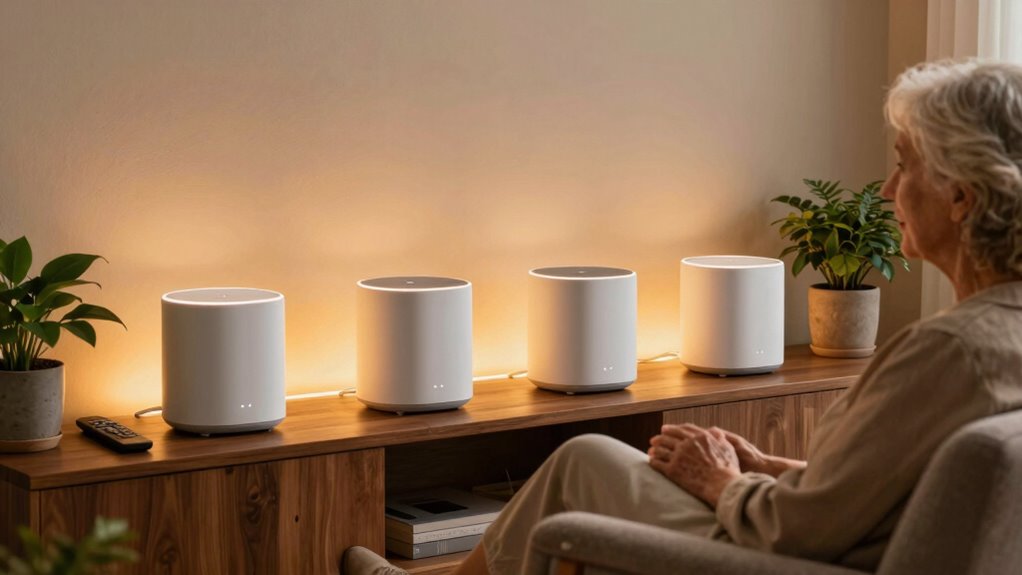

Choosing the right voice control hub for seniors involves balancing ease of use, automation capabilities, and safety features. The BroadLink RM5plus stands out for integrating multiple IR appliances with voice commands, making it ideal for tech-savvy seniors with existing devices. Meanwhile, the JubileeTV Remote Care System offers a simple, remote-controlled TV interface perfect for seniors needing caregiver support. For those prioritizing safety, the NOMO Smart Care System provides fall detection and emergency alerts. Each option emphasizes different strengths, but tradeoffs include setup complexity, device compatibility, or ongoing subscription costs.
Complete the kit


Key Takeaways
- The BroadLink RM5plus excels in consolidating control of numerous IR devices with voice commands, but its Wi-Fi is limited to 2.4GHz.
- The JubileeTV Remote Care System simplifies TV control and monitoring, ideal for seniors with limited tech experience or cognitive challenges.
- NOMO offers robust safety features like fall detection and emergency alerts, yet requires a subscription and Wi-Fi connectivity.
- SofaBaton X2 supports extensive device control with a touchscreen interface but needs additional hubs or repeaters for full coverage.
- SwitchBot Kit provides easy setup and automation for IR devices, suited for seniors wanting expandable smart home controls without wiring.
| BroadLink RM5plus Smart Infrared Remote Control Hub with Wi-Fi & Voice Control |  | Best Overall for Multi-Device Control | Infrared appliances supported: 5000+ | IR frequency: 38kHz | Wi-Fi compatibility: 2.4GHz only | VIEW ON AMAZON | See Our Full Breakdown |
| SwitchBot Bot White & Hub Mini Kit: Smart Home Automation for IR Devices and Switches |  | Best for Easy Setup and Expandability | Device Type: Smart Home Automation Kit | Includes: SwitchBot Bot, Hub Mini | Control Methods: App, Voice | VIEW ON AMAZON | See Our Full Breakdown |
| JubileeTV Remote Care System for Seniors |  | Best for Caregiver-Managed TV Control | Compatible Devices: DVD, Blu-ray, Set Top Box, Streaming, TV | Connectivity: Bluetooth, Infrared, Wi-Fi | Range: 10 meters | VIEW ON AMAZON | See Our Full Breakdown |
| NOMO Smart Care Medical Alert System with Fall Detection for Seniors |  | Best Safety and Emergency Monitoring | Power Source: AC with battery backup | Compatible Devices: Smartphone, Tablet | Connectivity: Wireless | VIEW ON AMAZON | See Our Full Breakdown |
| SofaBaton X2 Universal Remote Control with Touchscreen and Hub |  | Best for Extensive Device Coverage | Compatibility: IR, Bluetooth, RF, Wi-Fi | Supported Devices: Over 500,000 devices | Display: 2.4-inch touchscreen | VIEW ON AMAZON | See Our Full Breakdown |
More Details on Our Top Picks
BroadLink RM5plus Smart Infrared Remote Control Hub with Wi-Fi & Voice Control
The BroadLink RM5plus shines for seniors who already manage multiple IR appliances and want a unified voice-command interface. It supports over 5,000 appliances, making it versatile for various home entertainment and climate devices. Compared with simpler remotes, its automation features and remote management are a big plus, though its 2.4GHz Wi-Fi limit might restrict performance in environments with crowded networks. It’s well-suited for tech-savvy seniors comfortable with setup complexities, but less so for those seeking plug-and-play simplicity.
Pros:- Supports over 5,000 IR devices, covering most appliances
- Voice control compatibility with Alexa and Google Home
- Supports custom IR learning and automation features
Cons:- Limited to 2.4GHz Wi-Fi networks
- IR frequency of 38kHz may not work with all devices
- Wi-Fi credentials limited to 32 characters
Best for: Seniors who want comprehensive control over multiple IR devices without needing additional hubs.
Not ideal for: Those with 5GHz Wi-Fi networks or limited technical experience.
- Infrared appliances supported:5000+
- IR frequency:38kHz
- Wi-Fi compatibility:2.4GHz only
- Voice control:Alexa, Google Home
- Remote management:Yes
- Scenes & Timers:Yes
Our verdict“A powerful, flexible hub best suited for seniors comfortable with setup and managing multiple devices.”
SwitchBot Bot White & Hub Mini Kit: Smart Home Automation for IR Devices and Switches
The SwitchBot Kit offers a straightforward way for seniors to control IR devices and switches without wiring hassles. It’s ideal for those new to smart home tech or who want quick installation. Its support for voice commands via Alexa, Google Assistant, and Siri broadens accessibility, and the ability to create scenes and timers adds automation benefits. However, the need for a Hub Mini for remote cloud access and the limited scope to IR devices and switches may limit its appeal for users seeking more comprehensive automation or complex setups.
Pros:- No wiring required for setup
- Supports multiple voice assistants
- Expandable ecosystem with scenes and timers
Cons:- Requires Hub Mini for remote control
- Limited to IR devices and switches
- Additional accessories needed for full features
Best for: Seniors new to smart controls who prioritize quick, hassle-free setup.
Not ideal for: Those needing extensive device integration or wired installations.
- Device Type:Smart Home Automation Kit
- Includes:SwitchBot Bot, Hub Mini
- Control Methods:App, Voice
- Compatibility:IR Devices, Switches, Matter, Apple HomeKit
- Setup:No wiring, quick
- Additional Features:Scenes, Timers
Our verdict“A user-friendly, expandable choice for seniors seeking simple IR device control without wiring complications.”
JubileeTV Remote Care System for Seniors
The JubileeTV Remote Care System is designed for caregivers managing a senior’s TV remotely. Its large, backlit voice remote simplifies TV control, making it accessible for seniors with cognitive or physical challenges. The ability to initiate video calls, reminders, and alerts provides peace of mind for families. While setup is straightforward, the subscription cost and geographic limitations (U.S. only) may be drawbacks for some users. It’s best suited for seniors who rely heavily on TV and need caregiver support for daily routines.
Pros:- Enables remote TV control and monitoring
- Large, easy-to-use voice remote
- Supports video calls, reminders, and alerts
Cons:- Requires active subscription (~$29/month)
- Limited to U.S. users
- Needs a compatible TV with HDMI and Wi-Fi
Best for: Seniors who need caregiver oversight and simplified TV control.
Not ideal for: Those seeking broader smart home automation or safety features.
- Compatible Devices:DVD, Blu-ray, Set Top Box, Streaming, TV
- Connectivity:Bluetooth, Infrared, Wi-Fi
- Range:10 meters
- Controller Type:Voice
- Batteries:2 AAA
- Maximum Devices:4
Our verdict“A practical solution for caregivers managing seniors’ entertainment and reminders, with some ongoing costs.”
NOMO Smart Care Medical Alert System with Fall Detection for Seniors
The NOMO Smart Care System focuses on safety, offering fall detection, emergency alerts, and privacy-conscious monitoring. Its easy, wireless setup makes it accessible for most seniors, and the system’s motion and sound sensors help detect unusual activity. The subscription for 24/7 emergency monitoring is an ongoing cost, but the privacy-focused, camera-free design appeals to those wary of constant surveillance. It’s most suitable for seniors living alone who want peace of mind about safety without complex tech setups.
Pros:- Easy plug-and-play installation
- Privacy-focused, no cameras
- Includes 60-day free emergency monitoring trial
Cons:- Monthly subscription after trial
- Dependent on Wi-Fi connection
- Tags’ alert sensitivity may need adjustment
Best for: Seniors at risk of falls or needing emergency alert systems.
Not ideal for: Those seeking comprehensive automation or entertainment features.
- Power Source:AC with battery backup
- Compatible Devices:Smartphone, Tablet
- Connectivity:Wireless
- Alert Type:Fall
- Control Method:App
- Dimensions:10.6 x 4.75 x 7.1 inches
Our verdict“A straightforward safety system emphasizing privacy, best for at-risk seniors living alone but with ongoing costs.”
SofaBaton X2 Universal Remote Control with Touchscreen and Hub
The SofaBaton X2 offers expansive control over a wide range of devices—over 500,000 across thousands of brands. Its 2.4-inch touchscreen makes navigation easy, and its integration with smart home systems like Home Assistant adds automation potential. Compared to single-device hubs, it provides a centralized control point for entire entertainment setups. However, its setup can be complex, especially for seniors unfamiliar with smart home tech, and additional IR repeaters or hubs are often needed for full coverage in larger homes.
Pros:- Supports a vast array of devices and brands
- Intuitive touchscreen interface
- Supports smart home integration and activities
Cons:- Requires additional IR repeaters for full home coverage
- Complex setup process may challenge some seniors
- Hub and transmitters are sold separately
Best for: Seniors with diverse entertainment systems and tech-savvy households.
Not ideal for: Users seeking a simple, plug-and-play remote with minimal setup.
- Compatibility:IR, Bluetooth, RF, Wi-Fi
- Supported Devices:Over 500,000 devices
- Display:2.4-inch touchscreen
- Power Source:Type-C charging dock
- Hub Functionality:Extended signaling, range
- Smart Home Integration:Home Assistant, MQTT
Our verdict“A highly versatile remote for tech-oriented seniors managing multiple devices but demanding a more involved setup.”

How We Picked
Our selection process focused on ease of use, compatibility, safety features, and setup simplicity tailored for seniors. We prioritized products with straightforward interfaces, strong voice control support, and key safety or automation features. Devices that require complex installation, extensive wiring, or ongoing subscriptions were considered less suitable. We also balanced affordability and expandability, ensuring options fit various levels of tech familiarity and care needs among seniors.
Factors to Consider When Choosing Voice Control Hubs For Seniors
Selecting a voice control hub for seniors requires understanding their specific needs—whether it’s simple TV control, safety features, or comprehensive home automation. Consider ease of use, device compatibility, and ongoing costs. Safety features like fall detection and caregiver monitoring are vital for some, while seamless entertainment control matters more for others. Here, I break down key factors to help you choose the best fit.Ease of Use
For seniors, simplicity is key. Look for devices with large buttons, clear voice recognition, and minimal setup. Systems like the JubileeTV Remote Care prioritize straightforward remote control and caregiver oversight, making them ideal for those with cognitive or physical challenges. More complex hubs, like the SofaBaton X2, offer extensive control but may require technical familiarity.
Device Compatibility
Consider what appliances or systems the hub can control. The BroadLink RM5plus supports thousands of IR devices, making it versatile for entertainment and climate control. The SwitchBot Kit is excellent for IR devices and switches but doesn’t support wired or smart home hubs. For safety, systems like NOMO focus on emergency alerts rather than device control.
Safety and Monitoring
Safety features such as fall detection and emergency alerts are crucial for at-risk seniors. The NOMO Smart Care System provides this with minimal fuss, though it comes with a subscription. For caregivers, remote control systems like JubileeTV offer peace of mind by allowing monitoring and interaction without complex setups.
Automation and Expandability
If a senior wants future-proof options, look for devices supporting scenes, timers, and smart home integrations. The SwitchBot and SofaBaton systems excel here, but they often require additional hubs or accessories. Simpler systems like JubileeTV focus on specific functions without extra complexity.
Frequently Asked Questions
What is the easiest voice control system for seniors?
The JubileeTV Remote Care System is designed specifically for seniors who need simple voice control for their TV and caregiver oversight. Its large, backlit remote and straightforward app interface make it accessible for those with limited tech experience or cognitive challenges.
Can these hubs control all types of appliances?
Most of these hubs focus on IR-controlled devices like TVs, air conditioners, and some smart switches. The BroadLink RM5plus supports over 5,000 appliances, making it highly versatile. The SwitchBot Kit is more limited but easy to set up. For broader smart home device control, systems like SofaBaton offer extensive compatibility with additional hubs.
Are there safety features included?
Yes, the NOMO Smart Care System emphasizes safety with fall detection and emergency alerts, making it suitable for seniors at risk. Other systems like JubileeTV focus more on caregiver monitoring rather than physical safety, so consider your priorities when choosing.
Do these systems require a lot of setup?
Setup complexity varies. The JubileeTV Remote Care System and SwitchBot Kit are quick to install, ideal for non-technical users. The SofaBaton X2 and BroadLink RM5plus may require more time and understanding, especially for configuring automation or extensive device lists.
Is ongoing cost a concern?
Some products, like JubileeTV and NOMO, require monthly subscriptions for full features or emergency monitoring, which can add up over time. Others, like the BroadLink RM5plus and SwitchBot Kit, have minimal ongoing costs, mainly for internet and optional cloud services. Always factor in these recurring expenses when planning your purchase.
Conclusion
For seniors who prioritize simple, caregiver-managed TV control, the JubileeTV Remote Care System offers peace of mind with minimal tech fuss. Those seeking comprehensive device control and automation will find the BroadLink RM5plus or SofaBaton X2 more suitable, though they require some setup and familiarity with smart home tech. Safety-focused households will lean toward NOMO for emergency alerts and fall detection, accepting ongoing subscription costs. The SwitchBot Kit makes a good middle ground for expandable IR device control without wiring, perfect for users wanting easy installation and future upgrades.