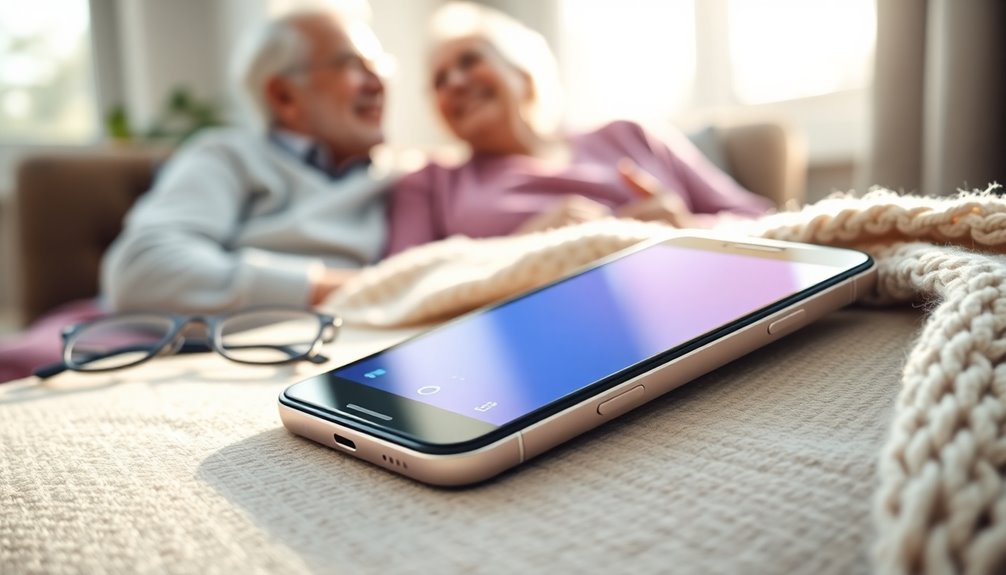
Finding the right Verizon phone for an elderly parent or grandparent comes down to one question: how much simplicity are you willing to trade for features? After comparing 13 options across big-button flip phones, senior-focused smartphones, and carrier-native rugged models, the LIVELY Jitterbug Smart5 is my pick as the best overall Verizon-compatible phone for seniors — it pairs a genuinely simplified smartphone interface with urgent response services on a network built from Verizon’s coverage. If a flip phone feels like a better fit, the Jitterbug Flip2 delivers the same senior-first design in a classic clamshell, while the Kyocera DuraXV Extreme is the toughest option that works natively on Verizon’s own plans. The main tradeoffs in this category are carrier compatibility (many unlocked senior phones struggle on Verizon’s network), emergency features, and whether a touchscreen will empower or frustrate the person using it. Read on for my full breakdown of all 13 picks and who each one is actually for.

Turn quiet afternoons into listening time
- Thousands of audiobooks, podcasts and originals
- Listen on your phone, tablet or Echo — also offline
- Cancel anytime
Complete the kit


Key Takeaways
- The Jitterbug Smart5 took the top spot because it combines a simplified smartphone menu, Verizon-network coverage, and optional urgent response services — no other phone in this lineup covers all three.
- Carrier compatibility separated winners from losers fast: several unlocked senior flip phones (artfone C1+, Artfone A400, generic 4G flips) require careful VoLTE verification before they’ll activate reliably on Verizon, while the Kyocera DuraXV Extreme and Verizon Prepaid Galaxy A17 5G just work.
- Lively phones run on Verizon’s network but require Lively‘s own plans — they’re the best-designed senior phones in this roundup, but they’re not Verizon phones in the billing sense.
- Charging docks emerged as an underrated differentiator: the Artfone A400, Easyfone models, and several generic flips include drop-in cradles that eliminate fiddly cable plugging for arthritic hands.
- The Samsung Galaxy A17 5G is the only true modern smartphone with a Verizon prepaid plan in this list, making it the clear pick for seniors who are already comfortable with touchscreens and want 5G longevity.
| LIVELY Jitterbug Smart5 Smartphone for Seniors |  | Best Overall | Screen size: 6.75 inches | Service: Lively phone plan required (runs on Verizon’s network) | SIM: Pre-installed — no separate SIM needed | VIEW ON AMAZON | See Our Full Breakdown |
| LIVELY Jitterbug Flip2 Cell Phone for Seniors (Red) |  | Best Flip Phone for Verizon Coverage | Form factor: Flip phone | Service: Lively phone service only (Verizon network) | Display: High-contrast screen with large text | VIEW ON AMAZON | See Our Full Breakdown |
| 4G Unlocked Flip Phone for Seniors with Large Buttons and SOS Button |  | Best for Switching Away from Verizon | Displays: 2.8-inch main + 1.5-inch outer screen | Network: 4G LTE / 3G WCDMA / 2G GSM (no CDMA) | Verizon compatibility: Not supported | VIEW ON AMAZON | See Our Full Breakdown |
| Easyfone T200 4G Unlocked Feature Cell Phone (White, SIM Included) |  | Best Calls-and-Texts Starter Phone | Network: 4G (T-Mobile and Tello Mobile compatible) | SIM: Prepaid SpeedTalk SIM included | Battery: 1050mAh, up to 120 hours standby | VIEW ON AMAZON | See Our Full Breakdown |
| Easyfone T200 4G Unlocked Feature Cell Phone |  | Best Basic Backup Handset | Network: 4G (T-Mobile and Tello Mobile compatible) | SIM: Not included | Battery: 1050mAh | VIEW ON AMAZON | See Our Full Breakdown |
| artfone C1+ 4G Cell Phone for Seniors |  | Best Value Pick | Network: 2G/3G/4G LTE | Carriers: T-Mobile, US Mobile, Straight Talk, Metro PCS, and other GSM providers | Display: 1.8-inch color LCD | VIEW ON AMAZON | See Our Full Breakdown |
| 2.8+1.5 inch Flip Phone Unlocked for Seniors with Dual Screens |  | Best Dual-Screen Flip | Display: 2.8-inch main + 1.5-inch outer screen | Network: 4G LTE, T-Mobile and GSM carriers | Battery: 1400mAh Li-Ion | VIEW ON AMAZON | See Our Full Breakdown |
| Easyfone Prime-A1 Pro Unlocked 4G Flip Cell Phone for Seniors |  | Best for Hearing Aid Users | Display: 2.4-inch HD main, 1.44-inch external color screen | Battery: 1500mAh | Network: 4G LTE | VIEW ON AMAZON | See Our Full Breakdown |
| LIVELY Jitterbug Smartphone for Seniors, Smart4 |  | Best Overall for Verizon Network Users | Carrier: Lively service only (uses Verizon’s network) | Screen: 6.7 inches | SIM: Pre-installed | VIEW ON AMAZON | See Our Full Breakdown |
| Artfone A400 Big Button Cell Phone for Seniors |  | Best Battery Life | Network: 2G/3G/4G LTE | Carriers: T-Mobile and virtual operators (no CDMA) | Display: 2.4-inch LCD | VIEW ON AMAZON | See Our Full Breakdown |
| Kyocera DuraXV Extreme E4810 (Verizon) |  | Best Rugged Flip | Model: Kyocera E4810 | Form factor: Rugged flip phone | Carrier: Verizon | VIEW ON AMAZON | See Our Full Breakdown |
| TCL Flip 3 (Tracfone) |  | Best Value Flip | Form factor: Flip phone with dual displays | Storage: 16GB | Camera: 5MP with video recording | VIEW ON AMAZON | See Our Full Breakdown |
| Samsung Galaxy A17 5G (Verizon Prepaid) |  | Best Smartphone Step-Up | Carrier: Verizon Prepaid | Display: 6.7-inch Super AMOLED, 90Hz | Storage: 128GB | VIEW ON AMAZON | See Our Full Breakdown |
| verizon phone for elderly | Network | Battery | Extras |
|---|---|---|---|
| LIVELY Jitterbug Smart5 Smartp | — | — | — |
| LIVELY Jitterbug Flip2 Cell Ph | — | — | — |
| 4G Unlocked Flip Phone for Sen | 4G LTE / 3G WCDMA / 2G GSM (no CDMA) | 1400mAh, 6–8 hours talk time | Camera, FM radio, Bluetooth, MP3, charging dock |
| Easyfone T200 4G Unlocked Feat | 4G (T-Mobile and Tello Mobile compatible) | 1050mAh, up to 120 hours standby | FM radio, flashlight, Bluetooth, mini-games, notes, calculator, calendar |
| Easyfone T200 4G Unlocked Feat | 4G (T-Mobile and Tello Mobile compatible) | 1050mAh | FM radio, flashlight, Bluetooth, mini-games |
| artfone C1+ 4G Cell Phone for | 2G/3G/4G LTE | 1800mAh | FM radio, flashlight, T9 input, photo contacts |
| 2.8+1.5 inch Flip Phone Unlock | 4G LTE, T-Mobile and GSM carriers | 1400mAh Li-Ion | SOS button, speed dial, large fonts, camera |
| Easyfone Prime-A1 Pro Unlocked | 4G LTE | 1500mAh | Photo speed dial, blacklist shortcut, charging dock |
| LIVELY Jitterbug Smartphone fo | — | — | — |
| Artfone A400 Big Button Cell P | 2G/3G/4G LTE | 1800mAh | SOS button, hearing assistance, voice time, charging dock |
| Kyocera DuraXV Extreme E4810 | 4G LTE | — | — |
| TCL Flip 3 | — | 1850 mAh | — |
| Samsung Galaxy A17 5G | 5G | 5,000mAh with 25W fast charging | — |
More Details on Our Top Picks
LIVELY Jitterbug Smart5 Smartphone for Seniors
The Jitterbug Smart5 is my top pick for seniors who want a real smartphone without the usual learning curve. Its 6.75-inch screen and simplified menus strip away the clutter that makes something like the Samsung Galaxy A17 overwhelming for a first-time user, while the Urgent Response button adds a safety layer no standard handset matches. Because Lively’s service runs on Verizon’s network, you get the same coverage footprint a Verizon-branded phone would deliver — the catch is you must activate a Lively plan, so this is not an option for anyone set on a traditional Verizon contract. Compared with the Jitterbug Flip2, the Smart5 costs more and asks a little more comfort with touchscreens, but it handles video calls, reads captions in real time, and grows with the user instead of boxing them in.
Pros:- 6.75-inch screen with large, legible text
- Urgent Response button connects to trained help around the clock
- Real-time call captioning supports users with hearing loss
- Runs on Verizon’s network through Lively service
Cons:- Works only with an active Lively plan — no standard Verizon or other-carrier SIMs
- Ongoing Lively fees add to the upfront price over time
- Touchscreen still demands more of a true beginner than the Flip2’s physical buttons
Best for: Seniors who want smartphone features — video calls, maps, call captioning — plus a live emergency button, and who are happy getting Verizon-level coverage through a Lively plan
Not ideal for: Anyone locked into an existing Verizon plan they want to keep — the Smart5 only activates on Lively service
- Screen size:6.75 inches
- Service:Lively phone plan required (runs on Verizon’s network)
- SIM:Pre-installed — no separate SIM needed
- Emergency:Dedicated Urgent Response button
- Calling:Voice calling with real-time call captioning
- Menus:Simplified senior-friendly layout
- Support:Access to Lively’s care team
Our verdict“The smartest buy for an older adult who wants a genuine smartphone experience backed by Verizon’s coverage and a live help button.”
LIVELY Jitterbug Flip2 Cell Phone for Seniors (Red)
If the Smart5 sounds like too much phone, the Jitterbug Flip2 is where I’d send most buyers next. It keeps the Lively safety net — a dedicated help button plus 24/7 US-based support — but wraps it in a classic flip body with big, tactile buttons and a high-contrast screen that aging eyes can read without hunting for glasses. Like the Smart5, it reaches Verizon’s network through Lively, which immediately separates it from budget flips like the 4G Unlocked Flip Phone, a model that won’t activate on Verizon at all. The tradeoffs are real: no touchscreen, no app store, no video calling, so grandkids’ photos arrive as grainy picture messages at best. And like its smartphone sibling, it demands a Lively plan. For pure calling confidence, though, nothing else in this lineup is easier to live with.
Pros:- Large buttons and high-contrast screen suit shaky hands and weak eyes
- One-touch speed dial with a powerful, loud speaker
- Help button backed by 24/7 US-based support
- Simple online activation through Lively
Cons:- Locked to Lively service — no standard Verizon plan compatibility
- No touchscreen, apps, or video calling
- Requires an activated plan before first use
Best for: Seniors who only want calls and texts, prefer physical buttons, and want emergency help one press away on Verizon’s network
Not ideal for: Anyone who wants apps, video calls, or decent photo sharing — and current Verizon plan holders who can’t bring their plan over
- Form factor:Flip phone
- Service:Lively phone service only (Verizon network)
- Display:High-contrast screen with large text
- Keys:Big buttons with one-touch speed dial
- Audio:Powerful speaker
- Safety:Dedicated help button
- Activation:Online activation available
- Support:24/7 US-based customer support
Our verdict“The easiest phone in this lineup to actually use, ideal for a senior who wants a familiar flip backed by Verizon coverage through Lively.”
4G Unlocked Flip Phone for Seniors with Large Buttons and SOS Button
Full disclosure up front: this flip phone will not work on Verizon, so it’s only here for readers open to moving to a cheaper GSM carrier. If that’s you, there’s plenty to like — dual screens that show the time and caller ID without opening the lid, an SOS button, a charging dock, and a 1400mAh battery rated for up to 336 hours on standby. Against the Jitterbug Flip2, you give up Verizon’s coverage and Lively’s live operator support, but you also escape the mandatory service plan: drop in a 4G LTE SIM from a supported carrier and go. Compared with the Easyfone T200, the flip design shields the keypad from pocket dials and adds a camera, though the 2.8-inch main screen is small and there’s no touchscreen. It’s a value play with one hard compatibility wall.
Pros:- Dual screens show time and caller ID with the lid closed
- SOS button plus speed dial for emergencies
- Charging dock makes topping up easy for arthritic hands
- Long standby — up to 336 hours per charge
Cons:- Not compatible with Verizon, AT&T, or other CDMA carriers
- 2.8-inch main screen can feel cramped for low-vision users
- Basic camera with no touchscreen or apps
Best for: Budget-minded buyers willing to move a senior’s number to a GSM carrier in exchange for a cheaper, plan-free flip phone
Not ideal for: Anyone committed to Verizon or AT&T service — CDMA networks simply won’t activate this phone
- Displays:2.8-inch main + 1.5-inch outer screen
- Network:4G LTE / 3G WCDMA / 2G GSM (no CDMA)
- Verizon compatibility:Not supported
- Battery:1400mAh, 6–8 hours talk time
- Standby:Up to 336 hours
- Storage:Expandable up to 32GB
- Safety:SOS button and speed dial
- Extras:Camera, FM radio, Bluetooth, MP3, charging dock
Our verdict“A strong budget flip — but only if your senior’s service lives on a GSM network rather than Verizon.”
Easyfone T200 4G Unlocked Feature Cell Phone (White, SIM Included)
Some seniors don’t want the internet in their pocket at all, and the Easyfone T200 leans into that harder than anything else here. There’s no browser, no camera, no app store — just clear calls, loud sound, big buttons, and an SOS key, with FM radio and a flashlight thrown in. This particular listing sweetens the deal with a prepaid SpeedTalk SIM in the box, which the otherwise identical T200 listing (B0G6JNXP8S) skips — handy, though SpeedTalk rides on T-Mobile’s network, so Verizon customers can’t stay put. Against the Jitterbug Flip2, the T200 is cheaper to run and free of a mandatory service plan, but no 24/7 help line sits behind its SOS button; it simply dials your chosen contacts. For a parent who keeps misplacing chargers, the Type-C port and 120-hour standby are quiet wins.
Pros:- No internet or camera — zero distraction, nothing to mis-tap
- Prepaid SpeedTalk SIM included for quick setup
- Loud, clear call audio with a physical keypad
- Type-C fast charging with up to 120 hours standby
Cons:- Included SIM runs on T-Mobile/Tello networks — not Verizon
- SOS button dials contacts but connects to no monitoring service
- No camera means no photo sharing with family
Best for: Seniors who want a phone for calls and texts only — no internet distractions — and don’t mind starting on T-Mobile-based prepaid service
Not ideal for: Verizon customers who want to keep their current plan, and families expecting a monitored emergency response behind the SOS button
- Network:4G (T-Mobile and Tello Mobile compatible)
- SIM:Prepaid SpeedTalk SIM included
- Battery:1050mAh, up to 120 hours standby
- Charging:Type-C fast charging
- Internet:None — calls and texts only
- Safety:SOS button
- Extras:FM radio, flashlight, Bluetooth, mini-games, notes, calculator, calendar
- Color:White
Our verdict“The right pick for a senior who wants a phone to be just a phone — as long as you’re fine starting on a T-Mobile-based plan.”
Easyfone T200 4G Unlocked Feature Cell Phone
This second T200 listing is the same phone, minus the SIM card — and that single difference shapes who should buy it. If you already have a compatible GSM SIM to drop in, you get the same loud speaker, the same nostalgic raised-button keypad, the same SOS key and 120-plus hours of standby, often for a few dollars less than the SIM-bundled T200 (B0GX69MSLY). I’d treat it as a spare or glovebox phone: the sort of handset that sits charged in a drawer for emergencies, since nothing here tempts daily screen time anyway. The limits mirror its twin — T-Mobile-based carriers only, so Verizon plans need not apply, and there’s no camera or internet at all. Next to the 4G Unlocked Flip Phone above, you lose the external screen and charging dock but gain a simpler, cheaper bar-style body that’s hard to break.
Pros:- Raised nostalgic buttons are easy to dial by feel
- 1050mAh battery holds 120+ hours on standby
- SOS button and speed dial keys built in
- Usually cheaper than the SIM-included twin listing
Cons:- No SIM in the box — you must supply a T-Mobile or Tello compatible one
- Won’t work with Verizon service
- No camera or internet, which some families expect for photo sharing
Best for: Buyers who already own a compatible GSM SIM and want the cheapest path to a reliable calls-and-texts handset for a drawer or glovebox
Not ideal for: First-time buyers who’d have to source a SIM separately — the sibling listing with SpeedTalk included is the easier starting point
- Network:4G (T-Mobile and Tello Mobile compatible)
- SIM:Not included
- Battery:1050mAh
- Standby:120+ hours
- Charging:Type-C fast charging
- Safety:SOS button with speed dial keys
- Extras:FM radio, flashlight, Bluetooth, mini-games
- Design:Bar-style body with nostalgic button layout
Our verdict“Grab this twin listing only if you already have a GSM SIM ready — otherwise buy the bundled version and save yourself the errand.”
artfone C1+ 4G Cell Phone for Seniors
If the goal is a phone that makes calls and little else, the artfone C1+ does that job at the lowest commitment level in this group. The oversized tactile buttons and photo contacts cut down dialing mistakes, and the 1800mAh battery paired with a drop-in charging dock means it can sit on a counter for days without fuss. Here’s the catch, and it’s a big one for this roundup: the C1+ only works on GSM carriers like T-Mobile and its resellers, so it will not activate on Verizon at all. Compared with the Artfone A400, you give up the larger screen and voice time announcements while keeping the same battery capacity in a simpler shape. I’d treat this as a backup handset or a first phone for someone extremely resistant to technology, not a primary line for a Verizon household.
Pros:- Large, tactile buttons that suit shaky hands and low vision
- 1800mAh battery with an included charging dock
- SOS button sends distress messages to preset contacts
- Stores up to 1000 contacts with photo caller ID
Cons:- GSM-only, so it cannot be used on Verizon despite this roundup’s focus
- No internet browsing or apps — calls and texts only
- Tiny 1.8-inch screen strains anyone with serious vision loss
Best for: Budget-focused buyers on T-Mobile-based plans who want the simplest possible calling phone
Not ideal for: Verizon customers — this phone only supports GSM carriers and won’t activate on Verizon’s network
- Network:2G/3G/4G LTE
- Carriers:T-Mobile, US Mobile, Straight Talk, Metro PCS, and other GSM providers
- Display:1.8-inch color LCD
- Battery:1800mAh
- Charging:USB-C with charging dock
- Contacts:Up to 1000
- Emergency:SOS button with distress messages
- Extras:FM radio, flashlight, T9 input, photo contacts
Our verdict“The cheapest way to get a senior-friendly calling phone, as long as you’re on a T-Mobile-based carrier rather than Verizon.”
2.8+1.5 inch Flip Phone Unlocked for Seniors with Dual Screens
This dual-screen flip earns its spot for buyers who want a classic flip design without paying Jitterbug Flip2 prices. Closing the lid ends calls, so there are no accidental pocket redials, and the 1.5-inch outer screen shows who’s calling before you answer — something the single-screen artfone C1+ can’t do. The 32GB microSD slot also makes it the only basic phone in this batch that doubles as a simple music player. Two tradeoffs stand out. The 1400mAh battery is the smallest here, so expect nightly dock sessions rather than the week-long standby the Artfone A400 manages. And like the C1+, it’s GSM-only, which rules out Verizon service entirely. For a T-Mobile-based plan and a user who misses their old flip, it sits sensibly between the bare-bones C1+ and the pricier Easyfone Prime-A1 Pro.
Pros:- Dual screens: check callers without opening the phone
- Flip design ends calls cleanly and prevents pocket dialing
- Expandable storage up to 32GB for photos and music
- SOS button, speed dial, and loud speakers included
Cons:- GSM-only network support, so no Verizon compatibility
- 1400mAh battery is the weakest in this lineup
- Basic camera and only 1GB of internal memory
Best for: Seniors on GSM carriers who want flip-phone simplicity with a caller-ID outer screen
Not ideal for: Anyone on Verizon or heavy talkers — it’s GSM-only and the battery trails the rest of this batch
- Display:2.8-inch main + 1.5-inch outer screen
- Network:4G LTE, T-Mobile and GSM carriers
- Battery:1400mAh Li-Ion
- Battery Life:6-8 hours talk, 336 hours standby
- Storage:microSD up to 32GB
- Memory:1GB
- Connectivity:Bluetooth, USB-C
- Form Factor:Flip phone
- Extras:SOS button, speed dial, large fonts, camera
Our verdict“A likable budget flip for T-Mobile users who value the outer screen, but Verizon customers and heavy callers should look elsewhere.”
Easyfone Prime-A1 Pro Unlocked 4G Flip Cell Phone for Seniors
The Easyfone Prime-A1 Pro is the pick I’d point to for anyone who wears hearing aids. It’s the only flip phone in this batch with confirmed hearing aid compatibility, and the call audio is tuned for clarity rather than raw volume — a real difference from the merely loud speakers on the dual-screen flip. The blacklist shortcut is another small feature with an outsized payoff: blocking scam callers takes one button press instead of a menu hunt, and photo speed dial lets a user call family by face rather than number. The compromises mirror the rest of the GSM crowd. Carrier support stops at T-Mobile, SpeedTalk, Tello, and Ultra Mobile, so Verizon is off the table, and the 2.4-inch screen feels cramped next to the 2.8-inch panel on the B0GWHSMD19 flip. If hearing clarity outranks screen size, though, this wins.
Pros:- Hearing aid compatible with clear, tuned call audio
- One-press blacklist shortcut blocks scam calls fast
- Photo speed dial removes the need to remember numbers
- SOS button and charging dock included
Cons:- Carrier list excludes Verizon — GSM providers only
- 2.4-inch main screen is smaller than rival flips
- Too basic for users who want apps or messaging beyond SMS
Best for: Hearing aid wearers on T-Mobile-based plans who struggle with call clarity on standard phones
Not ideal for: Verizon subscribers or anyone wanting a bigger display — the 2.4-inch screen is the smallest flip panel here
- Display:2.4-inch HD main, 1.44-inch external color screen
- Battery:1500mAh
- Network:4G LTE
- Carriers:T-Mobile, SpeedTalk, Tello, Ultra Mobile
- Emergency:SOS button
- Hearing Support:HAC compatible
- Extras:Photo speed dial, blacklist shortcut, charging dock
Our verdict“The right choice for a hearing aid user on a GSM carrier, and the wrong one for anyone tied to Verizon.”
LIVELY Jitterbug Smartphone for Seniors, Smart4
The Jitterbug Smart4 is the only device in this batch that genuinely fits the Verizon promise, because Lively’s service runs on Verizon’s network — same coverage footprint, no activation headaches. That alone puts it at the top for this roundup, but the hardware earns the spot too. The 6.7-inch screen dwarfs everything else here, so text, photos, and video calls stay legible for aging eyes, and real-time call captioning helps users who miss words on the line. The Urgent Response button connects to trained agents rather than just dialing a contact, a step beyond the SOS buttons on the artfone and Easyfone models. The tradeoff is lock-in: it works with Lively service only, you can’t move it to Verizon proper or any other carrier, and a smartphone still asks more of a first-time user than a flip does.
Pros:- Runs on Verizon’s network through Lively service
- Large 6.7-inch screen with simplified menus
- Urgent Response button links to live agents around the clock
- Real-time call captioning aids hard-of-hearing users
Cons:- Locked to Lively — no direct Verizon or other carrier plans
- Requires an activated Lively plan before it works at all
- Smartphone layout is a steeper learning curve than a flip phone
Best for: Seniors who want Verizon-network coverage, a big readable screen, and 24/7 emergency support in one package
Not ideal for: Users who want a basic flip or bar phone, or anyone unwilling to switch to a Lively-only plan
- Carrier:Lively service only (uses Verizon’s network)
- Screen:6.7 inches
- SIM:Pre-installed
- Emergency:Urgent Response button with 24/7 agents
- Calling:Voice calling with real-time call captioning
- Activation:Online setup
- Device Type:Smartphone
Our verdict“The strongest choice for a senior who wants Verizon-grade coverage with senior-specific safety features, provided the Lively plan lock-in is acceptable.”
Artfone A400 Big Button Cell Phone for Seniors
The Artfone A400 is the endurance champion of this group: its 1800mAh cell delivers 8-10 hours of talk time and close to a week on standby, well ahead of the 1400mAh dual-screen flip and comfortably past what the Jitterbug Smart4 manages with its power-hungry display. For a user who forgets to charge, that margin matters. I also rate the voice time announcement and backlit big buttons — small touches that genuinely help low-vision users, and ones the cheaper artfone C1+ skips despite sharing the same battery. Compared with the C1+, the A400’s 2.4-inch screen and 2MP camera justify the step up. The drawback is familiar: the listing itself confirms no Verizon or AT&T compatibility, so this only works for T-Mobile-based service, and there’s no internet access at all.
Pros:- 8-10 hours of talk time and nearly a week of standby
- Voice time announcement and backlit buttons aid low vision
- Hearing assistance with loud stereo speakers
- SOS button with automatic emergency dialing
Cons:- Explicitly incompatible with Verizon and AT&T (CDMA)
- No internet browsing — calls and SMS only
- 2.4-inch display still small for severely impaired vision
Best for: T-Mobile-based users who talk for hours and habitually forget to charge their phone
Not ideal for: Verizon customers — the manufacturer explicitly rules out Verizon and AT&T support
- Network:2G/3G/4G LTE
- Carriers:T-Mobile and virtual operators (no CDMA)
- Display:2.4-inch LCD
- Camera:2MP
- Battery:1800mAh
- Battery Life:8-10 hours talk, nearly a week standby
- Contacts:Up to 1000
- Extras:SOS button, hearing assistance, voice time, charging dock
Our verdict“Buy it for a chatty senior on a GSM carrier who needs days of battery, skip it entirely if Verizon service is the requirement.”
Kyocera DuraXV Extreme E4810 (Verizon)
The Kyocera DuraXV Extreme E4810 is the flip I’d hand to a senior who has already cracked two phone screens this year. Its reinforced, drop-resistant body is built for outdoor work and clumsy moments, something the slimmer TCL Flip 3 can’t match. Because it’s a true Verizon LTE device, activation is straightforward — no carrier workarounds like the Tracfone-locked TCL demands. The tradeoff is ambition: compared with the Samsung Galaxy A17 5G, there’s no touchscreen, no app ecosystem, and the camera is strictly basic. That’s the point, though. Physical keys and GPS for emergency location make calling feel dependable rather than fiddly. I see it as the safe middle ground between senior-specific phones like the Jitterbug Flip2 and a full smartphone.
Pros:- Ruggedized body shrugs off drops, dust, and wet weather
- Native Verizon LTE phone — activates on a regular Verizon plan with no workarounds
- Physical keypad suits users with limited dexterity or shaky hands
- Built-in GPS helps family locate the phone in an emergency
Cons:- Basic camera produces soft, dated-looking photos
- No touchscreen or app support, so no video calling with grandkids
- Pricier than simple big-button flips like the artfone C1+ without adding senior-specific extras
Best for: Seniors who garden, work outdoors, or drop phones often and want simple, reliable calling directly on Verizon
Not ideal for: Anyone hoping for video calls, apps, or a touchscreen — the Samsung Galaxy A17 5G serves that buyer far better
- Model:Kyocera E4810
- Form factor:Rugged flip phone
- Carrier:Verizon
- Network:4G LTE
- Durability:Rugged design built for outdoor and demanding environments
- Camera:Basic rear camera
- GPS:Built in
- Interface:Physical keypad, no touchscreen
- Color:Black
Our verdict“The right pick for an older adult who is hard on hardware and only needs rock-solid Verizon calling.”
TCL Flip 3 (Tracfone)
The TCL Flip 3 earns its place by doing the basics well for less money than the Kyocera DuraXV Extreme. Its dual displays let a user check caller ID and the time without opening the phone, and the 1850 mAh battery rated for up to 14 hours of talk time outruns smaller-battery flips in this roundup, like the 1400mAh dual-screen model. Noise-canceling dual microphones genuinely help older ears on calls. The catch is the carrier: this unit is locked to Tracfone, which runs on Verizon’s network but requires its own plan — buyers set on a standard Verizon account should pick the Kyocera instead. I’d frame it as the practical choice when budget outranks carrier loyalty, and a more polished option than the generic big-button flips elsewhere on the list.
Pros:- Up to 14 hours of talk time — the strongest battery showing among these flips
- Dual screens show caller ID and time without flipping the phone open
- Noise-canceling dual microphones keep voices clear for hard-of-hearing users
- SIM card included, so it’s ready to activate out of the box
Cons:- Locked to Tracfone — not usable on a regular Verizon account
- 16GB of storage fills up quickly if photos and messages pile up
- Requires a separate Tracfone plan purchase, an extra step versus carrier-ready phones
Best for: Budget-conscious buyers happy to start a Tracfone plan and who mainly want long talk time and clear calls
Not ideal for: Existing Verizon customers who want to keep their current plan — the Tracfone lock makes that impossible
- Form factor:Flip phone with dual displays
- Storage:16GB
- Camera:5MP with video recording
- Battery:1850 mAh
- Talk time:Up to 14 hours
- Audio:Noise-canceling dual microphones
- Carrier:Locked to Tracfone (uses Verizon’s network)
- SIM:Included
- Color:Stone Gray
Our verdict“A smart money-saver for seniors open to Tracfone service on Verizon’s network, but a dead end for existing Verizon subscribers.”
Samsung Galaxy A17 5G (Verizon Prepaid)
For a senior who video-calls family, checks email, or wants photos worth framing, the Samsung Galaxy A17 5G is the only full smartphone in this trio. The 6.7-inch Super AMOLED screen renders text large and crisp — a real help for aging eyes — while the 50MP camera with optical stabilization takes pictures the Kyocera DuraXV Extreme can’t approach. A 5,000mAh battery with 25W fast charging means less worry about midday top-ups. The honest downside is complexity: menus, updates, and accidental taps frustrate some first-time users, and there’s no dedicated SOS button like the Jitterbug Smart5 offers. It’s also tied to Verizon Prepaid plans. I’d recommend it only for someone already comfortable with touchscreens, or with family nearby to help with setup.
Pros:- Large 6.7-inch 90Hz Super AMOLED display makes enlarged text easy to read
- 50MP triple camera with OIS captures sharp family photos
- 5,000mAh battery with 25W fast charging reduces charging worry
- 5G support plus handy AI tools like Google Gemini and Circle to Search
Cons:- Touchscreen-only design has a real learning curve for first-time users
- Locked to Verizon Prepaid and requires its own plan for activation
- No stated water or dust resistance, unlike the rugged Kyocera DuraXV Extreme
Best for: Tech-comfortable seniors — or those with family tech support — who want video calls, strong photos, and apps on Verizon Prepaid
Not ideal for: First-time phone users or anyone with tremors or low dexterity who would struggle with a touchscreen-only interface
- Carrier:Verizon Prepaid
- Display:6.7-inch Super AMOLED, 90Hz
- Storage:128GB
- Camera:50MP triple system with OIS, 5MP ultra-wide, 2MP macro
- Battery:5,000mAh with 25W fast charging
- Network:5G
- Operating system:Android 16
- AI features:Google Gemini, Circle to Search
- Color:Black
Our verdict“The best fit for a senior ready to graduate from a flip phone to a real smartphone on Verizon Prepaid.”

How We Picked
I evaluated all 13 phones through a single lens: what makes daily phone use easier for an older adult on Verizon’s network? The first filter was carrier compatibility — a phone that won’t activate or hold a VoLTE call on Verizon is useless no matter how big its buttons are, so carrier-native models like the Kyocera DuraXV Extreme and Verizon Prepaid Galaxy A17 5G earned automatic credibility, while unlocked imports were scrutinized harder. From there I weighted usability factors: button size and tactility, screen readability, speaker volume, hearing aid compatibility, and menu simplicity. Phones that added genuine safety value — SOS buttons, urgent response services, voice time announcements — moved up the list.
Ranking logic followed buyer reality rather than spec sheets. The Jitterbug Smart5 leads because it solves the whole problem (simple software, safety services, reliable network) in one package. Flip phones rank next because most shoppers in this category want calls and texts, not apps. Generic unlocked flips sit lower not because they’re bad — several offer remarkable value — but because their Verizon compatibility is a gamble the buyer has to verify. The Samsung Galaxy A17 rounds out the upper tier as the best option for tech-comfortable seniors, not as a recommendation for everyone.
Factors to Consider When Choosing Verizon Phone For Elderly
The product reviews above tell you what each phone does. This guide covers the bigger decisions that apply no matter which model you land on — the mistakes buyers make most often, and where spending more actually pays off.Carrier Compatibility Is the First Hurdle
The single most common mistake in this category is buying an unlocked senior phone that won’t work properly on Verizon. Verizon retired its old CDMA network years ago, which means every phone on its network must support VoLTE (Voice over LTE) — and Verizon keeps a certification whitelist that many cheap imported flip phones aren’t on. A phone might power on and even show signal bars, then fail to make or receive calls. Before buying any unlocked model, check Verizon’s compatibility tool with the exact model number, not just the brand name. Carrier-native phones and carrier-sold prepaid models skip this problem entirely, which is a large part of what you’re paying for. Lively phones are a special case: they run on Verizon’s network infrastructure but are sold through Lively with its own plans, so compatibility is guaranteed but you won’t be a Verizon customer. If staying on an existing Verizon family plan matters, that distinction changes your shortlist dramatically.
Flip Phone vs. Smartphone: Match the Person, Not the Specs
Buyers often agonize over megapixels and storage when the real question is whether the person using the phone can comfortably operate a touchscreen. Physical buttons with tactile feedback beat a bigger display for anyone with shaky hands, poor eyesight, or no prior smartphone experience. A flip phone also answers and ends calls by opening and closing — an intuitive gesture no touchscreen matches. Smartphones make sense when the senior already video-calls grandkids, checks email, or wants voice assistants; forcing a smartphone on someone who doesn’t want one usually ends with the phone living in a drawer. A useful test: hand them your own smartphone and watch whether they instinctively tap or hesitate. Hesitation means flip phone. The gray area is seniors with declining cognition, where a simplified smartphone with a locked-down menu can actually be easier than a flip phone’s layered menus.
Emergency Features Are Where Paying More Makes Sense
Almost every phone in this category advertises an SOS button, but they are not all equal. A basic SOS button cycles through pre-set contacts until someone answers — useful, but only if family members reliably pick up unknown calls. Monitored urgent response services, like the ones Lively offers, connect to a staffed call center that can dispatch help and stay on the line, which is a fundamentally different level of safety. The tradeoff is a monthly fee, and that’s where buyers under-spend: they pay $40 for a phone with an SOS button when a $30-a-month monitored plan would have matched their actual worry. Think about the scenario you’re buying for. A sprightly 70-year-old who wants a simple phone needs the cheap button. An 85-year-old living alone with fall risk needs the monitored service. Some higher-tier plans also add fall detection, which matters because many emergencies end with the phone out of reach of conscious hands.
Battery Life and Charging Are Daily-Use Issues, Not Specs
Senior phones live or die on charging habits. A phone that needs a small USB cable aligned and inserted correctly twice a week will, eventually, sit dead on a counter for three days. Drop-in charging docks solve this — the phone rests in a cradle by the door, always charged, always in the same place, which doubles as a memory aid. If a chosen model doesn’t include a dock, check whether one is sold separately before settling on it. Battery capacity matters differently here than on mainstream phones: a 1,400–1,800mAh battery sounds tiny next to a smartphone’s 5,000mAh, but a flip phone with no big screen to feed can stretch that across five to seven days of standby. What actually kills senior-phone batteries is frequent calling on weak signal, so Verizon coverage quality in the home matters as much as the mAh number. For smartphones in this category, expect daily charging and plan around it — a dock or a magnetic cable adapter makes that routine manageable.
Hearing, Vision, and Dexterity Needs Should Drive the Shortlist
Age-related hearing loss is the quiet dealbreaker in this category. Look for a hearing aid compatibility rating of M4/T4, the highest tier, and speakerphone volume that reviewers describe as loud rather than adequate — manufacturers tune senior phones’ earpieces hotter than standard phones, and the difference is real. On the vision side, large fonts are table stakes; what separates phones is menu contrast, backlight behavior, and whether the phone announces the time or caller name aloud for low-vision users. Dexterity is the third leg: buttons should be separated, raised, and require deliberate pressure so accidental presses don’t fire off calls. A common buying mistake is choosing the phone with the most accessibility features on paper rather than the one that matches the specific limitation. A senior with severe arthritis and perfect hearing needs a dock and big keys, not a louder speaker. Buy for the actual limitation and the phone gets used; buy the feature list and it doesn’t.
Prepaid vs. Postpaid: The Billing Decision Behind the Phone
The cheapest phone in this roundup can end up costing the most if it lands on the wrong plan. Verizon postpaid plans make sense when a senior is joining an existing family plan — adding a line is often the lowest monthly cost, and any Verizon-certified phone works. Verizon prepaid, like the plan paired with the Galaxy A17 in this list, suits seniors who manage their own bills and want no credit checks or surprise charges. Lively’s plans bundle the phone with health and safety services, so their monthly price isn’t comparable to a bare talk-and-text plan — you’re buying the urgent response infrastructure. Watch for activation fees, which quietly add $25–35 at carrier stores, and be wary of sales staff steering elderly buyers toward smartphones with data plans they will never use. A senior who makes calls and sends the occasional text needs talk-and-text pricing, nothing more. Do the two-year math — phone price plus 24 months of service — before deciding which option is truly the bargain.
Frequently Asked Questions
Will an unlocked senior flip phone work on Verizon?
Sometimes — and the uncertainty is the point. Verizon requires phones to support VoLTE and, in practice, to appear on its certified device list. Many unlocked senior flip phones sold online support 4G LTE on paper but aren’t Verizon-certified, which can mean failed activations or calls that won’t connect even when data seems to work. The safest path is to check the exact model number on Verizon’s compatibility checker before buying, or to call Verizon and ask directly. If the seller’s listing says “works with Verizon” but the model number doesn’t check out, trust the carrier, not the listing. Carrier-sold phones like the Kyocera DuraXV Extreme or Verizon’s own prepaid devices skip this problem completely. If you already bought an incompatible phone, return it promptly rather than fighting through activation workarounds that rarely last.
Is Jitterbug the same thing as Verizon?
No, and the confusion is understandable. Jitterbug phones are sold by Lively, a separate company that leases network capacity — so your calls ride on the same towers Verizon customers use, with the same broad coverage. But your account, bill, and customer service all run through Lively, not Verizon. That means a Jitterbug phone can’t be added to an existing Verizon family plan, and Verizon stores won’t service it. The upside is that Lively’s plans are built around seniors: simpler pricing, U.S.-based support trained for older callers, and optional urgent response services integrated into the phone. If your goal is the easiest possible experience and you’re starting fresh, Lively is often the better route. If the goal is consolidating onto one Verizon bill, choose a Verizon-certified device instead.
What’s the best Verizon phone for a senior with early dementia or memory loss?
For cognitive decline, prioritize fewer decisions per interaction over any single feature. A flip phone that answers when opened and hangs up when closed removes the two gestures that confuse memory-loss users most on touchscreens. Look for speed-dial keys that can be locked to family numbers, a charging dock that lives in one visible spot, and voice announcements that say who’s calling aloud. Monitored urgent response becomes more valuable here too, because a confused user may press an SOS button without being able to explain the situation to a family contact. Avoid phones with layered menus, app stores, or notification systems — each pop-up is a potential dead end. In this lineup, that logic points toward the simplest flip phones and away from smartphones, unless the smartphone is a simplified model a caregiver configures and locks down first.
Should I get my elderly parent a flip phone or a smartphone?
Start from what they’ll actually do with it. If the honest answer is “calls, maybe texts,” a flip phone wins on every measure that matters: longer battery life, louder speakers, physical buttons, and nothing to accidentally swipe away. Smartphones earn their place when the senior already video-calls, wants photos of grandkids the moment they’re sent, or uses apps like medication reminders. The failure mode I see most is adult children buying the phone they would want, then discovering their parent leaves it off because the interface feels hostile. A middle path exists: simplified smartphones strip Android down to large labeled tiles, which works well for seniors who are curious but intimidated. When in doubt, choose the simpler device — upgrading later is cheap, but a phone that frightened its owner once rarely gets a second chance.
Does Verizon offer a senior discount or a special plan for older adults?
Verizon has offered a 55+ plan, but historically it has been restricted to Florida residents and subject to change, so don’t count on it being available in your state — check Verizon’s current site or ask in-store before planning around it. The more reliable savings route is adding a senior to an existing Verizon family plan, where an extra line typically costs far less per month than a standalone plan. Lifeline, the federal assistance program, can also reduce phone bills for qualifying low-income seniors regardless of carrier. If the senior qualifies for none of these, compare Verizon’s prepaid options against Lively’s senior-focused plans: Lively’s sticker price looks higher, but it bundles services Verizon doesn’t sell. Whatever you choose, ask explicitly for a talk-and-text configuration first — retail staff default to data plans, and many seniors pay for gigabytes they never touch.
Conclusion
Every buyer in this category is really buying one of four things, so here’s the short version by buyer type. For the best overall package of simplicity, safety, and reliable coverage, get the Jitterbug Smart5 — it’s the only phone here that does senior-friendly software, urgent response, and Verizon-network reach in one device. If the person you’re buying for wants a classic flip phone and nothing more, the Jitterbug Flip2 is the polished choice, while the Kyocera DuraXV Extreme is the answer for anyone who must stay on a Verizon plan or needs something that survives drops, dust, and water. Budget shoppers willing to verify compatibility should look at the Easyfone and Artfone models with charging docks — the value is real if the network cooperates. And for the tech-comfortable senior who wants a real smartphone with 5G on Verizon proper, the Verizon Prepaid Samsung Galaxy A17 5G is the only pick in this lineup that fits. Match the phone to the person first, the carrier second, and the price third — that order is what separates a phone that gets used from one that gathers dust.
Fall Picks
fall essentials
As an affiliate, we earn on qualifying purchases.